

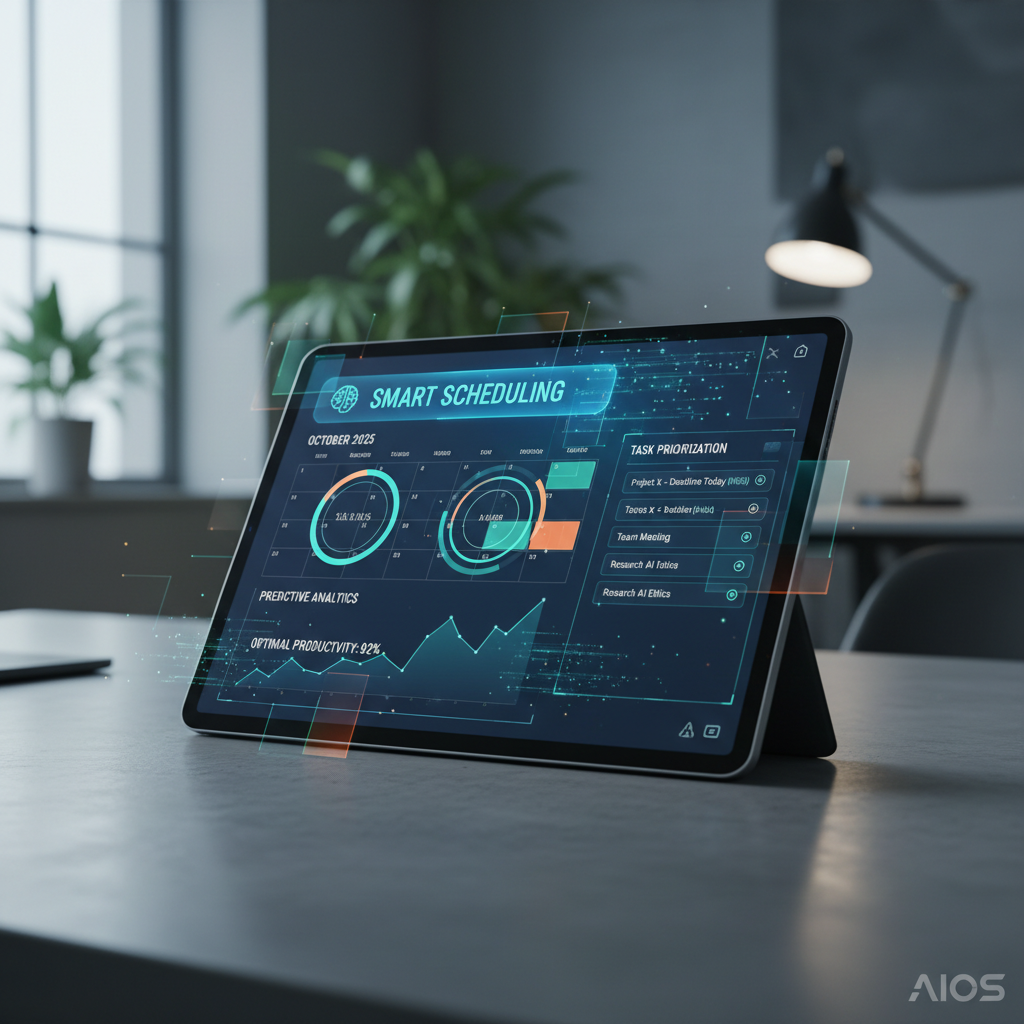
In the relentless march of human progress, few skills have proven as universally crucial as effective time management.
From the earliest civilizations tracking seasons to modern professionals juggling global responsibilities,
the quest to harness and optimize our most finite resource—time—has driven countless innovations.
What began as simple notations on stone or parchment has transformed through various eras,
each bringing increasingly sophisticated tools to our disposal. Today, we stand at the precipice
of another revolution, where Artificial Intelligence (AI) is not just assisting but actively
shaping our daily agendas, promising unparalleled levels of efficiency and foresight.
This comprehensive blog post will take you on a journey through the fascinating evolution of time management,
highlighting the pivotal shifts from traditional paper-based systems to the dawn of digital planning,
the rise of cloud-based collaboration, and finally, the transformative power of predictive AI.
We will explore how AI-powered planners are not merely digital calendars but intelligent companions,
capable of anticipating needs, optimizing schedules, and profoundly altering our approach to productivity.
Prepare to delve into the intricate mechanics of these cutting-edge tools, understand their practical applications,
and envision a future where your daily schedule is a seamlessly orchestrated masterpiece, crafted with the
precision and insight of artificial intelligence.
The Primitive Roots: Paper, Parchment, and Early Organization
Before the glow of screens, time management was a tactile, analog affair. For millennia, humanity relied on
physical artifacts to track, plan, and execute tasks. The earliest forms of time management were deeply intertwined
with natural cycles, agricultural needs, and religious observances. Ancient civilizations used sundials,
water clocks, and astronomical observations to mark time. Their equivalents of a “daily agenda” might have
been etched tablets or oral traditions passed down through generations, outlining daily chores, seasonal plantings,
or community gatherings.
As societies became more complex, so did the need for more structured planning. Monasteries in the Middle Ages,
for instance, were pioneers in schedule adherence, following strict horarium (daily routines) documented
in manuscripts. Merchants kept ledgers to track inventory and appointments. Calendars, initially lunar and then solar,
became indispensable tools for long-term planning. The concept of a “to-do list” likely emerged informally
as individuals noted down tasks on available surfaces—wax tablets, papyrus, or later, paper.
The invention of the printing press democratized access to standardized calendars and personal diaries.
By the 17th and 18th centuries, personal journals and almanacs became common, allowing individuals to
document their days, reflect on activities, and sketch out future plans. These were foundational in
establishing the habit of conscious daily planning. Benjamin Franklin’s detailed daily schedule,
famously documented in his autobiography, is a prime example of a highly structured, paper-based
time management system from this era, emphasizing virtues like “Rise, Wash, & address Powerful Goodness!”
followed by “Contrive day’s business, and take the resolution of the day; prosecute the present study;
and breakfast.” This meticulous approach, entirely reliant on pen and paper, laid the groundwork for
future methodologies, emphasizing prioritization, self-discipline, and consistent review.
The physical act of writing down tasks and commitments offered a tangible connection to one’s responsibilities.
The satisfaction of striking through a completed item on a paper list, or filling in a diary entry,
provided a psychological boost and a clear record of accomplishment. However, these systems
were inherently limited: they were static, difficult to update or reorganize without messy crossings-out,
and entirely non-collaborative. Lost or damaged paper meant lost information, and sharing schedules
required physical proximity or tedious transcription. Despite these limitations, the fundamental principles
of planning, listing, and tracking were firmly established during this long analog era.
The Dawn of Digital: Early Software and Personal Digital Assistants (PDAs)
The late 20th century heralded a dramatic shift with the advent of personal computing. Suddenly, the static
nature of paper gave way to dynamic digital interfaces. Early desktop software like Microsoft Outlook,
introduced in the mid-1990s, brought calendar, email, contacts, and task management into a single, integrated
digital environment. This was a monumental leap. No longer did you need separate physical calendars,
rolodexes, and notepads. Everything could be managed on a computer screen.
These early digital tools offered significant advantages. Tasks could be easily added, deleted, or rescheduled
without messy erasures. Recurring appointments could be set up once and automatically populate a calendar
for years. Reminders could be programmed to pop up, ensuring important deadlines weren’t missed. The search
functionality allowed users to quickly find specific events or contacts, a stark contrast to leafing through
a physical planner. Businesses rapidly adopted these systems, integrating them into their internal networks
to facilitate intra-office scheduling and communication.
Parallel to desktop software, the emergence of Personal Digital Assistants (PDAs) like the Palm Pilot in
the mid-1990s brought digital time management out of the office and into the palm of one’s hand. These
pocket-sized devices, though rudimentary by today’s standards, were revolutionary. They offered portable
calendars, to-do lists, and contact managers, all synchronized with desktop computers. Imagine the freedom
of having your entire schedule, all your contacts, and your pressing tasks with you everywhere you went,
without carrying a bulky planner. This portability laid the crucial groundwork for mobile time management
as we know it today.
While groundbreaking, these early digital systems still had their limitations. They primarily functioned
as digital replicas of their paper predecessors, lacking true intelligence or predictive capabilities.
Synchronization, especially between different devices or platforms, could be clunky and unreliable.
Collaboration was often limited to sharing files or printing schedules, not real-time co-editing.
Moreover, the “smartness” was limited to what a user manually inputted; there was no inherent ability
to learn user habits, prioritize tasks automatically, or suggest optimal scheduling. Despite these
challenges, the digital transition irrevocably altered expectations, demonstrating the immense potential
of technology to streamline and enhance personal and professional organization.
The Internet Era and Cloud Sync: Collaborative Tools and Mobile Apps
The widespread adoption of the internet and the proliferation of smartphones at the turn of the millennium
ushered in the next major phase of time management evolution: cloud-based synchronization and mobile accessibility.
This era moved time management from standalone devices to a ubiquitous, always-on, and often collaborative,
ecosystem.
Cloud computing became the backbone, allowing calendars, task lists, and notes to live not just on a single device,
but on remote servers accessible from anywhere with an internet connection. Google Calendar, launched in 2006,
exemplified this shift. It provided a free, web-based calendar that could be accessed from any computer,
and crucially, synchronized across multiple devices including the burgeoning smartphone market.
This meant your schedule was always up-to-date, whether you were viewing it on your desktop, laptop, or mobile phone.
The real game-changer was the ability to easily share and collaborate on schedules. Team meetings could be
scheduled with a few clicks, inviting participants who could instantly see and accept the invitation in their
own calendars. Project managers could create shared task lists, assigning duties and tracking progress in real-time.
Families could coordinate events and appointments effortlessly. Tools like Trello, Asana, and Evernote
emerged, offering dedicated platforms for project management, task tracking, and note-taking, all designed
with collaboration and cloud sync at their core. These applications moved beyond simple calendars, offering
sophisticated features like customizable workflows, attachment capabilities, and comment sections, fostering
a dynamic environment for organized work.
Mobile applications revolutionized accessibility. With a smartphone in every pocket, time management became
truly immediate. You could check your schedule while commuting, add a reminder during a conversation, or
rearrange your day from a coffee shop. Apps like Todoist, Any.do, and TickTick provided intuitive interfaces
for creating and managing tasks, often integrating with calendar apps. Location-based reminders became a
reality – “remind me to buy milk when I leave work” – leveraging the smartphone’s GPS capabilities.
Despite these advancements, users were still largely responsible for the “intelligence” of their schedules.
They had to manually input priorities, estimate task durations, and actively decide what to do next.
While these tools provided powerful frameworks, they didn’t inherently learn from user behavior or
proactively optimize schedules. The burden of strategic planning and decision-making still rested entirely
on the individual. This era, while offering unprecedented connectivity and convenience, set the stage for
the next evolutionary leap: true intelligence in time management.
The Rise of Smart Assistants: Voice and Integration
As internet connectivity became ubiquitous and mobile devices grew more powerful, a new wave of technology
began to subtly integrate into our daily lives: smart assistants. Initially popularized by Apple’s Siri
in 2011, followed by Google Assistant, Amazon Alexa, and Microsoft Cortana, these voice-activated interfaces
represented a significant step towards more intuitive and less manual interaction with our digital tools.
The primary innovation here was the ability to manage aspects of your schedule using natural language.
Instead of typing out an appointment, you could simply say, “Hey Siri, add a meeting with John for next Tuesday at 10 AM,”
and your calendar would update automatically. This hands-free interaction was particularly beneficial
for users on the go, driving, or multitasking, reducing friction and making scheduling more seamless.
Smart assistants integrated with various native and third-party calendar and task management apps,
bridging the gap between spoken command and digital action.
Beyond simple scheduling, smart assistants began to offer proactive reminders and information based on
context. For example, your phone might notify you, “Traffic is heavy, you need to leave in 15 minutes
to make your 9 AM meeting,” by cross-referencing your calendar with real-time traffic data.
Smart speakers in homes, like Amazon Echo and Google Home, extended this capability to communal living
spaces, allowing entire families to add items to shared shopping lists or schedule events by voice.
These devices effectively became central hubs for managing household logistics and personal commitments.
However, while smart assistants offered a layer of convenience and basic contextual awareness,
they were still largely reactive. They executed commands or provided information based on explicit inputs
or simple pre-programmed rules. They didn’t truly “understand” your deeper goals, recurring patterns beyond
explicit entries, or the nuances of your productivity cycles. Their “intelligence” was more about efficient
information retrieval and command execution rather than genuine predictive scheduling or dynamic task
prioritization based on a comprehensive understanding of your workload and preferences. They paved the way
for AI, demonstrating the power of natural language processing and integration, but they weren’t yet
the intelligent, proactive planners that we are seeing emerge today. The next step required a deeper
level of artificial intelligence, capable of learning, adapting, and truly anticipating.
Entering the AI Age: Predictive Analytics and Automation
We are now squarely in the era where Artificial Intelligence is fundamentally reshaping time management.
This isn’t just about digitizing a calendar or responding to a voice command; it’s about systems
that learn, anticipate, and proactively optimize our lives. AI-powered planners leverage advanced
algorithms, machine learning, and natural language processing (NLP) to move beyond simple automation
to true predictive analytics and intelligent automation.
At its core, AI brings a level of intelligence that was previously impossible. Instead of merely storing
your tasks and appointments, an AI planner can analyze your historical data. It learns your typical
work patterns, your peak productivity hours, how long certain types of tasks usually take you,
and even your preferences for breaks or deep work sessions. This data-driven understanding allows
the AI to make intelligent suggestions and optimizations.
Machine Learning for Intelligent Scheduling
Machine learning (ML) algorithms are the brain behind these systems. They continuously process vast amounts
of data: your calendar entries, task durations, email communications, project deadlines, and even data
from wearable devices that track your energy levels or focus. Based on this learning, the AI can:
-
Predict Task Durations: If you consistently underestimate how long it takes to write a report,
the AI can adjust future estimates, helping you create more realistic schedules. -
Identify Peak Productivity Times: It might notice you are most productive for creative tasks
in the morning and administrative tasks in the afternoon, and then suggest scheduling accordingly. -
Automate Prioritization: By understanding project dependencies, deadlines, and your
overall workload, the AI can automatically re-prioritize tasks as new urgent items arrive or plans change. -
Optimize Breaks and Recovery: Intelligent planners can even suggest optimal times for breaks,
lunch, or even short mindfulness sessions, ensuring you avoid burnout and maintain sustained productivity.
Natural Language Processing for Seamless Interaction
Natural Language Processing (NLP) enhances user interaction significantly. Beyond simple voice commands,
modern AI planners can understand complex requests and extract meaningful information from unstructured text.
For example:
-
You can type or speak, “Schedule an hour for me to review the Q3 budget report by Friday,” and the AI
will not only add it to your calendar but intelligently find the best available slot before the deadline,
considering other commitments and your learned preferences. -
It can scan your emails for potential meetings or tasks, proactively asking if you’d like to add them
to your schedule. -
Some advanced systems can even infer task details from brief notes, such as recognizing dates, times,
and associated contacts.
This shift represents a move from passive tools to active, intelligent partners in productivity.
AI-powered planners don’t just organize your input; they analyze, learn, predict, and optimize,
transforming raw data into actionable, strategically planned daily agendas that truly reflect
your priorities and working style. They aim to reduce the cognitive load associated with planning itself,
freeing up mental energy for deeper, more meaningful work.
How AI-Powered Planners Work: Core Technologies and Principles
Understanding the underlying mechanisms of AI-powered planners reveals the true depth of their capabilities.
These are sophisticated software systems that integrate several cutting-edge technologies to provide a
seamless, intelligent scheduling experience.
1. Data Collection and Integration
The foundation of any effective AI system is data. AI planners gather information from a multitude of sources:
-
Calendar Events: Your existing appointments, meetings, and deadlines from Google Calendar,
Outlook Calendar, Apple Calendar, etc. -
Task Lists: Tasks imported or directly entered into the planner, often with priority levels,
deadlines, and estimated durations. -
Email and Messaging Apps: Some planners can integrate with your email (e.g., Gmail, Outlook)
to identify potential meetings, tasks, or follow-ups based on keywords and context. They might even
scan for project updates in Slack or Microsoft Teams. -
Project Management Tools: Integration with tools like Asana, Trello, Jira, or Monday.com
allows the AI to pull in project milestones, assigned tasks, and team dependencies. -
Wearable Devices and Health Apps: Advanced planners might connect to fitness trackers (e.g., Apple Watch, Fitbit)
to monitor sleep patterns, activity levels, or stress indicators, which can inform suggestions for breaks or
optimal work periods. -
Manual User Input: Explicit preferences, block-out times, preferred work environments,
and feedback on task completion times.
2. Machine Learning Algorithms
Once data is collected, machine learning models get to work. These algorithms continuously analyze patterns and
make predictions based on historical data and user behavior.
-
Pattern Recognition: ML models identify recurring events, typical task durations,
and your personal work rhythms (e.g., when you’re most focused, when you tend to procrastinate). -
Predictive Analytics: Based on observed patterns, the AI can predict how long a new,
similar task might take, or when you’re likely to complete a series of tasks. It can also foresee
potential scheduling conflicts before they arise. -
Optimization Algorithms: These algorithms are designed to find the “best” schedule
based on a set of criteria (e.g., minimizing overload, maximizing deep work blocks, ensuring deadlines are met).
They can dynamically rearrange tasks to fit new priorities or disruptions. -
Reinforcement Learning: Some advanced systems use reinforcement learning to adapt.
When you accept or modify a suggestion, the AI learns from your choice, refining its future recommendations.
It’s a continuous feedback loop that makes the planner smarter over time.
3. Natural Language Processing (NLP)
NLP enables the planner to understand and process human language, making interaction intuitive.
-
Intent Recognition: When you input a task or request, NLP algorithms determine the
core intention (e.g., “schedule a meeting,” “add a reminder,” “prioritize this”). -
Entity Extraction: It pulls out key pieces of information like dates, times, durations,
locations, and participants from unstructured text. For instance, from “Project X review meeting, 2 PM Tuesday,
conference room A, with Sarah and Mike,” it extracts all necessary details to create a calendar event. -
Contextual Understanding: NLP models can also interpret the context of your requests,
such as inferring a task’s urgency from keywords or understanding dependencies between tasks.
4. Proactive Suggestions and Automation
Combining these technologies allows AI planners to move beyond reactive scheduling to proactive assistance.
-
Smart Scheduling: Automatically finding the best slots for tasks, respecting your
preferences, availability, and existing commitments. This includes “time blocking” tasks for focused work. -
Dynamic Reprioritization: If a high-priority task suddenly appears, the AI can suggest
how to shift other tasks to accommodate it, without creating a domino effect of missed deadlines. -
Automated Reminders and Nudges: Not just simple pop-ups, but intelligent nudges based
on your energy levels, upcoming deadlines, or even potential procrastination patterns. -
Routine Automation: For recurring tasks or projects, the AI can establish and suggest
optimal routines, like “every Monday, allocate 30 minutes for email review.”
In essence, AI-powered planners act as sophisticated digital strategists. They offload the mental burden of
constantly monitoring, prioritizing, and scheduling, allowing users to dedicate their cognitive resources
to executing tasks rather than managing them. This level of automation and intelligence represents a profound
shift in how we interact with our daily schedules.
Key Features of Modern AI Daily Agendas
Modern AI-powered daily agendas are far more than glorified digital calendars. They integrate a suite of
intelligent features designed to maximize efficiency, reduce cognitive load, and foster a healthier
relationship with productivity. Here are some of the most impactful features:
1. Intelligent Time Blocking and Scheduling
Unlike traditional calendars where you manually drag and drop events, AI planners intelligently
allocate blocks of time for specific tasks.
-
Dynamic Scheduling: The AI considers your availability, task priority, estimated duration,
and personal productivity rhythms (e.g., “deep work” in the morning, administrative tasks in the afternoon)
to find the optimal slot for each task. -
Auto-Rescheduling: If an urgent meeting pops up, the AI can automatically shuffle
your other tasks to accommodate the new commitment, minimizing disruption and helping you stay on track. -
Buffer Time: Some planners automatically add buffer time between meetings or tasks
to allow for transitions, travel, or unexpected overruns, preventing back-to-back burnout.
2. Predictive Task Prioritization
AI takes the guesswork out of “what to do next” by dynamically prioritizing your workload.
- Deadline Awareness: Tasks nearing their deadline automatically gain higher priority.
-
Dependency Management: If Task B cannot start until Task A is complete, the AI understands
and prioritizes Task A accordingly. -
Contextual Prioritization: It can consider your current focus, energy levels (if integrated
with wearables), and location to suggest the most appropriate task at any given moment.
3. Habit Tracking and Goal Alignment
Beyond just tasks, AI planners can help you build and maintain positive habits and ensure your daily actions
align with your larger goals.
-
Habit Integration: You can define habits (e.g., “30 minutes exercise,” “read for an hour”),
and the AI will find optimal times to integrate them into your schedule, nudging you if you miss a session. -
Goal Breakdown: For large goals (e.g., “launch a new product”), the AI can help break them
down into smaller, manageable tasks and schedule them over time, ensuring steady progress.
4. Proactive Suggestions and Reminders
These systems don’t just remind you; they offer intelligent advice.
-
“Smart Nudges”: Instead of a generic reminder, you might get a notification like,
“You have 30 minutes before your deep work block; would you like to clear your inbox now?” -
Meeting Prep: The AI can pull relevant documents, contact information, or previous meeting
notes just before an upcoming meeting. -
Time Optimization: It might suggest moving a task if it detects a more efficient slot
or if a block of free time opens up.
5. Seamless Integration Across Platforms
Modern AI agendas act as central hubs, connecting to virtually all your digital tools.
- Calendar Sync: Two-way synchronization with Google Calendar, Outlook Calendar, Apple Calendar.
- Task Managers: Integration with popular task apps like Todoist, Trello, Asana, Jira.
- Communication Tools: Connects with email clients (Gmail, Outlook), Slack, Microsoft Teams.
- Note-taking Apps: Link tasks to relevant notes in Evernote, Notion, or OneNote.
6. Contextual Awareness and Location-Based Intelligence
Leveraging device sensors and external data for smarter scheduling.
-
Travel Time Calculation: Automatically accounts for travel time to appointments based
on real-time traffic data, nudging you to leave on time. - Location-Based Tasks: Reminds you to pick up groceries when you are near the supermarket.
-
Device Usage Analysis: Some advanced tools might detect if you’re frequently distracted
by certain apps during focus blocks and offer gentle suggestions to stay on task.
These features collectively empower users to reclaim control over their time, reduce stress, and operate
at a higher level of productivity and effectiveness than ever before. The AI becomes a silent, intelligent
partner, constantly working to optimize your schedule and help you achieve your goals.
Benefits of AI for Personal and Professional Productivity
The integration of AI into time management tools extends far beyond simple convenience; it fundamentally
transforms how individuals and organizations approach productivity. The benefits are multifaceted,
impacting everything from daily task completion to long-term goal achievement and overall well-being.
1. Reduced Cognitive Load and Decision Fatigue
One of the most profound benefits is the significant reduction in mental energy spent on planning and
organizing. Humans spend a considerable amount of time deciding what to do next, prioritizing tasks,
and rearranging schedules due to unforeseen changes.
-
Automated Prioritization: AI takes over the often-stressful task of deciding what’s most
important right now, based on deadlines, dependencies, and your specified goals. This frees up your
brainpower for the actual work. -
Streamlined Scheduling: Instead of manually finding gaps, the AI automatically slots
tasks into optimal times, minimizing the mental effort required to construct a coherent daily agenda. -
Less Rework: When plans change, the AI dynamically adjusts, preventing you from having
to manually re-evaluate and re-plan your entire day, thus reducing decision fatigue.
2. Enhanced Focus and Deep Work Opportunities
Traditional time management often involves constant context-switching as you jump between tasks.
AI-powered planners facilitate more focused work periods.
-
Dedicated Focus Blocks: By intelligently scheduling deep work sessions and protecting
them from interruptions, AI helps users enter and maintain flow states. -
Minimized Distractions: Proactive nudges and reminders can gently guide you back to
your current task, while smart integration ensures all necessary resources are at hand, reducing the need
to switch apps or search for information. -
Strategic Breaks: By intelligently scheduling breaks, AI helps maintain energy levels,
improving sustained focus over longer periods.
3. Improved Time Utilization and Efficiency
AI aims to make every minute count, ensuring that time is spent on the most impactful activities.
-
Realistic Planning: By learning how long tasks truly take you, AI helps create schedules
that are achievable, reducing the likelihood of overcommitment and missed deadlines. -
Optimized Task Flow: The AI can group similar tasks together (e.g., all email replies,
all phone calls) or schedule related tasks sequentially, minimizing setup time and maximizing efficiency. -
Proactive Issue Identification: By spotting potential conflicts or overloads in advance,
the AI allows for proactive adjustments, preventing last-minute crises.
4. Better Work-Life Balance and Well-being
Beyond just work tasks, AI can play a crucial role in creating a more balanced and sustainable lifestyle.
-
Protected Personal Time: Users can set boundaries for personal time, and the AI will
respect these, ensuring work doesn’t bleed into family time or personal appointments. -
Stress Reduction: Knowing that your schedule is intelligently managed reduces anxiety
about forgetting tasks or missing deadlines, leading to a calmer mental state. -
Habit Reinforcement: By gently reminding and scheduling personal habits (exercise, meditation),
AI planners support holistic well-being goals. -
Burnout Prevention: Intelligent scheduling of breaks and ensuring manageable workloads
actively combats burnout, promoting long-term productivity and happiness.
In essence, AI-powered planners act as a personal productivity coach, strategist, and assistant rolled into one.
They don’t replace human decision-making but augment it, providing the scaffolding and foresight needed to
navigate the complexities of modern life with greater ease and effectiveness.
The Road Ahead: Future Prospects of AI in Time Management
The current capabilities of AI in time management, while impressive, are just the beginning. The future
promises even more sophisticated, personalized, and seamlessly integrated solutions that will further
blur the lines between a planning tool and a true digital personal assistant.
Hyper-Personalization and Emotional Intelligence
Future AI planners will go beyond simply learning your work habits. They may integrate with a wider array
of biometric data (e.g., heart rate variability, sleep quality from smart rings/watches) and even utilize
sentiment analysis from your communications to gauge your stress levels or mood.
This could lead to:
-
Emotionally Aware Scheduling: If the AI detects high stress, it might suggest rescheduling
a demanding task, blocking out time for a walk, or recommending a mindfulness exercise. -
Proactive Health Integration: Suggestions might extend to nutrition or exercise based
on detected patterns or health goals.
Advanced Predictive Capabilities
The predictive power of AI will become even more acute.
-
Forecasting Bottlenecks: AI could predict potential bottlenecks in project timelines weeks
or months in advance, allowing for proactive resource allocation or adjustments. -
“What If” Scenarios: Users could ask, “What if I take next Friday off?” and the AI would
instantly reconfigure the schedule and show the impact on deadlines and workload. -
Interpersonal Optimization: For team-based tasks, AI could optimize meeting times not just
based on individual availability, but also considering who works best together, who needs to be fresh
for a particular discussion, or even time zone differences for global teams.
Seamless Integration with the Internet of Things (IoT) and Metaverse
As our environments become smarter, so too will our planners.
-
Smart Home Integration: Your planner could adjust your smart home settings (lighting,
temperature, music) to create an optimal environment for your scheduled deep work block. -
Autonomous Task Execution: For certain routine tasks, the AI might even initiate actions.
For example, “Order groceries based on my weekly meal plan” or “Send the draft report to Sarah for review”
once a specific time block ends. -
Augmented Reality (AR) Overlays: Imagine an AR overlay showing you your next task
floating above your desk or digital sticky notes appearing in your field of vision, dynamically updated
by your AI planner.
Ethical Considerations and Trust
As AI becomes more integral to our lives, ethical considerations around data privacy, algorithmic bias,
and the potential for over-reliance will become paramount. Future developments will need to focus
on transparency, user control, and robust security measures to build and maintain trust.
The balance between proactive assistance and preserving human autonomy will be a continuous point of discussion and development.
Ultimately, the future of AI in time management points towards a world where planning is largely invisible,
effortless, and deeply aligned with our individual and collective goals. It promises a world where we spend
less time managing our time, and more time actually living and achieving.
Comparison Tables: Time Management Evolution at a Glance
To truly appreciate the advancements, let’s look at how time management tools have evolved across different eras,
highlighting their core capabilities and limitations.
| Feature/Era | Paper-Based (Pre-1980s) | Early Digital (1980s-1990s) | Cloud/Mobile (2000s-2010s) | AI-Powered (2020s+) |
|---|---|---|---|---|
| Core Medium | Physical notebook, planner, diary | Desktop software, PDA devices | Web applications, smartphone apps | Integrated platforms, intelligent agents |
| Input Method | Pen and paper | Keyboard, stylus | Keyboard, touch, voice | Voice, smart text parsing, integrations |
| Scheduling Logic | Manual, human intuition | Manual, basic recurring events | Manual, shared calendars | Predictive, adaptive, optimized |
| Prioritization | Manual, visual cues (e.g., stars) | Manual, basic flag/priority tags | Manual, simple drag-and-drop | Automated, context-aware, dynamic |
| Collaboration | None (physical sharing) | Limited (file sharing) | Real-time, shared calendars/tasks | Seamless, intelligent group scheduling |
| Portability | Physical object | Limited (PDA) | High (smartphone) | Ubiquitous (multi-device, voice, ambient) |
| Intelligence/Learning | None | None | Rule-based alerts, basic reminders | Adaptive, learns habits, predicts needs |
| Proactive Assistance | None | Basic pop-up reminders | Location-based reminders, traffic alerts | Smart nudges, auto-rescheduling, suggestions |
| Integration | None | Limited (local desktop apps) | Cloud services, email, basic PM tools | Deep, cross-platform, IoT, wearables |
| Key Benefit | Tangibility, simplicity | Digitization, searchability | Accessibility, collaboration | Autonomy, optimization, foresight |
The next table focuses specifically on comparing the functionalities of a traditional digital planner
with a modern AI-powered planner, highlighting the distinct advantages brought by artificial intelligence.
| Feature | Traditional Digital Planner (e.g., Google Calendar, Outlook) | AI-Powered Planner (e.g., Motion, Reclaim.ai, Akiflow) |
|---|---|---|
| Task Input | Manual entry of tasks, dates, times. | Manual entry, natural language processing, email/chat integration. |
| Scheduling | Manual drag-and-drop, recurring events. User finds available slots. | Automated time-blocking, finds optimal slots, respects preferences, dynamically adjusts. |
| Prioritization | Manual tagging (high/low), manual reordering of lists. | Automated based on deadlines, dependencies, importance, user habits, and cognitive load. |
| Learning & Adaptation | None. Static display of user input. | Learns task durations, peak productivity times, user preferences; adapts schedule dynamically. |
| Conflict Resolution | User manually identifies and resolves overlaps. | Proactively identifies conflicts, suggests resolutions, auto-reschedules tasks. |
| Proactive Suggestions | Basic reminders (e.g., “Meeting in 15 mins”). | Intelligent nudges (e.g., “Clear inbox before deep work?”), meeting prep info, suggested breaks. |
| Habit Integration | Manual entry as recurring events. | Suggests optimal times for habits, tracks adherence, integrates with wellness goals. |
| Integration Ecosystem | Calendars, basic task apps. | Deep integration with calendars, tasks, project management, communication, email, wearables, IoT. |
| Goal Alignment | Manual task breakdown. | Helps break down goals, schedules sub-tasks, and tracks progress towards objectives. |
| Cognitive Load | Requires significant user effort for planning and adjustment. | Minimizes planning effort, reduces decision fatigue, frees up mental capacity. |
Practical Examples: AI-Powered Agendas in Real Life
The theoretical benefits of AI in time management become much clearer through practical, real-world scenarios.
Let’s explore how different individuals can leverage these intelligent planners to transform their daily lives.
Case Study 1: The Multi-Project Manager
Imagine Sarah, a project manager juggling three concurrent projects, each with its own deadlines,
team members, and dependencies. In the past, she spent hours each week manually updating spreadsheets,
calendars, and Trello boards, constantly reorganizing her day to put out fires and meet shifting priorities.
With an AI-powered planner, Sarah’s workflow is revolutionized. She inputs all her project tasks into the system,
specifying deadlines, estimated durations, and dependencies. The AI integrates with her team’s project management
software (e.g., Jira) and her Outlook calendar.
-
Intelligent Time Blocking: The AI automatically blocks out time for specific project tasks
in her calendar, ensuring she allocates enough time for each, based on its urgency and complexity.
It knows she prefers deep work in the mornings, so it schedules complex analytical tasks then. -
Dynamic Prioritization: When a client requests an urgent change on Project A,
the AI immediately flags related tasks, reprioritizes them, and suggests how to shift tasks from
Projects B and C to accommodate the new urgency without missing critical deadlines. -
Meeting Optimization: It finds the best time for team meetings by cross-referencing
everyone’s calendars, and for external calls, it factors in time zones and even automatically provides
meeting prep documents from Sarah’s cloud storage. -
“Smart Nudges”: If Sarah gets engrossed in a task for too long, the AI might nudge her,
“Project B’s review is approaching; allocate 30 mins to review now?” or “It’s 12 PM, consider taking a lunch break.”
Sarah no longer starts her day overwhelmed by a disorganized to-do list. Her agenda is a dynamically optimized
plan, allowing her to focus on strategic decisions rather than administrative shuffling.
Case Study 2: The Busy University Student
Meet David, a university student balancing demanding coursework, a part-time job, and a vibrant social life.
He struggled with procrastination, forgetting assignment deadlines, and oversleeping for morning lectures.
An AI planner becomes David’s academic lifeline. He inputs all his course syllabi, assignment deadlines,
and exam dates. The AI learns his typical study habits and commitments.
-
Assignment Breakdown: For a major essay due in three weeks, the AI automatically breaks
it down into smaller tasks like “research topic,” “draft outline,” “write introduction,” and schedules
these mini-tasks into his free slots each week. -
Proactive Reminders: Instead of a simple alarm, the AI might prompt, “David, your calculus
homework is due tomorrow. You have a 2-hour window available this evening to complete it.” -
Habit Integration: David wants to work out three times a week. The AI finds slots for
this in his schedule, sending a gentle reminder before each session and tracking his consistency. -
Conflict Resolution: If a group project meeting clashes with a scheduled study block,
the AI suggests the best alternative time for the study block based on his other commitments.
David feels more in control, less stressed, and consistently meets his deadlines. He also finds time for personal
well-being, leading to better academic performance and a more balanced student life.
Case Study 3: The Entrepreneur Launching a Startup
Eleanor is a solo entrepreneur launching a tech startup. Her days are a whirlwind of product development,
marketing, investor meetings, and administrative tasks. Without an intelligent system, she risks burnout
and missed opportunities.
Her AI planner becomes her co-pilot. She integrates it with her CRM, email, and development platform (e.g., GitHub).
-
Goal-Oriented Scheduling: Eleanor sets her primary goal as “launch MVP in 3 months.”
The AI helps her define the critical path, breaking it into weekly and daily tasks, ensuring she’s
always working on the most impactful activities. -
Intelligent Email Management: The AI scans her inbox, identifies potential leads,
follow-ups, or meeting requests, and proactively suggests adding them to her task list or calendar.
It can even draft initial replies. -
Contextual Prioritization: If a critical bug report comes in, the AI immediately shuffles
her development tasks, flagging the bug fix as top priority and rescheduling less urgent marketing tasks. -
Work-Life Balance Monitoring: The AI monitors her working hours. If it detects she’s
consistently working 14-hour days, it might suggest blocking out a mandatory “no work” evening or
a weekend break, helping prevent burnout.
Eleanor gains clarity and focus, knowing that her most critical tasks are always at the forefront. The AI
acts as a strategic advisor, helping her navigate the intense demands of startup life more sustainably.
These examples demonstrate that AI-powered daily agendas are not just futuristic concepts; they are
practical, indispensable tools that empower individuals across diverse roles to achieve unprecedented levels
of organization, productivity, and well-being.
Frequently Asked Questions
Q: What is the primary difference between a traditional digital planner and an AI-powered one?
A: The core difference lies in intelligence and automation. A traditional digital planner (like Google Calendar)
is a passive tool; it stores and displays information you manually input. An AI-powered planner,
on the other hand, is an active, intelligent agent. It uses machine learning and natural language processing
to learn your habits, predict task durations, dynamically prioritize, optimize your schedule,
and proactively suggest the best course of action, often without direct input. It moves from
“managing your entries” to “intelligently managing your time.”
Q: How does an AI planner learn my habits and preferences?
A: AI planners learn through continuous data analysis. They track how you use your calendar, how long you
typically spend on certain types of tasks, your preferred work hours, when you accept or decline suggestions,
and your overall schedule adherence. Over time, machine learning algorithms identify patterns,
such as your peak productivity hours, common distractions, and even your tendency to underestimate task
durations. This information is then used to refine future scheduling and prioritization suggestions.
Q: Is my data safe with an AI-powered planner? What about privacy?
A: Data security and privacy are paramount concerns for reputable AI planner developers. Most leading AI
planners employ robust encryption (both in transit and at rest), secure servers, and adhere to strict
privacy policies (e.g., GDPR, CCPA). Your personal data is typically anonymized and aggregated for
machine learning purposes, meaning individual identifying information is not used to train global models.
However, it’s crucial to always review the privacy policy and terms of service of any AI tool you use,
and choose providers with a strong track record in data protection.
Q: Can AI planners integrate with all my existing tools like Slack, Zoom, and my email?
A: Yes, seamless integration is a key feature of modern AI planners. They are designed to act as central hubs,
connecting to a wide ecosystem of tools including popular calendars (Google Calendar, Outlook, Apple Calendar),
project management software (Asana, Trello, Jira), communication platforms (Slack, Microsoft Teams),
video conferencing tools (Zoom, Google Meet), and email clients (Gmail, Outlook). This allows the AI
to pull information from and push updates to your entire digital workflow.
Q: Are AI-powered planners expensive? Is there a free option?
A: Pricing varies significantly. Many AI-powered planners offer a freemium model, providing basic
AI scheduling features for free, with advanced features (like deep integrations, predictive analytics,
or multi-device sync) locked behind a premium subscription. Full-featured paid versions can range
from a few dollars to upwards of $20-30 per month, depending on the complexity and target audience
(individual vs. team/enterprise). It’s worth trying free trials to see which fits your needs and budget.
Q: What if I don’t want the AI to completely control my schedule? Can I override its suggestions?
A: Absolutely. AI planners are designed to assist, not dictate. You always retain ultimate control
over your schedule. You can accept, modify, or reject any suggestion the AI makes. In fact, your
interactions (accepting or modifying suggestions) help the AI learn and become even better at
personalizing its recommendations to your preferences. Most advanced planners offer settings
to adjust the level of AI intervention.
Q: How does an AI planner handle unexpected events or urgent tasks?
A: This is where AI planners truly shine. When an unexpected event (like an urgent meeting) or a new
high-priority task arises, the AI can immediately analyze your existing schedule. It will proactively
suggest the best way to accommodate the new item, such as rescheduling less critical tasks,
identifying open slots, or even asking if you want to push certain items to a later date,
all while trying to minimize disruption to your overall plan. This dynamic adaptation is a major benefit.
Q: Will using an AI planner make me too reliant on technology and lose my planning skills?
A: While AI planners significantly reduce the manual effort of scheduling, they don’t necessarily diminish
your planning skills. Instead, they free up your cognitive capacity to focus on higher-level strategic planning,
goal setting, and creative problem-solving. You still define your objectives and priorities; the AI
automates the tactical execution. It’s more akin to using a calculator for complex math – it handles
the computations so you can focus on the problem itself. It can even help you *learn* better planning
habits by consistently showing you optimized schedules.
Q: What specific types of individuals or professionals benefit most from AI planners?
A: AI planners are particularly beneficial for anyone with a complex, dynamic, or unpredictable schedule.
This includes:
- Project Managers: Juggling multiple projects, teams, and deadlines.
- Entrepreneurs & Freelancers: Managing diverse tasks, client work, and administrative duties.
- Students: Balancing coursework, assignments, and personal commitments.
- Executives & Managers: High volume of meetings, strategic planning, and team oversight.
- Sales Professionals: Managing client meetings, follow-ups, and administrative tasks.
- Anyone who feels overwhelmed by their to-do list and constantly struggles with prioritization and scheduling.
Q: What does the future hold for AI in time management?
A: The future promises even greater personalization and integration. Expect AI planners to become
more emotionally intelligent, using biometric data to understand your energy levels and mood for optimal
scheduling. They will offer advanced “what-if” scenario planning, seamless integration with the Internet of Things (IoT)
for environmental optimization, and potentially even autonomous task execution for routine actions.
The goal is an invisible, effortless, and deeply aligned planning experience, allowing humans to focus
on creativity and strategic thinking.
Key Takeaways: Navigating the Future of Productivity
The journey from rudimentary paper lists to sophisticated AI-powered daily agendas underscores humanity’s
unwavering pursuit of efficiency and mastery over time. As we look back, and more importantly, look forward,
several critical insights emerge:
-
Constant Evolution: Time management tools are not static; they continually evolve
in response to technological advancements and changing human needs, from manual to digital,
and now to intelligent automation. -
AI as a Game-Changer: Artificial Intelligence marks a paradigm shift, moving time
management from passive recording to active, predictive, and personalized optimization.
It’s not just a tool, but an intelligent partner. -
Reduced Cognitive Load: A primary benefit of AI planners is their ability to
significantly decrease the mental burden of planning, prioritizing, and rescheduling,
freeing up cognitive resources for focused work and creative tasks. -
Enhanced Productivity & Well-being: By providing intelligently structured schedules,
AI helps users achieve higher efficiency, meet deadlines more consistently, and foster a healthier
work-life balance through optimized breaks and habit integration. -
Seamless Integration: Modern AI agendas serve as central hubs, connecting disparate
digital tools (calendars, tasks, email, project management, communication apps) into a unified,
smartly managed ecosystem. -
User Control is Key: While AI offers powerful automation, user autonomy remains
paramount. These tools are designed to assist and suggest, with the user retaining ultimate control
and the ability to override any AI recommendation. -
Ethical Considerations Matter: As AI becomes more pervasive, ongoing attention to data
privacy, security, and algorithmic transparency will be crucial to building and maintaining user trust. -
Future Potential is Vast: The capabilities of AI in time management are still burgeoning,
with future developments promising hyper-personalization, deeper emotional intelligence,
and seamless integration with smart environments, making time management virtually invisible.
Conclusion: Embracing the Intelligent Future of Time Management
The evolution of time management reflects our enduring human desire to make the most of our precious hours.
What began with simple marks on paper has journeyed through the digital revolution, the dawn of cloud
connectivity, and the convenience of smart assistants. Today, with the advent of predictive AI,
we stand at a pivotal moment, witnessing the transformation of our daily agendas from mere lists
and calendars into dynamic, intelligent ecosystems.
AI-powered planners are not just another technological fad; they represent a fundamental shift in our
relationship with time. By learning our unique patterns, anticipating our needs, and proactively
optimizing our schedules, these tools liberate us from the tedious, time-consuming act of planning itself.
They empower us to minimize decision fatigue, maximize focus, and strategically align our daily actions
with our long-term goals, whether personal or professional.
Embracing AI in time management means embracing a future where productivity is not about working harder,
but working smarter and more strategically. It means cultivating a life where your schedule serves you,
rather than you serving your schedule. While ethical considerations and the balance of human
autonomy will remain important conversations, the trajectory is clear: AI is poised to become the
indispensable architect of our future daily lives, helping us navigate complexity with unprecedented
grace and efficiency. The time to explore and integrate these revolutionary tools is now, as they offer
not just a better way to manage time, but a pathway to a more fulfilling and productive existence.






















































































Leave a Reply