

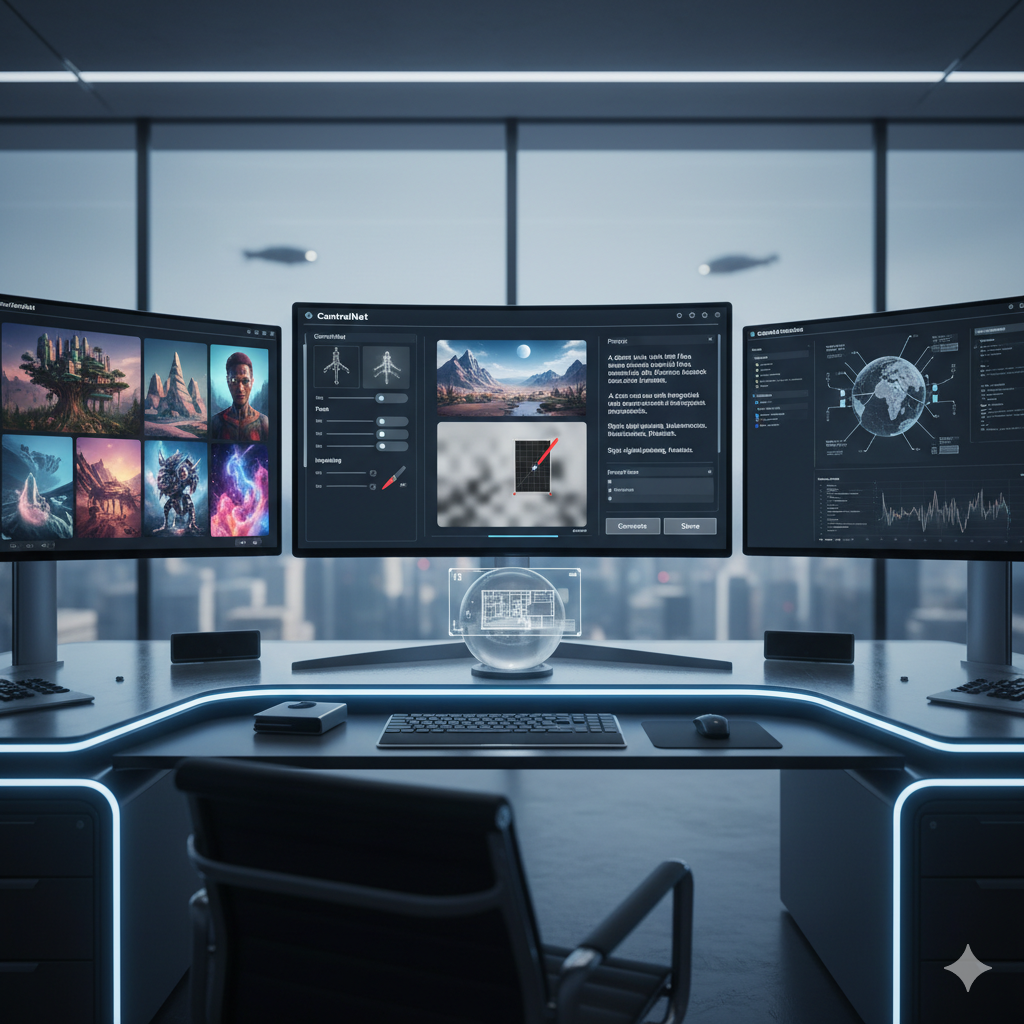
The landscape of artificial intelligence image generation has evolved at a breathtaking pace, transforming from a novel curiosity into an indispensable tool for creatives, marketers, designers, and developers alike. Initially, the magic lay in simply converting text into compelling visuals. Today, however, the real power and versatility of these tools reside in their advanced features, offering an unprecedented level of control, customization, and creative freedom. Moving beyond basic text-to-image prompts unlocks a universe of possibilities, allowing users to precisely sculpt their visions, maintain consistency across projects, and even train AI models to recognize their unique artistic style. This comprehensive guide delves deep into these sophisticated functionalities, providing a roadmap for navigating the advanced terrains of top AI image generators like Midjourney, DALL-E 3, Stable Diffusion, and Leonardo.AI. Our goal is to equip you with the knowledge to not just generate images, but to master the art of AI-driven creativity, ensuring you choose the right tools to seamlessly integrate into your professional creative workflow.
Understanding these advanced capabilities is no longer optional for those serious about leveraging AI for visual content. It is about moving from being a passive observer to an active director, transforming abstract ideas into concrete, high-quality visuals with precision and efficiency. From refining intricate details with surgical accuracy to generating entire visual narratives with consistent character design, the advanced features of modern AI image generators are empowering users to push the boundaries of what is creatively possible. These tools are democratizing high-end visual production, enabling individuals and small teams to achieve results previously only attainable with significant resources and specialized expertise. Join us as we explore these powerful tools, examine their practical applications, and help you unlock the full potential of AI in your artistic and professional endeavors, ultimately enhancing your creative output and efficiency.
The Evolution of AI Image Generation: A Leap from Novelty to Necessity
The journey of AI image generation began with a spark of wonder. Early models, while impressive, often produced outputs that were more abstract or surreal, requiring significant human curation to achieve usable results. They were largely experimental, showcasing the raw potential of neural networks to interpret human language and translate it into visual forms. The initial excitement was focused on the sheer novelty of generating an image from a text description, a feat that seemed almost magical just a few years ago. However, the demands of professional workflows quickly highlighted the limitations of these early iterations.
Rapid advancements in computational power, coupled with breakthroughs in diffusion models and transformer architectures, have fundamentally reshaped the capabilities of these tools. This evolution has been marked by a relentless pursuit of greater control, higher fidelity, and seamless integration into diverse creative pipelines. Developers have responded to the feedback of artists, designers, and marketers, introducing features that allow for unprecedented precision in steering the AI’s creative process. The shift has been profound: from merely generating “something interesting” to generating “exactly what is required,” with exacting adherence to specific stylistic, compositional, and content demands.
Today’s advanced AI image generators are no longer mere curiosity-driven projects; they are robust, sophisticated applications indispensable across various industries. They serve as powerful accelerators for ideation, concept visualization, asset creation, and rapid prototyping. For a graphic designer, they can generate endless variations of a logo; for a game developer, they can craft unique textures and environments; for a marketing team, they can produce diverse, on-brand campaign visuals. This technological maturation has transformed AI image generation from a fascinating toy into an essential, productivity-enhancing instrument, redefining what is possible in the realm of visual content creation and offering unparalleled avenues for creative exploration and innovation. Understanding this evolution is key to appreciating the depth and power of the advanced features we are about to explore.
Unveiling Advanced Features: Precision and Control at Your Fingertips
Moving beyond the simple act of typing a text prompt and hitting ‘generate’ reveals a sophisticated array of tools designed to give creators an unprecedented level of control. These advanced features allow users to sculpt, refine, and direct the AI’s output with surgical precision, transforming it from a random image generator into a highly customizable artistic assistant. Mastering these functionalities is crucial for anyone looking to harness the full potential of AI in their professional or personal creative endeavors.
1. ControlNet: The Architect of Consistency and Precision
ControlNet stands as a monumental leap forward in the realm of AI image generation, particularly within the Stable Diffusion ecosystem. It revolutionized the field by allowing users to inject additional spatial and structural conditions into the generation process, providing granular control over the output image’s composition, pose, depth, and edge detection. This innovation means creators can dictate not just “what” the image should contain, but “how” those elements are arranged and structured, ensuring consistency and adherence to specific visual guidelines across multiple generations.
Understanding ControlNet Modules and Their Applications:
- Pose Estimation (OpenPose): This module allows users to input a skeletal representation or stick figure of a human pose. The AI then generates an image that strictly adheres to that pose, while the text prompt defines the character’s appearance, clothing, and surrounding environment. This is invaluable for character design, storyboarding for animation or comics, and creating consistent human figures for fashion illustrations or medical diagrams.
- Canny Edge Detection: By providing a simple line drawing, outline, or a Canny edge map extracted from an existing image, this module guides the AI to generate a new image that meticulously preserves the exact edges and contours of the input. It is perfect for transforming rough sketches into detailed illustrations, converting architectural blueprints into photorealistic renders, or ensuring specific object shapes are maintained across different styles.
- Depth Estimation (MiDaS): This module takes an input image and extracts its depth map, which encodes information about the relative distance of objects from the viewer. ControlNet then uses this depth map to inform the AI to generate a new image with a similar three-dimensional structure and perspective. This is incredibly useful for architectural visualizations, product photography variations, and generating new scenes while preserving the spatial relationships of existing elements.
- Segmentation (Seg): With segmentation maps, users can define distinct regions or objects within an image using color-coded masks. The AI then populates these masked regions with elements specified in the text prompt, while strictly preserving the overall layout and placement of objects. This is ideal for detailed scene recomposition, interior design mock-ups, and precise visual prototyping where distinct areas need specific content.
- Scribble/Line Art: Similar to Canny but more forgiving, this module allows for the input of rough freehand sketches or doodles. The AI interprets these loose lines as foundational guides, transforming quick ideas into elaborate, fully rendered images, offering a fast way to move from concept to polished artwork.
- Normal Maps: This module works with normal maps, which provide information about the surface orientation of an object, simulating intricate details and bumps without adding actual geometric complexity. It is highly beneficial for generating realistic textures and refining the appearance of 3D models from 2D inputs.
- Shuffle: The Shuffle module randomizes the spatial information of an input image while preserving its overall content and style. It can be used to generate creative variations of a scene, remixing elements in unexpected yet coherent ways.
- Tile: Specifically designed for generating seamless, repeating patterns and textures, the Tile module is indispensable for creating backgrounds, fabrics, or surfaces that need to be tileable for use in 3D environments or graphic design.
Practical Application Example: Imagine a marketing agency tasked with creating a series of advertisements featuring a consistent brand mascot in various scenarios. Instead of commissioning an illustrator for each scene, they can use ControlNet with OpenPose to ensure the mascot maintains its exact pose and proportions, regardless of the background or new elements introduced via the text prompt. For instance, to show the mascot relaxing on a beach, then later climbing a mountain, the agency only needs to supply the pose for each action, saving significant time and ensuring brand consistency across campaigns.
2. Image-to-Image (Img2Img) and Inpainting/Outpainting: Transforming and Expanding Visuals
These features represent a pivotal shift from pure generation to sophisticated manipulation of existing visual assets. They empower creators to directly interact with and modify images, making the AI an intelligent editing and enhancement tool. Img2Img, inpainting, and outpainting collectively offer a comprehensive suite for iterative design, correction, and creative expansion, bridging the gap between initial concept and refined output.
Image-to-Image (Img2Img): The Creative Catalyst for Visual Transformation
Img2Img takes an existing input image and a text prompt, then generates a new image based on both. The input image serves as a powerful visual reference for style, composition, or subject matter, while the text prompt guides the desired transformation. A crucial parameter in Img2Img is “denoising strength” (or “creativity strength”), which dictates how much the AI is allowed to deviate from the original image. A lower strength produces subtle variations and enhancements, ideal for minor adjustments or style transfer, while a higher strength allows for more dramatic transformations, fundamentally altering the image while retaining some core elements. This feature is exceptionally versatile for:
- Style Transfer: Applying the aesthetic characteristics of a famous painting, a specific art movement, or your unique artistic style to any photograph or illustration.
- Generating Variations: Creating multiple diverse interpretations of an existing image, exploring different moods, lighting conditions, or artistic directions from a single source.
- Rough-to-Refined Workflow: Taking a crude sketch, a basic 3D render, or a concept doodle and transforming it into a highly polished, detailed illustration or photorealistic image.
- Image Enhancement: Improving the quality, detail, or artistic appeal of existing photographs by guiding the AI to refine elements based on a descriptive prompt.
Inpainting: Surgical Precision for Image Correction and Modification
Inpainting allows users to selectively mask a specific area within an image and then replace or modify its content using a text prompt. The AI intelligently analyzes the surrounding unmasked pixels and the descriptive prompt to generate new content that seamlessly blends with the existing image, making the modifications appear native. This powerful tool is invaluable for:
- Object Removal: Effortlessly deleting unwanted elements from a photograph, such as removing a distracting background object, a photobomber, or a piece of litter from an otherwise perfect scene.
- Object Addition/Modification: Introducing new elements seamlessly into a scene, such as adding a pair of glasses to a person, changing the color of a car, or placing a new piece of furniture in a room.
- Error Correction and Retouching: Fixing minor imperfections, flaws, or inconsistencies in generated or real images, like repairing distorted limbs, correcting textures, or enhancing specific details.
- Scene Recomposition: Altering elements within a scene to change its narrative or focus, for instance, changing a sunny day to a stormy one by painting new skies.
Outpainting: Expanding Horizons and Reimagining Compositions
Outpainting, also known as “canvas expansion” or “generative expand,” enables users to extend the boundaries of an existing image beyond its original frame. The AI intelligently generates new content that logically and stylistically matches the original image, effectively “painting” outside the lines. This feature is incredibly powerful for:
- Creating Wider Compositions: Expanding a portrait into a landscape, generating a broader view of a scene, or transforming a square image into a panoramic one without cropping important elements.
- Storytelling and Context: Adding more environmental context around a subject, helping to build a narrative or enhance the sense of place within an image.
- Aspect Ratio Adjustment: Adapting images to various aspect ratios required for different platforms (e.g., social media banners, website headers, print layouts) without sacrificing original content.
- Creative Exploration: Discovering what might lie beyond the original frame, leading to unexpected and imaginative expansions of scenes.
Practical Application Example: A real estate agent has a beautiful photograph of a house exterior, but it’s a tight shot and they need a wider view for a billboard advertisement. Instead of hiring a photographer for a reshoot, they use outpainting to expand the image’s canvas, allowing the AI to intelligently generate matching lawns, skies, and surrounding elements, providing a stunning wide-angle view that seamlessly integrates with the original property. This saves time and significant costs.
3. Advanced Prompt Engineering: The Art of AI Communication
While basic text prompts initiate the AI’s creative process, advanced prompt engineering elevates this interaction into a sophisticated dialogue. It involves a nuanced understanding of how AI models interpret language, allowing creators to employ specific syntax, weights, negative prompts, and iterative refinement techniques to achieve highly precise and predictable results. This isn’t just about descriptive words; it’s about structuring your requests to maximize the AI’s ability to fulfill your exact vision.
Key Techniques for Mastering Prompt Engineering:
- Prompt Weights and Emphasis: Many AI generators allow users to assign numerical weights or use specific syntax (e.g., parentheses with numbers like
(concept:1.2)or double colons::) to emphasize or de-emphasize certain words or phrases in a prompt. This tells the AI to allocate more or less creative attention to particular elements. For instance,(vibrant red car:1.5) on a (subtle blue street:0.8)clearly guides the AI to prioritize the car’s color over the street’s. - Negative Prompts: These are phrases or keywords that explicitly tell the AI what to avoid generating. Negative prompts are incredibly powerful for eliminating undesirable traits, common artifacts, or specific unwanted objects. They are essential for improving image quality, removing distortions (like extra limbs or deformed faces), or excluding elements that frequently appear but are not desired in your output (e.g.,
low quality, blurry, mutated hands, watermark, text). - Seeds: A seed number is a numerical value that initializes the random noise from which the AI begins its generation process. Using the same seed number, along with identical prompts and settings, will produce an identical or very similar image. This is vital for reproducibility, generating consistent variations, or recreating a specific desirable result at a later time.
- Prompt Chaining and Blending: Some advanced interfaces allow users to chain or blend multiple distinct prompts, often with specific ratios or at different stages of the generation. This enables the creation of complex scenes that combine disparate concepts or styles in a controlled manner.
- Style References and Image Prompts: Generators like Midjourney allow users to include image URLs in their prompts (e.g.,
--sreffor style reference,--creffor character reference). This guides the AI to incorporate the stylistic qualities, color palette, composition, or even specific character features of the reference image into the new generation, offering a visual anchor alongside text descriptions. - Parameters and Switches: Beyond text, AI tools offer a multitude of parameters that control various aspects of the output, such as aspect ratios (
--ar), stylization levels (--s), artistic chaos (--chaos), tileability (--tile), and image weight (--iw). Mastering these parameters provides fine-grained control over the aesthetics and technical specifications of your generated images.
Practical Application Example: A digital artist is creating a series of fantasy creature designs. They want a “majestic dragon,” but repeatedly find the AI generating friendly, cartoonish dragons with too many wings. Through advanced prompt engineering, they can specify majestic dragon, intricate scales, powerful wings, fierce expression, ancient forest background and add negative prompts like (cartoonish: -1.0), (ugly: -0.5), multiple wings, deformed, low detail, blurry. By experimenting with weights and perhaps a specific seed, they can consistently produce the formidable, detailed dragon they envision, saving hours of regeneration and refinement.
4. Custom Model Training and Fine-tuning (LoRAs, DreamBooth): Personalizing the AI
For creators aiming for truly unique, branded, or highly specific visual content, generic AI models, even with advanced prompting, may not always suffice. The ability to customize and fine-tune AI models with your own datasets represents the pinnacle of personalization. This empowers users to teach the AI to recognize and reproduce specific styles, characters, objects, or aesthetics, embedding their unique vision directly into the model’s creative capabilities.
LoRA (Low-Rank Adaptation): Efficient Style and Concept Injection
LoRAs are small, lightweight models designed to be “plugged into” a larger, pre-trained base model (such as Stable Diffusion’s SDXL). They work by modifying only a small subset of the base model’s parameters during training, making them incredibly efficient to create and use. LoRAs excel at imparting new styles, concepts, clothing items, or subtle character traits without requiring extensive retraining of the entire foundational model. They are:
- Efficient to Train: Typically requiring only 10-20 high-quality images of the desired subject or style, and significantly less computational power than full model fine-tuning.
- Easy to Share and Apply: Their small file size makes them portable and easy to load into compatible AI interfaces, allowing users to quickly swap between different styles or concepts.
- Versatile for Niche Applications: Artists can train a LoRA on their personal art portfolio to generate new images in their distinct style. Fashion designers can create LoRAs for specific clothing lines. Illustrators can train a LoRA for a recurring background element or specific character expression.
Example: An artist wants to generate new illustrations that perfectly match their unique watercolor painting style. They train a LoRA on 15-20 examples of their existing watercolor art. Now, when they use their LoRA with a base AI model, any text prompt they provide will be rendered in their distinctive watercolor aesthetic.
DreamBooth: Embedding Specific Subjects and Identities
DreamBooth is a more resource-intensive yet incredibly powerful fine-tuning technique that “teaches” a generative model about a specific subject (a person, an object, an animal, or a precise character) by showing it a small set of unique images of that subject. Unlike LoRAs, which might impart a style, DreamBooth aims to permanently embed the identity of the subject into the model’s knowledge base. Once trained, the model can then generate that specific subject consistently across various contexts, styles, and poses, maintaining its recognizable identity. Key aspects include:
- Subject Permanence: Ideal for ensuring a character’s facial features, a product’s exact design, or a pet’s unique markings remain consistent across a wide range of generated images.
- Higher Resource Requirements: DreamBooth training typically requires more images (e.g., 15-30 diverse shots of the subject) and significantly more GPU resources and time compared to LoRAs.
- Broad Application: Invaluable for creating consistent characters for comics, animations, or marketing campaigns where a specific individual or product needs to be depicted repeatedly in varied scenarios.
Example: A small business wants to create a personalized advertising campaign featuring their founder in various professional settings, demonstrating their product. By training a DreamBooth model on 20-30 high-quality photos of the founder, they can then generate images of the founder in an office, on a stage, or interacting with customers, all while maintaining their authentic likeness and avoiding the need for expensive photoshoots or stock imagery.
Textual Inversion (Embeddings): Learning New Concepts with Minimal Data
Textual Inversion, sometimes referred to as ’embeddings,’ is another lightweight technique that teaches the AI a new “concept” or token by defining it with just a few (e.g., 3-5) example images. Instead of generating a new model or an adapter, it creates a small text file that represents this new concept. This allows users to invoke specific visual elements or styles using a custom keyword in their prompts, making it easy to integrate niche concepts into their generations.
Practical Application Example Combining LoRA and DreamBooth: A brand ambassador for a sustainable fashion line wants to generate a month’s worth of social media content. They train a DreamBooth model on images of themselves to ensure their likeness is consistent. They then train a LoRA on the specific fabric patterns and clothing styles of the new collection. By combining these two custom elements with advanced prompt engineering, they can generate an endless array of on-brand, diverse, and personalized lifestyle shots featuring themselves in the latest collection, dramatically reducing content creation time and costs.
5. Upscaling and Detail Enhancement: Achieving Professional Quality
While initial AI image generations might produce compelling compositions, they often start at lower resolutions to optimize generation speed. For professional use cases such as print, high-resolution digital displays, or detailed editing, these lower-resolution images require significant enhancement. Modern AI generators offer sophisticated upscaling and detail enhancement techniques that go far beyond simple pixel stretching, delivering images of professional-grade quality.
Intelligent AI Upscalers: Beyond Pixel Doubling
Traditional image upscaling often involved simple interpolation, which merely stretched pixels and resulted in blurry, pixelated, or artifact-ridden images. Intelligent AI upscalers, however, leverage deep learning models specifically trained to “invent” new details and textures that are consistent with the image content, rather than just replicating existing ones. These models analyze the image, understand its underlying structure and features, and then reconstruct fine textures, sharpen edges, and add realistic nuances as they increase the resolution. Popular algorithms include ESRGAN, Real-ESRGAN, SwinIR, and various proprietary upscalers integrated into platforms like Midjourney and Leonardo.AI. Key benefits include:
- Resolution Magnification: Increasing image dimensions (e.g., 2x, 4x, 8x) while maintaining or improving visual quality.
- Detail Reconstruction: Adding intricate textures, refining facial features, sharpening fine lines, and enhancing material properties that were not present in the original low-resolution image.
- Artifact Removal: Often capable of cleaning up compression artifacts, noise, and other imperfections present in the source image during the upscaling process.
Detail Enhancers and Refiners: Surgical Precision for Quality Improvement
Beyond general upscaling, some AI image generators offer dedicated “refiner” steps or detail enhancement tools. These features often work in conjunction with upscaling or as a separate post-processing step to add specific micro-details, improve perceptual quality, or correct subtle flaws. This multi-stage process allows for:
- Targeted Enhancement: Concentrating improvements on specific areas, such as making eyes more expressive, hair more detailed, or fabric textures more tangible.
- Perceptual Quality Boost: Optimizing images to appear more aesthetically pleasing to the human eye, often by enhancing sharpness, contrast, and color vibrancy in a natural way.
- Fixing Generation Artifacts: Addressing common issues like distorted fingers or blurry backgrounds that might persist even after an initial generation, by regenerating small portions with higher detail.
Practical Application Example: An independent comic book artist generates concept art for new characters using a rapid AI generation workflow, which produces images at a modest resolution. Once the character designs are approved, the artist needs to prepare these images for print, requiring much higher resolution and intricate detail for shading and line work. They utilize an intelligent upscaler to enlarge the images fourfold, simultaneously employing detail enhancement features to sharpen linework, add subtle texture to clothing, and refine facial expressions, transforming their initial concepts into print-ready, high-fidelity artwork.
6. 3D Integration and Texture Generation: Bridging Dimensions for Immersive Worlds
The convergence of 2D AI image generation with 3D workflows is opening up revolutionary possibilities for artists, game developers, architects, and product designers. AI is now capable of assisting in various stages of 3D content creation, from generating seamless textures to inferring depth and even aiding in the creation of 3D models themselves. This synergy dramatically accelerates asset creation and visualization, streamlining complex tasks that traditionally required extensive manual effort or specialized software.
AI-Powered Texture Generation: Endless Surface Possibilities
Generating high-quality, seamless textures is a cornerstone of realistic 3D environments and assets. AI image generators can now produce diverse and complex textures directly from text prompts, eliminating the need for extensive manual texturing or reliance on limited stock libraries. These textures can then be applied to 3D models in various software packages. Key capabilities include:
- Seamless Patterns: AI can generate textures that tile perfectly, essential for large surfaces like walls, floors, or terrains in 3D games and architectural renders.
- Diverse Material Outputs: From photorealistic wood grains, intricate stone patterns, and luxurious fabrics to futuristic metallic surfaces and fantastical organic materials, AI can create an almost infinite variety of textures.
- Procedural Generation: Some advanced tools allow for the generation of textures that are not just static images but possess procedural qualities, enabling dynamic variations and customization within 3D engines.
Normal Maps and Bump Maps: Adding Depth Without Geometry
To make 3D models appear more realistic, artists often use normal maps or bump maps, which define how light interacts with the surface, simulating intricate details, bumps, and grooves without increasing the actual polygon count of the model. AI can now infer and generate these crucial maps directly from a single 2D image, significantly accelerating the texturing process:
- Automated Map Generation: AI can take a base color texture and automatically generate corresponding normal, roughness, and displacement maps, which are vital for Physically Based Rendering (PBR) workflows.
- Detail Enhancement: Even from a relatively flat base image, AI can interpret potential surface variations and generate maps that add convincing depth and texture to a 3D model.
Depth Map Extraction and 2D-to-3D Conversion: Bridging the Gap
Advanced AI tools can accurately extract depth information from a standard 2D image. This depth map can then be utilized in various ways:
- Semi-Automatic 3D Model Creation: The extracted depth information can serve as a foundation for generating an initial 3D mesh, allowing artists to quickly block out scenes or objects from concept art.
- Stereoscopic Content: Depth maps are crucial for creating 3D stereo images or for generating parallax effects, adding a sense of three-dimensionality to flat visuals.
- Camera Projection: In 3D software, depth maps can be used to project a 2D image onto a 3D scene, providing a versatile way to integrate AI-generated backdrops or elements.
Practical Application Example: A game studio is creating a vast open-world environment. Instead of manually painting dozens of unique textures for mountains, forests, and ancient ruins, their environmental artists use an AI image generator. They prompt for “cracked volcanic rock texture,” “lush mossy forest floor,” or “weathered ancient stone wall,” and the AI quickly generates seamless base color textures. Crucially, the AI also generates the corresponding normal, roughness, and displacement maps, allowing the artists to directly import these into their 3D engine, dramatically speeding up the environment texturing phase and creating highly detailed, diverse landscapes.
Comparison Tables: A Snapshot of Top AI Image Generators and Their Advanced Features
Navigating the diverse ecosystem of AI image generators can be challenging. Each platform offers a unique blend of features, pricing, and user experience. The choice often comes down to your specific creative goals, technical requirements, and budget. These tables aim to provide a clear, comparative overview of leading AI image generators, highlighting their advanced capabilities and suitability for different workflows. Note that the field is rapidly evolving, and features are constantly being updated or introduced.
Table 1: Advanced Features Comparison of Leading AI Image Generators
| Feature Category | Midjourney (v6.0/v6.1+) | DALL-E 3 (via ChatGPT Plus/Copilot Pro) | Stable Diffusion (Open-source/Various UIs like Automatic1111, ComfyUI, Fooocus) | Leonardo.AI | Adobe Firefly |
|---|---|---|---|---|---|
| Core Model Architecture | Proprietary Diffusion Model (highly aesthetic-focused) | Proprietary Diffusion Model (integrated with ChatGPT’s NLP for superior prompt interpretation) | Open-source Latent Diffusion Models (SDXL, SD 1.5, etc.), highly modular | Customized Stable Diffusion Models & proprietary features for ease of use | Adobe-developed Diffusion Models (focus on safety, commercial use, and Creative Cloud integration) |
| Advanced Prompt Engineering | Highly developed with specific parameters (–ar, –style, –sref, –cref, –v, –chaos, –weird, weights, raw mode) | Exceptional contextual understanding via ChatGPT, detailed scene construction, automatic prompt refinement for clarity | Extremely granular control (weights, negative prompts, attention, prompt blending, prompt matrix, regional prompting) | Robust prompt handling, negative prompts, custom seeds, prompt magic, dynamic prompts | Simplified interface, strong natural language understanding, text effects, style matching from reference image |
| ControlNet/Structured Control | Limited direct ControlNet; achieved via image prompts (–iw), style/character reference (–sref / –cref) for consistency | Limited direct ControlNet; strong compositional understanding from text, some direct image editing capabilities within chat | Full, extensive, and highly customizable support (OpenPose, Canny, Depth, Segmentation, Normal, Shuffle, Recolor, Tile, etc.) | Integrated ControlNet features (Pose, Depth, Canny, Image-to-Image, QR Code, Tile) through user-friendly UI | Generative Match (structure/style reference), specific tools for object repositioning/resizing within Creative Cloud apps |
| Image-to-Image / Inpainting / Outpainting | Image Prompts (–iw), Vary (Region), Pan, Zoom Out, Remix, Style Tuner | Full suite (via chat interface for edits), expansive inpainting/outpainting (Generative Expand) capabilities, re-editing images within a thread | Full suite (Img2Img, Inpaint, Outpaint, Loopback, various upscaling scripts) | Dedicated Image-to-Image, Inpainting, Outpainting tools, high-res upscaling with image guidance | Generative Fill (Inpaint/Outpaint), Generative Expand, integrated into Photoshop/Illustrator with content-aware edits |
| Custom Model Training (LoRA/DreamBooth) | No direct user training on custom data; reliance on in-house models and community presets | No direct user training; models are proprietary and closed-source | Extensive user support for LoRA, DreamBooth, Textual Inversion (requires local setup or specialized cloud services) | Dedicated feature for training custom models (LoRAs, Finetuned Models) directly within the platform’s UI | No direct user training; Adobe internal models designed for diverse commercial use cases |
| Upscaling / Detail Enhancement | Upscale (Subtle/Creative), Vary (Strong), Raw Mode, high-quality output generally | High-quality output by default; re-prompting or minor edits can refine details | Variety of built-in upscalers (ESRGAN, Latent Upscale), specialized scripts, Refiner models (SDXL) | Dedicated upscalers (Creative, High-Res), Texture Generation with upscaling options | High-quality output by default, focus on content-aware upscaling and resolution preservation within Creative Cloud |
| 3D Integration & Texture Gen | Limited; focus primarily on 2D image generation, though 3D concepts can be prompted | Limited; focus primarily on 2D image generation with rich contextual understanding | Strong community development for 3D texture generation, normal map extraction (via extensions), integration with 3D software possible | Dedicated texture generation tools, some capabilities for normal map generation (experimental) | Limited direct 3D texture generation; strong potential for PBR material generation from images/text within Adobe ecosystem |
| Workflow Integration / API | Discord Bot primarily, limited API for specific enterprise partners | API access via OpenAI, integrated into Microsoft Copilot & Designer, Adobe Express | Extensive API for various GUIs, highly customizable for local/cloud deployment, large community support for plugins | API available for enterprise, integrates into various creative workflows with custom asset management | Integrated into Adobe Creative Cloud apps (Photoshop, Illustrator, Express), API for enterprise solutions |
| Pricing Model | Subscription tiers (Basic, Standard, Pro, Mega) with credit-based usage | Included with ChatGPT Plus/Team/Enterprise, Microsoft Copilot Pro subscriptions | Free (local setup), subscription for cloud services/GUIs (e.g., RunDiffusion, Stability AI membership) | Freemium model, subscription tiers for more features, faster generation, and more training options | Freemium, integrated into Creative Cloud subscriptions, credit-based for advanced usage |
Table 2: Practical Application of Advanced Features Across Industries
| Industry/User | Primary Creative Need | Recommended Advanced Feature(s) | Benefit in Workflow | Example Use Case |
|---|---|---|---|---|
| Graphic Designers / Illustrators | Consistent character design, complex scene composition, style reproduction | ControlNet (OpenPose, Canny), LoRA/DreamBooth (for style/character), Img2Img | Accelerated iteration cycles, guaranteed visual consistency across assets, seamless style adaptation | Generating a series of marketing illustrations for a brand, ensuring the mascot’s pose and style are identical in every scene; transforming initial sketches into detailed finished art. |
| Marketing / Advertising Professionals | On-brand visuals, diverse model representation, rapid content iteration, campaign expansion | DreamBooth (for brand assets/models), Advanced Prompt Engineering, Outpainting, Inpainting | Cost-effective generation of high-volume, diverse, and customized campaign visuals; quick adaptation of creative for various ad formats | Creating diverse imagery for A/B testing ad creatives featuring specific product placements; expanding existing product shots for social media banners without re-shooting. |
| Game Developers / 3D Artists | Consistent game assets, unique seamless textures, rapid prototyping, concept art refinement | ControlNet (Depth, Canny, Normal), 3D Texture Generation, LoRA (for game art style), Upscaling | Significantly faster asset pipeline, creation of unique game world aesthetics, streamlined concept-to-asset workflow | Generating a library of seamless PBR textures (e.g., for alien planets, ancient ruins); quickly visualizing level designs from rough block-outs; ensuring consistent character attire across game animations. |
| Architects / Interior Designers | Realistic visualizations, material variations, rapid design concept exploration, client presentations | ControlNet (Depth, Segmentation), Img2Img (style transfer), Inpainting/Outpainting, Upscaling | Fast visualization of design concepts, exploring numerous material and lighting options, easy modification of existing renders based on client feedback | Transforming a basic architectural render into a photorealistic image with varying material choices; adding or removing landscaping elements in a proposed design; expanding interior shots. |
| Photographers / Photo Editors | Image restoration, background modification, creative composition, aspect ratio adjustments | Inpainting/Outpainting, Img2Img (enhancement/style), Upscaling, Negative Prompts | Non-destructive and precise image editing, creative expansion of photos, efficient restoration of old or damaged images | Removing unwanted objects or people from a busy street photo; expanding a landscape photograph to fit a panoramic frame; converting a modern photo into a vintage aesthetic. |
| Content Creators / Social Media Managers | Engaging and varied visuals, quick turnaround for trending topics, visual storytelling | Advanced Prompt Engineering, Img2Img, Inpainting, Consistent style/character with LoRAs | High volume of unique and engaging content, enhanced visual storytelling, overcoming creative blocks with rapid ideation | Generating unique header images for blog posts with consistent branding; creating engaging visuals for daily social media updates; quick mockups for video thumbnails and animated shorts. |
Practical Examples: Real-World Scenarios and Case Studies
To further illustrate the transformative impact of these advanced features, let’s explore several real-world scenarios where they are not just useful, but indispensable. These case studies highlight how various industries and individuals leverage AI to solve complex creative challenges, streamline workflows, and unlock new possibilities.
Case Study 1: Game Development – Consistent Character Poses and Expressions with ControlNet
A burgeoning indie game studio is deep in the development of a narrative-driven RPG. Their lead character, “Elara, the Shadow Warden,” needs to be depicted in hundreds of unique poses for in-game animations, dialogue sequences, and promotional art. Maintaining a consistent look for Elara—her unique armor, facial features, and overall stylistic integrity—across all these assets is a monumental challenge for a small art team. Manually drawing each pose would be prohibitively time-consuming and prone to inconsistencies.
Solution: The studio integrates Stable Diffusion with ControlNet into their art pipeline. An artist first establishes a high-fidelity reference image of Elara. Then, for each required pose (e.g., attacking, running, casting a spell, expressing sadness), a simple stick figure skeleton is quickly drawn. By feeding Elara’s reference image, the stick figure (via OpenPose ControlNet), and a detailed text prompt describing her appearance into the AI, they can generate high-quality, consistent images of Elara in the exact desired pose. For intricate armor details or weapon shapes, Canny ControlNet is also used on reference outlines, ensuring pixel-perfect adherence to the design. This process is repeated for various facial expressions, using expression-specific pose maps or detail-focused inpainting.
Benefit: The studio drastically reduced the time spent on character asset creation by over 70%, allowing artists to focus on more complex animation and concept work. Consistency across all Elara’s depictions was guaranteed, enhancing the game’s overall visual quality and immersion, while keeping production costs within budget.
Case Study 2: Fashion Marketing – On-Brand Lifestyle Imagery with Custom LoRAs and Outpainting
“Veridian Bloom,” a new sustainable fashion brand, is launching its spring collection. They need a vast array of marketing visuals featuring diverse models showcasing their clothing in various natural and urban settings. Traditional photoshoots for such volume and diversity would be incredibly expensive, logistically complex, and time-consuming. The brand also has a very specific, earthy, and minimalist aesthetic they need to maintain across all visuals.
Solution: The marketing team leverages Leonardo.AI’s custom model training capabilities. First, they train a bespoke LoRA model on a small dataset of their existing product photography and brand guidelines, effectively teaching the AI “the Veridian Bloom aesthetic” – encompassing their preferred color palettes, fabric textures, and minimalist photography style. Next, they use advanced prompt engineering, incorporating their custom LoRA, to generate initial lifestyle shots of models wearing their collection. When an image needs to be adapted for a wider social media banner or a website hero image, they utilize outpainting to intelligently extend the background, ensuring a seamless and on-brand expansion of the scene without any awkward cropping or distortion. Inpainting is also used to quickly swap accessories or modify minor clothing details based on product availability.
Benefit: Veridian Bloom generated thousands of high-quality, on-brand, and diverse marketing images in a fraction of the time and cost compared to traditional methods. This enabled them to launch a comprehensive and visually rich campaign, rapidly A/B test different creatives, and maintain a consistent brand identity across all digital touchpoints, driving higher engagement and sales.
Case Study 3: Architectural Design – Rapid Visualization and Client Feedback Integration with Depth-to-Image and Inpainting
An innovative architectural firm, “Horizon Designs,” is presenting a cutting-edge skyscraper concept to a discerning client. The client is impressed with the overall structure but expresses a desire to see variations in facade materials (glass, concrete, dynamic lighting), different landscaping options, and perhaps a public art installation at the base, all during a live meeting. Producing new full 3D renders for each suggestion would take hours or even days, hindering agile client engagement.
Solution: Horizon Designs uses their initial 3D render of the skyscraper as an input for an AI image generator supporting Depth-to-Image (e.g., Stable Diffusion with ControlNet Depth). During the client meeting, for each suggestion, they input the existing render’s depth map, combine it with a text prompt like “skyscraper with reflective blue glass facade, minimalist plaza, dramatic evening lighting,” or “brutalist concrete skyscraper, lush green park, abstract sculpture,” and generate new visualizations in minutes. If a minor element needs changing, like swapping a type of tree in the plaza or altering a window pattern, they use inpainting to target and modify those specific areas with new prompts, making real-time, iterative changes possible.
Benefit: The firm dramatically accelerated the design iteration and client feedback loop. They could address client suggestions on the fly, providing immediate visual responses that cemented client confidence and satisfaction. This agility reduced project timelines, minimized costly re-rendering, and allowed for more comprehensive design exploration during critical review stages.
Case Study 4: Historical Archives – AI-Assisted Photo Restoration and Enhancement for Digital Preservation
The “Heritage Keepers” historical society possesses a vast physical archive of photographs, many dating back over a century. A significant portion of these images are severely damaged—faded, scratched, torn, or suffering from significant discoloration. Manually restoring each photograph with traditional methods is a painstaking, time-consuming process requiring highly specialized skills, making large-scale digitization and restoration efforts challenging.
Solution: Heritage Keepers embarks on a digital restoration project leveraging AI. They digitize their archive, creating high-resolution scans of the damaged photos. For images suffering from severe fading or discoloration, they use Image-to-Image with a low denoising strength and prompts like “restored vintage photograph, vivid colors, sharp details, balanced contrast” to intelligently enhance color and clarity while preserving historical authenticity. For photos with physical damage like scratches, tears, or missing sections, they utilize inpainting, masking the damaged areas and prompting the AI to “seamlessly restore old photograph details, matching surrounding textures.” Finally, for lower-resolution historical images or daguerreotypes, they apply intelligent AI upscalers to magnify the image size, adding plausible detail and sharpness, making them suitable for high-quality printing or digital display.
Benefit: The society expedited the restoration of hundreds, if not thousands, of historical images, making their precious cultural heritage accessible to a wider audience more efficiently and cost-effectively than ever before. The AI’s ability to intelligently reconstruct missing visual data and enhance subtle details proved invaluable in preserving these irreplaceable artifacts for future generations.
Case Study 5: Indie Comic Artist – Maintaining Character and Background Consistency
An independent comic book artist, working on a long-form webcomic, struggles with maintaining visual consistency for their main characters and recurring locations across hundreds of panels. Hand-drawing every single angle, expression, and background element consistently is a huge time sink and often leads to minor stylistic drift.
Solution: The artist trains a DreamBooth model on their main character’s design and a separate LoRA on their unique background art style. For each panel, they create a rough sketch of the composition and character pose. They then use ControlNet (OpenPose for characters, Canny for backgrounds) to guide the AI, along with their custom DreamBooth and LoRA, to generate detailed, consistent, and stylized panels. For minor adjustments or variations in character expression without changing the core pose, they use inpainting on the character’s face.
Benefit: The artist dramatically accelerated their comic production workflow, maintaining a high level of consistency in character design and background art across the entire series. This allowed them to meet ambitious publishing schedules and focus more on storytelling and panel layouts, enhancing the reader’s immersive experience.
Frequently Asked Questions About Advanced AI Image Generation
As AI image generation tools continue to evolve rapidly, users often find themselves grappling with more nuanced questions regarding their advanced capabilities, ethical implications, and practical implementation. This comprehensive FAQ section aims to address the most common and important inquiries, providing detailed answers to empower your creative journey with AI.
Q: What is the main difference between basic text-to-image and using advanced features like ControlNet?
A: The fundamental difference lies in the level of control and determinism. Basic text-to-image prompting is analogous to giving the AI a broad creative brief and allowing it significant freedom in interpretation, which can lead to highly imaginative but sometimes unpredictable or inconsistent results. It’s like asking a painter to “draw a forest” without further instructions. Advanced features like ControlNet, on the other hand, introduce structured and explicit guidance. Instead of simply prompting for “a person sitting,” ControlNet allows you to dictate precisely how that person is sitting by providing a stick figure pose, define the exact architectural structure of a building via an edge map, or maintain the 3D perspective of a scene using a depth map. This transforms the AI from a creative collaborator with a strong will into a highly responsive tool that executes specific instructions, making it invaluable for maintaining visual consistency across projects, adhering to strict design specifications, and iterating with surgical precision. It’s like telling the painter “draw a forest with this exact layout, these specific trees in these positions, and this lighting.”
Q: Can I use AI-generated images for commercial purposes, especially those created with advanced features like custom models?
A: Generally, yes, but with critical caveats. Most leading AI image generators, including DALL-E 3 (via OpenAI’s API or Microsoft Copilot), Midjourney (with a paid subscription), Adobe Firefly, and Leonardo.AI, explicitly grant commercial usage rights to their users for images generated on their platforms. However, it is paramount to always review the specific licensing terms and conditions of the service you are using, as they can vary. For open-source models like Stable Diffusion, the base license (e.g., CreativeML Open RAIL-M License) typically permits commercial use, but if you utilize custom models like LoRAs or DreamBooth trained by others, you must ensure their individual licenses are compatible with commercial use. Furthermore, if you use copyrighted source material (e.g., specific art styles, character likenesses, or textures) as input for image references or custom model training, you run the risk of copyright infringement, regardless of the AI’s role in the generation. Always ensure you have the rights to your input data.
Q: How important is a good GPU for running advanced AI image generators locally, especially Stable Diffusion with ControlNet?
A: A powerful GPU (Graphics Processing Unit) is absolutely crucial for running advanced AI image generators like Stable Diffusion locally, particularly when leveraging resource-intensive features such as ControlNet, high-resolution image-to-image transformations, extensive inpainting/outpainting, and advanced upscaling. These processes are inherently parallelizable and demand significant computational power, which GPUs are uniquely designed to provide. While basic text-to-image generations might technically run on a CPU, the performance will be agonizingly slow, often taking minutes per image, if not failing outright due to insufficient memory. For any serious local AI image generation work, especially with ControlNet’s multiple modules, a dedicated Nvidia GPU with at least 8GB of VRAM (Video RAM) is considered a minimum, with 12GB or 16GB being highly recommended for optimal speed and the ability to process larger image sizes. Without adequate GPU resources, the advanced features become practically unusable in a local setup. Cloud-based services completely bypass this hardware requirement by providing GPU access on their powerful remote servers.
Q: What are LoRAs and DreamBooth, and which one should I use for custom character generation?
A: Both LoRAs (Low-Rank Adaptation) and DreamBooth are sophisticated fine-tuning techniques used to personalize AI models, though they differ in their approach and optimal use cases:
- LoRAs are small, lightweight adapter models that are “plugged into” a larger, pre-trained base model. They work by making minor, targeted adjustments to the base model’s parameters during training, making them very efficient. They typically require fewer training images (around 10-20) and significantly less computational power. LoRAs excel at imparting a new artistic style, a specific type of clothing, or subtle character traits. They are highly flexible and can be easily swapped in and out.
- DreamBooth is a more robust fine-tuning method that permanently integrates a new “subject” (a specific person, object, or character) into the base model’s intrinsic knowledge. It requires a slightly larger and more diverse set of high-quality training images (typically 15-30, showcasing the subject from various angles, expressions, and lighting) and more substantial computational resources. DreamBooth is designed to make the AI reliably generate that exact specific subject with remarkable consistency across a wide array of contexts, poses, and styles.
For custom character generation where you need the character’s core identity, facial features, and distinct appearance to remain absolutely consistent across diverse scenarios (e.g., for a comic book, animation, or brand mascot), DreamBooth is generally the superior choice as it deeply embeds the character’s identity. If your goal is primarily to impart a specific artistic style to existing characters, add a particular costume element, or introduce a minor concept, a LoRA might be sufficient and more efficient due to its lighter resource footprint.
Q: How do negative prompts actually work, and what are some common ones to use for better results?
A: Negative prompts are inverse instructions that tell the AI what to actively avoid generating in the output image. While your positive prompt guides the AI towards your desired outcome, the negative prompt pulls it away from undesirable elements or characteristics. Conceptually, the AI’s internal process attempts to find a path through its latent space (the conceptual space where images exist) that aligns with the positive prompt while simultaneously steering clear of concepts defined in the negative prompt. This iterative refinement helps purify the output.
Common categories and examples of highly effective negative prompts include:
- Quality and Artifacts:
low quality, blurry, poor lighting, grain, noise, bad anatomy, deformed, ugly, disfigured, watermark, text, signature, low resolution, jpeg artifacts, tiling, collage - Human/Creature Anatomy Defects:
extra limbs, mutated hands, missing fingers, fused fingers, malformed, poorly drawn face, mutation, gross, cartoonish, childish - Unwanted Stylistic Elements:
sketch, painting, illustration, drawing, comic, anime, abstract, messy, dark, monochrome, grayscale - Compositional Issues:
cropped, out of frame, multiple views, duplicate, empty background, floating limbs, bad perspective - Specific Unwanted Objects/Concepts: (e.g., if generating landscapes without people)
person, human, crowd, building, vehicle
Using a carefully curated and comprehensive set of negative prompts can dramatically improve the quality, aesthetic appeal, and accuracy of your generated images, especially when targeting photorealism or specific artistic styles.
Q: What is the benefit of using an image as a prompt (Image-to-Image or Image Reference) instead of just text?
A: Incorporating an image as a prompt, whether through an Image-to-Image (Img2Img) process or as a direct image reference (e.g., Midjourney’s --sref or --cref), offers several profound benefits that text-only prompting cannot achieve:
- Visual Anchoring and Consistency: An image provides an undeniable visual anchor, guiding the AI on composition, color palette, lighting, texture, or even the exact appearance of a character or object. This is critical for maintaining consistency across a series of images, refining a specific look, or ensuring an object’s precise form.
- Style Transfer and Replication: You can effectively transfer the unique aesthetic qualities, artistic style, or specific mood from one image (e.g., a painting by a master, a particular photography style) to entirely new content or subjects, allowing for creative fusion.
- Iterative Refinement and Variation: Img2Img allows you to take an existing image (even one you just generated) and iteratively refine it, fix errors, generate subtle variations, or explore dramatic transformations without starting from scratch. It’s a non-destructive editing workflow where the AI intelligently helps you modify and enhance.
- Concept Development from Roughs: Quickly transform a crude sketch, a rough 3D render, or a simple doodle into a polished, detailed artwork. The image provides the structural backbone, and the text prompt adds the refinement.
- Overcoming Language Barriers: Sometimes, visually describing a complex style or specific pattern in text can be difficult. An image reference bypasses this, directly showing the AI what you mean.
By combining the precision of visual input with the descriptive power of text, you gain a significantly more robust and nuanced control over the AI’s creative output, leading to more accurate and desired results.
Q: How can I ensure consistency across a series of images (e.g., for a comic book, character sheet, or product line)?
A: Achieving strong consistency across multiple AI-generated images is one of the most advanced and sought-after capabilities, transforming AI from a random art generator into a professional tool. Here are the key strategies, often used in combination:
- Fixed Seed (for incremental changes): For minor variations, iterative refinements, or if you need to regenerate an image with slight prompt tweaks, always try to use the same seed number. This ensures the initial “noise” pattern is identical, leading to highly similar starting points.
- Image References/Style References: Utilize features that allow you to include an image as part of your prompt. Midjourney’s
--sref(style reference) and--cref(character reference) are excellent examples. By consistently referencing the same image (e.g., a character sheet or a specific mood board), you guide the AI to maintain those visual attributes across all new generations. - ControlNet (for structural consistency): This is paramount for consistent poses, compositions, and object placement.
- OpenPose: For human or creature poses. Generate a single reference pose and use its stick figure for all subsequent images.
- Canny/Depth: For consistent architectural structures, object outlines, or scene layouts. Use an edge map or depth map extracted from a reference image.
- Custom Models (LoRAs/DreamBooth): For ultimate consistency of a specific character, object, or artistic style, train your own custom model:
- DreamBooth: Embeds a specific subject’s identity into the model, ensuring the character’s likeness is maintained across various contexts.
- LoRA: Excellent for imparting a consistent artistic style, color palette, or specific costume details.
- Detailed and Consistent Prompts & Negative Prompts: Use the exact same descriptive text for recurring elements across all prompts. Employ prompt weights judiciously to emphasize critical elements. Crucially, use a consistent and comprehensive set of negative prompts to avoid undesirable inconsistencies and artifacts.
- Iterative Refinement with Img2Img/Inpainting: Generate an initial batch, select the best candidate that captures the desired consistency, and then use Img2Img with low denoising strength to generate variations. For minor adjustments or corrections, use inpainting on specific areas to maintain the core image while refining details.
Q: What are the ethical considerations I should be aware of when using advanced AI image generators?
A: As AI image generation capabilities grow, so do the ethical responsibilities of its users. Awareness and adherence to ethical guidelines are crucial:
- Copyright and Attribution: Be extremely mindful of using copyrighted source material (e.g., specific art styles, celebrity likenesses, unique characters) for training custom models (LoRAs/DreamBooth) or as image references without explicit permission or proper licensing. While AI-generated art can be highly transformative, the lineage of its influences can sometimes be traced, potentially leading to infringement claims. Always respect intellectual property rights.
- Deepfakes and Misinformation: The ability to generate highly realistic images of individuals or events presents a significant risk for creating convincing deepfakes. These can be maliciously used to spread misinformation, defame individuals, create non-consensual explicit content, or manipulate public perception. Responsible use dictates a strict avoidance of generating content with malicious intent or that could harm individuals or society.
- Bias in Training Data: AI models are trained on vast datasets of existing images, which inevitably reflect biases present in the human societies and cultures from which they originate (e.g., racial, gender, cultural, socioeconomic stereotypes). This can lead to AI generating images that perpetuate or even amplify these biases. Users should be aware of this inherent bias and actively strive to diversify their prompts, inputs, and outputs to promote inclusivity and challenge stereotypes.
- Impact on Human Artists and Labor: There are ongoing and important discussions about the economic and creative impact of AI on human artists, illustrators, and designers. While AI can be a powerful tool to enhance human creativity and efficiency, it also raises concerns about job displacement and fair compensation for creators whose works may have contributed to training data. Advocating for ethical AI development that supports, rather than undermines, human artistry is a balanced approach.
- Consent and Privacy: When generating images that resemble real individuals, particularly if you are using personal photos for custom training (e.g., DreamBooth), always ensure you have explicit consent from the individuals depicted. Respect privacy and avoid generating intrusive or exploitative content.
- Transparency: When AI-generated content is used in contexts where authenticity is expected (e.g., journalism, advertising), it is often ethically advisable to disclose that the content was created or significantly altered by AI.
Prioritizing responsible, ethical, and transparent creation ensures that AI image generation remains a force for good and a tool for positive innovation.
Q: I am a beginner. Which AI image generator is best to start with before diving into advanced features?
A: For beginners, the best approach is to start with platforms that offer a user-friendly interface, produce aesthetically pleasing results with minimal effort, and gradually introduce more advanced features. This allows for a smoother learning curve before tackling the complexities of highly technical setups. Here are some recommendations:
- DALL-E 3 (via ChatGPT Plus or Microsoft Copilot Pro): This is arguably the most beginner-friendly option due to its seamless integration with natural language processing. You can simply describe what you want in conversational English, and ChatGPT will often refine your prompt for optimal results. It produces high-quality, compositionally sound images right out of the box, making it easy to achieve impressive results without needing to understand complex parameters or negative prompts initially.
- Midjourney: While it operates primarily through a Discord server, Midjourney is renowned for its exceptional artistic output and aesthetically pleasing default settings. Its parameters are intuitive to learn incrementally, and it boasts a vast, supportive community. The visual feedback and iterative generation process are highly engaging, encouraging experimentation.
- Leonardo.AI: This platform offers a more traditional web-based user interface that bundles many advanced Stable Diffusion features (like ControlNet, custom model training, and inpainting/outpainting) into a very accessible package. It’s an excellent stepping stone from simple prompting to more controlled and customized generation without the steep learning curve or hardware requirements of a local Stable Diffusion setup. Its asset management and community features are also a plus.
- Adobe Firefly: Integrated within the Adobe ecosystem, Firefly is designed with creativity and commercial use in mind. Its interface is clean and straightforward, with a focus on natural language prompts. Its “Generative Fill” and “Generative Expand” features within Photoshop offer an intuitive way to experience inpainting and outpainting. It’s especially good for those already familiar with Adobe products.
Starting with one of these platforms allows you to grasp the core concepts of AI image generation, understand how prompts influence output, and then gradually explore more advanced features as your confidence and creative demands grow. You can always transition to more complex tools like local Stable Diffusion setups once you have a solid foundation.
Key Takeaways: Mastering the Advanced AI Canvas
The journey into advanced AI image generation is one of empowerment, control, and boundless creativity. Here are the essential takeaways from our exploration:
- Beyond Basic Prompts is Key: True mastery of AI image generation lies in moving past simple text descriptions to leverage sophisticated tools that offer granular control over your visual output.
- ControlNet is a Game-Changer for Consistency: Features like ControlNet revolutionize how we guide AI, providing unprecedented precision in dictating composition, pose, depth, and structure, which is indispensable for maintaining visual consistency across projects.
- Transform and Expand with Image-to-Image (Img2Img): Img2Img, inpainting, and outpainting enable powerful image editing, transformation, and seamless expansion, turning AI into a versatile partner for photo manipulation and design iteration.
- Prompt Engineering is a Dialogue, Not a Command: Mastering advanced prompt engineering techniques (weights, negative prompts, seeds, image references) is crucial for communicating complex ideas accurately to the AI and refining your results to exact specifications.
- Personalize with Custom Models (LoRAs/DreamBooth): The ability to train AI models on your own data using LoRAs or DreamBooth empowers the creation of truly unique, branded content, consistent character identities, or the replication of distinct artistic styles.
- Achieve Professional Quality with Upscaling: Sophisticated AI upscaling and detail enhancement techniques ensure that your AI-generated images meet high-resolution and print-quality standards, making them suitable for professional applications.
- Bridge to 3D Workflows with AI: AI is increasingly integrating with 3D pipelines, offering powerful tools for generating seamless textures, extracting depth maps, and accelerating asset creation for game development and architectural visualization.
- Choose Wisely for Your Workflow: The “best” AI image generator is subjective and depends entirely on your specific needs, whether it’s ease of use, maximum control, commercial intent, or customizability. Evaluate platforms based on their feature sets and your requirements.
- Embrace Ethical Practices: Always be mindful of copyright, the potential for misinformation and deepfakes, inherent biases in training data, and the broader impact on human artists. Responsible and ethical use is paramount for leveraging AI’s full potential positively.
- Continuous Learning and Experimentation are Vital: The field of AI is rapidly evolving. Staying updated with new features, techniques, and model releases, and actively experimenting, is essential for truly harnessing the full creative power and efficiency that AI offers.
Conclusion: Empowering Your Creative Journey with Advanced AI
The journey from experimenting with basic text prompts to mastering the advanced features of AI image generators marks a significant evolution in the creative landscape. It signifies a profound shift from merely observing AI’s capabilities to actively directing its immense creative power with unparalleled precision and intent. By delving into sophisticated tools like ControlNet for structural consistency, leveraging image-to-image transformations for iterative refinement, and fine-tuning models to embody your unique artistic signature, you transcend the limitations of conventional generation and enter a realm of precise, predictable, and profoundly personal visual creation.
Choosing the right AI image generator for your creative workflow is no longer just about generating a visually appealing image; it is about selecting a powerful partner that seamlessly integrates into your professional aspirations and technical demands. Whether you are a graphic designer meticulously crafting consistent character poses, a marketing professional needing diverse and on-brand visuals at scale, a game developer accelerating asset creation, or an architect visualizing intricate designs, the advanced features discussed within this guide provide the robust scaffolding for innovation, efficiency, and artistic expression. These tools empower you to overcome creative blocks, significantly reduce production costs, and explore new aesthetic territories with a speed and control previously unimaginable.
As artificial intelligence continues its rapid and relentless evolution, the capabilities of these image generators will only expand further, becoming even more integrated and intuitive. Therefore, a commitment to continuous learning, active experimentation, and a curious mindset remains crucial. Embrace these advanced features not as replacements for human ingenuity, but rather as potent extensions of your artistic will, allowing you to sculpt your visions with a fidelity, nuance, and efficiency that truly amplifies your creative potential. The canvas of digital creation is now more expansive and responsive than ever before – go forth, experiment boldly, and create beyond the boundaries of your imagination.




























































































Leave a Reply