

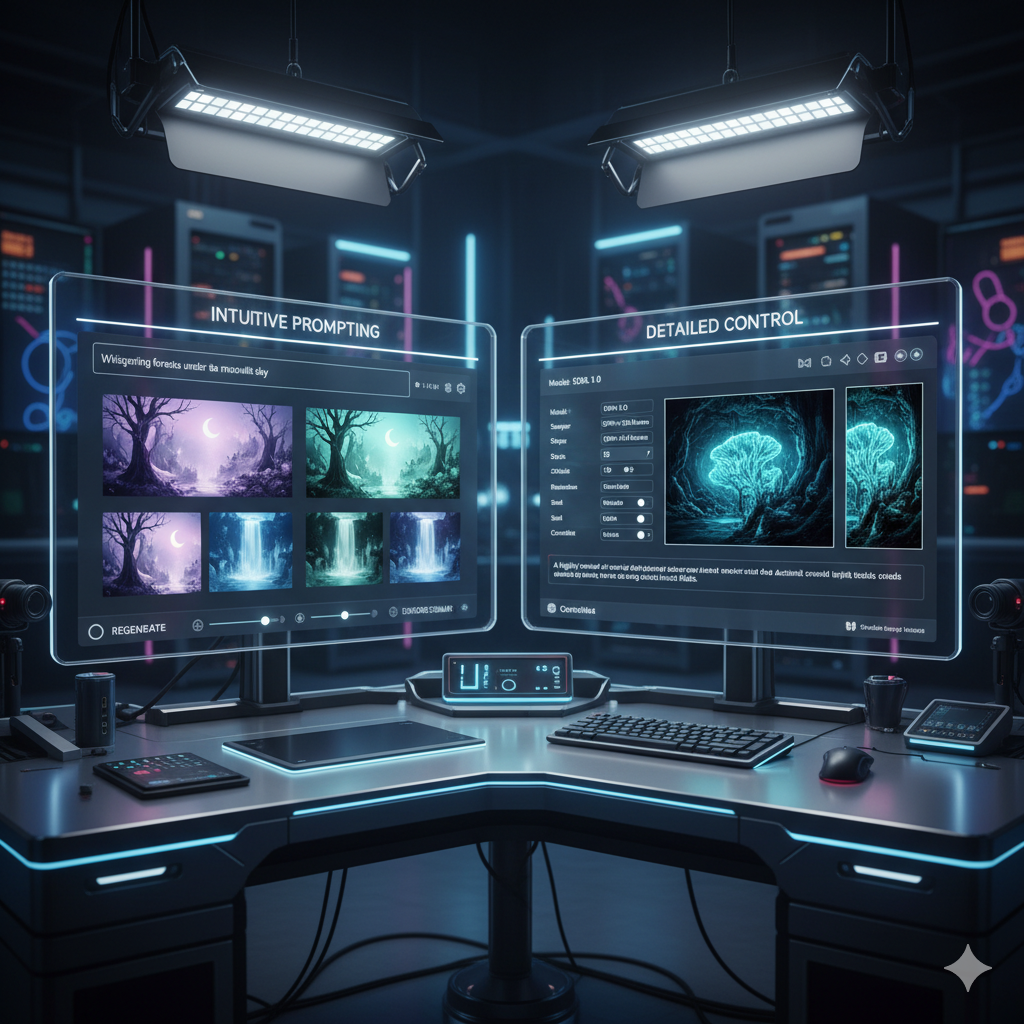
The landscape of digital art has been irrevocably transformed by the advent of artificial intelligence. Generative AI tools have moved from niche curiosities to indispensable instruments for artists, designers, and creatives across various disciplines. Two titans stand prominently in this exciting new arena: Midjourney and Stable Diffusion. Both offer incredible capabilities to translate textual prompts into stunning visual art, yet they represent fundamentally different philosophies and user experiences. For an artist looking to integrate AI into their workflow, the choice between these two powerful platforms is not trivial; it dictates the level of control, the aesthetic output, the financial commitment, and the technical prowess required to truly bring their visions to life.
This comprehensive guide aims to dissect Midjourney and Stable Diffusion, providing artists with a definitive resource to understand their nuances, strengths, and weaknesses. We will delve into their technical underpinnings, explore their artistic capabilities, compare their cost structures, and examine their respective communities and ecosystems. Our goal is to equip you with the knowledge needed to make an informed decision, selecting the AI art generator that best aligns with your unique artistic vision, workflow, and technical comfort level. Whether you are a concept artist, an illustrator, a game developer, or a hobbyist exploring new creative frontiers, understanding these tools is paramount. Prepare to embark on a journey that will illuminate the definitive choice for your creative endeavors in the age of AI, allowing you to maximize your artistic potential and innovate without limits.
Understanding the Contenders: Midjourney’s Artistry vs. Stable Diffusion’s Flexibility
Before diving into a detailed comparison, it is crucial to understand the fundamental nature and core offerings of both Midjourney and Stable Diffusion. While both are powerful text-to-image AI generators, their design philosophies, accessibility, and intended user experiences diverge significantly.
Midjourney: The Curated Artistic Vision
Midjourney is a powerful, proprietary AI image generation service developed by a small, self-funded research lab. It operates predominantly through a Discord bot interface, making it incredibly accessible for users regardless of their technical background. From its inception, Midjourney has distinguished itself with a remarkably strong artistic sensibility. Its models are trained to produce images that often possess a distinct, dreamlike, and aesthetically pleasing quality, frequently characterized by vibrant colors, intricate details, and a painterly or cinematic feel. It excels at generating evocative, high-quality artwork with minimal prompting, making it a favorite for artists seeking inspiration, rapid prototypes, or quick, beautiful visuals without needing to micromanage every pixel.
The development philosophy behind Midjourney appears to prioritize a polished, consistent aesthetic output and an exceptionally user-friendly experience. While it offers a growing array of parameters for control, the system often guides the user towards its inherent artistic style. This can be a tremendous advantage for those who appreciate and wish to leverage that unique aesthetic without needing to dive deep into complex technical configurations. Its updates, such as Midjourney V6, have consistently pushed the boundaries of coherence, realism, and prompt understanding, further refining its ability to interpret natural language and produce stunning results that often feel like they’ve been crafted by a seasoned digital artist.
For many artists, Midjourney acts as a powerful creative partner, offering unexpected interpretations and pushing artistic boundaries through its unique generative style. It’s often lauded for its ability to produce “magical” results even with relatively simple text inputs, making it an excellent tool for brainstorming and exploring new visual concepts where a certain level of artistic interpretation from the AI is welcomed.
Stable Diffusion: The Open-Source Powerhouse of Control
Stable Diffusion, on the other hand, represents a radically different approach. Developed by Stability AI in collaboration with various academic researchers and released as an open-source model, it embodies the spirit of democratizing AI technology. Stable Diffusion is not a service in the same vein as Midjourney; it is a foundational model that can be downloaded and run locally on a user’s computer, or accessed via numerous third-party interfaces and cloud services. This open-source nature is its greatest strength, fostering an enormous, dynamic ecosystem of innovation, customization, and community development that is constantly pushing the boundaries of what is possible with generative AI.
Artists using Stable Diffusion gain an unparalleled degree of control over the image generation process. From selecting specific models (checkpoints, LoRAs) trained on particular styles or subjects, to fine-tuning every aspect of composition, lighting, and detail through extensive parameters and powerful extensions like ControlNet, img2img, inpainting, and outpainting, Stable Diffusion empowers artists with granular precision. This level of control is crucial for artists who need to achieve very specific outcomes, maintain brand consistency, or integrate AI-generated elements seamlessly into existing projects.
While it might have a steeper initial learning curve than Midjourney due to the need for local setup or navigating diverse cloud options and numerous parameters, the reward for mastering Stable Diffusion is the ability to steer the AI precisely towards one’s vision. This includes replicating specific artistic styles, maintaining character consistency across multiple images, generating highly accurate concept art, or even producing photorealistic renders that are nearly indistinguishable from real photographs. Its flexibility and extensibility make it an invaluable tool for professional workflows that demand specific, predictable outputs rather than general artistic interpretations, turning the artist into a true conductor of the AI’s immense power.
Ease of Use and Accessibility: Onboarding Your Creative Journey
The first hurdle for any artist adopting a new tool is accessibility and the learning curve. Midjourney and Stable Diffusion offer vastly different experiences in this regard, catering to different levels of technical comfort and immediate needs.
Midjourney’s Intuitive Discord Interface and Web Gallery
For many artists dipping their toes into AI art, Midjourney often serves as the entry point, largely due to its remarkable ease of use. The entire experience is seamlessly integrated into the Discord messaging platform, a familiar environment for many online communities. Users simply join the Midjourney Discord server, subscribe to a suitable plan, and start typing commands in designated bot channels. The primary command, /imagine, followed by a text prompt, is all that’s needed to initiate the generation of four initial images. Iterating on these images is equally straightforward, with intuitive buttons to upscale a chosen image, create variations based on it, or re-roll the prompt entirely to explore new directions.
This chat-based interaction removes numerous technical barriers. There’s no software to download and install, no complex local settings to configure, and critically, no need for powerful local hardware. Midjourney handles all the computationally intensive image generation on its own robust cloud servers. The learning curve primarily revolves around effective prompt engineering—learning how to articulate desires clearly and creatively in text—and understanding Midjourney’s specific parameters, which are well-documented and often quite intuitive to grasp. The process is highly visual and iterative, allowing artists to quickly experiment, see immediate feedback, and refine their prompts on the fly. This makes it an ideal platform for rapid prototyping, brainstorming, and generating inspiring visuals without getting bogged down in technical headaches.
Furthermore, recent updates have introduced a dedicated web interface for prompt management and image browsing, providing a more traditional gallery experience outside of Discord. This web portal allows users to organize their generations, review past prompts, and even initiate new jobs, further enhancing accessibility and streamlining the organizational aspects of working with Midjourney, especially for those who prefer a dedicated workspace over a chat application.
Stable Diffusion’s Varied and Powerful UIs: A Spectrum of Accessibility
Stable Diffusion’s accessibility story is more complex and diverse, reflecting its open-source nature. Because it’s a foundational model rather than a singular service, it doesn’t come with a single, official user interface. Instead, a vibrant community has developed a multitude of UIs, each with its own strengths, complexities, and learning curves.
The most popular and feature-rich interface for local installation is Automatic1111’s Stable Diffusion web UI. This interface, while incredibly powerful and comprehensive, does require a local setup: downloading the software, installing Python, configuring various dependencies, and managing models and extensions. This initial setup can be a significant hurdle for artists without prior technical proficiency or access to sufficiently powerful hardware (a dedicated GPU with ample VRAM is often necessary for a smooth experience).
Once set up, Automatic1111 presents an intimidating array of sliders, checkboxes, and tabs, granting unparalleled control. The learning curve is steep, as mastering its features, from sampling methods to ControlNet integration, requires dedication. Another increasingly popular UI is ComfyUI, which adopts a node-based, graphical workflow. This allows users to connect different components of the image generation process visually, offering even finer control and reproducibility for complex workflows, but can be even more daunting for absolute newcomers due to its abstract nature.
For those who lack powerful local hardware or prefer not to deal with installation, various cloud-based services offer Stable Diffusion access. Platforms like Stability AI’s own DreamStudio, RunwayML, ClipDrop, NightCafe, or dedicated GPU cloud providers (e.g., RunPod, Paperspace) provide easier access. These services often abstract away some of the underlying technical complexities, making Stable Diffusion more accessible to a wider audience, albeit typically with associated usage-based costs. Regardless of the UI or access method, Stable Diffusion generally demands more user input, setup, and technical understanding to achieve desired results consistently compared to Midjourney’s more streamlined and curated experience. The trade-off is often a greater degree of artistic freedom and customization.
Artistic Control and Customization: Shaping Your Vision with Precision
The ability to precisely control the generated output is a critical factor for artists integrating AI into their professional workflows. Here, Midjourney and Stable Diffusion diverge significantly in their approaches and capabilities.
Midjourney’s Guided Aesthetic and Iterative Refinement
Midjourney’s approach to artistic control can be best described as a collaborative dance between the artist and the AI. While users provide prompts, Midjourney often infuses its inherent aesthetic biases, leading to consistently beautiful and distinctive results. This can be a double-edged sword: fantastic for generating striking images quickly and providing unexpected creative directions, but potentially frustrating if an artist needs to precisely match a specific existing style, maintain exact character consistency across multiple frames, or control intricate compositional elements that fall outside Midjourney’s typical output patterns.
Control in Midjourney primarily comes through advanced prompt engineering, leveraging specific parameters, and iterative refinement. Parameters such as --ar (aspect ratio), --stylize (which controls how artistically “loose” Midjourney is with your prompt), --seed (for reproducibility of initial noise), and various style codes (for accessing specific training aesthetics) allow for significant customization. The ability to use image prompts (feeding an existing image to the AI to influence the style or composition of a new generation) and powerful features like ‘Vary (Region)’ and ‘Pan’ and ‘Zoom Out’ in recent versions (V5.2 and V6) has significantly enhanced control over composition and detail within existing images. These tools allow artists to subtly modify sections of an image, expand its canvas, or generate variations while maintaining core elements.
Midjourney V6 specifically has improved prompt adherence and realism, giving artists more direct control over what they describe in their text. It’s now much better at understanding complex instructions and rendering specific details. However, achieving highly specific control over exact character poses, precise lighting setups, or complex scene arrangements that require pixel-perfect adherence to a reference can still be more challenging compared to the extensive toolkit offered by Stable Diffusion. Midjourney excels when an artist wants to explore a theme or concept and is open to the AI’s creative interpretation and stylistic flair.
Stable Diffusion’s Unparalleled Granular Control and Extensibility
Stable Diffusion shines brightest when it comes to artistic control and customization. Its open-source nature has fostered an ecosystem brimming with tools and techniques that allow artists to dictate nearly every aspect of the generated image. This level of granular control is fundamental for professional artists who need to integrate AI-generated content seamlessly into existing projects, requiring predictability and precision.
Key tools and techniques for achieving this unparalleled control include:
- Custom Models (Checkpoints, LoRAs, VAEs): Stable Diffusion allows users to load different base models (often called checkpoints) that have been trained on vast datasets, or smaller, highly specialized models called LoRAs (Low-Rank Adaptation). LoRAs can be trained on a handful of images to specialize in specific styles, characters, objects, or aesthetics. This means an artist can generate images in the distinct style of a particular painter, featuring a consistent character across many scenes, or depicting highly specific architectural details, all by simply loading the appropriate model. This level of specialization is a game-changer for maintaining brand or character consistency.
- ControlNet: This groundbreaking extension is perhaps the most significant tool for artistic control in Stable Diffusion. ControlNet allows users to impose structural or compositional constraints on the generation process by providing an input image alongside the text prompt. For example, an artist can feed ControlNet a line drawing, a depth map, a pose reference (OpenPose), a segmentation map, a Canny edge map, or even a normal map, and Stable Diffusion will generate an image that meticulously adheres to that precise input structure. This is invaluable for maintaining consistent character poses, translating hand-drawn sketches into photorealistic renders, or enforcing specific layouts and compositions.
- Inpainting and Outpainting: These powerful features allow artists to selectively modify parts of an image or intelligently expand its boundaries. Inpainting can be used to fix errors, change specific elements (e.g., swapping a character’s outfit, altering an expression, adding or removing objects), or inject new details into targeted areas with pixel-level precision. Outpainting intelligently extends the canvas beyond the original image, seamlessly creating larger scenes, panoramic views, or environmental expansions that maintain style and coherence.
- Image-to-Image (img2img): Artists can feed an existing image to Stable Diffusion and prompt it to transform, stylize, or evolve it, while retaining its core composition, color palette, or subject matter based on a user-defined denoising strength. This is excellent for artistic transfers, concept iterations from an initial sketch, or subtly fixing existing renders without starting from scratch.
- Extensive Parameters and Samplers: Beyond the core models and extensions, Stable Diffusion UIs offer a myriad of adjustable parameters: different sampling methods (which affect speed and image quality), CFG scale (how strongly the AI adheres to the prompt), denoising strength, clip skip, high-resolution fix methods, various upscalers, and much more. Each parameter offers a specific lever to fine-tune the output, allowing for nuanced control over the final image’s appearance, detail, and coherence.
This comprehensive arsenal of tools makes Stable Diffusion the go-to choice for artists who require precise, reproducible control over their output, demanding character consistency, specific compositional adherence, or the ability to integrate AI generation into a structured design, animation, or visual effects pipeline.
Quality and Aesthetic Output: The Visual Language of AI
The visual quality and inherent aesthetic bias of an AI art generator are crucial considerations for artists. Each tool develops a “signature style” based on its training data and architectural design, influencing the immediate output.
Midjourney’s Signature Aesthetic and Consistent Quality
Midjourney has earned a formidable reputation for generating images with an inherently high artistic quality and a distinct, often captivating aesthetic. Out of the box, with relatively simple prompts, it tends to produce visually stunning results that frequently evoke a sense of fantasy, surrealism, professional concept art, or cinematic grandeur. Its models are exceptionally good at understanding stylistic cues (like “epic,” “dreamlike,” “cinematic,” “photorealistic”) and rendering them with a refined, often polished finish. Artists looking for ethereal landscapes, character concepts with a strong cinematic flair, imaginative illustrations, or abstract art with vibrant colors and intricate details often find Midjourney’s output to be precisely what they need with minimal effort and without extensive prompt engineering.
The strength of Midjourney lies in its consistent ability to deliver visually pleasing and coherent images. Even when the prompt is vague or abstract, Midjourney tends to fill in the gaps with creative and artistically coherent details, often exceeding user expectations in terms of aesthetic appeal. This “magic touch” makes it excellent for brainstorming, creating mood boards, generating beautiful art pieces for personal enjoyment, or for commercial needs where the Midjourney aesthetic naturally aligns with the project’s vision. Recent versions, particularly Midjourney V6, have significantly improved realism, text rendering within images, and prompt adherence, further expanding its versatility while robustly retaining its unique and recognizable artistic flavor. The latest iterations allow for greater subtlety and realism, without sacrificing the characteristic Midjourney polish.
Stable Diffusion’s Versatility and Photorealistic Capabilities
Stable Diffusion’s output quality is less about a single, signature aesthetic and more about its incredible, chameleon-like versatility. While it can certainly produce highly artistic and stylistic images (especially when paired with the right custom models and LoRAs), it particularly excels when precise control and photorealistic rendering are the primary requirements. With carefully crafted prompts, selection of specific checkpoints (models), and advanced techniques (like detailed negative prompts to exclude unwanted elements, high-resolution fix methods, and various sampling methods), Stable Diffusion can generate images that are virtually indistinguishable from photographs. This includes rendering intricate details, realistic textures, accurate lighting, and believable shadows, making it a favorite for architectural visualization, product design, and creating realistic character portraits.
The ability to fine-tune every aspect of the image generation process means that Stable Diffusion’s quality is largely dependent on the user’s skill, knowledge of prompt engineering, and the quality of the resources (models, LoRAs, ControlNets) they employ. A beginner might find its default outputs less immediately “artistic” or coherent than Midjourney’s, requiring more effort to achieve aesthetically pleasing results. However, an experienced user can push Stable Diffusion to achieve almost any visual style imaginable, from low-poly pixel art and abstract forms to hyperrealism, complex 3D renders, and highly stylized illustrations. The advent of models like SDXL (Stable Diffusion XL) has further elevated its base quality significantly, enabling higher resolution, more coherent compositions, and better prompt understanding out-of-the-box. This has helped bridge some of the gap with Midjourney’s default aesthetic appeal, while retaining Stable Diffusion’s unmatched capacity for granular control and stylistic breadth, allowing artists to truly define their desired output without inherent artistic biases from the AI itself.
Community and Ecosystem: Resources and Collaboration
The strength of any creative tool is often amplified by its community and the surrounding ecosystem of resources. Both Midjourney and Stable Diffusion have thriving communities, but their structures and offerings reflect their core philosophies.
Midjourney’s Discord-Centric Community and Learning
The Midjourney community is primarily centered around its official Discord server. This platform acts as the central hub for image generation, collaboration, support, and learning. Users interact directly with the Midjourney bot, share their creations, ask questions, and learn from each other in public channels, which are often organized by theme or feature. The vibrant atmosphere encourages exploration and provides immediate inspiration as thousands of diverse images are generated and shared daily by users worldwide.
The benefits of this centralized, Discord-based community include:
- Instant Feedback and Inspiration: Seeing other users’ prompts and their resulting images is a powerful learning tool. The sheer volume of diverse creations provides endless inspiration and practical examples of effective prompt engineering, allowing users to quickly adapt and refine their own prompts.
- Direct Support and Guidance: Midjourney staff and a large contingent of experienced community members are often available to answer questions, provide tips, and offer assistance within the Discord channels. This direct line of communication is invaluable for troubleshooting or understanding new features.
- Structured Learning Opportunities: Midjourney frequently hosts “office hours,” community calls, and provides guides and announcements directly within Discord, fostering a collective learning environment where users can stay updated and deepen their understanding of the tool.
- Ease of Sharing and Collaboration: It’s incredibly easy to share generated images and the prompts used to create them within Discord, facilitating collaboration, prompt refinement, and the rapid dissemination of new techniques.
While the Discord interface is excellent for real-time interaction and community building, the chat-based structure can sometimes make it challenging to find specific past information or organize personal output without leveraging Midjourney’s web gallery or external organizational tools. Nevertheless, the community is generally very supportive and encouraging, particularly for newcomers, making it a welcoming and dynamic space for artistic exploration and growth.
Stable Diffusion’s Expansive Open-Source Ecosystem and Innovation Avalanche
The Stable Diffusion community is vast, decentralized, and incredibly dynamic, mirroring its open-source nature. It spans numerous platforms and contributes to an ever-growing ecosystem of models, tools, extensions, and research. This distributed model fosters rapid innovation and specialization, creating an unparalleled resource for artists who are willing to navigate its breadth.
Key pillars of the Stable Diffusion ecosystem include:
- Civitai: This platform has become the de facto hub for sharing and discovering custom Stable Diffusion models. It hosts an enormous collection of checkpoints (full base models), LoRAs (fine-tuned style/character models), Textual Inversions (embeddings), and VAEs (Variational Autoencoders). Artists can download models to generate images in virtually any conceivable style or featuring specific subjects, often accompanied by example prompts, usage guidelines, and user reviews.
- Hugging Face: A leading platform for machine learning models, datasets, and applications. Hugging Face hosts the core Stable Diffusion models (e.g., SDXL, SD 1.5), numerous research papers, and countless community-contributed pipelines and datasets, serving as a foundational technical and scientific resource for the AI art community.
- GitHub: The primary repository for various Stable Diffusion user interfaces (like Automatic1111’s web UI, ComfyUI), powerful extensions (e.g., ControlNet, regional prompting scripts), codebases for training models, and ongoing development. The open-source code allows developers and advanced artists to inspect, modify, and contribute to the tools themselves.
- Reddit and Forums: Subreddits like r/StableDiffusion, various dedicated Discord servers, and online forums host active discussions, tutorials, troubleshooting, prompt sharing, and showcases of AI art. This is where many practical tips, prompt ideas, community support, and new workflow discoveries originate.
- YouTube Tutorials and Blogs: Due to the complexity and richness of Stable Diffusion’s ecosystem, countless content creators produce in-depth tutorials, workflow guides, model reviews, and demonstrations. These resources cater to all skill levels, from beginners learning to install their first UI to advanced users mastering intricate ControlNet setups.
This sprawling, decentralized ecosystem ensures that an artist using Stable Diffusion is never short of resources, whether they need a niche model for a specific project, a new technique to overcome a creative challenge, or assistance with a technical issue. The downside can be the sheer volume of information and the lack of a single, curated entry point, which can sometimes make it overwhelming for newcomers to navigate. However, for artists who enjoy technical exploration, customization, and being at the forefront of AI innovation, this vibrant and constantly evolving community is an invaluable treasure trove.
Cost and Licensing: Financial Implications for Artists
The financial aspect and legal rights associated with AI-generated art are critical for artists, especially those considering commercial applications. Midjourney and Stable Diffusion have distinct models in this regard.
Midjourney’s Subscription Model and Commercial Use
Midjourney operates on a subscription model, offering various tiers that provide different amounts of “GPU time” (the computational resources used to generate images) and access to advanced features. There is typically no free tier for sustained use, though occasional short-term trials might be offered to new users. Subscribers pay a monthly or annual fee to access the service, similar to many SaaS (Software as a Service) platforms.
Cost Structure:
- Basic Plan: Offers a limited but sufficient amount of fast GPU time per month, suitable for hobbyists or light users who generate a moderate number of images.
- Standard Plan: Provides a more substantial amount of fast GPU time and, crucially, unlimited “relax mode” generation. Relax mode generates images at a slower pace but does not consume fast GPU time, making it popular for serious hobbyists and professionals with high volume needs who can afford to wait.
- Pro Plan: Offers significantly more fast GPU time, unlimited relax mode, and additional professional features like stealth mode (private image generation, where images are not visible in public galleries) and the ability to run more concurrent jobs. This tier is designed for power users or small studios.
- Mega Plan: Provides the highest amount of fast GPU time and the maximum number of concurrent jobs, catering to very high-volume users or larger organizations.
It is important to note that the exact pricing tiers, features included, and the amount of GPU time offered can change as Midjourney updates its service, so artists should always consult the official Midjourney website for the most current information.
Licensing for Commercial Use: For paid subscribers, Midjourney generally grants full commercial rights to the images they create. This means artists can freely use their Midjourney-generated artwork for client projects, print sales, merchandise, website content, marketing materials, and other commercial ventures without paying additional royalties to Midjourney. However, there are specific terms regarding companies with gross revenues exceeding a certain threshold (e.g., $1,000,000 USD/year), which may require a special corporate or enterprise plan. It is absolutely crucial for any professional artist or business owner to carefully read Midjourney’s latest Terms of Service regarding commercial use to ensure full compliance and understand any limitations or specific requirements that may apply to their situation.
Stable Diffusion’s Free Model and Diverse Commercial Options
Stable Diffusion, being an open-source model, offers a fundamentally different cost and licensing landscape. The core models can be downloaded and run locally on a user’s computer for free, provided the artist has the necessary hardware. This eliminates ongoing subscription costs for the image generation itself, offering a truly free-to-use pathway once initial hardware investments are made.
Cost Structure:
- Free (Local): If you possess a powerful enough GPU (typically NVIDIA with 8GB or more of VRAM, though some models and optimizations can run on less), you can download and run Stable Diffusion locally indefinitely without paying anything for the software itself. The only ongoing costs are your electricity bill for running the hardware and the initial investment in the computer components. This offers maximum cost efficiency in the long term for frequent users.
- Cloud Services: For artists without suitable local hardware or those who prefer not to manage local installations, numerous cloud platforms offer access to Stable Diffusion. These services typically charge based on usage (e.g., per minute of GPU time, per image generated, or a subscription for a certain quota of usage). Examples include Stability AI’s own DreamStudio (which uses Stable Diffusion), RunwayML, ClipDrop, and various dedicated GPU cloud providers (like RunPod, Paperspace, vast.ai). Costs can vary significantly depending on the provider, the power of the GPU rented, and the volume of usage.
- Custom Model Training: Training your own custom models (LoRAs or fine-tuned checkpoints) requires significant computational resources. If you don’t have powerful local GPUs, this often necessitates renting cloud GPUs for several hours or days, which can be a notable cost. However, many excellent pre-trained custom models are available for free download on community platforms like Civitai.
Licensing for Commercial Use: Stable Diffusion models are released under various licenses, with the most common being the CreativeML Open RAIL-M License. This is a highly permissive open-source license that generally allows for commercial use of the images generated with the model. There are usually no restrictions on how images generated with Stable Diffusion can be used commercially, even if you are running it locally for free. This makes it an incredibly attractive option for artists and businesses looking for maximum flexibility and freedom without recurring fees tied directly to the generation process itself. It’s still good practice to check the specific license of any derivative models (like custom checkpoints or LoRAs) downloaded from community sites, as some may have slightly different terms, though outright commercial restrictions are rare within the general Stable Diffusion ecosystem.
Technical Requirements and Performance: Hardware vs. Cloud
The underlying technical demands of an AI art generator significantly impact accessibility and workflow. Artists must consider whether they have the necessary hardware or if they prefer a cloud-based solution.
Midjourney: Cloud-Based, Zero Local Hardware Requirements
One of Midjourney’s most significant advantages, particularly for artists who are not technically inclined or do not possess high-end computing equipment, is its entirely cloud-based nature. When you submit a prompt to Midjourney via Discord (or its web interface), the request is sent to Midjourney’s powerful, proprietary servers. These servers, equipped with top-tier GPUs and optimized software, perform the computationally intensive task of image generation. Once the images are ready, the results are sent back to your device for viewing.
Key aspects of Midjourney’s technical architecture:
- No Local Hardware Needed: You can run Midjourney perfectly well on virtually any device with an internet connection and a web browser or Discord app. This includes basic laptops, tablets, smartphones, or older desktop computers. Your device’s specifications have no impact on the performance.
- Consistent Performance: Your local hardware specifications have no bearing on the speed or quality of the image generation. Midjourney’s servers provide consistent, high-performance generation regardless of your personal device’s capabilities. This ensures a uniform user experience across its user base.
- No Installation or Configuration: There is absolutely no software to download, install, or configure on your local machine. This eliminates potential compatibility issues, driver conflicts, or complex setup headaches often associated with local AI models.
- Scalability Handled by Midjourney: As Midjourney updates its models, releases new features, or experiences increased user load, it manages all the underlying server infrastructure. Users benefit from these improvements and scaling efforts automatically without needing to upgrade their own systems or worry about backend complexities.
The only real “technical requirement” for Midjourney users is a stable and reliable internet connection. This makes Midjourney an incredibly accessible tool for a vast audience of artists, democratizing access to powerful AI image generation capabilities to anyone with a screen and an internet connection, regardless of their budget for high-end computer hardware.
Stable Diffusion: Demanding Local Hardware or Cloud GPU Reliance
Stable Diffusion, especially when run locally on an artist’s computer, presents a stark contrast in technical requirements. To run the full model efficiently and take advantage of its extensive features on your own machine, you typically need a dedicated graphics processing unit (GPU) with a substantial amount of VRAM (Video Random Access Memory).
Key aspects of Stable Diffusion’s technical requirements:
- GPU is Crucial:
- Minimum: An NVIDIA GPU with at least 6GB of VRAM can technically run Stable Diffusion, though it might be slow, limited to smaller image sizes, or restricted in the number of concurrent images generated. Some optimizations allow it to run on integrated GPUs or Apple Silicon, but performance varies greatly.
- Recommended: 8GB to 12GB of VRAM (e.g., NVIDIA RTX 3060, 3070, 3080, 4070, 4080) provides a much better experience, allowing for faster generation, larger image dimensions, and the comfortable use of more complex models and demanding extensions like ControlNet.
- Optimal: 16GB+ VRAM (e.g., NVIDIA RTX 3090, 4090) offers the best performance, enabling very fast generation, huge image sizes, high-resolution upscaling, and the ability to run multiple processes or complex workflows concurrently without slowdowns.
- CPU and System RAM: While less critical than the GPU, a decent multi-core CPU (e.g., Intel Core i5/i7 or AMD Ryzen 5/7 equivalent or better) and at least 16GB of system RAM are recommended. These components contribute to overall system responsiveness, model loading times, and handling complex UI operations.
- Storage: Stable Diffusion models, especially custom checkpoints (like SDXL models), can be very large (several GBs each). You’ll need ample and fast storage space (preferably an SSD) for the software, numerous models, LoRAs, and the vast number of images you will generate.
- Operating System & Software Environment: Stable Diffusion typically requires Windows or Linux (macOS with Apple Silicon also has increasing support but with varying levels of performance and compatibility). A local installation of Python and various associated libraries and dependencies is also necessary.
- Cloud GPU Alternatives: If local hardware is insufficient or desired, artists can rent powerful cloud GPU time from providers like RunPod, Paperspace, vast.ai, or use services like Google Colab (often with usage limitations or associated costs). These services provide remote access to powerful GPUs, effectively offloading the computational burden from your local machine, but they come with hourly or usage-based costs.
The choice between running Stable Diffusion locally or relying on cloud services often boils down to an artist’s budget (for hardware investment vs. recurring cloud fees), technical comfort level with software installation and management, and their desired level of privacy and control over their data and processes.
Latest Developments and Future Outlook: Staying on the Cutting Edge
The field of generative AI is evolving at a breathtaking pace, with new models, features, and capabilities emerging constantly. Both Midjourney and Stable Diffusion are at the forefront of this innovation, each pursuing its own development path.
Midjourney’s Rapid Iterations and Expanding Features
Midjourney’s development cycle is characterized by rapid, significant updates, consistently pushing the boundaries of what its core models can achieve. Each new version brings substantial improvements in image quality, coherence, prompt adherence, and introduces powerful new functionalities.
- Midjourney V5.2 and V6: These recent iterations have dramatically improved Midjourney’s ability to understand natural language prompts, generate more realistic and highly detailed imagery, and offer greater compositional control. Midjourney V6, in particular, introduced much better prompt adherence, allowing users to be more specific with their text inputs and expect the AI to follow instructions more literally. It also significantly enhanced the ability to render coherent and accurate text within images, a long-standing challenge for many AI art generators.
- New Creative Tools: Features like ‘Pan’, ‘Zoom Out’, and ‘Vary (Region)’ (initially introduced in V5.2) provide artists with powerful post-generation editing tools. ‘Pan’ allows expanding the image in any direction, ‘Zoom Out’ widens the field of view, and ‘Vary (Region)’ enables selective regeneration of specific areas within an image. These tools are crucial steps towards giving artists more control over their compositions and making localized edits without needing to regenerate the entire image from scratch.
- Niji Mode: A specialized model within Midjourney (accessed with the
--nijiparameter) caters specifically to anime, manga, and illustrative styles. It is exceptionally good at producing stunning results for artists working in these genres, offering a distinct aesthetic tailored to these visual languages. - Consistent Character: The ongoing development of features to maintain character consistency across multiple images is a high priority for Midjourney. This capability, crucial for narrative art, comics, and sequential illustrations, is continually being refined to allow artists to tell stories with recurring characters.
- Web Interface Evolution: Midjourney is continually enhancing its dedicated web interface, moving beyond its Discord origins to offer a more traditional gallery and prompt management experience. This dedicated portal streamlines workflow for many users, offering better organization, search capabilities, and a more focused creative environment.
Midjourney’s future likely involves further refinement of its core aesthetic, even greater prompt adherence for hyper-specific requests, and potentially more advanced in-app editing capabilities, all while steadfastly maintaining its signature ease of use. The overarching goal appears to be an ever more intuitive yet powerful tool for sophisticated artistic expression, accessible to a broad audience.
Stable Diffusion’s Open-Source Innovation Avalanche
The open-source nature of Stable Diffusion means its development is a decentralized, continuous avalanche of innovation driven by a global community. The community, alongside Stability AI, constantly introduces new base models, specialized extensions, refined techniques, and optimized tools at an astonishing pace.
- SDXL (Stable Diffusion XL): This major release from Stability AI significantly raised the bar for base model quality, generating higher-resolution images with improved aesthetics, better composition, and enhanced prompt understanding straight out of the box. SDXL effectively reduced the need for complex prompt engineering to achieve good results and paved the way for a new generation of more sophisticated custom models and applications built upon its foundation.
- Turbo and LCMs (Latent Consistency Models): These groundbreaking innovations focus on speed and efficiency. Turbo and LCMs allow for near real-time image generation with significantly fewer sampling steps, making Stable Diffusion incredibly fast for interactive workflows, live applications, and rapid iteration. This dramatically reduces generation times and increases productivity for artists.
- ControlNet Evolution: ControlNet itself is constantly being refined, with new preprocessors and models being developed to allow even more precise control over different aspects of an image. This includes advanced capabilities for depth mapping, edge detection (Canny), human poses (OpenPose), normal maps, and even soft body shapes. ControlNet continues to be a game-changer for professional artists needing exacting control over their output.
- LoRAs and Custom Checkpoints Proliferation: The ecosystem of custom models continues to explode. Thousands of LoRAs and checkpoints are created and shared by the community daily, specializing in an endless variety of styles, characters, objects, and lighting conditions. These enable artists to replicate almost any specific art style or feature consistent elements with incredible accuracy, demonstrating the immense power of community-driven fine-tuning.
- New UIs and Workflow Systems: Tools like ComfyUI are evolving rapidly to offer node-based workflows that provide unprecedented control, flexibility, and reproducibility for complex generation tasks. Meanwhile, Automatic1111 continues to add features, optimizations, and extensions, solidifying its position as a go-to for comprehensive local control.
- Research Advancements: The underlying research in generative AI is moving at a breakneck pace, and Stable Diffusion often benefits directly from new academic breakthroughs, leading to improvements in areas like fidelity, consistency, multi-modal understanding (combining text and other inputs), and efficiency.
The future of Stable Diffusion is characterized by increasing sophistication in control mechanisms, greater efficiency in generation, and an ever-expanding, specialized library of tools and models. Its open-source foundation guarantees that innovation will continue at a breakneck pace, driven by a global community of passionate developers and artists pushing the boundaries of what AI can do for creative endeavors.
Comparison Tables
Table 1: Midjourney vs. Stable Diffusion Feature Comparison for Artists
| Feature Category | Midjourney | Stable Diffusion (Local/Advanced UIs) |
|---|---|---|
| Primary Interface | Discord Bot (with growing web gallery/prompt builder) | Various web UIs (e.g., Automatic1111, ComfyUI), API access, desktop apps |
| Ease of Getting Started | Very High (Join Discord, subscribe, type /imagine) | Moderate to Low (Requires local setup, hardware, or cloud service configuration, steeper initial learning curve) |
| Artistic Control & Precision | Moderate (Parameters, image prompts, vary region, pan/zoom, specific style codes) | Very High (Custom models, LoRAs, ControlNet, Inpainting/Outpainting, extensive parameters, scripting) |
| Default Aesthetic Output | Distinctive, often painterly, cinematic, dreamlike; high aesthetic quality out-of-the-box | Highly versatile; can achieve photorealism, artistic styles, or specific looks with effort and appropriate models/LoRAs |
| Model Customization/Specialization | Limited to built-in styles and modes (e.g., Niji mode) | Extensive (Thousands of custom checkpoints, LoRAs, Textual Inversions created by the community for specific styles/characters) |
| Technical Requirements (User Side) | Minimal (Web browser/Discord app, reliable internet connection) | High (Dedicated GPU with 8GB+ VRAM recommended for local, or subscription to powerful cloud GPU) |
| Cost Model | Subscription-based (monthly/annual fee for GPU time) | Free for local use (after initial hardware investment); usage-based for cloud services, or paid third-party UIs |
| Community & Ecosystem | Centralized on Discord, collaborative, immediate inspiration, official support | Decentralized, vast open-source ecosystem (Civitai, Hugging Face, GitHub, numerous forums/tutorials), rapid innovation |
| Prompt Adherence | Good, especially with V6; can still infuse own artistic interpretation | Excellent, highly responsive to specific instructions, especially with SDXL and ControlNet, allows for very literal generation |
| Character/Style Consistency | Challenging across multiple images but improving with new features (e.g., consistent character tools under development) | Excellent with LoRAs, specific checkpoints, ControlNet (e.g., OpenPose for character poses), and img2img workflows |
| Text Generation within Images | Improving significantly with V6, but can still be inconsistent | Good with specific techniques (e.g., inpainting, custom models trained for text), but often requires fine-tuning |
Table 2: Ideal Use Cases and Recommendations for Artists
| Artistic Need/Scenario | Midjourney Recommendation | Stable Diffusion Recommendation | Why This Recommendation |
|---|---|---|---|
| Rapid Concept Exploration & Brainstorming for Mood Boards | Strongly Recommended | Good (but potentially slower initial setup for quick, broad ideas) | Midjourney’s ease of use and consistent aesthetic allows for very quick generation of diverse concepts and visually compelling mood boards with minimal effort. |
| High-Quality Illustrative Art & Fantasy Art Generation | Strongly Recommended | Strongly Recommended (with right models and prompt engineering) | Midjourney excels at beautiful, imaginative, and polished art out-of-the-box. Stable Diffusion can achieve this with specific models/LoRAs and more precise input. |
| Photorealistic Character/Object/Environment Generation | Good (especially with V6 and carefully crafted prompts) | Strongly Recommended | Stable Diffusion, particularly with SDXL and specific photorealistic models/LoRAs, excels at hyperrealism, intricate details, and accurate lighting. |
| Maintaining Character Consistency (e.g., for comics, animation, sequential art) | Challenging (though improving with development) | Strongly Recommended | ControlNet (OpenPose, Canny) combined with character LoRAs/checkpoints in Stable Diffusion offers unparalleled control for consistent characters across multiple images and poses. |
| Specific Compositional Control (e.g., architectural visualization, product design mockups, precise scene layouts) | Moderate (Pan, Zoom, Vary Region for existing images) | Strongly Recommended | ControlNet (Depth, Canny, Normal maps, Segmentation) and advanced masking/inpainting in Stable Diffusion allow precise control over layout, structure, and individual elements. |
| Art Style Replication (e.g., emulating a specific artist, brand style, or historical art movement) | Challenging (Midjourney’s own strong style often prevails) | Strongly Recommended | Stable Diffusion with custom LoRAs, Textual Inversions, and specific checkpoints can be trained or selected to replicate almost any specific art style with high fidelity. |
| Budget-Conscious Artists (Long-term, after initial investment) | Subscription Cost is ongoing | Strongly Recommended (if local hardware is available and sufficient) | Running Stable Diffusion locally is free after the initial hardware investment, eliminating recurring software fees. Cloud options introduce costs but can be more flexible. |
| Beginners with No Technical Background or Powerful PC | Strongly Recommended | Moderate (Steeper learning curve, requires hardware or cloud subscription) | Midjourney’s Discord interface requires no installation and is highly intuitive for immediate, beautiful results, making it the ideal entry point. |
| Advanced Users Requiring Maximum Customization & Technical Control | Moderate (more guided experience) | Strongly Recommended | Stable Diffusion’s vast array of models, extensions, parameters, and open-source nature provides limitless customization possibilities for expert users. |
| Inpainting/Outpainting for Image Editing, Modification, or Expansion | Moderate (Vary Region, Pan/Zoom are powerful but less precise) | Strongly Recommended | Dedicated inpainting/outpainting tools in Stable Diffusion UIs offer pixel-level precision for precise edits, object replacement, and intelligent canvas expansion. |
Practical Examples: Real-World Use Cases and Scenarios
To truly understand which AI tool might be the definitive choice for you, let’s explore several practical scenarios faced by artists and designers today, illustrating how each platform’s strengths align with specific creative needs.
Scenario 1: The Concept Artist Needing Rapid Ideation
Imagine a concept artist working on a new video game or film. They need to generate hundreds of diverse ideas for environments, characters, props, and overall moods within a tight deadline. The key here is speed, variety, and broad inspiration without getting bogged down in complex technical details or precise executions at this early stage.
- Midjourney’s Application: This is where Midjourney truly shines. The artist can quickly type prompts like “futuristic cityscape at sunset, neon lights, flying cars, cyberpunk aesthetic, highly detailed, dramatic lighting” or “elven archer character concept, forest guardian, intricate leather armor, glowing runes, cinematic lighting, ethereal” and receive four visually stunning variations in less than a minute. They can then rapidly iterate by remixing, varying the chosen images, or exploring slightly different prompts. Midjourney’s inherent aesthetic quality ensures that even initial drafts are highly usable for mood boards, pitch decks, or as compelling starting points for further human-driven design. The artist isn’t worried about exact consistency across multiple renders at this stage, but rather a rapid flow of strong visual ideas and compelling artistic output.
- Why Midjourney is Preferred Here: The sheer speed and consistently high aesthetic quality of Midjourney’s output, combined with its intuitive Discord interface, make it an unparalleled tool for rapid concept ideation and visual brainstorming. It provides instant visual gratification and creative sparks.
Scenario 2: The Indie Game Developer Requiring Consistent Assets
An indie game developer is creating a 2D isometric adventure game. They need a consistent main character, several unique non-player characters (NPCs), various environmental assets (trees, rocks, buildings), and UI elements, all rendered in a specific, cohesive pixel art style. Consistency across all assets is paramount to maintain the game’s visual integrity and player immersion.
- Stable Diffusion’s Application: For this developer, Stable Diffusion would be the definitive choice. They would likely start by finding or training a LoRA or a custom checkpoint specifically for the desired pixel art style. To ensure main character consistency across different actions and scenes, they could use ControlNet with an OpenPose model for precise character posing, combined with a dedicated character LoRA. For environmental assets, they could generate base assets and then use img2img at a low denoising strength to apply the pixel art style consistently across all variations. Inpainting would be invaluable for making minor adjustments to generated assets, fixing errors, or adding specific pixel details. The granular control over seeds, styles, and composition allows the developer to generate numerous assets that meticulously adhere to the game’s art direction and feel like they belong to the same unified game world.
- Why Stable Diffusion is Preferred Here: The ability to load specific, fine-tuned models, use ControlNet for precise control over composition and pose, and leverage img2img/inpainting for consistent style application and refinement makes Stable Diffusion indispensable for generating a cohesive set of game assets that meet specific creative and technical requirements.
Scenario 3: The Illustrator for Children’s Books
An illustrator is commissioned to create a series of whimsical illustrations for a children’s book. They need a recurring main character (e.g., a specific anthropomorphic fox), a particular vibrant and friendly art style, and the ability to depict this character in various scenes, exhibiting different emotional expressions and poses consistently throughout the entire book.
- Stable Diffusion’s Application: While Midjourney’s Niji mode can produce beautiful illustrative styles, achieving perfect character consistency across many distinct scenes with specific expressions and poses can be difficult and time-consuming. Stable Diffusion offers a more robust and controllable solution. The illustrator could train a LoRA specifically for their main character’s appearance and the desired art style of the book. Then, using ControlNet with OpenPose for precise character posing and perhaps a rough sketch as a Canny edge map for scene composition, they can ensure the character appears consistently across different scenes, in various actions, and with accurate expressions. The ability to iterate on specific details using inpainting would also be critical for fine-tuning expressions, adjusting small scene elements, or ensuring props are perfectly integrated.
- Why Stable Diffusion is Preferred Here: Character and style consistency are absolutely critical for sequential art like children’s books and graphic novels. Stable Diffusion’s custom model capabilities (LoRAs) and ControlNet provide the necessary tools to maintain this consistency with high fidelity across numerous illustrations, saving significant time and effort compared to traditional methods.
Scenario 4: The Hobbyist Artist Exploring AI Art
A hobbyist artist is curious about AI art but has no prior experience with generative models, complex software installations, or powerful hardware. They simply want to explore what’s possible, create beautiful and inspiring images for personal enjoyment, and share them with friends online without a steep learning curve or significant investment.
- Midjourney’s Application: This is an ideal candidate for Midjourney. The hobbyist can sign up, join the Discord server, and almost immediately start generating stunning artwork. The ease of use means they can focus entirely on creative exploration and prompt engineering rather than troubleshooting software, understanding complex parameters, or worrying about local hardware limitations. The consistently beautiful and aesthetically pleasing output of Midjourney ensures a rewarding experience from the get-go, fostering enthusiasm for the medium and providing instant gratification. The collaborative nature of the Discord community also offers a welcoming space for learning and inspiration.
- Why Midjourney is Preferred Here: Its low barrier to entry, intuitive interface, cloud-based operation (no powerful PC needed), and consistently high aesthetic output make Midjourney perfect for hobbyists and beginners who want to explore the wonders of AI art without technical hurdles.
Scenario 5: The Digital Artist Needing to Enhance or Modify Existing Artworks
A digital artist has an existing painting or a piece of concept art but wants to expand its background to fit a wider canvas, subtly change a small detail on a character, remove an unwanted element, or perhaps try different color palettes or lighting scenarios without redrawing everything from scratch.
- Stable Diffusion’s Application: Stable Diffusion’s advanced inpainting and outpainting capabilities, alongside its img2img functionality, are perfectly suited for these tasks. The artist can load their existing painting into the Stable Diffusion UI (e.g., Automatic1111). For background expansion, they can use outpainting to intelligently extend the canvas, maintaining style and coherence. To change a character’s clothing color, alter an expression, or remove an object, they can mask that specific area and use inpainting with a new prompt to regenerate only that section. They can also use img2img at a low denoising strength to subtly alter the color palette, change the time of day, or adjust the overall mood of the painting while preserving its original composition and details.
- Why Stable Diffusion is Preferred Here: Its precise image manipulation features like inpainting, outpainting, and img2img provide powerful, pixel-level tools for modifying, enhancing, and evolving existing artwork with fine-grained control that is crucial for professional refinement and iteration.
Frequently Asked Questions
Q: What is the main difference between Midjourney and Stable Diffusion?
A: The main difference lies in their approach and philosophy. Midjourney is a proprietary, cloud-based service known for its user-friendliness, strong aesthetic bias, and distinct artistic output, operating primarily through Discord. Stable Diffusion is an open-source foundational model, offering unparalleled control and flexibility, which can be run locally on personal hardware or via various third-party cloud services, and boasts a vast, community-driven ecosystem of custom models and extensions. Midjourney is more about guided artistic generation and quick, beautiful results, while Stable Diffusion emphasizes granular control, customization, and a versatile output based on user input.
Q: Which platform is better for beginners in AI art?
A: Midjourney is generally considered much better for beginners. Its Discord-based interface requires no local installation, technical configuration, or powerful personal hardware, allowing users to start generating beautiful images almost immediately with minimal effort. The primary learning curve is focused on effective prompt engineering. Stable Diffusion, especially when run locally, has a significantly steeper learning curve due to its setup requirements, hardware demands, and the vast array of parameters and extensions that users need to learn and manage.
Q: Can I use images generated by Midjourney or Stable Diffusion for commercial projects?
A: Yes, generally both platforms allow commercial use, but with different terms. For Midjourney, paid subscribers typically receive full commercial rights to their generated images. However, specific terms apply to large companies (often defined by gross revenues exceeding a certain threshold, e.g., $1M USD/year), which may require a special corporate or enterprise plan. For Stable Diffusion, images generated are usually covered by a permissive open-source license (like CreativeML Open RAIL-M), allowing free commercial use without recurring fees for the generation process itself, even if you run it locally for free. It is always crucial for any professional artist or business to consult the latest Terms of Service or specific license agreements for each platform or any particular model used to ensure full compliance.
Q: Which offers more artistic control over the output?
A: Stable Diffusion offers significantly more artistic control and precision. With its extensive ecosystem of custom models (LoRAs, checkpoints), powerful extensions like ControlNet (for pose, composition, depth, etc.), dedicated inpainting/outpainting tools, and a myriad of adjustable parameters, artists can dictate nearly every aspect of the generated image. Midjourney provides control primarily through sophisticated prompt engineering and some parameters, but its inherent artistic bias means it often has more of a “guided” aesthetic, offering less granular, pixel-level control over precise details and composition compared to Stable Diffusion’s toolkit.
Q: Do I need a powerful GPU to use both Midjourney and Stable Diffusion?
A: You do not need a powerful GPU for Midjourney. It is entirely cloud-based, meaning all computation happens on Midjourney’s remote servers, and you only need an internet connection and a device to access Discord or its web interface. For Stable Diffusion, a powerful GPU is highly recommended for efficient local operation (NVIDIA with 8GB+ VRAM, preferably 12GB+ for optimal performance). If you don’t have suitable local hardware, you can utilize various cloud-based Stable Diffusion services, which then shift the cost from upfront hardware investment to subscription or usage fees.
Q: What are custom models or LoRAs, and which platform uses them more extensively?
A: Custom models (often called checkpoints) and LoRAs (Low-Rank Adaptation) are specialized versions of the core AI model. They are fine-tuned on specific, smaller datasets to generate images in a particular style, featuring specific characters, objects, or aesthetics (e.g., “Miyazaki style,” “cyberpunk city,” “consistent character X”). Stable Diffusion uses these extensively, with a vast open-source community creating and sharing thousands of these models on platforms like Civitai, allowing artists to achieve highly specific and consistent results. Midjourney, being proprietary, does not offer this level of external model customization, though it has internal specialized modes like Niji for anime styles.
Q: How do their licensing models differ financially?
A: Midjourney primarily uses a subscription-based licensing model, where you pay a monthly or annual fee for access to GPU time (computational resources). Commercial rights are generally included with paid subscriptions. Stable Diffusion is open-source; the core model is free to download and run locally, and typically comes with a permissive license (like CreativeML Open RAIL-M) that allows for commercial use of generated content without ongoing software fees. If you opt for cloud services to access Stable Diffusion, you pay for their computational resources (hourly, per image, or subscription), but the content licensing usually remains permissive.
Q: Can I achieve photorealism with both Midjourney and Stable Diffusion?
A: Yes, both can achieve impressive levels of photorealism, especially with their latest versions. Midjourney V6 has made significant strides in generating highly realistic images with intricate textures, accurate lighting, and better detail fidelity. Stable Diffusion, particularly with SDXL models and specific photorealistic checkpoints/LoRAs, has always been a strong contender for photorealism and can be fine-tuned to an extremely high degree of accuracy and detail, often surpassing Midjourney in precise control over realistic elements such as facial features, specific objects, and lighting conditions.
Q: Which has a steeper learning curve for advanced techniques?
A: Stable Diffusion has a significantly steeper learning curve for advanced techniques. Mastering its full potential involves not just prompt engineering but also understanding numerous parameters, installing and configuring various user interfaces (like Automatic1111 or ComfyUI), managing different models and LoRAs, and effectively utilizing powerful extensions like ControlNet, inpainting, and scripting. Midjourney’s learning curve is primarily focused on mastering prompt engineering and its built-in parameters within its intuitive Discord interface; while powerful, it offers fewer “deep dive” technical rabbit holes than Stable Diffusion.
Q: What is ControlNet and why is it important for artists?
A: ControlNet is a groundbreaking neural network architecture and a powerful extension for Stable Diffusion. It allows artists to add extra conditions or structural guidance to the image generation process. This means you can feed Stable Diffusion an input image containing a human pose (OpenPose), an edge map (Canny), a depth map, a segmentation map, or even a simple sketch, and ControlNet will ensure the generated image adheres precisely to that structural input while applying your text prompt. It is incredibly important for artists because it provides unprecedented, precise control over composition, pose, and structure, making it possible to create highly specific and consistent artwork, translate traditional sketches into finished digital pieces, or maintain character integrity across sequential images for animation or comics.
Key Takeaways
Navigating the choice between Midjourney and Stable Diffusion ultimately boils down to an artist’s individual needs, technical comfort, creative goals, and financial considerations. Here’s a summary of the main points to consider when making your definitive choice:
- Ease of Use vs. Control: Midjourney excels in user-friendliness and a distinctive artistic aesthetic, making it excellent for rapid ideation and stunning results with minimal effort. Stable Diffusion champions granular control, customization, and versatility, ideal for artists who demand precise outputs and seamless integration into complex workflows.
- Aesthetic vs. Versatility: Midjourney offers a consistently high-quality, often dreamlike, cinematic, or illustrative aesthetic right out-of-the-box. Stable Diffusion is incredibly versatile, capable of producing almost any style from photorealism to abstract art, but often requires more effort, specific models, and expertise to achieve a desired, consistent look.
- Cost Model & Accessibility: Midjourney operates on a subscription model for cloud-based generation, requiring no powerful local hardware. Stable Diffusion is free to run locally (provided you have suitable hardware) or accessible via various paid cloud services, offering more flexibility in long-term cost depending on your setup.
- Technical Requirements: Midjourney requires virtually no powerful local hardware, being entirely cloud-based. Stable Diffusion demands a strong GPU (8GB+ VRAM recommended) for efficient local setup, or reliance on paid cloud GPU services for those without the hardware.
- Community & Ecosystem: Midjourney fosters a centralized, supportive Discord community for immediate inspiration and support. Stable Diffusion boasts a vast, decentralized open-source ecosystem of models, tools, and tutorials (e.g., Civitai, Hugging Face, GitHub) that drives rapid innovation.
- Innovation Pace & Features: Both platforms are evolving rapidly. Midjourney through iterative official releases focusing on core model improvements, user experience, and in-app editing features. Stable Diffusion through an explosion of community-driven models, extensions (like ControlNet), and research breakthroughs that expand its capabilities endlessly.
- Specific Use Cases: For quick concept art, mood boards, general artistic inspiration, and beautiful standalone pieces, Midjourney is a strong contender. For character consistency, precise compositional control, exact style replication, detailed photorealism, and seamless integration into professional pipelines, Stable Diffusion with its ControlNet and vast custom model library is often the definitive choice.
- Learning Curve: Midjourney has a relatively flat learning curve, focusing on prompt mastery. Stable Diffusion has a steeper learning curve, requiring understanding of hardware, software installation, numerous parameters, and advanced extensions.
- Modification & Iteration: Midjourney offers powerful in-app tools like Vary (Region), Pan, and Zoom for post-generation modification. Stable Diffusion provides comprehensive inpainting, outpainting, and img2img capabilities for highly precise image editing, expansion, and stylistic transfer.
Conclusion: The Definitive Choice is Yours to Define
The journey through the capabilities of Midjourney and Stable Diffusion reveals two exceptionally powerful, yet distinctly different, AI art generators. There isn’t a universally “better” tool; instead, the definitive choice is deeply personal and contingent upon your specific artistic practice, technical comfort level, project requirements, and ultimately, your creative philosophy. Both represent monumental leaps in creative technology, empowering artists in ways previously unimaginable, pushing the boundaries of what is possible in digital art.
If you are an artist seeking rapid inspiration, a consistently beautiful default aesthetic, and an incredibly intuitive, friction-free experience without the need for powerful local hardware or deep technical dives, then Midjourney will likely be your preferred companion. It excels at delivering stunning visuals with minimal prompt engineering, making it a fantastic tool for concept exploration, mood boarding, generating initial ideas, and creating standalone art pieces where its signature stylistic flair is a welcome asset. It allows you to focus purely on the creative aspect, letting the AI surprise and delight you with its interpretations.
Conversely, if your workflow demands absolute precision, unparalleled granular control over composition, meticulous character consistency across multiple outputs, the ability to replicate highly specific art styles or real-world subjects with accuracy, or seamless integration into existing complex production pipelines, then Stable Diffusion stands as the definitive choice. Its open-source nature, coupled with the vast ecosystem of custom models, groundbreaking extensions like ControlNet, and advanced editing features, provides an unmatched toolkit for artists who want to meticulously sculpt their vision with the utmost fidelity and control. The initial investment in learning and potentially hardware is one that pays immense dividends in creative freedom, professional utility, and the ability to truly master the AI as a precision instrument.
Ultimately, the most enriching approach for any artist looking to fully harness the immense power of generative AI might even involve exploring both. Many professionals find immense value in using Midjourney for initial, rapid brainstorming and concept exploration due to its speed and aesthetic quality, and then transitioning to Stable Diffusion for refining specific concepts, maintaining consistency, or executing precise details with greater control. The beauty of this evolving landscape is the diversity of tools available, each offering unique strengths. Embrace the learning, experiment fearlessly, and let your artistic intuition guide you towards the AI companion—or combination of companions—that best amplifies your unique creative voice and helps you redefine the boundaries of your artistic endeavors in this exciting new era.




























































































Leave a Reply