

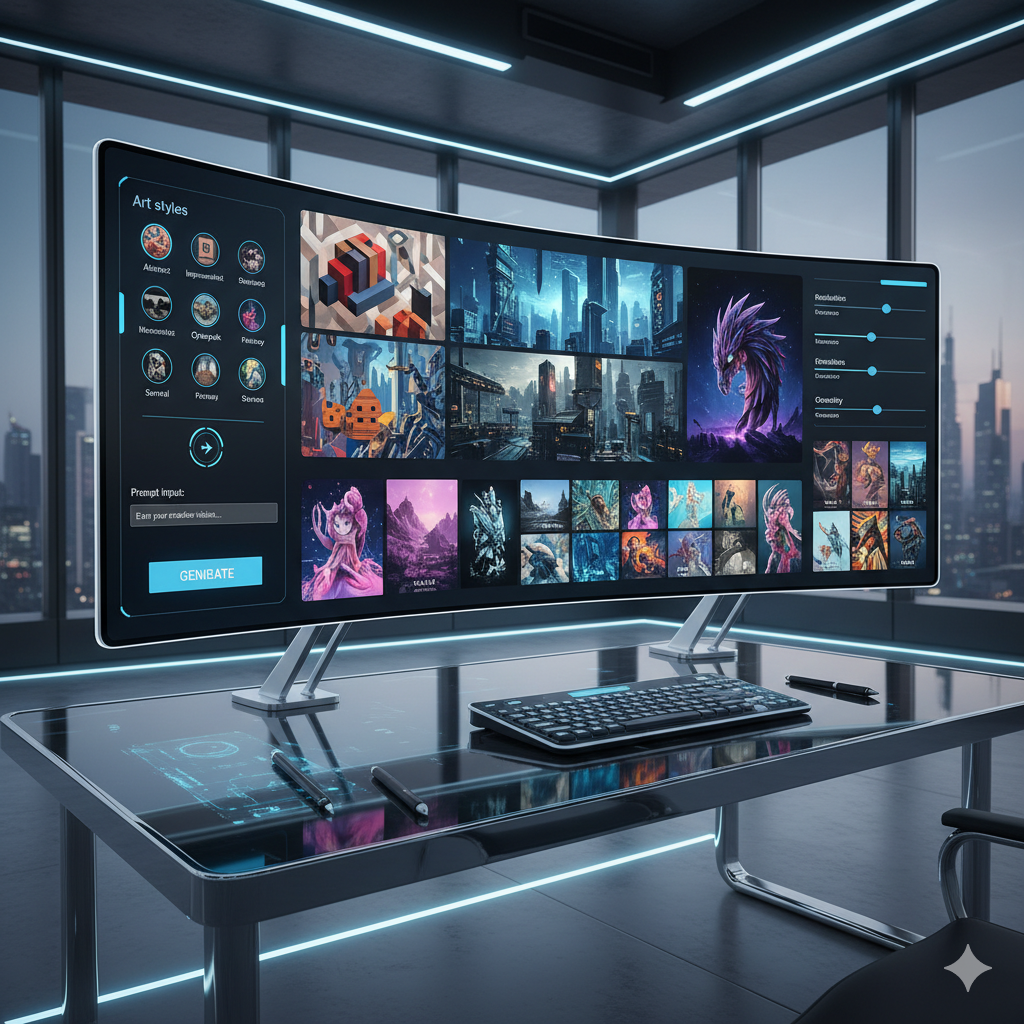
Unlocking Artistic Styles with AI: Generative Art Tools for Every Creative
The fusion of artificial intelligence and art has ushered in an era of unprecedented creative possibilities. What was once the sole domain of human imagination, guided by brush, chisel, or stylus, can now be co-created with intelligent algorithms. Generative AI art tools are not just technological marvels; they are becoming indispensable partners for artists, designers, hobbyists, and innovators across various fields. The sheer volume and diversity of these tools, however, can be overwhelming. How does one navigate this rapidly evolving landscape to find the perfect tool that resonates with their unique artistic vision?
This comprehensive guide aims to demystify the world of curated AI art tools, helping you understand their nuances, capabilities, and ideal applications. Whether you are a seasoned professional seeking to augment your workflow, an aspiring artist eager to experiment with new mediums, or simply curious about the frontiers of digital creativity, this article will equip you with the knowledge to discover your perfect generative style match. We will delve into the mechanisms behind these tools, compare leading platforms, explore practical examples, and address common questions, ensuring you gain a holistic understanding of how to harness AI for your artistic endeavors.
The Evolution of AI in Art: From Algorithms to Masterpieces
The concept of machines creating art is not entirely new, with early algorithmic art experiments dating back to the mid-20th century. However, the true explosion in AI art began with advancements in deep learning, particularly with the advent of Generative Adversarial Networks (GANs) in 2014, followed by variational autoencoders (VAEs) and, more recently, diffusion models. These breakthroughs allowed AI systems to learn complex patterns, textures, and compositional rules from vast datasets of existing art, enabling them to generate entirely new and often stunning images.
Initially, AI art was a niche pursuit, often requiring significant technical expertise. Early tools were command-line based, difficult to access, and produced results that were more abstract or experimental. Fast forward to today, and the landscape has transformed dramatically. User-friendly interfaces, cloud-based processing, and sophisticated natural language understanding (prompt engineering) have made AI art creation accessible to millions. Platforms like Midjourney, Stable Diffusion, and DALL-E have captivated the public imagination, demonstrating the AI’s ability to generate photorealistic images, surreal landscapes, intricate characters, and stylistic interpretations with remarkable fidelity and speed.
This rapid evolution has led to a vibrant ecosystem of tools, each with its unique strengths, community, and artistic leanings. The shift from purely experimental outputs to highly controllable, stylistically coherent generations marks a pivotal moment. Artists are no longer just spectators; they are active collaborators, leveraging AI to brainstorm ideas, overcome creative blocks, and produce works that would be impossible or incredibly time-consuming through traditional methods alone. The journey from simple algorithms generating abstract patterns to sophisticated models crafting detailed, stylistically distinct masterpieces highlights not only technological progress but also a profound redefinition of the creative process itself.
Understanding Different Generative AI Art Models
At the heart of every AI art tool lies a specific generative model or a combination of them. Understanding these underlying mechanisms can significantly help in choosing the right tool for your artistic goals. While the technical details can be complex, a simplified overview of the most prominent models provides valuable context.
1. Generative Adversarial Networks (GANs)
- How they work: GANs consist of two neural networks: a Generator and a Discriminator. The Generator creates new images, while the Discriminator tries to distinguish between real images and images generated by the Generator. Through this adversarial process, both networks improve. The Generator gets better at producing realistic images, and the Discriminator gets better at spotting fakes.
- Artistic Style: Historically known for generating realistic faces, deepfakes, and stylistic transfers. Can sometimes produce images with peculiar or abstract qualities due to their learning process.
- Pros: Can generate very high-resolution and realistic images for specific domains after extensive training.
- Cons: Often hard to train, suffer from mode collapse (where the generator produces a limited variety of outputs), and can be less controllable in terms of specific image features.
2. Variational Autoencoders (VAEs)
- How they work: VAEs learn a compressed representation (latent space) of the input data. They encode an image into this latent space and then decode it back. The “variational” aspect means they learn a probability distribution over this latent space, allowing for smoother interpolations and the generation of diverse but similar images.
- Artistic Style: Often used for generating abstract art, image interpolation (morphing between images), and synthesizing novel data points within a learned style.
- Pros: Good for exploring variations within a theme, smoother transitions between generated images, and more stable training than GANs.
- Cons: Can sometimes produce blurrier or less detailed images compared to GANs or Diffusion Models for specific tasks.
3. Diffusion Models
- How they work: These models start with pure noise and gradually denoise it over several steps, guided by a text prompt or an input image, until a coherent image emerges. They learn to reverse a diffusion process that adds noise to an image. The most common types are Latent Diffusion Models (LDMs), which perform this process in a compressed latent space for efficiency.
- Artistic Style: The current powerhouse for text-to-image generation. Capable of producing incredibly detailed, photorealistic, and stylistically diverse images based on intricate prompts. Examples include Midjourney, DALL-E 3, and Stable Diffusion.
- Pros: Exceptional quality, high level of control through prompt engineering, versatility across a vast range of styles, and excellent for generating complex scenes.
- Cons: Can be computationally intensive (though advancements are making them more efficient), and the iterative denoising process can be slower than direct generation.
Most modern AI art tools, especially those that excel in text-to-image generation, are built upon or heavily incorporate diffusion models. Understanding this helps explain their remarkable ability to interpret nuanced prompts and generate images with unprecedented detail and stylistic coherence.
Key Features to Look for in AI Art Tools
When selecting an AI art tool, beyond the underlying model, it is crucial to consider the features that directly impact your creative workflow and desired outcomes. Different tools prioritize different functionalities, catering to various artistic needs.
1. Text-to-Image Generation (Prompt Engineering)
- Description: The foundational feature allowing users to describe an image using natural language text prompts, which the AI then visualizes.
- Importance: The quality of the output is heavily reliant on the tool’s ability to interpret and execute complex prompts. Advanced tools offer greater control over parameters like aspect ratio, stylization strength, negative prompts (what to exclude), and specific artistic styles.
2. Image-to-Image Transformation
- Description: Using an existing image as a starting point, the AI transforms it based on a new prompt or specific style transfer parameters.
- Importance: Ideal for artists who want to maintain elements of an original image, apply new styles to existing artwork, or generate variations of a base concept. This feature is powerful for iterative design and refinement.
3. Inpainting and Outpainting
- Description:
- Inpainting: Filling in missing or selected areas within an image with AI-generated content, seamlessly blending it with the surrounding pixels.
- Outpainting: Expanding the canvas beyond the original image boundaries, with the AI intelligently generating new content that extends the scene or subject.
- Importance: Essential for editing, scene expansion, restoring damaged photos, or simply adding new elements to an existing composition while maintaining consistency.
4. Style Transfer
- Description: Applying the artistic style of one image (e.g., Van Gogh’s Starry Night) to the content of another image (e.g., a photograph of your cat).
- Importance: A quick way to explore different artistic interpretations of a subject without manual re-creation. Great for abstract expression or specific artistic tributes.
5. Control Mechanisms (ControlNet, LoRAs)
- Description: Advanced features, especially prevalent in Stable Diffusion, that allow for precise control over the generated image’s composition, pose, depth, and specific object placements. ControlNet, for example, can enforce a specific pose from a reference image or a line drawing. LoRAs (Low-Rank Adaptation) are small models trained on specific styles or concepts that can be applied to base models for highly consistent results.
- Importance: Crucial for professional artists and designers who need exact control over their output, moving beyond mere prompt interpretation to directorial precision.
6. Upscaling and Enhancements
- Description: Tools to increase the resolution of generated images without losing quality, often using AI-powered algorithms to add detail and sharpness.
- Importance: Many initial AI generations are lower resolution. Upscaling is vital for preparing images for printing, high-resolution displays, or professional use.
7. Community and Collaboration Features
- Description: Features like public galleries, prompt sharing, remixing options, and direct integration with community forums (e.g., Discord).
- Importance: Fosters learning, inspiration, and collaboration. Seeing how others prompt and achieve results can significantly accelerate your own learning curve.
8. Ease of Use and User Interface
- Description: How intuitive and straightforward the tool’s interface is, from basic text input to advanced parameter adjustments.
- Importance: A crucial factor for beginners and those looking for a quick workflow. Some tools prioritize simplicity, while others offer deep customizability at the cost of a steeper learning curve.
By evaluating tools based on these features, you can better align your chosen platform with your specific creative workflow and desired artistic outcomes.
Categorizing AI Art Tools by Artistic Style and Workflow
To truly find your generative style match, it is helpful to categorize tools not just by their features but by the predominant artistic styles they excel at and the workflows they support. This approach helps in narrowing down options based on your personal aesthetic preferences and project requirements.
1. Photorealistic and Hyperrealism
- Ideal For: Concept artists, visual effects artists, architectural visualization, product design mock-ups, realistic character generation, and anyone needing high fidelity, lifelike imagery.
- Recommended Tools:
- Midjourney: Renowned for its unparalleled ability to generate stunning, often cinematic, and hyperrealistic images directly from prompts. Excels at lighting, composition, and atmospheric details.
- Stable Diffusion (with specific models/checkpoints): While highly versatile, Stable Diffusion, especially when paired with community-trained photorealism-focused checkpoints (like those found on Civitai), can achieve incredibly realistic results. Requires more setup and prompt engineering expertise but offers ultimate control.
- Adobe Firefly: Prioritizes commercial safety and quality, often producing highly polished and professional-looking realistic images. Integrated with Adobe Creative Cloud.
- Workflow Focus: Precision prompting, control over camera angles, lighting conditions, material properties, and iterative refinement.
2. Abstract and Surreal Art
- Ideal For: Experimental artists, those exploring conceptual themes, creating unique textures, dreamscapes, or non-representational art.
- Recommended Tools:
- DALL-E 3 (via ChatGPT/Copilot): Excellent at interpreting abstract and metaphorical prompts, often producing whimsical, imaginative, and stylistically distinct surreal imagery. Its strength lies in understanding complex, nuanced descriptions.
- NightCafe: Offers a wide array of stylistic presets and algorithms that can push images into abstract or surreal territories with ease. Its community features encourage exploration of unique styles.
- Stable Diffusion (with abstract checkpoints or specific prompt techniques): Highly capable of generating abstract art, especially when leveraging obscure artists’ names in prompts or focusing on color palettes and forms rather than concrete objects.
- Workflow Focus: Exploratory prompting, playing with contradictory concepts, emphasis on color, texture, and unexpected juxtapositions.
3. Painterly and Classical Styles
- Ideal For: Digital painters, illustrators, historical art enthusiasts, or anyone wanting to imbue their work with the feel of traditional painting mediums like oil, watercolor, or impasto.
- Recommended Tools:
- Midjourney: With appropriate prompting (e.g., “oil painting by Rembrandt,” “watercolor sketch,” “impressionist style”), Midjourney can mimic a vast range of traditional painting techniques with impressive accuracy.
- Stable Diffusion (with specialized LoRAs/checkpoints): The open-source nature means artists have trained models specifically on classical and painterly styles, allowing for very consistent and high-quality outputs in these aesthetics.
- Artbreeder (Style Transfer feature): While not purely generative in the text-to-image sense, its style transfer capabilities can transform images into various painterly styles.
- Workflow Focus: Using artists’ names, historical art movements, specific brushstroke descriptions, and material textures in prompts.
4. Stylized and Cartoonish Art
- Ideal For: Animators, comic artists, illustrators, character designers, graphic novel creators, or those needing distinct, often simplified or exaggerated visual styles.
- Recommended Tools:
- Leonardo.ai: Strong focus on character generation and consistent style, making it excellent for creating assets for games or comics. Offers fine-tuning options for specific art styles.
- Stable Diffusion (with anime/cartoon LoRAs and models): The open-source community has developed an extensive collection of models tailored for anime, manga, cartoon, and cel-shaded styles, offering unparalleled variety and control for these aesthetics.
- DALL-E 3: Very good at interpreting prompts for character design and can produce diverse cartoon styles, from retro animation to modern flat design.
- Workflow Focus: Clear character descriptions, emphasis on line art, color palettes common in animation, and consistent character attributes across multiple generations.
5. Beginner-Friendly vs. Advanced Control
- Beginner-Friendly:
- Description: Tools with intuitive interfaces, straightforward prompting, and often default settings that produce aesthetically pleasing results without extensive parameter tweaking.
- Recommended Tools: Midjourney (especially for its ease of use on Discord), DALL-E 3 (via ChatGPT for natural language interaction), NightCafe (due to its preset styles and guided process).
- Advanced Control:
- Description: Tools offering deep customization, extensive parameters, scripting capabilities, and integrations for precise artistic direction.
- Recommended Tools: Stable Diffusion (especially Automatic1111 web UI, ComfyUI), allowing for ControlNet, LoRAs, custom models, inpainting, outpainting, and intricate workflows.
By considering these categories, you can strategically choose tools that align not only with the visual style you aim for but also with your comfort level regarding technical complexity and your desired level of creative control.
Deep Dive into Popular Curated AI Art Platforms
Let us explore some of the leading AI art platforms in detail, highlighting their unique selling propositions, strengths, weaknesses, and ideal users. This section will help you understand the practical differences between these powerful tools.
1. Midjourney
- Overview: A premium, subscription-based AI art generator accessible primarily through a Discord server. Known for its sophisticated aesthetic and ability to produce consistently high-quality, often cinematic, and artistically refined images.
- Strengths:
- Exceptional Aesthetics: Consistently produces visually stunning images with strong composition, lighting, and detail. Often described as having an “artistic eye.”
- Ease of Use: Despite its power, the Discord interface is surprisingly intuitive for beginners, requiring relatively simple prompts to get impressive results.
- Rapid Iteration: Generates four variations at a time, allowing for quick selection and refinement.
- Community: A vibrant and supportive Discord community where users share prompts, tips, and inspiration.
- Stylization Control: Offers parameters to adjust the degree of stylization and realism, allowing for diverse outputs.
- Weaknesses:
- Lack of Fine Control: While excellent, it offers less granular control over specific elements (like precise object placement or poses) compared to highly customizable tools like Stable Diffusion.
- Discord-Centric: The reliance on Discord can be a barrier for some users who prefer a standalone web interface.
- Subscription Required: No free tier for extensive use, requiring a monthly subscription.
- Less Open-Source: The underlying model is proprietary, meaning less community-driven customization of the core algorithm.
- Ideal User: Artists, designers, and hobbyists who prioritize aesthetic quality and ease of use, willing to pay for premium results, and comfortable working within a Discord environment. Excellent for concept art, illustrative pieces, and stunning visual explorations.
2. Stable Diffusion (and its Ecosystem)
- Overview: An open-source, highly customizable diffusion model that can be run locally on powerful computers or accessed via various online interfaces. It forms the backbone of many other AI art tools and services.
- Strengths:
- Unparalleled Control: With interfaces like Automatic1111 Web UI or ComfyUI, users have access to a vast array of parameters, extensions (e.g., ControlNet for precise pose/composition), and tools for inpainting, outpainting, and image-to-image.
- Infinite Customization: Supports thousands of community-trained models (checkpoints), LoRAs, and textual inversions (embeddings) that can inject specific styles, characters, objects, or artistic nuances into generations. Websites like Civitai host a massive library of these resources.
- Cost-Effective: Can be run for free on your own hardware (if powerful enough) or on affordable cloud computing services.
- Versatility: Capable of generating virtually any style, from photorealism to anime, abstract, and specific artistic renditions, often exceeding other tools in specific niches due to its customizability.
- Privacy: Running locally allows for complete control over your data and creations.
- Weaknesses:
- Steep Learning Curve: The sheer number of options, extensions, and technical configurations can be daunting for beginners.
- Hardware Intensive: Running locally requires a dedicated GPU with significant VRAM (typically 8GB or more for comfortable use).
- Consistency: Achieving consistent character or style across multiple generations can be challenging without advanced techniques like LoRAs or specific workflows.
- Quality Variation: Outputs can vary wildly depending on the model used, prompt quality, and parameter settings, requiring more experimentation.
- Ideal User: Technical artists, 3D artists, game developers, modders, advanced hobbyists, and anyone who demands ultimate control, customization, and is willing to invest time in learning complex workflows.
3. DALL-E 3 (via ChatGPT Plus/Copilot)
- Overview: OpenAI’s latest text-to-image model, highly integrated with natural language processing interfaces like ChatGPT Plus and Microsoft Copilot. It excels at understanding complex, conversational prompts.
- Strengths:
- Exceptional Prompt Interpretation: DALL-E 3 shines in understanding nuanced, multi-part, and complex conversational prompts, often rephrasing them internally for optimal results.
- Accessibility: Very easy to use for anyone familiar with ChatGPT or Copilot; simply describe what you want, and the AI generates it.
- Creative and Imaginative Outputs: Often produces whimsical, imaginative, and conceptually strong images, especially for abstract or surreal requests.
- Text Rendering: Significantly improved at generating legible text within images, a common weakness for many AI models.
- Weaknesses:
- Limited Direct Control: Less direct control over parameters (e.g., seed, stylization strength) compared to Midjourney or Stable Diffusion. The AI interprets and often re-writes your prompt, which can be both a blessing and a curse.
- Censorship and Safety Filters: Strict content filters can limit the range of creative expression for certain themes or styles.
- Subscription Required: Requires a ChatGPT Plus subscription or access via Microsoft Copilot.
- Lower Volume Output: Typically generates fewer variations per prompt, leading to slower iteration if you need many options.
- Ideal User: Writers, marketers, content creators, casual users, and anyone who prefers natural language interaction and wants high-quality, conceptually accurate images without deep technical tweaking.
4. Leonardo.ai
- Overview: A rapidly growing platform built on Stable Diffusion models, specifically designed for artists and game developers, offering robust tools for consistent character generation and asset creation.
- Strengths:
- Focus on Consistency: Excellent features for generating consistent characters, objects, and environments, crucial for game development and sequential art.
- Fine-Tuned Models: Offers a curated selection of fine-tuned Stable Diffusion models and allows users to train their own custom models on specific datasets.
- Image Editing Tools: Includes features like image-to-image, inpainting, outpainting, and control over image prompts.
- User-Friendly Interface: A clean and intuitive web interface that simplifies many of the complex Stable Diffusion parameters.
- Community and Resources: Active community, tutorials, and resources to help users maximize the platform.
- Weaknesses:
- Credit System: Operates on a credit system, which can limit extensive free use, though paid tiers are reasonable.
- Learning Curve for Custom Models: While user-friendly, training custom models still requires some understanding of data preparation.
- Ideal User: Game developers, concept artists, illustrators, and artists who need consistent character designs, object generation, and stylized assets for commercial or personal projects.
5. NightCafe Creator
- Overview: A versatile web-based AI art generator that supports multiple generative models (including Stable Diffusion and DALL-E 2, among others), offering a wide range of styles and a strong community focus.
- Strengths:
- Diverse Styles and Algorithms: Provides access to numerous pre-set styles and algorithms, making it easy to experiment with different artistic aesthetics.
- Community Engagement: Features public galleries, daily challenges, and a robust community where users can share, like, and comment on creations.
- User-Friendly Interface: Simple for beginners to start generating art with intuitive controls.
- Printing Services: Offers options to order prints of your AI-generated artwork directly from the platform.
- Weaknesses:
- Credit System: Operates on a credit system, which can add up for frequent use.
- Quality Variation: With multiple underlying models, the quality can vary depending on the chosen style and algorithm.
- Less Control for Advanced Users: While versatile, it offers less deep-dive control compared to standalone Stable Diffusion implementations.
- Ideal User: Hobbyists, casual artists, and anyone looking for a platform to experiment with various styles, participate in community challenges, and easily share their creations.
6. Adobe Firefly
- Overview: Adobe’s suite of generative AI tools, integrated into their Creative Cloud ecosystem, with a strong emphasis on commercial viability, ethical data sourcing, and seamless integration with professional design workflows.
- Strengths:
- Commercial Safety: Trained on Adobe Stock’s licensed content, open licensed content, and public domain content, addressing copyright concerns for commercial use.
- Creative Cloud Integration: Seamlessly integrates with Photoshop, Illustrator, and other Adobe applications, enhancing existing workflows.
- Targeted Features: Specific generative fill, generative expand, text effects, and text-to-vector features cater directly to design professionals.
- User-Friendly: Designed with familiar Adobe UI principles, making it intuitive for existing Adobe users.
- Quality and Polish: Produces high-quality, professional-looking results suitable for commercial projects.
- Weaknesses:
- Limited Artistic Freedom (compared to SD): While powerful for design tasks, it might offer less ‘raw’ artistic experimentation compared to open-ended tools like Stable Diffusion.
- Subscription-Based: Requires an Adobe Creative Cloud subscription or a standalone Firefly subscription.
- Newer Features: Still actively developing and expanding its feature set, some areas might not be as mature as more established AI art generators.
- Ideal User: Graphic designers, photographers, illustrators, and creative professionals already embedded in the Adobe Creative Cloud ecosystem who need commercially safe, high-quality generative features to enhance their existing projects.
By understanding the core strengths and limitations of these platforms, you can make an informed decision that best suits your creative aspirations and technical comfort level.
Comparison Tables
Table 1: Comparison of Popular AI Art Tools
| Tool Name | Primary Model Type | Key Strengths | Ideal Use Case | Learning Curve | Pricing Model |
|---|---|---|---|---|---|
| Midjourney | Proprietary Diffusion | Exceptional aesthetic quality, cinematic visuals, user-friendly Discord interface. | High-quality concept art, stunning illustrations, artistic explorations. | Low to Medium (prompt engineering mastery takes time) | Subscription (paid only) |
| Stable Diffusion (e.g., Automatic1111) | Open-source Latent Diffusion | Unparalleled control, vast customization (LoRAs, ControlNet), community models, local hosting. | Professional concept art, game assets, precise character generation, deep experimentation. | High (steep learning curve for advanced features) | Free (local), Cloud fees |
| DALL-E 3 (via ChatGPT/Copilot) | Proprietary Diffusion | Excellent prompt interpretation, strong conceptual understanding, good text rendering, ease of use. | Content creation, marketing visuals, idea generation, text with images. | Low (natural language interaction) | Subscription (ChatGPT Plus/Copilot Pro) |
| Leonardo.ai | Stable Diffusion (tuned) | Consistent character generation, game assets, intuitive web UI, custom model training. | Game development, character design, consistent artistic styles, asset creation. | Medium (good balance of control and ease) | Freemium (credit-based) |
| NightCafe Creator | Multi-model (SD, DALL-E 2) | Diverse artistic styles, strong community, user-friendly for experimentation. | Artistic exploration, social sharing, casual experimentation, discovering new styles. | Low | Freemium (credit-based) |
| Adobe Firefly | Proprietary Diffusion | Commercial safety, Creative Cloud integration, professional-grade output, targeted design features. | Graphic design, photo editing, content creation for commercial use, mock-ups. | Low to Medium (familiar for Adobe users) | Subscription (Creative Cloud or Firefly) |
Table 2: AI Art Styles and Best Suited Tools
| Artistic Style | Key Characteristics | Recommended Primary Tools | Advanced/Alternative Tools | Example Prompt Elements |
|---|---|---|---|---|
| Photorealism / Hyperrealism | Lifelike detail, realistic textures, accurate lighting, depth of field. | Midjourney, Stable Diffusion (specific models), Adobe Firefly | Lexica, SeaArt.ai (for SD variants) | “cinematic photo, detailed, studio lighting, volumetric fog, 8k, ultra photorealistic” |
| Fantasy / Sci-Fi Art | Epic landscapes, mythical creatures, futuristic cityscapes, intricate armor. | Midjourney, Stable Diffusion (fantasy models) | Artbreeder, DreamStudio (for SD base) | “epic fantasy city on floating islands, intricate details, glowing crystals, digital painting by Frank Frazetta” |
| Anime / Manga / Cartoon | Distinctive character designs, vibrant colors, expressive faces, clear line art. | Leonardo.ai, Stable Diffusion (anime models/LoRAs) | NovelAI, PixAI.art | “cute anime girl, flowing pink hair, shy smile, cherry blossoms, detailed, studio ghibli style” |
| Impressionistic / Painterly | Visible brushstrokes, focus on light and color, hazy or soft edges, traditional art feel. | Midjourney, Stable Diffusion (painterly LoRAs) | NightCafe (style transfer), DeepDream Generator | “sunset over a field, impressionist oil painting, vibrant colors, thick impasto strokes, by Claude Monet” |
| Surrealism / Abstract | Dreamlike, illogical juxtapositions, symbolic imagery, non-representational forms. | DALL-E 3, NightCafe, Stable Diffusion (abstract prompts) | RunwayML (gen-1/2 for video), neural.love | “floating clocks melting on a desert landscape, dreamlike, soft shadows, Salvador Dali inspired” |
| Conceptual Art / Minimalism | Focus on ideas, simple forms, clean lines, strong composition, often symbolic. | DALL-E 3, Midjourney (with specific minimalism prompts) | Artbreeder (concept generation) | “minimalist sculpture of a thought, white marble, clean lines, subtle shadows, abstract, conceptual art” |
Practical Examples: Real-World Use Cases and Scenarios
The true power of AI art tools lies in their practical application across various creative and professional domains. Here are several real-world examples illustrating how different tools can be leveraged.
1. Concept Art for Game Development
Scenario: A small indie game studio needs to rapidly prototype visual concepts for new character designs, environments, and weapon aesthetics for their upcoming fantasy RPG.
- Tool Choice: Leonardo.ai and Stable Diffusion (with custom models/LoRAs).
- Workflow:
- The lead artist starts with Leonardo.ai for initial character explorations, leveraging its “Alchemy” feature and fine-tuned models for consistent character styles. They input prompts like “elf rogue, leather armor, dark forest background, determined expression, digital painting, game art style.”
- For specific weapon designs or environmental details, they might switch to a local Stable Diffusion setup using Automatic1111. Here, they can use ControlNet to enforce specific poses for characters holding weapons or use img2img to refine existing sketches into detailed paintings. They download LoRAs from Civitai for specific armor types or architectural styles.
- The artists can then use inpainting within Stable Diffusion to add intricate details to armor, change weapon hilts, or modify facial features, ensuring consistency across multiple concepts.
- Benefit: Rapid iteration, high volume of diverse concepts, consistency in style, significant time savings in the initial ideation phase, allowing human artists to focus on refinement and implementation.
2. Visualizing Book Covers for Authors
Scenario: An independent author wants to create compelling and professional-looking book covers for their fantasy novel series without hiring a traditional cover artist for every book.
- Tool Choice: Midjourney and DALL-E 3.
- Workflow:
- The author begins with Midjourney, known for its cinematic and high-quality outputs. They input detailed prompts describing key scenes or characters, such as “a brave knight standing before a mystical glowing portal, dark fantasy, epic landscape, volumetric lighting, rich colors, digital painting.” They iterate through various aspect ratios suitable for book covers.
- Once a strong base image is generated, they might use DALL-E 3 (via ChatGPT) to add a title or tagline to the cover, as DALL-E 3 excels at generating legible text within images. They can prompt, “add the title ‘The Dragon’s Ember’ in a gothic font above the knight.”
- If they need variations or slight conceptual shifts, they can use Midjourney’s “remix” function or generate new images with slightly altered prompts.
- Benefit: Cost-effective production of unique and high-quality cover art, ability to visualize abstract concepts directly from text, and rapid prototyping of different design options.
3. Generating Unique Textures and Patterns for Graphic Design
Scenario: A graphic designer needs a unique, seamless, and high-resolution texture for a client’s branding project – perhaps a futuristic textile pattern or an organic background for a website.
- Tool Choice: Stable Diffusion (with tiling capabilities) and Adobe Firefly.
- Workflow:
- The designer primarily uses a local Stable Diffusion setup or an online service that supports seamless tiling. They prompt for something like “seamless repeating pattern, abstract bioluminescent organic forms, vibrant blue and purple, 4k texture, unreal engine, high detail.”
- They can experiment with different seeds and parameters until a satisfactory pattern is generated. Many Stable Diffusion UIs have a ’tiling’ option to ensure the output can seamlessly repeat.
- For quick, commercially safe variations or specific text effects, they might use Adobe Firefly. They can upload their generated texture and use Firefly’s “generative fill” to modify parts of it or apply stylistic text effects directly onto the texture for branding elements.
- Benefit: Endless generation of unique and proprietary textures, saving time compared to manual creation, and ensuring high-resolution outputs suitable for print or web.
4. Personal Artistic Exploration and Hobby Projects
Scenario: A hobbyist artist wants to explore new creative avenues, experiment with different art styles, and generate unique digital wallpapers for personal use.
- Tool Choice: NightCafe Creator and DALL-E 3.
- Workflow:
- The hobbyist starts with NightCafe Creator due to its diverse range of styles and user-friendly interface. They experiment with prompts like “a magical forest, glowing mushrooms, fairy lights, fantasy art style” and apply various pre-set artistic algorithms to see different interpretations. They participate in daily challenges to get inspiration.
- For more specific or whimsical requests, they switch to DALL-E 3. They might ask for “a cat wearing a tiny space helmet floating in a bowl of ramen, cartoon style, vibrant colors,” knowing DALL-E 3 handles complex conceptual requests well.
- They use the community features on NightCafe to share their creations and gain inspiration from others’ prompts and outputs.
- Benefit: Low barrier to entry, diverse stylistic exploration, access to a supportive community, and an enjoyable way to generate unique artwork for personal enjoyment without significant investment.
These examples illustrate that the “perfect” tool is often context-dependent, and sometimes a combination of tools provides the most comprehensive solution. Understanding each tool’s strengths allows artists to build efficient and creative workflows tailored to their specific projects.
Frequently Asked Questions
Q: What exactly is generative AI art?
A: Generative AI art refers to artwork created or co-created by artificial intelligence algorithms. These algorithms, often deep learning models like diffusion models or GANs, learn from vast datasets of existing images and then generate entirely new images based on text prompts, input images, or other parameters provided by a human user. It is about machines creating novel visual content rather than just modifying existing ones.
Q: How do AI art tools actually work behind the scenes?
A: Most modern AI art tools, especially those for text-to-image generation, primarily use diffusion models. These models learn to “denoise” an image from pure static. When you provide a text prompt, the AI uses a language model to understand your description, then translates that into a representation in a “latent space.” The diffusion model then iteratively removes noise from a random image, guided by this latent representation, until a coherent image matching your prompt emerges. This process involves billions of calculations and intricate neural networks.
Q: Are AI art tools easy to use for beginners?
A: Yes, many AI art tools are designed with user-friendliness in mind for beginners. Platforms like Midjourney (via Discord), DALL-E 3 (via ChatGPT), and NightCafe Creator offer intuitive interfaces where you primarily input text prompts. While achieving specific, high-quality results requires learning “prompt engineering” (the art of writing effective prompts), getting started and generating interesting images is very accessible. Tools like Stable Diffusion, when run locally, have a steeper learning curve due to more advanced controls.
Q: What is the difference between text-to-image and image-to-image generation?
A:
- Text-to-Image: You provide a written description (text prompt), and the AI generates an image from scratch based on that description. This is the most common and widely recognized form of AI art generation.
- Image-to-Image: You provide an existing image as input, along with an optional text prompt or style parameters. The AI then transforms or reinterprets the input image, often applying new styles, adding elements, or creating variations while retaining some of the original image’s composition or content. It is a powerful tool for editing and artistic transformation.
Q: Can I sell AI-generated art? What are the copyright implications?
A: The legal landscape around AI-generated art and copyright is still evolving and varies by jurisdiction.
- In the United States, the Copyright Office currently states that AI-generated works without significant human authorship are not copyrightable. If a human artist significantly modifies or curates the AI output, those human-authored elements might be copyrightable.
- In other countries, laws may differ.
- Most platforms (e.g., Midjourney, DALL-E) generally grant users rights to use their generated images, especially with paid subscriptions. However, the commercial use of AI art can also be complicated by the datasets used to train the AI, some of which may include copyrighted material. Tools like Adobe Firefly explicitly train on commercially safe data (Adobe Stock, public domain) to mitigate these concerns.
It is advisable to consult legal counsel for specific commercial ventures and always check the terms of service of the AI tool you are using.
Q: How do I choose the right AI tool for my specific artistic style or project?
A:
- Define your style: Are you aiming for photorealism, cartoon, abstract, painterly, etc.?
- Assess your control needs: Do you need pixel-perfect control (Stable Diffusion) or more artistic interpretation (Midjourney, DALL-E 3)?
- Consider your technical comfort: Are you comfortable with complex interfaces and local installs, or do you prefer simple web apps?
- Budget: Are you looking for free options, freemium, or willing to pay for premium services?
- Look at examples: Browse galleries (e.g., Midjourney’s showcase, Civitai, NightCafe community) to see what different tools naturally excel at.
- Try a few: Many tools offer free trials or freemium tiers. Experiment to find what resonates with your workflow.
Refer to our “Categorizing AI Art Tools” and “Comparison Tables” sections for detailed guidance.
Q: What are some best practices for prompt engineering to get better results?
A: Effective prompt engineering is key to great AI art.
- Be Specific: Describe your subject, setting, action, and mood in detail.
- Use Descriptive Adjectives: Words like “epic,” “ethereal,” “gritty,” “vibrant,” “serene” guide the AI.
- Specify Artistic Styles: Mention “oil painting,” “digital art,” “concept art,” “anime,” or even specific artists (e.g., “by Vincent van Gogh,” “in the style of Hayao Miyazaki”).
- Control Composition: Use terms like “wide shot,” “close-up,” “overhead view,” “symmetrical,” “asymmetrical.”
- Detail Lighting: “Volumetric lighting,” “golden hour,” “neon lights,” “chiaroscuro.”
- Add Quality Tags: “8k,” “ultra-detailed,” “photorealistic,” “masterpiece,” “trending on ArtStation.”
- Use Negative Prompts: Tell the AI what you don’t want (e.g., “ugly, deformed, blurry, low quality”).
- Iterate and Refine: Start broad, then add details. Adjust prompts based on initial results.
Q: What are the ethical considerations when using AI art tools?
A: Ethical concerns are significant and include:
- Copyright and Attribution: Questions arise about the ownership of AI-generated works and fair attribution to the artists whose work was used in training datasets.
- Job Displacement: Concerns about AI potentially displacing human artists, especially in commercial illustration or concept art.
- Misinformation/Deepfakes: The potential for AI to generate highly realistic but fake images can contribute to misinformation.
- Bias: AI models can inherit biases from their training data, leading to stereotypical or unrepresentative outputs.
- Consent: The use of artists’ styles or likenesses without explicit consent in training data is a contentious issue.
Responsible use involves being aware of these issues, advocating for ethical AI development, and supporting platforms that prioritize transparency and fair compensation.
Q: Can AI art replace human artists?
A: While AI art tools are incredibly powerful and can automate certain aspects of art creation, they are unlikely to fully “replace” human artists. Instead, they are evolving as powerful tools that augment human creativity. Artists who embrace AI can use it to:
- Accelerate ideation: Rapidly generate concepts and variations.
- Overcome creative blocks: Get new perspectives and inspiration.
- Expand capabilities: Create styles or effects that would be difficult or impossible manually.
- Focus on higher-level creative direction: Delegate repetitive tasks to AI.
The role of the artist may shift from manual execution to creative director, curator, and prompt engineer, guiding the AI to realize their vision. Human artists bring unique empathy, lived experience, intentionality, and narrative depth that AI, for now, cannot replicate.
Q: What’s the cost involved in using AI art generators?
A: The cost varies significantly:
- Free/Freemium: Many platforms like Leonardo.ai and NightCafe offer a free tier with daily credits, allowing you to generate a limited number of images. Stable Diffusion can be run free locally if you have powerful hardware.
- Subscription-Based: Midjourney and DALL-E 3 (via ChatGPT Plus) require monthly subscriptions, offering unlimited or generous usage. Adobe Firefly is part of the Creative Cloud subscription.
- Cloud Computing: If you use cloud-based GPUs to run Stable Diffusion, you pay hourly for compute time, which can range from a few cents to several dollars per hour depending on the GPU.
The investment depends on your usage volume, desired quality, and need for advanced features. For casual users, freemium options are a great starting point.
Key Takeaways
Navigating the exciting world of curated AI art tools can be a transformative journey for any creative. Here are the core insights to remember:
- Diverse Tools for Diverse Needs: No single AI art tool is universally “best.” Each platform excels in different areas, from photorealism to cartoon styles, and offers varying degrees of control and ease of use.
- Understand the Underlying Models: While not strictly necessary, having a basic grasp of diffusion models, GANs, and VAEs helps in appreciating the capabilities and limitations of each tool. Diffusion models currently dominate text-to-image generation due to their high quality and versatility.
- Features Dictate Workflow: Look for features like text-to-image, image-to-image, inpainting, outpainting, and advanced controls (e.g., ControlNet, LoRAs) that align with your specific artistic workflow and desired outcomes.
- Match Tool to Style: Categorize tools by the artistic styles they predominantly produce (e.g., Midjourney for cinematic realism, Stable Diffusion for ultimate customization across styles, DALL-E 3 for conceptual clarity).
- Prompt Engineering is Paramount: The quality of your AI art heavily relies on your ability to craft clear, detailed, and stylistically informed text prompts. It is an art form in itself.
- Embrace Experimentation: The AI art landscape is dynamic. Don’t be afraid to try different platforms, experiment with various prompts, and explore community-shared resources (like LoRAs and custom models).
- AI as a Creative Partner: View AI as an extension of your creative toolkit, a collaborator that can accelerate ideation, overcome blocks, and enable new forms of artistic expression, rather than a replacement for human ingenuity.
- Be Mindful of Ethics: Stay informed about the evolving ethical and legal considerations surrounding AI art, including copyright, data sourcing, and potential biases.
Conclusion
The realm of curated AI art tools is a vibrant testament to the accelerating pace of technological innovation and its profound impact on human creativity. From the breathtaking realism of Midjourney to the boundless customizability of Stable Diffusion, and the intuitive conceptual understanding of DALL-E 3, artists now have an unprecedented arsenal of digital brushes at their disposal. The journey to discovering your perfect generative style match is not about finding the “most powerful” tool, but rather the one that most harmoniously integrates with your unique vision, workflow, and artistic aspirations.
As these tools continue to evolve, becoming even more sophisticated, accessible, and integrated into our creative processes, the line between human and artificial creativity will blur further. This is not a cause for concern, but rather an invitation to explore new frontiers, to challenge existing paradigms, and to redefine what it means to be an artist in the 21st century. Embrace the learning curve, indulge in experimentation, and allow these intelligent partners to elevate your art to previously unimaginable heights. The future of art is collaborative, and AI is here to stay as a transformative force, empowering every creative to unlock their fullest artistic potential.
























































































Leave a Reply