

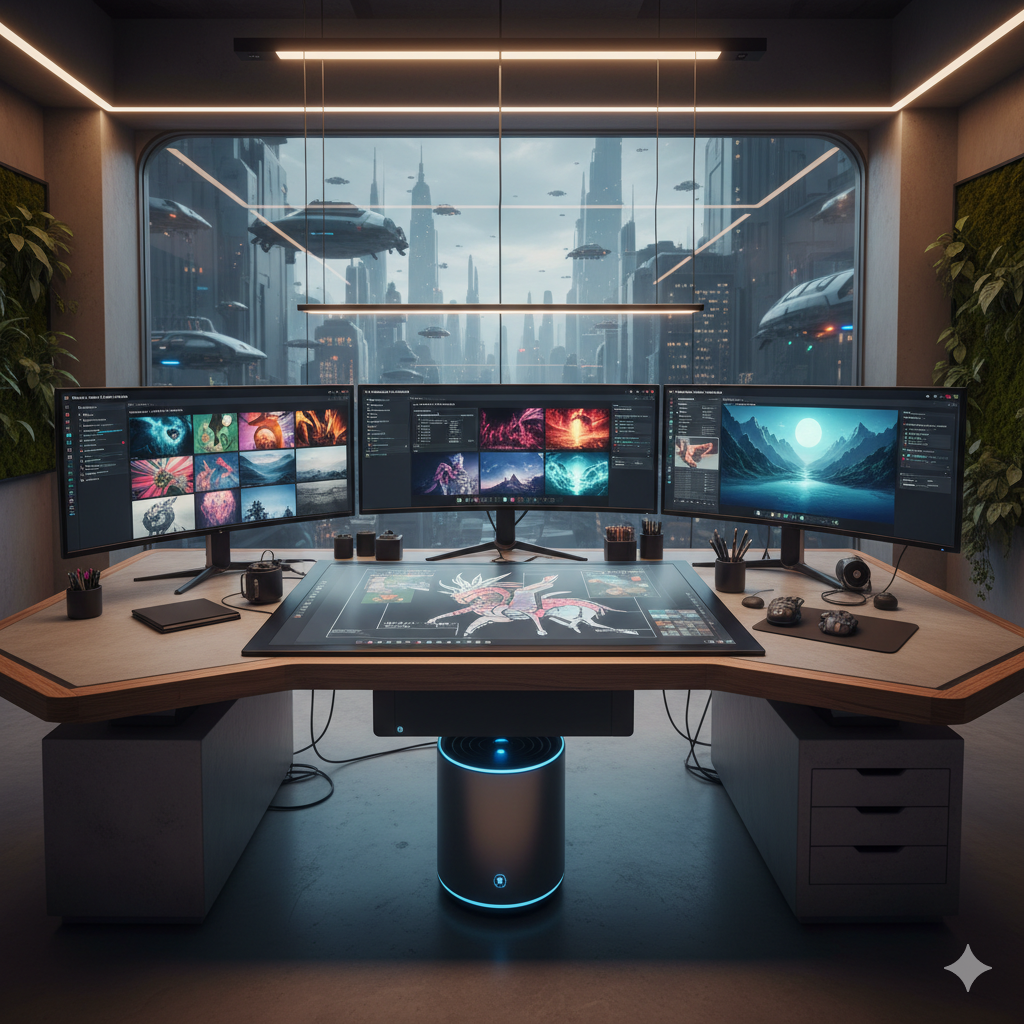
The landscape of professional design is in a perpetual state of evolution, constantly reshaped by technological advancements. For decades, designers have honed their craft using an array of powerful software, from Adobe Photoshop and Illustrator to Figma and Sketch, carefully crafting visuals pixel by pixel, vector by vector. While these tools remain indispensable, a new paradigm-shifting technology has emerged, promising to fundamentally alter how we conceive, create, and deliver visual content: AI Image Generation.
Far from being a fleeting trend or a threat to creative professionals, AI image generation is rapidly proving itself to be an invaluable asset, a true superpower for designers looking to expand their capabilities, accelerate their workflows, and unlock unprecedented levels of creative output. This isn’t about replacing human creativity; it’s about augmenting it, providing a potent co-pilot that can transform abstract ideas into tangible visuals with breathtaking speed and diversity.
In this comprehensive guide, we will delve deep into the world of AI image generation, exploring its mechanics, its practical applications within a professional design suite, and the profound impact it’s having on the industry. We will cover everything from understanding the core technologies and prominent tools to mastering prompt engineering, navigating ethical considerations, and integrating these innovative capabilities seamlessly into your daily design processes. Prepare to redefine your creative boundaries and elevate your design practice to new heights.
The Paradigm Shift: Understanding AI Image Generation
At its core, AI image generation refers to the process where artificial intelligence algorithms create new images from textual descriptions, existing images, or other inputs. This technology has undergone a remarkable evolution in recent years, moving from rudimentary, often abstract outputs to generating photorealistic, highly detailed, and stylistically diverse imagery. Understanding the underlying mechanisms is crucial for any designer looking to harness its full potential.
From GANs to Diffusion Models: A Brief History
Early breakthroughs in generative AI were largely driven by Generative Adversarial Networks (GANs), introduced by Ian Goodfellow in 2014. GANs consist of two neural networks, a ‘generator’ and a ‘discriminator,’ that compete against each other. The generator creates images, and the discriminator tries to distinguish between real images and those created by the generator. Through this adversarial process, both networks improve, leading to increasingly realistic outputs. While revolutionary, GANs often struggled with training stability and mode collapse (where the generator produces only a limited variety of outputs).
The true explosion in AI image generation capabilities, particularly for text-to-image synthesis, has been driven by more recent architectures, most notably Diffusion Models. These models work by learning to reverse a process of gradually adding noise to an image until it becomes pure noise. During generation, they start with random noise and progressively ‘denoise’ it, guided by a text prompt, until a coherent image emerges. This iterative refinement process allows for incredible fidelity, detail, and control over the generated content.
How AI Image Generation Works: Prompts, Parameters, and Iteration
For a designer, the primary interface with AI image generators is typically through text prompts. A prompt is a description of the image you want to create, often surprisingly nuanced and specific. It’s not just about telling the AI “generate a cat,” but rather “a majestic fluffy cat sitting on a baroque armchair in a dimly lit Victorian study, hyperrealistic, volumetric lighting, high detail, photorealistic.” The quality of your prompt directly correlates with the quality and relevance of the output.
Beyond the prompt, most tools offer a range of parameters that allow for further control:
- Seed: A numerical value that determines the initial noise pattern. Keeping the seed consistent helps in generating variations of the same base image.
- Stylization/Chaos: Controls how much the AI adheres to the prompt versus exploring creative interpretations.
- Aspect Ratio: Defines the width-to-height ratio of the output image.
- Negative Prompts: Text descriptions of what you don’t want in the image (e.g., “ugly, distorted, blurry, extra limbs”).
- Image-to-Image (Img2Img): Starting with an existing image and modifying it based on a new prompt, allowing for stylistic transfers or content transformations.
- ControlNet: An advanced feature for precise control over composition, pose, and depth from reference images.
The process is often iterative. You generate an initial set of images, refine your prompt or parameters based on the results, generate more, and progressively steer the AI towards your desired outcome. This rapid feedback loop is one of the most powerful aspects for designers.
Key AI Models: Stable Diffusion, Midjourney, and DALL-E 3
Today, several powerful AI models dominate the landscape, each with its own strengths and nuances:
- Stable Diffusion: An open-source model that has democratized AI image generation. It’s highly customizable, can be run locally on powerful hardware, and supports an extensive ecosystem of community-developed checkpoints, LoRAs (Low-Rank Adaptation), and plugins (like ControlNet). Its flexibility makes it a favorite for advanced users and developers.
- Midjourney: Renowned for its artistic flair and ability to generate stunning, aesthetically pleasing images with minimal prompting. It excels in creating evocative, often painterly or fantastical visuals. It primarily operates via a Discord bot interface, making it very accessible.
- DALL-E 3: Developed by OpenAI, DALL-E 3 is celebrated for its exceptional understanding of complex prompts and its ability to accurately render text within images. It’s integrated into ChatGPT Plus, allowing for conversational image generation, and Bing Image Creator, offering free access. Its strength lies in logical coherence and adherence to intricate details.
Beyond the Blank Canvas: Enhancing Ideation and Brainstorming
For many designers, staring at a blank canvas can be the most intimidating part of a project. AI image generation fundamentally alters this experience, transforming the blank slate into a dynamic playground for ideation and brainstorming. It removes creative barriers and accelerates the initial phases of design.
Rapid Prototyping and Mood Board Creation
Imagine needing to create a mood board for a new brand identity, a website redesign, or an interior design project. Traditionally, this involves hours of searching stock photo sites, cutting and pasting, and carefully curating images that convey the desired aesthetic. With AI image generation, this process is dramatically compressed.
- Instant Visual Concepts: Type in keywords like “luxury minimalist spa interior, natural light, stone textures, calming atmosphere” and within seconds, you can have dozens of unique visual concepts.
- Exploring Color Palettes: Experiment with prompts that specify color schemes (e.g., “cyberpunk city street at night, neon pink and electric blue dominant”) to quickly generate images that embody specific palettes.
- Brand Persona Visualization: Translate abstract brand adjectives like “trustworthy,” “innovative,” or “playful” into visual representations that help solidify brand identity guidelines.
This rapid prototyping capability means designers can present multiple, highly diverse visual directions to clients much earlier in the process, gathering feedback and iterating with unprecedented agility. It allows for a more collaborative and informed decision-making process from the outset.
Exploring Diverse Styles and Concepts Quickly
One of the most powerful features of AI is its ability to interpret stylistic instructions. A single concept can be rendered in countless artistic styles, offering a vast array of options for exploration:
- Artistic Interpretations: Generate “a majestic lion” in the style of “Van Gogh,” “Art Deco,” “Japanese woodblock print,” or “3D isometric render.” This opens up new creative avenues for projects requiring specific artistic directions.
- Product Variations: For product designers, AI can generate endless variations of a product concept – different materials, textures, environments, lighting conditions, or even slightly altered forms – without the need for complex 3D rendering or physical mockups.
- Character Design Exploration: Concept artists can use AI to quickly generate hundreds of character ideas, exploring different races, costumes, expressions, and poses, significantly speeding up the initial concept phase.
This ability to effortlessly pivot between styles and concepts is invaluable for finding the perfect visual language for any project. It encourages designers to think broader and test more hypotheses, ultimately leading to more innovative and refined solutions.
Breaking Creative Blocks
Every designer experiences creative blocks. The pressure to come up with fresh, original ideas can sometimes be paralyzing. AI image generation acts as a potent antidote to this dilemma.
When inspiration wanes, a designer can simply feed the AI a few keywords related to their project. The AI’s outputs, even if not directly usable, can spark new ideas, provide unexpected visual metaphors, or suggest entirely new directions. It’s like having an infinite visual brainstorming partner that never tires. For instance, if you are stuck on a logo concept for a tech company, prompting the AI with “abstract network connection, futuristic, elegant, interconnected lines, blue and silver” might yield surprising visual elements or compositions you hadn’t considered. The randomness inherent in AI generation, when properly guided, can be a wellspring of fresh perspectives.
Efficiency and Speed: Supercharging Your Workflow
Beyond fostering creativity, AI image generation is a game-changer for operational efficiency. It automates tasks that were once time-consuming, repetitive, or required specialized skills, allowing designers to allocate more time to strategic thinking and high-value creative work.
Automating Repetitive Tasks and Generating Variations
Consider the mundane but necessary tasks that often consume significant design time:
- Generating Image Variations: Need 20 slightly different backgrounds for an e-commerce product? Instead of manually editing or searching, AI can generate a multitude of consistent variations from a single base image or prompt.
- Resizing and Cropping: While traditional tools do this, AI can intelligently recompose elements when resizing or cropping, ensuring crucial aspects of the image remain prominent and aesthetically pleasing, especially useful for adaptive designs.
- Filling in Gaps (Outpainting): Extending an image beyond its original canvas, adding new content that seamlessly blends with the existing visual. This is invaluable for adapting existing assets to new aspect ratios or expanding scenes.
- Removing or Adding Elements (Inpainting): Select an area and prompt the AI to remove an unwanted object or fill it with something new, significantly faster than traditional cloning or healing tools for complex textures.
These capabilities mean less time spent on production-level chores and more time focused on core design challenges.
Generating Placeholder Content for Mockups
Creating realistic mockups for websites, apps, or marketing materials often requires placeholder imagery. Generic stock photos can lack context or visual coherence. AI image generation provides an elegant solution.
Designers can quickly generate context-specific placeholder images that perfectly fit the aesthetic and subject matter of their project. For a banking app, you could generate images of “modern professionals collaborating in a clean office setting.” For a travel website, “stunning landscapes of specific regions, vibrant colors.” This not only makes mockups more convincing for client presentations but also helps in refining the overall visual direction before final assets are commissioned or created. This ensures that the design and content work harmoniously from an early stage, identifying potential visual conflicts or opportunities.
Reducing Time-to-Market for Visual Assets
In today’s fast-paced digital environment, speed to market is critical. AI image generation drastically cuts down the time required to produce high-quality visual assets.
- Marketing Campaigns: Quickly generate diverse image sets for A/B testing in digital ads, social media campaigns, or email newsletters. This allows marketers to test different visual hooks without waiting for lengthy design cycles.
- Content Creation: Bloggers, content creators, and small businesses can produce unique hero images, illustrations, and accompanying visuals for articles and posts almost instantly, enriching their content without extensive budgets or stock photo subscriptions.
- E-commerce Product Imagery: While not fully replacing professional product photography, AI can generate lifestyle shots, product variations, or conceptual images that complement official photography, helping to tell a more complete product story.
The ability to rapidly prototype, iterate, and produce production-ready (or near production-ready) assets significantly accelerates project timelines, giving businesses a competitive edge.
Unlocking New Creative Avenues: Pushing Design Boundaries
Perhaps the most exciting aspect of AI image generation is its capacity to open up entirely new creative territories, allowing designers to explore concepts and visuals that were previously impractical, impossible, or prohibitively expensive to produce.
Conceptual Art and Abstract Design
AI excels at interpreting abstract concepts and translating them into visual forms. This is particularly valuable for conceptual artists, illustrators, and designers working on projects that require a unique visual language.
- Visualizing Intangibles: How do you represent “data privacy” or “digital transformation” visually? AI can generate abstract yet evocative imagery that captures the essence of these complex ideas, useful for corporate presentations, editorial illustrations, or user interface backgrounds.
- Exploring Esoteric Styles: Combine different artistic movements or generate entirely novel styles by blending keywords. This can lead to truly unique and distinctive visual outputs that stand out. For example, “surrealist botanical garden, Salvador Dali meets Hayao Miyazaki, dreamlike, vibrant colors.”
Personalized Visuals at Scale
The promise of hyper-personalization has long been a goal in marketing and user experience. AI image generation makes this more attainable than ever.
Imagine an e-commerce platform that dynamically generates product images tailored to individual user preferences – showing a clothing item on a model with similar body type, skin tone, or even in an environment that resonates with their past purchases. While this is still a developing area, the underlying technology exists to create highly specific, personalized visual content on demand, moving beyond generic stock photos to truly bespoke user experiences. For marketing campaigns, this could mean variations of an ad image that appeal to different demographic segments with different visual cues, generated programmatically.
Exploring Impossible Designs
AI is not bound by the laws of physics, material limitations, or traditional artistic constraints. This freedom allows designers to explore truly imaginative and “impossible” concepts.
- Architectural Concepts: Generate buildings that defy gravity, structures made of impossible materials, or interiors with fantastical lighting and spatial arrangements. This can push the boundaries of architectural visualization and inspire novel real-world designs.
- Product Innovation: Visualize product concepts that are currently impossible to manufacture, exploring forms, textures, and functionalities that might become feasible in the future, providing a roadmap for innovation.
- Character and Creature Design: Create creatures that blend features from multiple animals, fantastical beings with intricate details, or alien landscapes that challenge conventional aesthetics, invaluable for game design, film, and animation.
These capabilities empower designers to truly think outside the box, generating aspirational visuals that can inspire future projects or simply exist as stunning works of art.
Case Study: Small Studios Leveraging AI for Quick Iterations
Consider a small independent game studio working on a new fantasy RPG. Traditionally, concept art for hundreds of characters, environments, and items would require a significant budget and months of artist time. With AI, the studio can:
- Generate hundreds of creature concepts for a new biome in days, not months, by feeding prompts like “glowing fungal forest monster, bioluminescent, mossy, aggressive.”
- Rapidly prototype different armor sets for player characters, exploring variations in material, style (e.g., “elven, dwarven, steampunk”), and functionality.
- Create numerous background variations for menu screens or loading screens, ensuring visual diversity without taxing the lead artists.
This agility allows the small studio to compete with larger players by accelerating their development pipeline and presenting highly polished visual concepts much earlier, aiding in funding rounds and community engagement.
Seamless Integration: AI Tools in Your Professional Design Suite
The true power of AI image generation for professional designers lies not in its standalone capabilities, but in its seamless integration into existing workflows and software environments. The goal is to make AI a natural extension of your creative toolkit, not an isolated novelty.
Plugins and Integrations with Photoshop, Illustrator, and Figma
Major design software companies are rapidly incorporating AI features and developing plugins to bridge the gap between AI generators and traditional editing environments.
- Adobe Creative Cloud: Adobe has been a leader in integrating AI (via its Sensei AI engine) into Photoshop, Illustrator, and other apps. Features like “Generative Fill” and “Generative Expand” in Photoshop, powered by Adobe Firefly, allow users to add or remove content, extend canvases, and apply stylistic changes using simple text prompts, directly within the familiar Photoshop interface. Illustrator’s “Generative Recolor” feature can quickly experiment with color palettes for vector artwork.
- Figma Plugins: The Figma community offers various plugins that integrate with AI image generation APIs, allowing designers to generate placeholder images, icons, or mood board elements directly within their UI/UX design files. This streamlines the process of populating wireframes and prototypes with relevant visuals.
- Third-Party Integrations: Many AI platforms offer APIs (Application Programming Interfaces) that allow developers to build custom integrations. This means that even if a direct plugin isn’t available, creative developers can create bespoke solutions to connect AI generation with specialized design tools or proprietary pipelines.
These integrations are crucial because they allow designers to leverage AI for rapid ideation and generation, then bring those outputs into their established software for fine-tuning, layering, compositing, and final production. It’s a hybrid workflow that combines the best of both worlds.
Local vs. Cloud-Based Solutions
Designers have a choice regarding how they access AI image generation capabilities:
- Cloud-Based (e.g., Midjourney, DALL-E 3, Adobe Firefly): These services run on powerful remote servers. Benefits include ease of access (often just a web browser or Discord), no need for local hardware investment, and consistent performance. Downsides can include subscription costs, reliance on internet connectivity, and potential data privacy concerns.
- Local (e.g., Stable Diffusion via Automatic1111 web UI): Running AI models locally requires a powerful graphics card (NVIDIA GPU with ample VRAM is usually preferred). Benefits include complete control over the model, no subscription fees (after hardware investment), enhanced privacy, and the ability to customize and experiment with various checkpoints and extensions. Downsides are the initial hardware cost, technical setup complexity, and power consumption.
The choice often depends on a designer’s budget, technical proficiency, project requirements, and privacy considerations. Many professionals opt for a hybrid approach, using cloud services for quick ideation and local setups for more intensive, customized, or private projects.
Prompt Engineering as a New Design Skill
The art and science of crafting effective text prompts, known as prompt engineering, is rapidly becoming a fundamental skill for designers. It’s the language through which you communicate your vision to the AI.
Effective prompt engineering involves:
- Specificity: Being precise about subjects, objects, environments, and actions.
- Detail: Including descriptive adjectives, textures, materials, and lighting conditions.
- Artistic Directives: Specifying styles (e.g., “photorealistic,” “oil painting,” “sci-fi concept art,” “pixel art”), artists (e.g., “in the style of Greg Rutkowski”), or movements.
- Compositional Cues: Suggesting camera angles (“wide shot,” “close-up”), depth of field, or specific arrangements.
- Negative Prompts: Clearly stating what you wish to exclude (e.g., “blurry, mutated, text, watermark”).
- Iterative Refinement: Understanding that prompt engineering is an iterative process of trial and error, learning how the AI interprets different keywords and phrases.
Mastering prompt engineering is akin to learning a new design tool’s interface – it unlocks deeper levels of control and enables designers to achieve exactly what they envision, making them more proficient in steering the AI towards desired creative outcomes.
Ethical Considerations and Best Practices
As with any powerful technology, AI image generation comes with a set of ethical considerations that professional designers must be aware of and navigate responsibly. Adhering to best practices ensures fair and sustainable use of these tools.
Copyright, Ownership, and Intellectual Property
One of the most complex and rapidly evolving areas concerning AI-generated content is intellectual property.
- Ownership of Outputs: Currently, different jurisdictions and AI service providers have varying stances. In the U.S., the Copyright Office has stated that AI-generated works without significant human creative input are not copyrightable. However, if a human designer extensively edits, arranges, or modifies AI outputs, their original contributions might be copyrightable.
- Training Data Concerns: Many AI models are trained on vast datasets of existing images, potentially including copyrighted works without explicit permission from creators. This raises questions about fair use, consent, and potential infringement by proxy.
- Service Provider Terms: Each AI platform (e.g., Midjourney, DALL-E, Stable Diffusion) has its own terms of service regarding the ownership and commercial use of generated images. Designers must thoroughly review these terms before using images for commercial projects.
Best practice dictates clarity. If using AI-generated elements, disclose their origin where appropriate, especially in client contracts or project documentation. When in doubt for critical commercial projects, consult legal counsel regarding intellectual property rights.
Bias in AI-Generated Images
AI models learn from the data they are trained on. If that data contains biases (e.g., overrepresentation of certain demographics, stereotypes, or cultural norms), the AI will replicate and even amplify those biases in its outputs.
Designers must be acutely aware of this. For example, prompting “CEO” might predominantly generate images of white men, or “nurse” might generate images of women. This can perpetuate harmful stereotypes and limit diversity in visual representation.
To mitigate bias, designers should:
- Use Inclusive Prompts: Explicitly include diverse descriptors (e.g., “diverse group of engineers,” “female CEO, of Asian descent”).
- Critically Evaluate Outputs: Scrutinize generated images for unintended biases related to race, gender, age, ability, or culture.
- Iterate and Refine: If bias is detected, adjust prompts and parameters to encourage more inclusive outputs.
Transparency and Disclosure
As AI-generated content becomes more sophisticated, the line between human-created and AI-created can blur. Transparency is key to maintaining trust and ethical integrity.
In certain contexts, especially where authenticity or original authorship is paramount, designers should consider disclosing the use of AI. This might include:
- Adding a small attribution or disclaimer to images (e.g., “AI-assisted creation”).
- Informing clients during project proposals or final deliveries about the role AI played in the creative process.
- Being clear about AI’s involvement in academic or journalistic contexts.
While not always legally mandated, transparency fosters honesty and helps educate stakeholders about the evolving creative landscape. It also sets a precedent for responsible AI integration in the design industry.
The Future of Design: A Collaborative Human-AI Endeavor
The discourse surrounding AI often falls into the trap of ‘us versus them’ – humans versus machines. However, for the professional design community, the most valuable perspective is one of collaboration. AI image generation is not designed to replace the human designer but to serve as an incredibly powerful co-pilot, enhancing capabilities and freeing up creative energy for higher-level thinking.
AI as a Co-pilot, Not a Replacement
The human designer brings unique qualities that AI simply cannot replicate:
- Conceptual Understanding: The ability to grasp complex project briefs, client goals, and target audience psychology.
- Empathy and Emotional Intelligence: Understanding how visuals evoke feelings and connect with people on a deeper level.
- Strategic Thinking: The capacity to plan, strategize, and integrate visuals into broader communication goals.
- Curatorial Eye and Taste: The nuanced judgment to select the best output, refine it, and ensure it aligns with brand values and aesthetic principles.
- Problem-Solving: The ability to adapt to unexpected challenges and pivot creative directions.
AI excels at execution, rapid ideation, and exploring variations based on input. The human designer provides the vision, direction, critical judgment, and the final touch of artistry and purpose. It’s a symbiotic relationship where each partner augments the other’s strengths. Think of AI as an incredibly skilled intern who can generate thousands of ideas, but it’s the senior designer who selects the best, refines them, and ultimately brings them to life with meaning and intent.
Upskilling Designers for the AI Era
The advent of AI image generation necessitates a shift in the skills expected of professional designers. Traditional skills like mastery of design software, color theory, typography, and composition remain vital. However, new competencies are emerging:
- Prompt Engineering: As discussed, this is the new language of creative direction.
- AI Tool Proficiency: Understanding the strengths and weaknesses of different AI models and knowing which tool is best for a particular task.
- Critical Evaluation of AI Outputs: Developing an eye for identifying AI-generated artifacts, biases, and areas needing human refinement.
- Ethical Awareness: Navigating the complexities of copyright, bias, and responsible AI usage.
- Hybrid Workflow Mastery: Seamlessly integrating AI generation with traditional design software and techniques.
Design schools and professionals are already adapting, incorporating AI literacy into curricula and professional development. Continuous learning and experimentation will be key to staying relevant and competitive in this evolving landscape.
The Evolving Role of the Human Designer
The role of the human designer is not diminishing but transforming. Designers are becoming less ‘pixel pushers’ and more ‘creative directors of AI.’ Their value shifts from manual execution to:
- Visionary Leadership: Defining the overall aesthetic, conceptual direction, and strategic goals.
- Curators and Editors: Sifting through AI-generated options, selecting the strongest candidates, and refining them to perfection.
- Prompt Architects: Crafting the precise instructions that guide the AI towards desired outcomes.
- Ethical Guardians: Ensuring that AI-generated content is responsible, inclusive, and adheres to ethical standards.
- Client Communicators: Translating complex AI outputs into understandable concepts for clients and stakeholders.
This evolution elevates the designer’s position, allowing them to focus on the higher-order creative and strategic aspects of their work, ultimately delivering more innovative and impactful designs. The future of design is a fascinating synergy between human intuition, creativity, and AI’s generative power.
Comparison Tables
Table 1: Comparison of Popular AI Image Generation Tools (as of late 2023 / early 2024)
| Tool | Primary Strength | Ease of Use | Customization Level | Best Use Case |
|---|---|---|---|---|
| Midjourney | Artistic quality, aesthetic appeal, evocative imagery | Moderate (Discord-based command line) | Medium (limited parameters) | Concept art, mood boards, high-quality stylistic images |
| Stable Diffusion | Flexibility, open-source, extensive customization via models/plugins | High (requires some technical setup/prompt engineering) | Very High (ControlNet, LoRAs, custom models) | Advanced users, specific art styles, local control, image editing (inpainting/outpainting) |
| DALL-E 3 (via ChatGPT/Bing) | Prompt understanding, logical coherence, text rendering within images | Very High (natural language chat interface) | Low-Medium (mostly prompt-driven) | Quick ideation, accurate scene descriptions, images with specific text |
| Adobe Firefly | Seamless integration with Creative Cloud, commercial safety, ethical sourcing | High (integrated into Photoshop, Illustrator) | Medium (focus on specific editing tasks) | Generative fill/expand, content creation for Adobe users, commercial projects |
| Leonardo.Ai | Control over styles and assets, fine-tuned models for specific niches | Moderate (web interface with numerous options) | High (custom models, image guidance) | Game assets, character design, stylized content, custom dataset training |
Table 2: Impact of AI Image Generation on Design Workflow Stages
| Workflow Stage | Traditional Approach | AI-Augmented Approach | Key Benefit of AI |
|---|---|---|---|
| Ideation & Brainstorming | Manual sketching, searching stock libraries, mood board compilation (hours/days) | Rapid generation of visual concepts, diverse styles from text prompts (minutes) | Accelerated concept exploration, creative block removal, broader stylistic options |
| Prototyping & Mockups | Using generic placeholders, basic renders, limited variations | Generating context-specific, visually rich placeholders; instant variations for A/B testing | More realistic mockups, faster iteration on visual elements, enhanced client communication |
| Asset Creation (Illustrations) | Hand-drawing, vectoring, commissioning artists (days/weeks) | Generating base illustrations, conceptual art, stylistic variations (minutes/hours) | Reduced cost & time for initial art, unique visual asset creation |
| Image Editing & Manipulation | Manual selection, cloning, healing, complex compositing (hours) | Generative fill/expand, inpainting/outpainting, intelligent object removal/addition (minutes) | Significant time savings on repetitive or complex manipulation tasks |
| Marketing & Advertising | Limited image sets for campaigns, reliance on existing stock | On-demand generation of diverse, personalized ad creatives; rapid testing of visual hooks | Faster campaign deployment, greater personalization, optimized visual impact |
| Final Production & Refinement | Extensive manual touch-ups, color correction, resizing for various outputs | AI-assisted upscaling, intelligent resizing, final human curation and artistic polish | Efficient finalization, focus on human creative input for ultimate quality |
Practical Examples: Real-World Use Cases and Scenarios
To truly grasp the transformative potential of AI image generation, let’s explore some real-world applications across various design disciplines. These examples illustrate how AI is being integrated to solve practical problems and elevate creative output.
Marketing Campaigns: Personalized and Dynamic Ad Creatives
A digital marketing agency is launching a new campaign for a clothing brand. Instead of using a few static ad images, they leverage AI:
- Scenario: The campaign targets different demographics – young urban professionals, suburban parents, and college students.
- AI Solution: Using a tool like DALL-E 3 or Midjourney, the agency generates hundreds of variations of their product photos. For the urban demographic, prompts include “trendy model in city apartment, bokeh background, warm lighting.” For suburban parents, “model with child in park setting, natural light, joyful atmosphere.” For students, “model on university campus, vibrant, energetic.”
- Outcome: They can A/B test a much broader range of visually targeted ads, identifying which visuals resonate most with each segment, leading to higher click-through rates and better conversion. This is done in hours, not weeks.
Game Design: Accelerated Concept Art and Asset Generation
An indie game studio needs to visualize hundreds of unique creatures and environmental elements for their upcoming fantasy RPG.
- Scenario: The concept artists are overwhelmed with the sheer volume of assets required, from unique goblins and mythical beasts to alien flora and ancient ruins.
- AI Solution: They use Stable Diffusion with specific checkpoints and LoRAs to generate initial concept sketches. For a creature, a prompt might be “gothic horned beast, dark fantasy, highly detailed scales, red eyes, in a swamp setting.” For environments, “ancient elven ruins, overgrown with glowing moss, magical light, misty forest.” They then refine these in Photoshop.
- Outcome: The artists can rapidly explore hundreds of concepts, narrow down favorites, and use the AI-generated images as a strong starting point for their detailed illustrations, drastically cutting down on the initial concept phase and allowing them to focus on polish and unique storytelling. They also use AI for generating unique textures for 3D models.
Product Visualization: Exploring Variations and Lifestyle Shots
A furniture company wants to showcase a new sofa model in various styles, materials, and room settings for their online catalog and marketing materials.
- Scenario: Manually photographing the sofa in different settings or creating 3D renders for every permutation is time-consuming and expensive.
- AI Solution: They use AI image generation to take their existing product photos and, through image-to-image prompting, place the sofa in diverse interior designs: “modern minimalist living room,” “bohemian chic apartment,” “cozy rustic cabin.” They can also generate variations of the sofa with different fabric patterns or color palettes.
- Outcome: A rich library of high-quality lifestyle imagery is generated quickly and economically, allowing them to present the product in a versatile and appealing manner to a wider audience without the overheads of traditional photography or extensive 3D rendering.
Web Design: Dynamic Hero Banners and Placeholder Content
A web design agency is building a website for a new eco-tourism startup specializing in unique nature experiences.
- Scenario: They need stunning, unique hero banners for different sections of the website (e.g., jungle treks, mountain climbing, desert safaris) and placeholder images for various content blocks. Stock photos feel generic and don’t quite capture the bespoke nature of the tours.
- AI Solution: Using a tool like Midjourney for its artistic quality, they generate bespoke hero images: “lush vibrant jungle canopy, misty morning, exotic birds, adventure travel vibe,” or “rugged mountain climber silhouetted against dramatic sunset, epic landscape.” For placeholders, they generate specific images like “campers setting up tent in serene forest,” or “couple enjoying breakfast with mountain view.”
- Outcome: The website launches with highly unique, visually cohesive, and contextually relevant imagery that strengthens the brand’s identity and enhances the user experience, all created much faster and at a lower cost than commissioning custom photography or illustrations.
Fashion Design: Pattern Generation and Mood Boarding
A textile designer is developing a new collection inspired by futuristic floral patterns.
- Scenario: Manually sketching and digitizing intricate patterns can be laborious, and exploring a wide range of variations is time-consuming.
- AI Solution: The designer uses AI to generate seamless patterns based on prompts like “futuristic floral pattern, circuit board elements, glowing neon colors, symmetrical repeat,” or “organic flowing lines, cyberpunk aesthetic, dark background, bioluminescent plants.”
- Outcome: They can quickly generate dozens of unique, complex patterns, apply them to mockups of clothing, and create dynamic mood boards for their collection, accelerating the design development phase and inspiring innovative textile designs.
Frequently Asked Questions
Q: Is AI image generation replacing human designers?
A: No, AI image generation is not replacing human designers; rather, it’s augmenting their capabilities and transforming the nature of design work. Human designers bring critical thinking, conceptual understanding, empathy, strategic vision, and a nuanced understanding of client needs and brand identity – qualities AI lacks. AI serves as a powerful tool for rapid ideation, iteration, and execution, freeing designers to focus on higher-level creative direction, problem-solving, and the final artistic polish that only a human can provide. The future lies in a collaborative human-AI workflow.
Q: What are the best AI image generation tools for beginners?
A: For beginners, several tools offer a relatively easy entry point:
- DALL-E 3 (via ChatGPT Plus or Bing Image Creator): Known for excellent prompt understanding and ease of use, as it integrates with natural language chat.
- Midjourney: While Discord-based, its results are often aesthetically pleasing even with simpler prompts, making it rewarding for new users.
- Adobe Firefly: If you’re already in the Adobe ecosystem, its integration into Photoshop and Illustrator makes it intuitive for common design tasks like generative fill.
- Canva’s Text to Image: For graphic design needs, Canva offers a simple, integrated AI image generator that’s very user-friendly.
These tools prioritize user experience and generally produce good results with less technical overhead.
Q: How do I write effective prompts for AI image generation?
A: Writing effective prompts is an art form. Here are key tips:
- Be Specific: Describe your subject, action, and setting clearly (e.g., “a golden retriever playing in a field of sunflowers”).
- Add Details: Include adjectives for mood, lighting, textures, and colors (e.g., “warm golden hour light, soft fur, vibrant yellow sunflowers”).
- Specify Style: Use artistic keywords (e.g., “photorealistic,” “oil painting,” “digital art,” “anime style,” “in the style of Van Gogh”).
- Define Composition: Mention camera angles (“wide shot,” “close-up”), depth of field (“bokeh background”).
- Use Negative Prompts: Tell the AI what you DON’T want (e.g., “blurry, distorted, ugly, watermark”).
- Iterate: Start simple, generate, then add more details or modify keywords based on the results.
- Experiment: Different tools respond differently to prompts, so practice with your chosen AI.
Q: What about copyright and ownership for AI-generated images?
A: This is a complex and evolving legal area. In the U.S., the Copyright Office generally states that purely AI-generated works without significant human creative input are not eligible for copyright. However, if a human designer substantially edits, modifies, or arranges AI-generated elements, their human contribution might be copyrightable. Different AI service providers (e.g., Midjourney, DALL-E, Stable Diffusion) have varying terms regarding the commercial use and ownership of outputs; always check their specific terms of service. It’s advisable to disclose AI assistance where appropriate, especially for commercial projects, and consult legal counsel for critical intellectual property concerns.
Q: Can AI generate unique and consistent styles for a brand?
A: Yes, with careful prompt engineering and often through techniques like fine-tuning models or using specific LoRAs (Low-Rank Adaptations) in open-source tools like Stable Diffusion, AI can generate images that adhere to a unique and consistent style. Designers can create a “style guide” through prompts (e.g., “minimalist, pastel colors, clean lines, flat design”) and refine it over time. Some tools also allow you to train custom models on your own branding assets, enabling highly consistent visual output tailored to your brand identity. Achieving perfect consistency often requires human curation and post-production editing.
Q: What are the main limitations of current AI image generation?
A: While powerful, AI image generation has limitations:
- Inconsistencies: Struggling with precise details, anatomy (especially hands/faces), complex text, or consistent characters/objects across multiple images.
- Ethical Concerns: Potential for bias, deepfakes, and copyright issues from training data.
- Lack of True Understanding: AI doesn’t “understand” concepts like humans do; it recognizes patterns. This can lead to illogical or nonsensical outputs.
- Requires Human Oversight: Outputs almost always require human curation, selection, and often significant post-processing to be production-ready.
- Reproducibility: Achieving the exact same image consistently can be challenging, even with seeds, due to the probabilistic nature of generation.
- Hardware Demands: Running powerful open-source models locally requires significant GPU resources.
Q: How can I integrate AI image generation into my existing design workflow?
A: Integrate AI as a phase in your workflow:
- Ideation: Use AI for rapid brainstorming, mood board creation, and concept exploration.
- Roughing Out: Generate initial visual ideas or placeholder assets for mockups and wireframes.
- Asset Augmentation: Use AI for image manipulation tasks like generative fill, inpainting/outpainting, or extending backgrounds within tools like Photoshop.
- Inspiration: When facing creative block, use AI to generate unexpected visual cues.
- Variations: Quickly create multiple versions of an image for A/B testing or diverse marketing needs.
- Refinement: Bring AI-generated images into your traditional design software (Photoshop, Illustrator, Figma) for final edits, compositing, color grading, and ensuring brand alignment.
Start small, experiment, and find where AI adds the most value to your specific tasks.
Q: Is it expensive to use AI image generation tools?
A: The cost varies significantly:
- Free Tiers: Many cloud-based tools (e.g., Bing Image Creator, some Leonardo.Ai credits) offer free daily generations or trials.
- Subscription Models: Popular tools like Midjourney, DALL-E (via ChatGPT Plus), and Adobe Firefly operate on monthly subscriptions, offering varying tiers of generation capacity.
- Local Software: Open-source models like Stable Diffusion are free to use once downloaded, but require a significant upfront investment in powerful computer hardware (a high-end GPU) to run efficiently.
For professional use, a paid subscription or hardware investment is usually necessary to access higher quality, faster generations, and commercial usage rights.
Q: How does AI handle image upscaling and editing, like removing objects?
A: AI excels in these areas:
- Upscaling: AI-powered upscalers (e.g., Topaz Gigapixel AI, built-in features in some generative tools) can intelligently add detail and resolution to images without introducing pixelation, making low-res AI generations or existing images suitable for print.
- Object Removal (Inpainting): You can select an object in an image and prompt the AI to “remove object” or “fill with background.” The AI analyzes the surrounding pixels and generates new content that seamlessly blends into the background, often far more efficiently and realistically than manual cloning tools.
- Object Addition (Inpainting/Outpainting): Conversely, you can select an empty area and prompt the AI to fill it with a new object, or extend the canvas and prompt for new background elements that match the existing image. Adobe Photoshop’s Generative Fill is a prime example of these capabilities.
These features dramatically streamline image manipulation and retouching tasks.
Q: What’s the difference between generative AI and traditional image editing?
A: Traditional image editing (e.g., Photoshop, Illustrator) involves manipulating existing pixels or vectors. You crop, resize, adjust colors, composite layers, or draw new elements. It’s largely a process of editing and arranging what’s already there or manually creating new content.
Generative AI, on the other hand, creates entirely new visual content from scratch based on a textual or image prompt. It can invent images that have never existed before. While traditional editing is about modification, generative AI is about creation. The synergy comes when designers use AI to create novel assets and then use traditional tools to refine, integrate, and polish those assets to meet specific project requirements.
Key Takeaways
- AI as an Augmentation, Not Replacement: AI image generation empowers designers, acting as a creative co-pilot rather than a substitute for human creativity and strategic thinking.
- Accelerated Ideation: AI dramatically speeds up brainstorming, mood board creation, and concept exploration, allowing designers to explore more options in less time.
- Enhanced Efficiency: Repetitive tasks like generating variations, creating placeholders, and advanced image manipulation (inpainting, outpainting) are automated, freeing up designers for higher-value work.
- Unprecedented Creative Freedom: Designers can visualize “impossible” concepts, explore diverse styles, and create personalized visuals at scale, pushing traditional boundaries.
- Seamless Integration is Key: The real power lies in integrating AI tools (plugins, APIs) directly into existing design software like Adobe Creative Cloud and Figma.
- Prompt Engineering is a New Core Skill: Mastering the art of crafting effective text prompts is crucial for directing AI to achieve desired creative outcomes.
- Ethical Awareness is Paramount: Designers must navigate complex issues of copyright, inherent AI biases, and the importance of transparency when using AI-generated content.
- The Future is Collaborative: The most successful designers will be those who embrace a human-AI collaborative workflow, leveraging AI’s generative power while applying their unique human judgment, empathy, and strategic insight.
Conclusion
The integration of AI image generation into the professional design suite marks a pivotal moment in the history of visual communication. It’s a technology that, when wielded effectively, transforms designers from mere executors of tasks into powerful orchestrators of limitless creative possibilities. The days of struggling with creative blocks, laboring over repetitive tasks, or being constrained by traditional production timelines are rapidly fading, replaced by an era of unprecedented speed, diversity, and imaginative output.
Mastering this new superpower requires not just technical proficiency with the tools, but also a strategic mindset, a commitment to ethical practice, and an open approach to continuous learning. Designers who embrace prompt engineering, understand the nuances of various AI models, and integrate these capabilities seamlessly into their existing workflows will find themselves at the forefront of innovation, delivering richer, more impactful, and more personalized visual experiences than ever before.
This journey is not about AI taking over design, but about human designers ascending to new levels of creative leadership, leveraging intelligent machines to amplify their vision and impact. The blank canvas is no longer a source of dread, but an invitation to explore a boundless universe of generated artistry, guided by the ingenuity and critical eye of the human mind. Unlock your design superpowers, embrace the AI revolution, and prepare to create the extraordinary.



























































































Leave a Reply