

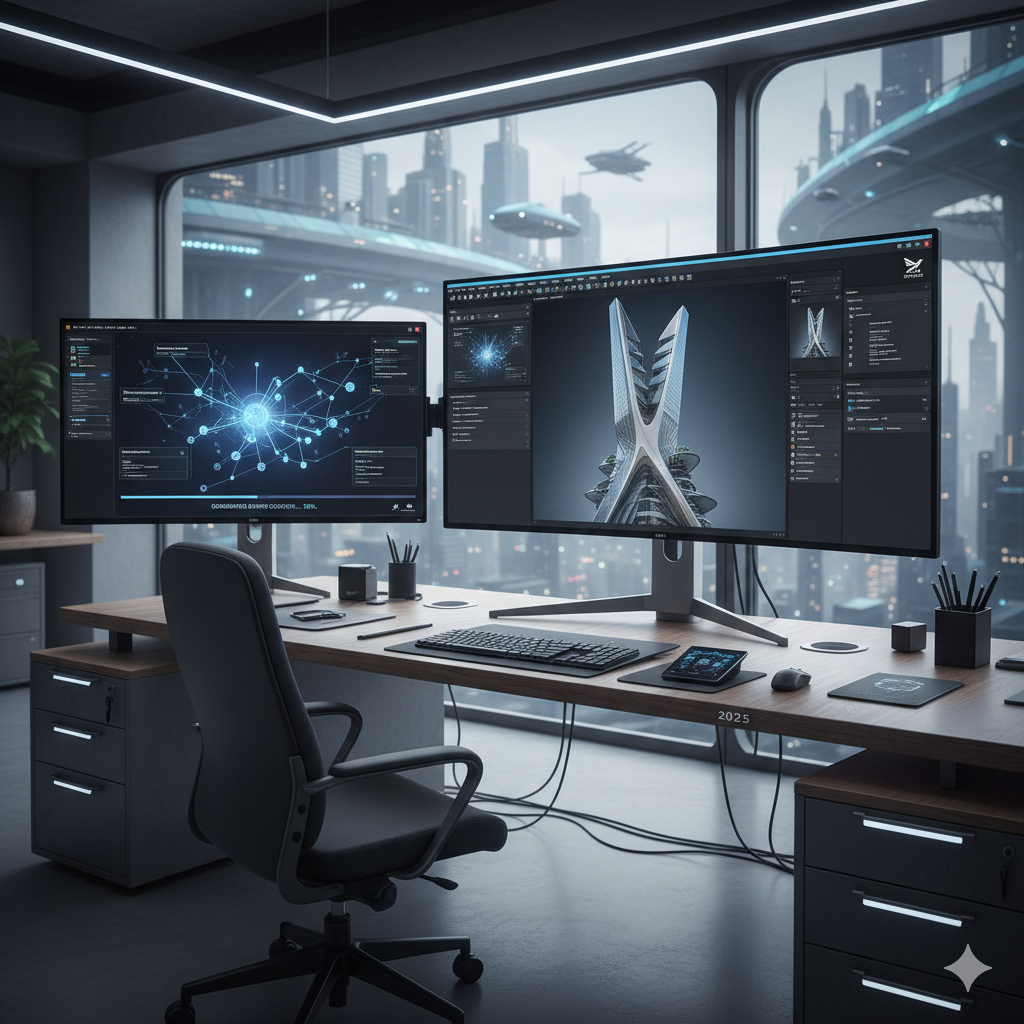
In the fast-paced world of design, staying competitive means constantly seeking innovative ways to streamline workflows, accelerate concept development, and deliver stunning results more efficiently. The advent of Artificial Intelligence (AI) image generation has emerged as a groundbreaking technological leap, fundamentally altering how designers approach creativity and execution. No longer confined to laborious manual processes or limited stock image libraries, designers can now harness the power of AI to transform their ideation and prototyping stages with unprecedented speed and versatility. This comprehensive guide will explore how integrating AI image generation into your professional design suite can unlock new levels of efficiency, foster boundless creativity, and ultimately redefine your design potential.
From UI/UX mockups to architectural visualizations, and from product design iterations to marketing campaign visuals, AI-driven tools are proving to be indispensable allies. They enable designers to explore a multitude of aesthetic directions, test hypotheses, and present compelling visuals to stakeholders far earlier in the design cycle. This shift not only saves valuable time and resources but also empowers designers to push creative boundaries previously thought impossible. Join us as we delve into the mechanics, benefits, practical applications, and future implications of this transformative technology.
The AI Revolution in Design: A Paradigm Shift
The design industry has always been on the vanguard of technological adoption, from the transition from drafting tables to CAD software, and from manual typesetting to desktop publishing. Each technological leap brought with it a revolution in efficiency, precision, and creative possibility. Today, we stand at the precipice of another such revolution, one powered by artificial intelligence. AI image generation represents a monumental shift, moving beyond mere automation of existing tasks to the actual creation of visual content from textual or conceptual inputs.
Traditionally, the initial stages of design, particularly concept exploration and prototyping, have been labor-intensive and time-consuming. Designers would spend countless hours sketching, rendering, sourcing images, or manually crafting digital mockups to visualize ideas. This often meant that only a limited number of concepts could be thoroughly explored due to time and budget constraints. Client feedback cycles could be slow, and iterations, while necessary, often felt like starting from scratch.
AI image generation tools, such as Midjourney, DALL-E 3, and Stable Diffusion XL, have shattered these limitations. They allow designers to generate a vast array of high-quality, diverse images in mere seconds or minutes, based on simple text prompts or existing visual references. This capability transforms the ideation phase into an incredibly dynamic and fluid process. Designers are no longer restricted by their drawing speed or their ability to find the perfect stock photo; instead, they become curators and directors of an infinitely capable digital artist. This paradigm shift means designers can:
- Generate Hundreds of Concepts Rapidly: Explore variations of a theme, style, or composition almost instantly.
- Visualize Abstract Ideas: Bring highly conceptual or experimental ideas to life visually, making them tangible for discussion and refinement.
- Accelerate Iteration Cycles: Quickly respond to feedback by generating new versions or alternative directions without significant overhead.
- Bridge Communication Gaps: Create clear, compelling visuals to communicate complex ideas to non-designers, stakeholders, and clients.
- Reduce Reliance on Stock Photography: Generate unique, bespoke images tailored precisely to project needs, avoiding generic or overused visuals.
The integration of AI into the design process is not about replacing the designer’s creativity or intuition. Rather, it is about augmenting it, providing a powerful co-creator that handles the grunt work of visualization, freeing the human designer to focus on higher-level strategic thinking, problem-solving, and the nuanced refinement that only human expertise can provide.
What is AI Image Generation and How Does It Work?
At its core, AI image generation, often referred to as generative AI or text-to-image AI, leverages sophisticated artificial neural networks, particularly a class of models known as Generative Adversarial Networks (GANs) or diffusion models, to create novel images. These models are trained on colossal datasets comprising billions of images paired with their textual descriptions. Through this extensive training, the AI learns the intricate relationships between words and visual elements, styles, compositions, and concepts.
When a designer inputs a text prompt (e.g., “a futuristic cityscape at sunset, neon lights, cyberpunk aesthetic, highly detailed, cinematic”), the AI model processes this prompt. In the case of diffusion models, which are prevalent in most modern tools, the process involves iteratively refining an initial random noise image by “denoising” it based on the semantic understanding derived from the prompt. This iterative process gradually transforms the noise into a coherent, high-quality image that aligns with the user’s description.
Key Components of AI Image Generation:
- Text Encoder: This component translates the human language prompt into a numerical representation (embedding) that the AI model can understand. It captures the meaning and context of the words.
- Generative Model (Diffusion Model/GAN): This is the core engine that creates the image. Diffusion models work by gradually adding noise to an image and then learning to reverse that process, effectively creating an image from pure noise guided by the text prompt. GANs involve two competing neural networks—a generator that creates images and a discriminator that tries to tell if an image is real or fake—improving each other over time.
- Image Decoder: This component takes the internal representation generated by the model and converts it into a viewable image (e.g., JPEG, PNG).
-
Control Mechanisms: Modern tools often include additional controls beyond just text prompts. These can include:
- Image-to-Image (Img2Img): Starting generation from an existing image, allowing the AI to modify or re-imagine it based on a new prompt.
- ControlNet: Advanced control over composition, pose, depth, and edges, allowing designers to guide the AI with reference images or sketches.
- Inpainting/Outpainting: Modifying specific parts of an image or extending its boundaries seamlessly.
- Style Transfer: Applying the aesthetic characteristics of one image to the content of another.
The quality and relevance of the output are heavily dependent on the specificity and creativity of the prompt. This introduces a new skill for designers: prompt engineering, which involves crafting precise and descriptive text prompts to guide the AI towards the desired visual outcome. Understanding keywords, artistic styles, lighting conditions, and compositional elements becomes crucial for effectively leveraging these tools.
Rapid Prototyping with AI: A Game Changer
One of the most significant advantages of integrating AI image generation into the design workflow is its transformative impact on rapid prototyping. Prototyping is a critical phase where ideas are translated into tangible forms, tested, and refined. Traditionally, this process can be slow and expensive, often limiting the number of concepts that can be fully explored. AI drastically compresses this timeline and expands the scope of exploration.
Accelerating the Iteration Cycle
Imagine needing to prototype a new user interface for a mobile application. In a conventional workflow, this would involve wireframing, designing various UI elements, assembling them into mockups, and then potentially creating interactive prototypes using specialized software. Each iteration, especially significant stylistic changes or layout adjustments, could take hours or even days.
With AI image generation, this process is revolutionized. A designer can prompt an AI to generate a “sleek, minimalist mobile app login screen with a dark theme and glowing accents” and receive multiple distinct variations in seconds. If the initial results aren’t quite right, a slight tweak to the prompt—perhaps adding “futuristic cyber font” or “organic abstract background”—can yield entirely new directions just as quickly. This allows designers to:
- Explore Diverse Aesthetic Directions Instantly: Quickly generate different visual styles for a product, website, or marketing asset, helping to narrow down preferences early on.
- Test Multiple Layouts and Compositions: Experiment with various arrangements of elements, giving a visual representation of how different structures might feel or function.
- Visualize Design Elements in Context: Generate images of specific components (e.g., buttons, icons, banners) integrated into a broader design, ensuring consistency and coherence.
- Create High-Fidelity Mockups Faster: While not fully interactive, AI-generated images can serve as incredibly convincing static mockups, often indistinguishable from manually rendered designs for initial presentations.
- Facilitate A/B Testing: Generate multiple visual options for marketing materials, website hero images, or product packaging, which can then be used for rapid A/B testing to gather data on user preferences.
The speed at which AI can generate these prototypes means that designers can move from abstract concept to visual representation in minutes, not hours or days. This drastically reduces the time and cost associated with early-stage prototyping and frees up designers to dedicate more time to critical thinking, user experience research, and the nuanced refinement of chosen concepts. It also empowers design teams to present a broader, more thoroughly vetted range of options to clients, leading to better decision-making and higher client satisfaction.
Unlocking Unlimited Concept Exploration
Beyond rapid prototyping, AI image generation excels at unlocking an unprecedented scope of concept exploration. Human creativity, while profound, can sometimes be limited by personal biases, past experiences, or the sheer effort required to manually visualize every possible permutation of an idea. AI, with its vast training data and algorithmic nature, operates without these human constraints, offering a truly limitless canvas for ideation.
Breaking Creative Blocks and Expanding Horizons
One of the most common challenges designers face is creative block. Staring at a blank canvas or struggling to come up with fresh ideas can be debilitating. AI acts as an incredible muse, providing an endless stream of visual inspiration and unexpected combinations. By inputting even a vague concept, designers can receive outputs that spark new ideas, suggest alternative approaches, or combine elements in ways they might not have considered.
For instance, a product designer struggling with the form factor for a new smart home device might prompt an AI with “sleek smart speaker, organic shapes, natural materials, integrates into living room decor.” The AI might return concepts featuring wood grains blended with minimalist forms, or devices resembling sculptural elements, or even designs inspired by natural phenomena like pebbles or waves. These diverse outputs serve as jumping-off points, allowing the designer to:
- Explore Unconventional Aesthetics: Generate designs in styles far removed from a designer’s usual repertoire, broadening their stylistic vocabulary.
- Visualize Hybrid Concepts: Combine disparate elements or themes (e.g., “steampunk kitchen appliance,” “bioluminescent architecture”) to create truly unique concepts.
- Deep Dive into Specific Themes: Rapidly explore variations within a specific theme or mood, ensuring thorough coverage of stylistic possibilities.
- Generate Mood Boards and Storyboards Instantly: Create cohesive visual narratives or mood boards for branding, marketing campaigns, or film pre-visualization in minutes.
- Understand Visual Semantics: Experiment with how different keywords and descriptions translate into visual outcomes, enhancing a designer’s understanding of visual language.
The sheer volume and diversity of images an AI can generate in a short period mean that designers are no longer limited to exploring only the most obvious or safest options. They can afford to be audacious, experimental, and truly innovative, knowing that they can quickly discard less successful ideas and pivot to new directions without significant wasted effort. This enables a design process that is far more exploratory, iterative, and ultimately, more creative. AI liberates designers from the manual burden of visualization, allowing them to dedicate their cognitive resources to critical evaluation, strategic decision-making, and the artistic refinement of truly groundbreaking concepts.
AI as a Collaborative Design Partner
Far from being a solitary tool, AI image generation platforms are increasingly proving their worth as collaborative partners in the design process. This collaboration extends not just between human and machine, but also among design team members, and even between designers and their clients. The ability to quickly visualize and share concepts significantly enhances communication and fosters a more inclusive and dynamic design environment.
Streamlining Communication and Feedback Loops
One of the perennial challenges in design is effectively communicating abstract ideas to stakeholders who may not share a designer’s visual vocabulary. Explaining a mood, an aesthetic, or a functional concept using only words can lead to misunderstandings and prolonged revision cycles. AI changes this by making visual communication instant and concrete.
- Client Presentations: Instead of presenting wireframes or abstract sketches, designers can leverage AI to generate high-fidelity visual mockups that closely resemble the final product. This helps clients visualize the end result more clearly, leading to more informed feedback and faster approvals. For example, presenting five distinct visual directions for a new brand identity, all AI-generated in an hour, is far more impactful than showing one or two hand-drawn sketches.
- Team Collaboration: Within design teams, AI facilitates rapid ideation sessions. Designers can collectively brainstorm prompts, generate images, and iterate on them in real-time. This collective visual exploration can accelerate problem-solving and ensure everyone is aligned on the visual direction. Developers, marketing teams, and content creators can also gain a clearer understanding of the design vision much earlier.
- Bridging Disciplinary Gaps: AI-generated visuals can act as a common language across different departments. A marketing team can quickly get a visual sense of a product design, or engineers can visualize user interface concepts without needing to interpret complex design specifications. This reduces friction and speeds up cross-functional understanding.
- User Testing and Feedback: Rapidly generated variations of UI elements, product features, or advertising visuals can be quickly put in front of target users for feedback. This allows for early validation of design choices, reducing the risk of investing significant resources into designs that may not resonate with the audience.
The interactive nature of modern AI tools also supports this collaborative spirit. Features like image-to-image prompting, where an AI modifies an existing image based on a new prompt, allow for a conversational design process. A team member might suggest, “What if we made this background more ethereal?” or “Can we see this product in a reflective chrome finish instead of matte?” and the AI can provide immediate visual answers, fostering a dynamic back-and-forth that drives innovation. AI empowers every member of a project to contribute visually, democratizing the initial ideation process and enriching the overall creative output.
Overcoming Challenges and Best Practices
While AI image generation offers immense potential, its effective integration into professional design workflows is not without its challenges. Addressing these proactively and adopting best practices will ensure designers harness its power responsibly and productively.
Challenges to Consider:
- Intellectual Property and Copyright: The legal landscape around AI-generated art and its copyright status is still evolving. Questions arise regarding ownership when AI creates an image based on vast datasets that may include copyrighted material. Designers must be aware of the terms of service for the AI tools they use and understand the implications for commercial use.
- Bias and Representation: AI models are trained on existing data, which can reflect and even amplify societal biases present in that data. This can lead to outputs that are stereotypical, unrepresentative, or even offensive. Designers must critically evaluate AI outputs for unintended biases and actively prompt for diverse and inclusive representations.
- Ethical Use and Misinformation: The ability to generate realistic images raises concerns about deepfakes and the spread of misinformation. Designers have an ethical responsibility to use these tools transparently and to educate clients and audiences about the origin of AI-generated content when necessary.
- Loss of Human Touch/Originality: There’s a concern that over-reliance on AI could lead to a homogenization of design or a diminished appreciation for human artistic skill. The challenge is to use AI as an enhancement, not a replacement, for human creativity.
- Prompt Engineering Learning Curve: Effectively communicating with AI requires a new skill: prompt engineering. Crafting precise, detailed, and evocative prompts to achieve desired results can take practice and experimentation.
- Inconsistencies and Anomalies: While AI has made incredible strides, it can still produce images with anatomical errors, strange artifacts, or inconsistencies, especially with complex scenes or specific details like text or hands. Post-processing and critical evaluation are often necessary.
Best Practices for Integration:
- Start with a Clear Vision: Before prompting, have a strong idea of what you want to achieve. AI is a tool to manifest your vision, not necessarily to define it for you.
- Master Prompt Engineering: Invest time in learning how to write effective prompts. Experiment with keywords, styles, artists, lighting, composition, and negative prompts (what you don’t want). Resources and communities around specific AI tools (e.g., Midjourney prompts) are invaluable.
- Iterate and Refine: Treat AI outputs as starting points. Generate multiple variations, select the best ones, and use them as image prompts for further refinement or integrate them into your traditional design software for detailed editing.
- Combine AI with Traditional Tools: AI is most powerful when integrated into existing workflows. Use AI to generate concepts, textures, or backgrounds, then bring them into Photoshop, Illustrator, Figma, or Blender for intricate detailing, branding, text overlays, and final polish.
- Educate Yourself on Ethical Implications: Stay informed about copyright laws, ethical guidelines, and responsible AI use. Understand where the data for your chosen AI model comes from.
- Be Transparent (When Appropriate): For client work, consider being transparent about the use of AI in the early concept stages. This sets expectations and builds trust.
- Focus on Unique Human Value: Leverage AI for speed and breadth, but always inject your unique human creativity, problem-solving skills, empathy, and strategic thinking into the final design. The “why” behind a design remains distinctly human.
- Curate and Edit Heavily: AI can produce a lot of content. Your skill as a designer will be in curating the best outputs, refining them, and ensuring they align with the project’s goals and brand identity.
By acknowledging these challenges and embracing these best practices, designers can effectively integrate AI image generation as a powerful, ethical, and indispensable component of their professional design suite.
Future Trends and the Evolving Design Landscape
The field of AI image generation is developing at an astonishing pace, with new models, features, and capabilities emerging almost monthly. Understanding these trends is crucial for designers looking to stay at the forefront of their profession and to anticipate how their roles will continue to evolve.
Key Trends to Watch:
- Increased Granular Control: Future AI tools will offer even finer levels of control over image generation. We are already seeing this with tools like ControlNet, which allows users to dictate composition, pose, and depth from reference images. Expect more intuitive interfaces and capabilities that enable designers to precisely sculpt AI outputs rather than just guiding them with text.
- Multimodal AI: Beyond text-to-image, AI is becoming increasingly multimodal. This means models can understand and generate content across various input types, such as text, image, audio, and even video. Designers might soon be able to generate 3D models from 2D images or text, or create animated sequences from a single prompt, directly within their design environments.
- Integration into Existing Design Software: While many AI image generators are currently standalone platforms, the trend is towards seamless integration into popular design software suites. Imagine having an AI image generation panel directly within Adobe Photoshop, Illustrator, Figma, or Blender, allowing for context-aware generation and manipulation without leaving your primary workspace.
- Personalized AI Models: Designers will likely gain the ability to train or fine-tune AI models on their own specific datasets, artistic styles, or brand guidelines. This would allow for the generation of images that perfectly align with a unique aesthetic or a client’s established visual identity, ensuring consistency and brand adherence.
- Real-time Generation and Interaction: The speed of AI generation is continually improving. We can anticipate near real-time generation, where designers can make small adjustments to prompts and see the visual changes reflected almost instantly, fostering a highly interactive and fluid creative process.
- Ethical AI and Bias Mitigation: As awareness of AI’s ethical implications grows, there will be a greater focus on developing models that are less prone to biases and more transparent in their training data. Tools will likely emerge to help designers audit and correct for biases in AI outputs.
- AI for 3D and Immersive Experiences: The principles of AI image generation are rapidly extending into 3D asset creation, virtual reality (VR), and augmented reality (AR). Designers will use AI to quickly generate 3D models, textures, environments, and even entire virtual worlds from simple prompts, revolutionizing fields like game design, architectural visualization, and metaverse development.
The evolving design landscape will increasingly see designers working hand-in-hand with AI. The role of the designer will shift from solely being a creator to also being a curator, a prompt engineer, a strategist, and an ethical steward of AI-generated content. Adaptability, continuous learning, and a willingness to experiment will be paramount for designers seeking to thrive in this exciting new era. The future of design is not just about using AI; it’s about intelligently collaborating with it to achieve unprecedented creative outcomes.
Comparison Tables
To further illustrate the practical aspects of integrating AI image generation, let’s look at some comparisons. The first table provides a snapshot of popular AI image generation tools and their key characteristics relevant to design professionals. The second table contrasts traditional prototyping timelines with AI-accelerated processes.
Table 1: Comparing Popular AI Image Generators for Design Use (as of late 2023/early 2024)
| Feature/Tool | Midjourney | DALL-E 3 (via ChatGPT Plus/Copilot Pro) | Stable Diffusion XL (SDXL) |
|---|---|---|---|
| Strengths | Exceptional aesthetic quality, highly artistic and imaginative outputs, strong community and style control. Excellent for conceptual art, mood boards, abstract ideas. | Excellent coherence with complex prompts, strong text rendering abilities, seamless integration with ChatGPT for conversational prompting, good for realistic and illustrative styles. | Open-source, highly customizable, large ecosystem of fine-tuned models (LoRAs, checkpoints), can run locally, strong for photorealism and specific art styles with custom models. |
| Ease of Use | Moderate to High (Discord-based interface can be daunting for newcomers, but powerful once mastered). | Very High (Directly integrated into ChatGPT interface, conversational prompting). | Low to Moderate (Requires technical setup for local use, various UIs like Automatic1111 or ComfyUI have learning curves). Cloud services simplify this. |
| Output Style | Often ethereal, painterly, cinematic, or highly stylized. Excels at generating visually stunning, unique concepts. | Good for diverse styles, from photorealistic to cartoonish. Strong understanding of complex scenes and object relationships. | Versatile, from photorealism to specific artistic styles, heavily depends on the base model and fine-tunes used. |
| Ideal Use Cases | Concept art, mood board generation, architectural visualization, fashion design concepts, abstract UI elements, marketing campaign visuals. | Branding concepts, marketing copy with integrated visuals, UI/UX mockups, character design, illustrative content for articles, product visualizations. | Photorealistic product shots, game asset creation, specialized art styles, custom character generation, architectural renders with specific styles, research and development. |
| Cost Model | Subscription-based, varying tiers for GPU hours and features. | Included with ChatGPT Plus or Microsoft Copilot Pro subscriptions. | Free (open-source for local use). Cloud services offering SDXL have their own pricing models. |
| Control Capabilities | Inpainting, outpainting (upcoming), style weights, aspect ratios, seeds, negative prompts. | Inpainting, outpainting, aspect ratios, style controls, negative prompts (implicit in conversational style). | Extensive with ControlNet for precise composition, pose, depth; inpainting/outpainting, LoRAs, textual inversions, custom checkpoints. |
Table 2: Traditional vs. AI-Powered Prototyping Timeline and Effort
| Aspect | Traditional Prototyping Process | AI-Powered Prototyping Process |
|---|---|---|
| Time to Initial Concept Visuals | Hours to Days (Sketching, manual rendering, sourcing assets, basic mockup creation). | Minutes to Hours (Prompt generation, AI image generation, quick selection and minor tweaks). |
| Number of Concepts Explored | Limited (Due to time and resource constraints, typically 2-5 distinct concepts). | Virtually Unlimited (Hundreds of variations can be generated and reviewed rapidly). |
| Cost of Early Iterations | Moderate to High (Designer’s time, software licenses, potential stock asset purchases). | Low to Moderate (Subscription fees for AI tools, significantly reduced designer time for initial visuals). |
| Quality of Initial Visuals | Varies greatly (From rough sketches to moderately polished mockups, depending on time allocated). | High (AI can generate photorealistic or highly stylized visuals, often indistinguishable from professional renders for early stages). |
| Iteration Speed | Slow (Each significant change requires manual adjustment, taking hours). | Extremely Fast (Prompt modification yields new visuals in seconds to minutes). |
| Creative Block Mitigation | Reliance on designer’s personal inspiration, brainstorming sessions (can be slow). | AI provides instant visual “brainstorming,” offering diverse and unexpected starting points. |
| Resource Intensity | High human labor, specific software skills for rendering and design. | Lower human labor for initial visualization, higher demand for prompt engineering and curation skills. |
| Risk of Misinterpretation (Client/Stakeholder) | Higher (Abstract concepts or low-fidelity visuals can be open to varied interpretations). | Lower (High-fidelity visuals provide clear, concrete representations, reducing ambiguity). |
These tables highlight how AI image generation is not just an incremental improvement but a fundamental shift that empowers designers to work faster, explore more deeply, and communicate more effectively, ultimately leading to superior design outcomes.
Practical Examples: Real-World Use Cases and Scenarios
To truly grasp the power of AI image generation, let’s explore some specific real-world examples across various design disciplines. These scenarios demonstrate how designers are currently integrating AI to maximize efficiency and elevate their creative output.
1. UI/UX Design: Rapid Interface Exploration
Scenario: A UI/UX designer is tasked with creating a new mobile banking app. The client wants to explore several distinct visual themes (e.g., minimalist, vibrant, dark mode, corporate) for the login screen and dashboard.
AI Application:
- The designer uses Midjourney or DALL-E 3 with prompts like: “minimalist mobile banking app login screen, clean lines, subtle gradients, soft blue accents” or “vibrant fintech dashboard, data visualization, modern typography, bright color palette.”
- In minutes, the AI generates dozens of high-quality visual concepts. The designer can quickly select the most promising directions, iterate on them with slight prompt modifications (e.g., “add a fingerprint icon,” “change background to abstract patterns”), and present these to the client.
- For specific components, they might generate “futuristic app button styles” or “iconography for financial transactions,” then refine these in Figma or Sketch.
Benefit: Instead of spending days manually designing each theme, the designer can present a diverse range of high-fidelity visual concepts in a single day, allowing the client to quickly narrow down preferences and provide focused feedback. This dramatically accelerates the initial design phase.
2. Product Design: Material and Form Exploration
Scenario: An industrial designer is developing a new line of smart kitchen appliances. They need to visualize various material finishes, color combinations, and subtle form factor variations for a smart toaster and coffee maker.
AI Application:
- Using Stable Diffusion XL with an existing 3D render or even a simple sketch as an image prompt, the designer can input: “sleek smart toaster, brushed stainless steel, matte black accents, minimalist design” or “elegant coffee maker, ceramic body, wooden handle, warm pastel colors, mid-century modern aesthetic.”
- They can then iterate on materials (e.g., “glossy white plastic,” “textured concrete,” “copper finish”) or forms (e.g., “more rounded edges,” “geometric sharp angles”) almost instantly.
- AI can also generate unique textures or patterns that can be applied to 3D models later.
Benefit: The designer can explore a much broader array of aesthetic and material combinations than would be feasible with traditional rendering software in the same timeframe. This allows for quicker decision-making on crucial design elements before committing to detailed CAD modeling and physical prototyping, saving significant costs and time.
3. Architectural Visualization: Conceptual Site and Interior Design
Scenario: An architect needs to quickly generate conceptual exterior views and interior mood boards for a new eco-friendly resort project, exploring different architectural styles and natural integration.
AI Application:
- For exterior concepts, prompts might include: “eco-resort building integrated into a tropical rainforest, sustainable materials, modern glass and wood structure, dramatic lighting” or “rustic luxury cabins on a lakeside, traditional timber frame, large windows, cozy interior glow.”
- For interiors, prompts like: “resort lobby interior, natural light, lush indoor plants, minimalist furniture, tranquil ambiance” can generate diverse visual directions for stakeholders.
- Advanced users might use ControlNet with a basic floor plan sketch to guide the AI’s structural output.
Benefit: Architects can visualize complex spatial and environmental concepts rapidly, allowing clients to provide feedback on the overall aesthetic and mood early in the design process. This avoids costly revisions later on and facilitates the exploration of innovative, context-sensitive designs.
4. Graphic Design and Marketing: Campaign Visuals and Branding
Scenario: A graphic designer needs to create a series of visual assets for a new marketing campaign promoting a fictional “AI-powered wellness drink.” They need diverse imagery for social media ads, website banners, and print materials.
AI Application:
- The designer uses DALL-E 3 or Midjourney to generate visuals for: “sci-fi inspired wellness drink bottle, glowing liquid, futuristic laboratory background” or “person meditating in a surreal, glowing botanical garden, serene, digital art style.”
- They can quickly generate variations for different ad formats and copy, such as “close-up of drink bottle, bokeh background, highly detailed” for product shots, or “abstract patterns representing energy and health” for background textures.
- AI can also generate unique icons, logos (which will need refinement), or typography concepts.
Benefit: The designer can rapidly produce a wide range of unique and compelling visuals tailored to the campaign’s theme, significantly reducing the reliance on generic stock photos and accelerating the content creation pipeline for a multi-platform marketing effort.
5. Fashion Design: Textile Patterns and Garment Concepts
Scenario: A fashion designer is exploring new textile patterns and garment silhouettes for their upcoming collection, inspired by “futuristic urban landscapes.”
AI Application:
- For textile patterns, the designer might prompt: “seamless pattern, geometric, neon city grid, dark background, cyberpunk aesthetic” or “organic flowing lines inspired by city rivers, abstract, subtle colors.”
- For garment concepts, they could use prompts like: “avant-garde trench coat, architectural design, reflective fabrics, strong silhouette, worn by a model in a dystopian city.”
- They can then use these AI-generated patterns and concepts as inspiration or even as textures applied to their digital garment designs in software like Clo3D.
Benefit: AI allows for unprecedented exploration of textile designs and garment forms, providing instant visual feedback on how patterns might look or how different silhouettes could be interpreted. This speeds up the ideation phase and helps the designer push creative boundaries more effectively.
These examples illustrate that AI image generation is not just a novelty; it’s a powerful, versatile tool that offers tangible benefits across the entire spectrum of design disciplines, enhancing both efficiency and creativity.
Frequently Asked Questions
As AI image generation becomes more prevalent, many questions arise regarding its functionality, implications, and practical application. Here are some frequently asked questions with detailed answers to help clarify common concerns.
Q: Is AI image generation going to replace human designers?
A: The consensus among industry experts is a resounding no. AI image generation is a powerful tool designed to augment and assist human designers, not replace them. While AI can generate visuals, it lacks human empathy, strategic thinking, understanding of complex client briefs, nuanced problem-solving skills, and the cultural context that defines truly impactful design. Designers will evolve to become “AI whisperers,” curators, prompt engineers, and creative directors, leveraging AI to handle repetitive or time-consuming visualization tasks, thereby freeing themselves to focus on higher-level creative strategy, client relations, and the intricate human-centered aspects of design. The role of the designer will change, becoming more focused on concept, strategy, and refinement.
Q: What are the main ethical concerns surrounding AI-generated images?
A: Several ethical concerns are prominent. First, copyright and intellectual property: the legal status of AI-generated images and the training data used to create them is a complex and evolving area. Second, bias and representation: AI models are trained on existing data, which often contains societal biases, leading to potentially stereotypical or unrepresentative outputs. Designers must actively work to mitigate these biases through careful prompting and curation. Third, misinformation and deepfakes: the ability to generate highly realistic but fabricated images raises concerns about the spread of false information. Designers have a responsibility to use these tools transparently and ethically. Finally, the impact on creative integrity and originality, ensuring that AI enhances rather than diminishes human artistic value.
Q: How do I get started with AI image generation if I’m a designer?
A: Begin by exploring popular, user-friendly tools. Midjourney (accessed via Discord) is excellent for artistic and aesthetic exploration. DALL-E 3 (integrated into ChatGPT Plus or Copilot Pro) is strong for coherence and conversational prompting. Stable Diffusion XL offers immense customization and can be run locally (for advanced users) or via various online platforms. Start with simple prompts, experiment with different styles and keywords, and gradually learn “prompt engineering” – the art of crafting effective text inputs. Many online tutorials, communities, and courses are available to guide you. The key is hands-on experimentation.
Q: What is “prompt engineering” and why is it important for designers?
A: Prompt engineering is the skill of crafting clear, precise, and effective text commands (prompts) to guide an AI image generator towards producing the desired visual outcome. It’s crucial because the AI’s output is directly influenced by the quality of your input. For designers, mastering prompt engineering means understanding how to describe aesthetic styles, artistic movements, lighting conditions, camera angles, specific objects, textures, colors, and emotional tones in a way that the AI can interpret accurately. It involves learning keywords, modifiers, and structured syntax to maximize control over the generative process, transforming vague ideas into concrete visuals efficiently.
Q: Can AI image generators create logos and specific text within images?
A: While AI image generators can produce imagery that includes text, generating precise, readable, and consistent logos or specific text is still challenging. Older models often struggle with spelling and coherent letterforms, frequently producing gibberish. DALL-E 3 has made significant strides in generating more accurate text, especially when prompted explicitly. However, for branding, logos, or any text requiring specific fonts and accurate spelling, it is still best practice to generate the visual background or elements with AI and then overlay the precise text and logo using traditional graphic design software like Adobe Illustrator or Photoshop. AI can be great for text *ideas* or visual *styles* for text, but not for final, production-ready typography.
Q: How can AI image generation integrate with my existing design workflow (e.g., Adobe Creative Suite, Figma)?
A: AI image generation tools primarily serve as powerful ideation and rapid prototyping engines. You’d typically use them in the early stages to generate concepts, mood boards, background textures, or visual elements. Once you have a satisfactory AI-generated image, you’d export it and bring it into your preferred design software. For example:
- Photoshop/Illustrator: Use AI images as background plates, texture overlays, inspiration for digital painting, or as raw material for photo manipulation and compositing.
- Figma/Sketch/Adobe XD: Integrate AI-generated UI elements, hero images, or iconography into your mockups for quick visual prototyping.
- 3D Software (Blender, Cinema 4D): Use AI for texture generation, environment concepts, or as visual guides for 3D modeling.
The integration is usually a manual transfer, but tighter integrations and plugins are continually being developed.
Q: Are AI-generated images truly unique, or do they just remix existing art?
A: AI image generators are designed to create novel images that did not exist before. While they learn from a vast dataset of existing images, they do not simply copy or collage them. Instead, they learn the underlying patterns, styles, and relationships between visual elements and then synthesize new images based on these learned concepts and your prompt. Think of it like a human artist learning from countless artworks and then creating something new in their own style. The outputs are generally considered unique algorithmic creations, though the legal implications regarding originality and training data are still being debated. The degree of uniqueness can also depend on the prompt’s specificity and the AI model’s architecture.
Q: What are the limitations of current AI image generation tools?
A: Despite their power, current AI tools have limitations:
- Anatomical Inaccuracies: Especially with hands, faces, or complex poses, AI can still produce distorted or unrealistic anatomy.
- Text Generation: While improving, generating perfectly spelled and styled text is often unreliable without post-processing.
- Understanding Nuance: AI can struggle with subtle emotions, complex narratives, or specific contextual details that require deeper human understanding.
- Consistency Across Generations: Maintaining a consistent character, style, or specific object across multiple, distinct images can be challenging, though tools are improving (e.g., character references).
- Lack of True Intent/Creativity: AI does not “understand” or “intend” in the human sense; it generates based on learned patterns. The creative spark, problem definition, and strategic direction still come from the human designer.
Q: Will using AI tools make me a less skilled designer?
A: On the contrary, adopting AI tools can enhance your skillset and make you a more efficient and versatile designer. It shifts the focus from manual execution of initial concepts to higher-level creative direction, critical evaluation, and prompt engineering. You’ll gain expertise in leveraging cutting-edge technology, exploring a broader range of ideas, and accelerating your workflow. The traditional design skills of composition, color theory, typography, and user experience remain paramount, as you’ll be using these to guide and refine AI outputs. It’s about evolving your craft, not diminishing it.
Q: How do I manage intellectual property when using AI-generated images for commercial projects?
A: This is a critical area with evolving regulations. The primary advice is to always refer to the specific Terms of Service (TOS) and licensing agreements of the AI image generation tool you are using. Most commercial AI tools (like Midjourney, DALL-E, Adobe Firefly) grant users commercial rights to images generated under their paid subscriptions. However, the legal precedent for copyright ownership of AI-generated content is still being established in many jurisdictions. For high-stakes projects, it is advisable to consult with a legal professional. Some designers opt to use AI-generated images for inspiration or as foundational elements, then heavily modify and integrate them into their own distinct human-created designs to ensure clearer IP ownership.
Key Takeaways
The integration of AI image generation into the professional design suite represents a pivotal moment, offering transformative benefits. Here are the core takeaways:
- Unprecedented Speed and Efficiency: AI dramatically accelerates the concept exploration and prototyping phases, generating diverse visual options in minutes, not days.
- Boundless Creative Exploration: Designers can break creative blocks and explore a wider, more imaginative range of aesthetics, forms, and styles, pushing artistic boundaries.
- Enhanced Communication: High-fidelity AI-generated visuals facilitate clearer communication with clients and stakeholders, leading to faster feedback and approval cycles.
- Augmented, Not Replaced: AI serves as a powerful co-creator, empowering designers to focus on strategic thinking, problem-solving, and nuanced refinement, rather than manual visualization tasks.
- New Skillsets Required: Mastering prompt engineering, critical evaluation, and ethical considerations are crucial for effectively leveraging AI tools.
- Seamless Integration: AI outputs are best utilized when brought into traditional design software for final polish, branding, and detailed adjustments, forming a hybrid workflow.
- Evolving Landscape: The technology is rapidly advancing, promising greater control, multimodal capabilities, and deeper integration into design tools, requiring continuous learning and adaptability from designers.
- Ethical Responsibility: Designers must be mindful of intellectual property, potential biases, and the responsible use of AI-generated content, advocating for transparency.
Conclusion
The journey from a blank canvas to a compelling design concept has always been an intricate dance between imagination and execution. With the rise of AI image generation, this dance has gained a revolutionary partner. We’ve explored how tools like Midjourney, DALL-E 3, and Stable Diffusion XL are not just enhancing productivity but are fundamentally reshaping the creative process itself. They empower designers to transcend previous limitations of time, resources, and even imaginative scope, opening doors to rapid prototyping and concept exploration that were once unfathomable.
Integrating AI into your professional design suite is no longer an optional luxury but a strategic imperative. It’s about embracing a future where design is more agile, more experimental, and more deeply collaborative. While challenges like intellectual property and ethical considerations require diligent attention and a commitment to responsible use, the benefits of augmented creativity far outweigh the hurdles.
For designers willing to adapt, learn, and experiment, AI image generation offers an unparalleled opportunity to elevate their craft, deliver exceptional value to clients, and remain at the forefront of innovation. The future of design is a collaborative symphony between human ingenuity and artificial intelligence, where the human designer’s vision, empathy, and strategic insight remain the guiding force, amplified by the incredible power of generative AI. Embrace this revolution, and unlock an entirely new dimension of design efficiency and creative expression. The next chapter of design starts now.


























































































Leave a Reply