

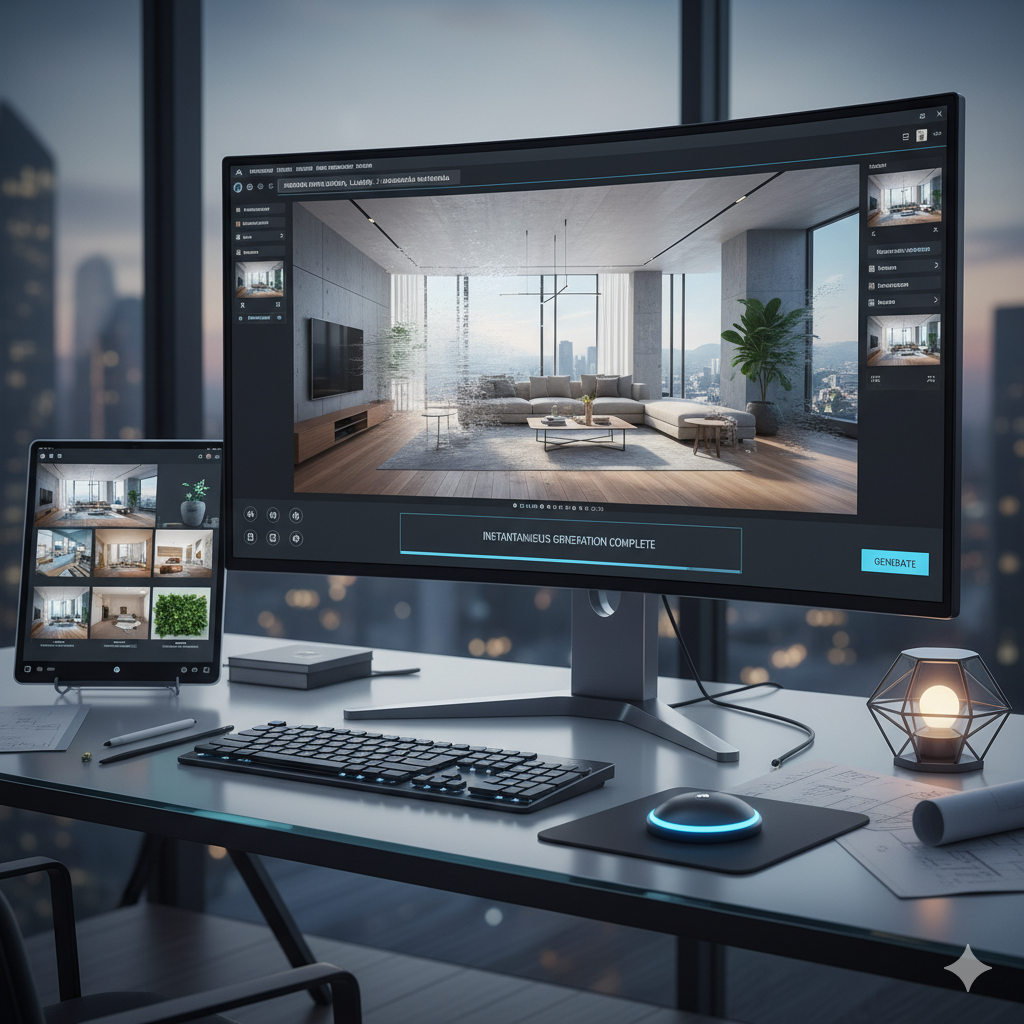
In the dynamic worlds of architecture and interior design, the ability to effectively communicate a vision is paramount. For decades, traditional rendering techniques, while producing stunning results, have been synonymous with lengthy timelines, significant costs, and often, a bottleneck in the creative process. Designers would meticulously craft 3D models, apply textures, set up lighting, and then wait hours, sometimes days, for a single high-resolution image to render. This laborious process often limited the scope of exploration, forcing designers to make critical decisions early on with fewer visual iterations. However, a revolutionary shift is underway, powered by artificial intelligence. AI image tools are not just augmenting traditional workflows; they are fundamentally transforming how architects and interior designers conceptualize, visualize, and present their ideas, offering unprecedented speed, flexibility, and creative freedom. This article delves deep into this exciting frontier, exploring how AI is making instant design visualization a tangible reality, forever changing the landscape of architectural and interior design.
Understanding the Evolution of Design Visualization
The journey of design visualization has been one of continuous innovation, evolving from rudimentary sketches to hyper-realistic digital imagery. Initially, architects and designers relied heavily on hand-drawn perspectives and physical models to convey spatial concepts. These methods, rich in artistic expression, were inherently slow and difficult to modify once created. The advent of Computer-Aided Design (CAD) in the latter half of the 20th century marked a significant leap, allowing for precise 2D drawings and eventually 3D modeling. This digital transformation laid the groundwork for parametric design and sophisticated rendering engines.
Traditional 3D rendering, using software like V-Ray, Corona Renderer, Enscape, or Lumion, brought photorealism within reach. These tools enabled designers to create breathtaking images, complete with intricate details, realistic materials, and complex lighting simulations. Yet, despite their power, they introduced new challenges: a steep learning curve, reliance on high-performance hardware, and the aforementioned time-consuming rendering process. Each iteration, whether a minor material change or a significant design alteration, often required a re-render, eating into project timelines and budgets. The need for faster, more agile visualization became increasingly apparent as project delivery times shrunk and client expectations for immediate visual feedback grew. This is precisely where AI-driven image tools step in, offering a paradigm shift from waiting for renders to generating them instantly.
What are AI Image Tools for Design Visualization?
AI image tools, in the context of design visualization, are software applications or platforms that leverage advanced artificial intelligence algorithms to generate, modify, or enhance visual content. At their core, these tools utilize neural networks and machine learning models, trained on vast datasets of images, to understand visual patterns, styles, and spatial relationships. The magic often lies in their ability to interpret textual descriptions (prompts) or existing images and translate them into entirely new or transformed visual outputs.
The primary AI technologies powering these tools include:
- Generative Adversarial Networks (GANs): These consist of two neural networks, a generator and a discriminator, competing against each other. The generator creates images, and the discriminator tries to distinguish between real and generated images. This competition leads to the generation of increasingly realistic and high-quality images.
- Diffusion Models: These models work by learning to reverse a process of gradually adding noise to data. Starting with pure noise, they iteratively denoise an image to produce a coherent output, often achieving remarkable detail and coherence, making them highly effective for photorealistic synthesis and stylistic transformations.
- Large Language Models (LLMs) for Prompt Engineering: While not directly generating images, LLMs play a crucial role in interpreting complex textual prompts and translating them into instructions that image generation models can understand, enabling users to describe intricate design concepts in natural language.
The workflow typically involves providing either a textual prompt, a basic sketch, a low-resolution image, or even a 3D model. The AI then processes this input, applying its learned understanding of visual aesthetics and design principles, to produce a visual output that can range from conceptual art to photorealistic renderings. This process is often instantaneous, taking mere seconds or minutes compared to the hours of traditional rendering.
The Instant Advantage: Speed and Efficiency
The most profound impact of AI image tools on design visualization is the dramatic increase in speed and efficiency. This ‘instant advantage’ is not merely a convenience; it fundamentally alters the design workflow, offering benefits that ripple through every stage of a project.
Drastically Reduced Rendering Times
Traditional rendering engines, even with powerful hardware, require significant computation time to simulate light, reflections, and complex geometries accurately. A high-resolution, photorealistic render could take anywhere from several hours to an entire day. With AI tools, the same quality (or a close approximation) can often be achieved in seconds or minutes. This speed is possible because AI models learn patterns from existing images rather than physically simulating light physics. They ‘know’ what a reflective surface looks like or how light casts shadows, allowing them to synthesize these elements almost instantaneously.
Rapid Iteration Cycles
One of the biggest constraints in traditional design processes is the cost and time associated with generating multiple design options. Clients often struggle to visualize variations based on verbal descriptions or abstract plans. AI tools remove this barrier. Architects and interior designers can now generate dozens, even hundreds, of variations for a single concept in a fraction of the time. Imagine needing to show a client five different facade materials, three furniture layouts, or ten color schemes. Traditionally, this would be a monumental task. With AI, it becomes a simple matter of modifying prompts or input images and hitting ‘generate.’ This rapid iteration allows for more thorough exploration of design possibilities, leading to better, more client-aligned outcomes.
Cost Savings
The cost implications are substantial. Firstly, reduced rendering times mean fewer hours spent by highly paid visualization specialists. Secondly, the need for expensive rendering farm subscriptions or upgrades to top-tier GPU hardware for local rendering can be mitigated or even eliminated for certain stages of design. Many AI tools operate on a subscription model, often cloud-based, making high-quality visualization accessible without massive upfront capital expenditure. This democratization of high-end visualization capabilities levels the playing field, allowing smaller firms or individual designers to compete effectively with larger studios that traditionally held an advantage in visualization resources.
Ultimately, the instant advantage of AI tools transforms design visualization from a bottleneck to an accelerator. It fosters a more agile, experimental, and client-centric design process, where ideas can be born, visualized, and refined at an unprecedented pace.
Beyond Photo-Realism: Exploring Design Intent and Styles
While the pursuit of photorealism has long been a holy grail in design visualization, AI image tools offer capabilities that extend far beyond simply mimicking reality. They empower designers to explore a vast spectrum of aesthetic styles and conceptualize design intent in ways that were previously cumbersome or impossible. This opens up new avenues for creative expression and communication, allowing designers to match the visualization style to the specific stage and purpose of a project.
Not Just Photorealism: A Spectrum of Styles
AI tools excel at generating images across a wide range of artistic styles. A designer can prompt an AI to render an architectural concept as a detailed watercolor painting, a futuristic cyberpunk city, a minimalist sketch, or even an impressionistic landscape. This versatility is invaluable during the early conceptual phases, where photorealism might be overkill or even counterproductive. A sketch-like render can convey a design’s essence without locking the client into specific details too early, encouraging feedback on fundamental concepts rather than material choices.
- Conceptual Art: Quickly visualize abstract ideas or mood boards, creating an atmosphere or feeling for a space before any detailed modeling begins.
- Stylistic Variations: Transform a basic 3D model or sketch into different artistic interpretations—imagine a building rendered in the style of Zaha Hadid versus Frank Gehry, or an interior in Art Deco versus Scandinavian minimalism.
- Narrative Visualization: Generate images that tell a story, perhaps depicting a building under different weather conditions, seasons, or at various times of day, all with specific artistic filters.
Translating Abstract Ideas into Visual Forms
Often, the most challenging part of the design process is bridging the gap between an abstract idea in a designer’s mind and a concrete visual representation. AI tools excel at this translation. By simply describing a desired mood, atmosphere, or design principle (e.g., “a tranquil urban park with biophilic design elements,” or “a dynamic office lobby with parametric ceiling features”), the AI can generate multiple visual interpretations. This capability allows designers to rapidly test and refine their initial concepts, moving from vague notions to tangible visuals with remarkable ease.
Empowering Creativity and Experimentation
The speed and stylistic flexibility of AI tools foster a culture of experimentation. Designers are no longer constrained by the time and effort required to render each new idea. They can freely explore unconventional forms, material combinations, and lighting scenarios, pushing the boundaries of their creativity. What if a building had a facade made of liquid metal? What if an interior space was designed to evoke a sense of weightlessness? These speculative inquiries, once limited to expensive concept art, can now be instantly visualized. This freedom encourages designers to step out of their comfort zones, leading to more innovative and distinctive designs that might otherwise never have been explored.
Key Features and Capabilities of AI Design Tools
The current generation of AI image tools offers a powerful suite of features designed to cater specifically to the needs of architects and interior designers. Understanding these capabilities is key to leveraging their full potential.
- Text-to-Image Generation (Prompting): This is perhaps the most revolutionary feature. Users can generate highly detailed images from simple textual descriptions (prompts). For example, an architect could type, “A modern minimalist house with a cantilevered concrete roof overlooking a forest at sunset, brutalist aesthetic,” and the AI would generate multiple visual interpretations. Mastering prompt engineering—the art of crafting effective textual commands—is becoming a crucial skill.
- Image-to-Image Transformation: This feature allows users to provide an existing image (e.g., a hand sketch, a floor plan, a basic 3D model render, or even a photograph) and transform it into a more refined or stylized output.
- Sketch-to-Render: Convert a rough conceptual sketch into a more polished rendering with added textures, lighting, and context.
- Low-Res-to-High-Res: Enhance the quality and detail of existing low-resolution images.
- Stylistic Transfer: Apply the visual style of one image (e.g., a painting) to the content of another (e.g., an architectural photo).
- Style Transfer: Beyond general image-to-image, dedicated style transfer allows applying specific artistic styles (like watercolor, oil painting, or specific architectural movements) to a given design image, providing stylistic variations without manual artistic effort.
- Material and Texture Generation: AI can generate realistic or fantastical textures and materials based on descriptions, or even extrapolate them from existing images. This saves time in sourcing and applying textures to 3D models. Some tools can also intelligently apply materials to surfaces in a scene, understanding context.
- Lighting and Environment Adjustment: AI can intelligently modify lighting conditions, time of day, and environmental elements (e.g., adding fog, rain, or clear skies) to an existing render or a generated image, creating different moods and atmospheres without re-rendering.
- Inpainting and Outpainting:
- Inpainting: Select a specific area of an image and instruct the AI to fill it in, replacing elements or repairing imperfections (e.g., changing a window type, removing an unwanted object).
- Outpainting: Extend the boundaries of an image, allowing the AI to intelligently fill in the surrounding context, creating wider scenes from existing narrow views. This is incredibly useful for expanding a render to show more of the environment.
- 3D Model Integration and Plugins: Many AI tools are developing direct integrations or plugins for popular 3D modeling software like SketchUp, Revit, Rhino, and Blender. These plugins allow designers to generate AI visualizations directly from their 3D models, often using the model geometry as input for AI-driven rendering, offering more control than pure text-to-image. Tools like Vizcom specifically target architects with direct CAD/sketch inputs.
Popular AI Tools and Platforms in the Market
The landscape of AI image generation tools is rapidly evolving, with new platforms and capabilities emerging constantly. Here are some of the leading tools that are making significant inroads into architectural and interior design visualization:
- Midjourney: Renowned for its exceptional aesthetic quality and artistic flair, Midjourney excels at generating stunning, often surreal or highly stylized images from textual prompts. It’s particularly strong for conceptual visualization, mood boards, and generating images with a distinct artistic style. Its strength lies in understanding nuanced aesthetic requests, making it a favorite for early design exploration and client presentations that require a strong visual impact. While not directly integrated with 3D software, its output can serve as a powerful foundation for subsequent detailed design.
- Stable Diffusion: An open-source model, Stable Diffusion offers unparalleled flexibility and customization. It can be run locally (on sufficiently powerful hardware) or accessed via various web interfaces and APIs. Its open-source nature has led to a vast ecosystem of community-developed plugins and models, such as ControlNet, which allows users to exert precise control over the generated image’s composition, pose, depth, and edges based on input images (e.g., turning a line drawing into a photorealistic render while preserving its exact geometry). This level of control makes Stable Diffusion incredibly powerful for refining architectural sketches and precise interior layouts.
- DALL-E 3 (integrated with ChatGPT): OpenAI’s DALL-E 3, especially when accessed through ChatGPT Plus, provides a highly user-friendly experience. Its strength lies in its deep understanding of natural language prompts, allowing users to describe complex scenes and specific details with remarkable accuracy. The conversational interface of ChatGPT helps in refining prompts iteratively, making it easier for users to get exactly what they envision without extensive prompt engineering expertise. It’s excellent for generating a wide range of realistic and stylized images, including architectural concepts and interior scenes.
- Vizcom: Specifically designed for architects and industrial designers, Vizcom is tailored for transforming sketches, drawings, and 3D wireframes into high-quality renderings. Its focus on speed and integration with common design inputs makes it extremely practical for daily design work, allowing designers to quickly iterate on forms and materials without leaving their drawing environment. It bridges the gap between hand-drawn ideas and polished digital visualizations almost instantly.
- Getimg.ai / Leonardo.ai: These platforms offer a suite of AI image generation tools built around Stable Diffusion, providing user-friendly interfaces with features like image-to-image transformation, inpainting, outpainting, and various fine-tuned models. They cater to a broader range of users, including designers, offering extensive control and options for generating both artistic and more realistic design visualizations.
- InteriorAI / Archillect.ai (Specialized Tools): These are examples of more niche AI tools focusing specifically on interior design inspiration and visualization, or curating visually stimulating content for creative industries. They help generate interior design ideas based on parameters like room type, style, and mood, or provide a stream of inspirational architectural and design imagery.
It is important to note that many traditional rendering software packages (e.g., Enscape, V-Ray) are also integrating AI-powered features, such as AI denoisers for faster, cleaner renders, and AI asset libraries, complementing the dedicated generative AI tools.
Challenges and Considerations for Adoption
While the benefits of AI image tools are undeniable, their adoption in professional architectural and interior design practices comes with its own set of challenges and considerations. Addressing these points is crucial for a smooth and effective integration into existing workflows.
- Learning Curve for Effective Prompting and Control: While AI tools are generally intuitive, achieving truly desired results often requires a skill known as “prompt engineering.” Crafting precise, detailed, and nuanced textual prompts that the AI can interpret accurately takes practice and experimentation. For image-to-image transformations, understanding how to best prepare input images (e.g., line weights, color palettes) to guide the AI effectively is also a new skill.
- Ethical Concerns:
- Intellectual Property: A significant debate revolves around the ownership and originality of AI-generated content. Since these models are trained on vast datasets of existing images, questions arise about potential infringement if a generated image too closely resembles an existing copyrighted work. Designers need to be aware of the terms of service for each tool regarding commercial use and intellectual property rights.
- Bias in Datasets: AI models learn from the data they are trained on. If these datasets contain biases (e.g., predominantly Western architectural styles, specific gender representations, or lack of diversity in materials), the AI outputs may inadvertently perpetuate these biases, leading to generic or culturally insensitive designs.
- Maintaining Artistic Control vs. AI’s Interpretation: While AI offers incredible creative freedom, there’s a delicate balance to strike between guiding the AI and letting it take over. Sometimes, the AI’s interpretation might deviate from the designer’s precise vision, leading to unexpected or undesirable results. Designers must learn how to effectively steer the AI without stifling its generative power, often by iteratively refining prompts or using control mechanisms like ControlNet.
- The “Uncanny Valley” Effect in Photorealism: While AI can produce incredibly realistic images, sometimes there are subtle imperfections, strange distortions, or inconsistencies that make an image look “off” or unsettling—the “uncanny valley” effect. This is particularly noticeable in human figures, complex lighting scenarios, or intricate details, which can detract from the professionalism of a presentation. Post-processing or careful AI guidance can mitigate this.
- Integration with Existing Workflows: Seamlessly integrating AI image generation into established design workflows (which typically involve CAD, 3D modeling, and traditional rendering software) can be challenging. While some tools offer plugins, a fully integrated, streamlined pipeline is still evolving. Designers might find themselves exporting images, switching between platforms, and manually combining AI outputs with traditional elements.
- Data Privacy and Security: For firms dealing with sensitive project information, the privacy and security of uploading proprietary designs or concepts to cloud-based AI platforms can be a concern. Understanding how these platforms handle and store user data is essential, especially for projects under strict confidentiality agreements.
Navigating these challenges requires a proactive approach from designers and firms, including investing in training, understanding legal implications, and selecting tools that align with their specific project requirements and ethical standards. Ultimately, AI should be viewed as a powerful assistant that enhances, rather than dictates, the human creative process.
Comparison Tables
Table 1: AI Image Tools Feature Comparison (Architectural & Interior Design Focus)
| Feature | Midjourney | Stable Diffusion (e.g., via ControlNet) | DALL-E 3 (via ChatGPT Plus) | Vizcom |
|---|---|---|---|---|
| Primary Strength | Aesthetic quality, artistic styles, concept art | Customization, precise control, open-source flexibility | Natural language understanding, ease of use | Sketch/CAD to render, industrial/arch design focus |
| Text-to-Image | Excellent, high artistic fidelity | Excellent, highly configurable | Excellent, intuitive prompting | Good, but often paired with image input |
| Image-to-Image (e.g., Sketch to Render) | Good, for stylistic transformations | Exceptional, especially with ControlNet for precision | Good, for stylistic and content transformation | Exceptional, core functionality |
| Stylistic Control | Very High, wide range of artistic styles | Very High, with custom models and LoRAs | High, with detailed prompts | Moderate to High, focused on design aesthetics |
| Photorealism Capability | High, can achieve stunning photorealism | Very High, especially with fine-tuned models | High, very coherent and detailed outputs | High, specifically for design visualization |
| Ease of Use | Moderate (Discord interface, prompt learning) | Variable (can be complex for full control, simpler for web UIs) | High (conversational interface) | High (designer-focused UI) |
| Integration with 3D/CAD | None direct | Via plugins/APIs to generate from 3D views | None direct | Direct integration/input of CAD/sketches |
| Cost Model | Subscription-based (tiered) | Free (open-source) to subscription (cloud services) | Subscription (ChatGPT Plus) | Subscription-based (tiered) |
Table 2: Traditional Rendering vs. AI Image Tool Rendering
| Attribute | Traditional Rendering (e.g., V-Ray, Corona, Lumion) | AI Image Tool Rendering (e.g., Midjourney, Stable Diffusion, Vizcom) |
|---|---|---|
| Core Methodology | Physical light simulation, ray tracing, rasterization | Generative AI, neural networks, pattern synthesis |
| Time Per Render | Hours to days (for high resolution, complex scenes) | Seconds to minutes |
| Cost Per Render | High (software licenses, powerful hardware, render farm fees, specialist labor) | Low to Moderate (subscription fees, minimal hardware for cloud-based) |
| Design Iteration Speed | Slow, often constrained by rendering time | Extremely fast, enables rapid exploration of options |
| Skill Required | High (3D modeling, material science, lighting principles, software expertise) | Moderate (prompt engineering, image preparation, iterative refinement) |
| Input Required | Detailed 3D model, textures, lighting setup | Text prompts, basic sketches, low-res images, 3D wireframes |
| Output Type | Precise, highly controlled photorealistic imagery | Varied (conceptual, stylized, photorealistic), potentially less precise control over fine details without specific inputs |
| Artistic Control | Absolute, meticulous control over every parameter | Guided by prompts and input, some aspects are AI-interpreted |
| Best Use Case | Final, high-fidelity client presentations, construction documents | Early conceptualization, rapid iteration, mood boards, stylistic exploration, client feedback loops |
Practical Examples: Real-World Use Cases and Scenarios
The theoretical capabilities of AI image tools become truly compelling when viewed through the lens of real-world application. Here are several practical examples demonstrating how architects and interior designers are already integrating these tools into their workflows to great effect.
Case Study 1: Conceptual Design Exploration for a Commercial Office Facade
A mid-sized architectural firm, ‘Innovate Architecture Studio,’ was tasked with designing a new commercial office building in a dense urban environment. The client was seeking a distinctive, modern facade that responded to local climatic conditions. Traditionally, this would involve their 3D modelers spending days generating a few facade options in SketchUp or Revit, then sending them to a visualization specialist for rendering, a process that could take weeks for meaningful iterations.
Instead, Innovate Architecture Studio leveraged AI tools. An architect started with a basic massing model and then fed simple wireframe views into Vizcom. Simultaneously, they used Midjourney to explore stylistic variations. Within a single afternoon, by iterating on prompts like “parametric glass facade, biophilic elements,” “dynamic metal mesh screen, responsive to sunlight,” and “geometric precast concrete panels, brutalist influence,” the team generated over 50 distinct facade concepts. They could instantly visualize different material palettes, fenestration patterns, and shading devices. This allowed them to:
- Present the client with a broad spectrum of design directions much earlier in the project.
- Rapidly identify preferred styles and rule out less desirable options, saving weeks of modeling and rendering time.
- Focus their detailed design efforts on a select few, highly-approved concepts, streamlining the entire conceptual phase.
Case Study 2: Interior Design Presentation for a High-End Residential Project
Interior designer Sarah Chen, working on a luxury penthouse renovation, faced a common challenge: clients often struggle to visualize furniture layouts, material combinations, and lighting schemes from 2D plans or even basic 3D walkthroughs. Her clients were particularly indecisive about the living room’s aesthetic direction.
Sarah used Stable Diffusion with ControlNet. She took a simple 2D floor plan of the living room, quickly blocked out furniture in SketchUp, and then generated a low-fidelity 3D view. Using this as input, along with descriptive prompts such as “modern minimalist living room, warm oak flooring, cream sofa, ambient cove lighting, large abstract art,” and “eclectic bohemian living room, patterned rug, rich textiles, vibrant plants, natural light,” she instantly generated high-quality visualizations of multiple design options. She then used inpainting to quickly swap out furniture pieces or change wall colors based on client feedback, all during a single meeting.
The result was:
- Instant client feedback and decision-making, significantly accelerating the design approval process.
- Ability to showcase a wider range of design possibilities, ensuring the client felt confident in their final choices.
- Reduced revisions later in the project, as key aesthetic decisions were locked in early with visual clarity.
Case Study 3: Urban Planning and Landscape Visualization for a Public Park
A landscape architecture firm, ‘GreenScape Planners,’ was engaged in a project to revitalize a neglected urban park. The goal was to create a vibrant, community-focused green space. Visualizing the impact of different planting schemes, hardscape materials, and amenities from a human perspective was crucial for public engagement and stakeholder buy-in.
GreenScape employed a combination of AI tools. They started with a master plan in CAD and generated various 3D massings of proposed features (playgrounds, seating areas, water features). They then used text-to-image AI (like DALL-E 3) to generate conceptual street-level views and aerial perspectives based on prompts such as “lush urban park, diverse native plantings, winding pedestrian paths, active children’s play area, evening illumination,” and “serene contemplative garden, natural stone benches, reflective pond, shaded pergolas.” They also used image-to-image capabilities to transform aerial drone photos of the existing site into ‘before-and-after’ visualizations of the proposed design.
This approach provided:
- Compelling visuals for public consultations, allowing residents to easily grasp the proposed changes and offer informed feedback.
- Fast exploration of various landscape elements, such as different tree species, paving patterns, and outdoor furniture, without extensive manual rendering.
- Effective communication with municipal stakeholders, presenting a clear vision of the park’s future state and its positive impact on the community.
These examples illustrate that AI image tools are not just for generating pretty pictures; they are strategic assets that fundamentally enhance creativity, accelerate decision-making, and improve communication throughout the design and planning process.
Frequently Asked Questions
Q: Is AI replacing human designers or renderers?
A: The consensus in the industry is that AI is an augmentation tool, not a replacement. AI excels at repetitive tasks, rapid iteration, and generating a vast array of options. Human designers, however, bring critical thinking, empathy, nuanced understanding of client needs, cultural context, problem-solving skills, and artistic judgment that AI currently lacks. AI empowers designers to be more efficient and creative, offloading the tedious aspects of visualization so they can focus on higher-value design thinking and client engagement. It’s more about collaboration than replacement, with human renderers evolving into AI artists or prompt engineers who guide the AI.
Q: How accurate are AI-generated images for design visualization?
A: The accuracy varies significantly depending on the tool, the quality of the input (prompts, sketches, 3D models), and the stage of design. For early conceptual work and mood boards, AI is remarkably accurate in conveying style and atmosphere. For photorealistic renders intended for final client presentations or construction details, AI-generated images can be very convincing but may still contain subtle inconsistencies, distortions, or “hallucinations” (details that aren’t quite right). Designers often use AI for initial drafts and then refine them with traditional tools or apply extensive post-production to achieve absolute precision. Tools like Stable Diffusion with ControlNet offer more geometric accuracy when guided by precise inputs.
Q: What is the learning curve for these AI tools?
A: Most AI image tools have relatively user-friendly interfaces, especially for basic text-to-image generation. However, mastering the art of “prompt engineering”—crafting effective textual descriptions to get desired results—does have a learning curve. Understanding how to use negative prompts, adjust parameters (e.g., aspect ratios, style weights), and effectively utilize image-to-image inputs requires practice and experimentation. Tools with more granular control, like Stable Diffusion with its numerous plugins, can have a steeper learning curve to unlock their full potential. Generally, basic usage can be picked up quickly, but advanced usage for professional-quality outputs requires dedicated effort.
Q: Can AI tools integrate with my existing CAD/3D software?
A: Direct, seamless integration is an evolving area. Some specialized AI tools like Vizcom are specifically designed to take sketches or 3D wireframes as direct input. For more general AI image generators like Midjourney or DALL-E 3, the integration is typically manual: you export views from your CAD/3D software as images, then feed those into the AI tool as references or for image-to-image transformations. However, many developers are actively working on plugins and APIs that will allow for more direct data exchange and AI rendering within environments like SketchUp, Revit, Rhino, and Blender, making the workflow much smoother.
Q: What are the typical costs associated with AI tools?
A: Costs vary widely. Many robust AI image tools operate on a subscription model, offering tiered plans based on usage (e.g., number of image generations per month, access to faster GPUs). Some, like Stable Diffusion, can be run locally for free if you have the necessary hardware (a powerful GPU), but online services or hosted versions of Stable Diffusion also come with subscription fees. Free trials or limited free tiers are common for most services. For professional use, expecting to pay anywhere from $10 to $60 USD per month per user is a reasonable estimate, depending on the tool and usage intensity.
Q: Are there intellectual property concerns with AI-generated images?
A: Yes, intellectual property (IP) is a significant and actively debated concern. Because AI models are trained on vast datasets of existing images (many of which are copyrighted), questions arise about whether AI outputs infringe on existing works. Different AI companies have different stances and terms of service regarding the commercial use and ownership of AI-generated content. In some jurisdictions, AI-generated images without significant human input may not be eligible for copyright protection. It is crucial for designers to understand the IP policies of the specific AI tool they use, especially for commercial projects, and potentially seek legal advice regarding specific use cases.
Q: How do I ensure my AI renders look unique and not generic?
A: To avoid generic-looking AI renders, focus on detailed and unique prompting.
- Be Specific: Instead of “modern living room,” try “Scandinavian minimalist living room with custom-designed walnut cabinetry, muted sage green accents, and a large arched window overlooking a snowy forest.”
- Incorporate Unique Elements: Mention specific artists, architectural styles, geographical contexts, or unusual materials.
- Use Image-to-Image with Your Designs: Feed your unique sketches, 3D models, or photographs into the AI to guide it, ensuring the core design is yours.
- Iterate and Refine: Don’t settle for the first output. Generate many variations and refine your prompts based on what works.
- Post-Processing: Take AI outputs into Photoshop or other image editing software for final touches, adding unique details, branding, or specific client-requested elements.
The unique human creative input and curation are key to preventing generic outputs.
Q: What hardware do I need to run AI image tools effectively?
A: For most popular cloud-based AI image tools (like Midjourney, DALL-E 3, Vizcom), you don’t need powerful local hardware. A standard computer with a good internet connection is sufficient, as the heavy computational work is done on the provider’s servers. However, if you plan to run open-source models like Stable Diffusion locally, a powerful NVIDIA GPU with at least 8GB (and preferably 12GB or more) of VRAM is highly recommended. The more VRAM, the faster the generation and the larger the image sizes you can handle.
Q: Can AI help with specific material selections?
A: Yes, AI can be very helpful for material selection, though its capabilities vary. You can prompt AI to visualize a space with specific materials (“living room with polished concrete floors and exposed brick wall”) or explore different material palettes (“kitchen with marble countertops and dark wood cabinets” vs. “kitchen with quartz countertops and light wood cabinets”). Some AI tools can even generate seamless textures or materials based on textual descriptions. However, for precise, highly technical material specifications (e.g., specific manufacturer, fire rating, acoustic properties), AI currently serves as a visualization aid rather than a definitive selection tool.
Q: What’s the difference between generative AI and AI denoisers in rendering software?
A: While both use AI, their functions are distinct. Generative AI (like Midjourney, Stable Diffusion) creates entirely new images from scratch based on prompts or transforms existing images into fundamentally different ones. It “imagines” and “synthesizes” visual content. An AI denoiser, typically found in traditional rendering software (e.g., V-Ray, Corona, Enscape), doesn’t generate new content. Instead, it uses AI to intelligently remove noise (graininess) from an image that has been rendered with fewer samples, significantly speeding up the “clean-up” phase of traditional rendering without needing to compute additional ray bounces. It’s an optimization tool for existing renders, not a generative one.
Key Takeaways
The integration of AI image tools into architectural and interior design visualization is not merely an incremental improvement; it represents a fundamental shift in how designers approach their craft. Here are the key takeaways:
- Unprecedented Speed and Efficiency: AI tools drastically cut down rendering times from hours to seconds or minutes, accelerating project timelines and enabling rapid design iterations.
- Boundless Creative Exploration: Designers can explore a wider array of conceptual ideas, stylistic variations, and material palettes with ease, fostering innovation and pushing creative boundaries.
- Complementary, Not Replacement: AI serves as a powerful assistant, augmenting human creativity and offloading repetitive visualization tasks, allowing designers to focus on higher-level problem-solving and client engagement.
- Democratization of High-Quality Visualization: These tools make sophisticated rendering capabilities accessible to a broader range of firms and individual designers, leveling the playing field.
- New Skill Sets Required: Mastering prompt engineering, image preparation, and iterative refinement with AI tools are becoming essential skills for modern designers.
- Addressing Challenges is Crucial: Navigating concerns around intellectual property, ethical biases, and maintaining artistic control is vital for responsible and effective adoption.
- Continuous Evolution: The field of AI image generation is rapidly advancing, promising even more integrated, intuitive, and powerful tools in the near future.
Conclusion
The journey from hand-drawn sketches to photorealistic 3D renders has been long and transformative for architects and interior designers. Yet, the advent of AI image tools marks perhaps the most significant leap forward in visualization capabilities since the introduction of 3D modeling itself. No longer are designers bound by the slow, costly constraints of traditional rendering. Instead, they wield the power to instantly conjure design concepts, explore countless iterations, and communicate their visions with unparalleled speed and clarity.
AI is reshaping the design workflow, empowering professionals to explore design intent beyond the confines of photorealism, venturing into conceptual art, stylistic variations, and rapid prototyping. It is fostering a more agile, experimental, and client-centric approach, where ideas can be visualized, refined, and presented in real-time. While challenges persist – from mastering new prompt engineering skills to navigating ethical and intellectual property concerns – the benefits far outweigh the hurdles.
For architects and interior designers, embracing AI image tools is not just about staying current; it’s about unlocking new realms of creativity, efficiency, and client satisfaction. As these technologies continue to evolve, they promise an even more integrated and intuitive experience, blurring the lines between imagination and visual reality. The future of design visualization is here, and it’s powered by AI – instant, intelligent, and infinitely inspiring. It is time for every designer to explore this potent new chapter, to experiment, learn, and redefine what’s possible in the art and science of visualizing spaces.
























































































Leave a Reply