

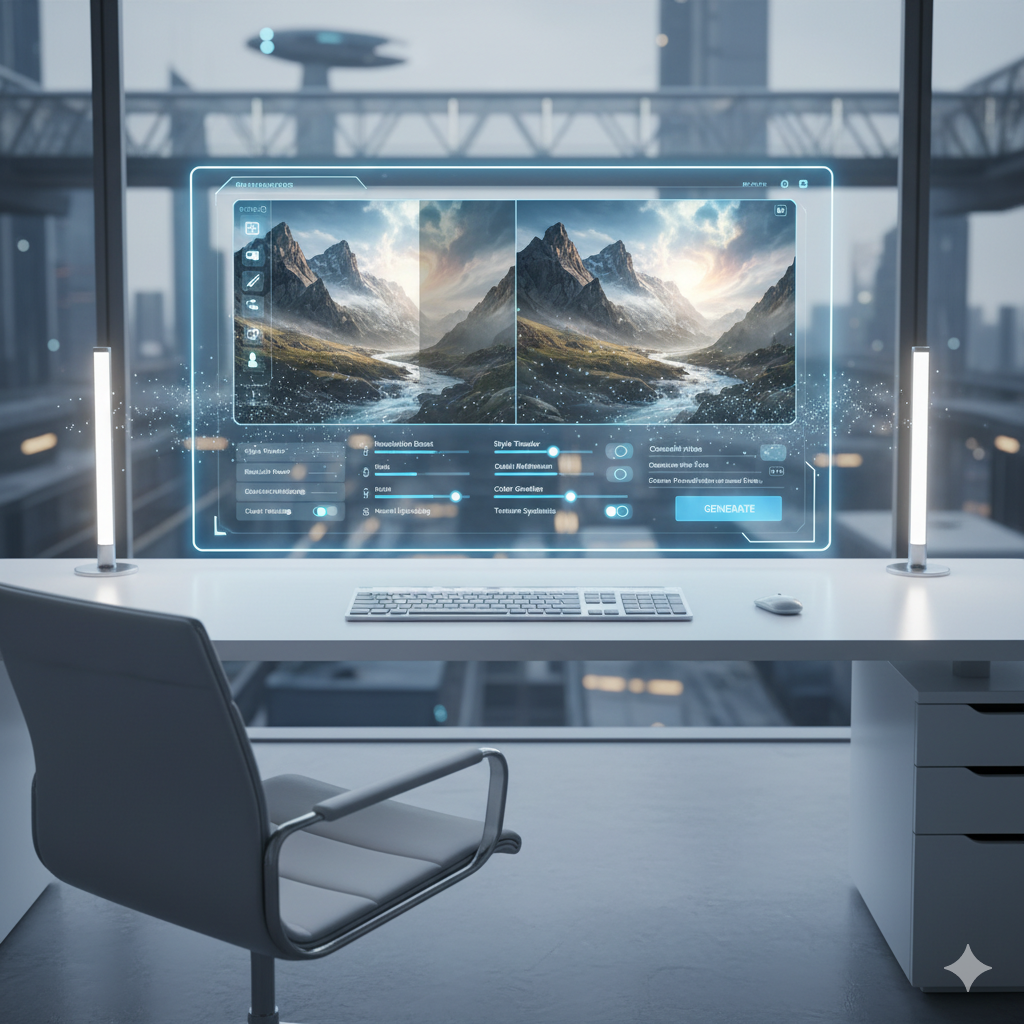
In the rapidly evolving landscape of artificial intelligence, image generation has emerged as one of the most captivating and transformative fields. Beyond merely creating images from text prompts, a powerful and increasingly sophisticated technique known as image-to-image photo transformation is revolutionizing how we interact with and manipulate visual content. This process allows users to take an existing image and, guided by AI, transform it into something entirely new, whether that means altering its style, content, or even its underlying structure.
Imagine effortlessly changing a daytime photo into a night scene, converting a simple sketch into a photorealistic landscape, or even transforming a person’s pose without reshooting. These are just a few of the astonishing capabilities offered by AI image-to-image tools. This blog post aims to thoroughly demystify this complex yet accessible technology, exploring its foundational principles, the latest techniques, practical applications, and the profound impact it is having across various industries and creative pursuits.
We will delve into the core AI models that power these transformations, such as Diffusion Models, and shed light on how they interpret and re-render visual information. We will also examine advanced control mechanisms like ControlNet, which grant users unprecedented precision over the transformation process. By the end of this comprehensive guide, you will have a clear understanding of how image-to-image generation works, how to leverage its potential, and what exciting developments lie on the horizon.
What is Image-to-Image Transformation?
At its heart, AI image-to-image transformation is a process where an artificial intelligence model takes an input image and generates a new output image based on specific instructions, often provided through text prompts or additional conditioning images. Unlike text-to-image generation, which creates visuals from scratch based solely on textual descriptions, image-to-image builds upon an existing visual foundation. This distinction is crucial: instead of conjuring an image from pure imagination, the AI acts as a sophisticated editor and re-interpreter of pixels, guided by human input.
Think of it as providing the AI with a visual reference point. You are not asking it to invent a “cat flying a spaceship” out of thin air; instead, you might give it a photo of your cat and ask it to transform that specific cat into an astronaut, or place it inside a spaceship. The original image provides critical contextual information – the specific cat’s features, lighting, perspective – which the AI then uses as a scaffold for its creative modifications.
The magic happens through a process often referred to as “conditioning”. The input image conditions the AI’s generation process, meaning it heavily influences the output. The degree of this influence can often be controlled, allowing users to choose how much the AI adheres to the original image versus how much it innovates or “denoises” it into a new form. This balance between adherence and transformation is what makes image-to-image generation so versatile.
Common applications include:
- Style Transfer: Applying the artistic style of one image (e.g., Van Gogh’s Starry Night) to the content of another (e.g., a photo of your house).
- Image Editing and Manipulation: Changing elements within an image, altering backgrounds, modifying objects, or adjusting lighting and mood.
- Semantic Segmentation: Converting a label map (where different colors represent different objects) into a photorealistic image.
- Image Reconstruction: Restoring old or damaged photos, or enhancing low-resolution images.
- Pose Transfer: Taking a person’s pose from one image and applying it to another person or character.
- Sketch-to-Photo: Turning rough drawings or outlines into detailed, realistic images.
The power of image-to-image lies in its ability to provide a starting point, giving users a much finer degree of control and predictability compared to purely generative text-to-image models. It bridges the gap between traditional image editing and the limitless creativity of AI, empowering creators to achieve complex visual transformations with unprecedented ease and speed.
The Underlying Technology: Diffusion Models and Beyond
While various AI architectures have contributed to image-to-image transformation over the years, including Generative Adversarial Networks (GANs) and Variational Autoencoders (VAEs), the current era is largely dominated by Diffusion Models. These models have proven remarkably effective at generating high-quality, diverse, and controllable images, making them the backbone of most contemporary image-to-image tools.
Generative Adversarial Networks (GANs)
Early pioneers in image-to-image often utilized GANs. A GAN consists of two neural networks: a Generator and a Discriminator, which compete against each other. The Generator creates new images, and the Discriminator tries to distinguish between real images and those created by the Generator. Through this adversarial process, the Generator learns to produce increasingly realistic images. GANs were instrumental in tasks like Pix2Pix (converting labels to photos) and CycleGAN (unpaired image-to-image translation, like converting horses to zebras). While powerful, GANs often faced challenges with training stability and generating very high-resolution, diverse outputs consistently.
Variational Autoencoders (VAEs)
VAEs are another class of generative models that learn a compressed, latent representation of data. They encode an input image into a lower-dimensional latent space and then decode it back into an image. VAEs are good for understanding and manipulating image features in the latent space, but they often struggle to produce the same level of photorealism and detail as GANs or Diffusion Models for complex generative tasks.
Diffusion Models: The Modern Powerhouse
Diffusion Models operate on a fundamentally different principle. They are trained to reverse a process of gradually adding noise to an image. Imagine starting with a clear image and slowly adding random noise until it becomes pure static. A Diffusion Model learns to reverse this process, step by step, by iteratively removing noise until a clear image emerges. This “denoising” process is incredibly powerful and allows for fine-grained control over the image generation.
In the context of image-to-image transformation, a Diffusion Model starts not from pure noise, but from your input image. It then adds a certain amount of noise to this input image, effectively blurring its details and introducing randomness. The amount of noise added is often controlled by a parameter called “denoising strength” or “image-to-image strength.”
Once noise is added, the Diffusion Model then performs its denoising magic, guided by a text prompt (e.g., “a medieval castle”) and the noisy version of your input image. As it removes noise, it gradually shapes the image towards the description in the prompt, while still retaining elements of the original image’s structure or composition, depending on the denoising strength. The iterative nature of diffusion allows for high-quality, consistent, and remarkably detailed outputs, making them ideal for complex transformations.
Popular Diffusion Models like Stable Diffusion have democratized this technology, providing powerful, open-source tools that can be run on consumer-grade hardware, fueling an explosion of creativity and practical applications.
Key Techniques in Image-to-Image Generation
The versatility of AI image-to-image generation comes from a suite of sophisticated techniques that allow users to exert precise control over the transformation process. Understanding these techniques is crucial for effectively leveraging the power of these AI tools.
Denoising Strength (Image-to-Image Strength)
This is arguably the most fundamental control in image-to-image generation. When you provide an input image, the AI first adds noise to it. The denoising strength parameter determines how much noise is added.
- Low Denoising Strength (e.g., 0.1-0.4): The AI adds very little noise, meaning it heavily relies on the original image’s structure and content. The output will be very similar to the input, with subtle changes in style, minor content alterations, or small enhancements. This is excellent for refining existing images or applying light stylistic changes.
- Medium Denoising Strength (e.g., 0.5-0.7): A moderate amount of noise is added, allowing the AI more creative freedom. The output will retain the general composition and main elements of the input but can introduce significant changes in style, objects, or overall mood. This is a sweet spot for creative transformations while maintaining recognizable elements.
- High Denoising Strength (e.g., 0.8-1.0): A large amount of noise is added, almost turning the input into pure static. The AI has maximum creative freedom and will largely re-imagine the image based on the text prompt, often only retaining the most fundamental structural cues (like dominant colors or very broad shapes). At 1.0, it essentially starts from pure noise, similar to text-to-image, but still leverages some initial visual information for guidance. This is ideal for radical transformations or generating entirely new scenes inspired by the input’s essence.
ControlNet: Unprecedented Control
ControlNet is a groundbreaking neural network structure that allows Stable Diffusion and other large pre-trained diffusion models to be controlled with additional input conditions. Before ControlNet, making an AI image from a prompt and an image might give you something related but without precise control over elements like pose, edges, or depth. ControlNet changed that by allowing specific features from an input image to be extracted and used to guide the generation process.
ControlNet works by taking a feature map (e.g., Canny edges, depth map, human pose skeleton) from your input image and feeding it alongside your text prompt into the diffusion model. This ensures that the generated image strictly adheres to the provided structural information, leading to highly consistent and controllable transformations.
Common ControlNet preprocessors and models include:
- Canny: Extracts crisp, sharp edges from the input image. Excellent for maintaining outlines and intricate details, useful for transforming line art or photos while preserving their basic structure.
- Depth: Creates a depth map, indicating how far objects are from the camera. Useful for maintaining 3D perspective and spatial relationships when transforming scenes.
- Normal Map: Provides surface orientation information. Valuable for preserving subtle surface details and lighting angles.
- Scribble/Sketch: Allows users to provide a rough sketch or drawing as input, which the AI then turns into a photorealistic image. Ideal for rapid prototyping and ideation.
- OpenPose: Detects and extracts human body poses (skeletal representation). Indispensable for transferring specific poses from one person to another or maintaining a character’s stance through transformations.
- M-LSD (Mid-Level Straight Lines Detection): Focuses on detecting straight lines, particularly useful for architectural scenes or objects with defined geometric shapes.
- Lineart: A more refined version of Canny, designed to extract clean, artistic line art, often used for converting photos into comic book style or detailed illustrations.
- Softedge (HED/PiDiNet): Detects softer, less aggressive edges compared to Canny, useful for maintaining natural forms and organic shapes without making them overly sharp.
- Segmentation Map: Extracts semantic masks, allowing users to define regions for different objects (e.g., sky, tree, car) and guiding the AI to fill those regions appropriately.
By combining these ControlNet models with varying denoising strengths and detailed prompts, users can achieve an astonishing level of control over their image transformations, opening up possibilities previously unimaginable in digital art and design.
Inpainting and Outpainting
These are specialized forms of image-to-image transformation focused on modifying or extending specific parts of an image.
- Inpainting: Inpainting allows you to select a specific area within an image (mask it out) and then regenerate only that masked region based on your text prompt and the surrounding context. This is incredibly useful for removing unwanted objects, adding new elements seamlessly, fixing imperfections, or changing the appearance of a specific subject without affecting the rest of the image. For example, changing a shirt’s color, removing a photobomber, or adding glasses to a face.
- Outpainting: Outpainting extends the boundaries of an existing image. You provide an image, specify a new canvas size larger than the original, and the AI intelligently fills in the expanded areas, logically continuing the scene’s content, style, and composition. This is fantastic for changing aspect ratios, creating panoramic views, or adding more context to a cropped image. Imagine turning a portrait into a full-body shot or expanding a landscape photo to reveal more of its surroundings.
Both inpainting and outpainting rely heavily on the AI’s understanding of context and coherence, ensuring that the newly generated content blends naturally with the existing image.
The Workflow of Image-to-Image Generation
Understanding the general workflow helps in maximizing the potential of AI image-to-image tools. While specific interfaces may vary, the core steps remain consistent:
- Select or Prepare Your Input Image: Begin with the photo or image you wish to transform. This could be a photograph, a drawing, a screenshot, or any visual asset. Ensure it is of reasonable quality, as the AI often builds upon its foundational information.
- Choose Your AI Model and Tool: Decide which AI platform or software you will use (e.g., Stable Diffusion interfaces like Automatic1111, ComfyUI, Midjourney’s Vary Region, Photoshop’s Generative Fill, online services).
- Upload the Input Image: Most tools will have a dedicated section to upload your initial image for the image-to-image process.
- Craft Your Text Prompt: This is where you tell the AI what you want the output to look like. Be descriptive and specific, but also concise. Use keywords to define style, objects, lighting, mood, and other desired attributes. For instance: “A fantastical forest, glowing mushrooms, misty, mystical atmosphere, realistic, high detail.”
- Set Denoising Strength (or Image-to-Image Strength): Adjust this crucial parameter to control how much the AI adheres to your input image versus how much creative freedom it has. Start with a medium value (e.g., 0.5-0.7) and iterate.
- (Optional) Apply ControlNet or Other Conditioning: If you need precise control over structural elements, enable and configure ControlNet. Select the appropriate preprocessor (e.g., Canny, OpenPose, Depth) and model that best suits your desired transformation. Upload the conditioning image if different from the main input (e.g., a specific pose image for OpenPose). Adjust the ControlNet strength.
- (Optional) Use Inpainting/Outpainting: If you are modifying a specific region or extending the canvas, select the appropriate mode, mask the area, or define the new canvas dimensions. Provide a prompt relevant to the masked or extended area.
- Configure Other Parameters:
- Sampler: Different samplers (e.g., DPM++ 2M Karras, Euler A) offer varying speeds and aesthetic qualities. Experiment to find your preference.
- Sampling Steps: More steps generally lead to better quality but take longer. A common range is 20-40 steps.
- CFG Scale (Classifier-Free Guidance Scale): Determines how strictly the AI adheres to your text prompt. Higher values mean more adherence but can sometimes lead to less creativity or artifacts. Typical range is 7-12.
- Seed: A numerical value that initializes the random noise. Using the same seed with the same settings will produce identical results. Useful for reproducibility and making small iterative changes.
- Negative Prompt: Tell the AI what you don’t want to see (e.g., “blurry, low quality, deformed, bad anatomy”).
- Generate and Iterate: Initiate the generation. Review the output. If it is not quite right, adjust your prompt, denoising strength, ControlNet settings, or other parameters, and regenerate. Iteration is key to achieving desired results.
- Refine and Enhance: Once satisfied with the AI-generated image, you might perform final touches using traditional image editing software (e.g., color correction, sharpening, minor touch-ups) to achieve a polished professional look.
Evolution and Recent Developments
The field of AI image generation, and particularly image-to-image transformation, is moving at an astonishing pace. What was cutting-edge just a year ago might be standard practice today, with new models and techniques emerging constantly.
From GANs to Diffusion Model Dominance
The journey began significantly with GANs, pushing the boundaries of what was possible in generating realistic images and performing transformations like Pix2Pix. However, limitations in control, training stability, and resolution paved the way for Diffusion Models. The introduction of models like DDPM (Denoising Diffusion Probabilistic Models) laid the theoretical groundwork, which was then significantly optimized by Latent Diffusion Models (LDMs), famously exemplified by Stable Diffusion.
The Rise of Stable Diffusion and Open-Source Innovation
Stable Diffusion, first released by Stability AI in 2022, was a game-changer. Its open-source nature allowed for unprecedented community engagement, leading to:
- Rapid Model Evolution: Multiple versions (SD 1.5, SDXL, SD3) have been released, each offering improvements in image quality, coherence, and understanding of prompts. SDXL, for example, brought a significant leap in native resolution and aesthetic quality.
- Community Models (Checkpoints/LoRAs): The open-source nature fostered a vibrant community that trained specialized models on specific datasets (e.g., anime styles, architectural renders, specific characters). These “checkpoint” models and smaller “LoRA” (Low-Rank Adaptation) models allow users to fine-tune the AI’s style and content generation capabilities, offering immense customization.
- ControlNet’s Impact: As discussed, ControlNet (released in early 2023) revolutionized control over diffusion models, transforming image-to-image from a somewhat unpredictable process into a precise artistic and design tool. It integrated seamlessly with Stable Diffusion, extending its capabilities dramatically.
Integrated Tools and User-Friendly Interfaces
Beyond the core models, significant development has occurred in making these technologies accessible. User interfaces like Automatic1111’s Stable Diffusion Web UI, ComfyUI, InvokeAI, and various online platforms have abstracted much of the complexity, allowing artists, designers, and hobbyists to leverage these powerful tools without needing deep technical knowledge.
Furthermore, major software companies are integrating these capabilities directly into their products. Adobe Photoshop’s “Generative Fill” and “Generative Expand” features are prime examples of highly refined inpainting and outpainting directly accessible within a professional creative suite, showcasing the commercialization and mainstream adoption of image-to-image technologies.
New Paradigms: AnimateDiff and Consistency Models
Recent advancements are pushing the boundaries even further:
- AnimateDiff: This technique extends diffusion models to generate consistent video from text prompts and initial images, bringing animation capabilities to image-to-image workflows. You can transform a static image into a short animated clip with specific movements.
- Consistency Models (e.g., LCMs – Latent Consistency Models): These models aim to reduce the number of sampling steps required for high-quality generation, drastically speeding up inference times. This means near real-time image-to-image transformations could become commonplace, enabling more interactive workflows.
- Multi-Modal Integration: The trend is towards models that can understand and generate across multiple modalities simultaneously (text, image, audio, video). This will further enhance the ability of AI to understand complex instructions and produce cohesive multi-media outputs, making image-to-image part of a larger creative ecosystem.
The pace of innovation suggests that image-to-image transformation will continue to become more intuitive, powerful, and integrated into everyday creative and professional tools, redefining digital content creation.
Ethical Considerations and Challenges
As with any powerful technology, AI image-to-image generation presents a range of ethical considerations and challenges that demand careful attention. Its ability to create highly realistic and often indistinguishable alterations to images raises important questions about authenticity, intellectual property, and potential misuse.
Authenticity and Misinformation
The most immediate concern is the blurring line between reality and AI-generated imagery. With the capacity to transform photos so seamlessly, it becomes increasingly difficult to discern what is real and what has been altered. This has significant implications for:
- News and Journalism: Fabricated images can be used to spread misinformation, manipulate public opinion, or create deepfakes that depict individuals doing or saying things they never did.
- Evidence: The reliability of photographic evidence in legal or investigative contexts can be compromised if images can be easily manipulated without leaving discernible traces.
- Personal Trust: The ability to easily alter photos of individuals can lead to issues of consent, privacy invasion, and the creation of non-consensual imagery.
Efforts are being made to develop AI detection tools and watermarking techniques, but it’s a constant race against the increasing sophistication of generative AI.
Copyright and Intellectual Property
The use of existing images for training AI models, and the generation of new images that might resemble existing copyrighted works, raises complex intellectual property questions.
- Training Data: Many diffusion models are trained on vast datasets of images scraped from the internet, which often include copyrighted works. Is this fair use? Do the original creators deserve compensation or attribution? Courts and legal frameworks are still grappling with these questions.
- Derivative Works: If an AI transforms an input image (which might be copyrighted) into a new one, who owns the copyright of the generated output? If the output bears a strong resemblance to an existing artistic style or work, is it an infringement?
- Artist Rights: Many artists feel their work is being exploited without permission or compensation, leading to calls for stricter regulations and new compensation models for AI training data.
Bias and Harmful Content Generation
AI models learn from the data they are trained on, and if that data contains biases, the models will reflect and often amplify those biases. This can lead to:
- Stereotypical Outputs: Models might generate images that reinforce harmful stereotypes based on race, gender, or other demographics. For instance, prompting for “a CEO” might predominantly produce images of white men.
- Unwanted Content: Despite safeguards, models can sometimes be prompted to generate violent, explicit, or otherwise inappropriate content, posing challenges for content moderation and responsible deployment.
Developers are working on methods to de-bias training data and implement robust content filters, but it remains an ongoing challenge.
Job Displacement and the Future of Creative Industries
The efficiency and capabilities of AI image-to-image tools raise concerns about their impact on jobs in creative industries, such as graphic design, photography, illustration, and concept art. While AI can augment human creativity and productivity, there is a fear that it could also automate many tasks currently performed by humans, leading to job displacement.
However, many argue that AI will serve as a powerful co-pilot, freeing artists from tedious tasks and allowing them to focus on higher-level creative direction and ideation. The key will be for professionals to adapt, learn to use these tools effectively, and embrace new hybrid workflows.
Addressing these ethical challenges requires a multi-faceted approach involving technological solutions (better detection, bias mitigation), legal frameworks (updated copyright laws), and societal discussions about responsible AI development and deployment.
Comparison Tables
Table 1: Image-to-Image Control Methods Comparison
| Control Method | Primary Function | Level of Control | Best Use Case Examples | Complexity |
|---|---|---|---|---|
| Denoising Strength | Determines how much the AI deviates from the input image. | General (High-level aesthetic/content change) | Stylizing a photo, changing overall mood, radical transformations. | Low |
| ControlNet (e.g., Canny) | Preserves specific structural elements (e.g., edges, pose, depth). | Specific (Structural adherence) | Transforming sketches to photos, maintaining building structure, pose transfer. | Medium |
| Inpainting | Modifies or adds content within a masked region of an image. | Local (Content addition/removal) | Removing objects, changing clothing, fixing errors, adding elements. | Medium |
| Outpainting | Extends the canvas of an image by generating new content beyond its borders. | Global (Canvas expansion) | Changing aspect ratios, creating panoramas, adding context to cropped images. | Medium |
| Text Prompt | Guides the AI’s content, style, and mood. | Global (Semantic guidance) | Defining what the new image should depict, specifying artistic styles. | Low to Medium |
Table 2: Evolution of AI Image-to-Image Technologies
| Technology/Model | Primary Mechanism | Key Strengths | Typical Image-to-Image Tasks | Limitations/Challenges | Era of Dominance (Approx.) |
|---|---|---|---|---|---|
| GANs (e.g., Pix2Pix, CycleGAN) | Adversarial training (Generator vs. Discriminator) | Good for paired and unpaired image translation, impressive initial realism. | Semantic segmentation to photo, style transfer, domain adaptation. | Training instability, mode collapse, limited diversity, resolution scalability. | Mid-2010s to Early 2020s |
| VAEs | Encode to latent space, decode back to image. | Good for latent space manipulation, data compression, concept learning. | Image reconstruction, simple style transfer, face manipulation. | Lower fidelity compared to GANs/Diffusion, less photorealistic for complex tasks. | Early to Mid-2010s |
| Diffusion Models (e.g., Stable Diffusion) | Iterative denoising of noisy images, guided by conditioning. | High quality, diverse outputs, excellent photorealism, fine-grained control with conditioning. | High-fidelity style transfer, realistic scene transformation, controlled editing, creative synthesis. | Can be computationally intensive, initial speed was a concern (now improving). | Late 2021 – Present |
| ControlNet | Add-on to Diffusion Models, conditions generation with structural maps. | Unprecedented control over pose, edges, depth, segmentation. Integrates seamlessly. | Precise pose transfer, converting sketches to images, architectural rendering, scene re-composition. | Requires specific conditioning inputs, adds complexity to workflow. | Early 2023 – Present |
Practical Examples and Case Studies
The theoretical understanding of AI image-to-image transformation truly comes alive when we look at its practical applications across various domains. Here are some real-world examples and case studies showcasing its immense utility.
1. Architectural Visualization and Interior Design
Scenario: An architect has a basic 3D render or a simple sketch of a building and wants to quickly explore different facade materials, lighting conditions, or environmental settings without re-rendering the entire scene in complex software.
AI Solution: Using image-to-image with ControlNet (specifically Canny or Depth maps extracted from the initial render), the architect can upload their foundational image. A prompt like “a modern skyscraper, glass and steel facade, golden hour lighting, bustling city street” can instantly transform the basic render. By adjusting the prompt and denoising strength, they can explore options like “brutalist concrete, overcast sky, lush greenery” or “futuristic chrome, cyberpunk city.” This drastically cuts down visualization time and allows for rapid iteration of design concepts.
2. Fashion Design and Product Prototyping
Scenario: A fashion designer sketches a dress and wants to see how it might look in various fabrics, patterns, or on a model in different poses.
AI Solution: The designer can upload their sketch and use a ControlNet (Lineart or Scribble) to preserve the garment’s outline. With a prompt like “a flowing silk gown, intricate floral pattern, elegant, studio lighting,” the AI can render a photorealistic image of the dress. For different poses, they can use OpenPose with a reference image of a model. This allows for rapid prototyping, visualization of concepts before physical production, and even creating entire lookbooks from simple designs.
3. Game Development and Asset Creation
Scenario: A game artist needs to generate variations of environmental textures, character armor, or creature designs quickly. They have a base concept but need diverse iterations.
AI Solution: An artist can input a concept art image of a creature. By using image-to-image with varying denoising strengths and prompts like “fantasy dragon, scales, obsidian armor, menacing” or “forest guardian, moss and leaves, gentle glow,” they can generate numerous unique iterations. For textures, input a photo of a rock and prompt “magical glowing crystal texture” to create a game-ready asset. Inpainting can be used to add specific details like glowing runes to armor or battle scars to creatures.
4. Photography and Post-Production
Scenario: A photographer wants to change the background of a portrait, alter the weather in a landscape photo, or restore an old, damaged photograph.
AI Solution: For a portrait, the photographer can use inpainting to mask out the background and replace it with “a misty enchanted forest” or “a minimalist studio setting” based on the prompt. For landscapes, a photo of a sunny day can be transformed into “a dramatic thunderstorm over mountains” using a higher denoising strength. Old photos can be restored by inputting the damaged image and prompting for “restored vintage photograph, vivid colors, no scratches, clear details,” leveraging the AI’s ability to fill in missing information.
5. Advertising and Marketing
Scenario: A marketing team needs to create various ad creatives for a product, showing it in different contexts or styles, quickly and cost-effectively.
AI Solution: Take a photo of the product. Use image-to-image to place it in new environments: “product on a luxurious marble countertop, soft natural light,” or “product in a vibrant, futuristic cyberpunk setting.” Outpainting can extend a product shot to fit various ad banner dimensions, seamlessly adding contextual elements. This allows for A/B testing of numerous visual concepts without expensive photoshoots or complex graphic design.
6. Personal Creative Expression
Scenario: An artist wants to transform their personal photos into unique artistic styles or create surreal dreamscapes from ordinary scenes.
AI Solution: Upload a selfie and prompt “portrait in the style of Van Gogh” or “pop art comic book character.” Transform a photo of a mundane street into “a dystopian alien city at night.” The possibilities are endless for personal creative exploration, allowing individuals to quickly manifest their imagination into visual art without years of traditional artistic training.
These examples highlight that AI image-to-image generation is not just a technological marvel but a practical tool with profound implications across diverse industries, empowering creativity and dramatically improving efficiency.
Frequently Asked Questions
Q: What is the main difference between text-to-image and image-to-image AI generation?
A: Text-to-image AI generation creates an image entirely from scratch based on a text prompt, imagining and synthesizing visual elements without any initial visual input. Think of it as painting on a blank canvas with words. Image-to-image AI generation, conversely, takes an existing image as a starting point and transforms it based on a text prompt and often other conditioning inputs. It’s more like editing or repainting an existing artwork, where the original image provides a foundational structure and content that the AI modifies and reinterprets.
Q: What are Diffusion Models, and why are they so effective for image-to-image?
A: Diffusion Models are a class of generative AI models that work by learning to reverse a process of gradually adding noise to an image. They are trained to iteratively “denoise” an image from pure static back to a clear visual. For image-to-image, this process is powerful because the AI starts with your input image, adds a controlled amount of noise, and then denoises it while being guided by your text prompt and the noisy input. This iterative refinement allows for extremely high-quality, coherent, and controllable transformations, preserving key elements of the original while integrating new concepts.
Q: How does Denoising Strength (Image-to-Image Strength) work?
A: Denoising strength is a crucial parameter that dictates how much noise the AI adds to your input image before beginning the transformation process. A low denoising strength means less noise is added, so the AI will adhere closely to the original image, making only subtle changes. A high denoising strength means more noise is added, giving the AI greater creative freedom to deviate from the input and generate a more significantly transformed image, potentially only retaining very broad structural cues.
Q: What is ControlNet, and why is it considered a game-changer?
A: ControlNet is an additional neural network architecture that works alongside diffusion models to provide unprecedented control over the image generation process. It allows users to extract specific structural information from an input image (like edges, human poses, or depth maps) and use that information to precisely guide the AI’s output. It’s a game-changer because it transformed AI image-to-image from a somewhat unpredictable process into a precise tool, enabling users to maintain consistent composition, pose, or other structural elements across transformations.
Q: Can I use my own photos for AI image-to-image transformation?
A: Yes, absolutely! Your own photos are the primary input for image-to-image transformations. You upload your photograph to the AI tool, and then use text prompts and other controls (like denoising strength or ControlNet) to guide the AI in transforming it. This is how many artists and photographers are using AI to reimagine their work or apply new styles.
Q: What are inpainting and outpainting, and how are they used?
A: Inpainting and outpainting are specialized image-to-image techniques. Inpainting involves masking a specific area within an image and regenerating only that masked region based on a prompt and the surrounding context. It’s used for removing objects, adding new elements, or fixing imperfections. Outpainting extends the canvas of an image, where the AI intelligently fills in the expanded areas, continuing the scene’s content and style. It’s used for changing aspect ratios, creating panoramas, or adding more context to a cropped image.
Q: Are there ethical concerns I should be aware of when using AI image-to-image tools?
A: Yes, several ethical concerns exist. These include:
- Misinformation and Deepfakes: The ease of creating realistic alterations can spread false information or create non-consensual imagery.
- Copyright and Intellectual Property: Questions arise regarding the use of copyrighted images in training data and the ownership of AI-generated derivative works.
- Bias: AI models can perpetuate or amplify biases present in their training data, leading to stereotypical or inappropriate outputs.
- Job Displacement: Concerns about the impact on traditional creative professions.
Responsible use, transparency, and ongoing development of ethical guidelines are crucial.
Q: Do I need powerful hardware to run AI image-to-image tools?
A: It depends on the tool and model. For many advanced open-source Stable Diffusion implementations (like Automatic1111 or ComfyUI), a dedicated GPU (graphics processing unit) with at least 8GB VRAM (preferably 12GB or more) is highly recommended for reasonable generation speeds. However, many online services and cloud-based platforms offer AI image-to-image without requiring local powerful hardware, as they run the computations on their own servers. Additionally, optimized models like Latent Consistency Models (LCMs) are making local generation faster and more accessible on less powerful hardware.
Q: What kind of creative industries are benefiting most from image-to-image transformation?
A: A wide range of creative industries are benefiting significantly, including:
- Architecture and Interior Design: Rapid visualization of design concepts.
- Fashion Design: Prototyping garments, creating lookbooks, exploring fabric textures.
- Game Development: Quick asset generation, environmental art, character variations.
- Photography and Post-Production: Background changes, scene manipulation, restoration.
- Advertising and Marketing: Generating diverse ad creatives, product placement.
- Concept Art and Illustration: Accelerating ideation, exploring styles, refining sketches.
The efficiency and versatility offered by these tools are transforming workflows across these sectors.
Q: What are the future trends in AI image-to-image generation?
A: Future trends include even faster inference times (e.g., through Consistency Models), enhanced control mechanisms beyond ControlNet, more seamless integration into professional software (like Adobe products), improved coherence and understanding of complex prompts, and deeper multi-modal integration (combining text, image, video, and audio inputs/outputs). We can expect more sophisticated tools for animating static images, generating consistent characters across multiple images, and personalized AI assistants for creative tasks.
Key Takeaways
- Image-to-Image is Foundational: It transforms existing visuals using AI, offering a controlled alternative to purely generative text-to-image.
- Diffusion Models Reign Supreme: These models, like Stable Diffusion, excel at high-quality, coherent transformations by iteratively denoising an input image.
- Control is Paramount: Parameters like Denoising Strength and groundbreaking tools like ControlNet provide granular control over the transformation process, allowing users to preserve specific structural elements or radically reimagine content.
- Inpainting and Outpainting are Powerful Editing Tools: These specialized techniques enable precise modifications within an image or seamless expansion of its boundaries.
- Workflow is Iterative: Effective use involves preparing an input, crafting detailed prompts, adjusting parameters, and iterating based on generated results.
- Rapid Evolution Continues: The field is constantly advancing with new models (SDXL, SD3), community innovations (LoRAs), and performance enhancements (LCMs), alongside integration into mainstream creative software.
- Ethical Considerations are Crucial: Authenticity, copyright, bias, and job displacement are significant challenges that require ongoing attention and responsible development.
- Diverse Practical Applications: Image-to-image tools are revolutionizing workflows in architecture, fashion, game development, photography, advertising, and personal creative expression.
Conclusion
AI image-to-image photo transformation stands as a powerful testament to the incredible advancements in artificial intelligence. Far beyond mere digital trickery, it represents a sophisticated fusion of human intent and machine intelligence, offering unprecedented capabilities for visual manipulation and creation. We have journeyed through its core definitions, uncovered the intricate workings of Diffusion Models, and explored the game-changing control offered by techniques like Denoising Strength and ControlNet.
From architectural renders to fashion prototypes, from restoring old photographs to generating innovative game assets, the practical applications of image-to-image are as diverse as they are impactful. This technology is not just changing how professionals work; it is also democratizing creative expression, allowing individuals with varied skill sets to manifest their visions with remarkable ease and speed.
However, with great power comes great responsibility. The ethical considerations surrounding authenticity, intellectual property, and algorithmic bias are real and demand thoughtful engagement from developers, users, and policymakers alike. As the technology continues its rapid evolution, embracing these challenges while harnessing its creative potential will be key to ensuring a future where AI image generation serves as a constructive force.
In essence, demystifying AI image-to-image transformation reveals not a black box of magic, but a meticulously engineered system of control, creativity, and iteration. It empowers us to push the boundaries of visual storytelling, redefine digital artistry, and embark on a transformative journey where our images are no longer static canvases, but dynamic portals to endless creative possibilities.



























































































Leave a Reply