

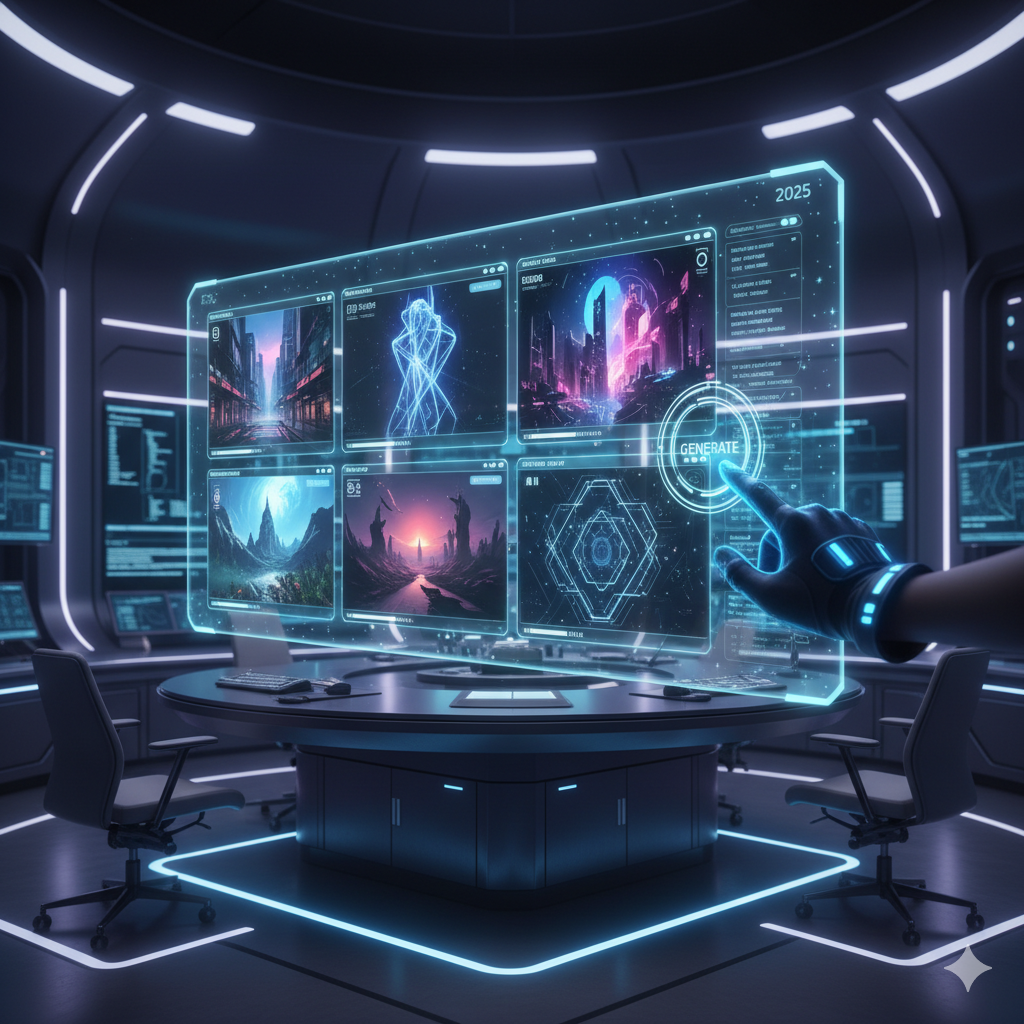
In the vast and rapidly evolving landscape of digital creativity, artists, designers, and hobbyists often find themselves at a crossroads: staring at a blank canvas or an empty screen, battling the dreaded creative block. It is a universal experience, a moment of stagnation where inspiration seems to vanish, and ideas refuse to flow. However, the advent of Artificial Intelligence (AI) art generators has emerged as a revolutionary catalyst, promising not just to break these barriers but to open up entirely new dimensions of artistic expression. These powerful tools are transforming how we conceptualize, visualize, and create, offering an unprecedented bridge between imagination and realization.
Choosing the right AI art generator, however, can feel like navigating a labyrinth. With a burgeoning array of options, each boasting unique features, strengths, and nuances, making an informed decision is paramount to unlocking its full potential for your specific artistic vision. This comprehensive guide is designed to be your compass, leading you through the intricate world of AI art generation. We will not only help you understand how these tools function but, more importantly, empower you to select the one that aligns perfectly with your creative workflow, aesthetic preferences, and practical needs. From deciphering complex algorithms to mastering prompt engineering, we will equip you with the knowledge to transform your digital canvas from daunting to delightful, ensuring that creative blocks become a relic of the past.
Understanding Creative Blocks in the Digital Age
Creative blocks are a pervasive challenge, not limited to traditional artists but acutely felt by those working in digital mediums. In an age of infinite possibilities offered by software and digital tools, the paradox of choice can itself contribute to paralysis. The pressure to innovate, the constant influx of inspiration from social media, and the sheer volume of options can overwhelm the creative mind. Digital artists often face specific hurdles:
- Conceptual Overload: Having too many ideas or no ideas at all, leading to decision fatigue.
- Technical Frustration: Spending more time on tool mastery than on creative exploration.
- Perfectionism Paralysis: The fear of not achieving a desired outcome, stopping creation before it even begins.
- Lack of Fresh Perspective: Falling into repetitive patterns or struggling to generate novel visual concepts.
- Time Constraints: The need for rapid prototyping and idea generation in fast-paced environments.
AI art generators intervene precisely at these pain points. They serve as an ideation partner, a virtual assistant capable of rendering visual concepts faster than any human hand. By simply describing an idea with text, artists can instantly generate a myriad of visual interpretations, pushing past the initial hurdle of a blank page. This immediate feedback loop fosters experimentation, allowing artists to rapidly iterate on ideas, explore diverse styles, and discover unforeseen directions for their projects. Instead of replacing human creativity, AI augments it, transforming creative blocks from insurmountable walls into stepping stones for innovative expression.
The Rise of AI Art Generators: A Paradigm Shift
The journey of AI art generation has been nothing short of meteoric. From rudimentary text-to-image models producing abstract blobs a few years ago, we have rapidly evolved to sophisticated systems capable of generating photorealistic images, intricate designs, and fantastical landscapes with startling fidelity. At the heart of this revolution are diffusion models, a class of generative AI that has fundamentally changed the game.
Diffusion models work by starting with an image of pure noise and gradually “denoising” it into a coherent image, guided by a text prompt. This iterative process, trained on vast datasets of images and their corresponding text descriptions, allows the AI to understand and synthesize complex visual concepts. The interplay between the prompt’s semantics and the model’s learned visual patterns is what gives rise to the incredible diversity and quality of AI-generated art today.
Current developments are pushing the boundaries even further:
- Improved Coherence and Fidelity: Models like DALL-E 3 and Midjourney V6 consistently produce highly coherent images that better understand and interpret complex, multi-layered prompts, reducing unexpected or nonsensical elements.
- Enhanced Control: Features like ControlNet (for Stable Diffusion), inpainting, outpainting, and image-to-image capabilities allow users unprecedented control over composition, pose, style transfer, and image manipulation.
- Multimodal Integration: AI art generation is increasingly integrated into broader AI ecosystems, such as DALL-E 3 within ChatGPT or Copilot, enabling conversational prompting and iterative refinement within a single interface.
- Specialized Models and Fine-tuning: Platforms like Leonardo.AI offer an array of specialized models (e.g., for specific art styles, characters, or assets) and allow users to fine-tune their own models, democratizing access to highly customized AI generation.
- Ethical Sourcing and Copyright Focus: Companies like Adobe with Firefly are explicitly training their models on ethically sourced, licensed content, addressing growing concerns about copyright and artist compensation.
This paradigm shift is not just about automation; it is about empowerment. It enables artists to explore more ideas, faster, and to transcend traditional technical limitations, making advanced visual creation accessible to a wider audience than ever before.
Key Factors to Consider When Choosing an AI Art Generator
Selecting the ideal AI art generator involves a nuanced understanding of your own creative process and the capabilities each platform offers. Here are the critical factors to evaluate:
1. Ease of Use and User Interface (UI/UX)
For many, particularly those new to AI art, a straightforward and intuitive interface is paramount. Some generators offer a minimalist, chat-like interaction (e.g., Midjourney via Discord, DALL-E 3 via ChatGPT), while others provide a more traditional web application with numerous sliders and settings.
- Beginner-Friendly: Platforms like DALL-E 3 (via ChatGPT) excel in simplicity, often requiring less technical jargon in prompts and handling complex requests gracefully.
- Intermediate/Advanced Interfaces: Stable Diffusion interfaces (like Automatic1111, InvokeAI, or DreamStudio) offer a wealth of controls and parameters, ideal for users who want granular control but come with a steeper learning curve.
- Community Integration: Midjourney’s Discord-centric model fosters a strong community, allowing users to see what others are generating and learn from shared prompts.
2. Quality and Style Versatility
The aesthetic output is often the primary concern. Different AI models have distinct ‘personalities’ or biases in their artistic styles.
- Photorealism: Some models excel at generating incredibly lifelike images, often preferred for product mock-ups or architectural visualization.
- Artistic Styles: Others are adept at various artistic styles, from impressionistic paintings to detailed cyberpunk illustrations, anime, or abstract art.
- Coherence: How well does the AI maintain consistency across multiple elements in a complex prompt? Does it accurately render anatomy, perspective, and lighting?
- Resolution and Upscaling: The native resolution of generated images and the quality of integrated upscaling tools can significantly impact the final output, especially for print or high-detail work.
3. Prompt Engineering Capabilities
The art of crafting effective prompts is crucial. A generator’s ability to interpret and execute complex prompts varies greatly.
- Natural Language Processing: How well does the AI understand nuanced language, synonyms, and contextual cues?
- Prompt Weighting: Can you emphasize or de-emphasize certain elements within your prompt (e.g., “a dog barking highly detailed, cinematic lighting, –stylize 250”)?
- Negative Prompts: The ability to specify what you do not want in an image (e.g., “ugly, deformed, blurry”) is incredibly powerful for refinement.
- Parameters and Switches: Many platforms offer command-line parameters or GUI toggles to control aspect ratios, stylization levels, randomness, seeds, and more.
4. Customization and Control
Beyond simple text-to-image, advanced users often require greater control over the generation process.
- Image-to-Image (Img2Img): Transforming an existing image based on a new prompt.
- Inpainting and Outpainting: Modifying specific areas of an image or extending its borders, respectively.
- ControlNet (Stable Diffusion): A revolutionary tool allowing precise control over composition, pose, depth, and edge detection from reference images.
- Fine-tuning and LoRAs: Training the AI on your own datasets to generate images in a specific style or with specific characters/objects, often available on open-source platforms or specialized services.
5. Community and Resources
A thriving community and robust resources can significantly enhance your learning curve and creative output.
- Tutorials and Documentation: Clear guides for beginners and advanced users.
- Active Forums/Discord Servers: Places to ask questions, share creations, and learn from others.
- Prompt Libraries: Collections of successful prompts and their results, offering inspiration and learning opportunities.
6. Pricing Models and Licensing
Cost and usage rights are crucial considerations for professional and commercial use.
- Subscription Tiers: Most cloud-based services operate on a subscription model, offering varying levels of “fast generation” time or credits.
- Free Tiers/Trials: Many offer limited free credits or trials to test the platform.
- Open-Source: Stable Diffusion offers the ability to run models locally, incurring only hardware costs (GPU) and electricity, providing ultimate freedom.
- Commercial Use Rights: Carefully review the terms of service regarding the commercial use of generated images, especially for clients or monetized projects. Some platforms grant full commercial rights with a paid subscription, while others have more restrictions.
7. Ethical Considerations and Data Sourcing
The ethical implications of AI art, particularly concerning the datasets used for training, are a growing concern for many artists.
- Opt-Out Options: Some platforms (like Midjourney) allow artists to opt-out their work from being included in future training datasets.
- Licensed Datasets: Platforms like Adobe Firefly distinguish themselves by training exclusively on ethically licensed content (Adobe Stock, public domain, or user-submitted content).
- Transparency: The degree to which a company is transparent about its training data sourcing can be a deciding factor for ethically conscious users.
Deep Dive into Popular AI Art Generators
Let us now explore some of the leading AI art generators, highlighting their unique strengths and ideal use cases.
1. Midjourney
Midjourney is renowned for its distinctive aesthetic and ease of producing stunning, often cinematic or fantastical imagery. It operates primarily through Discord, making it highly community-driven.
- Strengths: Exceptional at artistic interpretation, generating beautiful and evocative images with minimal prompting. Excels in fantasy, sci-fi, and illustrative styles. Strong sense of composition and lighting. Rapid iteration with variations.
- Weaknesses: Historically less precise control over specific elements compared to Stable Diffusion (though V6 and future iterations are improving significantly). Anatomy can sometimes be distorted without careful prompting. Discord-only interface can be a barrier for some.
- Ideal Users: Artists, illustrators, concept artists, hobbyists looking for high-quality, inspiring visuals with a distinctive artistic flair. Great for mood boards and ideation.
2. Stable Diffusion (and its variants like DreamStudio, InvokeAI)
Stable Diffusion is unique for its open-source nature, allowing unparalleled flexibility and customization. It can be run locally on powerful hardware or accessed via various cloud-based interfaces.
- Strengths: Unmatched flexibility and control. Vast ecosystem of community-contributed models (checkpoints, LoRAs) and tools (e.g., ControlNet, textual inversions). Can be fine-tuned extensively. Excellent for photorealism, specific character generation, and precise compositional control. Cost-effective for local installations.
- Weaknesses: Steeper learning curve, especially for local installation and advanced tools like ControlNet. Requires powerful GPU for optimal local performance. Raw output might be less ‘artistic’ or coherent than Midjourney’s out-of-the-box, often requiring more detailed prompting and post-processing.
- Ideal Users: Experienced digital artists, 3D artists, developers, researchers, and anyone seeking maximum control, customization, and technical depth. Excellent for generating assets, specific character designs, and complex scenes.
3. DALL-E 3 (via ChatGPT Plus/Copilot)
Developed by OpenAI, DALL-E 3 represents a significant leap in understanding and interpreting complex prompts, especially when integrated with conversational AI.
- Strengths: Superior prompt understanding, often translating intricate, multi-clause prompts into accurate visuals. Integrates seamlessly into conversational AI like ChatGPT, allowing for iterative refinement through dialogue. Excellent for generating detailed, contextually accurate imagery. Strong adherence to specific text in images.
- Weaknesses: Less direct control over style parameters or seed values compared to other tools. Output style can sometimes feel a bit generic or ‘stock photo-like’ without specific stylistic prompting.
- Ideal Users: Content creators, marketers, educators, and anyone needing quick, accurate, and easily adjustable visuals with strong textual interpretation. Great for generating marketing materials, presentations, and social media content.
4. Leonardo.AI
Leonardo.AI has emerged as a powerful platform offering a comprehensive suite of tools built around Stable Diffusion, but with an emphasis on fine-tuned models and user-friendliness.
- Strengths: Access to a vast library of pre-trained community models and the ability to train your own custom models (LoRAs). Excellent image generation capabilities across many styles. Features like image-to-image, prompt weighting, and an intuitive canvas editor. Generous free tier.
- Weaknesses: Can still have a learning curve when diving into specific model choices and their parameters. Less of a distinctive “Leonardo.AI style” compared to Midjourney, as its output depends heavily on the chosen base model.
- Ideal Users: Artists looking for a balanced approach between ease of use and advanced control, game developers needing diverse assets, and users who want to explore various artistic styles and fine-tune their own.
5. Adobe Firefly
Adobe Firefly distinguishes itself by its commitment to ethically sourced training data and its deep integration into the Adobe Creative Cloud ecosystem.
- Strengths: Trained on Adobe Stock, public domain, and openly licensed content, addressing ethical concerns. Seamless integration with Photoshop, Illustrator, and other Adobe apps for a smooth workflow. Excellent for generating textures, variations, and creative fills.
- Weaknesses: Still relatively new and evolving, may not yet match the sheer creative range or stylistic depth of more mature models like Midjourney or the customizability of Stable Diffusion. Currently focused on specific use cases rather than general art generation.
- Ideal Users: Existing Adobe Creative Cloud users, graphic designers, photographers, and anyone prioritizing ethical AI sourcing and seamless integration into professional design workflows. Great for asset generation, content creation, and quick mock-ups within the Adobe ecosystem.
Advanced Techniques to Maximize Your AI Art Workflow
Once you have chosen your AI art generator, mastering advanced techniques can elevate your creations from good to exceptional.
1. Mastering Prompt Engineering
Prompt engineering is not just about descriptive words; it is about structuring your requests strategically.
- Be Specific and Descriptive: Instead of “a forest,” try “a dense, ancient forest bathed in dappled moonlight, bioluminescent flora, misty atmosphere, high detail, volumetric lighting.”
- Use Keywords and Modifiers: Incorporate art terms (e.g., “cinematic,” “photorealistic,” “oil painting,” “anime style”), lighting conditions (e.g., “golden hour,” “neon glow,” “softbox lighting”), camera angles (e.g., “wide shot,” “macro lens”), and artist names for style transfer.
- Order Matters: Often, the elements placed earlier in a prompt carry more weight.
- Experiment with Weighting: Use syntax specific to your generator (e.g., `(word:weight)` in Stable Diffusion, `::` in Midjourney) to emphasize or de-emphasize parts of your prompt.
2. Iterative Refinement and Variation
AI art is a dialogue, not a one-shot command.
- Generate Multiple Options: Always generate several images per prompt to explore variations.
- Upscale and Vary: Select the most promising images, upscale them, and then generate further variations based on the upscaled version. This allows for focused refinement.
- Adjust Parameters: Tweak stylization levels, randomness (chaos/stylize parameters), and aspect ratios between iterations to see how they affect the output.
3. Leveraging Negative Prompts
Tell the AI what you do not want to see. This is incredibly powerful for cleaning up artifacts or avoiding undesirable elements.
- Common Negative Prompts: “ugly, deformed, disfigured, low resolution, blurry, grainy, bad anatomy, extra limbs, poorly drawn hands.”
- Specific Negative Prompts: If you keep getting trees in your cityscape, add “no trees” to the negative prompt.
4. Image-to-Image Generation (Img2Img)
Start with an existing image, either one you generated or one you uploaded, and use it as a base for new generations.
- Style Transfer: Apply the style of your prompt to the content of an input image.
- Variations of a Sketch: Turn a rough sketch into a detailed artwork by providing a descriptive prompt.
- Compositional Guidance: Use a simple layout sketch to guide the AI’s composition while filling in details from your prompt.
5. Fine-tuning and Custom Models (LoRAs)
For maximum control and consistency, especially with characters or specific art styles, consider training your own models.
- LoRAs (Low-Rank Adaptation): These are small, efficient models that can be “plugged into” a larger base model (like Stable Diffusion) to impart a specific style, character, or object. Training a LoRA requires a dataset of 10-20 high-quality images of the desired subject or style.
- Use Cases: Generating a consistent character across multiple scenes, creating artwork in a very specific, niche style, or producing variations of a proprietary product.
Integrating AI Art into Your Creative Workflow
AI art generators are not just standalone tools; they are powerful components that can be seamlessly integrated into various stages of a creative project, enhancing efficiency and expanding possibilities.
1. Concept Generation and Ideation
Facing a blank slate can be daunting. AI can act as your ultimate brainstorming partner.
- Rapid Prototyping: Quickly generate dozens of visual concepts for a project in minutes, allowing you to explore a wider range of ideas before committing to one. Imagine needing different designs for a futuristic city – AI can give you countless architectural styles, lighting conditions, and atmospheric variations.
- Mood Boards and Visual References: Instead of spending hours scouring image libraries, prompt the AI to generate a collection of images that perfectly capture the desired mood, color palette, or aesthetic for a project. This is invaluable for filmmakers, game designers, and illustrators in their pre-production phases.
- Breaking Creative Ruts: When stuck, use abstract or unconventional prompts to force the AI to produce unexpected results, often sparking new ideas and directions you might not have considered. For example, “a symphony of melting clocks in a cosmic garden” could lead to a surreal painting concept.
2. Asset Creation and Enhancement
For designers and digital artists, AI can significantly speed up the creation of various visual assets.
- Textures and Backgrounds: Generate unique, high-resolution textures for 3D models or elaborate backgrounds for digital paintings, saving immense time on manual detailing. A game artist might need a detailed ‘ancient stone wall’ texture or a ‘dense jungle canopy’ background; AI can provide endless variations.
- Variations on Existing Designs: Have a logo or character concept? Use image-to-image or prompt variations to explore different color schemes, material finishes, or stylistic interpretations without starting from scratch.
- Filling Gaps: Use inpainting or outpainting features to expand existing artwork, add missing elements, or seamlessly remove unwanted objects, integrating AI into the refinement phase of a piece. A photographer might use it to expand the sky in a landscape shot or remove an intrusive power line.
3. Overcoming Artistic Limitations
AI can empower artists to venture into styles or techniques that are outside their traditional skillset.
- Exploring New Mediums: If you are a painter, AI can help you visualize how your style might translate into digital sculpture, animation, or even architectural design.
- Learning and Inspiration: By analyzing prompts and their corresponding outputs from the AI, artists can gain insights into composition, color theory, and stylistic attributes they wish to incorporate into their human-made art. It is like having an infinitely patient art tutor.
4. Collaboration with Traditional Art and Hybrid Workflows
AI is not just for purely digital artists; it can complement traditional art forms beautifully.
- Sketching and Reference: A traditional painter can use AI to generate complex poses, challenging lighting scenarios, or unique still-life compositions as references for their physical paintings. Imagine a painter needing a specific fantastical creature in a dynamic pose – AI can generate multiple angles for reference.
- Mixed Media: Print AI-generated textures onto canvas and then paint over them, or use AI to generate backgrounds for traditional character illustrations. The possibilities for mixed media are endless.
- Client Presentations: For commercial artists, AI can quickly produce polished mock-ups or proof-of-concept images for client approval, streamlining the feedback loop and ensuring clearer communication.
Comparison Tables
Table 1: Key AI Art Generators Comparison
| Generator | Primary Strengths | Primary Weaknesses | Pricing Model | Best For |
|---|---|---|---|---|
| Midjourney | Exceptional artistic flair, cinematic visuals, strong community. | Less precise control (historically), Discord-centric, potential for stylistic bias. | Subscription-based (credit system). | Concept art, mood boards, fantasy illustration, artists seeking quick inspiration. |
| Stable Diffusion (e.g., Automatic1111, InvokeAI) | Open-source, immense control (ControlNet), vast model ecosystem, local execution. | Steep learning curve, requires powerful hardware for local, less ‘artistic’ out-of-the-box. | Free (local), subscription/credit (cloud instances). | Experienced digital artists, 3D artists, game developers, researchers, maximum customization. |
| DALL-E 3 (via ChatGPT Plus/Copilot) | Superior prompt understanding, strong coherence, conversational refinement. | Less direct control over parameters, potentially generic style, no direct web UI. | Subscription (ChatGPT Plus/Copilot Pro). | Content creators, marketers, educators, quick accurate visuals, textual accuracy. |
| Leonardo.AI | User-friendly, vast library of fine-tuned models, good customization features. | Can still require learning specific model behaviors, less distinct ‘core’ style. | Free tier, subscription-based (credit system). | Artists wanting balanced control and ease of use, varied asset generation, custom models. |
| Adobe Firefly | Ethically sourced training data, deep integration with Adobe Creative Cloud. | Still evolving feature set, focused on specific use cases, not as broad as others. | Included with Creative Cloud subscription, standalone options. | Adobe ecosystem users, graphic designers, photographers, ethical sourcing priority. |
Table 2: Prompt Engineering Elements and Their Impact
| Prompt Element | Description | Typical Impact on Output | Example |
|---|---|---|---|
| Subject | The main focus of the image. | Determines the core objects/characters. Specificity is key. | “A majestic lion” vs. “An old male lion with a scarred face, resting on sun-drenched savannah grass.” |
| Style/Art Medium | The aesthetic and artistic execution. | Influences texture, brushstrokes, color palette, overall mood. | “Oil painting,” “Cyberpunk illustration,” “Photorealistic,” “Watercolor sketch,” “Anime art.” |
| Lighting | The illumination and shadows in the scene. | Sets mood, highlights features, defines depth. | “Golden hour,” “Volumetric lighting,” “Backlight,” “Dramatic studio lighting,” “Neon glow.” |
| Composition/Angle | How elements are arranged and viewpoint. | Impacts perspective, framing, dynamism, focus. | “Wide shot,” “Close-up,” “Dutch angle,” “Rule of thirds,” “Symmetric composition.” |
| Environment/Setting | The background and surrounding context. | Adds narrative, atmosphere, detail to the scene. | “Misty forest,” “Futuristic cityscape,” “Underwater ruins,” “Cozy cottage interior.” |
| Color Palette | The dominant colors and their harmony. | Establishes emotional tone, visual appeal. | “Vibrant neon colors,” “Monochromatic sepia tones,” “Pastel palette,” “Dark and moody.” |
| Artist/Genre Influence | Referencing specific artists or art movements. | Directly attempts to mimic a known style. | “By Van Gogh,” “in the style of Hayao Miyazaki,” “Surrealism,” “Renaissance painting.” |
Practical Examples
Let us illustrate how different AI art generators can be applied to real-world creative scenarios.
Case Study 1: Indie Game Developer Creating Concept Art
An indie game developer is designing a new fantasy RPG and needs concept art for various creatures, environments, and character outfits. Time and budget are limited.
- Challenge: Generate numerous unique concepts rapidly without hiring a large team of concept artists. Ensure stylistic consistency across different assets.
- AI Solution: The developer might start with Midjourney for initial broad conceptualization, generating stunning and inspiring creature designs and fantastical landscapes with simple prompts. For example, “A mythical griffin with iridescent feathers soaring over ancient elven ruins, cinematic.”
- Once a general direction is established, they could switch to Stable Diffusion (with custom LoRAs) to refine specific character outfits or weapon designs, ensuring consistency in armor style or facial features across multiple characters. They could train a LoRA on existing reference art for their game’s unique aesthetic. For instance, “Full body render of female elven warrior, intricate plate armor, glowing sword, [MyCustomElvenStyle] LoRA.”
- They might also use Leonardo.AI to generate various textures for in-game assets, like “Ancient mossy stone texture, high detail,” and quickly cycle through different models and variations to find the perfect look.
- Outcome: Hundreds of unique concept variations generated in days, allowing for faster decision-making, clear visual communication for the team, and a cohesive artistic direction without exceeding budget.
Case Study 2: Graphic Designer Generating Unique Marketing Visuals
A graphic designer needs to create eye-catching visuals for a new digital marketing campaign promoting an eco-friendly product line. They need diverse images for social media, website banners, and email newsletters.
- Challenge: Produce a high volume of unique, high-quality images that resonate with the brand’s eco-conscious message, quickly and efficiently.
- AI Solution: The designer might primarily use DALL-E 3 via ChatGPT. Its excellent prompt understanding allows them to generate precise scenarios. For example, a prompt like “Close-up of hands holding a reusable coffee cup made from bamboo, soft natural light, bokeh background of lush green leaves, minimalistic, focus on sustainability” would yield accurate and beautiful results. They can refine the prompt conversationally: “Make the background slightly blurred, add a subtle dewdrop effect on the leaves.”
- For images requiring ethical sourcing and seamless integration, they could leverage Adobe Firefly to generate variations of product shots or create unique backgrounds that can be easily brought into Photoshop for final composition. “Product shot of a natural soap bar, on a wooden surface, surrounded by botanical elements, clean white background.”
- Outcome: A diverse library of unique, brand-aligned marketing assets generated rapidly, ensuring a fresh and consistent visual identity across all campaign channels, all while maintaining ethical sourcing standards with Firefly.
Case Study 3: Hobbyist Exploring New Artistic Styles
A hobbyist artist who traditionally works with watercolors wants to experiment with digital art and explore styles like cyberpunk or hyperrealism without investing heavily in new software or learning complex techniques.
- Challenge: Access easy-to-use tools that offer diverse styles and provide immediate visual feedback for exploration.
- AI Solution: The hobbyist would find Midjourney incredibly inspiring for its ability to produce highly artistic and stylized outputs with simple prompts. They could type, “Cyberpunk city street at night, neon lights reflecting on wet pavement, cinematic atmosphere, highly detailed” and instantly get stunning images. They can then use Midjourney’s variation features to explore different aspects of the generated image.
- They might also dabble with Leonardo.AI, which offers a user-friendly interface and access to many community-trained models, allowing them to easily switch between different art styles like “anime,” “fantasy art,” or “photorealism” with a few clicks. For example, “A lone samurai in a traditional Japanese garden, cherry blossoms, peaceful, ‘Anime Redux’ model.”
- Outcome: A fun, low-barrier entry into diverse digital art styles, fostering experimentation and providing a rich source of inspiration without the need for extensive technical skill or software investment. The hobbyist can learn about composition and lighting by observing the AI’s output, informing their traditional art practice.
Frequently Asked Questions
Q: What is the biggest advantage of using an AI art generator?
A: The biggest advantage is the unprecedented speed of ideation and visualization. AI art generators allow artists to explore countless concepts, styles, and compositions in minutes, drastically reducing the time spent on initial brainstorming, reference gathering, and rough sketching. This rapid iteration helps overcome creative blocks by providing immediate visual feedback and sparking new ideas, allowing artists to focus more on refinement and conceptual development.
Q: Are AI art generators going to replace human artists?
A: No, AI art generators are tools that augment human creativity rather than replace it. While they can generate impressive visuals, they lack true understanding, intention, and the unique human experience that drives genuine artistic expression. Artists use AI to speed up workflows, generate references, explore concepts, or create elements, but the creative direction, curation, and final artistic touch almost always come from a human. AI is a powerful assistant, not a sovereign creator.
Q: How important is prompt engineering in getting good results?
A: Prompt engineering is incredibly important – it is the language through which you communicate your vision to the AI. A well-crafted, descriptive prompt that includes details about the subject, style, lighting, composition, and mood will consistently yield significantly better results than a vague one. Mastering prompt engineering is key to unlocking the full potential of any AI art generator and ensuring the output aligns with your artistic intent.
Q: Can I use AI-generated art commercially?
A: It depends on the specific AI art generator and your subscription tier. Most major platforms (like Midjourney, DALL-E 3, Leonardo.AI, Adobe Firefly) grant commercial use rights to paid subscribers, but it is crucial to always read their specific terms of service. For open-source models like Stable Diffusion, the licensing is generally permissive, allowing commercial use. However, ethical considerations regarding the training data used for the model can also be a factor for some users and clients.
Q: What are the ethical concerns surrounding AI art?
A: The primary ethical concerns revolve around the training data. Many AI models are trained on vast datasets scraped from the internet, which often include copyrighted works without artists’ consent or compensation. This raises questions about intellectual property rights, fair use, and the potential for AI to devalue human artistic labor. Some platforms, like Adobe Firefly, address this by using ethically sourced data. Artists are also concerned about their unique styles being replicated by AI.
Q: Do I need a powerful computer to run AI art generators?
A: It depends on the generator. Most popular AI art generators (Midjourney, DALL-E 3, Leonardo.AI, Adobe Firefly) are cloud-based, meaning the heavy computational work is done on remote servers. You only need a stable internet connection and a standard web browser or Discord app. However, if you choose to run open-source models like Stable Diffusion locally on your own machine (e.g., using Automatic1111), then a powerful GPU (Graphics Processing Unit) with ample VRAM is essential for good performance.
Q: Can AI art generators create animations or 3D models?
A: While the core function of most AI art generators is still static image creation, the technology is rapidly advancing. Some tools offer experimental features for short animations or image sequences that can simulate motion. Additionally, there are emerging AI tools specifically designed for 3D model generation or texturing. Many artists use AI-generated images as concept art or textures for traditional 3D modeling and animation workflows, bridging the gap between 2D AI and 3D output.
Q: What is the difference between a ‘model’ and a ‘generator’?
A: An ‘AI art generator’ is the overall platform or application (e.g., Midjourney, DALL-E 3 web interface) that allows users to interact with AI to create art. A ‘model’ refers to the specific underlying AI algorithm or dataset that has been trained to generate images. For instance, Stable Diffusion is a powerful open-source model, and platforms like DreamStudio or Leonardo.AI host and build interfaces around this and other models. Within a generator like Leonardo.AI, you can often choose from many different specialized ‘models’ (e.g., ‘Alchemy’, ‘DreamShaper’, or user-trained LoRAs), each with a distinct artistic style or capability.
Q: How can I ensure ethical use of AI art?
A: To ensure ethical use, consider supporting platforms that prioritize ethically sourced training data, like Adobe Firefly. Be transparent about using AI in your work, especially if presenting it professionally. If using open-source models, be mindful of the potential impact on artists whose work might have been included in training datasets without consent. Encourage discussions and advocate for fair compensation models for artists whose work contributes to AI training data.
Q: Is there a free AI art generator that provides good quality?
A: Yes, many AI art generators offer free tiers or trials that provide excellent quality for limited use. Leonardo.AI, for example, offers a generous daily credit allowance that allows for substantial experimentation. Stable Diffusion can be run locally for free if you have the hardware. Google’s various AI tools (like ImageFX) also often have free access periods or features. The quality on these free tiers is often very high, making them excellent starting points for exploration.
Key Takeaways
- AI Art Generators are Creativity Augmenters: They help overcome creative blocks by providing rapid ideation, visual references, and a vast playground for artistic experimentation, not by replacing human artists.
- Choice Depends on Your Needs: There is no single “best” AI art generator. Your ideal choice hinges on your artistic vision, technical proficiency, budget, desired level of control, and ethical considerations.
- Prompt Engineering is Paramount: Learning to communicate effectively with the AI through detailed and specific prompts is crucial for achieving desired results.
- Explore and Experiment: Dive into different platforms’ unique features, leverage negative prompts, image-to-image capabilities, and iterative refinement to unlock deeper creative possibilities.
- Consider Ethical Implications: Be aware of how AI models are trained and consider supporting platforms that prioritize ethical data sourcing if this is important to you or your clients.
- Integrate into Workflow: AI art is a versatile tool for concept generation, asset creation, overcoming artistic limitations, and hybrid art forms, seamlessly fitting into various creative processes.
- Stay Updated: The AI art landscape is constantly evolving. Keep an eye on new developments, models, and features to continually enhance your toolkit.
Conclusion
The journey from a blank screen to a masterpiece is often fraught with creative challenges, but the emergence of AI art generators has introduced a powerful new ally for artists. These sophisticated tools are more than mere automatons; they are interactive partners that can ignite inspiration, accelerate ideation, and expand the very boundaries of what is visually possible. By carefully considering factors such as ease of use, stylistic output, control features, and ethical considerations, you can confidently navigate the diverse landscape of AI art generators and choose the one that resonates most deeply with your unique artistic vision.
Embrace the power of AI not as a shortcut, but as a dynamic extension of your own creativity. Use it to break free from conventional constraints, to visualize the previously unimaginable, and to consistently produce compelling art that reflects your singular voice. The ultimate guide is now in your hands; it is time to choose your ideal AI art generator and embark on an exciting new chapter of boundless creativity, leaving creative blocks far behind in the digital dust. The future of art is collaborative, innovative, and incredibly exciting – and you are an integral part of it.




























































































Leave a Reply