

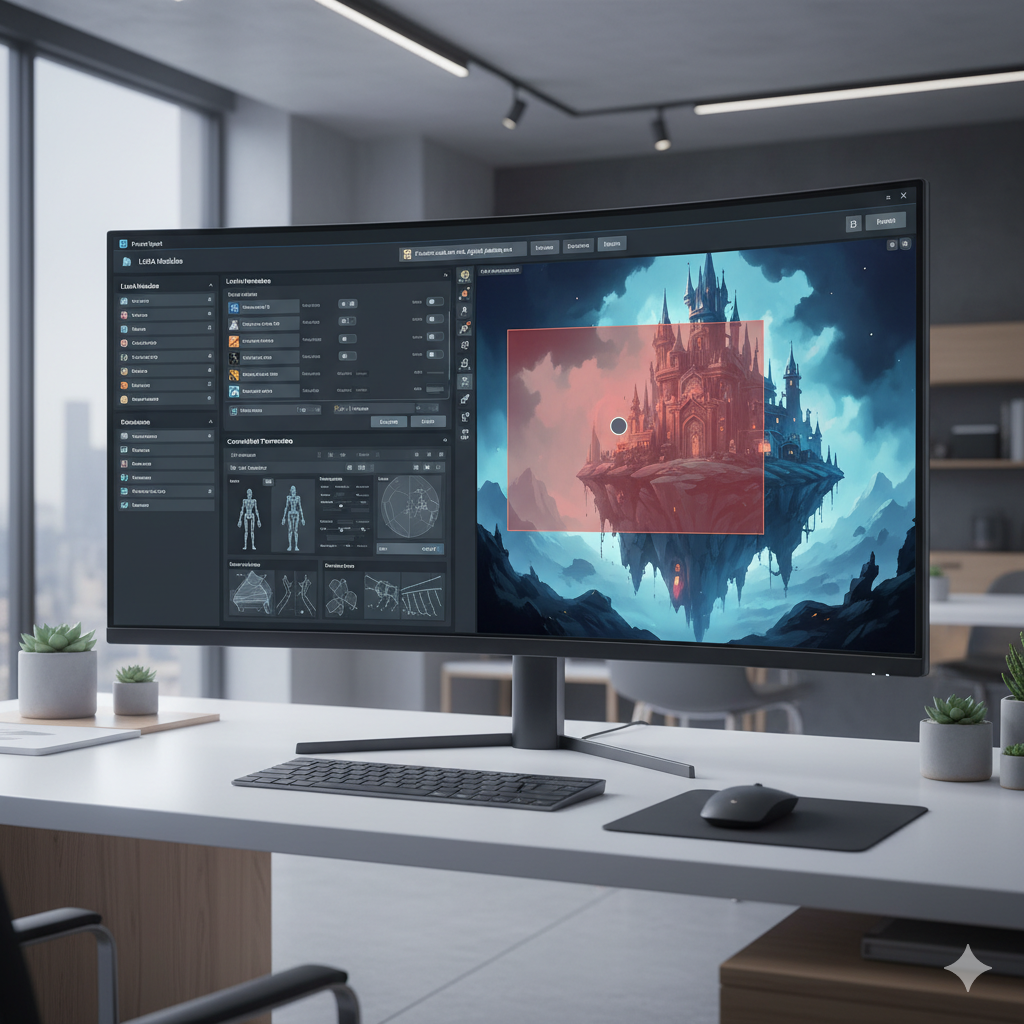
Choosing the Right AI Image Generator for Your Artistic Vision
The landscape of artificial intelligence image generation has evolved at a breathtaking pace. What began with novel curiosities, often requiring elaborate and precise textual prompts to yield unpredictable results, has matured into a sophisticated ecosystem offering artists unprecedented levels of control and customization. Today, simply typing a descriptive phrase into a text box is just the entry point. For artists seeking to translate their precise visions into digital masterpieces, the true power lies ‘beyond prompts’ – in understanding and leveraging advanced features that allow for granular control over composition, style, and subject matter.
This comprehensive guide is designed for artists, designers, and creatives who are ready to move past basic text-to-image generation and embrace the nuanced capabilities of modern AI tools. We will delve into the mechanisms that empower advanced artistic control, compare leading platforms, and equip you with the knowledge to choose the AI image generator that truly aligns with your specific artistic workflow and creative demands. Whether you aim for photorealistic precision, abstract expressionism, or anything in between, mastering these tools will unlock a new realm of creative possibilities. Get ready to transform your artistic process and bring your most intricate ideas to life with the precision you always dreamed of.
The Evolution of AI Art Generation: Beyond Basic Prompts
In the nascent stages of AI art, the process was akin to a magical, somewhat unpredictable lottery. Users would feed a text prompt – “a majestic cat wearing a crown in a mystical forest” – and the AI would conjure an image, often surprising, sometimes baffling. Tools like early DALL-E and Midjourney versions focused primarily on interpreting semantic descriptions, leaving much of the artistic direction to the algorithm’s interpretation and the sheer luck of the seed number. While revolutionary at the time, this approach presented significant limitations for artists who required consistency, specific compositions, or adherence to existing visual references.
The primary challenge was the lack of direct control. If an artist needed a cat facing a specific direction, or in a particular pose, or rendered in the exact style of a classic painter, achieving this through text alone was either impossible or required hundreds of prompt iterations and significant frustration. The AI acted more like a black box, a brilliant but often stubborn assistant that understood concepts but struggled with precise instructions.
From Semantic Interpretation to Granular Control
The shift began with the introduction of more sophisticated prompt engineering techniques. Users learned about prompt weighting (e.g., “majestic cat::2 crown::1”), negative prompts (e.g., “ugly, deformed, blurry”), and the subtle art of ordering keywords. These advancements offered a rudimentary form of control, allowing artists to emphasize certain elements and diminish undesired ones. However, true artistic control demanded more than just clever wording; it required direct manipulation of the generative process itself.
The breakthrough came with the integration of image-based conditioning and fine-tuning capabilities. Tools started incorporating features that allowed artists to provide not just text, but also visual input – existing images, sketches, or even depth maps – to guide the AI’s output. This marked a pivotal moment, transforming AI image generators from mere interpreters of text into collaborative partners in the creative process. Artists could now specify not just “what” to create, but “how” it should be structured, styled, and composed, ushering in an era of unprecedented artistic precision and customization. This evolution is what we mean by going “beyond prompts” – using prompts as a foundation, but building upon them with a suite of powerful, visual-centric controls.
Understanding Core AI Artistic Control Mechanisms
To truly master AI art generation, it is essential to understand the various mechanisms that allow for precise artistic control. These go far beyond simply crafting clever text prompts. They represent a toolkit that empowers artists to dictate composition, style, and subject matter with unparalleled accuracy.
1. Prompt Engineering: The Foundation of Control
- Prompt Weighting: This technique allows you to assign different levels of importance to various parts of your prompt. For instance, in Stable Diffusion, writing `(beautiful landscape:1.5) with (rolling hills:0.8)` would make the “beautiful landscape” aspect more dominant than the “rolling hills.” Midjourney also supports similar syntax, though often less explicit in its weighting numbers.
- Negative Prompts: A crucial tool for eliminating undesired elements or characteristics. By specifying what you don’t want (e.g., `ugly, deformed, watermark, blurry`), you guide the AI away from generating those features, significantly improving image quality and relevance.
- Wildcards and Dynamic Prompts: Some tools and interfaces allow for the use of wildcards or dynamic prompting, where you can define lists of words or phrases, and the AI randomly selects from them for each generation. This is excellent for generating variations or exploring different aesthetic combinations without rewriting the entire prompt.
- Prompt Blending/Mixing: Features like Midjourney’s “image prompts” or Stable Diffusion’s ability to blend multiple text prompts allow you to combine distinct concepts or styles into a single output, providing a unique form of creative fusion.
2. Image-to-Image Generation (Img2img) and Style Transfer
Img2img is a cornerstone of advanced control. Instead of generating an image from scratch, the AI takes an existing image as input and transforms it based on a text prompt or other parameters.
- Img2img Transformation: You can upload a rough sketch, a photograph, or even a simple doodle, and the AI will reinterpret it according to your prompt. This is invaluable for maintaining composition, layout, or character poses while applying new styles or details.
- Style Transfer: A specific application of img2img where the AI learns the artistic style from one image (e.g., Van Gogh’s “Starry Night”) and applies it to the content of another image (e.g., your photograph), creating a unique blend.
- Image Prompting (Midjourney): Midjourney allows users to include image URLs in their prompts, guiding the AI’s aesthetic or compositional choices based on the visual input. This is a powerful way to inject specific stylistic influences or compositional references.
3. Inpainting and Outpainting: Precise Editing and Expansion
These features transform AI image generators into powerful editing tools, akin to advanced Photoshop capabilities but powered by generative AI.
- Inpainting: Allows you to select a specific area within an existing image and regenerate only that part based on a new prompt. This is perfect for fixing errors, adding new elements (e.g., putting a hat on a character), or altering details without affecting the rest of the image.
- Outpainting (Content-Aware Fill): The opposite of inpainting, outpainting extends the boundaries of an existing image. The AI intelligently generates new content that seamlessly blends with the original, allowing artists to expand canvases, change aspect ratios, or add environmental details beyond the initial frame. Adobe Firefly’s Generative Fill is a prime example of this technology in action, offering intuitive and powerful extensions.
4. Seed Control and Deterministic Generation
The “seed” is a numerical value that initializes the random noise from which the AI image is generated.
- Seed Control: By fixing the seed number, you can regenerate an image with subtle variations or even identical results (given the same model, prompt, and parameters). This is crucial for iterating on an idea, fine-tuning details, or generating consistent characters across multiple images.
- Sub-Seed/Variation Seeds: Some tools offer sub-seed control, allowing for minor variations around a primary seed, offering controlled exploration of similar outputs.
Mastering these core mechanisms provides artists with an unprecedented level of creative autonomy, moving beyond the serendipity of early AI art into a realm of deliberate and precise artistic production.
Advanced Control Nets and Conditioning
While basic image-to-image techniques provided a foundation for visual guidance, the introduction of ControlNet in the Stable Diffusion ecosystem revolutionized artistic control, offering a level of precision previously unimaginable. ControlNet is a neural network structure that allows users to condition a large diffusion model (like Stable Diffusion) with additional input images, guiding the generation process to adhere to specific spatial and structural elements.
What is ControlNet?
ControlNet effectively “tells” the AI, “Generate an image based on this prompt, but also make sure it conforms to the structure of this input image.” It achieves this by extracting various forms of structural information from a reference image and then using that information to influence the output.
Key ControlNet Models and Their Applications:
- OpenPose: This model takes an image and extracts the skeletal pose of human figures. Artists can then provide a new prompt, and the AI will generate an image with characters mimicking that exact pose. This is incredibly useful for character consistency, storyboarding, and achieving dynamic compositions. For example, you can upload a reference photo of a dancer, and generate a fantasy warrior in the same pose.
- Canny Edge Detection: Canny extracts the prominent edges from an image, essentially creating a sophisticated line drawing. When used with ControlNet, the AI will generate an image that respects these detected edges, allowing artists to maintain specific outlines, shapes, and structural integrity. It is perfect for turning simple line art into detailed images, or enforcing architectural structures.
- Depth Map: A depth map represents the distance of surfaces from the camera, with closer objects appearing brighter. ControlNet with a depth map allows the AI to understand and reproduce the three-dimensional layout and perspective of a scene. This is invaluable for maintaining spatial relationships and creating realistic environments where elements recede or stand out appropriately.
- Normal Map: Normal maps store information about the surface orientation (which way a surface is facing). Using ControlNet with normal maps helps the AI understand and replicate surface details, lighting angles, and the overall texture of objects, leading to more consistent and realistic renders.
- Scribble/Sketch: This is one of the most artist-friendly ControlNet models. Artists can provide a rough sketch or doodle, and ControlNet will use that as a guide to generate a fully realized image, interpreting the lines and filling in the details according to the prompt. It bridges the gap between traditional sketching and AI generation beautifully.
- Segmentation Maps (Seg): Segmentation models categorize different regions of an image (e.g., sky, person, tree, road). By providing a segmented image, artists can dictate where specific elements should appear, offering highly precise compositional control. This allows for placing objects exactly where desired within a scene.
- MLSD (MobileNetV2 Large-scale Structured Detections): Specialized in detecting straight lines, MLSD is excellent for architectural scenes and designs that require geometric precision. It helps maintain sharp angles and structural integrity in buildings and manufactured objects.
The Impact of ControlNet on Artistic Workflow
ControlNet transforms the AI generation process from a speculative endeavor into a highly directed one. Artists can now:
- Maintain character consistency across multiple images by reusing the same OpenPose or depth map.
- Translate concept art and sketches into polished renders while preserving the original composition.
- Achieve specific camera angles and perspectives by providing depth map references.
- Experiment with different styles and aesthetics on a fixed structure, offering endless variations without redrawing.
This level of conditioning elevates AI tools from mere idea generators to indispensable instruments for meticulous visual creation, giving artists the power to control not just the ‘what’ but also the precise ‘how’ of their AI-generated art.
Customization and Personalization: LoRAs, Embeddings, and Fine-Tuning
Beyond controlling composition and structure, advanced AI art tools offer unprecedented ways to customize the very “style” or “identity” of your generations. This personalization allows artists to imbue the AI with their unique aesthetic preferences, specific character designs, or proprietary artistic styles. The key technologies enabling this include LoRAs, Textual Inversion (embeddings), and full model fine-tuning.
1. LoRAs (Low-Rank Adaptation): The Game-Changer for Custom Styles
LoRA, or Low-Rank Adaptation, is a highly efficient fine-tuning technique that has rapidly become one of the most popular methods for personalizing AI models. Instead of retraining the entire model, LoRA only adjusts a small set of additional “adapter” weights.
- How LoRAs Work: A LoRA is trained on a small dataset of images (e.g., 10-20 images of a specific character, a unique art style, or a particular object). This training teaches the AI to associate a new concept or style with a specific keyword.
-
Applications:
- Character Consistency: Train a LoRA on your original character’s artwork to generate that character consistently in various poses, expressions, and outfits, an absolute must for comic artists, animators, or illustrators.
- Art Style Replication: Develop a LoRA that captures the essence of a specific painting style (e.g., impressionistic anime, retro cyberpunk, your personal drawing style). You can then apply this style to any prompt.
- Object Generation: Teach the AI to reliably generate a specific type of car, furniture, or creature that isn’t typically well-represented in its base training.
- Advantages: LoRAs are small in file size, quick to train (compared to full models), and can be easily combined with other LoRAs and models, offering incredible flexibility. They allow artists to inject their unique DNA into the AI’s creative process.
2. Textual Inversion / Embeddings: Teaching New Concepts
Textual Inversion, also known as embeddings, is another lightweight fine-tuning technique that teaches the AI to understand new “concepts” by associating them with unique token words.
- How Embeddings Work: Instead of modifying the network weights, textual inversion creates a new “word” in the AI’s vocabulary, which represents a collection of learned visual features. You might train an embedding on images of your specific art style, and then use the embedding’s keyword (e.g., <my-style>) in your prompts to invoke that style.
- Applications: Similar to LoRAs, embeddings are excellent for consistent character faces, specific objects, or subtle stylistic nuances. They are particularly useful for encapsulating smaller, more abstract concepts.
- Comparison with LoRAs: While both serve similar purposes, LoRAs generally offer more robust and detailed control over complex concepts like full character bodies or intricate styles, whereas embeddings might be better for simpler concepts or stylistic ‘flavors’. Many advanced users leverage both.
3. Full Model Fine-Tuning: The Deep Dive
For the most advanced users, full model fine-tuning involves retraining a significant portion of the base AI model (e.g., a Stable Diffusion checkpoint) on a custom dataset.
- When to Use: This approach is suitable for creating entirely new domains or highly specialized models, such as generating medical imagery, specific product designs, or transforming a base model into a highly focused art style generator.
- Challenges: Full fine-tuning requires significant computational resources (powerful GPUs), large, high-quality datasets, and a deep understanding of machine learning principles. It is a more resource-intensive and time-consuming process than LoRAs or embeddings.
- Output: The result is a new “checkpoint” file (e.g., a `.safetensors` file for Stable Diffusion) that completely embodies the learned characteristics, making it highly potent for specialized tasks.
These customization techniques empower artists to move beyond generic AI outputs and infuse their unique creative identities into the generative process. By training the AI on their own data, artists can create truly personalized tools that understand and execute their specific artistic visions with remarkable fidelity.
User Interface and Workflow Integration
The power of advanced AI tools is only fully realized when they are accessible and seamlessly integrate into an artist’s existing workflow. The user interface (UI) and the possibilities for integrating with other software are critical factors when choosing an AI image generator for advanced artistic control.
The Spectrum of User Interfaces:
-
Web-Based Platforms (Midjourney, DALL-E 3 via ChatGPT, Adobe Firefly):
- Pros: Extremely user-friendly, no local installation required, accessible from any device with internet, often feature curated experiences and streamlined workflows. Updates are handled centrally.
- Cons: Less direct control over underlying parameters, limited customization (e.g., no ControlNet support in Midjourney, DALL-E 3 has less fine-grained control than Stable Diffusion), often subscription-based, reliant on cloud computing (can be slow during peak times).
- Examples: Midjourney (Discord-based or web app), DALL-E 3 (integrated into ChatGPT Plus/Enterprise or Microsoft Copilot), Adobe Firefly (web app, also integrated into Adobe apps). These excel in ease of use and often generate aesthetically pleasing results with simpler prompts.
-
Open-Source Local Interfaces (Stable Diffusion Web UIs like Automatic1111, ComfyUI):
- Pros: Unparalleled control over every parameter (seed, sampling method, steps, CFG scale, advanced ControlNet, LoRA management, inpainting masks), highly customizable with extensions and scripts, privacy (generations happen locally), no ongoing subscription fees (after initial hardware investment).
- Cons: Requires local installation and powerful hardware (GPU with sufficient VRAM), steeper learning curve, setup can be complex, maintenance and updates are user’s responsibility.
- Examples: Automatic1111’s Stable Diffusion web UI is the gold standard for comprehensive control. ComfyUI offers a node-based, visual programming approach for highly complex and efficient workflows, appealing to advanced users who want to build custom pipelines.
-
API Integrations (Stability AI API, OpenAI API):
- Pros: Allows developers and technical artists to integrate AI generation directly into custom applications, scripts, or existing software. Offers programmatic control for automating tasks, bulk generation, or creating unique interactive experiences.
- Cons: Requires coding knowledge, often involves per-use costs, complex to set up and maintain.
- Examples: Artists might use an API to generate variations for a large collection of NFTs, or integrate AI generation into a game development pipeline.
Seamless Integration with Existing Artistic Workflows:
- Adobe Creative Cloud Integration: Adobe Firefly is natively integrated into Photoshop and Illustrator, allowing artists to use Generative Fill, Generative Expand, and Text to Vector Graphics directly within their familiar creative environment. This offers an incredibly fluid workflow for professional designers.
- Blender and 3D Software: Various Stable Diffusion plugins exist for Blender, enabling artists to generate textures, concept art, or even 3D models influenced by AI directly within their 3D pipelines. This is revolutionary for concept artists and 3D modelers.
- External Editor Roundtrips: Many local Stable Diffusion UIs allow for “sending to” external editors (like GIMP or Photoshop) for manual adjustments, then bringing the image back for further AI processing (e.g., inpainting). This hybrid workflow combines the best of both worlds: AI generation and human refinement.
When choosing an AI tool, consider not just its raw generative power, but also how well its interface and integration capabilities support your personal artistic process. For maximum control and customization, local Stable Diffusion setups are often king, but for convenience and specific stylistic strengths, web-based tools like Midjourney and Adobe Firefly offer compelling advantages.
Open Source vs. Proprietary Tools: A Deeper Dive
The choice between open-source and proprietary AI image generators is a significant one, influencing everything from the level of control you have to the cost, privacy, and community support available. Both approaches offer distinct advantages and disadvantages that cater to different artistic needs and technical proficiencies.
Open Source: The Stable Diffusion Ecosystem
The most prominent example of open-source AI image generation is Stable Diffusion, pioneered by Stability AI. Being open source means its core models and code are freely available for anyone to use, modify, and distribute.
-
Flexibility and Control: This is the defining characteristic. Users can download the models, run them locally on their own hardware, and access an unparalleled degree of control. Interfaces like Automatic1111 or ComfyUI allow for tweaking virtually every parameter:
- Selection of various base models (e.g., SD 1.5, SDXL, custom-trained models).
- Integration of hundreds of LoRAs and Textual Inversions for character consistency and style.
- Extensive use of ControlNet for precise structural guidance.
- Advanced inpainting, outpainting, upscaling, and other post-processing tools.
- Experimentation with different samplers, schedulers, and CFG scales.
- Community and Innovation: The open-source nature fosters an incredibly vibrant and innovative community. Developers and artists constantly create new tools, extensions, models, and workflows, sharing them freely. This leads to rapid advancements and a rich ecosystem of resources (Civitai.com is a prime example).
- Privacy and Data Ownership: When running locally, your generations happen on your own machine. Your data and creative output remain entirely private, without being sent to third-party servers.
- Cost: After the initial investment in a powerful GPU, the core Stable Diffusion software and most community-contributed models are free to use. This makes it highly cost-effective for high-volume generation.
-
Challenges:
- Hardware Requirements: Requires a dedicated GPU with sufficient VRAM (8GB+ recommended, 12GB+ for SDXL).
- Steeper Learning Curve: The sheer number of options and parameters can be daunting for newcomers.
- Setup and Maintenance: Installation can be complex, and users are responsible for keeping their software and models updated.
Proprietary Tools: Midjourney, DALL-E 3, Adobe Firefly
Proprietary tools are developed and maintained by companies, offered as services, typically through subscriptions or usage-based fees. Users access these tools via web interfaces or integrated applications.
- Ease of Use and Accessibility: Generally designed for maximum user-friendliness. Web interfaces require no installation, and often feature intuitive controls and simplified prompt structures. DALL-E 3 through ChatGPT, for example, prioritizes natural language interaction.
- Curated Aesthetic and Quality: Many proprietary tools, especially Midjourney, are renowned for their highly aesthetic and often stunning outputs “out of the box” with minimal prompting. They tend to have a distinctive stylistic signature.
- Support and Updates: Companies provide official support, and updates are pushed seamlessly to all users, ensuring a consistent and reliable experience.
-
Specific Strengths:
- Midjourney: Exceptional for highly artistic, often fantastical or painterly outputs. Known for its strong understanding of complex aesthetic concepts and superior composition with less effort.
- DALL-E 3: Excels at prompt adherence and integrating text within images. Its integration with ChatGPT makes it incredibly powerful for iterative prompting and concept refinement through conversation.
- Adobe Firefly: Integrates seamlessly into professional creative workflows (Photoshop, Illustrator), offering unique features like Generative Fill and Text to Vector for production environments. Focuses on commercial viability and safe-for-commercial-use outputs.
-
Challenges:
- Limited Control: Less granular control over parameters compared to open-source alternatives. Features like ControlNet are not directly available (though DALL-E 3 has some internal structural understanding, it’s not user-controllable).
- Subscription Costs: Requires ongoing payment, which can become expensive for high-volume users.
- Censorship and Restrictions: Proprietary models often have stricter content moderation and ethical guidelines baked in, which can sometimes limit creative freedom (e.g., restrictions on generating certain types of imagery).
- Data Privacy: Your prompts and generated images are processed on the company’s servers.
The choice boils down to your priorities: maximum control, customization, and community innovation often point to open-source Stable Diffusion; while ease of use, curated aesthetics, seamless integration, and strong prompt adherence might lead you to proprietary services like Midjourney, DALL-E 3, or Adobe Firefly. Many artists find a hybrid approach, using proprietary tools for initial ideation and open-source for detailed refinement, to be the most effective.
Ethical Considerations and Data Sourcing
While the focus of this guide is on artistic control and customization, it is crucial to acknowledge the ethical landscape surrounding AI image generation. The tools we use are built upon vast datasets, and the origins and implications of these datasets raise important questions for artists and the broader creative community.
The Dataset Debate:
- Training Data: Most AI image generators, particularly the foundational models like Stable Diffusion, DALL-E, and Midjourney, were trained on massive datasets of images scraped from the internet. These datasets often include copyrighted works, personal photographs, and various forms of creative content without explicit consent from the creators.
- Copyright and Ownership: This practice has led to significant debate and legal challenges regarding copyright infringement. When an AI generates an image in the style of a living artist, or reproduces elements from copyrighted works, questions of ownership and fair use arise. Artists are encouraged to be aware of these discussions and the potential legal implications, especially if generating images for commercial use.
- Ethical Sourcing: Some newer AI tools, like Adobe Firefly, differentiate themselves by claiming to be trained on ethically sourced data (e.g., Adobe Stock images, public domain content, or content for which Adobe has secured licenses). This approach aims to provide artists with greater peace of mind regarding the commercial viability and ethical standing of their AI-generated outputs.
Bias and Representation:
- Algorithmic Bias: AI models learn from the data they are fed, and if that data contains biases (e.g., overrepresentation of certain demographics, stereotypes), the AI will perpetuate and even amplify those biases in its outputs. This can lead to issues in terms of representation, perpetuating harmful stereotypes, or generating images that lack diversity.
- Mitigation Efforts: Developers are continually working to curate datasets and implement safeguards to reduce bias, but it remains an ongoing challenge. Artists should be mindful of the potential for bias in their outputs and actively work to diversify their prompts and refine generations to promote inclusive representation.
Transparency and Attribution:
- Provenance: The ability to track the origin of an AI-generated image (its “provenance”) is becoming increasingly important. Technologies like C2PA (Coalition for Content Provenance and Authenticity) are being developed to embed metadata into images, indicating if they were AI-generated or modified, and by whom.
- Artist’s Responsibility: As artists using these tools, we have a responsibility to be transparent about the role AI plays in our creations, especially when presenting them publicly or commercially. Understanding these ethical dimensions is not just about avoiding legal pitfalls, but also about contributing to a responsible and sustainable future for creative AI.
Choosing an AI tool involves not just technical capabilities, but also an alignment with your personal ethical stance. Consider the data sourcing policies, the company’s approach to artist rights, and your own comfort level with the implications of AI generation.
Future Trends in AI Artistic Control
The field of AI image generation is far from stagnant; it is a rapidly evolving domain where new breakthroughs emerge almost daily. As artists push the boundaries of what these tools can achieve, the demand for even greater control and more intuitive interfaces drives continuous innovation. Understanding these emerging trends can help artists prepare for the next generation of creative AI.
1. Real-time and Interactive Generation:
- Instant Feedback: Current generation often involves a waiting period. Future tools are moving towards real-time generation, where changes to prompts, parameters, or control images result in instantaneous visual updates. This will make the creative process much more fluid and exploratory, akin to painting directly.
- Live Sketching and Painting: Imagine drawing a line, and the AI instantly renders a photorealistic tree along that path, or sketching a rough shape that the AI immediately turns into a detailed character with your chosen style. This interactive feedback loop will blur the lines between human input and AI output.
- Example: Some experimental projects already demonstrate sub-second generation speeds, indicating a future where AI acts as an immediate creative assistant.
2. Advanced 3D Integration:
- Text-to-3D Models: While some tools offer rudimentary text-to-3D, the future will see more sophisticated and controllable generation of 3D assets (meshes, textures, materials) directly from text prompts or 2D image inputs. This is transformative for game development, animation, and architectural visualization.
- AI-Assisted 3D Scene Composition: Artists will be able to describe a 3D scene, and the AI will populate it with generated objects, lighting, and environments, all while respecting user-defined constraints and styles.
- Neural Radiance Fields (NeRFs) and Gaussian Splatting: These technologies are already creating highly realistic 3D scenes from 2D images. AI will play an increasingly significant role in generating, editing, and interpolating these volumetric representations, offering unparalleled realism and flexibility in 3D content creation.
3. Coherent Video Generation:
- Text-to-Video: The ability to generate consistent, high-quality video clips from text prompts is rapidly advancing. While current results are often short and prone to “flickering,” future models will produce longer, more coherent, and stylistically consistent video sequences.
- Video Inpainting/Outpainting: Editing specific elements within a video, or extending video frames, will become as seamless as it is for still images. This will revolutionize post-production workflows.
- Character Animation Control: Advanced AI will allow artists to animate characters by simply describing actions or providing reference videos, maintaining character consistency and style throughout complex sequences.
4. Multi-modal and Multi-sensory AI:
- Text, Image, Audio, and Haptics: Future AI systems will likely integrate input and output across multiple modalities. Imagine generating an image that also comes with a corresponding soundscape, or an interactive haptic experience.
- Emotional and Narrative Understanding: AI models will gain a deeper understanding of emotional nuances and narrative structures, allowing artists to prompt for specific emotional impacts or story arcs, and have the AI generate visuals that powerfully convey those elements.
These trends indicate a future where AI tools are not just generators, but truly intelligent creative partners, capable of understanding complex artistic intent across multiple dimensions and providing real-time, highly controllable assistance throughout the entire creative pipeline. Artists who stay abreast of these developments will be at the forefront of a new era of digital creativity.
Comparison Tables
Table 1: AI Image Generator Feature Comparison for Advanced Control
| Feature / Tool | Midjourney | Stable Diffusion (Local UI) | DALL-E 3 (via ChatGPT) | Adobe Firefly |
|---|---|---|---|---|
| Core Focus / Strength | Aesthetic appeal, artistic style, unique compositions | Maximum control, customization, open-source ecosystem | Prompt adherence, text in images, conversational iteration | Creative workflow integration, commercial safety, professional tools |
| Text Prompting | Highly effective, aesthetic focus, blend image prompts | Extremely flexible, prompt weighting, negative prompts, advanced syntax | Excellent adherence, natural language, conversational refinement | Good, straightforward, emphasis on commercial keywords |
| Image-to-Image (Img2img) | Image prompts for style/composition influence | Full Img2img, inpainting, outpainting, control over denoising strength | Limited direct img2img, some internal iterative refinement | Generative Fill (inpainting/outpainting), Text to Vector Graphic |
| ControlNet / Structural Control | No direct user-facing ControlNet | Full suite of ControlNet models (OpenPose, Canny, Depth, etc.) | Limited internal structural understanding, not user-controllable | Generative Match for style consistency across elements |
| Custom Models (LoRA, Embeddings) | No user-trainable custom models (has internal “Style Tuner”) | Full support for LoRAs, Textual Inversion, Hypernetworks, full checkpoints | No user-trainable custom models | No user-trainable custom models (uses Adobe’s proprietary models) |
| Inpainting / Outpainting | Vary (region-based for some tasks) | Precise masking, comprehensive inpainting/outpainting with prompt control | Limited, more focused on general image edits via prompt | Generative Fill/Expand (seamless content-aware editing) |
| Seed Control | Available (for variations and consistent generation) | Full control over seed, sub-seed, variation seeds | Limited (ChatGPT often tracks previous generations for consistency) | Limited direct seed control, but offers variations |
| Local Execution / Privacy | Cloud-based, private mode subscription option | Fully local execution possible, maximum privacy | Cloud-based | Cloud-based |
| Learning Curve | Moderate (Discord commands, parameters) | Steep (many parameters, extensions, setup) | Low (conversational AI) | Low to Moderate (integrates into familiar UI) |
| Cost Model | Subscription-based (tiered) | Free (after hardware), or cloud services (per-use) | Subscription (ChatGPT Plus/Enterprise) | Subscription (Adobe Creative Cloud) |
| Commercial Use | Requires paid subscription, check terms of service | Generally permissive, depends on specific model license | Requires paid subscription, check terms of service | Safe for commercial use, trained on licensed content |
Table 2: Advanced Control Mechanisms and Their Impact
| Control Mechanism | Primary Purpose | Impact on Artistic Workflow | Best Suited For |
|---|---|---|---|
| Prompt Weighting / Negative Prompts | Emphasizing/de-emphasizing elements, removing unwanted features | Refining initial ideas, guiding aesthetic direction, improving output quality | Iterative concept design, basic image refinement, ensuring desired content |
| Image-to-Image (Img2img) | Transforming existing visuals, applying new styles, maintaining composition | Rapid style exploration, concept art iteration, reinterpreting sketches | Stylization of photos, turning sketches into renders, visual variations |
| ControlNet (e.g., OpenPose, Canny, Depth) | Precise structural, compositional, and pose guidance | Achieving character consistency, enforcing specific layouts, maintaining perspective | Storyboarding, character design sheets, architectural visualization, scene setup |
| LoRAs / Textual Inversion | Customizing styles, training specific characters/objects, personalization | Injecting unique artistic DNA, consistent character generation, niche content | Brand design, character development, replicating personal art styles, specific object rendering |
| Inpainting / Outpainting | Localized editing, error correction, image expansion | Fine-tuning details, adding/removing elements, changing aspect ratios, background extension | Photo restoration, concept art modification, background generation, fixing generative errors |
| Seed Control | Reproducibility, minor variations, exploring similar outputs | Ensuring consistency across generations, fine-tuning subtle details, debugging prompts | Series of images with a consistent look, refining a single perfect output |
| API Integration | Automating tasks, custom application development, bulk generation | Scalable generation, integration into proprietary software, unique user experiences | Game asset generation, large-scale content creation, interactive art installations |
Practical Examples
To illustrate the power of choosing the right AI tools for advanced artistic control, let’s explore a few real-world scenarios that highlight how these mechanisms can be put into practice.
Scenario 1: Creating a Consistent Character for a Comic Series
Imagine you are developing a comic book and need your main character, “Elara, the Starlight Sorceress,” to appear consistently across various panels, expressing different emotions and performing dynamic actions, all while maintaining her unique design.
- Challenge: Generic AI tools often struggle with character consistency, leading to different faces, hairstyles, or outfits across generations, even with the same prompt.
-
AI Solution: This is where Stable Diffusion with custom LoRAs and ControlNet shines.
- Train a LoRA: First, you would gather 10-20 high-quality images of Elara (concept art, character sheets). You then train a LoRA on this dataset, associating a unique token (e.g., <elara-sorceress>) with her appearance. This LoRA teaches the AI “who” Elara is.
- Use ControlNet for Poses: For each panel, you would either sketch Elara’s pose or find a reference image. You would then process this image through an OpenPose ControlNet model to extract her skeletal structure.
-
Combine and Generate: Your prompt would then include:
- The specific action/emotion (e.g., “Elara casting a spell, determined expression”).
- Your LoRA token (<elara-sorceress>).
- Stylistic elements (e.g., “cinematic lighting, fantasy art, digital painting”).
- A negative prompt (e.g., “deformed hands, blurry, low quality”).
The OpenPose ControlNet image would serve as the structural guide.
- Result: The AI generates Elara in the precise pose and expression, consistently maintaining her design from the LoRA, all while adhering to the desired art style. This hybrid approach gives you absolute control over character appearance and action.
Scenario 2: Expanding and Reworking an Existing Landscape Painting
You have a beautiful digital painting of a serene mountain lake, but it’s too narrow for a banner you need to design. You also want to add a small, rustic cabin on the far shore without repainting the entire scene.
- Challenge: Manually expanding a painting and adding new elements while maintaining stylistic consistency and realistic lighting is time-consuming and difficult.
-
AI Solution: This scenario is perfectly handled by Adobe Firefly’s Generative Expand and Generative Fill or Stable Diffusion’s Outpainting and Inpainting.
- Expanding the Canvas: Using Generative Expand in Photoshop (powered by Firefly) or Stable Diffusion’s outpainting feature, you would extend the canvas beyond the original painting’s borders. The AI intelligently analyzes the existing content (mountains, lake, sky) and generates new, stylistically consistent extensions, seamlessly blending with your original art. You might provide a prompt like “extend the serene mountain landscape” for guidance.
- Adding the Cabin: Once the canvas is expanded, you would select the area on the far shore where you want the cabin to appear. Using Generative Fill (Firefly) or Stable Diffusion’s inpainting with a mask, you would input a prompt like “a small rustic wooden cabin nestled among pine trees, chimney smoke rising.”
- Refinement: Both tools allow for multiple variations and adjustments. You can refine the prompt or regenerate the section until the cabin perfectly integrates into the scene’s lighting and style.
- Result: A wider, expanded painting with a new, perfectly integrated cabin, all achieved in a fraction of the time it would take for manual painting, while maintaining the original artistic integrity.
Scenario 3: Generating Variations of a Product Design for Marketing
A designer needs to create multiple variations of a new minimalist wristwatch for a marketing campaign, showing it in different colors, materials, and slightly altered environments, but always maintaining the core watch design.
- Challenge: Manually rendering dozens of variations of a product can be costly and time-intensive.
-
AI Solution: A combination of Midjourney’s image prompting/variations or Stable Diffusion’s Img2img with seed control is ideal.
- Reference Image: Start with a high-quality render or photograph of the base wristwatch design.
-
Midjourney Approach:
- Upload the reference image to Midjourney and use it as an image prompt.
- Combine it with text prompts like “/imagine [URL to watch image] minimalist wristwatch, elegant, brushed gold finish, studio lighting, on a dark wooden table.”
- Use Midjourney’s “Variations” button to explore slight alterations, or adjust the prompt (e.g., “polished silver finish,” “leather strap”) to generate new material and color options.
-
Stable Diffusion Img2img Approach:
- Upload the reference image to your Stable Diffusion UI (e.g., Automatic1111) in the Img2img tab.
- Use a low denoising strength (e.g., 0.3-0.5) to ensure the core structure of the watch is preserved.
- Input a text prompt: “minimalist wristwatch, [specific material/color, e.g., rose gold], [environment, e.g., on a marble slab], exquisite detail, photorealistic.”
- Generate multiple images, varying the seed or prompt slightly to get a range of desired outputs.
- Result: Dozens of high-quality, stylistically consistent variations of the wristwatch, showcasing different materials, colors, and contexts, ready for A/B testing or marketing collateral, generated rapidly and efficiently.
These examples demonstrate that when armed with an understanding of advanced AI tools, artists can tackle complex creative challenges with precision, efficiency, and unprecedented levels of control, transforming their ideas into tangible visual assets.
Frequently Asked Questions
Q: What does ‘beyond prompts’ mean in the context of AI art?
A: ‘Beyond prompts’ refers to moving past simply typing descriptive text to generate images. It encompasses using advanced features like image-to-image transformation, ControlNet for structural guidance, custom models (LoRAs, embeddings) for personalization, and inpainting/outpainting for precise editing. These tools allow artists to exert granular control over composition, style, and subject matter, rather than relying solely on the AI’s interpretation of text.
Q: Is a powerful GPU necessary to use advanced AI image generators?
A: For open-source tools like Stable Diffusion running locally, yes, a powerful GPU (with at least 8GB, preferably 12GB+ of VRAM) is highly recommended for efficient generation and utilizing advanced features like ControlNet or SDXL. Proprietary cloud-based tools like Midjourney, DALL-E 3, and Adobe Firefly do not require a local GPU, as computations are handled on their servers, making them accessible via any internet-connected device.
Q: Can I train an AI model on my own art style or character?
A: Yes, absolutely! This is one of the most powerful forms of customization. With open-source tools like Stable Diffusion, you can train LoRAs (Low-Rank Adaptation) or Textual Inversions (embeddings) on a small dataset of your own artwork or character designs. This teaches the AI to reproduce your specific style or consistently generate your characters, allowing you to infuse your unique artistic identity into the AI’s output.
Q: What is ControlNet and how does it help artists?
A: ControlNet is a neural network structure primarily used with Stable Diffusion that allows you to provide an additional “control image” to guide the AI’s generation. It helps artists by extracting structural information (like pose, depth, edges, or segmentation maps) from a reference image and making the AI adhere to that structure. This enables precise control over composition, character poses, and scene layouts, ensuring consistency and accuracy in the generated output.
Q: Are AI-generated images copyrightable?
A: The copyrightability of AI-generated images is a complex and evolving legal area. In many jurisdictions, including the U.S., a human author must be involved in the creative process for an artwork to be copyrighted. Purely AI-generated images without significant human input or modification are generally not considered copyrightable. However, if an artist uses AI as a tool and significantly modifies, refines, or curates the output, their human contribution might be deemed sufficient for copyright protection. It’s crucial to consult legal advice for specific situations and stay updated on legal developments.
Q: Which AI tool is best for photorealistic images?
A: Both Stable Diffusion (especially with specialized photorealistic models and careful prompt engineering) and Midjourney (particularly versions 5.2 and 6.0) are excellent for generating photorealistic images. Adobe Firefly also produces high-quality photorealistic results, especially with its Generative Fill feature. The “best” often depends on your specific needs for control, style, and workflow integration. Stable Diffusion offers the most granular control, while Midjourney often achieves stunning realism with simpler prompts.
Q: What are the main differences between open-source (like Stable Diffusion) and proprietary (like Midjourney) AI tools?
A: Open-source tools (e.g., Stable Diffusion) offer maximum control, customization (LoRAs, ControlNet), privacy (local execution), and are generally free (after hardware investment), backed by a massive community. However, they have a steeper learning curve and require a powerful GPU. Proprietary tools (e.g., Midjourney, DALL-E 3) are user-friendly, cloud-based, often have a distinct aesthetic, and provide good support, but offer less granular control, come with subscription costs, and process data on their servers.
Q: Can I use AI tools to generate images for commercial projects?
A: Yes, many AI tools allow commercial use, but it’s vital to check the specific terms of service and licensing agreements for each platform or model. Adobe Firefly explicitly states its models are trained on licensed content and public domain material, making outputs safe for commercial use. For Stable Diffusion, the license often depends on the specific base model and any custom models (LoRAs) you use. Midjourney also allows commercial use with a paid subscription. Always read the fine print to ensure compliance.
Q: How can I ensure character consistency across multiple AI-generated images?
A: Achieving character consistency is a common challenge that advanced tools address. In Stable Diffusion, training a specific LoRA (Low-Rank Adaptation) for your character is highly effective. You would also use ControlNet (e.g., OpenPose) to dictate the character’s pose, and consistent seeds for subtle variations. For Midjourney, using image prompts of your character and maintaining very consistent prompt wording can help, along with utilizing its “seed” feature or “Style References.”
Q: What is inpainting and outpainting, and when would I use them?
A: Inpainting allows you to select a specific area within an existing image and regenerate only that part based on a new prompt, perfect for fixing errors, adding details, or changing elements (e.g., putting glasses on a person). Outpainting (also known as generative expand) extends the boundaries of an image by intelligently generating new content that blends seamlessly with the original, ideal for changing aspect ratios, creating backgrounds, or expanding scenes beyond the original frame. Both are powerful editing tools.
Key Takeaways
- Moving Beyond Basic Prompts: True artistic control in AI generation comes from leveraging advanced features beyond simple text input.
- Diverse Control Mechanisms: Key mechanisms include advanced prompt engineering (weighting, negative prompts), image-to-image (Img2img), ControlNet for structural guidance, LoRAs/embeddings for personalization, and inpainting/outpainting for precise editing.
- ControlNet Revolutionizes Structure: ControlNet models (OpenPose, Canny, Depth, etc.) allow artists to dictate composition, pose, and spatial layout with unprecedented precision, crucial for character consistency and complex scenes.
- Customization through Training: LoRAs and Textual Inversion enable artists to train AI models on their own data, creating personalized styles, consistent characters, or specific objects, thereby infusing unique artistic identity.
- Open Source vs. Proprietary: Stable Diffusion (open-source) offers maximum control, flexibility, and privacy but has a steeper learning curve and hardware requirements. Midjourney, DALL-E 3, and Adobe Firefly (proprietary) excel in ease of use, curated aesthetics, and specific strengths (e.g., prompt adherence, workflow integration) but offer less direct control and involve subscription costs.
- Workflow Integration Matters: Consider how an AI tool integrates with your existing artistic software (e.g., Photoshop, Blender) and whether its UI supports your workflow (web-based, local UI, API).
- Ethical Awareness is Crucial: Be mindful of data sourcing, potential biases, copyright implications, and the importance of transparency regarding AI’s role in your art.
- The Future is More Control: Emerging trends point towards real-time generation, deeper 3D and video integration, and multi-modal AI, promising even greater creative power and intuitive interaction for artists.
- Hybrid Approaches are Powerful: Many artists find success by combining the strengths of different tools – perhaps using a proprietary tool for initial ideation and an open-source tool for detailed refinement and customization.
- Continuous Learning is Key: The AI art landscape evolves rapidly; staying updated on new features, models, and techniques is essential for maximizing your artistic potential.
Conclusion
The journey into AI art generation has transcended the initial marvel of text-to-image conversion, evolving into a sophisticated domain where artistic intent can be translated with remarkable precision. For the discerning artist, the true power lies not just in knowing ‘what’ to prompt, but ‘how’ to wield the array of advanced tools and techniques available. From the structural guidance of ControlNet and the personal touch of LoRAs, to the meticulous editing capabilities of inpainting and outpainting, modern AI empowers creatives to move ‘beyond prompts’ and sculpt their visions with unprecedented control.
Choosing the right AI image generator is a deeply personal decision, influenced by your artistic goals, technical proficiency, workflow preferences, and ethical considerations. Whether you opt for the boundless customization of an open-source ecosystem like Stable Diffusion, or the curated elegance and seamless integration of proprietary platforms like Midjourney, DALL-E 3, or Adobe Firefly, understanding the underlying mechanisms is paramount.
As AI continues its breathtaking pace of innovation, the tools for artistic expression will only become more powerful, intuitive, and integrated. By embracing these advanced control mechanisms, artists are not just generating images; they are becoming conductors of complex algorithms, orchestrating pixels to manifest their deepest creative impulses. The future of art is a collaboration between human imagination and artificial intelligence, and with the right tools in hand, your artistic vision knows no bounds. Dive in, experiment, and redefine what’s possible.




























































































Leave a Reply