

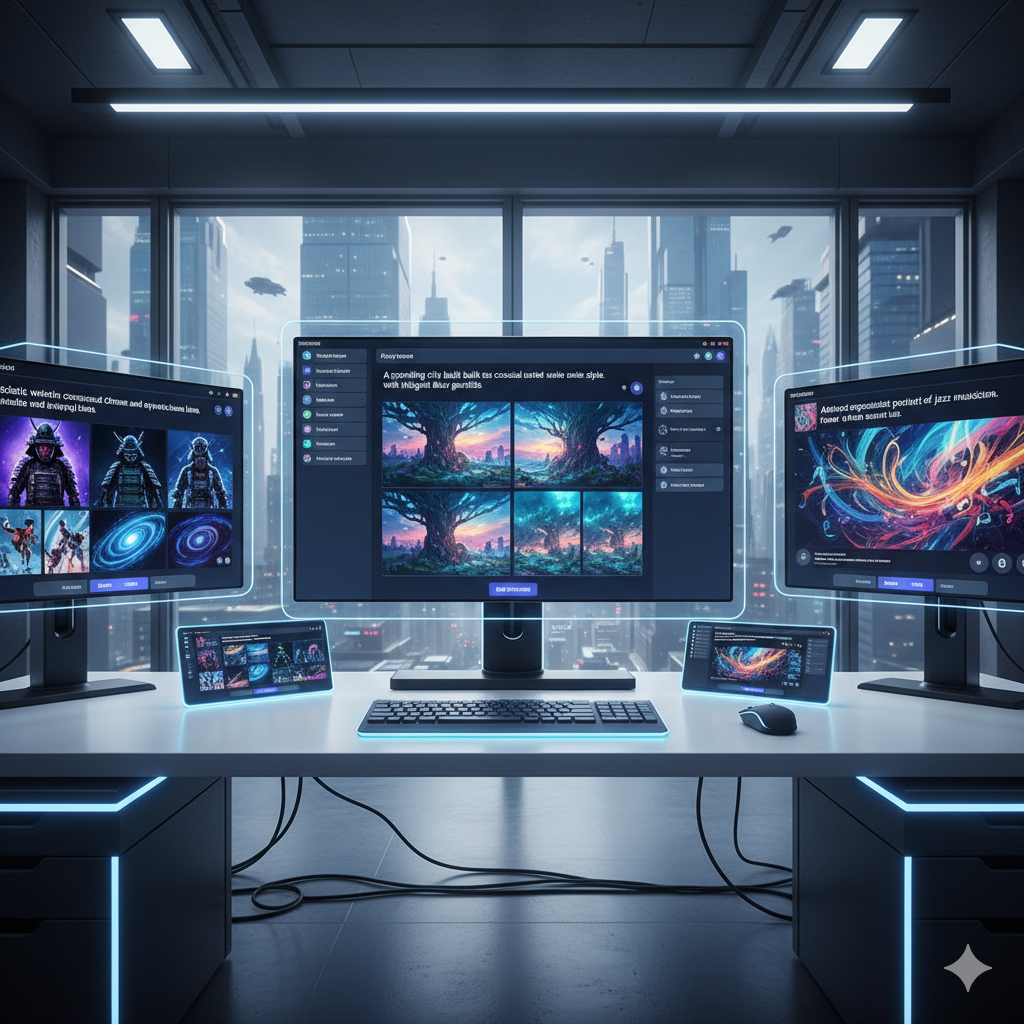
The world of artificial intelligence has exploded, bringing forth tools that can transform a simple text prompt into stunning visual masterpieces. What once felt like science fiction is now readily available, empowering artists, marketers, educators, and hobbyists alike to create captivating imagery with unprecedented ease. However, the rapid advancement of AI art generators has also led to a landscape filled with premium subscriptions, credit systems, and paywalls, often leaving budget-conscious creators feeling left out or constantly calculating costs.
Imagine needing an image for a blog post, a unique piece of concept art for a personal project, or a quick visual for a social media update. In the past, this might have meant hours scouring stock photo sites, struggling with complex design software, or even hiring a graphic designer. Today, AI can generate these visuals in seconds. But what if you could harness this incredible power without dipping into your wallet? What if you could explore your creative vision, experiment with countless styles, and produce high-quality images without worrying about monthly fees or dwindling credit balances?
This comprehensive guide is designed to empower you to do just that. We are living in an era where innovation is often synonymous with subscription models, but a vibrant ecosystem of truly free, powerful AI image generators exists, ready to be discovered. These platforms offer a surprising array of features, from advanced prompt interpretation and photorealistic rendering to unique artistic styles and generative editing capabilities. While they might have certain limitations compared to their paid counterparts, their free tiers are often incredibly generous and more than sufficient for a vast majority of creative needs.
In this article, we will embark on a detailed exploration of the leading free AI image generators available today. We will delve into their core functionalities, highlight their strengths and weaknesses, provide practical examples of how they can be used, and offer insights to help you make the most of their capabilities. Our goal is to equip you with the knowledge and tools to confidently ditch those paid subscriptions and embrace a world of unlimited, budget-friendly creativity. Get ready to transform your ideas into visuals, one free AI-generated image at a time, without ever reaching for your credit card.
Unlocking Creativity: The Rise of Free AI Art Tools
The journey of AI art from nascent experiments to sophisticated creative tools has been nothing short of phenomenal. Initially, highly specialized knowledge and powerful computing resources were prerequisites for engaging with generative AI. Pioneers like DALL-E and Midjourney quickly demonstrated the immense potential, but their access was often restricted or came with a hefty price tag. This created a barrier for many, limiting the democratisation of AI art to those with financial means or advanced technical skills.
However, the open-source movement, notably through projects like Stable Diffusion, revolutionized the landscape. By making the underlying models accessible, it sparked an explosion of innovation. Developers worldwide began building user-friendly interfaces, integrating these powerful models into web applications, and creating platforms that could be accessed by anyone with an internet connection. This shift dramatically lowered the entry barrier, ushering in an era where high-quality AI image generation is no longer an exclusive club but a vibrant, inclusive community.
Today, free AI image generators are not merely watered-down versions of their paid counterparts. Many offer surprisingly robust features, leveraging advanced models like Stable Diffusion XL (SDXL) and DALL-E 3 to produce results that often rival or even surpass what was previously available only through premium subscriptions. These free tools are constantly evolving, with new features, improved models, and enhanced user experiences being rolled out regularly. They represent a significant win for individual creators, small businesses, students, and anyone with a passion for visual expression, proving that cutting-edge technology can indeed be accessible to all.
The availability of these free tools has also fostered a culture of experimentation and learning. Without the pressure of burning through paid credits, users are encouraged to explore different prompting techniques, test various artistic styles, and push the boundaries of what AI can create. This freedom to experiment is crucial for mastering prompt engineering – the art and science of communicating effectively with an AI to achieve desired visual outcomes. Ultimately, free AI image generators are not just about saving money; they are about fostering broader participation, innovation, and creative liberation in the digital age.
Bing Image Creator: Your Free Gateway to DALL-E 3 Quality
When it comes to free AI image generation that delivers truly stunning results, Bing Image Creator stands out as a genuine game-changer. Powered by OpenAI’s cutting-edge DALL-E 3 model, this tool offers an unparalleled quality-to-cost ratio, primarily because it costs you nothing. It is seamlessly integrated into Microsoft’s ecosystem, primarily accessible through Bing Chat (now Microsoft Copilot) and directly via the Bing Image Creator website.
Key Features of Bing Image Creator:
- DALL-E 3 Power: Access to one of the most advanced AI image generation models, renowned for its superior understanding of complex prompts and ability to generate highly coherent, detailed, and contextually accurate images. Unlike previous DALL-E versions, DALL-E 3 interprets longer, more descriptive prompts with remarkable fidelity, translating nuanced ideas into precise visuals.
- Natural Language Processing: Excels at understanding natural language prompts, even those that are quite conversational. You do not need to be a prompt engineering expert to get good results; simply describe what you want, and DALL-E 3 will do an impressive job.
- Creative Boosts: Users are provided with a set of “boosts” daily (typically around 15-25). These boosts allow for faster image generation. Once boosts are depleted, you can still generate images, but the process might take a little longer. This system encourages consistent use without penalizing occasional heavy use too severely.
- Commercial Use: Images generated with Bing Image Creator are generally considered suitable for commercial use, provided they adhere to Microsoft’s terms of service and content policies. This is a significant advantage for small businesses, marketers, and content creators who need assets for their projects without licensing concerns.
- Integration: Deeply integrated with Microsoft Edge and Copilot, making it incredibly convenient to generate images directly within your browsing or chat experience. This streamlines workflows for users already within the Microsoft ecosystem.
Pros of Bing Image Creator:
- Exceptional Quality: Consistently produces high-quality, often photorealistic or artistically styled images that rival those from paid services.
- Superior Prompt Interpretation: Understands complex and lengthy prompts much better than many other free models, leading to more accurate and desired outputs.
- Completely Free: No hidden costs, no credit card required, just daily boosts for speed.
- User-Friendly: Extremely easy to use, even for beginners. The interface is clean and straightforward.
- Commercial Viability: Offers more clarity on commercial rights compared to some other free tools, making it a safe choice for professional projects.
Cons/Limitations of Bing Image Creator:
- Daily Boosts Limit: While generous, the finite number of fast generations can be a bottleneck for very high-volume users.
- Censorship: Strict content moderation rules mean certain types of prompts (e.g., those related to violence, explicit content, or specific political figures) will be blocked. This is for safety but can sometimes limit creative freedom.
- Lack of Advanced Customisation: Does not offer advanced features like inpainting, outpainting, specific seed control, or model fine-tuning found in more technical generators. It is purely text-to-image.
- Fixed Aspect Ratio: Images are typically generated in a square aspect ratio, which may require cropping or further editing for specific use cases.
Ideal Use Cases for Bing Image Creator:
Bing Image Creator is perfect for:
- Bloggers and Content Creators: Quickly generate unique header images, illustrations, or social media visuals without worrying about copyright.
- Marketing Professionals: Create captivating imagery for advertisements, campaigns, and promotional materials on a budget.
- Students and Educators: Produce visual aids for presentations, reports, and teaching materials.
- Hobbyists and Casual Users: Experiment with AI art, create personal artworks, or generate fun images for social sharing.
- Concept Ideation: Rapidly visualize different ideas and concepts for any project, from product design to storytelling.
In essence, Bing Image Creator is a must-have in any budget-conscious creator’s toolkit, offering premium-level results without the premium price tag.
Leonardo.AI: Advanced Features Without the Price Tag
Leonardo.AI has rapidly emerged as a formidable contender in the free AI image generation space, earning a reputation for its incredibly generous free tier and a suite of advanced features that often rival those found in paid platforms. It is built around the Stable Diffusion ecosystem but offers a significantly enhanced user experience, making complex AI art generation accessible to a broader audience.
Key Features of Leonardo.AI:
- Generous Daily Credits: Leonardo.AI provides a substantial number of free daily tokens (typically 150-250, depending on usage and promotions). These credits refresh daily, allowing for continuous creation, and the cost per image varies based on resolution, complexity, and specific model used.
- Diverse Model Library: Beyond standard Stable Diffusion, Leonardo.AI hosts an extensive collection of fine-tuned models, including proprietary ones (like Leonardo Diffusion, Alchemy), community-trained models, and custom user models. This allows for unparalleled stylistic variety, from photorealism to fantasy art, anime, and more.
- Advanced Control Settings: Offers a plethora of controls for image generation, including:
- Prompt Magic: Enhances prompt understanding for more consistent results.
- Image-to-Image: Generate new images based on an uploaded reference image, ideal for style transfer or variations.
- Image Guidance: Control the influence of your reference image.
- Negative Prompts: Specify what you do not want in your image.
- Alchemy: A proprietary feature that significantly enhances image quality, detail, and prompt adherence.
- Upscalers: Tools to increase the resolution and detail of your generated images.
- Inpainting/Outpainting: Modify specific areas of an image or extend its canvas beyond its original borders, effectively performing generative editing.
- ControlNet (Limited Free Use): Advanced control over composition and pose using reference images (e.g., line art, depth maps).
- Interactive Canvas: A powerful feature for real-time generative editing, combining drawing and AI generation.
- Community and Social Features: A strong emphasis on community, allowing users to browse, like, and remix creations by others. Many users share their prompts, making it an excellent learning resource.
- Asset Generation: Specifically designed for game developers and artists, with features tailored for creating textures, items, and concept art.
Pros of Leonardo.AI:
- Feature-Rich Free Tier: Provides access to an astonishing number of advanced tools that are often premium features elsewhere.
- High-Quality Outputs: Capable of generating highly detailed, high-resolution images, especially with models like Leonardo Diffusion and Alchemy.
- Extensive Customisation: Offers deep control over the generation process, catering to users who want more than just basic text-to-image.
- Continuous Innovation: The platform is constantly updated with new models, features, and improvements, keeping it at the forefront of AI art.
- Community Learning: The ability to view and learn from others’ prompts is invaluable for improving your own prompt engineering skills.
Cons/Limitations of Leonardo.AI:
- Credit Management: While generous, advanced features consume more credits, requiring careful management for heavy users.
- Learning Curve: The sheer number of options and models can be overwhelming for absolute beginners, though basic generation is straightforward.
- Potential for Inconsistency: With so many models, results can vary greatly; finding the “right” model for a specific style might take experimentation.
- Watermarking (Optional): Some features might default to including a small watermark unless adjusted, or for certain license types.
Ideal Use Cases for Leonardo.AI:
Leonardo.AI is an excellent choice for:
- Indie Game Developers: Generating concept art, character designs, textures, and environmental assets.
- Aspiring Digital Artists: Experimenting with different styles, creating unique artworks, and honing prompt engineering skills.
- Marketers and Designers: Producing custom graphics, illustrations, and visual content for diverse campaigns.
- Storytellers and Writers: Visualizing characters, settings, and scenes for books, comics, or screenplays.
- Educators: Creating illustrative materials and visual aids for educational content.
Leonardo.AI truly exemplifies how powerful free AI tools can be, empowering creators with an arsenal of features previously reserved for expensive subscriptions.
Clipdrop: High-Quality Stable Diffusion XL at Your Fingertips
Clipdrop, a suite of AI-powered design tools acquired by Stability AI (the creators of Stable Diffusion), offers a remarkably user-friendly and powerful free tier for AI image generation. Its standout feature is direct access to Stable Diffusion XL (SDXL), one of the most advanced open-source models available, known for its ability to produce highly realistic and aesthetically pleasing images.
Key Features of Clipdrop:
- Stable Diffusion XL (SDXL) Access: The core of Clipdrop’s image generation is SDXL, which excels at generating high-resolution images with improved aesthetics, better composition, and more accurate human anatomy compared to earlier Stable Diffusion models. It significantly reduces the need for complex prompting to get good results.
- Simple and Intuitive Interface: Clipdrop prioritizes ease of use. Its text-to-image generator is straightforward: type your prompt, click generate, and get your images. There is minimal clutter, making it accessible even for first-time users.
- Generous Free Tier: Allows for a significant number of free generations daily. While specific limits can vary, it is generally sufficient for regular casual use or quick ideation without needing to sign up for a paid plan.
- Suite of AI Tools: Beyond text-to-image, Clipdrop includes other useful AI tools, some of which have free access or trials:
- Uncrop: Expands images beyond their original borders, intelligently filling in missing content.
- Remove Background: Quickly and accurately removes backgrounds from images.
- Reimagine XL: Generates variations of an uploaded image, exploring different styles or compositions.
- CleanUp: Removes unwanted objects, text, or defects from photos.
- Relight: Changes the lighting and mood of an image.
- Quality Output: Given its reliance on SDXL, the output quality is consistently high, particularly for photorealistic styles and detailed scenes.
Pros of Clipdrop:
- Excellent Image Quality: SDXL integration means high-resolution, detailed, and aesthetically pleasing results are common, often without extensive prompt engineering.
- Extreme Ease of Use: One of the most beginner-friendly platforms for accessing advanced Stable Diffusion models.
- Quick Generation: Images are typically generated very quickly, making it efficient for rapid prototyping or ideation.
- Additional AI Editing Tools: The integrated suite of tools adds significant value, allowing for quick post-processing and enhancement of generated or existing images.
- No Account Required for Basic Use: You can often start generating images without even signing up, further lowering the barrier to entry.
Cons/Limitations of Clipdrop:
- Limited Advanced Controls: Compared to platforms like Leonardo.AI, Clipdrop offers fewer advanced generation settings (e.g., specific seed control, fine-tuned model selection, inpainting/outpainting are typically premium features).
- Watermarks (for free tier): Images generated on the free tier often come with a small Clipdrop watermark. This is a common trade-off for free access to high-quality models.
- Aspect Ratio Limitations: The free tier might have limited options for output aspect ratios, often defaulting to square.
- Fewer Credits for Advanced Tools: While text-to-image is generous, some of the more advanced editing tools might have stricter free usage limits.
Ideal Use Cases for Clipdrop:
Clipdrop is particularly well-suited for:
- Graphic Designers: Quickly generating high-quality assets, textures, or background elements for their projects.
- Social Media Managers: Creating eye-catching visuals for posts, stories, and advertisements rapidly.
- Website Developers: Generating placeholder images, icons, or hero images for websites.
- Anyone Needing Quick, High-Quality Visuals: For presentations, emails, or personal creative projects where speed and quality are paramount.
- Casual Users: Experimenting with AI art without needing to learn complex interfaces or settings.
For those seeking a straightforward, high-quality, and fast AI image generator powered by cutting-edge models, Clipdrop’s free tier is an indispensable resource.
Adobe Firefly: Ethical AI Art for Creative Professionals
Adobe, a titan in the creative software industry, entered the AI art scene with Firefly, emphasizing ethical AI practices and seamless integration with its existing suite of tools. While Firefly also has a premium tier, its free access offers a significant amount of “generative credits” that refresh monthly, making it a powerful and attractive option for many creators, especially those already embedded in the Adobe ecosystem.
Key Features of Adobe Firefly:
- Ethical Training Data: A cornerstone of Firefly is its commitment to using ethically sourced training data. Adobe states that Firefly is trained on Adobe Stock images, openly licensed content, and public domain content, aiming to reduce concerns about copyright infringement and artist compensation. This provides a level of reassurance for commercial use.
- Content Credentials: Firefly-generated images come with “Content Credentials” metadata, providing transparency about how the image was created, including whether AI was used, the tools involved, and any modifications. This is a crucial step towards building trust in AI-generated content.
- Generative Credits System: Free users receive a generous number of generative credits each month (e.g., 25-100, depending on current plans). These credits are consumed when generating images, using generative fill, or applying text effects. Unused credits typically do not roll over but refresh monthly.
- Intuitive and Accessible Interface: Designed with Adobe’s focus on user experience, Firefly’s interface is clean, intuitive, and easy to navigate, even for those new to AI art.
- Diverse Generative Capabilities: Firefly offers several key generative features:
- Text-to-Image: Create images from text prompts with various styles, aspect ratios, and settings.
- Generative Fill: A truly transformative tool that allows users to select an area of an image and replace or expand it with AI-generated content based on a text prompt. This is incredibly powerful for photo editing and composition.
- Text Effects: Apply unique textures and styles to text, turning ordinary words into stunning visual elements.
- Generative Recolor (for Vector): (Often in beta or specific apps) Allows users to quickly recolor vector graphics with AI.
- Integration Potential: Firefly features are increasingly being integrated directly into Adobe Photoshop, Illustrator, and Express, streamlining creative workflows for existing Adobe users.
Pros of Adobe Firefly:
- Ethical and Safe for Commercial Use: The focus on ethical training data and Content Credentials provides peace of mind for creators concerned about copyright and provenance.
- High-Quality and Diverse Outputs: Capable of generating a wide range of styles, from realistic to artistic, with impressive detail.
- Generative Fill is a Game-Changer: This feature alone makes Firefly incredibly valuable for photo manipulation, design, and content creation.
- User-Friendly Interface: Adobe’s design expertise shines through, making it very accessible for all skill levels.
- Monthly Credit Refresh: Guarantees consistent access to the tools without ongoing payment, as long as you manage your credits.
Cons/Limitations of Adobe Firefly:
- Finite Monthly Credits: While generous, the credit system means heavy users might hit limits before the month ends.
- Watermarks (Free Tier): Images generated on the free tier typically include a small Adobe Firefly watermark.
- Slower Generation: Compared to some other platforms, generation times can sometimes be a bit longer, especially for complex prompts or high-resolution outputs.
- Less Model Customisation: Users cannot choose from a wide array of fine-tuned models as they might on platforms like Leonardo.AI.
- Primarily Browser-Based: While integrating into other apps, the core Firefly experience is web-based, which might be a change for desktop software users.
Ideal Use Cases for Adobe Firefly:
Adobe Firefly is an excellent resource for:
- Graphic Designers: Generating unique visual elements, background textures, and quickly testing design concepts.
- Photographers and Retouchers: Using Generative Fill to extend backgrounds, remove unwanted objects, or add new elements seamlessly.
- Marketing Professionals: Creating bespoke imagery for campaigns, social media, and web content with confidence in commercial rights.
- Content Creators: Enhancing videos, presentations, and blog posts with custom-generated visuals and text effects.
- Anyone in the Adobe Ecosystem: Those already using Photoshop, Illustrator, or Express will find Firefly’s approach familiar and its integration valuable.
Adobe Firefly offers a compelling blend of ethical AI, powerful features, and user-friendliness, making it a top-tier choice for creators looking for reliable and commercially viable AI art solutions without the immediate commitment of a paid subscription.
NightCafe Creator: Explore and Share in a Creative Community
NightCafe Creator distinguishes itself as a free AI image generator that not only provides powerful generative tools but also fosters a vibrant, competitive, and supportive community. It offers a daily credit system that refreshes, allowing users to experiment with a wide array of AI models and participate in challenges, making it an ideal platform for both casual enthusiasts and aspiring AI artists.
Key Features of NightCafe Creator:
- Daily Free Credits: NightCafe offers a consistent supply of free credits every 24 hours (typically 3-5 credits, with opportunities to earn more through various activities like voting in challenges, logging in daily, and participating in the community). These credits can be used across different models and generation settings.
- Multiple AI Models: Users can choose from a broad selection of AI models, including:
- Stable Diffusion XL: For high-quality, detailed, and realistic images.
- DALL-E 2: Known for its unique artistic style and prompt interpretation.
- Coherent (VQGAN+CLIP): One of the earlier, more abstract and dreamlike generative models.
- Artistic (Neural Style Transfer): Applying the style of one image to the content of another.
This variety allows for immense creative flexibility and experimentation with different artistic outputs.
- Community Challenges and Competitions: A core aspect of NightCafe is its daily and weekly AI art challenges. Users submit their creations, others vote, and winners receive credits and recognition. This gamified approach encourages creativity and learning.
- Evolution and Iteration: Users can “evolve” their creations, generating new variations from existing images or prompts, allowing for iterative refinement and exploration of ideas.
- Customisation Options: While not as granular as Leonardo.AI, NightCafe offers control over aspects like aspect ratio, number of images generated, stylization, and prompt weight.
- Upscaling and Enhancements: Provides tools to upscale generated images for higher resolution and add detail, which can be crucial for final outputs.
- Social Sharing and Following: Users can follow other artists, comment on their work, and easily share their creations within the platform and on external social media.
Pros of NightCafe Creator:
- Community Engagement: The strong community aspect is a huge draw, offering inspiration, feedback, and a platform for showcasing your work.
- Model Variety: Access to multiple powerful AI models caters to a wide range of artistic preferences and generation needs.
- Consistent Free Access: Daily credit refresh ensures continuous creation without having to worry about subscriptions.
- Learning Opportunity: Participating in challenges and exploring other users’ creations (often with shared prompts) is an excellent way to learn prompt engineering.
- Gamified Experience: Earning credits through engagement makes the platform enjoyable and rewarding.
Cons/Limitations of NightCafe Creator:
- Credit-Dependent: While free, the number of creations is ultimately limited by daily credits. Very intensive users might find themselves waiting for refreshes or needing to purchase credits.
- Generation Speed: Depending on the chosen model and complexity, generation can sometimes be slower than platforms like Clipdrop.
- Interface Can Be Busy: With many options and community features, the interface might feel a bit cluttered to some users initially.
- Potential for Watermarks: Free creations might sometimes carry a watermark, or a “NightCafe” mention, particularly for lower-tier outputs or if specific settings are not adjusted.
Ideal Use Cases for NightCafe Creator:
NightCafe Creator is particularly well-suited for:
- AI Art Hobbyists: Those who enjoy exploring different AI models, styles, and participating in a creative community.
- Beginners in AI Art: The platform’s learning resources and community support make it welcoming for newcomers.
- Artists Seeking Inspiration: Browsing thousands of community creations can spark new ideas and push creative boundaries.
- Experimenters: Anyone wanting to compare outputs from different AI models or iteratively refine an image concept.
- Educators and Students: For creative projects, exploring generative art, and understanding different AI models.
If you’re looking for a free AI image generator that combines powerful tools with a supportive social environment, NightCafe Creator offers a unique and rewarding experience.
Craiyon (formerly DALL-E mini): Quick, Fun, and Absolutely Free
Craiyon, famously known as DALL-E mini, became an internet sensation for its ability to generate often hilariously surreal and unexpectedly creative images from any text prompt. While it may not boast the photorealism or intricate detail of its more advanced counterparts like DALL-E 3 or Stable Diffusion XL, Craiyon holds a special place as one of the most accessible and truly barrier-free AI image generators available, demanding absolutely no sign-ups, no credits, and no cost whatsoever.
Key Features of Craiyon:
- Zero Barrier to Entry: Simply visit the website, type your prompt, and hit generate. There is no need for accounts, email addresses, or managing credits. This absolute freedom makes it incredibly appealing for quick, spontaneous ideation.
- Pure Text-to-Image: Craiyon focuses purely on the fundamental function of converting text to image. It does not offer advanced editing tools, model selection, or fine-tuning options, keeping the experience incredibly simple.
- Generates a Grid of Images: For each prompt, Craiyon typically generates a 3×3 grid of nine distinct images. This variety allows users to quickly see different interpretations of their prompt and pick the one that best suits their needs, or simply enjoy the quirky diversity.
- Unique Artistic Style: Craiyon possesses a distinctive, often abstract, somewhat “dreamlike” or “lo-fi” aesthetic. While not aiming for photorealism, this unique style can be leveraged for specific artistic effects, memes, or conceptual art where a perfect, crisp image is not the primary goal.
- Instant Gratification: While generation times can vary based on server load, Craiyon is generally quick enough for rapid brainstorming and casual use.
Pros of Craiyon:
- 100% Free and Unlimited: The ultimate freedom from costs, subscriptions, or credit limitations. You can generate as many images as you want, whenever you want.
- Unmatched Accessibility: Anyone can use it instantly, making it perfect for quick ideas, experiments, or simply having fun with AI art.
- Great for Brainstorming: The nine-image grid is excellent for rapid ideation and exploring multiple visual interpretations of a single prompt.
- Unique Aesthetic: Its characteristic style can be a strength for specific creative projects that benefit from a less polished, more interpretive look.
- No Personal Data Required: Complete privacy, as no account or personal information is ever needed.
Cons/Limitations of Craiyon:
- Lower Image Quality: This is its most significant limitation. Images are often blurry, distorted, or lack fine detail compared to more advanced generators. Faces and text, in particular, can be highly abstract or nonsensical.
- Lack of Control: Offers no advanced settings for aspect ratio, style modifiers, negative prompts, or model selection. What you type is all you get.
- No Commercial Use Guarantee: Due to its open-source, experimental nature and lower quality, it is generally not recommended for commercial projects where high fidelity and specific licensing might be required.
- Can Be Slow: During peak usage times, generation queues can become long, leading to extended wait times.
Ideal Use Cases for Craiyon:
Craiyon is best suited for:
- Quick Ideation and Brainstorming: Rapidly generating visual concepts for stories, games, or art projects without commitment.
- Meme Creation: Its often surreal and humorous outputs are perfect for internet memes and funny visual gags.
- Casual Experimentation: Exploring the whimsical side of AI art for personal enjoyment, without any pressure for perfection.
- Educational Demonstrations: Showing basic AI text-to-image capabilities in a classroom setting due to its ease of use.
- Pure Fun: Simply trying out absurd prompts and seeing what bizarre creations the AI comes up with.
While not a tool for professional-grade assets, Craiyon remains a delightful and endlessly entertaining free AI image generator that proves creativity does not always require high fidelity or a hefty price tag.
Canva’s Text to Image: Seamless Integration for Everyday Design
Canva has revolutionized graphic design for millions, making professional-quality visuals accessible to everyone. True to its mission, Canva has integrated AI-powered “Text to Image” functionality directly into its platform, offering a free and incredibly convenient way to generate images without ever leaving your design workspace. This feature is particularly valuable for users already familiar with Canva’s intuitive drag-and-drop interface.
Key Features of Canva’s Text to Image:
- Seamless Canva Integration: The most significant advantage is its direct integration within the Canva editor. You can generate an image and immediately drop it into your design, resize it, add elements, and apply effects, all within the same environment. This eliminates the need to switch between multiple tools or download/upload files.
- Generous Free Usage: Canva offers a substantial number of free generations per day for all users, including those on the free plan. This provides ample opportunity for experimentation and creating assets for various projects.
- Variety of Styles: Users can choose from several predefined artistic styles to influence the AI’s output, such as “Photo,” “Drawing,” “3D,” “Painting,” “Concept Art,” and “Watercolor.” This helps guide the AI towards the desired aesthetic without complex prompting.
- Simple Prompting: The interface for generating images is straightforward: enter your text prompt, choose a style, and Canva generates a few options for you to pick from. It’s designed for ease of use, even for those new to AI.
- Aspect Ratio Options: You can select common aspect ratios like square, landscape, or portrait, ensuring the generated image fits your design needs right away.
- Edit and Enhance: Once an image is generated, you can leverage all of Canva’s powerful editing tools – filters, adjustments, cropping, background remover (Pro feature, but some limited free use), and adding other design elements – to further refine your AI creation.
Pros of Canva’s Text to Image:
- Unbeatable Convenience: The direct integration with Canva’s design platform is a massive time-saver for anyone creating presentations, social media posts, flyers, or other graphic content.
- User-Friendly: True to Canva’s philosophy, the AI image generator is incredibly easy for beginners to pick up and use effectively.
- Contextual Use: Ideal for generating quick, relevant visuals that complement existing designs or content without breaking your creative flow.
- Variety of Styles: The ability to select styles streamlines the process of achieving a particular artistic look.
- Free Access for Existing Users: If you’re already a Canva user, this feature is an added bonus without any extra cost.
Cons/Limitations of Canva’s Text to Image:
- Limited Advanced Control: Lacks the deep prompt engineering, custom model selection, or advanced editing features found in dedicated AI art platforms like Leonardo.AI.
- Quality Can Be Inconsistent: While generally good for quick visuals, the image quality might not always match the photorealism or intricate detail of DALL-E 3 or SDXL.
- Not for Standalone Art: Primarily designed as a utility within the Canva ecosystem, it’s less suited for generating standalone, high-art pieces or complex concept art.
- Generations are Finite: While generous, there is a daily limit to free generations.
Ideal Use Cases for Canva’s Text to Image:
Canva’s Text to Image is perfect for:
- Social Media Managers: Rapidly creating unique and engaging visuals for posts, stories, and advertisements directly within Canva.
- Marketers: Generating custom graphics for banners, email campaigns, and promotional materials.
- Educators and Students: Producing visual aids for presentations, lesson plans, and school projects with ease.
- Small Business Owners: Creating professional-looking marketing materials, business cards, and digital content without hiring a designer.
- Bloggers and Content Creators: Quickly designing compelling header images, infographics, and blog post illustrations.
For anyone leveraging Canva for their design needs, the Text to Image feature is an invaluable addition, providing a convenient, free, and efficient way to integrate AI-generated visuals into their everyday creative workflow.
The Power of Prompt Engineering for Free Tools
Regardless of whether you are using a paid subscription service or a completely free AI image generator, the quality and relevance of your output hinge significantly on one crucial skill: prompt engineering. This is the art and science of crafting effective text instructions that guide the AI to produce the desired visual outcome. With free tools, mastering prompt engineering becomes even more important, as it helps you maximize the utility of your limited credits or simpler interfaces.
Think of the AI as an incredibly powerful, yet somewhat literal, artist. It can paint anything you describe, but it needs clear, precise, and descriptive instructions. A vague prompt like “a cat” will yield a generic image, whereas “a majestic Siamese cat with sapphire eyes sitting on a velvet cushion in a dimly lit Victorian study, highly detailed, realistic, oil painting style” provides enough information for the AI to create something truly specific and impressive.
Key Principles of Effective Prompt Engineering:
- Be Specific and Detailed: Do not assume the AI knows what you mean. Describe subjects, actions, settings, colors, lighting, emotions, and any other relevant attributes.
- Use Keywords for Style: Incorporate terms like “photorealistic,” “oil painting,” “digital art,” “anime style,” “cinematic lighting,” “renaissance,” “steampunk,” etc., to guide the aesthetic.
- Specify Artist/Medium Influences: Sometimes, referencing a famous artist (e.g., “in the style of Van Gogh”) or a particular medium (e.g., “charcoal sketch”) can yield unique results.
- Describe Composition: Use terms like “wide shot,” “close up,” “full body,” “overhead view,” “centered,” to influence the framing.
- Utilize Negative Prompts: Many generators allow you to specify what you do not want to see (e.g., “ugly, deformed, blurry, low quality, extra limbs”). This is incredibly effective for refining outputs and removing common AI artifacts.
- Experiment with Weighting (if available): Some advanced tools allow you to assign importance to certain parts of your prompt (e.g., using parentheses or specific syntax).
- Iterate and Refine: Start with a simpler prompt, analyze the results, and then gradually add more detail or modify existing elements based on what worked and what did not. It’s an iterative process.
- Learn from Others: Many platforms, especially those with communities like Leonardo.AI or NightCafe, allow you to view the prompts used by other creators. This is a goldmine for learning new techniques and discovering effective keywords.
Even with simpler free tools like Craiyon, a more descriptive prompt will almost always yield a more interesting and intentional result than a minimalist one. For platforms like Bing Image Creator (DALL-E 3) and Leonardo.AI, investing time in learning prompt engineering will unlock a significantly higher level of creative potential, transforming your free access into a truly professional-grade artistic powerhouse.
Comparison Tables: A Snapshot of Free AI Image Generators
To help you quickly compare the features and capabilities of these powerful free AI image generators, we’ve compiled two tables. The first table offers a feature-by-feature comparison, while the second highlights their suitability for different types of creators and use cases.
Table 1: Feature Comparison of Top Free AI Image Generators
| Feature | Bing Image Creator | Leonardo.AI (Free Tier) | Clipdrop (Free Tier) | Adobe Firefly (Free Tier) | NightCafe Creator (Free Tier) | Craiyon (DALL-E mini) | Canva Text to Image (Free Tier) |
|---|---|---|---|---|---|---|---|
| Underlying Model(s) | DALL-E 3 | SDXL, SD1.5, Custom Models (e.g., Leonardo Diffusion) | Stable Diffusion XL | Firefly (Adobe’s proprietary) | SDXL, DALL-E 2, VQGAN+CLIP, etc. | Open-source DALL-E mini variant | Internal AI (often SD-based) |
| Free Access Mechanism | Daily “boosts,” unlimited slower generation | Daily refreshing credits (150-250) | Generous daily generations (with watermark) | Monthly refreshing generative credits (25-100) | Daily refreshing credits (3-5 + earnable) | Unlimited, no signup, no credits | Generous daily generations |
| Image Quality (General) | Excellent (Photorealistic, Artistic) | Very Good to Excellent (Diverse) | Very Good (High-Res, Aesthetic) | Very Good (Balanced, Artistic) | Good to Very Good (Varied by model) | Low (Abstract, often distorted) | Good (Functional, Design-oriented) |
| Prompt Interpretation | Superior (Natural Language) | Very Good (with advanced controls) | Good (SDXL strength) | Good (Context-aware) | Good (Varied by model) | Basic (Often literal/surreal) | Basic (Keywords, Style-focused) |
| Advanced Controls | Minimal (Text-to-Image only) | Extensive (Inpainting, Upscaling, ControlNet (limited)) | Minimal (Primarily Text-to-Image, some tools) | Generative Fill, Text Effects | Aspect Ratio, Evolution, Stylization | None | Style Selection, Aspect Ratio |
| Commercial Use | Yes (with terms adherence) | Yes (with terms adherence) | Yes (with terms adherence, watermark removed on paid) | Yes (with Content Credentials, watermark on free) | Generally yes (check terms) | No (unreliable quality) | Yes (with Canva terms) |
| Watermarks | No | No (unless specific features used) | Yes (on free tier) | Yes (on free tier) | Sometimes (depending on settings/tier) | No | No |
| Community Features | No | Yes (Gallery, Remixing, Following) | No | No | Yes (Challenges, Voting, Following) | No | Yes (Canva templates/sharing) |
Table 2: Ideal Use Cases for Different Creators
| Creator Type / Use Case | Bing Image Creator | Leonardo.AI | Clipdrop | Adobe Firefly | NightCafe Creator | Craiyon | Canva Text to Image |
|---|---|---|---|---|---|---|---|
| Beginner AI Artists | Excellent (Simple, High Quality) | Good (Powerful, but learning curve) | Excellent (Very Easy, Good Quality) | Excellent (Intuitive, Ethical) | Very Good (Community support) | Excellent (Zero barrier) | Excellent (Integrated, Simple) |
| Graphic Designers / Marketers | Excellent (Commercial-ready assets) | Very Good (Custom assets, diverse styles) | Excellent (Fast, high-res visuals) | Excellent (Generative Fill, ethical) | Good (Exploration, unique styles) | Poor (Unreliable quality) | Excellent (Seamless workflow) |
| Indie Game Devs / Concept Artists | Good (Character/environment concepts) | Excellent (Specific tools for assets, detailed) | Good (Quick environment/prop concepts) | Good (Character concepts, environment fills) | Very Good (Style exploration, evolution) | Poor (Too abstract for detail) | Poor (Limited detail/control) |
| Bloggers / Content Writers | Excellent (Header images, illustrations) | Very Good (Custom blog art) | Excellent (Quick, relevant visuals) | Excellent (Ethical, diverse blog imagery) | Good (Creative unique visuals) | Good (Memes, abstract ideas) | Excellent (Integrated, easy visuals) |
| Hobbyists / Experimenters | Very Good (High-quality exploration) | Excellent (Deep customisation, many models) | Good (Quick style tests) | Very Good (Generative experimentation) | Excellent (Community, challenges, model variety) | Excellent (Pure fun, no limits) | Good (Casual design use) |
| Need for Photorealism | Excellent | Excellent | Very Good | Very Good | Good | Poor | Fair |
| Need for Unique Artistic Styles | Very Good | Excellent | Good | Very Good | Excellent | Excellent (Unique/Abstract) | Good |
Practical Examples: Real-World Use Cases and Scenarios
Understanding the features of each free AI image generator is one thing, but seeing how they can be applied in real-world scenarios truly highlights their value. These tools are not just for generating pretty pictures; they are productivity boosters, creative collaborators, and problem solvers for a diverse range of users.
Scenario 1: The Indie Game Developer’s Concept Art Journey
Challenge: An indie game developer needs concept art for various elements of their new fantasy RPG – character designs, unique creature concepts, and environmental backdrops – all on a shoestring budget.
Solution with Free AI Tools:
- Leonardo.AI: The developer primarily uses Leonardo.AI. They leverage its extensive library of fine-tuned models (e.g., “DreamShaper,” “RPG 4K”) to generate initial character sketches, experimenting with different armor styles, facial features, and poses using ControlNet (if within free limits, or for basic pose guidance). For creature design, they use descriptive prompts like “a bioluminescent forest spirit, ethereal glow, intricate moss and bark textures, dark fantasy concept art, high detail.” They also use Leonardo’s upscaling features to enhance details for presentation.
- Bing Image Creator: For quick environmental backdrop ideas or specific object designs (e.g., “an ancient magical runestone emitting blue energy in a forgotten forest”), they turn to Bing Image Creator, relying on DALL-E 3’s excellent prompt interpretation for quick, high-quality visualizations.
- NightCafe Creator: They might use NightCafe to explore more abstract or varied artistic interpretations of magical effects or otherworldly dimensions, leveraging its multiple models and community-shared prompts for inspiration.
Outcome: The developer generates dozens of high-quality concept art pieces in a fraction of the time and cost it would take with traditional methods, providing a solid visual foundation for their game’s art direction.
Scenario 2: The Small Business Owner’s Social Media Marketing
Challenge: A small bakery owner wants to create engaging social media posts to promote their new seasonal pastry collection without hiring a graphic designer or buying expensive stock photos.
Solution with Free AI Tools:
- Canva’s Text to Image: The owner starts by using Canva’s integrated Text to Image. For a “Pumpkin Spice Latte” promotion, they might prompt “a cozy autumn scene with a pumpkin spice latte, steam rising, warm lighting, hyperrealistic food photography.” They select a “Photo” style. Once generated, they add text overlays (“New! Limited Time!”) and their bakery logo directly in Canva.
- Adobe Firefly: For a more refined image, perhaps for an Instagram ad, they use Adobe Firefly. They generate “a beautifully plated croissant with fresh berries and powdered sugar, gourmet pastry photography, bright studio lighting, professional food styling.” They appreciate Firefly’s ethical training data for commercial confidence and may use Generative Fill to extend a background or remove a minor imperfection.
- Clipdrop: For a quick, eye-catching visual for a story, they might use Clipdrop with a prompt like “a whimsical cartoon illustration of a happy gingerbread man holding a cookie, vibrant colors, sweet bakery background.” They accept the watermark for a quick story post.
Outcome: The bakery owner consistently posts fresh, unique, and high-quality visuals across their social media platforms, capturing attention and driving customer interest without any additional marketing expenditure for imagery.
Scenario 3: The Blogger Needing Unique Article Headers
Challenge: A lifestyle blogger writes daily articles on diverse topics, from travel to home decor. They need unique, eye-catching header images for each post that are copyright-free and reflect the article’s theme.
Solution with Free AI Tools:
- Bing Image Creator: This is their primary tool due to its excellent quality and prompt interpretation. For an article on “Minimalist Home Decor,” they might prompt “a sleek, modern living room with sparse furniture, muted color palette, natural light, Scandinavian design, high resolution.” For a travel piece on “Hidden Gems of Italy,” they could ask for “a cobblestone alleyway in a small Italian village, vibrant flowers, sun-drenched, old-world charm, watercolor painting.” The quality is consistently high, and no watermarks mean less post-editing.
- Leonardo.AI: When they need something with a very specific artistic flair or a more complex scene, they might turn to Leonardo.AI, leveraging its advanced models for a unique artistic interpretation. For instance, “a whimsical floating island city in the sky, intricate steampunk architecture, golden hour lighting, fantasy concept art.”
Outcome: The blogger’s website features visually distinct and high-quality headers for every article, enhancing reader engagement and giving their blog a professional and unique aesthetic, all without paying for stock photos or subscriptions.
Scenario 4: The Educator Creating Engaging Lesson Materials
Challenge: A science teacher wants to create compelling visual aids for presentations and worksheets, illustrating complex concepts in a simplified or engaging way for students.
Solution with Free AI Tools:
- Adobe Firefly: For demonstrating biological processes, the teacher uses Firefly. A prompt like “a diagram illustrating photosynthesis, chloroplasts absorbing sunlight, clear labels, scientific illustration style” generates a custom visual. They appreciate the Content Credentials for classroom use. They might also use Generative Fill to quickly add an element to an existing diagram.
- Canva’s Text to Image: For quick, cartoonish illustrations to lighten up a presentation, the teacher integrates Canva’s Text to Image. “A friendly cartoon robot teaching children about gravity, bright colors, educational illustration style” for a physics lesson.
- Bing Image Creator: For historical contexts or abstract ideas, such as “a medieval alchemist in a cluttered laboratory, glowing potions, scholarly, realistic painting,” Bing Image Creator provides stunning visuals that transport students to the scene.
Outcome: The teacher’s lesson materials become more interactive and visually rich, helping students grasp complex topics more easily and making learning more enjoyable, all while staying within the school’s budget.
These scenarios underscore the incredible versatility and practical utility of free AI image generators. They are not just toys; they are essential tools that can democratize creativity and significantly enhance productivity across various fields, proving that you do not need to spend a fortune to achieve stunning visual results.
Frequently Asked Questions
Q: Are images generated by free AI tools truly free for commercial use?
A: The commercial use rights for images generated by free AI tools vary significantly by platform. Bing Image Creator (DALL-E 3) generally allows commercial use, provided you adhere to Microsoft’s terms of service and content policies. Adobe Firefly also offers clarity on commercial use, especially with its ethical training data and Content Credentials, though free tier images might have watermarks. Leonardo.AI, Clipdrop, and NightCafe Creator typically grant commercial rights for creations made on their free tiers, but it is always crucial to check their specific terms and conditions, as watermarks or specific attribution requirements might apply. Craiyon is generally not recommended for commercial use due to its inconsistent quality and less defined licensing. Always read the fine print for each platform you use to ensure compliance.
Q: How do the quality of free AI images compare to paid subscriptions?
A: The quality gap between free and paid AI image generators has significantly narrowed, particularly with the advent of powerful models like DALL-E 3 (free via Bing) and Stable Diffusion XL (free via Clipdrop, Leonardo.AI). Many free tools can now produce images that rival or even surpass older paid models in terms of photorealism, detail, and artistic coherence. Paid subscriptions often offer higher resolution outputs, more advanced features (like extensive ControlNet, inpainting/outpainting without credit limits), faster generation times, priority access to new models, and no watermarks. For most everyday creative needs, however, the top free tools deliver exceptional quality that often makes paid subscriptions unnecessary.
Q: Is there a steep learning curve for using these free AI image generators?
A: The learning curve varies depending on the platform and the level of control you desire. Basic text-to-image generation on tools like Bing Image Creator, Clipdrop, Craiyon, or Canva’s Text to Image is incredibly easy – simply type a prompt and generate. More advanced platforms like Leonardo.AI and NightCafe Creator, while offering deeper customization (multiple models, inpainting, ControlNet), do have a steeper learning curve to master all their features. However, all these platforms strive for user-friendliness, and many provide tutorials or have active communities where you can learn. Mastering prompt engineering is the biggest learning curve, but it applies to all AI image generators, free or paid.
Q: What are the common limitations of free AI image generators?
A: Common limitations of free AI image generators include:
- Credit/Generation Limits: Most free tiers have daily or monthly limits on how many images you can generate or how many “credits” you have.
- Watermarks: Many free tools, particularly for higher-quality outputs, apply a small watermark that requires a paid subscription to remove.
- Slower Generation: Free users might experience longer queue times or slower image generation speeds compared to paid users.
- Limited Advanced Features: Access to advanced controls like high-resolution upscaling, extensive ControlNet usage, specific aspect ratio options, or specialized editing tools might be restricted to paid tiers.
- Content Moderation: Free platforms, especially those from large companies, often have stricter content moderation policies, blocking prompts related to violence, nudity, or certain sensitive topics.
- Lower Resolution: Default outputs might be at a lower resolution, requiring manual upscaling or a paid upgrade for higher fidelity.
Q: Which free AI image generator is best for beginners?
A: For absolute beginners, Bing Image Creator (for quality and prompt understanding), Clipdrop (for simplicity and high-quality SDXL output), or Canva’s Text to Image (for integration into design workflow) are excellent starting points. They all offer straightforward interfaces and allow you to generate impressive images with minimal effort. Craiyon is also perfect for absolute beginners due to its zero barrier to entry, though its quality is significantly lower.
Q: Can I generate specific artistic styles with free AI tools?
A: Absolutely! All the mentioned free AI tools can generate images in various artistic styles. The key lies in your prompt engineering. You can specify styles like “oil painting,” “watercolor,” “digital art,” “anime style,” “photorealistic,” “cyberpunk,” “impressionistic,” “low poly,” “pixel art,” and many more. Platforms like Leonardo.AI and NightCafe Creator offer an even greater advantage by allowing you to choose specific fine-tuned models tailored to different artistic aesthetics, giving you immense control over the final style.
Q: How can I avoid common AI art ‘artifacts’ like distorted hands or text?
A: Avoiding artifacts requires a combination of good prompting and leveraging platform features:
- Use Negative Prompts: Include terms like “deformed, ugly, distorted, extra limbs, bad anatomy, mutated, text, watermark, blurry, low quality” in your negative prompt field (if available).
- Be Specific about Anatomy: If generating people, be very specific about hands, fingers, and body parts. Sometimes adding “perfect hands, realistic fingers” can help.
- Generate Multiple Options: Most tools generate several images. Simply pick the one with the fewest artifacts.
- Upscale and Refine: Use in-built upscalers or external image editors to fix minor imperfections.
- Iterate and Regenerate: If a prompt consistently produces artifacts, try rephrasing it or changing key elements. Sometimes a slight tweak can make a big difference.
- Choose Better Models: Newer models like DALL-E 3 (Bing) and SDXL (Leonardo.AI, Clipdrop) are inherently better at human anatomy and text than older models.
Q: What is ‘prompt engineering’ and why is it important for free tools?
A: Prompt engineering is the practice of crafting effective text inputs (prompts) to guide an AI model to generate desired outputs. It is important for free tools because:
- Maximizing Output Quality: With limited credits or simpler interfaces, a well-engineered prompt ensures you get the best possible image on your first few tries, avoiding wasted generations.
- Overcoming Limitations: Good prompts can help compensate for the lack of advanced controls in some free tools, allowing you to implicitly guide the AI towards specific styles, compositions, and details.
- Specificity and Control: It allows you to transform vague ideas into precise visuals, making your creative intent clear to the AI.
- Learning and Experimentation: Without the cost pressure, free tools are ideal for practicing prompt engineering, understanding how different keywords affect the AI, and discovering new creative possibilities.
Mastering prompt engineering essentially turns you into a conductor, guiding the AI orchestra to play the perfect symphony.
Q: Can free AI image generators be used for professional projects?
A: Yes, absolutely. Many free AI image generators, particularly Bing Image Creator, Leonardo.AI, Clipdrop, and Adobe Firefly, can produce images of sufficient quality and often come with terms that permit commercial use (with adherence to their specific licenses and, in some cases, watermarks). Small businesses, independent creators, bloggers, and marketers can leverage these tools to generate high-quality assets for websites, social media, marketing materials, and presentations without incurring costs. However, for extremely high-stakes commercial projects where absolute control, specific licensing, and removal of any potential watermarks are paramount, reviewing the terms carefully or opting for a paid tier might be advisable.
Q: How do these tools ensure ethical AI image generation, especially if they are free?
A: Ethical considerations are increasingly at the forefront of AI development. For free tools:
- Adobe Firefly: Explicitly champions ethical AI by training its models on licensed content (Adobe Stock), public domain content, and openly licensed works. It also implements “Content Credentials” to provide transparency about AI generation.
- Content Moderation: Many platforms, especially those from large companies (like Bing Image Creator from Microsoft), employ strict content moderation to prevent the generation of harmful, illegal, or inappropriate imagery, aligning with ethical guidelines.
- Attribution and Terms: Most platforms have terms of service that outline usage rights and responsibilities, which indirectly contribute to ethical use by defining what is permissible.
- Focus on User Control: By providing tools like negative prompts, users can actively steer the AI away from undesirable elements, further enhancing ethical output.
While challenges remain in the broader AI art landscape, reputable free tools are making concerted efforts to integrate ethical practices into their offerings, providing a safer and more responsible creative environment.
Key Takeaways: Empowering Your Free AI Art Journey
- Free Does Not Mean Inferior: The landscape of free AI image generators has matured significantly. Tools like Bing Image Creator (DALL-E 3), Leonardo.AI, Clipdrop (SDXL), and Adobe Firefly offer powerful features and high-quality outputs that often rival or exceed older paid services.
- Diverse Options for Every Need: Whether you need photorealistic precision, abstract artistic flair, seamless design integration, or a vibrant creative community, there is a free AI tool perfectly suited to your specific requirements.
- Commercial Use is Possible: Many top free platforms explicitly allow commercial use, making them invaluable resources for budget-conscious professionals and small businesses. Always verify the specific terms and conditions for each platform.
- Prompt Engineering is Your Superpower: Mastering the art of crafting effective prompts will unlock the full potential of any AI image generator, especially when working within the limitations of free tiers. Precision, detail, and iterative refinement are key.
- Embrace the Ecosystem: Do not limit yourself to just one tool. Different free generators excel in different areas. By understanding their strengths, you can combine them to achieve a broader range of creative outcomes.
- Stay Informed: The AI art space is rapidly evolving. New features, models, and platforms emerge constantly. Regularly revisiting and experimenting with these tools will ensure you always have access to the latest innovations.
- Creativity Unleashed: The core message is clear: powerful AI image generation is accessible to everyone, regardless of budget. These free tools empower you to transform your wildest ideas into stunning visuals, fostering creativity and innovation without financial barriers.
Conclusion: The Future of Creative Freedom is Free
The journey through the world of free AI image generators reveals a landscape far richer and more powerful than many might initially assume. We have explored cutting-edge platforms like Bing Image Creator, which brings the unparalleled quality of DALL-E 3 to your fingertips for free, alongside feature-packed powerhouses such as Leonardo.AI, offering advanced controls and a vast model library without a subscription cost. We have seen the seamless integration of AI into design workflows with Canva and Adobe Firefly, providing ethical and intuitive generative tools, and discovered the vibrant community-driven creativity of NightCafe Creator. Even the delightfully quirky Craiyon demonstrates that absolute freedom from cost can still yield engaging and useful results.
The narrative that high-quality creative tools must come with a hefty price tag is rapidly being dismantled by these innovative platforms. They are democratizing AI art, making it accessible to a global audience of creators, hobbyists, students, and professionals who might otherwise be excluded. The strategic use of these free tools, coupled with a growing understanding of prompt engineering, empowers individuals to achieve professional-grade results, foster innovation, and express their creativity without financial constraint.
The implications of this shift are profound. It means more diverse voices contributing to the visual landscape, more experimentation, and a lower barrier to entry for countless creative endeavors. As AI technology continues to evolve at an astonishing pace, we can only expect these free offerings to become even more sophisticated, efficient, and user-friendly. The future of creative freedom is not only exciting but, unequivocally, free.
So, take a leap. Dive into these incredible tools. Experiment with prompts, explore different styles, and unleash your imagination. The blank canvas of AI awaits your words, ready to transform them into visuals that were once only dreams. Ditch those paid subscriptions, embrace the power of free AI, and let your unlimited creativity soar.




























































































Leave a Reply