

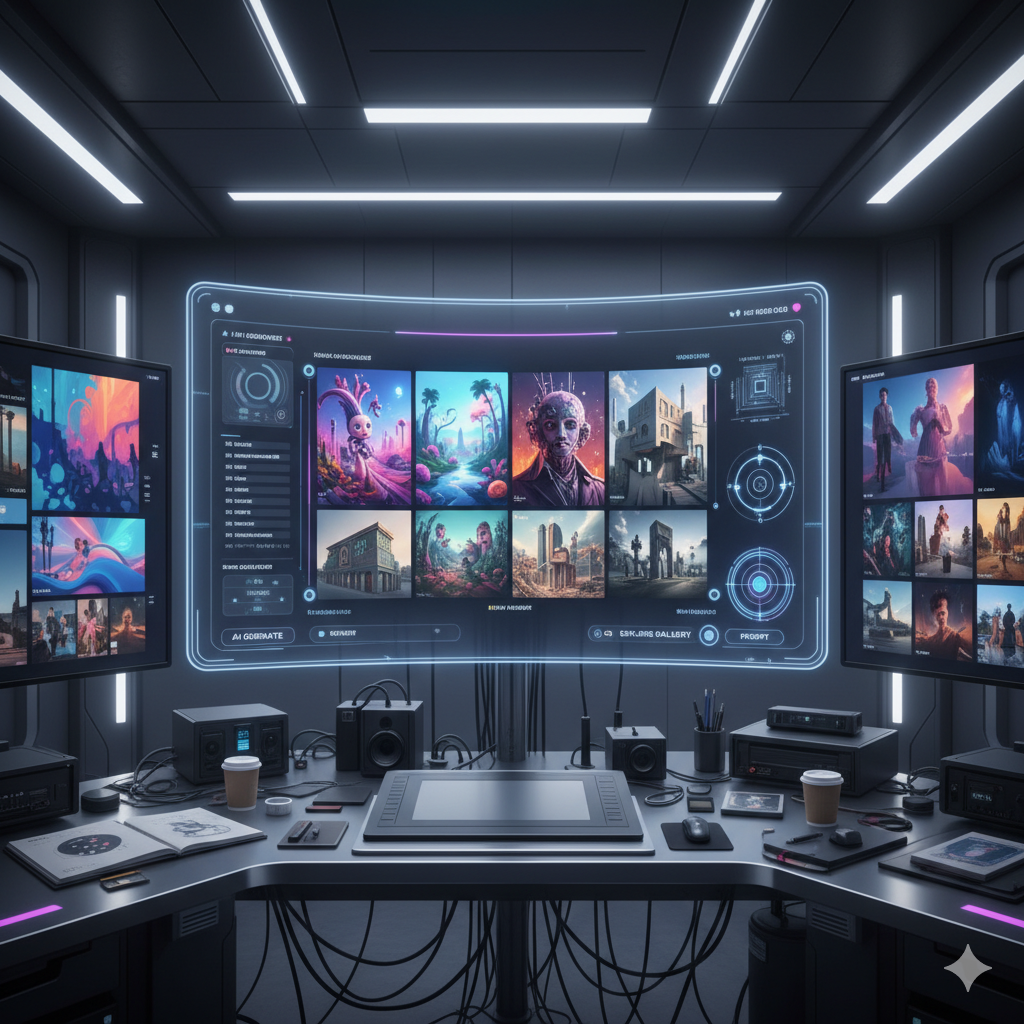
The world of digital art and design is undergoing a profound transformation, and at its heart lies Artificial Intelligence. What once seemed like science fiction is now an indispensable tool for countless professionals. AI image generators have evolved from intriguing novelties into sophisticated instruments capable of generating high-quality visuals, revolutionizing workflows, and unlocking unprecedented creative possibilities.
For professional artists, graphic designers, illustrators, architects, game developers, and marketers, harnessing the power of AI isn’t just about staying current; it’s about gaining a competitive edge, accelerating ideation, and pushing the boundaries of what’s creatively possible. Yet, with a rapidly expanding ecosystem of AI tools, choosing the right generator for your specific artistic vision and professional demands can be daunting.
This comprehensive guide aims to demystify the landscape of AI image generation. We will delve into the leading platforms, dissect their unique strengths and weaknesses, explore critical features for professional use, discuss ethical considerations, and provide practical insights to help you seamlessly integrate AI into your workflow. By the end of this article, you will be equipped with the knowledge to make informed decisions and confidently select the AI image generator that will truly elevate your professional portfolio and artistic output.
Understanding AI Image Generation: A Primer for Professionals
At its core, AI image generation involves using complex algorithms and vast datasets to create new images from textual descriptions, existing images, or a combination of both. The most prevalent models, often based on
Beyond the Novelty: Professional Applications
While consumer-level AI art may focus on whimsical or experimental creations, professional use demands precision, consistency, and a clear purpose. Here’s how AI image generation is impacting various professional fields:
- Concept Art and Ideation: Game developers and film production artists can generate hundreds of unique environment concepts, character designs, or prop variations in minutes, dramatically accelerating the brainstorming phase.
- Graphic Design and Marketing: Designers can create bespoke hero images for websites, social media campaigns, advertisements, or product mockups tailored to specific briefs and brand aesthetics, reducing reliance on stock photography.
- Illustration: Illustrators can use AI to generate base compositions, explore different artistic styles, or create intricate textures and patterns that would otherwise be time-consuming to draw manually.
- Architecture and Interior Design: AI can visualize different material palettes, lighting conditions, or furniture arrangements within a space based on textual descriptions, aiding in client presentations and design iterations.
- Fashion Design: Designers can rapidly generate new apparel patterns, textile designs, or even full outfit mockups, exploring trends and innovative aesthetics.
- Product Design: AI can help visualize product variations, packaging designs, and conceptual prototypes with different finishes and materials.
Key Terminology for Professional Users
To effectively leverage these tools, professionals must understand the underlying jargon:
- Prompt: The text instruction or description given to the AI model to generate an image. Crafting effective prompts is an art in itself.
- Model: The specific AI algorithm or neural network trained on a dataset. Different models (e.g., Midjourney V6, SDXL) have distinct aesthetic biases and capabilities.
- Parameters: Numerical settings that control various aspects of image generation, such as aspect ratio, stylization strength, seed (for reproducibility), chaos, and resolution.
- Negative Prompt: Text that tells the AI what *not* to include in the image, helping to refine results and avoid unwanted elements.
- Inpainting: The ability to modify or replace specific areas within an existing image using AI, typically by masking a section and providing a new prompt.
- Outpainting: Expanding the canvas of an existing image by intelligently generating new content beyond its original borders.
- ControlNet: An extension for Stable Diffusion that allows for precise control over image generation using external inputs like pose (OpenPose), depth maps, canny edges, or segmentation masks.
- Finetuning/Training: The process of further training a base AI model on a smaller, specific dataset (e.g., your own artwork) to specialize it in a particular style or subject.
- Seed: A numerical value that determines the starting point for the random noise generation in diffusion models. Using the same seed with the same prompt and parameters typically produces identical or very similar results.
- Upscaling: Enhancing the resolution and detail of an AI-generated image, often using specialized AI upscalers.
Understanding these concepts will empower you to move beyond basic generation and unlock the true professional potential of AI tools.
Key Features to Look for in an AI Image Generator
When selecting an AI image generator for your professional toolkit, it is crucial to evaluate features that directly impact your output quality, workflow efficiency, and legal compliance. Not all platforms are created equal, and what works for a hobbyist might fall short for a seasoned professional.
1. Image Quality and Resolution
Professional work demands impeccable visual quality. Look for generators that consistently produce high-resolution, sharp, and artifact-free images. The ability to generate images at production-ready sizes (e.g., 2K, 4K, or even higher) or to effectively upscale lower-resolution outputs without degradation is paramount.
2. Control and Customization
This is arguably the most critical feature for professionals. Hobbyists might be satisfied with surprising results, but designers need control. Key aspects include:
- Detailed Parameter Adjustments: Fine-tuning aspect ratios, style weights, randomness (chaos), and image strength.
- Negative Prompt Effectiveness: The ability to accurately exclude unwanted elements is essential for clean results.
- Seed Control: For reproducibility and generating variations of a specific image.
- Image-to-Image Generation (Img2Img): Using an existing image as a starting point for AI generation, allowing for style transfer, variations, or artistic transformations.
- Advanced Control Mechanisms: Tools like Stable Diffusion’s ControlNet offer unparalleled control over pose, composition, depth, and edge detection, making it indispensable for specific professional tasks.
3. Prompt Understanding and Flexibility
A superior AI understands complex, nuanced, and lengthy prompts. It should interpret abstract concepts, integrate multiple elements seamlessly, and accurately render specific details (e.g., “a steampunk robot with glowing eyes holding a vintage pocket watch on a foggy London street at dawn”). The ability to understand and render text within images accurately is also a growing and highly valuable feature.
4. Inpainting and Outpainting Capabilities
These features are transformative for post-production and creative iteration:
- Inpainting: Correcting flaws, removing unwanted objects, or replacing elements within an image without regenerating the entire picture. For example, changing a character’s outfit or swapping a background element.
- Outpainting: Expanding an existing image’s canvas, generating new content that seamlessly blends with the original. Ideal for extending scenes, creating panoramas, or adjusting aspect ratios for different platforms.
5. Style Transfer and Consistency
For branding or storytelling, maintaining a consistent visual style across multiple generations is crucial. Some generators excel at learning and replicating a specific aesthetic, whether it is a painterly style, photorealistic look, or even your own custom trained style.
6. Model Finetuning and Custom Training
Advanced users might need the ability to train an AI model on their own specific datasets (e.g., a collection of their own artwork, product photos, or character designs). This allows for highly specialized output that matches a unique brand or artistic signature. Platforms like Stable Diffusion and Leonardo AI offer robust finetuning options.
7. Integration with Existing Software and APIs
Seamless integration with your existing creative suite (e.g., Adobe Photoshop, Illustrator) can significantly streamline your workflow. API access is vital for developers or agencies looking to integrate AI generation into custom applications or automated processes.
8. Licensing and Commercial Use
This is non-negotiable for professionals. You must clearly understand the commercial use rights associated with the images you generate. Are you allowed to use them for client work, marketing materials, or products for sale? Look for clear terms of service regarding ownership, licensing, and any attribution requirements. Platforms like Adobe Firefly are specifically designed with commercial safety and traceable content in mind.
9. Speed and Cost
Efficiency matters. Fast generation times allow for rapid iteration and meeting tight deadlines. Evaluate the pricing model (subscription, credit-based, or open-source) and determine if it aligns with your budget and expected usage volume. Consider the cost per image generated and the value it provides.
By carefully weighing these features against your specific professional needs, you can narrow down the choices and find an AI image generator that truly empowers your creative work.
Top Contenders: A Deep Dive into Leading AI Image Generators
The AI image generation landscape is dynamic, with new tools and updates emerging constantly. Here, we highlight some of the most prominent and powerful platforms currently favored by professionals, detailing their unique strengths, weaknesses, and ideal use cases.
1. Midjourney
Midjourney has garnered a reputation for producing stunning, aesthetically pleasing, and often surreal imagery with a distinctive artistic flair. It is particularly strong in generating evocative concept art, illustrations, and marketing visuals that demand a high degree of artistic sensibility.
- Strengths:
- Exceptional Aesthetic Quality: Consistently generates beautiful and visually cohesive images, often with a dreamlike or painterly quality.
- Artistic Direction: Excels at interpreting abstract concepts and translating them into compelling visuals, requiring less explicit prompting for artistic styles.
- Rapid Iteration: Its variations feature allows for quick exploration of different artistic directions from a single prompt.
- Newer Versions (V5, V6): Recent iterations have significantly improved prompt adherence, detail, and control over elements like text rendering, moving it closer to DALL-E 3’s precision while retaining its artistic edge.
- Weaknesses:
- Less Direct Control: Historically, Midjourney offered less granular control over specific elements (e.g., exact placement, specific text) compared to Stable Diffusion, though V6 has made strides in this area.
- Web-Based Interface: Primarily accessed via Discord, which might not appeal to all professionals accustomed to dedicated software interfaces.
- Specific Stylistic Leanings: While versatile, Midjourney does have a noticeable aesthetic bias that, while beautiful, might not suit every project requiring a neutral or highly specific non-Midjourney style.
- Ideal Use Cases:
- Concept art for games and films.
- Illustrations for books, magazines, and album covers.
- High-quality marketing visuals and brand imagery.
- Mood board creation and artistic exploration.
2. DALL-E 3 (via ChatGPT Plus/Copilot)
Developed by OpenAI, DALL-E 3 represents a significant leap in prompt understanding and integration, especially through its availability within ChatGPT Plus and Microsoft Copilot. It excels at generating highly accurate images from complex, multi-layered prompts and often incorporates readable text within images more reliably than many competitors.
- Strengths:
- Superior Prompt Understanding: Interprets intricate and lengthy prompts with remarkable accuracy, often generating exactly what the user describes.
- Integrated Text Rendering: Excellent at generating legible and accurate text within images, making it invaluable for logos, signs, and posters.
- Conversational Interface: The ability to refine images through natural language conversation with ChatGPT streamlines the creative process.
- Safety and Ethical Focus: OpenAI has implemented robust safety measures to prevent the generation of harmful or inappropriate content.
- Weaknesses:
- Limited Direct Parameter Control: Users have less direct control over technical parameters (e.g., seed, aspect ratio, stylization strength) compared to other advanced tools. ChatGPT often handles these in the background.
- Less Fine-Grained Artistic Control: While great at adherence, it might offer less nuanced artistic manipulation than Midjourney or the extensive options of Stable Diffusion.
- Stylistic Consistency: Can sometimes vary in artistic style between generations unless explicitly prompted for consistency.
- Ideal Use Cases:
- Content creation for social media and blogs, especially with integrated text.
- Illustrative storytelling and visual narratives.
- Marketing materials requiring clear messaging.
- Rapid prototyping of visual concepts for presentations.
- Any task where prompt adherence and accurate text rendering are paramount.
3. Stable Diffusion (Open-source, various UIs like Automatic1111, ComfyUI)
Stable Diffusion, released by Stability AI, stands out as the most versatile and customizable AI image generator. Being open-source, it has fostered a massive community of developers and artists, leading to a rich ecosystem of custom models, extensions, and user interfaces (UIs) like Automatic1111 and ComfyUI. Its latest iteration, SDXL, significantly enhances quality and prompt understanding.
- Strengths:
- Ultimate Control: Offers unparalleled control over every aspect of image generation, from specific body poses (ControlNet) to intricate details, lighting, and composition.
- Extensibility: A vast array of community-driven models (checkpoints, LoRAs, embeddings) allows for highly specialized and niche artistic styles, subjects, and aesthetic outputs.
- Local Hosting: Can be run on your own hardware, offering privacy, offline capability, and no per-generation cost (once hardware is acquired).
- Inpainting/Outpainting Excellence: Robust tools for precise image manipulation.
- No Censorship (User-dependent): While Stability AI has content filters for its official services, local installations of open-source models allow users to have full control over content generation (with great responsibility).
- Weaknesses:
- Steep Learning Curve: The sheer number of options, parameters, and community tools can be overwhelming for beginners.
- Hardware Requirements: Running locally requires a powerful GPU (NVIDIA preferred) with sufficient VRAM, which can be an upfront investment.
- Inconsistent Quality (Model Dependent): While capable of stunning results, the quality can vary wildly depending on the specific model, Lora, and prompt used.
- Ideal Use Cases:
- Niche art styles and highly customized character or environment designs.
- Game asset generation (textures, props, character variations).
- Advanced image manipulation and restoration.
- Research and development in AI art.
- Professionals who require maximum control and are willing to invest time in learning.
4. Adobe Firefly
Adobe Firefly is Adobe’s generative AI family, deeply integrated into the Creative Cloud ecosystem. Its primary focus is on enabling creatives to use generative AI responsibly and seamlessly within their existing Adobe workflows, with a strong emphasis on commercial safety and content traceability.
- Strengths:
- Seamless Adobe Integration: Works directly within Photoshop, Illustrator, and other Creative Cloud apps, streamlining workflows.
- Commercial Safety: Trained on licensed images and public domain content, offering greater peace of mind regarding commercial use and copyright. It’s part of Adobe’s Content Authenticity Initiative.
- Generative Fill and Expand: Incredible tools for expanding images, adding elements, or removing objects directly in Photoshop.
- Text-to-Vector Graphics: Unique capability to generate editable vector graphics from text prompts, invaluable for graphic designers.
- Text Effects: Applies creative styles to text with ease.
- Weaknesses:
- Still Evolving: As a newer entrant, its stylistic range and prompt understanding might not yet match the sheer breadth or artistic quality of Midjourney or the control of Stable Diffusion for pure image generation.
- Subscription-Based: Access is tied to an Adobe Creative Cloud subscription.
- Specific Aesthetic: While versatile, it currently has a somewhat clean, commercial aesthetic that may not suit highly stylized or experimental art.
- Ideal Use Cases:
- Graphic design, marketing, and advertising within the Adobe ecosystem.
- Quick content generation, background changes, and object manipulation in photos.
- Creating vector illustrations and text effects.
- Professionals prioritizing commercial safety, copyright compliance, and integration.
5. Leonardo AI
Leonardo AI positions itself as a creative platform for generating production-quality assets, particularly for game development and visual design. It combines a user-friendly interface with powerful features, making it a strong contender for professionals who want extensive control without the steep learning curve of raw Stable Diffusion.
- Strengths:
- User-Friendly Interface: Offers a clear, intuitive web-based platform with many advanced features.
- Diverse Model Library: Hosts a wide range of finetuned models (including many Stable Diffusion variants) optimized for specific aesthetics like concept art, photography, or anime.
- Custom Model Training: Allows users to train their own custom models or LoRAs based on their unique artwork, leading to highly personalized output.
- Game Asset Focus: Excellent tools for generating textures, icons, characters, and other game-related assets.
- Prompt Assistance: Tools like Prompt Magic and Element Alchemy help users craft better prompts.
- Weaknesses:
- Credit-Based System: While offering a generous free tier, heavy usage quickly requires paid credits.
- Can Be Overwhelming: The sheer number of models and options can still be a bit much for absolute beginners, though it’s easier than barebones Stable Diffusion.
- Ideal Use Cases:
- Game designers and developers needing concept art, textures, and assets.
- Illustrators seeking diverse styles and finetuning capabilities.
- Digital artists who want advanced control without a local Stable Diffusion setup.
- Rapid prototyping and visual exploration for various design projects.
6. Ideogram AI
Ideogram AI has quickly gained attention for its exceptional ability to generate images with accurate and highly creative integrated text. While other models struggle with spelling and coherent text within images, Ideogram makes it a core strength, often delivering stylized typography that perfectly matches the image aesthetic.
- Strengths:
- Unparalleled Text Rendering: Its standout feature is its ability to generate accurate, readable, and stylistically integrated text within images, making it a game-changer for branding and advertising.
- Unique Aesthetic: Often produces images with a distinct, often bold and illustrative, aesthetic that stands out.
- Creative Styles: Offers a good range of artistic styles and can generate visually striking compositions.
- Weaknesses:
- Newer Platform: Still relatively new, so the feature set and depth of control might not be as extensive as more established players.
- Stylistic Bias: While impressive, its results tend to carry a distinct Ideogram look, which might not be universally applicable for all projects.
- Less Fine-Grained Control: Similar to DALL-E 3, it prioritizes ease of use and good defaults over highly granular parameter control.
- Ideal Use Cases:
- Logo design and branding mockups requiring text.
- Poster design, flyers, and promotional materials.
- Social media graphics with integrated slogans or calls to action.
- Any design project where accurate and stylized text within the image is crucial.
Advanced Prompt Engineering for Professional Results
While AI image generators are powerful, their true potential is unlocked through skilled
The Anatomy of a Professional Prompt
A well-structured prompt goes beyond a few keywords. It’s a detailed blueprint that includes:
- Subject: What is the main focus? (e.g., “a majestic lion,” “a cyberpunk city,” “a detailed product render”)
- Description: Details about the subject. (e.g., “with a golden mane and piercing blue eyes,” “rain-slicked neon streets,” “sleek, metallic finish”)
- Setting/Environment: Where is it taking place? (e.g., “on a sun-drenched savannah,” “at night under a full moon,” “in a minimalist studio”)
- Style/Medium: The artistic aesthetic. (e.g., “oil painting by Van Gogh,” “digital illustration by Greg Rutkowski,” “photorealistic,” “isometric,” “hyper-detailed concept art”)
- Lighting: How is it illuminated? (e.g., “cinematic lighting,” “golden hour,” “dramatic chiaroscuro,” “soft studio lighting”)
- Composition/Camera: The framing and perspective. (e.g., “wide-angle shot,” “close-up portrait,” “low-angle,” “rule of thirds,” “symmetrical composition”)
- Atmosphere/Mood: The emotional tone. (e.g., “serene,” “eerie,” “energetic,” “futuristic,” “vintage”)
- Quality/Resolution Keywords: (e.g., “8K,” “highly detailed,” “masterpiece,” “sharp focus,” “Unreal Engine render”)
Mastering Negative Prompts
Negative prompts are just as important as positive ones. They tell the AI what to avoid. Common negative prompts for professionals include:
- “ugly, deformed, blurry, low quality, bad anatomy, disfigured, poor quality, watermark, text, signature, duplicate”
- For specific cases: “extra limbs, mutated hands, multiple heads, cartoon, anime, 3D render (if you want photography)”
Experiment with strength and specificity in negative prompts to refine your output.
Iterative Prompting and Blending
Rarely will your first prompt yield a perfect result. Professional prompt engineering is an iterative process:
- Start Broad: Begin with a general concept.
- Refine: Add details, adjust style, and introduce specific lighting or composition cues.
- Iterate on Variations: Generate multiple versions and pick the most promising ones to evolve further.
- Blend Concepts: Some tools allow you to blend ideas from multiple prompts or images, creating hybrid visuals.
Using Parameters Effectively
Beyond text, numerical parameters offer immense control:
- Aspect Ratio: Essential for fitting outputs to specific screen sizes or print formats (e.g., 16:9 for video, 9:16 for social stories, 1:1 for squares).
- Seed: Critical for reproducibility. If you generate an image you like, save its seed to recreate it or make subtle variations.
- Stylize/Chaos: These Midjourney-specific parameters control how much artistic freedom the AI takes. Lower values mean closer adherence; higher values lead to more imaginative, sometimes unpredictable, results.
- Image Weight: For image-to-image prompts, this controls how much the AI adheres to the input image versus the text prompt.
Multi-Modal Prompting
Many advanced generators allow for image-to-image prompting, where you provide an existing image *and* a text prompt. This is incredibly powerful for style transfer, generating variations of an existing piece, or using a sketch as a base for a fully rendered image.
By treating prompt engineering as a core skill, professionals can transcend basic AI output and consistently generate visuals that meet their creative and commercial objectives with precision.
Integrating AI into Your Existing Workflow
The true power of AI image generators for professionals lies not in replacing human creativity but in augmenting it. Integrating these tools strategically can streamline various stages of your creative process, from initial concept to final delivery.
1. Ideation and Brainstorming Acceleration
- Rapid Visual Exploration: Instead of sketching dozens of thumbnails, generate hundreds of visual ideas in minutes. For a game environment, quickly visualize different biomes, architectural styles, or lighting scenarios.
- Mood Boards and Style Guides: Assemble highly specific mood boards for client presentations, showcasing diverse aesthetics and themes without spending hours sourcing images. AI can generate bespoke images that perfectly match a desired mood.
- Overcoming Creative Blocks: When stuck, use AI to generate unexpected concepts or variations, sparking new ideas and perspectives.
Example: A graphic designer preparing for a new branding project for a sustainable coffee shop can use AI to generate dozens of logo concepts featuring organic shapes, minimalist designs, or earthy color palettes, allowing them to quickly identify promising directions to present to the client.
2. Concept Art and Pre-Visualization
- Pre-Production for Film/Games: Quickly visualize character designs, creature concepts, vehicles, and environments. AI can provide multiple iterations for director/client feedback far faster than traditional methods.
- Architectural Pre-Renders: Generate various architectural styles, material applications, or landscaping ideas for a building concept.
- Fashion Design Mockups: Visualize garments on different body types, with various patterns, textures, and lighting conditions.
Example: A film concept artist needs to design an alien jungle. Instead of hours of painting, they can input prompts like “bioluminescent alien jungle, giant fungi, strange flora, dense fog, hyper-detailed, cinematic lighting” into Midjourney. They get dozens of unique images to use as inspiration or as a base for digital painting, cutting down initial exploration time by days.
3. Asset Generation and Content Creation
- Textures and Backgrounds: Generate seamless textures for 3D models or unique background elements for graphic designs. Stable Diffusion excels here with its tiling capabilities.
- Variations and Fillers: Need 20 different icons for a UI? AI can provide a strong starting point. Need variations of a character’s clothing or pose? AI can generate them rapidly.
- Marketing Content: Create unique images for social media posts, blog headers, email campaigns, or ad creatives on demand, tailored to specific messaging and brand guidelines. DALL-E 3 and Ideogram are excellent for incorporating text directly.
Example: A small e-commerce business needs weekly social media content. Instead of hiring a photographer or relying on generic stock photos, they use DALL-E 3 to create specific images of their products in various lifestyle settings with custom text overlays, maintaining a fresh and relevant online presence.
4. Image Enhancement and Manipulation
- Upscaling and Detail Enhancement: Improve the resolution of existing images or AI-generated outputs for print or high-definition screens.
- Inpainting and Outpainting: Modify specific parts of photos (e.g., removing distracting elements, changing colors) or expand existing images to fit new aspect ratios, seamlessly integrating with tools like Adobe Photoshop’s Generative Fill.
Example: A photographer has a stunning landscape shot but realizes a minor detail is distracting. They use Photoshop’s Generative Fill (powered by Adobe Firefly) to seamlessly remove the object and extend the sky, creating a more impactful composition without complex manual cloning.
5. Personalized Branding and Client Work
- Tailored Visuals: Create highly customized visuals for individual clients based on their unique brand identity and preferences, rather than relying on generic stock photos.
- Client Mockups: Generate quick mockups of designs with different color schemes, layouts, or visual styles for immediate client feedback, accelerating the approval process.
Example: A freelance illustrator receives a client brief for a children’s book with a very specific, quirky art style. They can use Leonardo AI to train a custom model on a few examples of the client’s preferred style, then generate character variations and scene elements that perfectly match the desired aesthetic, saving significant time in early conceptualization.
By strategically integrating AI, professionals can elevate their efficiency, expand their creative output, and offer more dynamic and personalized solutions to their clients, allowing more time for conceptual thinking and final artistic refinement.
Ethical Considerations and Best Practices
As powerful as AI image generators are, their use in professional contexts brings forth a unique set of ethical considerations that artists and designers must navigate responsibly. Ignoring these can lead to legal issues, reputational damage, and a devaluation of human creativity.
1. Originality and Authorship
One of the most debated topics is the concept of “authorship” when an AI generates an image. While the AI executes the generation, the human provides the prompt, the vision, and often the subsequent refinement. For professionals:
- Human as the Creator: Recognize that the human’s creative intent and intellectual input (prompt engineering, selection, refinement, post-processing) are what make the AI output an “artwork” or “design.”
- Disclosure: Consider disclosing the use of AI to clients or audiences, especially when the AI plays a significant role in the initial generation, fostering transparency and trust.
2. Bias in AI Models and Representation
AI models are trained on vast datasets, which inherently reflect existing biases in society and the data itself. This can lead to:
- Stereotypical Outputs: AI might over-represent certain demographics or perpetuate stereotypes when generating images based on general prompts.
- Lack of Diversity: Models might struggle to generate diverse representations unless specifically prompted.
Best Practice: Actively combat bias by crafting diverse and inclusive prompts. Explicitly specify ethnicity, gender, and other characteristics to ensure representative outputs. Critically evaluate AI-generated images for unintended biases before using them professionally.
3. Copyright and Licensing
This is arguably the most critical and complex area for professionals. The legal landscape around AI-generated content is still evolving globally.
- Training Data Concerns: Many AI models are trained on vast datasets that may include copyrighted works without explicit permission from creators. This raises questions about the legality of the model’s output.
- Output Ownership: Who owns the copyright of an AI-generated image?
- US Copyright Office: Currently states that “human authorship is a prerequisite to copyright protection” and will not register works “produced by a machine or mere mechanical process.” This means purely AI-generated images without significant human modification might not be copyrightable.
- Platform Terms of Service: Each AI generator has its own terms. Some (like Adobe Firefly) train on commercially safe data and offer commercial licenses. Others might grant you full rights to your output, while some open-source models leave it to the user. Always read the terms.
Best Practice:
- Prioritize platforms that explicitly state commercial use rights and detail their training data sources (e.g., Adobe Firefly, which uses Adobe Stock and public domain content).
- For critical projects, integrate AI-generated elements as a starting point, then heavily modify and transform them with human artistry to increase the likelihood of human authorship.
- Stay updated on legal developments in AI copyright.
- Consider tools like the Content Authenticity Initiative (CAI) for transparent content provenance.
4. Transparency and Content Authenticity
With the rise of deepfakes and misinformation, ensuring the authenticity and provenance of digital content is increasingly important.
- Content Authenticity Initiative (CAI): Led by Adobe, this initiative embeds verifiable metadata into images, detailing their origin and any AI modifications. Supporting tools that implement CAI standards can build trust.
Best Practice: Be transparent with your clients and audience about the use of AI. Add disclaimers where appropriate. Use tools that provide content provenance whenever possible.
5. Responsible Use and Avoiding Misinformation
The power of AI to create hyper-realistic images carries the risk of misuse, from generating misleading news to creating harmful deepfakes.
Best Practice: Use AI tools ethically and responsibly. Avoid generating content that is illegal, harmful, hateful, or misleading. Professionals have a role in upholding ethical standards in the digital creative space.
Navigating these ethical considerations is not just about compliance; it’s about maintaining integrity, protecting your professional reputation, and contributing to a responsible and sustainable future for AI in art and design.
The Future Landscape of AI in Art and Design
The trajectory of AI in art and design points towards an increasingly integrated, intelligent, and personalized future. Far from replacing human creativity, AI is evolving into a more sophisticated collaborator, extending our capabilities and challenging our notions of artistic production.
1. Hyper-Personalization and Finetuning
Future AI models will offer even deeper levels of personalization. Artists will be able to train models on incredibly small, highly specific datasets – perhaps just a few dozen of their own unique brushstrokes or stylistic elements – to generate outputs that are indistinguishable from their human-created work. This means AI could become a truly bespoke artistic assistant, learning and replicating individual styles with unprecedented accuracy.
2. Enhanced Multi-Modal and Multi-Dimensional Capabilities
Expect AI generators to move beyond just text-to-image. We’re already seeing rudimentary text-to-video and text-to-3D, but these capabilities will mature rapidly. Imagine sketching a 2D concept, adding text prompts, and having AI generate a fully textured, animatable 3D model, or transforming a static image into a dynamic video clip with specific camera movements and atmospheric effects. The integration of sound design, haptics, and even VR/AR environments generated on the fly will create truly immersive experiences.
3. Real-Time Generation and Editing
The latency between prompt and output will dramatically decrease. We’ll likely see AI tools that can generate and edit images in real-time, responding instantly to a designer’s brushstrokes, color choices, or even eye movements. This will transform the creative process into a fluid, interactive dialogue with the AI, making creative exploration faster and more intuitive.
4. Deeper Integration into Creative Suites
The trend of AI integration into existing creative software, as exemplified by Adobe Firefly, will intensify. Expect to see AI capabilities embedded throughout every tool in a professional’s arsenal, from advanced auto-completion and intelligent content suggestions in writing software to context-aware generative layers in image and video editors. This will allow for seamless AI assistance without breaking the creative flow.
5. The Rise of ‘AI Artists’ and Hybrid Workflows
The term “AI Artist” will become more defined, referring to individuals whose primary creative medium is prompt engineering and AI model manipulation, much like a photographer uses a camera. However, the most prevalent future will be
6. Evolving Legal and Ethical Frameworks
As AI technology advances, so too will the legal and ethical frameworks surrounding it. Expect more clarity on copyright, commercial use, and accountability. Industry standards for transparency (like the Content Authenticity Initiative) will become more widespread, fostering trust and responsible innovation.
The future of AI in art and design is not one of replacement but of exponential augmentation. It promises to democratize complex creative processes, empower individual artists with unprecedented tools, and ultimately lead to entirely new forms of artistic expression and professional opportunities. Those who embrace this evolution will be at the forefront of the next creative revolution.
Comparison Tables
Table 1: Key Features Comparison of Top AI Image Generators (Professional Focus)
| Generator | Best For | Control Level | Ease of Use | Commercial Use Clarity | Core Strengths for Professionals |
|---|---|---|---|---|---|
| Midjourney | Aesthetic Concept Art, Illustrations, Marketing Visuals | Moderate to High (increasing with V6) | Medium (Discord interface) | Generally granted to subscribers; read terms carefully. | Exceptional aesthetic quality, artistic interpretation, rapid iteration. |
| DALL-E 3 | Content Creation, Social Media, Accurate Text Integration | Moderate (via conversational prompts) | High (ChatGPT/Copilot interface) | Generally granted to subscribers; read OpenAI’s terms. | Superior prompt understanding, accurate text rendering, easy refinement. |
| Stable Diffusion | Niche Art Styles, Custom Assets, Max Control, Research | Very High (via ControlNet, custom models) | Low to Medium (requires setup/learning curve) | Varies by model/license; often open-source. User responsible. | Unparalleled customization, extensibility, local hosting, diverse community models. |
| Adobe Firefly | Graphic Design, Marketing, Adobe Workflow Integration | Medium to High (within Adobe apps) | High (integrated into familiar apps) | High (trained on licensed content, CAI support). | Seamless CC integration, commercial safety focus, text-to-vector, generative fill. |
| Leonardo AI | Game Asset Creation, Diverse Styles, Finetuning | High (intuitive controls, custom models) | Medium to High (web-based UI) | Generally granted to subscribers; read terms carefully. | User-friendly advanced features, vast model library, custom model training, game dev focus. |
| Ideogram AI | Logos, Posters, Branding with Integrated Text | Moderate (focused on specific text rendering) | High (simple web interface) | Generally granted to subscribers; check current terms. | Best-in-class text rendering within images, unique bold aesthetic. |
Table 2: Technical & Cost Overview for Professional Users
| Generator | Free Tier Available | Subscription Model | Local Hosting Option | API Access for Automation | Advanced Features/Extensions |
|---|---|---|---|---|---|
| Midjourney | No (previously offered a trial) | Monthly/Annual subscription (tiered usage credits) | No | No (community-driven wrappers exist) | Vary (upscalers, aspect ratios, style tuning) |
| DALL-E 3 | Yes (via Microsoft Copilot, limited) | ChatGPT Plus (monthly) or API credits | No | Yes (OpenAI API for programmatic use) | Inpainting, outpainting, text generation within images. |
| Stable Diffusion | Yes (via various web UIs, or locally) | Various (Stability AI’s DreamStudio is credit-based; local is hardware cost only) | Yes (requires powerful GPU) | Yes (through Stability AI or custom local APIs) | ControlNet, LoRAs, custom models, img2img, inpainting, outpainting. |
| Adobe Firefly | Yes (limited credits per month) | Included with Creative Cloud subscriptions (generative credits) | No | No (deep integration within CC apps) | Generative Fill, Generative Expand, Text to Vector, Text Effects. |
| Leonardo AI | Yes (generous daily credits) | Monthly/Annual subscription (tiered usage credits) | No | Yes (for enterprise plans) | Custom model training, image prompting, Canvas editor, Prompt Magic. |
| Ideogram AI | Yes (daily free generations) | Subscription-based (for faster generation, more options) | No | No (currently) | Integrated text rendering, diverse stylistic options, Magic Prompt. |
Practical Examples: Real-World Use Cases and Scenarios
To truly understand the impact of AI image generators, let’s explore how different professionals can leverage these tools in practical, real-world scenarios, enhancing their workflows and creative output.
Scenario 1: The Game Concept Artist
A concept artist for a new fantasy RPG needs to quickly iterate on environment designs and character armor sets for an upcoming client presentation.
- Tool: Midjourney (for initial ideation) & Stable Diffusion with ControlNet (for precision).
- Process:
- The artist starts with Midjourney, prompting for “ancient elven forest city, glowing flora, waterfall, mossy ruins, high fantasy, cinematic lighting, 8K, concept art.” They generate dozens of beautiful variations in minutes, quickly identifying promising compositions and color palettes.
- They select a few favorite environment concepts and then move to Midjourney again for character armor. Prompts like “elven knight armor, intricate gold filigree, forest green accents, practical, elegant, full body render, character concept art.”
- Once a character pose and armor style are chosen, the artist uses Stable Diffusion with ControlNet. They draw a simple stick figure sketch for the pose and a basic line art drawing of the armor design. ControlNet translates these into a high-fidelity image, ensuring the pose and armor details are exactly as envisioned, something Midjourney might struggle with for extreme precision.
- Finally, the AI-generated images are brought into Photoshop for paint-over, final detailing, and integration into the presentation, significantly reducing the initial sketching and rendering time.
- Benefit: Dramatically accelerated ideation and precise control over specific elements, leading to a professional presentation delivered ahead of schedule.
Scenario 2: The Marketing Agency for a Tech Startup
A marketing agency needs to create engaging social media graphics and a unique hero image for a new AI software launch, requiring specific text overlays and a modern, clean aesthetic.
- Tool: DALL-E 3 (for text-heavy graphics) & Adobe Firefly (for website hero image).
- Process:
- For social media, the agency uses DALL-E 3 via ChatGPT. They prompt, “A sleek, futuristic robot hand gently touching a human hand, surrounded by glowing data lines, with the text ‘Innovate Smarter’ subtly integrated into the background. Minimalist, high-tech, soft blue and white lighting.” DALL-E 3 reliably generates multiple options with perfectly legible text. They iterate by asking ChatGPT to “make the robot hand more metallic” or “change the text font to be bolder.”
- For the website hero image, they turn to Adobe Firefly, leveraging its integration with Photoshop. They generate a background image of “abstract glowing neural network, digital circuits, deep blue and purple hues, 1920×1080.”
- Once the base image is created, they use Photoshop’s Generative Fill (powered by Firefly) to add a specific product mockup, or to expand the canvas to fit different aspect ratios for various web sections, seamlessly blending new content into the existing design. They also use Firefly’s “Text Effects” feature within Photoshop to apply a unique visual style to the website’s main headline.
- Benefit: Quickly produced a consistent suite of marketing assets with accurate branding and text, all while ensuring commercial safety with Firefly’s licensed training data.
Scenario 3: The Independent Illustrator
An independent illustrator specializing in fantasy creatures wants to expand their portfolio with unique creature designs and offer custom creature commissions. They want to maintain their unique artistic style.
- Tool: Leonardo AI (for custom model training and variations).
- Process:
- The illustrator first curates a dataset of 30-50 of their existing creature illustrations, ensuring variety in pose and type but consistency in their unique art style.
- They then upload this dataset to Leonardo AI and train a custom model (or LoRA) based on their artwork.
- Once the model is trained, they can use it to generate new creature concepts. For a commission, they might prompt, “a dragon with feathered wings and iridescent scales, perched on a crystal mountain, in the style of [their custom model name], highly detailed, fantasy art.”
- The AI generates dozens of dragons that automatically adhere to the illustrator’s unique aesthetic. The illustrator then selects the most promising outputs, brings them into their drawing software (e.g., Procreate, Clip Studio Paint), and uses them as a base for a detailed paint-over and final refinement, adding their intricate details and signature flourishes.
- Benefit: Drastically speeds up the conceptualization phase for commissions and personal projects, allowing them to explore more ideas while maintaining their distinct artistic signature, effectively scaling their unique style.
These examples illustrate how AI image generators can be tailored to various professional needs, acting as powerful accelerators and creative partners rather than mere replacements for human skill.
Frequently Asked Questions
Q: Can AI truly replace human artists and designers?
A: No, AI is not designed to replace human artists and designers, but rather to augment and empower them. While AI can generate images, it lacks true understanding, emotional depth, and the nuanced critical thinking that define human creativity. Professionals use AI as a tool for ideation, rapid prototyping, and efficiency, freeing up time for higher-level conceptual work, artistic refinement, and strategic decision-making. The value of human artistic vision, ethical judgment, and storytelling remains irreplaceable.
Q: How do I ensure commercial rights for AI-generated images?
A: Ensuring commercial rights is crucial for professionals. You must carefully review the Terms of Service (ToS) of each AI platform you use. Many popular platforms like Midjourney, DALL-E 3 (OpenAI), and Leonardo AI grant users commercial rights to images generated while subscribed to their paid tiers. Adobe Firefly explicitly uses content licensed for commercial use and public domain content, offering greater peace of mind. For open-source models like Stable Diffusion, the licensing depends on the specific model and its derivatives. Always read the fine print, and when in doubt, consider adding significant human modification to AI-generated images to strengthen your claim to authorship.
Q: What’s the difference between open-source and proprietary AI generators?
A: Proprietary AI generators (e.g., Midjourney, DALL-E 3, Adobe Firefly, Ideogram AI) are developed and maintained by specific companies. They typically offer user-friendly interfaces, curated models, and dedicated support, but come with subscription costs and less transparency into their inner workings. Open-source generators (e.g., Stable Diffusion) have their code publicly available, allowing anyone to inspect, modify, and run them. This fosters immense community development (custom models, extensions), offers ultimate control, and can be run locally without ongoing per-generation costs (though requiring hardware investment and a steeper learning curve). The choice depends on your need for control, ease of use, and budget.
Q: Is prompt engineering a creative skill?
A: Absolutely. Prompt engineering is rapidly evolving into a distinct creative skill. It requires a deep understanding of artistic principles, visual vocabulary, and the specific nuances of how an AI model interprets language. Crafting effective prompts involves imagining a scene, dissecting it into descriptive elements (subject, style, lighting, composition), and strategically arranging those elements to guide the AI towards a desired outcome. It’s a form of creative direction, translating abstract ideas into precise linguistic instructions, often involving iterative refinement and experimentation, which are hallmarks of any creative process.
Q: How can I overcome the “AI aesthetic” and make my outputs unique?
A: To avoid a generic “AI aesthetic,” focus on precise prompt engineering, integrating diverse artistic influences, and leveraging advanced controls. Utilize specific artists, art movements, or photography techniques in your prompts. Use negative prompts extensively to remove common AI tropes. For platforms like Stable Diffusion and Leonardo AI, explore custom-trained models (LoRAs or finetuned checkpoints) that align with niche styles. Most importantly, use AI as a starting point, then bring the generated images into traditional editing software (Photoshop, Illustrator) for significant human refinement, paint-overs, and unique artistic flourishes. Your unique post-processing is what truly defines your style.
Q: What hardware do I need for running Stable Diffusion locally?
A: Running Stable Diffusion locally, especially for professional-grade results, requires substantial hardware, primarily a powerful Graphics Processing Unit (GPU). An NVIDIA GPU with at least 8GB of VRAM (preferably 12GB or more, like an RTX 3080, 3090, 4070, 4080, or 4090) is highly recommended for reasonable generation speeds and the ability to work with larger image sizes and more complex models like SDXL. A decent CPU, sufficient RAM (16GB+), and ample storage (SSD preferred) are also necessary. For those without powerful local hardware, cloud-based Stable Diffusion services offer an alternative.
Q: How do I choose the best AI generator for my specific needs?
A: The “best” generator depends entirely on your specific professional needs. Consider the following:
- Purpose: Are you generating concept art, marketing visuals, game assets, or intricate illustrations?
- Control vs. Ease of Use: Do you need absolute granular control (Stable Diffusion) or a more intuitive, conversational experience (DALL-E 3)?
- Aesthetic Preference: Do you prefer artistic, surreal images (Midjourney), or clean, commercially safe visuals (Adobe Firefly)?
- Workflow Integration: Does it need to integrate with your existing software (Adobe Firefly) or standalone?
- Budget & Licensing: What’s your budget, and what are the commercial rights requirements for your projects?
- Text Generation: Is accurate text within images a priority (DALL-E 3, Ideogram AI)?
Experiment with free trials or tiers to find what resonates with your workflow.
Q: What are the risks of using AI in professional work?
A: Key risks include:
- Copyright and Licensing Ambiguity: The evolving legal landscape can create uncertainty regarding ownership and commercial use.
- Ethical Concerns: Potential for bias in generated images, leading to misrepresentation or perpetuating stereotypes.
- Lack of Transparency: Not knowing the origin of training data raises ethical questions about consent and intellectual property.
- “AI Aesthetic” Homogenization: Over-reliance on AI can lead to generic or uninspired results if not properly guided and refined by human touch.
- Dependency: Over-reliance on AI might reduce skill development in traditional areas or critical thinking if used improperly.
- Misinformation: The ability to create hyper-realistic images can be misused for malicious purposes.
Mitigate these risks by staying informed, practicing ethical AI use, and prioritizing platforms with transparent and commercially safe practices.
Q: How do I avoid bias in AI-generated content?
A: Avoiding bias requires conscious effort. AI models are trained on historical data that can reflect existing societal biases. To mitigate this:
- Be Specific in Prompts: Explicitly describe diverse characteristics (gender, ethnicity, age, body type) if you need them. Instead of “a doctor,” prompt “a female doctor of African descent.”
- Use Negative Prompts: Sometimes AI might default to certain stereotypes. Use negative prompts to steer away from them (e.g., “not stereotypical,” “diverse”).
- Critically Evaluate Outputs: Always review generated images for unintended biases before using them.
- Seek Diverse Models: Some models or custom finetunes might be trained on more diverse datasets.
- Post-Processing: Make manual adjustments in editing software to correct or enhance diversity in AI-generated images.
Q: Can I use my own art to train an AI model?
A: Yes, many platforms now offer the ability to train custom models or LoRAs (Low-Rank Adaptation) using your own artwork. Leonardo AI is a prime example of a platform that makes this accessible. This process involves uploading a dataset of your images, which the AI then uses to learn and replicate your specific style, character, or object. This is an excellent way for professionals to generate images that are highly consistent with their unique artistic signature, effectively cloning their style into the AI for rapid variation generation.
Key Takeaways
- AI is an Augmentation, Not a Replacement: AI image generators are powerful tools to extend human creativity, accelerate workflows, and provide new avenues for exploration, not to supersede the human artist.
- Choice is Critical: The “best” AI generator depends on your specific professional needs, whether it’s aesthetic quality (Midjourney), prompt accuracy (DALL-E 3), ultimate control (Stable Diffusion), or seamless integration (Adobe Firefly).
- Prompt Engineering is a Core Skill: Mastering the art of crafting precise, detailed prompts is essential for unlocking the full professional potential of these tools and achieving desired results.
- Ethical and Legal Due Diligence is Paramount: Always understand the commercial use rights, potential biases, and copyright implications of the AI platforms you use. Transparency is key.
- Integration Streamlines Workflow: Strategic integration of AI into your existing creative suite can significantly boost efficiency in ideation, concept art, asset generation, and image manipulation.
- The Future is Collaborative and Personalized: AI will continue to evolve towards deeper personalization, real-time interaction, and multi-modal capabilities, fostering even richer human-AI collaboration.
- Experiment and Adapt: The AI landscape is rapidly changing. Continuous learning, experimentation, and adaptation are crucial for staying at the forefront of creative innovation.
Conclusion
The advent of AI image generators marks a pivotal moment in the history of art and design. These tools are no longer futuristic fantasies but practical, powerful allies for professional artists and designers. From rapidly iterating on concept art to generating bespoke marketing visuals and custom-trained artistic styles, AI offers an unparalleled capacity to enhance efficiency, expand creative boundaries, and deliver high-quality results.
Navigating this landscape requires a keen understanding of each platform’s unique strengths, a commitment to mastering prompt engineering, and a strong ethical compass. By carefully evaluating features, understanding commercial implications, and embracing best practices, you can seamlessly integrate AI into your workflow, transforming challenges into opportunities and unlocking new dimensions of your creative potential.
The conversation around AI in creativity will continue to evolve, but one truth remains constant: human ingenuity, vision, and critical judgment will always be at the heart of impactful art and design. By leveraging the power of AI intelligently, you are not just keeping pace with technology; you are actively shaping the future of creative expression, elevating your portfolio, and redefining what’s possible in the digital age.




























































































Leave a Reply