

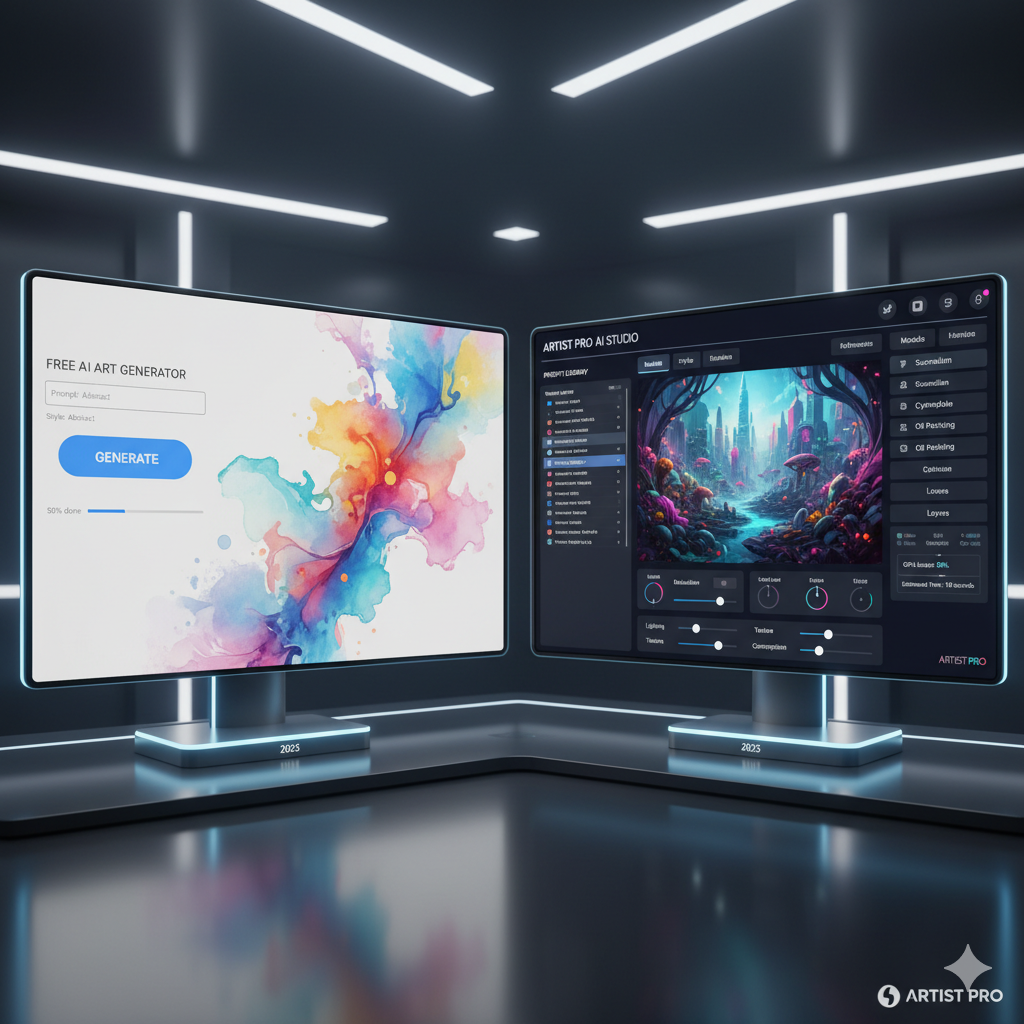
The world of artificial intelligence generated art has exploded into the mainstream, captivating artists, designers, hobbyists, and curious minds alike. What once seemed like science fiction is now an accessible reality, allowing anyone with an idea to conjure breathtaking visuals with a few simple text prompts. From hyper-realistic portraits to fantastical landscapes and abstract compositions, AI art tools are redefining the boundaries of creativity. However, as with many burgeoning technologies, a crucial question arises for aspiring creators: should you invest in a paid subscription, or can you achieve your artistic goals using the myriad of free options available?
This comprehensive guide aims to navigate the intricate landscape of AI art generators, dissecting the offerings of both free and paid platforms. We will delve into their capabilities, limitations, and the nuanced factors that should influence your choice, ultimately helping you find the perfect image generator that aligns with your artistic vision and, critically, your budget. Whether you are a seasoned professional seeking cutting-edge features or a beginner simply looking to experiment, understanding the distinctions between these tools is paramount to unlocking your full creative potential.
The AI Art Revolution: A Brief Overview
Generative Artificial Intelligence, specifically in the realm of image creation, has undergone a rapid evolution in recent years. What started with rudimentary image generation models has quickly advanced to sophisticated neural networks capable of producing astonishingly coherent and high-quality visuals. These tools, often referred to as AI image generators or text-to-image models, operate by interpreting human language prompts and translating them into pixel data, essentially “drawing” what you describe. The underlying technology typically involves large latent diffusion models, trained on vast datasets of images and their corresponding textual descriptions.
The impact of this technology is far-reaching. For artists, it presents a powerful new medium, enabling rapid prototyping, brainstorming, and the exploration of styles that might otherwise be time-consuming or technically challenging. For businesses, it offers a cost-effective solution for generating marketing materials, concept art, and unique visual content. For the general public, it’s a gateway to personal expression and a source of endless creative fun. However, this accessibility also brings with it a diverse range of tools, each with its own strengths, weaknesses, and pricing structure. Choosing wisely means understanding not just what a tool can do, but what it can do for you.
Understanding Your Needs: Defining Your Artistic Vision and Budget
Before diving into specific tools, the most crucial first step is self-assessment. What exactly do you intend to create? What is your level of experience? And, most importantly, what resources are you willing to allocate? Your answers to these questions will significantly narrow down your options and steer you towards the most suitable choice.
1. What is Your Artistic Vision?
- Experimentation and Exploration: Are you primarily interested in dabbling, seeing what AI can do, and exploring different artistic styles without a specific end goal? Free tools or those with generous trial periods might be ideal.
- Concept Art and Brainstorming: Do you need to quickly generate ideas, mood boards, or visual references for a larger project? Speed and variety might be more important than absolute fidelity.
- Personal Projects and Hobbies: Are you creating images for your social media, personal blog, or as a hobby? Quality and creative control are important, but commercial licensing might not be a top priority.
- Professional Design and Commercial Use: Do you require high-resolution images for client work, marketing campaigns, product designs, or publication? Here, image quality, commercial rights, consistency, and advanced features become non-negotiable.
- Unique Stylization and Advanced Control: Are you looking to develop a very specific artistic style, train custom models, or have granular control over every aspect of the image generation process? This often points towards more advanced, and usually paid, platforms.
2. What is Your Budget?
Your financial allocation is perhaps the most straightforward filtering mechanism. AI art tools range from completely free to subscription models costing hundreds of dollars a month. Remember to consider not just the upfront cost, but also potential recurring fees, credit systems, and whether the value provided justifies the expense for your specific use case. A “free” tool that takes hours to generate what a paid tool does in minutes might not be truly free in terms of your time and productivity.
By clearly defining your vision and budget, you establish a solid framework for evaluating the vast array of AI art generators available today.
Diving Deep into Free AI Art Tools: Pros and Cons
Free AI art tools offer an accessible entry point into the exciting world of generative art, democratizing creativity and allowing anyone to experiment without financial commitment. Many platforms offer free tiers, trial periods, or a credit system that replenishes daily or monthly. While highly attractive, these tools come with their own set of advantages and limitations.
Advantages of Free AI Art Tools:
- Accessibility for All: The most significant benefit is the complete removal of a financial barrier. This allows beginners, students, hobbyists, and those with limited budgets to explore AI art.
- Risk-Free Experimentation: You can try out different prompting techniques, explore various styles, and understand the capabilities of AI art without any monetary risk. It’s a fantastic learning ground.
- Quick Iteration for Basic Needs: For generating quick concepts, social media posts, or personal projects where absolute perfection isn’t required, free tools can be incredibly efficient.
- Introduction to Different Models: Many free tools or trials utilize underlying open-source models (like Stable Diffusion) or offer limited access to proprietary models, giving you a taste of different AI flavors.
- Community and Open Source: Tools built on open-source models often have vibrant communities, offering tutorials, tips, and shared resources that further enhance the learning experience.
Disadvantages of Free AI Art Tools:
- Limited Features and Functionality: Free versions typically restrict access to advanced features such as inpainting, outpainting, control over specific elements, custom model training, or high-resolution upscaling.
- Lower Image Quality and Resolution: Many free tools cap the resolution of generated images or produce artifacts and imperfections that require significant post-processing. The overall aesthetic quality might be lower than premium options.
- Slower Generation Times: Free users often experience longer wait times due to lower priority on shared servers, especially during peak usage hours.
- Watermarks and Branding: Some free tools embed watermarks on generated images, making them unsuitable for professional or commercial use without removal.
- Commercial Use Restrictions: This is a critical point. Many free tools or their free tiers explicitly forbid commercial use of generated images, or impose strict conditions. Always check the terms of service.
- Credit Limitations: Tools operating on a credit system provide a limited number of free generations per day or month, which can quickly run out, interrupting your workflow.
- Less Customization and Control: You might have less control over parameters like aspect ratios, seeds, style weights, or negative prompts, leading to less predictable and less refined results.
- Lack of Dedicated Support: Free users often rely on community forums or limited documentation for support, rather than dedicated customer service.
Popular Free AI Art Tools and Their Offerings:
- Bing Image Creator (powered by DALL-E 3): Integrated into Microsoft Edge and accessible via Bing Chat, this tool offers relatively high-quality images powered by DALL-E 3 for free, albeit with a credit system (“boosts”) that replenishes. It’s great for beginners due to its simplicity and natural language understanding. However, commercial use might be restricted to personal non-commercial use as per Microsoft’s terms for AI features in Bing.
- Leonardo.AI (Free Tier): Leonardo.AI provides a generous daily allocation of credits, allowing users to generate numerous images, train custom models (with certain limitations), and access features like image-to-image, prompt generation, and various fine-tuned models. It’s an excellent option for those who want more control than simple text-to-image.
- Stable Diffusion (Local Installation): For users with powerful hardware (a dedicated GPU with sufficient VRAM is essential), running Stable Diffusion locally offers complete freedom. There are no credit limits, no censorship, and full commercial rights (depending on the specific model license). However, it requires technical setup, command-line knowledge, or installation of user interfaces like Automatic1111 or ComfyUI.
- Civitai / Hugging Face Spaces: These platforms host numerous open-source Stable Diffusion models and often provide web interfaces (Spaces) where you can test different models for free, though they might have queues or rate limits.
- NightCafe Creator (Free Credits): NightCafe offers a free tier with daily credits, allowing users to experiment with various AI art styles and models. It’s user-friendly and good for quick creations, but the free credits are limited.
In summary, free AI art tools are fantastic for exploration, learning, and non-commercial personal projects. They provide an invaluable service by making AI art accessible. However, their limitations, especially regarding quality, speed, and commercial rights, often necessitate a move to paid options for serious creators.
Exploring Paid AI Art Tools: What You Get for Your Money
When you subscribe to a paid AI art tool, you are typically investing in a suite of advantages designed to elevate your creative workflow, enhance image quality, and provide greater control and reliability. Paid platforms cater to professionals, dedicated hobbyists, and anyone requiring consistent, high-quality output with commercial viability.
Advantages of Paid AI Art Tools:
- Superior Image Quality and Resolution: Paid subscriptions almost universally offer higher resolution outputs, more detail, better coherence, and fewer artifacts. They often provide advanced upscaling features to achieve print-ready quality.
- Advanced Features and Customization: Paid tiers unlock a wealth of sophisticated functionalities:
- Inpainting and Outpainting: Modify specific sections of an image or expand its borders.
- ControlNet Integration: Precise control over composition, pose, depth, and style.
- Custom Model Training: Create your own AI models based on your specific art style or assets.
- Seed Control and Variation Generation: Generate consistent characters or objects across multiple images.
- Iterative Refinement: Tools for enhancing, remixing, and refining previous generations.
- Exclusive Models and Algorithms: Access to proprietary AI models that produce unique aesthetic results not available elsewhere.
- Faster Generation Times: Paid users typically receive priority access to GPU resources, leading to significantly quicker image generation and less waiting time.
- Commercial Use Rights: A critical differentiator. Most paid subscriptions explicitly grant users commercial rights to the images they generate, making them suitable for client work, merchandise, advertising, and other profit-generating ventures. Always read the specific license agreement.
- Dedicated Customer Support: Paid users often benefit from responsive customer service channels, offering assistance with technical issues, billing, and guidance.
- Increased Stability and Reliability: Paid services usually have more robust infrastructure, leading to fewer downtimes, bugs, and more consistent performance.
- No Watermarks: Images generated are typically clean, without any branding or watermarks from the platform.
- Greater Privacy: Some paid platforms offer options for private generations, ensuring your prompts and creations are not publicly visible or used for training.
Disadvantages of Paid AI Art Tools:
- Cost: The most obvious drawback is the recurring subscription fee or the cost of purchasing credit packs. This can be a significant barrier for casual users or those with very limited budgets.
- Learning Curve: With more features comes greater complexity. Mastering advanced controls and achieving desired results can require a steeper learning curve.
- Commitment: A subscription implies a commitment. If your AI art needs are sporadic, a paid monthly subscription might be inefficient compared to a credit-based system.
- Vendor Lock-in: Relying heavily on one proprietary paid tool might make it harder to switch platforms later if your needs change or if the tool’s offerings evolve unfavorably.
Popular Paid AI Art Tools and Their Offerings:
- Midjourney: Renowned for its unique aesthetic and ability to produce stunning, often painterly, images, Midjourney operates solely on a subscription model (after a very limited trial, if available). It offers various tiers with increasing numbers of fast generations, private mode, and commercial rights. It’s accessed primarily via Discord, which might be a barrier for some.
- DALL-E 3 (via ChatGPT Plus/Teams/Enterprise): While Bing Image Creator offers limited DALL-E 3 access for free, full, unthrottled access with commercial rights (for subscribed users) is available through ChatGPT Plus, ChatGPT Team, or Enterprise subscriptions. DALL-E 3 excels at understanding complex, nuanced prompts and integrating text into images.
- Adobe Firefly: Integrated into Adobe Creative Cloud applications, Firefly is designed to be commercially safe. It focuses on generative fill, text effects, and image generation with a strong emphasis on content authenticity and indemnification for business users. It comes as part of Adobe subscriptions or with dedicated Firefly credits.
- Stability AI (DreamStudio, Clipdrop): While Stable Diffusion is open source, Stability AI offers cloud-based services like DreamStudio and Clipdrop (for various AI tools) with paid credit systems or subscriptions. These provide easier access to their latest models without local installation, often with enhanced features and commercial rights.
- Artbreeder: Known for its ability to “breed” and combine images, create variations, and offer extensive control over facial features and other attributes. It has various paid tiers that unlock more generations, higher resolution, and commercial usage.
- NightCafe Creator (Paid Credits/Subscriptions): Beyond its free credits, NightCafe offers bundles of credits or subscription plans that unlock significantly more generations, higher quality options, and commercial usage rights.
Paid AI art tools represent the pinnacle of current generative AI capabilities, providing the power, flexibility, and legal assurances that are often critical for professional and serious artistic endeavors. The investment typically translates directly into higher quality, greater efficiency, and broader creative possibilities.
Key Factors to Consider When Choosing Your AI Art Tool
Making an informed decision requires a systematic evaluation of several crucial factors beyond just cost and basic feature sets. Each of these elements can significantly impact your workflow, the quality of your output, and the long-term viability of your chosen tool for your specific needs.
1. Image Quality and Resolution
This is arguably the most important factor for many. How sharp, detailed, and aesthetically pleasing are the generated images?
- Free Tools: Often produce lower resolution images, sometimes with noticeable artifacts, blurriness, or inconsistencies. Upscaling might be limited or require external tools.
- Paid Tools: Generally deliver high-resolution, sharp, and consistent images with superior detail and realism. Many offer integrated upscalers and options for very large outputs suitable for print.
2. Feature Set and Customization Options
Beyond basic text-to-image, what advanced controls does the tool offer?
- Basic Generation: All tools do this.
- Image-to-Image: Can you provide a base image for the AI to transform?
- Inpainting/Outpainting: The ability to modify or extend specific parts of an image.
- ControlNet/Structured Input: Advanced control over composition, pose, depth maps, or edge detection using reference images.
- Custom Model Training: Can you fine-tune the AI on your own datasets to create unique styles or characters?
- Negative Prompting: Explicitly telling the AI what not to include.
- Seed Control: The ability to reuse a specific random seed to recreate or vary an image consistently.
- Aspect Ratio Control: Precise control over image dimensions.
3. Commercial Use and Licensing
Crucial for anyone intending to monetize their AI-generated art.
- Free Tools: Often have restrictive licenses, typically limiting use to personal, non-commercial projects. Selling merchandise, using images in ads, or for client work might be prohibited.
- Paid Tools: Most paid tiers grant commercial usage rights, but it is absolutely essential to read the specific terms and conditions for each platform. Some may offer indemnification (protection against copyright claims), like Adobe Firefly.
4. Speed and Efficiency
How quickly can you generate images?
- Free Tools: Can be slow, with images generated in queues or taking several minutes, especially during peak hours. Credit systems can also limit rapid iteration.
- Paid Tools: Offer significantly faster generation times (often seconds) due to priority access to computational resources. This is vital for rapid prototyping and meeting deadlines.
5. Community and Support
Access to help and resources.
- Free Tools: Primarily rely on community forums, Discord servers, and online tutorials for support.
- Paid Tools: Often provide dedicated customer support teams, extensive documentation, and active communities, offering a more structured support environment.
6. Ease of Use and Learning Curve
How intuitive is the interface, and how much effort is required to master the tool?
- Beginner-Friendly: Tools like Bing Image Creator or basic Leonardo.AI are quite straightforward.
- Intermediate: Midjourney (via Discord) requires learning specific commands and parameters.
- Advanced: Local Stable Diffusion installations with interfaces like Automatic1111 or ComfyUI have a steep learning curve but offer unparalleled control.
7. Privacy and Data Security
Concerns about your prompts and generated images being used for training or being publicly visible.
- Public Generations: Many free and even some paid tools (like Midjourney’s default mode) make your generations and prompts publicly visible.
- Private Mode: Some paid tiers offer a “private mode” to keep your work confidential.
- Data Usage: Be aware of how platforms use your data for model training or improvement.
8. Hardware Requirements
Does the tool run in the cloud, or does it require local hardware?
- Cloud-Based: Most free and paid services are cloud-based, meaning you only need a web browser and internet connection.
- Local Installation (e.g., Stable Diffusion): Requires a powerful GPU (NVIDIA with at least 8GB, preferably 12GB+ VRAM is recommended) and technical expertise, but offers complete control and no recurring costs.
By carefully evaluating these factors against your specific needs, you can make a highly informed decision that optimizes both your artistic output and your financial investment.
Hybrid Approaches: Getting the Best of Both Worlds
For many creators, a rigid “free only” or “paid only” approach might not be the most efficient or cost-effective strategy. A hybrid approach, strategically combining free and paid tools, can often yield the best results, maximizing both creative freedom and budget efficiency. This involves leveraging the strengths of different platforms for various stages of your creative process.
Here are a few ways to implement a hybrid strategy:
- Free for Brainstorming, Paid for Refinement:
- Initial Concepts: Use free tools like Bing Image Creator or Leonardo.AI’s free tier for rapid brainstorming, generating a wide array of concepts and exploring different ideas without spending credits. Their speed for basic ideas is often sufficient.
- Final Polish: Once you have a strong concept, move to a paid tool like Midjourney or DALL-E 3 (via ChatGPT Plus) to generate high-quality, detailed, and commercially viable final images. This ensures your final product meets professional standards.
- Local Stable Diffusion for Volume, Cloud Tools for Specific Styles:
- High-Volume Generation: If you have the hardware, run Stable Diffusion locally for generating a large number of images without credit limits. This is excellent for exploring variations, creating asset libraries, or tasks where sheer quantity is useful.
- Proprietary Aesthetics: Supplement this with a paid subscription to a tool like Midjourney when you need its distinctive artistic style, which is often difficult to replicate precisely with open-source models.
- Free for Learning, Paid for Production:
- Skill Development: Utilize free tools to learn the nuances of prompt engineering, understand AI behavior, and experiment with various parameters. This builds your foundational knowledge without financial pressure.
- Professional Output: Once proficient, subscribe to a paid tool for client projects or commercial endeavors, knowing you can maximize its features to produce top-tier results.
- Credit-Based Systems for Occasional Use:
- If your AI art needs are infrequent, consider paid platforms that offer credit packs rather than mandatory monthly subscriptions. This allows you to pay only for what you use, making it cost-effective for sporadic projects.
- NightCafe Creator and DreamStudio (Stability AI) are good examples of platforms that offer credit purchases.
- Leveraging AI Enhancers:
- Generate an initial image with a free tool, then use a paid AI upscaler (like Topaz Labs Gigapixel AI or certain features in Clipdrop/DreamStudio) to enhance its resolution and detail for a professional finish. This can sometimes bridge the quality gap of free generators.
The key to a successful hybrid approach is flexibility and an understanding of each tool’s unique value proposition. By strategically combining resources, you can optimize both your creative output and your financial expenditure, ensuring you always have the right tool for the job at hand.
Comparison Tables
To further illustrate the differences, here are two tables providing a comparative overview of AI art tool types and specific popular platforms.
Table 1: General Feature Comparison – Free vs. Paid AI Art Tools
| Feature | Typical for Free AI Art Tools | Typical for Paid AI Art Tools | Impact on User |
|---|---|---|---|
| Image Quality & Resolution | Often lower, sometimes with artifacts; limited high-res options; watermarks common. | High-quality, detailed, consistent; high-resolution outputs; integrated upscalers; no watermarks. | Affects professional use, print quality, and overall aesthetic appeal. |
| Commercial Use Rights | Highly restricted or prohibited; usually personal, non-commercial use only. | Generally granted with subscription; terms vary, check licenses carefully; some offer indemnification. | Crucial for monetizing art, client work, and business applications. |
| Generation Speed | Slower; images generated in queues; lower priority access to servers. | Faster; priority access to dedicated GPU resources; rapid iteration. | Impacts workflow efficiency, ability to meet deadlines, and speed of experimentation. |
| Advanced Features | Basic text-to-image; limited control over parameters; few advanced editing options (inpainting, ControlNet). | Comprehensive feature sets: inpainting, outpainting, ControlNet, custom model training, seed control, advanced parameters. | Determines creative control, ability to refine specific details, and unlock complex artistic visions. |
| Credit / Usage Limits | Strict daily/monthly credit limits; often run out quickly. | Generous credit allocations; unlimited “relax” modes; higher tiers offer vast capacities. | Limits creative flow, exploration, and ability to complete large projects without interruption. |
| Support & Community | Community forums, basic FAQs; self-help focus. | Dedicated customer support, extensive documentation, active developer community. | Reliability of assistance for technical issues or queries. |
| Privacy & Confidentiality | Generations often public by default; limited options for private mode. | Options for private generation (often in higher tiers); more explicit data usage policies. | Concerns about intellectual property, sensitive project work, and prompt exposure. |
Table 2: Specific Tool Comparison – Popular AI Image Generators
| Tool (Tier) | Primary Strengths | Typical Image Quality / Aesthetic | Commercial Use | Cost Model | Key Limitation for Free/Base Tier |
|---|---|---|---|---|---|
| Bing Image Creator (Free) | Powered by DALL-E 3; excellent prompt understanding; natural language processing. | High quality for free; good detail and coherence, integrates text well. | Personal non-commercial use (check terms). | Free (daily “boosts” limit speed). | Limited daily “boosts”; slower generations after boosts run out; no advanced features. |
| Leonardo.AI (Free Tier) | Generous daily credits; custom model training (limited); robust feature set; user-friendly. | Good to very good; wide range of styles and models; improving quality. | Yes, with attribution for free tier; commercial license with paid plans. | Free (daily credit allowance). | Credit limits; some advanced features locked; slightly slower than paid. |
| Midjourney (Basic Paid) | Distinctive, often surreal and painterly aesthetic; high artistic quality; excellent lighting. | Exceptional artistic quality, highly consistent and stylized. | Yes, for subscribers. | Subscription ($10-30+/month). | No free tier (as of recent changes); accessed via Discord (can be a barrier). |
| DALL-E 3 (via ChatGPT Plus) | Unparalleled prompt understanding; robust text integration; versatile styles. | Very high quality, excels at complex scene composition and precise details. | Yes, for subscribers (check OpenAI terms). | Subscription ($20+/month for ChatGPT Plus). | Tied to ChatGPT subscription; no standalone free access (beyond Bing). |
| Adobe Firefly (Paid) | Commercially safe; integrated with Adobe Creative Cloud; focuses on generative fill, text effects. | High quality, clean, and reliable; designed for production environments. | Yes, with indemnification for business plans. | Credit-based within Adobe CC or standalone. | Credit system can be costly for high volume; may feel less ‘wild’ for pure artistic exploration. |
| Stable Diffusion (Local) | Full control; no cost after hardware; unlimited generations; extensive customization. | Variable (depends on model and user skill); can be exceptional. | Generally open source licenses (check specific model license). | Free (requires local powerful GPU). | Requires technical setup; steep learning curve; significant hardware investment. |
Practical Examples: Real-World Use Cases and Scenarios
To truly understand the implications of choosing a free versus paid AI art tool, let’s look at several real-world scenarios and how different options might suit them.
Scenario 1: The Indie Game Developer on a Shoestring Budget
Vision: An aspiring indie game developer needs quick concept art for characters, environments, and UI elements for a pitch deck or early development phase. They have very limited funds but a decent computer.
Recommendation:
- Primary Tool: Stable Diffusion (Local Installation)
- Why: Since they have a decent computer, running Stable Diffusion locally means zero recurring costs. They can generate an unlimited number of concepts, iterate rapidly, and experiment with various open-source models available on Civitai. The commercial license for many Stable Diffusion models is permissive, allowing use in their game.
- How it helps: Rapidly visualize different character designs, experiment with environment styles, generate UI button ideas, and create mood boards without worrying about credit limits or subscription fees.
- Secondary Tool: Leonardo.AI (Free Tier)
- Why: When a specific artistic style or a more curated model is needed, Leonardo.AI’s free credits can be used. It’s cloud-based, so it doesn’t tax their local machine and offers some user-friendly fine-tuned models for quicker results.
- How it helps: Generate a few high-quality hero character concepts or specific prop designs that require a slightly more polished aesthetic than their local Stable Diffusion setup might yield quickly.
Scenario 2: The Social Media Influencer/Content Creator
Vision: A social media influencer regularly needs engaging, unique visuals for their posts, stories, and headers across platforms like Instagram, TikTok, and YouTube. Consistency and visual appeal are important, but their primary income isn’t solely from this art.
Recommendation:
- Primary Tool: Bing Image Creator (DALL-E 3)
- Why: It’s free, integrates DALL-E 3 for excellent prompt understanding, and can generate visually appealing images quickly. The daily “boosts” are usually sufficient for regular social media content.
- How it helps: Quickly create eye-catching headers, illustrative images for blog posts, unique profile pictures, or visual metaphors for their content topics. The quality is high enough for digital display.
- Secondary Tool: Midjourney (Basic Paid Plan)
- Why: For truly standout content, particularly for sponsored posts or signature branding elements, Midjourney’s unique aesthetic and superior artistic quality are invaluable. A basic paid plan provides commercial rights and enough fast generations for key pieces.
- How it helps: Generate premium-quality thumbnails for YouTube videos, unique art pieces for their “link in bio” page, or visually stunning campaign assets for brand partnerships.
Scenario 3: The Professional Graphic Designer/Illustrator
Vision: A graphic designer requires high-resolution, commercially viable images for client projects, including marketing collateral, website graphics, and custom illustrations. Speed, control, consistency, and legal assurances are paramount.
Recommendation:
- Primary Tool: Adobe Firefly (via Creative Cloud Subscription)
- Why: Firefly’s focus on commercial safety, indemnification, and seamless integration with existing Adobe Creative Cloud workflows (Photoshop, Illustrator) makes it ideal. The quality is professional, and generative fill features save immense time.
- How it helps: Use generative fill to expand backgrounds, remove unwanted objects, or create complex text effects. Generate concept variations for logos, create bespoke illustrations for brochures, or rapidly produce unique website hero images. The commercial license provides peace of mind.
- Secondary Tool: DALL-E 3 (via ChatGPT Plus) or Midjourney (Standard Paid Plan)
- Why: For client requests that require a very specific style or highly nuanced prompt interpretation, these tools offer distinct advantages. DALL-E 3 excels at specific scenes with intricate details and text, while Midjourney provides unparalleled artistic flair.
- How it helps: Generate highly specific product visual concepts for a marketing campaign (DALL-E 3), or create a series of abstract, evocative images for a brand’s visual identity that demands artistic sophistication (Midjourney).
Scenario 4: The Art Enthusiast Experimenting with New Styles
Vision: Someone passionate about art wants to explore different generative styles, understand prompt engineering, and create unique pieces for personal enjoyment or sharing with friends. Their budget is minimal.
Recommendation:
- Primary Tool: Leonardo.AI (Free Tier)
- Why: With a generous daily credit allowance, numerous fine-tuned models, and user-friendly interface, Leonardo.AI is perfect for exploring a vast range of artistic styles from anime to photorealism. It also introduces features like image-to-image and prompt generation.
- How it helps: Generate endless variations of fantasy creatures, sci-fi landscapes, or abstract patterns. Experiment with different model styles to see how they interpret prompts, developing their own prompting skills.
- Secondary Tool: NightCafe Creator (Free Credits)
- Why: NightCafe offers a slightly different aesthetic and a simple interface, making it another good option for casual exploration without overlapping too much with Leonardo.AI’s strengths. Its community features can also be inspiring.
- How it helps: Explore unique style transfer options or engage with other artists’ creations to find new inspiration and techniques.
These examples highlight how diverse needs and budgets lead to different optimal choices. It is rarely a one-size-fits-all solution, and often a combination of tools proves to be the most effective strategy.
Frequently Asked Questions
Q: What is the main difference between free and paid AI art tools?
A: The primary differences lie in image quality, resolution, speed of generation, access to advanced features (like inpainting, ControlNet, custom model training), and critically, commercial usage rights. Paid tools generally offer superior quality, faster processing, more robust features, and explicit commercial licenses, while free tools are excellent for experimentation but often come with limitations in these areas.
Q: Can I sell art made with free AI art tools?
A: Generally, no, or only under very strict conditions. Most free tiers or completely free tools explicitly state in their terms of service that generated images are for personal, non-commercial use only. Always read the specific licensing agreement of each tool you use. For true commercial viability and peace of mind, a paid subscription that grants commercial rights is almost always required.
Q: Which free AI art tool is best for beginners?
A: For absolute beginners, Bing Image Creator (powered by DALL-E 3) is an excellent starting point due to its intuitive interface, strong natural language understanding, and relatively high-quality output for a free tool. Leonardo.AI’s free tier is also highly recommended for beginners who want a bit more control and access to fine-tuned models, with a generous credit system and a user-friendly platform.
Q: Which paid AI art tool offers the best value for money?
A: “Best value” is subjective and depends on your specific needs. Midjourney offers unparalleled artistic aesthetics for those prioritizing unique visual styles. DALL-E 3 (via ChatGPT Plus) provides exceptional prompt understanding and detail for those needing precise control. Adobe Firefly offers commercial safety and seamless integration for professional designers within the Adobe ecosystem. Evaluate based on your most critical requirements: quality, features, commercial rights, and integration.
Q: How important are commercial rights for AI-generated art?
A: Commercial rights are extremely important if you intend to use the AI-generated art for any profit-generating activity. This includes selling prints, using images in advertisements, client projects, merchandise, or incorporating them into products. Without explicit commercial rights, you risk legal issues, including copyright infringement claims. Always verify the licensing terms, as they vary widely between platforms and even between free and paid tiers of the same platform.
Q: What about privacy when using AI art tools? Are my prompts or images public?
A: Privacy varies significantly. Many free and some paid tools, by default, make your prompts and generated images public (e.g., Midjourney’s default public channels). This means others can see your creations and prompts. If confidentiality is a concern, look for tools or paid tiers that offer a “private mode” or clear statements about data privacy and non-use of your creations for public training. Local installations of open-source models like Stable Diffusion offer the highest level of privacy as everything runs on your machine.
Q: Do I need a powerful computer to use AI art tools?
A: For most popular cloud-based AI art tools (like Midjourney, DALL-E, Leonardo.AI, Firefly), you do not need a powerful computer. They run the heavy computations on their servers, and you only need a modern web browser and an internet connection. However, if you plan to run open-source models like Stable Diffusion locally on your own machine, you will need a powerful dedicated graphics card (GPU) with sufficient VRAM (at least 8GB, preferably 12GB or more) to achieve reasonable generation speeds.
Q: What are “credits” and how do they work in AI art generators?
A: Credits are a common payment or usage metric in many AI art tools. Each image generation, or sometimes each iteration or use of a specific feature, consumes a certain number of credits. Free tiers often provide a limited number of daily or monthly credits. Paid plans typically offer a much larger credit allowance, or an “unlimited” slow mode, or an entirely subscription-based model that implies unlimited usage within a certain speed tier. When your credits run out, you usually have to wait for them to replenish (free tier) or purchase more (paid tier).
Q: Is it worth paying for AI art tools?
A: For serious artists, designers, or anyone intending to use AI-generated art professionally or commercially, paying for an AI art tool is almost certainly worth it. The investment typically translates into significantly higher quality, greater creative control, faster workflow, reliable support, and crucial commercial usage rights. For casual users or those just exploring, free tools are often sufficient to start, but the limitations often become apparent as their creative needs evolve.
Q: Can AI art tools replace human artists?
A: AI art tools are powerful instruments that augment human creativity, not replace it. They act as sophisticated assistants, allowing artists to rapidly prototype ideas, explore styles, and automate tedious tasks. The human artist’s vision, judgment, aesthetic sensibility, and unique creative input remain indispensable. AI is a tool, much like a paintbrush or a graphics tablet; the artistry still comes from the human using it.
Key Takeaways
- Define Your Needs First: Before choosing, clearly identify your artistic vision, project requirements (personal vs. commercial), and budget.
- Free Tools are for Exploration and Basic Use: Excellent for learning, experimentation, and non-commercial personal projects, but often come with limitations in quality, speed, and features.
- Paid Tools Offer Professional Advantages: Provide superior image quality, advanced features, faster generations, dedicated support, and crucial commercial usage rights, making them ideal for professional and commercial applications.
- Commercial Rights are Non-Negotiable for Business: Always verify the licensing terms for any AI art generated for profit-making endeavors. This is a key differentiator between free and paid.
- Quality and Resolution Scale with Cost: Generally, the more you pay, the higher the resolution, detail, and overall aesthetic quality of the generated images.
- Consider a Hybrid Approach: Combining free tools for brainstorming and paid tools for final production can be a cost-effective and efficient strategy for many creators.
- Evaluate Features Beyond Basic Generation: Look for advanced controls like inpainting, outpainting, ControlNet, and custom model training if precise artistic control is important.
- Hardware Matters for Local Runs: If opting for open-source tools like Stable Diffusion locally, ensure you have a powerful GPU to handle the computational demands.
- AI Tools are Creative Augmenters: They are powerful assistants that enhance human creativity, not replacements for the artist’s unique vision and skill.
Conclusion
The journey through the landscape of free and paid AI art tools reveals a vibrant ecosystem brimming with possibilities for every kind of creator. There is no single “best” image generator; rather, there is a right tool for your specific artistic vision, budget, and project requirements. For those taking their first steps into generative art, the accessibility and freedom of free tools offer an invaluable playground for experimentation and learning, democratizing a truly revolutionary technology. These platforms allow you to dabble, to dream, and to discover the sheer potential of AI without any financial commitment.
However, as your artistic aspirations grow, particularly towards professional endeavors or commercial applications, the limitations of free options quickly become apparent. This is where paid AI art tools shine, offering the uncompromising quality, advanced features, speed, and critical commercial rights that are essential for high-stakes projects and consistent, professional-grade output. Investing in these tools is an investment in your creative efficiency, the fidelity of your vision, and the legal security of your work.
Ultimately, the most effective strategy for many will be a thoughtful blend of both worlds. By leveraging free tools for initial concepts and casual exploration, and then strategically employing paid services for refinement, high-resolution outputs, and commercial distribution, you can optimize your workflow and maximize your creative potential without unnecessary expenditure. The choice is yours to make, armed with the knowledge to navigate this exciting frontier. So, embark on your creative journey, experiment boldly, and let the incredible power of AI art tools bring your imagination to life.




























































































Leave a Reply