

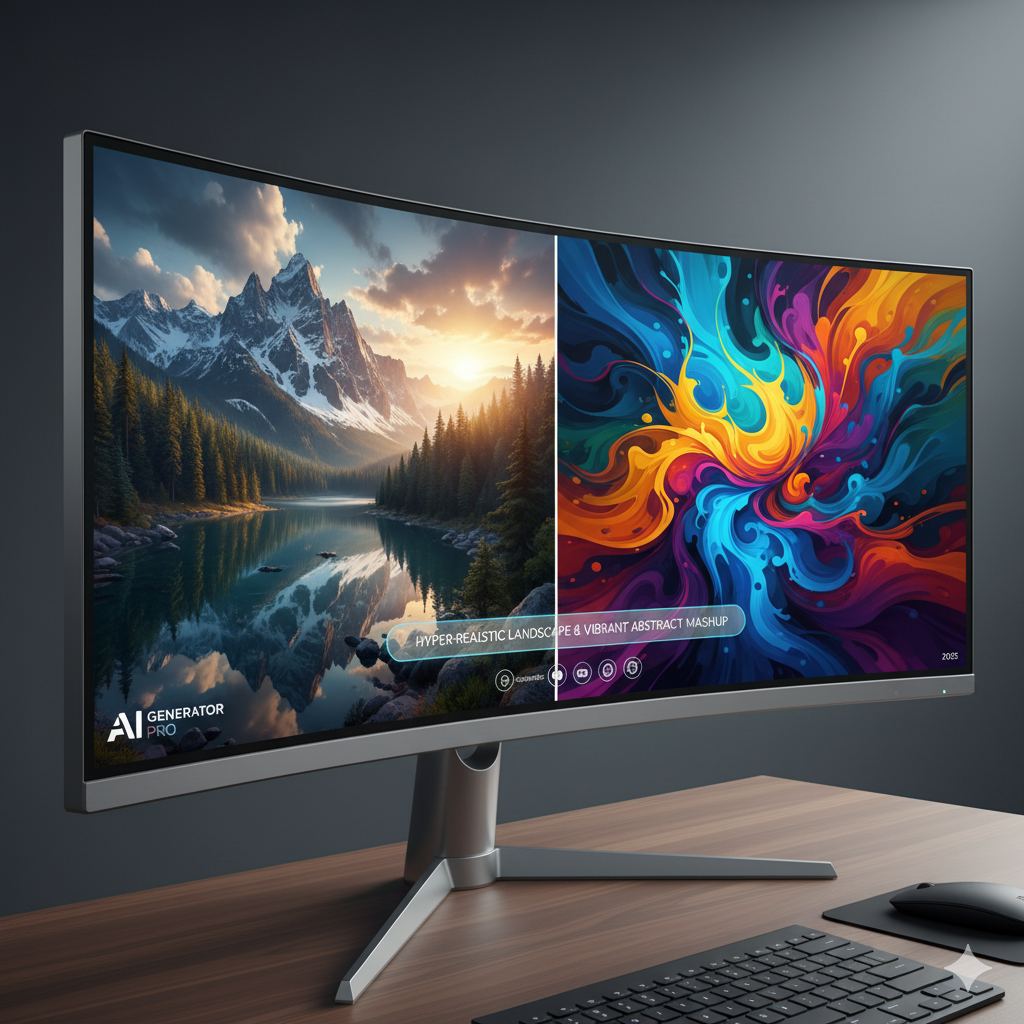
The canvas of creativity has expanded dramatically in recent years, reaching far beyond traditional brushes and digital tablets. Today, a new artisan has joined our ranks: Artificial Intelligence. AI image generators have exploded onto the scene, offering unprecedented capabilities to transform text prompts into breathtaking visuals. For artists, designers, and enthusiasts alike, this technological marvel presents both an exciting opportunity and a new challenge: how do you choose the right AI partner for your unique artistic vision?
Whether your dream is to render a hyperrealistic cityscape indistinguishable from a photograph, or to conjure an ethereal, abstract landscape that evokes deep emotion, the choice of AI tool profoundly impacts your final output. This comprehensive guide will navigate you through the intricate world of AI image generation, helping you understand the nuances of different platforms, their strengths, weaknesses, and how to harness them to bring your specific artistic concepts—be they strikingly real or wonderfully abstract—to vivid life.
We’ll delve into the fundamental differences between photorealistic and abstract art in the context of AI, explore the underlying technologies driving these generators, and provide practical insights into popular tools like Midjourney, Stable Diffusion, and DALL-E. You will learn about crucial features, advanced techniques, and gain real-world examples to empower your creative journey. By the end of this article, you will be equipped with the knowledge to confidently select the AI image generator that aligns perfectly with your artistic aspirations.
Understanding Your Artistic Vision: Photorealism vs. Abstract Art in AI
Before diving into the specifics of AI tools, it is paramount to clearly define your artistic goal. The world of visual art is vast, but for the purpose of AI generation, we can broadly categorize intentions into two significant camps: photorealism and abstract art. Understanding the characteristics and demands of each will be your compass in this journey.
Defining Photorealism with AI
Photorealism, as an artistic style, aims to reproduce an image with meticulous detail, striving for an optical illusion of reality. When applied to AI art, this means generating images that mimic photographs in every aspect: light, shadow, texture, perspective, and color fidelity. The goal is often to create visuals that are difficult to distinguish from real-world captures, or even to create scenes that are physically impossible but appear utterly convincing.
- Characteristics:
- High Fidelity: Extremely fine detail, accurate textures, and nuanced surface rendering.
- Realistic Lighting: Believable interplay of light and shadow, accurate reflections, and atmospheric effects.
- Consistent Anatomy and Perspective: Objects, figures, and environments adhere to natural laws of physics and perception.
- Subtle Imperfections: Often includes minor details like dust, scratches, or natural variances that enhance realism.
- Typical AI Use Cases:
- Product Visualization: Creating lifelike mockups of products for marketing and design review.
- Architectural Rendering: Generating realistic exterior and interior views of buildings before construction.
- Concept Art: Developing highly detailed environments, characters, or props for film, games, or advertising.
- Hyperrealism: Producing images of fantastical elements with photographic credibility.
- Fashion Design: Visualizing clothing on realistic models or in virtual environments.
For artists pursuing photorealism, the chosen AI generator must excel at coherence, fine detail, and understanding complex spatial relationships. It must be adept at translating abstract concepts like “soft light” or “gritty texture” into visually accurate representations.
Embracing Abstract Art with AI
Abstract art, in stark contrast, moves away from literal representation. It focuses on form, color, line, and texture to create an effect, evoke emotion, or convey an idea, rather than depicting an objective reality. With AI, this opens up a boundless realm of imaginative possibilities, allowing artists to explore non-objective forms, dreamscapes, and symbolic imagery that defies conventional perception.
- Characteristics:
- Non-Representational: Images do not depict recognizable objects or scenes from the real world.
- Focus on Elements: Emphasizes fundamental visual elements like shape, color, line, and texture.
- Emotional and Symbolic: Aims to communicate feelings, ideas, or spiritual concepts rather than concrete facts.
- Experimental and Unique: Often results in highly individualistic and novel visual compositions.
- Typical AI Use Cases:
- Experimental Art: Pushing the boundaries of visual aesthetics and exploring new styles.
- Mood Pieces: Generating visuals to evoke specific emotions or atmospheres for music, literature, or personal expression.
- Unique Graphics: Creating distinctive patterns, backgrounds, or textures for digital media, fashion, or print.
- Symbolic Imagery: Visualizing abstract concepts, philosophical ideas, or dream states.
- Art for NFTs: Producing one-of-a-kind digital artworks for the blockchain market.
When crafting abstract art with AI, the generator’s ability to interpret artistic directions broadly, to blend concepts fluidly, and to produce unexpected yet aesthetically pleasing outcomes becomes crucial. The emphasis shifts from strict adherence to reality to the exploration of novel forms and evocative compositions.
Core Technologies Behind AI Image Generators: GANs vs. Diffusion Models
To effectively choose an AI image generator, it is beneficial to have a basic understanding of the underlying technologies that power them. The two most prominent architectures you’ll encounter are Generative Adversarial Networks (GANs) and Diffusion Models. While both can create impressive images, their approaches and characteristic outputs differ significantly.
Generative Adversarial Networks (GANs)
GANs were among the first AI architectures to achieve remarkable success in generating realistic images. Introduced in 2014, a GAN consists of two neural networks, the Generator and the Discriminator, which are trained simultaneously in a competitive game.
- The Generator: This network’s job is to create new data (images) from random noise, attempting to mimic the real images it has seen during training.
- The Discriminator: This network acts like a critic. It is given both real images from a dataset and fake images produced by the Generator, and its task is to distinguish between the two.
Through this adversarial process, the Generator continuously improves its ability to create more convincing fake images, while the Discriminator gets better at spotting fakes. This back-and-forth training pushes both networks to high levels of performance. When the Discriminator can no longer tell the difference between real and fake images, the Generator is considered to be highly proficient.
- Strengths of GANs:
- Can generate high-resolution images quickly once trained.
- Historically effective for tasks like style transfer, image-to-image translation, and generating specific types of objects (e.g., faces).
- Smaller model sizes compared to some diffusion models.
- Limitations of GANs:
- Can suffer from “mode collapse,” where the generator produces only a limited variety of outputs.
- Often struggle with global coherence and consistency in complex scenes.
- Training can be unstable and difficult to control.
- Less adept at understanding complex, nuanced text prompts compared to modern diffusion models.
Diffusion Models
Diffusion models, while having roots in earlier research, gained significant prominence around 2020-2021 and are now the dominant architecture behind most state-of-the-art text-to-image generators (like DALL-E 3, Midjourney, and Stable Diffusion). Their approach is conceptually different and often leads to superior results, especially in terms of image quality, diversity, and prompt understanding.
A diffusion model works by learning to reverse a process of “diffusing” or gradually adding noise to an image. Imagine starting with a clear image and slowly adding random noise until it becomes pure static. The diffusion model learns to reverse this process: it starts with pure noise and iteratively denoises it, step-by-step, guided by a text prompt, until a coherent image emerges.
- Strengths of Diffusion Models:
- Exceptional Image Quality: Produce highly detailed, coherent, and aesthetically pleasing images.
- Diversity and Coherence: Overcome mode collapse and generate a wide range of high-quality, semantically consistent outputs.
- Semantic Understanding: Excel at interpreting complex and abstract text prompts, allowing for fine-grained control over composition, style, and content.
- Versatility: Highly adaptable for various tasks, including image generation, inpainting, outpainting, and image editing.
- Limitations of Diffusion Models:
- Computationally Intensive: Generation can be slower than GANs, especially for high-resolution images, requiring significant computational resources.
- Large Model Sizes: Often require substantial memory due to their complex architecture.
- Longer Inference Time: The iterative denoising process takes multiple steps, contributing to longer generation times.
Most modern AI image generators you hear about today, including Midjourney, DALL-E, and Stable Diffusion, are built upon or heavily incorporate diffusion model principles. Their ability to produce stunningly realistic and incredibly creative abstract imagery is largely a testament to the power and flexibility of this technology.
Key Features to Look for in AI Generators
Beyond the underlying technology, practical features dictate a generator’s utility for different artistic visions. When evaluating an AI tool, consider the following aspects:
- Prompt Engineering Capabilities:
- Natural Language Understanding: How well does the AI interpret complex, verbose, or nuanced prompts?
- Negative Prompts: The ability to specify what you don’t want in the image (e.g., “ugly, disfigured, blurry”).
- Parameters and Weights: Control over individual elements within a prompt (e.g., “
[object A]::2 [object B]::1” to prioritize object A). - Image Prompts / Image-to-Image: Using an existing image as an input to guide the generation, either for style transfer or content blending.
- Resolution and Upscaling:
- What is the native output resolution?
- Does it offer built-in upscaling features (e.g., using diffusion models for super-resolution) or integration with external upscalers? Higher resolution is crucial for print or detailed digital work.
- Inpainting and Outpainting:
- Inpainting: The ability to select a specific area of an already generated image and regenerate only that part, guided by a new prompt. Excellent for fixing errors or adding details.
- Outpainting: Expanding the canvas beyond the original image borders, allowing the AI to fill in the new areas in a coherent style. Perfect for extending scenes or changing aspect ratios.
- Control Over Composition and Structure (e.g., ControlNet):
- Seed Control: The ability to reuse a specific random seed to recreate or subtly vary an image, ensuring consistency.
- ControlNet (for Stable Diffusion): A revolutionary technique that allows users to provide additional input images to guide the generation process based on depth maps, edge detection, pose estimation (OpenPose), or normal maps. This offers unparalleled control over composition, pose, and structure.
- Aspect Ratios: Flexibility in choosing output dimensions.
- Style Versatility and Customization:
- Can the generator produce a wide range of artistic styles, from photorealistic to painterly, cartoonish, or highly abstract?
- Does it support custom models, LoRAs (Low-Rank Adaptation), or checkpoints (especially important for Stable Diffusion users) that can be fine-tuned for specific aesthetics or subjects?
- Speed and Cost:
- How quickly does it generate images?
- What is the pricing model (free tier, subscription, credit-based)?
- Does the cost align with your usage frequency and budget?
- Community and Resources:
- Is there an active community (e.g., Discord servers, forums) for support, inspiration, and sharing prompts?
- Are there ample tutorials, guides, and pre-trained models available?
- Licensing and Commercial Rights:
- Crucially, understand the terms of use regarding commercial usage of generated images. Can you sell prints, use them in marketing, or integrate them into your commercial projects?
Considering these features against your specific artistic goals will guide you toward the most appropriate AI tool.
Top AI Generators for Photorealism
Achieving photorealism with AI demands precision, consistency, and an exceptional understanding of light, texture, and form. While many generators can produce realistic-looking images, some excel in replicating the nuances of photography.
Midjourney
Midjourney has gained immense popularity for its uncanny ability to produce aesthetically pleasing and often stunningly cinematic images. While known for its artistic flair, its latest versions (V5, V5.2, V6, and now the Alpha model) have made significant strides towards photorealism.
- Strengths for Photorealism:
- Exceptional Lighting and Composition: Midjourney inherently understands sophisticated lighting setups and complex compositions, often creating images with a professional photographic feel without explicit prompting.
- Detail and Texture: Generates highly detailed textures and surfaces, making objects and environments appear tangible.
- Color Harmony: Excellent at producing images with balanced and appealing color palettes.
- Human Anatomy: Significant improvements in rendering believable human figures and faces, especially in V6.
- Limitations for Photorealism:
- Less Direct Control: While powerful, Midjourney offers less granular control over specific elements, poses, or camera angles compared to Stable Diffusion’s advanced features like ControlNet. You rely heavily on prompt wording.
- Consistency: Maintaining consistent character or object appearance across multiple generations can be challenging.
- Text Rendering: Historically struggled with rendering accurate text within images (though V6 has improved this significantly).
- Best Practices for Photorealism in Midjourney:
- Use photography-centric terms: “
8k, ultra photorealistic, cinematic lighting, f/1.8, bokeh, film grain, hyperdetailed, professional photography, studio shot, natural light“. - Specify camera types, lenses, and film stocks: “
shot on a Sony A7III, 50mm lens“. - Describe specific textures and materials: “
worn leather, polished chrome, reflective glass“. - Utilize negative prompts to avoid undesirable AI artifacts or overly artistic styles.
- Use photography-centric terms: “
Case Study: A marketing team needing a hyperrealistic image of a luxury watch on a velvet cushion. Midjourney, with prompts like “close-up shot of a Swiss luxury watch, intricate details, polished gold, soft studio lighting, deep crimson velvet background, reflections, bokeh, hyperrealistic photograph“, can produce incredibly convincing results quickly.
Stable Diffusion (Automatic1111, ComfyUI, Leonardo.AI, etc.)
Stable Diffusion (SD) is an open-source model that offers unparalleled control and customization. It is not a single product but a framework that can be implemented and extended in various ways, such as through user interfaces like Automatic1111 (a popular web UI), ComfyUI (a node-based workflow UI), or managed services like Leonardo.AI.
- Strengths for Photorealism:
- Ultimate Control: With features like ControlNet, img2img, inpainting, outpainting, and custom models (checkpoints, LoRAs), SD offers the most precise control over every aspect of an image.
- Custom Models: Access to thousands of community-trained models (e.g., on Civitai.com) specifically trained for photorealism, specific characters, styles, or objects. This is SD’s biggest advantage.
- Consistency: Easier to maintain character and object consistency through img2img and ControlNet (e.g., using a reference pose).
- Inpainting/Outpainting: Essential tools for refining details, correcting errors, or extending backgrounds realistically.
- Text Rendering: Can generate highly accurate text within images, especially with specific models or techniques.
- Limitations for Photorealism:
- Steep Learning Curve: The sheer number of options and parameters can be overwhelming for beginners, especially with Automatic1111 or ComfyUI.
- Resource Intensive: Running locally requires a powerful GPU.
- Quality Varies: Output quality can be inconsistent if not using well-trained models or advanced prompting techniques.
- Best Practices for Photorealism in Stable Diffusion:
- Use high-quality photorealistic base models (checkpoints) and relevant LoRAs.
- Master ControlNet for precise pose, composition, and depth control.
- Leverage negative prompts extensively to eliminate unwanted “AI look,” distortions, or abstract elements.
- Utilize img2img for refining details or applying realistic photographic styles to existing sketches or images.
- Experiment with different samplers and denoising strengths.
Case Study: An architect needs to visualize a new building design on an existing street. They can use a sketch or even a 3D model (ControlNet’s Canny or Depth map) as input to Stable Diffusion, guiding it to render a photorealistic building integrated seamlessly into a photograph of the street, complete with realistic lighting and shadows. This level of control is unparalleled.
DALL-E 3 (via ChatGPT Plus/Copilot Pro)
DALL-E 3, integrated into platforms like ChatGPT Plus and Microsoft Copilot Pro, represents a significant leap from previous DALL-E versions, particularly in its understanding of complex, natural language prompts.
- Strengths for Photorealism:
- Prompt Interpretation: Unrivaled ability to understand verbose and nuanced natural language, translating complex descriptions into coherent images. This is where it truly shines.
- Coherence: Generates images that are remarkably coherent across multiple elements, reducing common AI artifacts.
- Text Rendering: Exceptionally good at rendering legible and accurate text within images, a common weakness for other AI generators.
- Ease of Use: The conversational interface makes it very accessible for users who are comfortable with text prompts but don’t want to dive into technical parameters.
- Limitations for Photorealism:
- Less Direct Control: You cannot use ControlNet or fine-tune specific models. Your control is primarily through the quality of your prompt.
- Stylistic Bias: Can sometimes have a subtle “AI aesthetic” that, while beautiful, might not always perfectly match pure photographic realism without specific prompting.
- No Inpainting/Outpainting (directly): While you can ask it to “regenerate that part,” it’s not the same granular control as dedicated inpainting tools.
- Best Practices for Photorealism in DALL-E 3:
- Be extremely descriptive in your prompt, treating it like a detailed shot list for a photographer.
- Specify photographic terms: “
high-resolution photograph, taken with a DSLR, studio lighting, natural bokeh, sharp focus“. - Use negative instructions within your prompt if the interface allows it (though DALL-E 3 often implicitly handles many negative aspects).
- Iterate by refining your prompt based on initial outputs.
Case Study: A children’s book illustrator needs a photorealistic image of a specific animal interacting with a complex prop in a specific environment. DALL-E 3’s understanding of “a playful red panda holding a tiny blue umbrella, standing on a mossy log in a sun-dappled rainforest, hyperrealistic, nature photography style” would yield impressive results, complete with intricate details on the panda’s fur and the surrounding foliage.
Top AI Generators for Abstract Art
For abstract art, the rules shift. We seek tools that encourage experimentation, unexpected forms, and a rich tapestry of textures and colors, rather than strict adherence to reality. Here, the AI’s ability to interpret ambiguity and generate novel compositions shines.
Midjourney
While capable of photorealism, Midjourney truly thrives in the realm of aesthetic exploration and abstract artistry. Its inherent “artistic eye” often lends itself perfectly to generating unique and visually captivating abstract pieces.
- Strengths for Abstract Art:
- Aesthetic Bias: Midjourney often produces outputs with an inherent artistic quality, making it excellent for generating abstract compositions that feel thoughtfully designed.
- Unique Stylization: Excels at interpreting stylistic prompts (e.g., “
impressionistic, cubist, surrealist, fractal art, psychedelic“) and blending them in novel ways. - Color and Form Exploration: Great for experimenting with complex color gradients, abstract shapes, and flowing forms.
- Dreamlike and Ethereal: Particularly good at creating images that evoke moods, dreams, and non-literal interpretations.
- Limitations for Abstract Art:
- Less Predictable: While a strength for exploration, it can be harder to consistently reproduce a specific abstract style or motif without precise prompting.
- No True Randomness Control: Hard to truly escape its artistic “signature” entirely if you want something extremely raw or purely mathematical.
- Best Practices for Abstract Art in Midjourney:
- Use abstract concepts and emotions in your prompts: “
a symphony of silence, cosmic dust dancing, forgotten memories, digital melancholia“. - Specify artistic movements and styles: “
abstract expressionism, futuristic digital painting, generative art, bio-luminescent fractal“. - Experiment with aspect ratios and chaotic parameters to influence composition.
- Use image prompts to blend styles or textures from existing abstract pieces.
- Focus on keywords related to color, light, and texture without defining objects.
- Use abstract concepts and emotions in your prompts: “
Case Study: A music producer wants to create album art that reflects the ethereal and electronic nature of their new ambient track. A Midjourney prompt like “Ethereal sound waves morphing into organic crystalline structures, deep purples and electric blues, flowing motion, abstract digital art, volumetric light” could generate a perfect, unique visual.
Stable Diffusion (with specialized models/LoRAs)
Stable Diffusion’s open-source nature means it’s a chameleon for abstract art. With the right models and techniques, it can generate virtually any abstract style imaginable, from geometric patterns to chaotic digital noise.
- Strengths for Abstract Art:
- Unrivaled Model Diversity: The vast ecosystem of community-trained models and LoRAs (available on platforms like Civitai.com or Hugging Face) includes countless abstract styles, artistic brushes, and generative algorithms.
- Fine-Grained Control: Users can manipulate every parameter, from sampler types to noise schedules, to precisely sculpt abstract forms and textures.
- ControlNet for Abstract Patterns: Can use ControlNet with edge maps or line art to generate abstract patterns based on a reference image’s structure.
- Iterative Generation: Advanced workflows in ComfyUI allow for complex chains of generation, blending, and transformation to create evolving abstract pieces.
- Pure Experimentation: The ability to delve into parameters and model mixing offers boundless experimental possibilities.
- Limitations for Abstract Art:
- Requires Expertise: To leverage its full potential for abstract art, one often needs to understand model mixing, specific LoRAs, and advanced prompt structures.
- Can Be Overwhelming: The sheer number of choices and technical details can be daunting for casual users.
- Best Practices for Abstract Art in Stable Diffusion:
- Explore abstract-specific models and LoRAs on Civitai.com (e.g., those trained on generative art, fractals, or specific painting styles).
- Experiment with different samplers and CFG scales; lower CFG values can lead to more abstract and less literal interpretations.
- Utilize image-to-image with low denoising strength to transform existing abstract images or sketches into new forms.
- Combine negative prompts to steer away from representational elements if desired.
- For unique patterns, try using simple shapes or gradients as ControlNet inputs.
Case Study: A graphic designer wants to create a series of background textures for a website, inspired by circuit boards but highly abstract and organic. They could use a Stable Diffusion model trained on bio-mechanical or fractal art, prompting for “organic circuit board patterns, bioluminescent wires, flowing energy, intricate abstract design, macro photography” to achieve stunning and unique visuals.
NightCafe Studio
NightCafe Studio is a user-friendly platform that makes abstract art generation accessible to everyone, often integrating multiple AI models and offering various stylistic presets.
- Strengths for Abstract Art:
- Ease of Use: Simplified interface makes it easy to experiment with different styles and models without deep technical knowledge.
- Style Transfer Focus: Excels at transforming images into various artistic styles, which is a core component of many abstract art processes.
- Multiple AI Models: Integrates different AI algorithms (including diffusion models and GANs), providing a range of distinct aesthetic outcomes.
- Community and Presets: Large community and many pre-configured styles make it easy to discover and adapt abstract aesthetics.
- Limitations for Abstract Art:
- Less Granular Control: Offers fewer deep-dive parameters compared to local Stable Diffusion installations.
- Credit System: Operates on a credit system, which can limit extensive experimentation for free users.
- Best Practices for Abstract Art in NightCafe:
- Experiment with different “style” presets and models within the platform.
- Use clear, evocative abstract prompts.
- Leverage the image-to-image capabilities to transform your own photos or simple sketches into abstract masterpieces.
Case Study: A hobbyist artist wants to transform a photograph of a cityscape into an abstract, painterly artwork. NightCafe’s “neural style transfer” or diffusion-based artistic presets can quickly render the cityscape into a vibrant, impressionistic, or even cubist interpretation with minimal effort.
Bridging the Gap: Hybrid Approaches and Advanced Techniques
The distinction between photorealism and abstract art isn’t always absolute. Many artists find success by blending these approaches or employing advanced techniques to achieve unique results that defy simple categorization. Here’s how you can bridge the gap and elevate your AI artistry:
Combining Generators
Why stick to one tool when you can leverage the strengths of several?
- Initial Concept in Midjourney, Refinement in Stable Diffusion: Start with Midjourney to quickly generate a visually stunning concept or composition, benefiting from its aesthetic flair. Then, take that image into Stable Diffusion for detailed photorealistic adjustments using inpainting, ControlNet for specific poses, or custom models for character consistency.
- DALL-E 3 for Text, SD for Visuals: Use DALL-E 3 (via ChatGPT) to generate images with perfect text or highly complex concepts due to its superior prompt understanding. If the visual style isn’t quite photorealistic enough, feed that image into Stable Diffusion for further photorealistic enhancement or style transformation.
Iterative Prompting and Image-to-Image Evolution
Don’t settle for the first output. AI art is an iterative process.
- Prompt Refinement: Continuously adjust your text prompts based on each generation. Add more detail, specific keywords, or negative prompts to steer the AI closer to your vision.
- Image Prompting: Use an existing AI-generated image (or even a photograph/sketch) as an input prompt for the next generation. This can be done in Midjourney (
--iwparameter) or Stable Diffusion (img2img), allowing you to evolve an image, blend its style, or introduce new elements while maintaining some coherence. - Low Denoising Strength: In img2img workflows, using a very low denoising strength allows the AI to make subtle, almost photographic adjustments to an existing image without fundamentally altering its core structure, perfect for gentle refinements.
The Power of ControlNet
For Stable Diffusion users, ControlNet is a game-changer that blurs the lines between guiding an abstract composition and enforcing photorealistic structure.
- Structure from Abstract: You can take a simple abstract line drawing, a depth map generated from a 3D model, or even a detected pose from a human photo, and use ControlNet to guide the AI to generate a photorealistic scene that adheres to that underlying structure.
- Abstracting Reality: Conversely, you can extract the depth or edge information from a realistic photograph using ControlNet and then use an abstract art model in Stable Diffusion to generate an abstract interpretation that still retains the core composition of the original.
Inpainting and Outpainting for Creative Manipulation
These techniques are not just for fixing errors; they are powerful creative tools.
- Narrative Extension: Outpainting can expand a photorealistic scene to tell a larger story or create an abstract environment around a concrete object.
- Detail Infusion: Inpainting allows you to introduce highly specific photorealistic elements into an otherwise abstract background, or to add abstract flourishes to a realistic scene. Imagine a photorealistic character wearing an abstract-patterned jacket.
Post-Processing with Traditional Tools
Remember that AI is a tool, not a replacement for human artistry.
- Photo Editing Software: Use Photoshop, GIMP, Affinity Photo, or similar tools to make final color corrections, adjust contrast, add overlays, fix minor imperfections, or combine multiple AI-generated elements.
- Digital Painting: For artists who want to add their unique touch, AI-generated images can serve as a fantastic base layer. You can paint over them, blend them with traditional digital painting techniques, or use them as a reference.
The most compelling AI art often results from a thoughtful combination of these advanced techniques and a human artist’s discerning eye. It’s about orchestrating the AI to work in harmony with your creative intent, rather than simply relying on its initial output.
Comparison Tables
Table 1: AI Image Generators Feature Comparison (Photorealism Focus)
| Generator | Strengths (Photorealism) | Key Controls for Realism | Learning Curve | Typical Photorealistic Use Cases |
|---|---|---|---|---|
| Midjourney | Exceptional lighting, composition, and aesthetic quality. Very good for cinematic realism. | Detailed prompt wording (e.g., camera settings, specific textures, lighting types), negative prompts. | Moderate to High (requires precise prompt engineering for consistency). | High-end concept art, luxury product mockups, fashion photography, cinematic stills. |
| Stable Diffusion (e.g., Automatic1111, ComfyUI) | Unparalleled control, custom model ecosystem, highly versatile for specific details. | ControlNet (pose, depth, edges), img2img, inpainting/outpainting, custom checkpoints/LoRAs, advanced parameters. | High (steep learning curve for advanced features). | Architectural visualization, detailed character design, game asset creation, precise product rendering, medical imaging. |
| DALL-E 3 (via ChatGPT/Copilot) | Excellent natural language understanding, good scene coherence, superior text rendering. | Highly descriptive, natural language prompts; conversational iteration. | Low to Moderate (easy to start, depth is in prompt wording). | Storyboarding, quick mockups with text, illustrations, concept art requiring specific textual elements. |
| Leonardo.AI | User-friendly Stable Diffusion implementation, good range of fine-tuned models and tools. | Model selection, prompt magic, image guidance, control tools (limited ControlNet functionality). | Low to Moderate (easier entry point to SD features). | General photorealistic image generation, asset creation, character concepts, environmental art. |
Table 2: AI Image Generators Feature Comparison (Abstract Art Focus)
| Generator | Strengths (Abstract Art) | Style Versatility & Control | Ease of Use for Abstract | Typical Abstract Art Use Cases |
|---|---|---|---|---|
| Midjourney | Inherently artistic and aesthetic outputs, great for dreamlike, evocative, and unique styles. | Strong interpretation of artistic movements and abstract concepts in prompts. Stylistic blending. | Moderate (easy to get started, but mastering specific abstract styles requires careful prompt iteration). | Album art, mood boards, experimental visual essays, unique digital paintings, expressive art. |
| Stable Diffusion (with specific models/LoRAs) | Unrivaled diversity with custom models (fractal, generative, specific painterly styles). Ultimate control over artistic transformation. | Vast ecosystem of abstract-focused models, LoRAs, img2img with varying denoising, advanced sampler control. | High (requires understanding of models, parameters, and workflow for precise control). | Generative art, fractal art, algorithmic art, highly customized digital textures, experimental art. |
| NightCafe Studio | User-friendly, excellent for style transfer and transforming images into various artistic interpretations. | Offers various built-in styles and AI algorithms, image-to-image capabilities for stylistic transformation. | Low (very easy to start generating abstract art with presets). | Personal abstract art, transforming photos into art, quick creative exploration, social media art. |
| Artbreeder (StyleGAN-based) | Good for evolving and mixing different abstract styles, portraits, and landscapes through “breeding” images. | Interactive sliders for mixing genetic traits and styles, visual exploration of latent space. | Low to Moderate (intuitive interface, but underlying concepts can be complex). | Abstract portraiture, evolving landscapes, creating unique creatures and forms, exploratory art. |
Practical Examples and Real-World Scenarios
Let’s consider a few real-world scenarios to illustrate how different AI image generators might be chosen based on the artistic vision.
Scenario 1: The Product Designer – A New Smartwatch Launch
Vision: The designer needs hyperrealistic, studio-quality images of a new smartwatch for a marketing campaign. The images must showcase the watch from various angles, highlighting its intricate details, reflective surfaces, and the texture of its strap, all set against a clean, minimalist background.
AI Tool Choice: Stable Diffusion (with a photorealistic checkpoint and ControlNet) or Midjourney V6.
- Why Stable Diffusion: For absolute precision, the designer could use a basic 3D model of the watch (even a simple gray render) as a ControlNet input (e.g., using Depth or Normal maps). This would ensure the watch’s exact shape and perspective are maintained while Stable Diffusion fills in the photorealistic details, lighting, and materials. They could also use LoRAs trained on jewelry or product photography for enhanced realism. Inpainting could then be used to add subtle reflections or specific brand logos.
- Why Midjourney: If a 3D model isn’t available or if the designer wants a more aesthetically driven, cinematic look without needing pixel-perfect control over every angle, Midjourney V6 excels. Prompts like “
ultra close-up professional studio shot of a sleek silver smartwatch, intricate micro details, glossy screen, soft rim lighting, reflection on black polished table, minimalist background, hyperrealistic photography, 8k” would yield stunning results quickly, though achieving exact angles might require more prompting iteration.
Scenario 2: The Digital Artist – Creating a Series of Dreamlike Landscapes
Vision: An artist wants to explore a series of abstract, ethereal landscapes that evoke feelings of wonder and mystery for an exhibition. These landscapes should be non-representational yet visually captivating, using unusual color palettes and flowing forms.
AI Tool Choice: Midjourney or Stable Diffusion (with abstract-focused models/LoRAs).
- Why Midjourney: Midjourney’s inherent artistic bias and ability to interpret abstract concepts shine here. Prompts like “
dreamscape of crystalline mountains melting into a nebula, bioluminescent flora, flowing liquid skies, deep purples and iridescent greens, abstract ethereal painting style, highly detailed, dramatic lighting” would produce a range of evocative and visually rich images, perfectly suited for artistic exploration. The artist would iterate, selecting the most compelling outputs and using variations. - Why Stable Diffusion: For greater stylistic control and variety, the artist could use SD with models trained on generative art, fantasy landscapes, or specific abstract painting styles (e.g., “Deep Dream” inspired models). They could use img2img to transform simple abstract sketches into complex renders or blend multiple abstract styles using advanced prompt weighting. This offers a more experimental playground for pushing boundaries.
Scenario 3: The Game Developer – Concept Art for a Sci-Fi Environment
Vision: A game studio needs concept art for a sprawling alien cityscape. They require multiple views, consistent architectural style, and a sense of scale, but the style needs to be a blend of photorealistic futuristic structures with an underlying alien, abstract aesthetic.
AI Tool Choice: A hybrid approach combining Stable Diffusion and Midjourney.
- Process: The developer might start with Midjourney to generate initial, highly atmospheric and inspiring alien cityscapes, focusing on establishing the overall mood and aesthetic. Once a few strong candidates emerge, they would take these base images into Stable Diffusion. Using ControlNet, they could extract depth maps or structural guides from these images. Then, they could prompt Stable Diffusion with more specific architectural details, adding photorealistic elements like rust, grime, or specific lighting conditions, ensuring consistency across various angles by reusing ControlNet inputs or seeds. Inpainting could be used to add specific details like landing pads or futuristic vehicles.
Scenario 4: The Illustrator – Children’s Book Characters
Vision: An illustrator needs a consistent, photorealistic style for a cast of unique animal characters in a children’s book. The characters need to be expressive, have distinct features, and be rendered in various poses and interactions.
AI Tool Choice: DALL-E 3 (via ChatGPT/Copilot) for initial consistency, followed by Stable Diffusion for variations and precise control.
- Why DALL-E 3: DALL-E 3’s strength in natural language understanding makes it excellent for defining characters in detail (e.g., “
a wise old owl with spectacles, wearing a small blue waistcoat, friendly expression, Pixar animation style, realistic fur texture“). It excels at maintaining character consistency across different prompts if you explicitly ask for the “same character.” - Why Stable Diffusion: Once DALL-E 3 generates a strong baseline character, the illustrator can take that image into Stable Diffusion. Using img2img with a low denoising strength allows for subtle variations in pose or expression while maintaining the character’s core look. For even more control, they could use ControlNet’s OpenPose to dictate exact body language and poses for the character in new scenes, ensuring every image adheres to the character’s established design. LoRAs could also be trained on the specific character for ultimate consistency.
These examples highlight that the “best” AI generator isn’t a fixed answer; it’s a dynamic choice based on the specific project’s needs, desired level of control, and artistic output style. Often, a combination of tools and techniques yields the most compelling results.
Frequently Asked Questions
Q: Can AI truly replace human artists?
A: No, AI is a powerful tool, not a replacement. While AI can generate incredible images, it lacks genuine creativity, understanding, and emotional intelligence. It cannot conceive a truly original idea, understand cultural nuances, or imbue an artwork with personal meaning in the way a human artist can. AI excels at executing commands and exploring variations based on existing data; human artists provide the vision, curation, and the soul. The future is likely one of collaboration, where artists leverage AI to enhance their creative process, automate tedious tasks, and explore new frontiers, rather than being replaced by it.
Q: What’s the biggest difference between GANs and Diffusion models?
A: The biggest difference lies in their operational approach and typically, their output quality for complex text-to-image tasks. GANs (Generative Adversarial Networks) involve two competing networks (Generator and Discriminator) learning to create and identify fakes, often struggling with coherence over large images or diverse outputs. Diffusion models, on the other hand, learn to reverse a noise-adding process, iteratively denoising a random image guided by a prompt. This process typically results in much higher quality, more coherent, and more diverse images with superior understanding of complex text prompts. Modern state-of-the-art generators primarily use diffusion models.
Q: How important is prompt engineering?
A: Prompt engineering is extremely important. It is the language through which you communicate your artistic vision to the AI. A well-crafted prompt, incorporating descriptive keywords, artistic styles, lighting conditions, emotional tones, and even camera parameters, can drastically improve the quality and relevance of the AI’s output. For photorealism, precise and detailed prompts are crucial. For abstract art, more evocative and stylistic prompts unlock creativity. Effective prompt engineering is an art form in itself, requiring experimentation and a deep understanding of how different AI models interpret language.
Q: Can I use AI-generated images commercially?
A: This depends entirely on the specific AI generator’s licensing terms. Most popular commercial generators like Midjourney (with a paid subscription), DALL-E 3, and Leonardo.AI typically grant commercial rights to users for images they generate. However, it is absolutely critical to read and understand the terms of service for each platform you use. For open-source models like Stable Diffusion, the commercial rights often hinge on the specific model (checkpoint/LoRA) used and its underlying license (e.g., CreativeML OpenRAIL-M). Always verify the licensing terms before using AI-generated images for commercial purposes to avoid potential legal issues.
Q: What are “negative prompts” and why use them?
A: Negative prompts are instructions given to an AI image generator specifying what you don’t want to see in the final image. For example, if you’re trying to generate a realistic human portrait but the AI keeps adding extra fingers or distorted faces, you would include terms like “extra limbs, mutated, disfigured, blurry, ugly” in your negative prompt. They are incredibly useful for steering the AI away from common artifacts, undesirable styles, or specific elements you wish to exclude, thus improving the overall quality and adherence to your vision, especially for photorealism.
Q: Is there a free AI generator for high-quality images?
A: Yes, there are several options, though “high-quality” can be subjective and free tiers often come with limitations. Stable Diffusion is open-source and can be run locally for free (if you have a powerful enough GPU), offering high quality and full control. Online platforms like Leonardo.AI, Clipdrop, and even Midjourney and DALL-E 3 (via Microsoft Copilot Pro’s free tier) offer free credits or limited free usage per day, allowing you to generate quality images. However, for extensive, professional-grade use or higher resolutions, paid subscriptions are usually necessary.
Q: How can I ensure my AI art looks unique and not “generic”?
A: To make your AI art unique, focus on: 1. Detailed and Specific Prompts: Go beyond generic terms; describe unique concepts, lighting, textures, and moods. 2. Iterative Refinement: Don’t settle for the first output; continuously evolve your prompts and use variations. 3. Hybrid Approaches: Combine AI outputs with traditional art, photo editing, or even other AI tools. 4. Personal Style: Develop your own signature prompting style or post-processing workflow. 5. ControlNet (Stable Diffusion): Use reference images for precise control over composition, pose, and style, ensuring a distinct outcome rather than relying solely on text prompts.
Q: What is a ControlNet and how does it help with photorealism?
A: ControlNet is a neural network architecture (primarily for Stable Diffusion) that allows you to provide additional spatial conditioning to a diffusion model. Essentially, it lets you guide the AI generation process with an input image that dictates specific structural elements. For photorealism, this is revolutionary. You can provide an image of a human pose (OpenPose), a simple line drawing (Canny edge detection), a depth map from a 3D model, or even a segmentation map. The AI will then generate a photorealistic image that strictly adheres to the structure, pose, or outlines of your input image, giving you unprecedented control over composition and consistency.
Q: Which generator is best for beginners?
A: For absolute beginners, platforms that focus on ease of use and natural language interaction are best. DALL-E 3 (via ChatGPT Plus or Copilot Pro) is excellent because of its superior prompt understanding and conversational interface, requiring less technical jargon. NightCafe Studio is also very user-friendly with its preset styles and straightforward interface. Midjourney is another great option for beginners who want high-quality aesthetic results with relatively simple prompts, though mastering its nuances takes time. Stable Diffusion, while powerful, has a steeper learning curve, especially for local installations.
Q: How do I choose the right model within Stable Diffusion?
A: Choosing the right model (checkpoint or LoRA) within Stable Diffusion is crucial. Consider your goal:
- Photorealism: Look for “realistic,” “photographic,” “cinematic,” or “RPG” style models on platforms like Civitai.com. Read descriptions and reviews for their strengths in faces, bodies, lighting, etc.
- Abstract Art: Search for models labeled “abstract,” “generative,” “fantasy,” “painting,” “fractal,” or those trained on specific artistic movements.
- Specific Subjects/Styles: Use LoRAs for very particular styles (e.g., “gothic architecture style,” “anime character style”) or subjects (e.g., a specific character or object).
Experimentation is key. Download a few models relevant to your vision and test them with diverse prompts to understand their unique biases and capabilities.
Key Takeaways
Navigating the exciting landscape of AI image generation requires both an understanding of the tools and a clear vision. Here are the main points to remember:
- Define Your Artistic Vision First: Before picking a tool, clarify whether your goal is photorealism (fidelity to reality) or abstract art (expression and non-representation).
- Diffusion Models are Dominant: Most modern, high-quality AI image generators (Midjourney, DALL-E, Stable Diffusion) are built on powerful diffusion models, known for their coherence and prompt understanding.
- Control vs. Aesthetic Ease: Stable Diffusion offers the most granular control, ideal for photorealism and highly customized abstract art, but has a steep learning curve. Midjourney provides exceptional aesthetics with less direct control, excelling in artistic exploration. DALL-E 3 is unmatched in natural language understanding and text rendering.
- Prompt Engineering is Crucial: Mastering the art of crafting precise, descriptive, and nuanced prompts (including negative prompts) is fundamental to achieving desired results across all platforms.
- Leverage Advanced Features: Utilize tools like ControlNet (for Stable Diffusion), inpainting, outpainting, and image-to-image prompting to refine, expand, and guide your AI generations with greater precision.
- Hybrid Approaches Deliver Versatility: Don’t limit yourself to one tool. Combining the strengths of different AI generators and integrating traditional post-processing can yield truly unique and compelling art.
- Experimentation is Your Best Teacher: The AI landscape is constantly evolving. Continuous exploration, trying new prompts, models, and techniques, is the most effective way to discover what works best for your personal artistic style.
- Always Check Licensing: Understand the commercial use rights for any AI-generated images before using them in professional projects.
- Human Touch Remains Vital: AI is a powerful assistant, not a replacement. Your vision, curation, and artistic judgment are essential in transforming AI outputs into meaningful art.
Conclusion
The journey from concept to canvas in the age of AI is an exhilarating adventure, brimming with possibilities. Whether you’re meticulously crafting a photorealistic render that blurs the line between digital and reality, or unleashing your imagination to create abstract forms that stir the soul, the right AI image generator acts as an invaluable extension of your creative will. We’ve explored the strengths of industry leaders like Midjourney, Stable Diffusion, and DALL-E 3, delving into their nuances and offering practical strategies to align them with your artistic vision.
Remember that the ‘best’ tool is ultimately the one that empowers you to realize your unique ideas most effectively. It’s not about mastering every single feature of every single generator, but rather understanding their core capabilities and how they can serve your specific artistic goals. Embrace the iterative process, be fearless in your experimentation, and never underestimate the power of your human creativity to guide and refine these intelligent tools.
As AI continues to evolve, so too will the methods and marvels of digital art. By staying informed and cultivating a curious, experimental mindset, you are not just an observer of this revolution, but an active participant, shaping the future of art one prompt at a time. Go forth, create, and let your concepts leap from your imagination onto the digital canvas, whether in stunning realism or breathtaking abstraction.




























































































Leave a Reply