

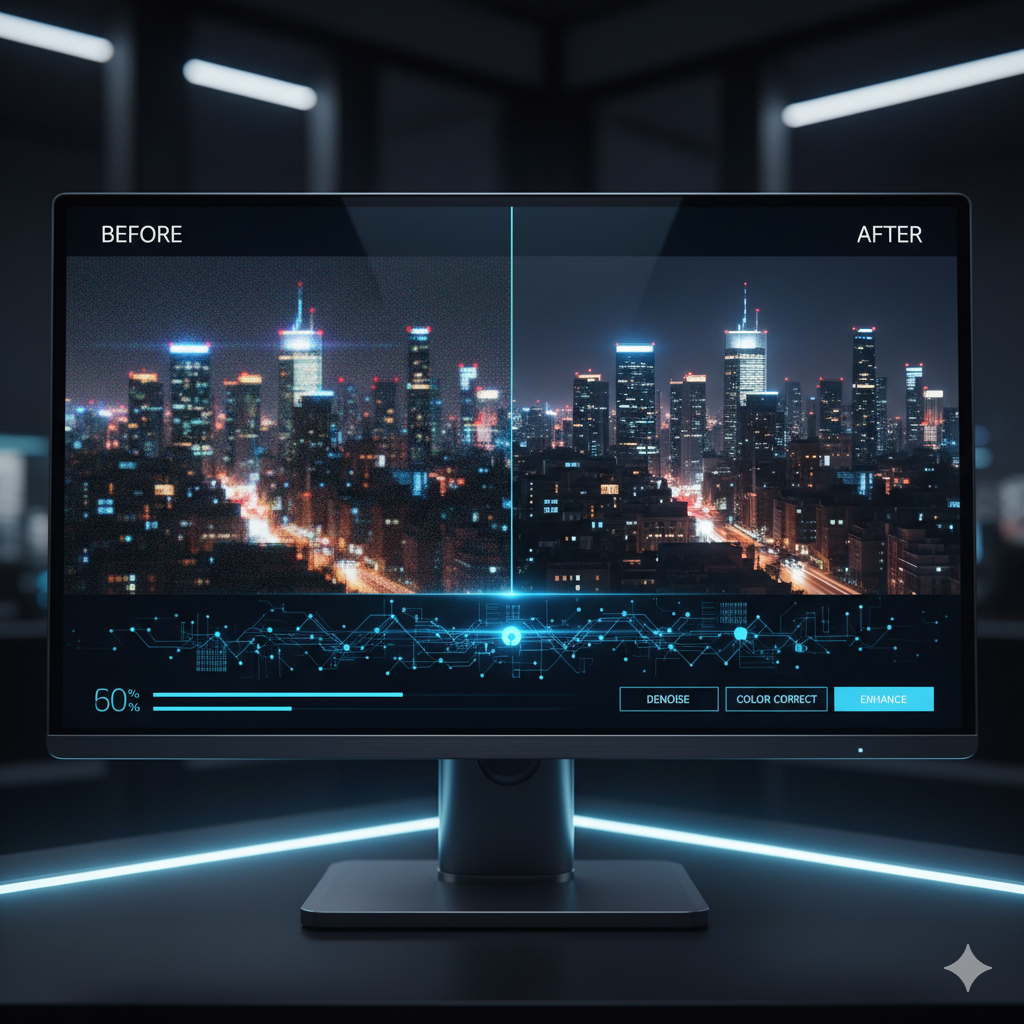
In the vast and ever-expanding digital landscape, images are the universal language. They tell stories, convey emotions, and capture moments in time. However, even the most captivating scenes can be marred by common imperfections: distracting noise, unwanted blur, and overall lack of clarity. These issues, often born from challenging lighting conditions, camera shake, or technical limitations, can diminish the impact of an otherwise brilliant photograph. For professionals across diverse fields – from photography and graphic design to e-commerce and historical archiving – achieving pristine visual quality isn’t just a preference; it’s a critical requirement.
For decades, image editors have grappled with these challenges using traditional software tools. While effective to a degree, these methods often involved painstaking manual adjustments, intricate mask work, and an inherent trade-off between noise reduction and detail preservation. The result was frequently a ‘plastic’ or overly smoothed appearance, sacrificing texture and fine lines in the pursuit of clarity. The process was time-consuming, skill-intensive, and rarely yielded truly ‘flawless’ results without compromise.
Enter Artificial Intelligence. The advent of sophisticated AI models, particularly those leveraging deep learning and Generative Adversarial Networks (GANs), has revolutionized the way we approach image enhancement. What was once a tedious, compromise-laden task has been transformed into an intelligent, data-driven process capable of producing breathtaking results with unprecedented speed and precision. AI tools can now intelligently differentiate between genuine image detail and unwanted artifacts, reconstructing lost information rather than simply blurring it away. This leap in capability means that even images previously deemed unsalvageable can be brought back to life, sharper, clearer, and more vibrant than ever before.
This comprehensive guide delves deep into the world of AI image enhancement, focusing specifically on the powerful techniques used to eliminate noise and blur. We will explore the underlying technology, demystify how AI achieves such remarkable feats, compare it against traditional methods, and provide practical insights into integrating these tools into your professional workflow. Whether you’re a photographer striving for crisp, clean shots, a designer needing perfect assets, or a marketer looking to enhance product visuals, understanding and harnessing AI’s potential is no longer optional – it’s essential for achieving truly professional-grade visuals in today’s competitive environment. Prepare to transform your understanding of image perfection and unlock a new realm of visual possibilities.
The Persistent Problem: Noise and Blur in Digital Imagery
Before we delve into the AI-powered solutions, it’s crucial to thoroughly understand the adversaries we are fighting: noise and blur. These two pervasive issues plague digital images for various reasons, fundamentally impacting visual quality and professionalism.
Understanding Image Noise
Image noise refers to random variations of brightness or color information in an image that are not part of the actual scene. It manifests as a grainy, speckly, or blotchy appearance, particularly noticeable in areas of uniform color or shadow. There are several common types of noise:
- Luminance Noise (Grain): This appears as random variations in brightness, giving the image a grainy texture. It’s often associated with high ISO settings, low light conditions, or smaller camera sensors. While sometimes artistically desirable, excessive luminance noise makes an image look unprofessional and reduces detail.
- Chrominance Noise (Color Noise): This manifests as random color blotches or speckles, particularly in darker areas. It’s often more distracting than luminance noise because it introduces artificial colors that aren’t present in the original scene. High ISO settings and long exposures are common culprits.
- Salt-and-Pepper Noise: This appears as isolated dark (pepper) or bright (salt) pixels scattered across the image. It typically arises from faulty sensors, transmission errors, or specific types of digital processing.
The causes of noise are varied. Primarily, it stems from insufficient light hitting the camera sensor. When light is scarce, the camera’s sensor amplifies the signal to create a brighter image, but this amplification also boosts random electrical fluctuations, resulting in noise. High ISO settings, long exposure times, and smaller sensor sizes in smartphones or compact cameras are common factors contributing to noise. Noise can obscure fine details, reduce color accuracy, and give an image an unrefined, amateurish look, diminishing its overall impact.
Deciphering Image Blur
Image blur refers to the loss of distinctness or sharpness in an image, making details appear soft, smudged, or indistinct. Unlike noise, which is often random, blur often follows a discernible pattern related to motion or focus. Key types of blur include:
- Motion Blur: This occurs when either the camera or the subject moves during the exposure time. It results in streaks or smears in the direction of motion. Motion blur is common in action photography, handheld shots with slow shutter speeds, or when subjects move rapidly.
- Out-of-Focus Blur (Defocus Blur): This happens when the subject is outside the plane of sharpest focus, often due to incorrect camera focusing or shallow depth of field. It’s characterized by a gradual softening of edges as they move further from the focal point, creating a ‘bokeh’ effect when intentional, but undesirable when the main subject is blurred.
- Gaussian Blur: A common photographic effect and a mathematical model used in image processing, Gaussian blur represents a smooth, uniform blur often applied intentionally for stylistic reasons or to obscure sensitive information. However, unwanted Gaussian blur can result from minor camera shake or atmospheric conditions.
- Lens Aberrations: Imperfections in camera lenses can also cause various forms of blur or softness, especially towards the edges of an image.
The consequences of blur are profound. A blurred image loses its ability to convey detail, make subjects pop, or provide a clear narrative. In professional contexts, a blurry product shot can deter customers, a blurred architectural photo can obscure critical design elements, and a blurred portrait can fail to capture the essence of its subject. Traditional methods for deblurring often involved sharpening filters, which typically increased contrast along edges and could introduce halos or artifacts, rather than truly restoring lost detail. Both noise and blur compromise the integrity and professionalism of an image, making their effective elimination a paramount goal for anyone serious about visual quality.
The AI Revolution in Image Processing: A Paradigm Shift
For decades, image processing relied on mathematically defined algorithms – filters designed to perform specific tasks like sharpening, smoothing, or noise reduction based on predetermined rules. While effective to a certain extent, these traditional methods often lacked the nuance and contextual understanding required for truly intelligent image restoration. They operated universally, applying the same logic across an entire image, which frequently led to compromises: reducing noise meant sacrificing fine detail, and sharpening edges could introduce distracting artifacts. The arrival of Artificial Intelligence, particularly deep learning, has ushered in a profound paradigm shift, fundamentally redefining what’s possible in image enhancement.
From Algorithms to Neural Networks
The core of this revolution lies in artificial neural networks (ANNs), computational models inspired by the structure and function of the human brain. Unlike traditional algorithms that follow explicit instructions, neural networks learn from vast amounts of data. In the context of image processing, this means training an AI model by feeding it millions of image pairs – for example, a noisy image alongside its clean counterpart, or a blurred image next to its sharp original. Through this exposure, the network develops an intricate understanding of patterns, textures, and the characteristics of noise and blur, learning how to effectively remove imperfections while preserving or even regenerating authentic details.
The Power of Convolutional Neural Networks (CNNs)
A specific type of neural network, Convolutional Neural Networks (CNNs), are particularly adept at processing visual data. CNNs use ‘convolutional layers’ that act like small filters, scanning different parts of an image to detect features such as edges, textures, and patterns. These layers build a hierarchical representation of the image, starting from simple features and progressing to more complex ones. This deep understanding allows CNNs to intelligently distinguish between random noise and intricate detail, a capability far beyond the reach of conventional filters. For instance, a CNN can learn that a series of random bright pixels in a dark area is noise, while a similar pattern along a subject’s hair is genuine texture.
Generative Adversarial Networks (GANs) and Image Reconstruction
A more recent and incredibly powerful development in AI for image enhancement is the Generative Adversarial Network (GAN). GANs consist of two competing neural networks: a ‘generator’ and a ‘discriminator’. The generator’s task is to create new data (e.g., a de-noised or de-blurred image) that is indistinguishable from real, high-quality images. The discriminator’s job is to tell whether an image is a real, original image or one created by the generator. Through this adversarial process, both networks continuously improve. The generator gets better at producing realistic outputs, and the discriminator gets better at spotting fakes. For image enhancement, GANs are particularly effective because they can ‘hallucinate’ or reconstruct missing details in a highly realistic manner, rather than just averaging pixels. This capability is vital for tasks like super-resolution (upscaling) and significant de-blurring, where actual pixel information might be lost.
The AI revolution has shifted image processing from a rule-based system to a learning-based one. This allows for an unprecedented level of contextual understanding, precision, and the ability to achieve results that were previously considered impossible. By learning the fundamental characteristics of real-world images, AI can infer and reconstruct information, leading to enhancements that are not just visually pleasing, but also remarkably authentic, truly marking a paradigm shift in visual perfection.
Demystifying AI Noise Reduction: Intelligent Denoising
Traditional noise reduction methods, while useful, often walked a tightrope: reduce too much noise and you lose precious image detail, leaving behind a ‘plastic’ or overly smooth look; reduce too little, and the image remains grainy. AI-powered denoising techniques have largely overcome this inherent trade-off by adopting a far more intelligent, context-aware approach.
How AI Differentiates Noise from Detail
The core genius of AI denoising lies in its ability to understand the difference between random, unwanted variations (noise) and genuine, intricate patterns (detail). Instead of applying a uniform blur or averaging pixels, an AI model is trained on massive datasets containing pairs of noisy and clean images. During this training, the neural network learns to identify the statistical properties of noise and how it typically manifests in different parts of an image (e.g., flat areas vs. textured edges). Crucially, it also learns to recognize the underlying structures and textures that constitute legitimate image information.
When presented with a new noisy image, the AI model processes it through its learned layers. It doesn’t just “smooth” the image; it actively “predicts” what the clean version of that image should look like. It effectively subtracts the noise while reconstructing the original details, often even subtle textures that traditional methods would have eradicated.
Deep Learning Architectures for Denoising
Several deep learning architectures contribute to effective AI denoising:
- Autoencoders: These networks are designed to encode input data into a lower-dimensional representation (bottleneck) and then decode it back into an output that is as close to the original as possible. For denoising, a noisy image is fed as input, and the network is trained to output its clean counterpart. The bottleneck forces the network to learn the most essential features, effectively filtering out noise.
- Convolutional Neural Networks (CNNs) with Residual Learning: Many state-of-the-art denoising models employ CNNs with residual connections. These connections allow information to bypass certain layers, helping the network to learn only the ‘residual’ (the difference between the noisy and clean image, which is essentially the noise itself). This architecture is highly effective because it focuses on learning the noise pattern rather than the entire image, leading to better detail preservation.
- Denoising Diffusion Probabilistic Models (DDPMs): A newer class of generative models, DDPMs have shown exceptional results in various generative tasks, including denoising. They work by gradually adding noise to an image until it becomes pure noise, then learning to reverse this process step by step, effectively reconstructing the clean image from noise. These models are incredibly good at generating highly realistic details.
Advantages Over Traditional Denoising
The benefits of AI denoising are substantial:
- Superior Detail Preservation: AI can distinguish texture from noise, preserving intricate details like hair, fabric, and skin pores that would be smoothed away by traditional filters.
- Contextual Understanding: AI adapts its denoising approach based on the local content of the image. It can apply stronger noise reduction in flat, uniform areas and lighter reduction in areas with fine textures.
- Reduced Artifacts: Unlike traditional sharpening that can introduce halos, AI denoising aims to reconstruct the image naturally, minimizing artificial-looking results.
- Automated and Efficient: Once trained, AI models can process images rapidly, often with a single click, saving significant time compared to manual adjustments.
- Enhanced Low-Light Photography: AI makes high ISO shots far more usable, pushing the boundaries of what’s possible in challenging lighting conditions without resorting to extensive traditional post-processing.
From improving smartphone camera performance in dim environments to cleaning up crucial scientific imagery, AI denoising represents a monumental leap, enabling clearer, more professional visuals across countless applications.
The Magic of AI Blur Correction: Sharpening with Precision
Blur is arguably an even more challenging problem than noise because it represents a loss of information, a smearing of pixels across an area. Traditional deblurring methods often struggled with this, primarily relying on ‘sharpening’ filters that would increase contrast along edges, but often introduced unwanted halos or made the image look artificially gritty. AI, however, employs a far more sophisticated approach, capable of intelligently inferring and reconstructing the lost details.
How AI Tackles Different Types of Blur
AI’s strength lies in its ability to recognize patterns of blur and apply inverse operations to restore sharpness. It’s trained on vast datasets of blurred-vs-sharp image pairs, learning the specific mathematical kernels or ‘fingerprints’ of different blur types:
- Motion Blur: AI models learn to identify the directional streaks of motion blur and effectively ‘un-streak’ them, reconstructing the sharp edges and forms that existed before the movement. This is a complex task as it involves predicting where pixels would have been if there was no motion.
- Out-of-Focus Blur (Defocus Blur): This type of blur is characterized by a gradual fall-off in sharpness. AI learns to reverse this ‘softening’ by effectively “refocusing” the image, predicting the sharp edges and textures that would be present at the correct focal plane.
- Gaussian Blur and General Softness: Even subtle overall image softness can be addressed. AI can tighten edges and enhance micro-contrast without creating the artificial halos often associated with traditional sharpening filters.
Beyond Traditional Sharpening: Blind Deconvolution and Generative Reconstruction
Traditional deblurring often relied on techniques like deconvolution, where one attempts to reverse the blurring process. However, this required knowing the exact ‘blur kernel’ – the specific mathematical function that caused the blur. This is rarely known in real-world scenarios, leading to the term ‘blind deconvolution,’ which is incredibly difficult to achieve with traditional algorithms. AI excels here because it doesn’t need to explicitly know the blur kernel; instead, it learns how to reverse the effect through data.
The role of Generative Adversarial Networks (GANs) is particularly significant in blur correction. When an image is severely blurred, a significant amount of actual pixel information is lost. Traditional methods would have no way to recover this. GANs, however, can ‘hallucinate’ or generate plausible details based on their extensive training. The generator creates a deblurred image, and the discriminator evaluates its realism. This adversarial training pushes the generator to produce outputs that are not just less blurry, but also rich in convincing, reconstructed detail. For example, if a blurred face has indistinct features, a GAN can generate a plausible texture for skin, eyebrows, and eyes, making the face appear sharp and natural.
Practical Applications and Considerations
The impact of AI blur correction is immense:
- Restoring Old Photographs: AI can breathe new life into vintage photos marred by age-related blur or poor original focus.
- Enhancing Security Footage: Sharpening blurry surveillance camera captures can reveal critical details like faces or license plates, aiding forensic analysis.
- Action and Sports Photography: Reducing motion blur in fast-paced shots helps freeze the action and deliver crisp images even when conditions are challenging.
- Everyday Photography: Correcting minor camera shake in handheld shots or smartphone photos makes a significant difference in perceived quality.
While AI blur correction is powerful, it’s not without its limits. Severely blurred images where almost no information is preserved might still produce less-than-perfect results, sometimes with ‘hallucinated’ details that aren’t entirely accurate to the original scene. It’s important to start with the best possible source image, even if it’s flawed, to give the AI the most information to work with. Nevertheless, the ‘magic’ of AI deblurring often rescues images that would have been completely unusable just a few years ago, delivering an unprecedented level of sharpness and clarity.
Beyond Denoising and Deblurring: A Holistic View of AI Enhancement
While noise and blur reduction are foundational, AI’s capabilities in image enhancement extend far beyond these two critical areas. Modern AI models can perform a suite of sophisticated transformations, allowing for a truly holistic approach to image perfection. When combined, these techniques can elevate an image from merely ‘fixed’ to genuinely ‘flawless’.
AI Upscaling (Super-Resolution)
One of the most impressive feats of AI is image upscaling, also known as super-resolution. Traditional upscaling methods (like bilinear or bicubic interpolation) simply stretch pixels, resulting in blocky or blurry images when enlarged significantly. AI, especially models like SRGAN (Super-Resolution Generative Adversarial Network) and Real-ESRGAN, operates differently. It doesn’t just enlarge pixels; it intelligently generates new pixels and details based on its learned understanding of high-resolution textures and structures. This means an AI upscaled image can look remarkably sharp and detailed, even when magnified several times its original size. This is invaluable for:
- Printing small images at large sizes without pixelation.
- Preparing low-resolution web images for high-resolution displays.
- Enhancing older, low-res scans or archival footage.
- Creating high-quality marketing materials from limited source images.
Intelligent Color Correction and Grading
AI is also becoming adept at analyzing an image’s color balance, exposure, and dynamic range, then suggesting or applying corrections that would typically require a skilled human eye. Beyond simple adjustments, some AI tools can learn a specific ‘look’ or ‘grade’ from a reference image and apply it to a new image, ensuring consistency across a series of photos. This includes:
- Automatic white balance and exposure correction.
- Smart contrast and highlight/shadow recovery.
- AI-driven color grading to match aesthetic styles.
Object Removal and Inpainting
Remember the days of painstakingly cloning out unwanted elements from an image? AI has made this process dramatically easier and more effective. Using advanced inpainting techniques, AI can intelligently remove distracting objects (e.g., power lines, photobombers, sensor dust spots) and then seamlessly fill the vacated area with plausible background textures and patterns, making the removal virtually undetectable. This relies on the AI’s understanding of context and continuity within an image.
Image Generation and Style Transfer
While less about ‘enhancement’ and more about ‘creation’ or ‘transformation,’ AI’s capabilities in image generation and style transfer demonstrate its profound understanding of visual data. Style transfer, for example, allows the artistic style of one image (e.g., a painting by Van Gogh) to be applied to the content of another photograph, creating unique artistic renditions. This showcases the AI’s ability to decompose and recompose visual information at an abstract level.
Combining Multiple AI Techniques for Ultimate Enhancement
The true power emerges when these AI techniques are combined in a synergistic workflow. Imagine taking an old, noisy, blurry, low-resolution family photograph:
- First, AI denoising cleans up the grain.
- Next, AI deblurring sharpens the soft focus and motion artifacts.
- Then, AI upscaling magnifies the image to a high resolution, adding realistic details.
- Finally, AI color correction restores faded hues and balances exposure.
The result is a transformation that would have been impossible or prohibitively time-consuming and expensive just a few years ago. This holistic approach empowers professionals to achieve a level of visual perfection previously reserved for the most skilled specialists with limitless budgets.
However, it’s also crucial to consider the ethical implications. With such powerful tools, the line between enhancement and manipulation can blur. Transparency about the use of AI in image creation or modification is becoming increasingly important, especially in journalism, legal contexts, and any area where authenticity is paramount.
Leading AI Tools and Technologies for Image Enhancement
The market for AI image enhancement tools is rapidly expanding, with both established software giants and innovative startups offering powerful solutions. These tools leverage sophisticated AI models to deliver remarkable results, catering to a wide range of users from casual enthusiasts to demanding professionals. Understanding the landscape of these tools is key to choosing the right solution for your specific needs.
Desktop Software Suites
-
Topaz Labs (Denoise AI, Sharpen AI, Gigapixel AI):
Topaz Labs is arguably a leader in specialized AI image enhancement desktop software. They offer distinct applications, each focused on a particular enhancement task. Denoise AI excels at removing noise while preserving detail, Sharpen AI intelligently corrects various forms of blur and softness, and Gigapixel AI is renowned for its AI-powered super-resolution capabilities, allowing significant upscaling without loss of quality. These tools are often favored by professional photographers for their exceptional results, intuitive interfaces, and integration as plugins with programs like Adobe Photoshop and Lightroom.
-
Adobe Lightroom and Photoshop (AI Features):
Adobe, a pioneer in creative software, has integrated powerful AI capabilities into its flagship products. Features like ‘Enhance Details’ in Lightroom utilize AI to improve raw image quality, reducing demosaicing artifacts and noise. Photoshop’s ‘Neural Filters’ offer a suite of AI-powered transformations, including smart portrait adjustments, style transfer, and even sophisticated sky replacement. While not always as specialized as Topaz Labs for specific noise/blur reduction, Adobe’s AI tools provide a comprehensive, integrated ecosystem for a broad range of enhancements.
Cloud-Based & Online Platforms
-
Remini:
Popular for mobile users, Remini specializes in enhancing old, blurry, or low-resolution photos and videos. It excels at face enhancement, making old portraits look incredibly sharp and detailed. Its AI focuses heavily on regenerating realistic human facial features, often achieving dramatic transformations with a single tap.
-
Upscale.media / Let’s Enhance / VanceAI:
These are examples of cloud-based platforms that provide AI image upscaling and enhancement services directly through web browsers. Users can upload images, select desired enhancements (upscale, denoise, sharpen), and download the processed results. They often operate on a freemium model, offering a few free credits before requiring a subscription. They are convenient for quick, powerful enhancements without installing software.
-
Luminar Neo (Skylum):
Luminar Neo is an AI-powered photo editor that offers a wide array of creative and corrective tools driven by AI. Its features include AI-powered sky replacement, relighting, structure enhancement, and advanced noise reduction, all designed to simplify complex editing tasks and provide professional results.
Open-Source AI Models and Frameworks
-
Real-ESRGAN / GFPGAN:
For developers and technically inclined users, open-source models like Real-ESRGAN (Super-Resolution for Generative Adversarial Networks) and GFPGAN (Generative Facial Prior-GAN) offer cutting-edge AI enhancement capabilities. Real-ESRGAN is excellent for general image upscaling and enhancement, while GFPGAN specifically focuses on restoring and enhancing human faces, often achieving stunning results on highly degraded images. These models can be integrated into custom workflows, run locally on powerful hardware, or deployed via APIs, offering immense flexibility for researchers and bespoke applications.
-
PyTorch / TensorFlow:
Underpinning many of these commercial and open-source tools are powerful deep learning frameworks like PyTorch and TensorFlow. These frameworks provide the foundation for building, training, and deploying complex neural network models for image processing, allowing continuous innovation and development in the field.
When selecting a tool, consider its primary focus (upscaling, denoising, deblurring, or a combination), its cost model (one-time purchase, subscription, freemium), its integration capabilities with your existing workflow, and the computational resources it requires (desktop vs. cloud). Each tool offers unique strengths, and often, a combination of tools can yield the best overall results for a diverse range of image enhancement challenges.
Practical Workflows for Professional Image Enhancement
Integrating AI image enhancement tools into a professional workflow requires a strategic approach. While AI automates many tasks, understanding when and how to apply these tools is crucial for achieving optimal results without introducing unwanted artifacts or over-processing. Here are several practical workflows tailored for different professional use cases:
1. Professional Photography (Post-Processing Workflow)
For photographers dealing with RAW files and aiming for the highest quality, AI can be a game-changer.
- RAW Conversion and Basic Adjustments: Start by importing your RAW files into Adobe Lightroom, Capture One, or your preferred RAW editor. Make initial global adjustments like exposure, white balance, and minor contrast corrections. Avoid applying any sharpening or noise reduction at this stage.
- AI Denoising (First Pass): Export a high-quality TIFF or DNG file to a dedicated AI denoiser like Topaz Denoise AI. Apply intelligent noise reduction. The AI will preserve fine details while eliminating grain, especially useful for high-ISO shots.
- AI Deblurring/Sharpening (Second Pass): Take the denoised image and process it through an AI sharpener like Topaz Sharpen AI. This step corrects any minor camera shake, motion blur, or general softness, focusing on edge precision without artificial halos.
- Creative Editing and Local Adjustments: Bring the AI-enhanced image back into your primary photo editor. Now you can perform creative color grading, dodging and burning, local adjustments, skin retouching, and other artistic enhancements on a pristine base image.
- Final Upscaling (Optional): If the image needs to be printed large or used on high-resolution displays, use an AI upscaler like Topaz Gigapixel AI as the very last step before final export, ensuring maximum detail retention.
- Export: Save your final image in the required format (JPEG, TIFF, etc.) for print or web.
Real-life example: An event photographer shooting in a dimly lit venue captures stunning moments but at high ISO, resulting in noisy images. By following this workflow, they can deliver clean, sharp photographs to their clients, preserving the atmosphere without the distraction of digital grain.
2. E-commerce and Product Photography
High-quality product images are vital for online sales. AI can ensure every detail shines.
- Initial Capture: Photograph products in a controlled studio environment, aiming for the best possible lighting and focus.
- Background Removal (AI-assisted): Use AI tools like remove.bg or dedicated features in photo editors to quickly and accurately remove the background, isolating the product.
- AI Deblurring and Denoising: Even with good lighting, slight softness or minor noise can occur. Use AI deblurring to ensure product textures, labels, and details are razor-sharp. Apply denoising if the image was shot in less-than-ideal conditions.
- Color Correction and Consistency: Use AI-powered color correction tools or presets to ensure product colors are accurate and consistent across all listings.
- Upscaling for High-Resolution Displays: Upscale images using AI to accommodate zoom functions on e-commerce platforms and for use on retina displays, ensuring customers can examine fine details.
- Final Cropping and Web Optimization: Crop to e-commerce platform specifications and optimize image file size for fast loading times without sacrificing visual quality.
Real-life example: An online jewelry store needs crisp images to showcase intricate designs. AI ensures that the smallest facets of a gemstone or the delicate etching on a ring are perfectly clear, convincing potential buyers of the product’s quality.
3. Archiving and Restoring Old Photographs/Documents
Bringing historical or personal memories back to life often involves tackling multiple forms of degradation.
- High-Resolution Scan: Start with the highest possible resolution scan of the physical photograph or document.
- Initial Damage Assessment: Identify issues like scratches, dust, tears, fading, noise, and blur.
- AI Denoising and Deblurring: Apply AI tools to reduce film grain, digital noise from the scanning process, and correct any blur present in the original photograph. AI facial enhancement tools (e.g., GFPGAN, Remini) are particularly effective for old portraits.
- AI Upscaling: Significantly upscale the image to a modern resolution, allowing for larger prints or digital display without pixelation.
- Traditional Restoration (for physical damage): For major scratches, tears, or missing sections, traditional photo editing techniques (cloning, healing) may still be necessary, but AI can often assist in filling in simple missing areas through inpainting.
- AI Color Restoration: Use AI to correct color shifts, fading, and yellowing common in old photographs, restoring vibrant, accurate colors.
- Final Adjustments and Archiving: Make any final manual tweaks. Save the restored image in a lossless format (TIFF, PNG) for archival purposes and a compressed format (JPEG) for sharing.
Real-life example: A family discovers a box of faded, blurry, and scratched photos from a grandparent’s wedding. AI tools can meticulously restore these precious memories, making faces clear, dresses sharp, and colors vibrant, allowing future generations to appreciate them.
4. Video Frame Enhancement (Forensics/Marketing)
AI isn’t limited to still images; individual video frames can be extracted and enhanced.
- Extract Key Frames: Identify and extract individual frames from video footage that contain important details but are blurry or noisy.
- AI Denoising: Apply AI denoising to clean up grain common in low-light video or security footage.
- AI Deblurring: Crucially, use AI deblurring to sharpen motion-blurred faces, license plates, or other critical elements. This often involves specialized AI models trained on video data for better consistency.
- AI Upscaling: If the source video resolution is low, upscale the enhanced frames to improve clarity for analysis or display.
- Re-integrate (Optional): For certain applications, the enhanced frames can be re-integrated into the video or used as standalone evidence/marketing material.
Real-life example: Law enforcement needs to identify a suspect from grainy, blurry security camera footage. By extracting key frames and running them through AI deblurring and denoising, a previously unidentifiable face or license plate can become clear enough for identification.
These workflows demonstrate that AI tools are not replacements for human skill but powerful assistants that streamline complex tasks, improve quality, and unlock possibilities that were once out of reach. The key is to understand each tool’s strengths and integrate them intelligently into a logical processing chain.
Comparison Tables
| Feature | Traditional Methods (e.g., Gaussian Blur, Unsharp Mask) | AI-Powered Methods (e.g., Deep Learning, GANs) |
|---|---|---|
| Approach | Rule-based algorithms; applies uniform mathematical operations across pixels. | Learns from data; context-aware processing based on learned patterns and textures. |
| Detail Preservation | Often sacrifices fine details and textures in uniform areas or to reduce noise/blur. | Intelligently distinguishes noise/blur from actual detail, preserving or reconstructing intricate textures. |
| Artifacts | Can introduce artifacts like halos (from sharpening), ‘plastic’ look (from excessive smoothing), or splotches. | Minimizes common artifacts; can sometimes ‘hallucinate’ details if source is extremely degraded, which may not be 100% accurate but often looks plausible. |
| Contextual Understanding | Lacks understanding of image content; treats all pixels equally based on proximity. | Understands objects, textures, and structures within the image, applying selective enhancement. |
| Processing Speed | Generally fast for simple filters; complex manual work is time-consuming. | Often very fast for automated tasks after initial setup; training models can be intensive. |
| Ease of Use | Requires skill and manual adjustment of multiple sliders to balance effects. | Often one-click solutions with intuitive interfaces; results are frequently superior with less effort. |
| Ability to “Restore” Lost Data | Limited to enhancing existing data; cannot truly reconstruct lost pixel information. | Can infer and regenerate lost pixel information, making it possible to ‘restore’ severely degraded areas. |
| Learning Curve | Moderate to High, mastering various filters and their parameters. | Low for end-users, high for model developers and researchers. |
| Tool Name | Primary Focus | Key AI Models/Approach | Cost Model | Pros | Cons |
|---|---|---|---|---|---|
| Topaz Denoise AI | Intelligent Noise Reduction | Deep Learning (CNNs trained on vast datasets) | One-time purchase (with upgrade options) | Exceptional detail preservation, excellent results on high ISO, user-friendly interface, plugin integration. | Can be resource-intensive, dedicated to noise (needs other tools for blur/upscale). |
| Topaz Sharpen AI | Blur Correction & Sharpening | Deep Learning (specialized for motion, focus, softness blur) | One-time purchase (with upgrade options) | Highly effective for various blur types, can rescue soft images, good detail fidelity, plugin integration. | Resource-intensive, dedicated to sharpening (needs other tools for denoise/upscale). |
| Adobe Enhance Details (Lightroom) | RAW Image Quality Enhancement | Deep Learning (specific to demosaicing and subtle detail improvement) | Subscription (Adobe Creative Cloud) | Seamlessly integrated into Lightroom, improves RAW quality from the ground up, easy to use. | More subtle enhancement compared to dedicated tools, not for severe blur/noise, limited control. |
| Remini | Old Photo/Video Restoration, Face Enhancement | Generative AI (GANs, specifically strong on facial reconstruction) | Freemium (mobile app, web version) | Excellent for bringing old faces to life, simple interface, mobile-first, quick results. | Can sometimes over-smooth non-face areas, limited general enhancement, aggressive compression on free tier. |
| Real-ESRGAN / GFPGAN | Upscaling, General Enhancement (Real-ESRGAN); Face Restoration (GFPGAN) | Generative Adversarial Networks (GANs) | Open-source (free, requires technical setup) | State-of-the-art results, highly customizable for researchers/developers, supports extreme upscaling. | Requires technical knowledge to set up and use, no user-friendly GUI out-of-the-box, resource-intensive. |
| Upscale.media / Let’s Enhance | Online Image Upscaling & Enhancement | Various AI models (proprietary deep learning) | Freemium / Subscription (cloud-based) | Convenient, no software installation, good for quick upscaling and basic enhancements. | Limited control over parameters, results can vary, may not match desktop software quality for critical tasks. |
Practical Examples: Real-World Use Cases and Scenarios
The theoretical power of AI image enhancement translates into tangible benefits across a multitude of industries and personal projects. Here are several real-world examples demonstrating how AI’s ability to eliminate noise and blur leads to truly flawless, professional visuals.
Case Study 1: Revitalizing a Faded Family Heirloom Photograph
Scenario: A user has a precious, decades-old family photograph. It’s a small, blurry, faded, and noisy print of their grandparents on their wedding day. The original negative is lost, and the image is too degraded for traditional photo restoration techniques to produce acceptable results without extensive, costly manual labor.
AI Solution:
- The physical photo is first scanned at the highest possible optical resolution.
- The scanned image, already noisy from film grain and scanning artifacts, is fed into an AI denoising tool (e.g., Topaz Denoise AI). The AI intelligently removes the grain while preserving the delicate lace patterns on the bride’s dress and the subtle textures of their faces.
- Next, an AI deblurring tool (e.g., Topaz Sharpen AI or a specialized facial restoration GAN like GFPGAN) is used. It analyzes the motion blur and out-of-focus areas, particularly on the faces, and reconstructs sharp facial features, making the expressions clear and identifiable.
- An AI upscaling tool (e.g., Topaz Gigapixel AI or Real-ESRGAN) enlarges the now clearer image by 4x or 6x, generating new, realistic pixels and allowing for a larger print or high-resolution digital display without pixelation.
- Finally, AI-powered color correction tools help restore the faded colors to their original vibrancy, balancing the tones and removing any yellowing or color shifts.
Outcome: What was once a small, indistinct, and barely viewable memory is transformed into a large, sharp, vibrant, and clear photograph that can be proudly displayed or shared digitally, preserving a piece of family history for generations to come. The facial features are distinct, and the details on their clothing are crisp.
Case Study 2: Elevating Low-Light Event Photography
Scenario: A professional photographer covers a corporate gala held in a grand, but dimly lit, ballroom. To capture the dynamic atmosphere and candid moments without disturbing guests with flash, they shoot at very high ISO settings (e.g., ISO 6400-12800). While the moments are captured, the resulting images are plagued by significant digital noise, making them look unprofessional.
AI Solution:
- The RAW files are imported into Lightroom for initial exposure and white balance adjustments.
- Instead of relying on Lightroom’s built-in noise reduction (which can soften details), the photographer exports the files to Topaz Denoise AI. The AI model, trained on millions of high-ISO images, effectively removes luminance and chrominance noise. Crucially, it distinguishes between noise and the subtle textures of suits, dresses, and facial features, preserving them intact.
- If any slight camera shake occurred due to slower shutter speeds in the low light, Topaz Sharpen AI is then applied to gently correct this, ensuring sharp edges and clear details.
- The now clean and sharp images are returned to Lightroom for final creative color grading and export.
Outcome: The photographer delivers a portfolio of crystal-clear, professional images that perfectly capture the ambiance of the event. The noise is gone, but the fine details of clothing, jewelry, and expressions are beautifully retained, providing clients with high-quality visuals that reflect the prestige of the event.
Case Study 3: Optimizing Product Imagery for E-commerce
Scenario: An online fashion retailer has hundreds of product photos, but some batches suffer from minor focus issues or motion blur from models moving subtly during the shoot. Others, shot quickly, have a slight grainy texture. These imperfections lead to customer complaints about product clarity and lower conversion rates.
AI Solution:
- Product images are batch-processed through an AI denoiser to remove any subtle grain from the original capture.
- Selected images with minor blur are then passed through an AI deblurring tool (e.g., Topaz Sharpen AI or an online service like Let’s Enhance). The AI corrects motion blur on fabric folds or slight defocus on accessories, making textiles, stitching, and product labels appear crisp.
- All enhanced images are then passed through an AI upscaler to ensure they are high-resolution enough for e-commerce zoom features and for future marketing materials.
- Final quality control checks ensure color accuracy and consistent branding before uploading to the website.
Outcome: The retailer’s product pages feature flawless, razor-sharp images that accurately showcase every detail of the clothing and accessories. This clarity builds customer confidence, reduces returns due to perceived quality issues, and ultimately boosts sales and brand reputation.
Case Study 4: Enhancing Surveillance Footage for Forensic Analysis
Scenario: Law enforcement obtains grainy, low-resolution, and often motion-blurred footage from a security camera at a crime scene. A critical detail, such as a suspect’s face or a vehicle’s license plate, is visible but too indistinct to be useful as evidence.
AI Solution:
- Relevant frames are extracted from the video footage.
- Each frame is first subjected to AI denoising to remove the inherent graininess common in surveillance videos.
- Crucially, AI deblurring techniques are applied to sharpen the suspect’s face or the vehicle’s license plate. Specialized AI models can predict and reconstruct missing pixel information, making formerly blurry characters or features legible.
- The enhanced frames are then upscaled using AI to increase their resolution, making them clearer for detailed analysis and presentation in court.
Outcome: What was initially unusable footage provides clear, actionable intelligence. The AI-enhanced frames offer critical evidence, potentially leading to identification and apprehension, directly impacting justice and public safety.
These examples illustrate the transformative power of AI in moving images from flawed to flawless, demonstrating its indispensable role in modern professional visual workflows.
Frequently Asked Questions
Q: How does AI denoise an image without blurring away important details?
A: Unlike traditional methods that often apply a general blur filter, AI denoising tools utilize deep learning models, particularly Convolutional Neural Networks (CNNs). These models are trained on millions of image pairs (noisy vs. clean) and learn to distinguish between random noise patterns and genuine image textures, edges, and details. They develop a sophisticated understanding of what constitutes ‘real’ image information. When processing a new image, the AI intelligently subtracts the noise while reconstructing or preserving the underlying detail, adapting its approach based on the local content of the image. This contextual awareness prevents the ‘plastic’ or overly smoothed look common with older techniques.
Q: Can AI truly fix severely blurred images, or is there a limit?
A: AI can achieve remarkable results on severely blurred images, often rescuing visuals that would be unsalvageable with traditional methods. This is largely due to Generative Adversarial Networks (GANs), which can ‘hallucinate’ or generate plausible missing details by drawing upon their vast knowledge of what real-world objects and textures look like. However, there are limits. If an image is so severely blurred that virtually no discernible information remains, even AI will struggle to create an accurate and realistic restoration. While it might produce a visually appealing image, the generated details may not be 100% accurate to the original scene. The more information the AI has to work with, the better and more accurate the results will be.
Q: Is AI image enhancement ethical, especially regarding authenticity?
A: The ethics of AI image enhancement is a significant and evolving discussion. While AI can greatly improve image quality, its power to alter or even generate realistic details raises concerns about authenticity. For professional photography (e.g., product shots, portraits), enhancing clarity, reducing noise, or correcting blur is generally considered acceptable. However, in fields like photojournalism, forensic analysis, or legal evidence, any AI modification beyond basic corrections should be clearly disclosed and handled with extreme caution to maintain integrity and prevent misleading information. Transparency is key. The potential for ‘deepfakes’ also highlights the need for ethical guidelines and perhaps even AI tools to detect such manipulations.
Q: What’s the difference between AI upscaling and traditional interpolation?
A: Traditional interpolation methods (like bilinear or bicubic) enlarge an image by averaging or blending existing pixel values. This often results in a pixelated, blocky, or blurry appearance when scaling significantly because no new information is actually created. AI upscaling, on the other hand, uses deep learning models (often GANs) trained on vast datasets of low-resolution and high-resolution image pairs. It learns how real-world details look when magnified and intelligently generates new pixels and intricate textures that were not present in the original low-resolution image. This allows AI to create significantly larger images that appear genuinely sharp and detailed, rather than just stretched.
Q: Do I need a powerful computer for AI image enhancement?
A: For optimal performance, especially with desktop AI enhancement software, a modern computer with a dedicated graphics card (GPU) and sufficient RAM is highly recommended. AI models, particularly those using deep learning, perform computations much faster on GPUs. Tools like Topaz Labs products can leverage powerful GPUs to dramatically reduce processing times. However, many online AI enhancement services (cloud-based) handle the heavy lifting on their servers, meaning you can use them effectively with a less powerful computer, though you’ll need a stable internet connection.
Q: Can AI enhance video as well as images?
A: Yes, AI can enhance video as well as still images. The principles are similar: AI models can be trained to denoise, deblur, and upscale individual frames within a video sequence. Some specialized AI video enhancement tools are designed to maintain temporal consistency between frames, ensuring smooth motion and avoiding flickering artifacts. This is particularly valuable for restoring old film footage, enhancing security camera videos, or improving low-light video captured by modern cameras or smartphones. The computational demands for video enhancement are significantly higher than for still images, making powerful hardware or cloud-based solutions often necessary.
Q: Are there any free AI image enhancement tools available?
A: Yes, there are several free options available, though their capabilities may vary. Many online platforms (e.g., Upscale.media, Let’s Enhance) offer a free tier with a limited number of credits or smaller image sizes. Open-source AI models like Real-ESRGAN and GFPGAN are completely free to use, but they require technical knowledge to set up and run (e.g., Python, command line). Some software, like GIMP with specific plugins, might offer basic AI features. For powerful, user-friendly, and professional-grade results, paid software often provides a more comprehensive and consistent experience.
Q: How do I choose the best AI tool for my specific needs?
A: Choosing the best AI tool depends on your primary needs, budget, and technical comfort level.
- Identify your main problem: Do you need noise reduction, deblurring, upscaling, or all three? Some tools specialize in one area (e.g., Topaz Denoise AI), while others offer broader suites.
- Consider your workflow: Do you prefer desktop software that integrates with your existing editors (e.g., Adobe plugins), or are online, cloud-based solutions more convenient?
- Evaluate your budget: Options range from free open-source models to subscription services and one-time purchases.
- Assess your hardware: If you have a powerful GPU, desktop software can offer superior speed and control. If not, cloud services are a good alternative.
- Test with your own images: Many tools offer free trials or limited free usage. Test them with your typical images to see which produces the best results for your specific content.
Often, professionals use a combination of tools for different enhancement tasks.
Q: What are the potential downsides or limitations of AI enhancement?
A: While incredibly powerful, AI enhancement does have limitations:
- ‘Hallucinated’ details: For extremely degraded images, AI might generate plausible but not entirely accurate details.
- Over-processing: Aggressive AI application can sometimes lead to an artificial, ‘cartoonish,’ or overly smoothed look if not used judiciously.
- Computational demands: High-quality AI processing can be resource-intensive, requiring powerful hardware or fast internet for cloud services.
- Ethical concerns: As discussed, the ability to alter images so convincingly raises questions about authenticity and manipulation, especially in critical contexts.
- Learning curve (for advanced users): While basic use is often simple, mastering fine controls or using open-source models requires technical knowledge.
Q: Will AI replace human photo editors?
A: No, AI is highly unlikely to completely replace human photo editors. Instead, it serves as a powerful assistant and augmentation tool. AI excels at repetitive, data-intensive tasks like noise reduction, deblurring, and upscaling, freeing up human editors to focus on the creative, subjective, and nuanced aspects of image manipulation, such as artistic composition, expressive color grading, complex retouching, and storytelling. AI automates the technical heavy lifting, allowing human creativity to flourish without being bogged down by tedious corrective work. The future lies in a synergistic relationship between human artistry and AI efficiency.
Key Takeaways
- AI Revolutionizes Image Quality: Artificial Intelligence, particularly deep learning and GANs, has fundamentally transformed the ability to enhance digital images, moving beyond the limitations of traditional methods.
- Intelligent Noise Reduction: AI denoisers can differentiate between noise and genuine image detail, preserving textures and clarity while effectively eliminating grain and speckles, even in high-ISO shots.
- Precise Blur Correction: AI deblurring tools intelligently identify and reverse various types of blur (motion, out-of-focus, general softness), reconstructing lost information to restore sharpness and detail.
- Holistic Enhancement Capabilities: Beyond noise and blur, AI offers powerful solutions for super-resolution (upscaling), intelligent color correction, object removal (inpainting), and even creative style transfer.
- Diverse Tool Landscape: The market offers a wide range of AI tools, from specialized desktop software like Topaz Labs, integrated features in Adobe products, to user-friendly cloud-based platforms and powerful open-source models.
- Strategic Workflow Integration is Key: For professionals, integrating AI tools strategically into existing workflows for photography, e-commerce, archiving, or forensics maximizes their benefits and ensures optimal, consistent results.
- Ethical Considerations are Paramount: The immense power of AI enhancement necessitates careful consideration of ethical implications, especially regarding image authenticity and potential for manipulation. Transparency is crucial.
- AI Augments, Not Replaces, Human Creativity: AI serves as a powerful assistant, automating technical challenges and freeing human editors to focus on the creative, artistic, and subjective aspects of visual storytelling.
Conclusion
The journey from imperfect captures to flawless professional visuals has been dramatically shortened and refined by the advent of Artificial Intelligence. What once required hours of meticulous, often compromising, manual work by highly skilled editors can now be achieved with unprecedented speed, precision, and quality through intelligent AI algorithms. The ability of deep learning models and Generative Adversarial Networks to not just filter but to truly understand, reconstruct, and enhance image data represents a monumental leap forward in the quest for visual perfection.
Eliminating distracting noise and frustrating blur is no longer a trade-off between clarity and detail; it’s a synergistic process where AI intelligently preserves the nuances of an image while eradicating its imperfections. From breathing new life into cherished family heirlooms to sharpening critical forensic evidence, the practical applications are vast and impactful. Professionals across photography, design, marketing, and archiving now have access to tools that can consistently deliver images of unparalleled quality, raising the bar for visual communication and aesthetics.
As AI technology continues to evolve, we can anticipate even more sophisticated and seamless integration of these enhancement capabilities into our everyday devices and professional software. However, it’s vital to remember that AI is a tool, not a magic wand. Its most powerful applications emerge when wielded by a discerning eye, an understanding of its capabilities and limitations, and an unwavering commitment to ethical practice. Embracing AI in your image enhancement workflow isn’t just about keeping up with technology; it’s about unlocking a new dimension of visual excellence, ensuring that every image you present is as pristine, professional, and impactful as it can possibly be. Dive in, experiment with these transformative tools, and witness your visuals achieve a new standard of perfection.




























































































Leave a Reply