

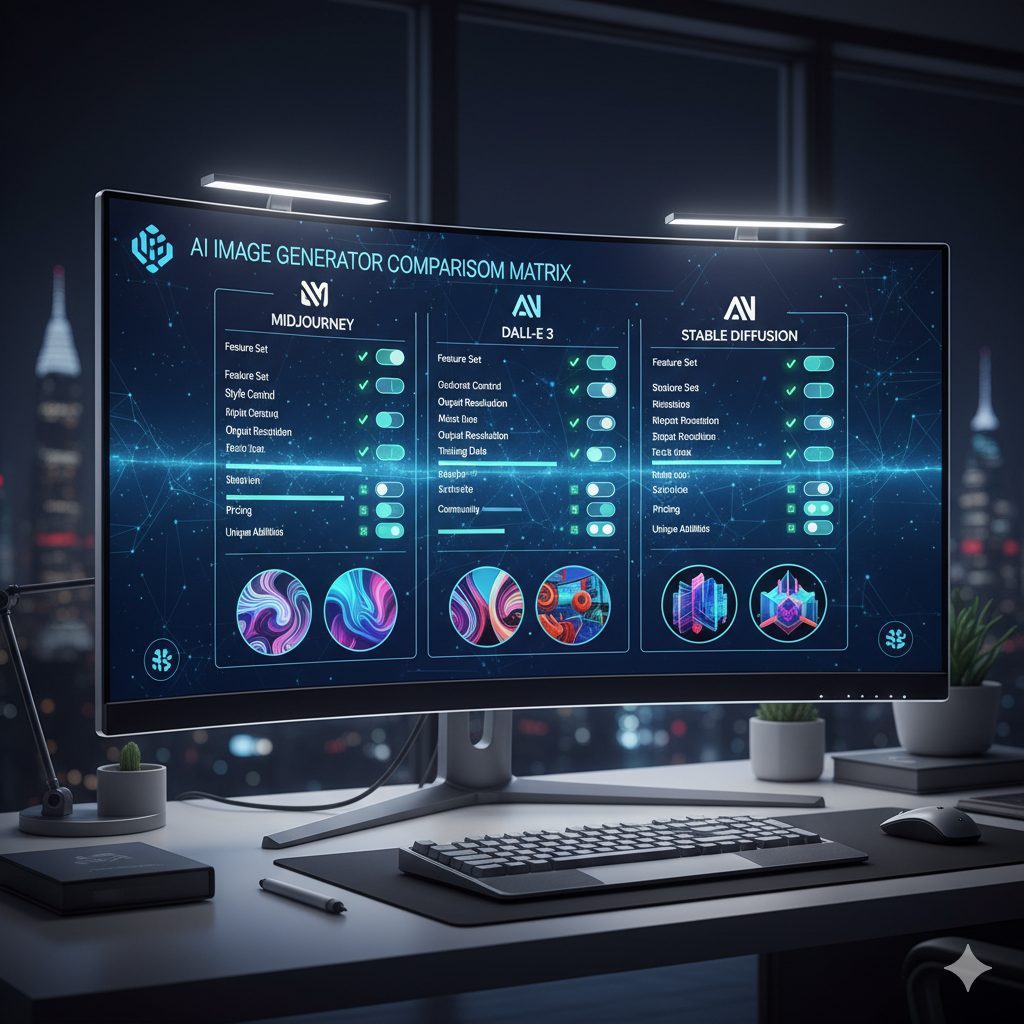
The world of artificial intelligence art has exploded, transforming from a niche technological marvel into a vibrant, accessible creative medium. Artists, designers, hobbyists, and professionals alike are harnessing the power of AI to generate stunning visuals, conceptualize ideas, and push the boundaries of imagination. However, with a plethora of AI image generators now available, each with its unique strengths, weaknesses, and quirks, the task of selecting the “perfect” tool for your specific artistic style and workflow can feel overwhelming. This comprehensive guide will demystify the process, providing you with the knowledge and insights needed to navigate the landscape of AI art tools and choose the one that truly aligns with your creative vision.
Choosing the right AI image generator is not merely about picking the most popular one; it is about understanding your own artistic inclinations, technical requirements, and the specific outcomes you wish to achieve. Whether you aspire to create hyper-realistic portraits, whimsical fantasy landscapes, abstract digital paintings, or precise architectural renderings, there is an AI tool out there perfectly suited for your needs. The key lies in understanding what each generator excels at, how much control it offers, and how it fits into your creative process. Let us embark on this journey to unlock your full potential in the fascinating realm of AI art.
Understanding Your Artistic Style and Needs
Before diving into the features of various AI image generators, the most crucial first step is a deep introspection into your own artistic style, goals, and practical requirements. Your personal preferences and project needs will dictate which tool will serve you best.
What Kind of Art Do You Want to Create?
AI image generators are not one-size-fits-all. Some excel at certain aesthetics more than others. Consider the following:
- Realism and Photography: If your goal is to generate images that look like actual photographs or highly detailed realistic art, you will need a generator known for its photorealistic capabilities and fine detail rendering. These often require precise prompting and sometimes advanced control features.
- Fantasy and Sci-Fi: For epic landscapes, mythical creatures, or futuristic cityscapes, a generator with a strong understanding of artistic composition, lighting, and imaginative concepts will be beneficial. Midjourney, for instance, is often praised for its ability to produce highly atmospheric and evocative fantasy art.
- Anime and Manga: Many artists specialize in Japanese animation styles. There are AI models specifically trained on anime datasets that can generate characters, scenes, and even specific artistic nuances typical of anime. Stable Diffusion, with its vast ecosystem of community-trained models (LoRAs, checkpoints), is particularly strong here.
- Abstract and Conceptual Art: If you are interested in pushing boundaries, experimenting with colors, shapes, and forms without strict adherence to realism, you might prioritize generators that allow for more abstract interpretations of your prompts or offer unique stylistic filters.
- Graphic Design and Logos: For commercial applications like marketing materials, website graphics, or logo concepts, you might need a generator that prioritizes clean lines, clear compositions, and the ability to integrate text effectively. Adobe Firefly is increasingly popular in this domain due to its integration with existing design workflows.
- Technical and Architectural Visualizations: Precision, accurate perspective, and the ability to adhere to specific structural elements are paramount. Tools with strong control over geometry and perspective, perhaps via ControlNet functionalities in Stable Diffusion, would be ideal.
What is Your Technical Proficiency?
Your comfort level with technology and complex interfaces will influence your choice:
- Beginner: If you are new to AI art, you might prefer user-friendly interfaces with intuitive controls, pre-set styles, and less emphasis on complex prompt engineering. Generators like DALL-E 3 (via ChatGPT or Copilot) or Leonardo.ai offer a smoother onboarding experience.
- Intermediate: For those comfortable with basic prompting and willing to explore more features, a tool that offers a good balance of ease of use and advanced options, such as Midjourney, or web-based Stable Diffusion interfaces, could be a great fit.
- Expert/Developer: If you thrive on deep customization, command-line interfaces, local installations, and model fine-tuning, then Stable Diffusion with its vast ecosystem (e.g., Automatic1111, ComfyUI) will provide the ultimate level of control and flexibility.
What is Your Budget?
The cost of AI art generation varies significantly:
- Free Options: Some generators offer free trials or limited free usage (e.g., Bing Image Creator, some Stable Diffusion web UIs with daily credits). These are great for experimentation but often come with limitations on speed, resolution, or commercial use.
- Subscription Models: Most advanced generators operate on a subscription basis, offering different tiers based on usage limits, speed, and features (e.g., Midjourney, DALL-E 3 access via ChatGPT Plus, Leonardo.ai credits).
- Pay-per-use/API: Some services charge based on the number of images generated or compute time. For Stable Diffusion, running it locally requires an initial investment in hardware but no recurring software fees.
What Features are Crucial for Your Workflow?
Consider specific functionalities that will enhance your creative process:
- Text-to-Image Generation: The core functionality of most generators, converting descriptive text into images.
- Image-to-Image Transformation: Using an existing image as a base to generate variations or stylize it with a text prompt.
- Inpainting and Outpainting: Editing specific parts of an image or extending its borders seamlessly.
- ControlNet: Advanced techniques to control composition, pose, depth, and other structural elements from reference images.
- Upscaling and Enhancement: Increasing image resolution and improving detail.
- Fine-tuning and Custom Models (LoRAs/Checkpoints): The ability to train or use specialized models for very specific styles or subjects.
- API Access: For developers or those wanting to integrate AI generation into their own applications.
Key Features to Look For in an AI Image Generator
Once you have a clear understanding of your needs, you can evaluate different generators based on their core capabilities and advanced features.
Prompting Capabilities and Flexibility
The quality of your output is heavily reliant on your input. A good generator will offer:
- Rich Text Understanding: The AI’s ability to interpret complex, nuanced, and lengthy prompts accurately, translating abstract concepts into visual elements. DALL-E 3 excels here.
- Negative Prompting: Specifying what you do not want in an image (e.g., “no blurry background,” “no distorted limbs”). This is crucial for refining outputs.
- Prompt Weights and Parameters: Allowing you to assign importance to certain keywords or control aspects like aspect ratio, stylization, randomness, and seed values. Midjourney and Stable Diffusion offer extensive parameter control.
- Image Prompting (Image-to-Image): The ability to use an existing image as part of your prompt, influencing the style or composition of the generated output.
Image Quality and Resolution
The visual fidelity of the generated images is paramount:
- Resolution: The native resolution at which images are generated. Higher resolutions mean more detail and less need for external upscaling.
- Detail and Cohesion: How well the AI renders fine details, textures, and ensures anatomical correctness or logical coherence in complex scenes.
- Artistic Flair: Some generators have an inherent “style” that contributes to aesthetically pleasing results, even with simple prompts. Midjourney is renowned for its artistic outputs.
Style Versatility
A versatile generator can adapt to a wide range of artistic styles, from photorealism to cartoon, oil painting to pixel art. Stable Diffusion, with its vast repository of community models (checkpoints and LoRAs), offers unparalleled style versatility, allowing users to achieve virtually any aesthetic imaginable by swapping models.
Control and Customization
Beyond basic text-to-image, advanced controls allow for precise artistic direction:
- Inpainting and Outpainting: Essential tools for editing existing images or expanding their canvas seamlessly.
- ControlNet: A revolutionary feature primarily found in Stable Diffusion that allows users to guide the generation process with incredible precision using input images like pose skeletons, depth maps, canny edges, or even simple scribbles. This is invaluable for maintaining consistent characters or specific compositions.
- Image-to-Image Transformations: Generating variations or applying styles to an uploaded image.
- Upscaling and Super-Resolution: Dedicated tools within or alongside the generator to enhance the resolution and detail of your generated images without losing quality.
Speed and Efficiency
How quickly can you iterate on ideas? Fast generation times allow for more experimentation. Some services offer “fast” or “turbo” modes at a higher cost or credit consumption. Local installations of Stable Diffusion can be incredibly fast if you have powerful hardware.
Community and Resources
A strong, active community provides support, shares knowledge, and contributes to the ecosystem. Look for:
- Active Forums/Discord Servers: Places where users can ask questions, share prompts, and showcase their work.
- Tutorials and Documentation: Comprehensive guides to help you master the tool.
- Model Marketplaces: For Stable Diffusion, sites like Civitai host thousands of community-trained models and resources.
API and Integrations
For developers or those looking to embed AI art generation into their own applications or workflows, API access is critical. Adobe Firefly’s integration into Adobe Creative Cloud applications is a prime example of seamless integration for professional designers.
Pricing Models
Understand how you will be charged:
- Subscription Tiers: Monthly or annual fees with varying limits on generations, speed, and features.
- Credit Systems: You purchase credits, which are then consumed per generation or task.
- Free Tiers/Trials: Limited functionality or generation counts for initial exploration.
- Local Hosting: Requires upfront hardware investment but no recurring software costs for open-source models.
Popular AI Image Generators: A Deep Dive
Let’s explore some of the leading AI image generators and what makes each unique.
Midjourney
Midjourney has quickly become a household name for its unparalleled ability to produce aesthetically stunning, often dreamlike, and highly artistic images. It excels at understanding abstract concepts and translating them into visually cohesive and imaginative results.
- Strengths:
- Exceptional Artistic Quality: Generates images with a distinct artistic flair, often requiring less prompt engineering to achieve visually appealing results.
- Creative Interpretation: Excellent at interpreting vague or poetic prompts, producing imaginative and evocative art.
- User-Friendly Interface: Primarily operated via Discord commands, which can be surprisingly intuitive once you get the hang of it.
- Rapid Iteration: Quickly generates multiple variations for each prompt, allowing for quick exploration of ideas.
- Weaknesses:
- Limited Direct Control: While it has parameters for aspect ratio, style weight, and randomness, it offers less precise control over composition, pose, or specific object placement compared to Stable Diffusion’s ControlNet.
- Proprietary Nature: The models are closed-source, meaning less community customization or local hosting options.
- Pricing: Operates on a subscription model with varying tiers based on GPU time (fast generations).
- Anatomical Consistency: Can sometimes struggle with highly consistent characters or precise anatomy, especially hands and faces, though recent versions (V6) have made significant improvements.
- Best For: Artists prioritizing aesthetic quality, creative exploration, concept art, fantasy illustration, mood boards, and those who prefer an intuitive, less technical workflow.
DALL-E 3 (via ChatGPT Plus/Copilot)
Developed by OpenAI, DALL-E 3 represents a significant leap in AI’s ability to understand natural language prompts and generate coherent, high-quality images. Its integration with ChatGPT and Microsoft Copilot makes it incredibly accessible and powerful.
- Strengths:
- Exceptional Prompt Understanding: Unrivaled in its ability to accurately interpret complex and lengthy text prompts, including intricate details and relationships between objects. It can even expand upon concise prompts with contextual understanding.
- Text Rendering: Can generate coherent and accurate text within images, a notoriously difficult task for AI.
- Coherence and Consistency: Produces images that are logically consistent with the prompt, often avoiding the “gibberish” or strange artifacts seen in older models.
- Integration: Seamlessly integrated into ChatGPT Plus, allowing for conversational image generation and refinement. Also available free via Microsoft Copilot.
- Weaknesses:
- Limited Direct Control: Similar to Midjourney, it offers less granular control over specific aspects of the image (like pose or composition) compared to Stable Diffusion.
- Artistic “Style”: While high quality, its output can sometimes feel less “artistic” or stylistically unique than Midjourney, leaning more towards a clean, illustrative style unless specifically prompted otherwise.
- Usage Limits: Access via ChatGPT Plus comes with usage caps.
- Best For: Marketing professionals, content creators, writers, educators, or anyone needing quick, accurate, and coherent image generations based on detailed text descriptions, especially when text within the image is required. Excellent for rapid prototyping and brainstorming.
Stable Diffusion (Various Interfaces)
Stable Diffusion, an open-source model developed by Stability AI, is the powerhouse for customization, control, and local hosting. Its open nature has led to a massive ecosystem of community-contributed models, tools, and workflows.
- Strengths:
- Unparalleled Control: With tools like ControlNet, inpainting, outpainting, and extensive parameters, Stable Diffusion offers the most granular control over every aspect of image generation, from composition to specific details.
- Vast Customization: An enormous community creates and shares custom models (checkpoints), LoRAs (Low-Rank Adaptation models), and embeddings, allowing users to generate virtually any style, character, or subject imaginable.
- Local Hosting: Can be run on your own hardware (GPU required), offering privacy, unlimited generations (after initial hardware investment), and no subscription fees.
- Active Community: A vibrant and technically advanced community constantly develops new features, workflows, and models.
- Cost-Effective: Many web-based interfaces offer free tiers or affordable credit systems, and local hosting is free beyond hardware.
- Weaknesses:
- Steep Learning Curve: Achieving optimal results, especially with advanced features like ControlNet or custom workflows (e.g., ComfyUI), requires significant technical understanding and experimentation.
- Setup Complexity: Local installation can be daunting for beginners. Web-based interfaces simplify this but may not offer full control.
- Raw Output Quality: Out-of-the-box, vanilla Stable Diffusion models might require more prompt engineering or model fine-tuning to achieve the aesthetic polish often seen in Midjourney or DALL-E 3.
- Hardware Requirements: Running locally requires a powerful GPU (e.g., NVIDIA RTX series with sufficient VRAM).
- Best For: Experienced artists, developers, researchers, users who prioritize maximum control, those who want to create highly specific or niche styles, consistent characters, or anyone willing to invest time in learning advanced techniques. Ideal for generating assets for games, films, or highly specialized art projects.
Leonardo.ai
Leonardo.ai is a user-friendly platform built upon Stable Diffusion, offering a curated selection of fine-tuned models and an intuitive interface, making advanced AI art accessible to a broader audience.
- Strengths:
- User-Friendly Stable Diffusion: Simplifies the complexity of Stable Diffusion with a clean, web-based interface.
- Curated Fine-Tuned Models: Offers a wide range of high-quality, pre-trained models (similar to checkpoints/LoRAs) specifically designed for various styles (e.g., character design, landscapes, photography).
- Excellent Toolset: Includes features like image-to-image, inpainting/outpainting, upscaling, prompt generation, and even 3D texture generation.
- Active Community Features: Showcase, community feed, and shared prompts encourage learning and inspiration.
- Free Tier: Offers a generous free tier with daily credits, perfect for getting started.
- Weaknesses:
- Credit System: Even paid plans operate on a credit system, which can be consumed quickly with heavy usage or complex features.
- Less Raw Control: While powerful, it does not offer the same level of deep, code-level customization as a local Stable Diffusion setup (e.g., ComfyUI).
- Server-Dependent: Requires an internet connection and relies on their servers, meaning less privacy and infinite generation compared to local Stable Diffusion.
- Best For: Beginners and intermediate users who want to leverage the power and versatility of Stable Diffusion without the technical complexities of local installation. Excellent for character design, game asset creation, and exploring diverse art styles with ease.
Adobe Firefly
Adobe Firefly is Adobe’s suite of creative generative AI models, deeply integrated into the Creative Cloud ecosystem. It focuses on empowering designers and artists within their existing workflows, with an emphasis on commercial viability and ease of use.
- Strengths:
- Seamless Integration: Directly accessible within Adobe Photoshop, Illustrator, and other Creative Cloud apps, allowing for “Generative Fill,” “Generative Expand,” and other AI-powered tools within familiar interfaces.
- Commercial Safety: Trained on Adobe Stock and public domain content, aiming to be safe for commercial use. This is a significant advantage for professionals.
- Specific Design Tools: Excels at tasks like text effects, recoloring vectors, generating textures, and filling backgrounds, making it invaluable for graphic designers.
- User-Friendly Interface: Designed with Adobe’s signature user experience in mind, making it intuitive for existing Adobe users.
- Weaknesses:
- Less “Pure” Artistic Freedom: While powerful for design tasks, its core image generation might feel less artistically free-form or stylistically diverse compared to Midjourney or the full Stable Diffusion ecosystem for raw conceptual art.
- Creative Cloud Dependency: Most beneficial for users already invested in the Adobe ecosystem.
- Pricing: Part of the Creative Cloud subscription, which can be an investment for individuals not already using Adobe products.
- Best For: Graphic designers, web designers, marketing professionals, and anyone working within the Adobe Creative Cloud ecosystem who needs AI tools for enhancing existing projects, creating commercial assets, or streamlining design workflows.
Comparison Tables
To help you further differentiate between the top contenders, here are two comparison tables focusing on features and practical applications.
Table 1: Key Feature Comparison of Top AI Image Generators
| Generator | Best For | Key Strengths | Key Weaknesses | Pricing Model | Control Level |
|---|---|---|---|---|---|
| Midjourney | Creative concept art, artistic exploration, high-aesthetic outputs, fantasy art. | Exceptional aesthetic quality, highly artistic outputs, intuitive Discord interface, strong community. | Limited direct control over composition/pose, proprietary model, subscription-based, less precise text. | Subscription (GPU hours) | Moderate (via parameters) |
| DALL-E 3 (via ChatGPT/Copilot) | Accurate text interpretation, quick coherent concepts, generating text in images, conversational prompting. | Unrivaled prompt understanding, coherent outputs, excellent text rendering, seamless integration with chat AI. | Less direct artistic control, can be less “artistic” than Midjourney, usage limits. | Subscription (ChatGPT Plus) / Free (Copilot) | Moderate (via descriptive prompts) |
| Stable Diffusion (e.g., Automatic1111, ComfyUI) | Maximum control, custom styles/characters, highly specific art, local privacy, game asset generation. | Unparalleled control (ControlNet), vast open-source ecosystem, infinite customization (LoRAs/checkpoints), local hosting. | Steep learning curve, complex setup, requires powerful GPU, can need more prompt engineering for good results. | Free (local) / Credits (web UI) | High (granular control) |
| Leonardo.ai | Beginners to intermediate SD users, game asset creation, quick stylistic variations, character design. | User-friendly SD interface, curated fine-tuned models, robust toolset (inpainting, upscaling), active community, free tier. | Credit-based system can be limiting, not as deep control as local SD, server-dependent. | Credits (Free tier + Paid plans) | High (simplified SD tools) |
| Adobe Firefly | Graphic designers, commercial art, enhancing existing projects, seamless Adobe Creative Cloud integration. | Commercial safety, deep integration with Adobe apps, excellent for design tasks (Generative Fill, text effects), familiar UI. | Less raw artistic freedom for general image generation, primarily for Adobe users, subscription-based. | Creative Cloud Subscription | Moderate (design-focused) |
Table 2: Advanced Control Features and Their Applications
For those seeking greater precision, understanding advanced control features is crucial. This table highlights some of the most impactful ones.
| Feature | Description | Ideal Use Case | Example Generator/Tool |
|---|---|---|---|
| Inpainting | Editing or replacing specific parts of an image by masking an area and providing a new prompt. | Removing unwanted objects, fixing errors (e.g., bad hands), adding details to a character, changing a shirt color. | Stable Diffusion (all UIs), Leonardo.ai, Adobe Firefly (Generative Fill) |
| Outpainting | Extending the canvas of an image beyond its original borders, seamlessly generating new content to fill the expanded area. | Expanding landscapes, changing aspect ratios, creating panoramic scenes from a smaller image. | Stable Diffusion (all UIs), Leonardo.ai, Adobe Firefly (Generative Expand) |
| ControlNet (Pose) | Guides image generation using a human pose skeleton, ensuring consistent character poses and actions. | Creating consistent characters in different actions, storyboarding, character design sheets. | Stable Diffusion (Automatic1111, ComfyUI, InvokeAI) |
| ControlNet (Canny Edge) | Generates images based on the detected edges from an input image, maintaining the outline and structure. | Turning sketches into detailed art, stylizing existing photos while preserving structure, architectural visualization. | Stable Diffusion (Automatic1111, ComfyUI, InvokeAI) |
| Image-to-Image | Uses an input image as a stylistic or compositional reference, blending it with a text prompt to generate new variations. | Stylizing photos, generating variations of existing artwork, transferring styles, creating abstract interpretations. | Midjourney (–iw parameter), Stable Diffusion, Leonardo.ai, DALL-E 3 (to some extent via prompt context) |
| LoRAs / Fine-tuning | Low-Rank Adaptation models (LoRAs) are small, specialized models trained on specific styles, characters, or objects, applied on top of a base Stable Diffusion model. Fine-tuning is training a full model. | Generating a specific character consistently, replicating an artist’s unique style, creating niche aesthetics (e.g., “gothic victorian cyberpunk”). | Stable Diffusion (Civitai, local training) |
Practical Examples: Real-World Use Cases and Scenarios
To illustrate how different generators fit into various artistic workflows, let us consider a few real-world scenarios.
Case Study 1: Freelance Illustrator Creating Unique Character Concepts
An illustrator is tasked with creating a series of unique character concepts for a new fantasy novel. They need to rapidly iterate on different appearances, outfits, and even some poses.
Workflow:
- Initial Brainstorming (Midjourney): The illustrator starts with Midjourney. Using broad prompts like “elven warrior, intricate armor, mystical forest background, strong pose,” they generate dozens of inspiring variations. Midjourney’s aesthetic quality helps them quickly visualize different moods and overall styles.
- Refining Concepts (Leonardo.ai/Stable Diffusion): Once a few promising concepts emerge, they move to Leonardo.ai. They upload the Midjourney image as an image prompt, then use text prompts to refine specific details (e.g., “change armor to leather,” “add a bow,” “make eyes glow”). They also explore Leonardo’s specialized character models.
- Pose and Consistency (Stable Diffusion with ControlNet): For consistent character poses across different scenes or costume changes, they turn to a local Stable Diffusion setup (Automatic1111). They generate a desired pose using a simple stick figure or a reference photo, feed it into ControlNet (OpenPose model), and then generate the character with the desired prompt, ensuring the pose remains identical. They might also use a LoRA model trained on their specific character design to maintain facial features.
- Final Touches (Adobe Photoshop): The best AI-generated images are then brought into Photoshop for manual refinement, detail painting, and compositing with other elements.
In this scenario, Midjourney excels at initial ideation, Leonardo.ai provides user-friendly refinement, and Stable Diffusion offers granular control for consistency.
Case Study 2: Marketing Professional Generating Ad Creatives
A marketing manager needs to quickly generate diverse ad creatives for a social media campaign promoting a new coffee brand. The images need to be high-quality, relevant to the ad copy, and ready for commercial use.
Workflow:
- Rapid Prototyping (DALL-E 3 via ChatGPT): The manager uses ChatGPT Plus to interact with DALL-E 3. They provide detailed prompts describing various scenarios: “A person enjoying a latte in a cozy cafe, soft morning light, hyperrealistic, warm tones” or “A minimalist flat lay of coffee beans, a cup, and a smartphone, professional product photography style, clean background.” The ability of DALL-E 3 to understand complex narratives and incorporate specific elements quickly is invaluable for testing different ad angles.
- Brand Integration (Adobe Firefly): For some creatives, they need to integrate the brand’s logo or specific text. They generate background images using DALL-E 3, then import them into Adobe Firefly (or Photoshop with Generative Fill). Here, they use Firefly’s text effects to create visually appealing brand names on mugs or signs, or use Generative Fill to seamlessly add product packaging into an existing scene. Firefly’s focus on commercial safety is a key benefit.
- Variations and Resizing (Adobe Firefly/Photoshop): Once core concepts are approved, they use Firefly’s “Generative Expand” within Photoshop to adapt images to different aspect ratios (e.g., square for Instagram, wide for Facebook banner) without cropping important elements, and then further refine and add text overlays within Photoshop.
Here, DALL-E 3 handles the initial concept generation with unmatched prompt understanding, while Adobe Firefly and its integration with Photoshop ensures commercial readiness and design flexibility.
Case Study 3: Game Developer Prototyping Environment Art
A small indie game studio needs to rapidly prototype different environmental assets and textures for a new fantasy RPG. Consistency in style and the ability to generate specific types of assets are crucial.
Workflow:
- Stylistic Exploration and Asset Generation (Stable Diffusion with Custom Models): The developers primarily use a local Stable Diffusion setup (ComfyUI) due to its flexibility and performance. They download or train specific checkpoints and LoRAs tailored to their game’s art style (e.g., a “dark fantasy” checkpoint, a “mossy rock” LoRA).
- Texture Generation (Leonardo.ai/Stable Diffusion): For seamless textures (e.g., brick walls, cobblestones, alien flora), they use Leonardo.ai’s texture generation features or specific Stable Diffusion workflows designed for tiling textures.
- Scene Composition (Stable Diffusion with ControlNet): To ensure consistent architectural elements or terrain features, they use ControlNet. For example, they might draw a simple top-down map or a rough architectural sketch and use ControlNet (Canny Edge or Depth map) to generate detailed environment pieces that adhere to the basic layout.
- Variations and Iterations: They use image-to-image with their style-specific models to generate multiple variations of a single asset (e.g., different types of ancient ruins, varied forest paths).
Stable Diffusion, with its open-source nature, custom models, and ControlNet, provides the unparalleled control and specific output capabilities required for game development, while Leonardo.ai offers streamlined texture generation.
Case Study 4: Hobbyist Exploring Different Art Styles
An enthusiastic hobbyist wants to explore various art styles, from intricate digital paintings to vibrant cartoon characters, without committing to a single aesthetic or spending heavily.
Workflow:
- Diverse Exploration (Leonardo.ai/Midjourney): The hobbyist starts with Leonardo.ai, leveraging its extensive library of fine-tuned models for different styles (e.g., “DreamShaper,” “Anime Pastel,” “Absolute Reality”). The free credit system allows for ample experimentation. They also use Midjourney for its naturally artistic and often surprising outputs, allowing them to stumble upon unique aesthetics they might not have considered.
- Prompt Learning and Refinement: They spend time in the communities of both platforms, learning from other users’ prompts, experimenting with different parameters, and understanding how subtle changes in wording can drastically alter the output.
- Upscaling and Enhancement: They utilize built-in upscaling features within Leonardo.ai or Midjourney to improve the resolution of their favorite generations, suitable for sharing online or even printing.
- Basic Editing (Free Photo Editor): For minor tweaks or compositing, they use free online photo editors or basic software.
For the hobbyist, Leonardo.ai and Midjourney offer accessible entry points into a vast world of styles, with enough features to create satisfying results without a steep learning curve or significant financial investment.
Frequently Asked Questions
Q: What is the main difference between Midjourney and Stable Diffusion?
A: The main difference lies in their approach and philosophy. Midjourney is a closed-source, highly curated AI model known for its exceptional artistic aesthetic and ease of use, primarily operated via Discord. It excels at generating beautiful, often dreamlike art with less direct control over specifics. Stable Diffusion, on the other hand, is an open-source model offering unparalleled control, customization, and the ability to run locally on your own hardware. It has a vast ecosystem of community-contributed models (LoRAs, checkpoints) and advanced control features (like ControlNet), but typically comes with a steeper learning curve.
Q: Can I use AI-generated art commercially?
A: This is a complex area, and the answer varies depending on the specific AI generator and the legal jurisdiction. For closed-source models like Midjourney, DALL-E 3, and Adobe Firefly, you must review their terms of service carefully. Midjourney’s terms often grant commercial rights to paid subscribers, while DALL-E 3 generally allows commercial use. Adobe Firefly explicitly aims to be commercially safe by training on licensed content. For open-source models like Stable Diffusion, the images you generate are typically yours to use commercially, but you should always verify the licenses of any specific models (checkpoints, LoRAs) you download and use, as they might have restrictive clauses.
Q: How important is prompt engineering?
A: Prompt engineering is extremely important. It is the art and science of crafting effective text prompts to guide the AI towards your desired output. A well-engineered prompt can drastically improve image quality, coherence, and relevance, while a poor prompt can lead to vague or undesirable results. It involves understanding keywords, adjectives, artistic styles, negative prompts, and sometimes specific parameters (depending on the generator). Even with highly intuitive generators like DALL-E 3, descriptive and clear prompts yield superior results. For tools like Stable Diffusion, it is absolutely foundational to achieving precise control.
Q: Are free AI image generators any good?
A: Yes, many free AI image generators are surprisingly good, especially for beginners and hobbyists. Bing Image Creator (powered by DALL-E 3) offers high-quality results for free. Leonardo.ai has a generous free tier. Many web interfaces for Stable Diffusion also offer free daily credits. While they often come with limitations (e.g., slower generation, lower resolution, credit caps, basic features), they are excellent for experimenting, learning the ropes, and creating impressive art without financial commitment. For serious work or advanced control, paid tiers or self-hosting become more attractive.
Q: What are LoRAs and how do they work?
A: LoRAs (Low-Rank Adaptation models) are a revolutionary development in the Stable Diffusion ecosystem. They are small, specialized files (typically a few MBs) that can be applied to a larger base Stable Diffusion model to subtly alter its style, generate specific characters, objects, or aesthetics. Instead of retraining an entire large model, LoRAs “fine-tune” specific parts of it, making them incredibly efficient to train, share, and use. They allow users to achieve highly niche and consistent results, enabling artists to create specific character models, replicate art styles, or generate particular themes (e.g., “steampunk fantasy,” “anime girl with red hair”).
Q: Is it possible to generate consistent characters or styles across multiple images?
A: Yes, but it requires advanced techniques, especially for character consistency. Midjourney V6 has improved character consistency, but for truly reliable results, Stable Diffusion is often preferred. Using a combination of consistent prompt keywords, seed values, and crucially, techniques like ControlNet (especially for pose and facial features) and LoRAs (trained on your specific character) can help maintain consistency across multiple generations. Image-to-image prompting with a consistent base image can also assist. It requires experimentation and often a multi-step workflow.
Q: How do I handle ethical considerations with AI art?
A: Ethical considerations in AI art are crucial. Key aspects include:
- Copyright and Ownership: Who owns the AI-generated art? This is still a legally developing area, but generally, the human creator who uses the tool is considered the owner in many jurisdictions.
- Attribution: Should you attribute the AI tool? Many artists choose to disclose when AI has been used, promoting transparency.
- Bias and Misinformation: AI models can perpetuate biases present in their training data, leading to problematic or stereotypical outputs. Be mindful of the potential for misuse.
- Deepfakes and Consent: Generating realistic images of real people without their consent raises significant ethical and legal concerns.
- Artistic Value: The debate around the “artistic value” of AI-generated art is ongoing. Respecting both human and AI contributions can foster a more inclusive creative environment.
Always be mindful of the impact of your creations and strive for responsible use.
Q: What hardware do I need to run Stable Diffusion locally?
A: To run Stable Diffusion locally and effectively, you primarily need a powerful NVIDIA GPU (graphics processing unit). While it can technically run on less powerful cards, an NVIDIA RTX series GPU (e.g., RTX 3060, 3080, 4070, 4090) with at least 8GB of VRAM (Video RAM) is highly recommended for decent speed and the ability to generate higher resolution images or use advanced features like ControlNet. More VRAM (12GB+) is better for larger images or complex workflows. You will also need sufficient RAM (16GB or more) and storage space (100GB+ for models and output). AMD GPUs can run Stable Diffusion, but NVIDIA cards typically offer better compatibility and performance due to CUDA optimization.
Q: What is the future of AI art generation?
A: The future of AI art generation is incredibly dynamic and promising. We can expect:
- Improved Coherence and Detail: AI models will continue to get better at understanding complex prompts, generating realistic anatomy, and producing intricate details without artifacts.
- Enhanced Control: More intuitive and powerful control mechanisms (beyond ControlNet) will emerge, giving artists even finer guidance over composition, lighting, and style.
- Multimodal Generation: Seamless integration of text, images, video, and even 3D models into a single generative workflow.
- Personalization: Easier fine-tuning and adaptation of models to individual artistic styles, leading to highly personalized AI art assistants.
- Ethical Frameworks: Development of more robust legal and ethical frameworks surrounding AI art, addressing copyright, commercial use, and responsible content creation.
- Real-time Generation: Faster generation speeds, possibly enabling real-time interactive AI art creation.
The field is evolving at an unprecedented pace, promising even more powerful and accessible tools for artists worldwide.
Q: How do I get started as a complete beginner?
A: For a complete beginner, the best way to start is by picking a user-friendly, accessible tool and simply experimenting.
- Start with a Free Option: Try Bing Image Creator (Microsoft Copilot) or Leonardo.ai’s free tier. Both offer intuitive interfaces and good quality outputs without requiring setup.
- Experiment with Prompts: Start with simple prompts, then gradually add more detail, adjectives, artistic styles (e.g., “oil painting,” “digital art,” “cinematic”), and artists’ names for inspiration.
- Learn from Others: Explore community galleries on platforms like Leonardo.ai, Midjourney Discord, or Civitai. Look at the prompts others use and try to reverse-engineer their creations.
- Watch Tutorials: YouTube is a treasure trove of tutorials for specific generators. Search for “Midjourney tutorial for beginners” or “Stable Diffusion for beginners.”
- Don’t Be Afraid to Fail: Generating “bad” images is part of the learning process. Each failed prompt teaches you something new about how the AI interprets your words.
The most important step is to simply dive in and start creating!
Key Takeaways
Navigating the diverse landscape of AI image generators can be challenging, but understanding your artistic needs and the strengths of each tool will guide you to the perfect choice. Here are the main points to remember:
- Know Yourself First: Before choosing a tool, define your artistic style, technical comfort level, budget, and crucial features for your workflow.
- Midjourney for Aesthetics: If your priority is highly artistic, evocative, and visually stunning outputs with less emphasis on precise control, Midjourney is an excellent choice.
- DALL-E 3 for Coherence: For unparalleled prompt understanding, accurate text rendering, and coherent images based on complex descriptions, especially within a conversational AI context, DALL-E 3 is a leader.
- Stable Diffusion for Control: If maximum control, customization, niche styles, local hosting, and advanced techniques (like ControlNet and LoRAs) are your goals, Stable Diffusion is the most powerful option, though it has a steeper learning curve.
- Leonardo.ai for Accessible Stable Diffusion: For users who want the power and versatility of Stable Diffusion without the technical complexities, Leonardo.ai provides a fantastic, user-friendly web interface with curated models.
- Adobe Firefly for Designers: For seamless integration into existing design workflows within the Adobe Creative Cloud, commercial safety, and specific design-oriented generative tasks, Adobe Firefly is invaluable.
- Prompt Engineering is Key: Regardless of the tool, mastering prompt engineering is fundamental to achieving high-quality and desired results.
- Explore Advanced Features: Tools like inpainting, outpainting, ControlNet, and LoRAs offer incredible precision and expand creative possibilities for experienced users.
- Community and Resources are Gold: Active communities, tutorials, and model marketplaces are invaluable for learning, troubleshooting, and staying updated with new developments.
- Start Free and Experiment: Many tools offer free tiers or trials, allowing you to experiment and find what resonates with your creative process before committing financially.
Conclusion
The journey to mastering AI art begins with selecting the right co-creator for your artistic vision. There is no single “best” AI image generator; rather, there is the best tool for you, given your unique style, objectives, and workflow. By carefully evaluating your needs against the distinctive strengths of platforms like Midjourney, DALL-E 3, Stable Diffusion, Leonardo.ai, and Adobe Firefly, you can make an informed decision that empowers your creativity.
The AI art landscape is continuously evolving, with new models, features, and techniques emerging at a rapid pace. Embrace the learning process, experiment fearlessly, and engage with the vibrant global community of AI artists. Whether you are a seasoned professional or a curious beginner, the perfect AI image generator is out there, ready to help you unlock unprecedented artistic possibilities and transform your imaginative concepts into breathtaking visual realities. Dive in, choose your tool wisely, and start creating the future of art.




























































































Leave a Reply