

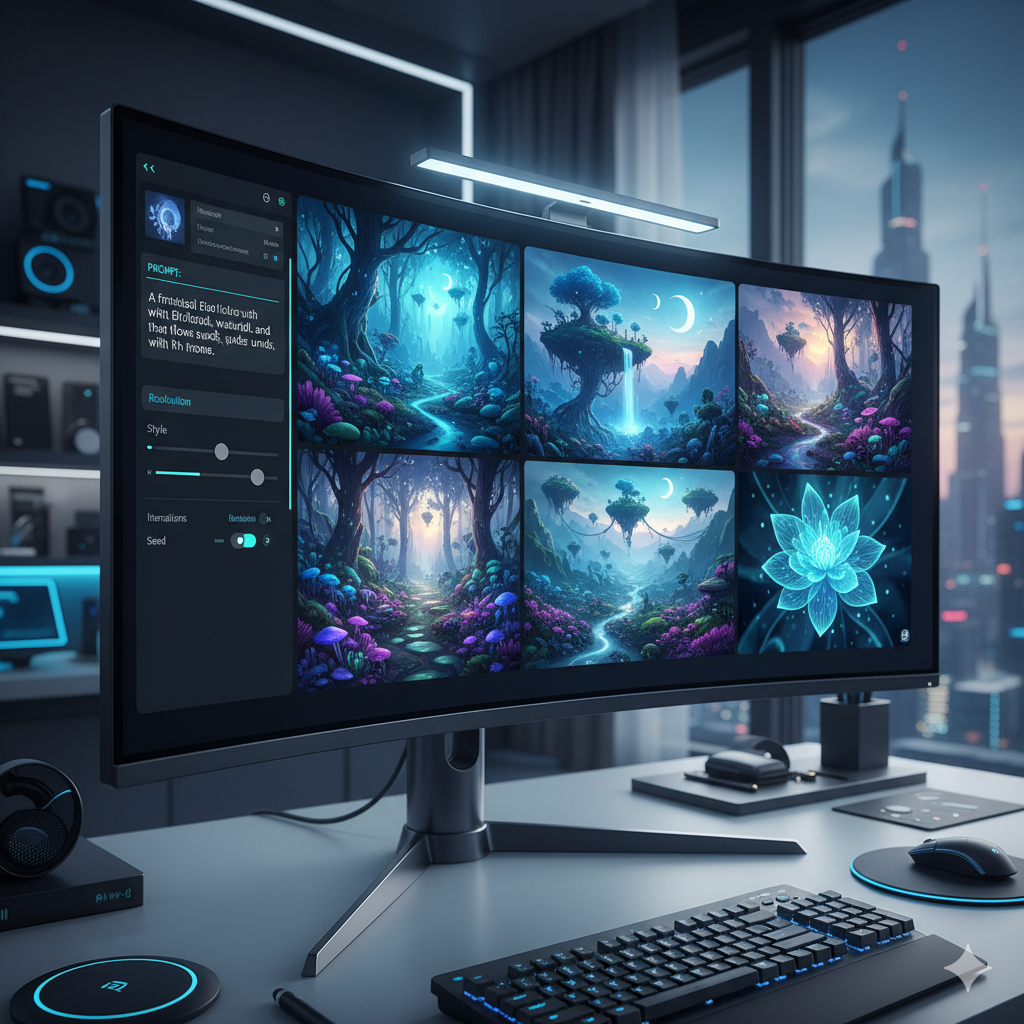
In the rapidly evolving landscape of graphic design, artificial intelligence has emerged not as a replacement, but as a powerful co-pilot, fundamentally transforming how visual content is conceived, created, and deployed. The ability of AI to generate stunning, original images from simple text descriptions seemed like science fiction just a few years ago. Today, it is a reality, and at the heart of mastering this reality lies a discipline known as Precision Prompt Engineering. This sophisticated skill allows graphic designers to move beyond generic AI outputs, enabling them to craft truly flawless, highly specific, and production-ready images that seamlessly integrate into their professional workflows. This comprehensive guide will delve deep into the art and science of prompt engineering, equipping you with the knowledge and techniques to elevate your visual content creation to unprecedented heights.
Gone are the days when AI image generation was a novelty, producing abstract or whimsical art suitable only for experimental projects. Modern AI models, powered by vast datasets and advanced algorithms, are now capable of delivering photorealistic renders, intricate illustrations, complex textures, and detailed conceptual designs. However, the quality of these outputs is directly proportional to the quality of the input – the prompt. A well-engineered prompt is the difference between a passable image and a breathtaking masterpiece. It is the language through which designers communicate their precise vision to the AI, ensuring that every pixel, every shadow, and every stylistic nuance aligns perfectly with their creative brief. Join us as we explore how to harness this revolutionary technology, transforming your design process and unlocking new realms of creative possibility.
What is Precision Prompt Engineering?
Precision Prompt Engineering is the specialized practice of designing, refining, and optimizing textual commands (prompts) to guide AI image generation models towards producing highly specific, high-quality, and artistically controlled visual outputs. It is more than just typing a few descriptive words; it is an iterative, analytical, and creative process that demands an understanding of both the artistic intent and the underlying mechanisms of the AI model. For graphic designers, this means meticulously constructing prompts that articulate not just the subject matter, but also the style, composition, lighting, mood, color palette, technical specifications, and even the emotional impact desired in the final image.
Think of prompt engineering as learning a new, incredibly powerful language – the language of AI models. Just as a designer might painstakingly select the right font, color, or layout in traditional design software, a prompt engineer carefully selects keywords, phrases, and structural elements to direct the AI. This process often involves:
- Decomposition: Breaking down a complex visual concept into its fundamental components (subject, action, setting, style, mood, lighting, camera angle, etc.).
- Keyword Selection: Choosing precise vocabulary that the AI model understands and prioritizes, often drawing from art history, photography terms, and digital rendering jargon.
- Syntax and Structure: Arranging keywords and phrases in a specific order, using punctuation, weights, and other modifiers that influence the AI’s interpretation.
- Iteration and Refinement: Generating multiple variations, analyzing the outputs, and systematically adjusting the prompt to converge on the desired result. This often involves trial and error, learning from each generated image.
- Negative Prompting: Explicitly telling the AI what *not* to include or what characteristics to avoid, which is crucial for removing unwanted artifacts or steering away from undesirable aesthetics.
- Parameter Control: Utilizing model-specific parameters such as aspect ratios, seed numbers, stylization levels, and sampling methods to fine-tune the generation process.
The goal of precision prompt engineering is to minimize the gap between the designer’s internal vision and the AI’s external output, allowing for unparalleled control and predictability in an otherwise generative process. It transforms AI from a random art generator into a predictable, powerful design tool.
The Evolution of AI Image Generation and its Impact on Design
The journey of AI image generation has been nothing short of revolutionary, accelerating from rudimentary pixel art to photorealistic imagery in a remarkably short span. Early generative adversarial networks (GANs) introduced the concept of AI creating novel images, often characterized by their surreal or dreamlike quality. However, these models were largely experimental and lacked the control necessary for professional graphic design applications.
The true paradigm shift arrived with the advent of diffusion models, exemplified by technologies like DALL-E, Midjourney, and Stable Diffusion. These models learned to “denoise” an image from pure static, effectively reversing a diffusion process to generate coherent and detailed visuals. This breakthrough unlocked unprecedented capabilities:
- High Fidelity and Realism: Modern models can produce images that are indistinguishable from photographs or expertly crafted digital art, featuring intricate details, realistic textures, and accurate lighting.
- Stylistic Versatility: From hyperrealism to abstract expressionism, from vintage comic book styles to modern architectural renderings, AI can now emulate a vast array of artistic styles with remarkable accuracy.
- Speed and Efficiency: What once took hours or days for a human artist can now be generated in seconds or minutes, drastically accelerating the ideation and production phases of design projects.
- Accessibility: These powerful tools have become increasingly accessible, moving from specialized research labs to user-friendly interfaces, democratizing high-quality image creation.
Impact on Graphic Design Workflows:
For graphic designers, this evolution has had a profound impact, reshaping traditional workflows and opening new avenues for creativity:
- Rapid Prototyping and Ideation: Designers can quickly generate hundreds of concepts for logos, website layouts, advertisement visuals, or character designs, exploring diverse directions before committing to a single path. This dramatically reduces the time spent in the initial brainstorming and sketching phases.
- Custom Stock Photography and Illustration: The need for expensive stock image subscriptions or commissioned illustrations can be significantly reduced. Designers can generate unique, context-specific visuals tailored precisely to their brand or project requirements, avoiding generic imagery.
- Personalized Content Creation: AI-generated images enable hyper-personalization in marketing campaigns, allowing brands to create bespoke visuals for individual customer segments or even individual users, enhancing engagement.
- Enhanced Creativity and Exploration: AI acts as a creative partner, suggesting unexpected visual interpretations or blending styles in novel ways that might not have been conceived through traditional means. It pushes creative boundaries and helps designers break out of creative ruts.
- Backgrounds and Textures: Generating seamless textures, complex backgrounds, or environmental elements for composites becomes an effortless task, saving countless hours typically spent on intricate digital painting or photography.
- Mood Board and Concept Development: Designers can rapidly assemble visually rich mood boards and concept art, translating abstract ideas into tangible visuals much faster than before.
While AI offers immense benefits, it also necessitates new skills, primarily the mastery of precision prompt engineering, to fully leverage its potential and ensure that the generated output aligns with professional design standards. Understanding the nuances of these models is paramount to transforming AI from a novelty into an indispensable design asset.
Core Principles of Precision Prompt Engineering
To consistently generate flawless AI images, graphic designers must adhere to several core principles that guide the construction and refinement of effective prompts. These principles act as a framework, ensuring clarity, control, and creative alignment between the designer’s intent and the AI’s output.
1. Clarity and Specificity:
The AI cannot read your mind; it only understands the words you provide. Vague prompts lead to vague, often undesirable, results. Every element you wish to see in the image should be explicitly stated. Instead of “a dog,” specify “a golden retriever puppy, fluffy, playing in a sunny meadow, cinematic lighting.”
- Detail the Subject: Clearly define the main subject, including breed, age, color, state (e.g., “vintage red sports car,” “elderly woman with kind eyes”).
- Describe the Action/Pose: What is the subject doing? “Leaping through the air,” “sitting contemplatively,” “driving down a winding road.”
- Specify the Environment/Background: Where is the scene taking place? “Urban cityscape at dusk,” “dense jungle with mist,” “futuristic laboratory interior.”
2. Stylistic Direction:
One of the most powerful aspects of AI image generation is its ability to mimic diverse artistic styles. Providing clear stylistic cues is crucial for achieving the desired aesthetic.
- Artistic Styles: “Oil painting,” “watercolor sketch,” “pixel art,” “Japanese ukiyo-e,” “Cubist,” “Baroque.”
- Photography Styles: “Cinematic,” “HDR,” “bokeh,” “macro photography,” “telephoto,” “wide-angle,” “fashion editorial,” “street photography.”
- Artist Emulation: “By Van Gogh,” “in the style of Hayao Miyazaki,” “reminiscent of Art Nouveau posters by Alphonse Mucha.”
- Rendering Styles: “3D render,” “octane render,” “Unreal Engine 5,” “CGI,” “vector illustration.”
3. Composition and Framing:
Control over how elements are arranged and framed within the image is vital for visual impact and storytelling. Designers should think like a photographer or cinematographer when crafting prompts.
- Camera Angles: “Low angle shot,” “bird’s eye view,” “dutch angle,” “eye-level perspective.”
- Shot Types: “Close-up,” “medium shot,” “full shot,” “wide shot,” “establishing shot.”
- Compositional Rules: “Rule of thirds,” “golden ratio,” “symmetrical composition,” “leading lines.”
4. Lighting and Mood:
Lighting dramatically influences the atmosphere and emotional tone of an image. Specifying light sources, colors, and intensity can transform a flat image into a dynamic scene.
- Light Type: “Golden hour lighting,” “dramatic chiaroscuro,” “soft studio lighting,” “neon glow,” “backlighting.”
- Mood: “Ethereal,” “gritty,” “serene,” “tense,” “joyful,” “melancholic.”
- Color Palette: “Monochromatic,” “vibrant colors,” “muted tones,” “pastel palette,” “complementary colors.”
5. Iteration and Refinement:
Very rarely will the first prompt yield the perfect image. Precision prompt engineering is an iterative process. Generate, evaluate, refine, repeat. Each generation provides valuable feedback on how the AI interprets your words, allowing you to fine-tune subsequent prompts.
- Small Adjustments: Change one or two keywords at a time to observe their impact.
- Weighting: Some models allow you to assign weights to different parts of your prompt, emphasizing certain elements over others.
- Negative Prompting: Systematically add terms to the negative prompt to remove unwanted elements or characteristics (e.g., “ugly, disfigured, blurry, extra limbs”).
6. Understanding Model Nuances:
Each AI model (Midjourney, DALL-E, Stable Diffusion) has its own strengths, weaknesses, and ways of interpreting prompts. What works perfectly in one might yield different results in another. Experimentation and understanding the specific model’s tendencies are key.
By diligently applying these principles, graphic designers can transition from being passive recipients of AI-generated content to active, precise directors, capable of producing visually stunning and contextually relevant imagery for any project.
Advanced Prompting Techniques for Graphic Designers
Moving beyond basic descriptive prompts, advanced techniques empower graphic designers to exert granular control over AI image generation, transforming it into a highly precise creative instrument. These methods leverage a deeper understanding of how AI models process information and allow for sophisticated manipulation of visual outputs.
1. Iterative Refinement and Prompt Chaining:
Instead of trying to cram every detail into a single, massive prompt, iterative refinement involves a conversational approach. Start with a broad concept, generate an image, and then use that image as a basis for further prompts. Prompt chaining involves generating an initial image, then taking elements or the entire image and feeding it back into the AI (often using image-to-image prompting or reference image features) with a new text prompt to modify or build upon it. This allows for complex, multi-stage creative processes.
- Example: First prompt: “futuristic cityscape, neon glow, raining, cyberpunk.” Generate image. Second prompt: “using reference image A, add a lone figure walking down a street, wearing a trench coat, cinematic, detailed.”
2. Negative Prompting Mastery:
Often overlooked, the negative prompt is as powerful as the positive one. It explicitly tells the AI what *not* to include or what qualities to avoid. This is critical for eliminating common AI artifacts, maintaining aesthetic consistency, and ensuring professional-grade outputs.
- Common Negative Prompts: “ugly, deformed, blurry, bad anatomy, disfigured, poorly drawn face, poorly drawn hands, missing limbs, extra limbs, low resolution, watermark, text, signature, low quality, cartoon, 3D, render, jpeg artifacts.”
- Stylistic Negative Prompts: If you want a photorealistic image, you might use “illustration, painting, sketch, anime, cartoon.” If you want bright colors, you might add “desaturated, monochrome, drab.”
3. Seed Control and Variation Exploration:
The “seed” is a numerical value that determines the initial noise pattern from which an AI image begins to generate. By using a specific seed, you can regenerate an image with subtle variations or ensure consistency across multiple generations when making minor prompt adjustments. Many AI tools allow you to retrieve the seed of a generated image and reuse it.
- Purpose: Crucial for maintaining character consistency, scene consistency, or exploring slight variations of a successful image without losing its core composition.
- Technique: Generate an image, find its seed, then re-run the prompt with the same seed but slightly altered keywords or parameters (e.g., “red car” vs. “blue car” with the same seed will yield similar compositions).
4. Weighting and Emphasis:
Many advanced AI models allow designers to assign varying degrees of importance or “weights” to different parts of a prompt. This enables fine-grained control over which elements the AI should prioritize. Syntax varies between models (e.g., parentheses `()` or `::` in some, or specific formatting for others).
- Example (conceptual): “
(majestic lion:1.5) sitting on a rock, (sunset:0.8)” – The lion is given higher emphasis than the sunset. - Benefit: Prevents important elements from being overshadowed by less critical descriptive terms, ensuring the focal point is always prominent.
5. Aspect Ratio and Resolution Control:
Professional graphic design often requires images in specific aspect ratios (e.g., 16:9 for widescreen, 1:1 for social media, 2:3 for posters). AI tools increasingly offer direct control over output dimensions and aspect ratios.
- Importance: Ensures images are generated in a usable format, minimizing the need for cropping or resizing which can alter composition or lose detail.
- Common Parameters: `–ar 16:9` (Midjourney), `width` and `height` parameters (Stable Diffusion).
6. Style Blending and Referencing:
Some models allow designers to blend the stylistic qualities of multiple reference images or specific artists. This is incredibly powerful for creating unique hybrid aesthetics or ensuring a consistent brand style across AI-generated assets.
- Image Prompting: Using one or more images as part of the prompt to influence the style, composition, or color palette of the generated output.
- Artist Stacking: Combining multiple artist names (e.g., “in the style of Van Gogh and Monet”) to create a novel artistic interpretation.
7. Prompt Automation and Scripting (for advanced users):
For large-scale projects or continuous brand asset generation, advanced users might explore scripting prompt variations or using tools that automate prompt permutations. This allows for rapid generation of a vast library of related images, suitable for A/B testing or diverse marketing needs.
By mastering these advanced techniques, graphic designers can move beyond simply generating images and begin to truly *direct* the AI, creating bespoke visual content that meets the highest professional standards and seamlessly integrates with their creative vision.
Tools and Platforms for AI Image Generation
The landscape of AI image generation tools is dynamic and rapidly evolving, with new platforms and features emerging regularly. Each platform offers unique strengths, features, and pricing models. For graphic designers, selecting the right tool depends on specific project requirements, desired level of control, and budget. Here are some of the leading platforms currently transforming the creative industry:
1. Midjourney:
- Strengths: Renowned for its artistic flair and ability to produce highly aesthetic, often surreal and visually stunning images with minimal prompting. Excels at abstract concepts, character design, and evocative landscapes. It has a distinctive “style” that many designers appreciate.
- Interface: Primarily accessed via a Discord bot, which can be a learning curve for some but offers a robust community and intuitive command structure.
- Control: Offers good control over aspect ratios, stylization levels, and seed values. Its recent versions (e.g., v5.2, v6) provide significantly improved prompt adherence and realism.
- Best for: Concept art, mood boards, unique illustrations, abstract designs, character concepts, artistic exploration.
2. DALL-E 3 (integrated with ChatGPT Plus/Enterprise):
- Strengths: Exceptional at understanding complex, nuanced, and lengthy prompts, making it very good at generating images that precisely match detailed textual descriptions. It excels at incorporating text into images accurately and understanding context.
- Interface: Integrated directly into ChatGPT’s conversational interface, making it incredibly user-friendly for those already familiar with ChatGPT. You can refine prompts through conversation.
- Control: Strong prompt adherence. While direct parameter control might be less exposed than in other tools, its deep understanding of language often compensates.
- Best for: Highly specific conceptual designs, marketing materials requiring embedded text, product mockups, scenarios requiring precise object placement and clear narrative.
3. Stable Diffusion (various implementations and models):
- Strengths: Open-source and highly customizable. This means it can be run locally (on powerful hardware) or accessed through various web-based interfaces (e.g., Hugging Face, DreamStudio, local UI like Automatic1111). Offers the most granular control over every aspect of image generation, including custom models, LoRAs (Low-Rank Adaptation), inpainting, outpainting, control over specific pose, and more.
- Interface: Varies widely. Web UIs like DreamStudio are straightforward, while local installations (e.g., Automatic1111 web UI) offer unparalleled customization but have a steeper learning curve.
- Control: Unmatched control. Allows for precise adjustments to sampling methods, steps, CFG scale, seed, aspect ratios, custom checkpoints, textual inversions, and advanced techniques like ControlNet for pose, depth, and edge detection.
- Best for: Professional studios, artists requiring maximum control, custom branding, creating specific poses, inpainting/outpainting, generating images with unique aesthetic models, developers, and those with strong technical skills.
4. Adobe Firefly:
- Strengths: Deeply integrated within the Adobe ecosystem (Photoshop, Illustrator), making it incredibly convenient for designers already using these tools. Focuses on commercial viability and safe-for-work content. Excels at generating vectors, textures, and variations, and offers powerful generative fill capabilities.
- Interface: Web-based and integrated into Adobe applications. Very intuitive and user-friendly.
- Control: Good control over style, aspect ratio, and type of content (e.g., generating vector art or brushes). Its generative fill/expand features are particularly robust.
- Best for: Designers within the Adobe ecosystem, generating textures, patterns, vector graphics, image expansion, photo manipulation, and commercial projects where content safety is paramount.
5. Leonardo AI:
- Strengths: Built around Stable Diffusion but with a user-friendly interface and a focus on custom models and community features. Offers excellent tools for fine-tuning models, generating specific assets, and has a strong focus on game assets and character design.
- Interface: Web-based, intuitive, and visually appealing. Offers numerous pre-trained models and easy access to advanced features.
- Control: Provides a good balance of advanced control (similar to Stable Diffusion’s capabilities) with ease of use. Features like image guidance, prompt magic, and element weights are well-implemented.
- Best for: Game designers, concept artists, creating consistent characters, designers who want Stable Diffusion’s power without a local setup, community-driven content.
Choosing the right tool is often a process of experimentation. Many designers utilize a combination of these platforms, leveraging Midjourney for initial concept generation, DALL-E for precise textual integration, Stable Diffusion for granular control and customization, and Adobe Firefly for seamless integration into their existing design software. Understanding the unique capabilities of each is a crucial step in mastering precision prompt engineering.
Integrating AI Images into the Graphic Design Workflow
The true value of AI-generated images for graphic designers is realized when they are seamlessly integrated into existing professional workflows. AI should augment, not replace, the designer’s skills and tools. This integration involves several key stages, from ideation to final production, ensuring that AI-created assets meet professional standards and project requirements.
1. Ideation and Concept Development:
AI excels at generating a vast array of concepts in a short period. Designers can use AI tools to:
- Rapid Prototyping: Quickly visualize different layout options for websites, app interfaces, or print advertisements.
- Mood Boards: Generate specific imagery to convey a particular mood, style, or aesthetic for client presentations. Instead of searching for hours, create exactly what is needed.
- Exploring Styles: Experiment with different artistic styles, color palettes, and compositional approaches for logos, brand identity, or editorial illustrations.
- Brainstorming Visual Metaphors: If a client wants a concept like “growth” or “innovation,” AI can quickly generate various visual interpretations to kickstart discussions.
At this stage, the focus is on quantity and variety. Prompts can be more exploratory, allowing the AI to offer unexpected interpretations that might spark new creative directions.
2. Asset Generation and Customization:
Once a concept is approved, AI can be used to generate specific assets required for the project:
- Custom Stock Imagery: Create unique, copyright-free images that perfectly fit the brand’s aesthetic and message, eliminating the need for generic stock photos. This could include product mockups, character poses, or specific environmental backgrounds.
- Illustrative Elements: Generate intricate patterns, textures, icons, or complex illustrations that would be time-consuming to create from scratch.
- Backgrounds and Environments: Produce high-resolution, seamless backgrounds for digital composites, UI elements, or virtual reality scenes.
- Variations: Generate multiple variations of an approved image with subtle changes in lighting, perspective, or color to provide options or accommodate different placements.
This phase demands precision prompt engineering, using advanced techniques like negative prompting, seed control, and weighting to ensure the generated assets align perfectly with the creative brief.
3. Post-Production and Refinement:
AI-generated images are rarely final outputs straight out of the generator. They almost always require post-production work using traditional design software.
- Image Editing: Import AI-generated images into Adobe Photoshop or Affinity Photo for color correction, retouching, compositing with other elements, and adding specific details or text overlays.
- Vectorization: For illustrative or logo elements, AI-generated raster images can be traced and vectorized in Adobe Illustrator or Inkscape for scalability and clean lines.
- Generative Fill/Expand: Tools like Adobe Firefly’s generative fill can be used to expand backgrounds, remove unwanted objects, or seamlessly integrate AI-generated elements into existing designs.
- Upscaling: While AI models generate decent resolutions, dedicated upscaling tools (often AI-powered themselves) can enhance resolution without significant loss of detail, making images suitable for large-format print.
- Quality Control: Scrutinize images for common AI artifacts (e.g., distorted hands, illogical details, repetitive patterns) and meticulously correct them.
4. Integration with Traditional Design Software:
The final step is to integrate these refined AI assets into the broader design project. This could mean placing them into a print layout in Adobe InDesign, incorporating them into a web design in Figma, or using them as part of a motion graphics project in Adobe After Effects.
By treating AI-generated images as high-quality raw materials rather than finished products, graphic designers can leverage the speed and creative power of AI while maintaining the artistic control and professional polish that distinguishes their work. It’s a symbiotic relationship where human expertise guides and refines AI’s generative capabilities.
Ethical Considerations and Best Practices
As AI image generation becomes more prevalent, graphic designers must navigate a complex landscape of ethical considerations and establish best practices to ensure responsible and professional use of these powerful tools. Ignoring these aspects can lead to legal issues, reputational damage, and a loss of trust from clients and audiences.
1. Copyright and Ownership:
This is perhaps the most contentious area. The legal framework around AI-generated content is still evolving. Key points:
- Source Material: AI models are trained on vast datasets, often scraped from the internet, which may include copyrighted works. The originality of AI outputs derived from such data is a subject of ongoing legal debate.
- Ownership of Output: Current US Copyright Office guidelines generally state that AI-generated images without significant human creative input are not copyrightable. However, if a designer heavily modifies, curates, or incorporates AI output into a larger creative work, that *human* contribution may be copyrightable.
- Best Practice: Always check the terms of service for the specific AI platform you are using regarding commercial use and ownership. For critical commercial projects, consider using AI-generated elements as inspiration or raw material that you heavily transform, rather than presenting raw AI output as your own, unedited work. Disclose the use of AI where appropriate.
2. Attribution and Transparency:
Transparency about the use of AI is becoming increasingly important, especially in professional contexts.
- Client Communication: Clearly inform clients when AI tools are being used in their projects. This builds trust and manages expectations.
- Attribution: While specific attribution to an “AI model” might not be legally required, acknowledging the use of AI (e.g., “AI-assisted design by…”) can be a good ethical practice, especially in public-facing portfolios or published works.
- Avoiding Deception: Do not present AI-generated images as traditional photography or hand-drawn art without disclosure, particularly in journalistic, scientific, or sensitive contexts where authenticity is paramount.
3. Bias and Representation:
AI models learn from the data they are trained on, and if that data contains biases (e.g., underrepresentation of certain demographics, stereotypes), the AI outputs will reflect and potentially amplify those biases.
- Stereotypes: AI can inadvertently perpetuate harmful stereotypes (e.g., generating only male doctors or only light-skinned models for beauty products).
- Lack of Diversity: Generated images may lack diversity in terms of ethnicity, body types, abilities, and cultural contexts unless explicitly prompted.
- Best Practice: Be critically aware of these biases. Actively use inclusive language in prompts (e.g., “diverse group of professionals,” “person of color,” “woman in a wheelchair”) to ensure varied and representative outputs. Carefully review generated images for unintended biases before use.
4. Misinformation and Deepfakes:
The ability to create highly realistic images poses risks of generating misleading or false content (deepfakes), which can have serious societal implications.
- Ethical Responsibility: Graphic designers have an ethical responsibility not to use AI to create or spread misinformation, malicious content, or harmful propaganda.
- Contextual Awareness: Be mindful of the context in which AI-generated images are used, especially when depicting real people or events.
5. Environmental Impact:
Training and running large AI models consume significant computational resources and energy, contributing to carbon emissions.
- Conscious Use: While the impact per individual generation is small, be mindful of excessive or unnecessary use. Optimize prompts to reduce the number of generations needed.
- Advocacy: Support research and development into more energy-efficient AI models.
Adhering to these ethical considerations and best practices is not just about avoiding legal pitfalls; it’s about upholding the integrity of the design profession, fostering trust, and contributing to a responsible and equitable future for AI in creative fields. Designers must be both innovative users and conscientious stewards of this powerful technology.
Future Trends in AI Image Generation for Graphic Design
The field of AI image generation is advancing at an astonishing pace, and what seems cutting-edge today will likely be standard practice tomorrow. For graphic designers, staying abreast of these future trends is crucial for maintaining a competitive edge and continuously innovating their creative processes. Here are some key areas where we can expect significant developments:
1. Hyper-Personalization and Dynamic Content:
Imagine campaigns where every user sees a unique, AI-generated image tailored to their demographics, preferences, or past interactions. This will move beyond simple data-driven variations to truly bespoke visual content generated on the fly. Designers will focus on creating the underlying prompt structures and stylistic guidelines, rather than individual assets, for AI to populate. This could revolutionize advertising, e-commerce, and user experience design.
2. Multi-Modal AI and Contextual Generation:
Current AI models primarily take text-to-image or image-to-image inputs. Future systems will seamlessly integrate multiple input modalities: text, images, video, audio, 3D models, and even real-time data. A designer might provide a loose sketch, a snippet of music, and a descriptive paragraph, and the AI will generate a cohesive visual narrative. This will enable more intuitive and holistic content creation, blurring the lines between different media types.
3. Advanced 3D Asset Generation:
The leap from 2D image generation to highly detailed, animation-ready 3D models from text prompts is already in its infancy and poised for rapid growth. Designers will be able to generate complex 3D objects, environments, and characters with specified textures, rigging, and lighting, dramatically accelerating workflows for game development, virtual reality, and architectural visualization. This will require new forms of prompt engineering specifically for 3D parameters.
4. AI Assistants with Deeper Creative Understanding:
Future AI tools will not just generate images, but act as intelligent creative assistants that understand design principles, brand guidelines, and target audiences. They could suggest compositional improvements, color palette harmonies, or even ethical considerations based on the prompt. Designers might simply say, “Create an advertisement for a luxury watch, minimalist style, suitable for Instagram,” and the AI will understand the nuances of luxury aesthetics and social media formatting.
5. Real-time Generation and Interactive Design:
As computational power increases and models become more efficient, real-time image generation and manipulation will become standard. Designers could interact directly with an AI-generated scene, moving elements, changing lighting, or altering styles on the fly, similar to how they manipulate objects in a 3D editor today. This will transform live events, interactive installations, and rapid design iteration.
6. Ethical AI and Watermarking:
With the rise of deepfakes and misinformation, future AI tools will likely incorporate more robust mechanisms for ethical use. This could include invisible digital watermarks or metadata that identifies an image as AI-generated, making it easier to verify authenticity. Ethical training datasets and built-in bias detection/correction mechanisms will also become more sophisticated.
7. Seamless Integration with Traditional Software:
The integration of AI capabilities directly into core design software (like Adobe Creative Suite) will become even more pervasive. Features like generative fill and expand, smart object recognition, and context-aware editing will be powered by advanced AI, making the design process incredibly fluid and efficient. This will create a truly hybrid design workflow where AI is an invisible yet indispensable partner.
For graphic designers, these trends signify not a threat, but an unprecedented expansion of their creative toolkit. Mastering precision prompt engineering today is laying the groundwork for directing these future AI capabilities, ensuring that human creativity remains at the helm of an ever-more powerful technological landscape.
Comparison Tables
Table 1: Levels of Prompt Engineering Proficiency for Graphic Design
| Proficiency Level | Description & Typical Prompts | Expected Outcomes | Effort & Learning Curve | Impact on Design Workflow |
|---|---|---|---|---|
| Beginner | Simple descriptive prompts. e.g., “a red car”, “a fantasy forest”, “a cat wearing a hat”. Focus on subject, basic color, minimal style. | Generic, sometimes surprising, often requiring significant post-editing. Lacks specific artistic direction. | Low. Easy to start, quick results. Frustration with inconsistent outputs. | Mainly for ideation, brainstorming, or generating quick, non-critical background assets. |
| Intermediate | More structured prompts with specific keywords for style, lighting, and basic composition. Uses negative prompts selectively. e.g., “a vintage red sports car, low angle, golden hour, cinematic, photorealistic, –ar 16:9, –no blur”. | Good quality, often appealing. Better control over aesthetics and atmosphere. Fewer major errors, but still needs refinement. | Medium. Requires understanding of prompt structure, model keywords, and iterative refinement. | Useful for custom stock images, mood board elements, specific conceptual art, and preliminary asset generation. |
| Advanced (Precision) | Complex, multi-layered prompts utilizing weighting, seeds, specific camera parameters, artist references, multi-stage generation, and comprehensive negative prompting. Leverages image-to-image and ControlNet where available. e.g., “(Majestic lion:1.3) standing on a rocky outcrop, looking into the distance, (dramatic sunset lighting:1.2), cinematic, highly detailed, photorealistic, 8k, ultra-wide angle, by Artgerm and Greg Rutkowski, volumetric fog, rim lighting, --ar 21:9 --seed 12345 --no text, blurry, disfigured, cartoon“. |
Flawless, highly specific, production-ready images that precisely match a creative brief. Minimal post-editing. Consistent style and quality. | High. Deep understanding of model mechanics, extensive experimentation, and continuous learning. | Integral for high-stakes commercial projects, detailed character design, unique brand assets, specific concept art, and fine-tuned visual storytelling. Offers unparalleled creative control. |
Table 2: Comparison of Leading AI Image Generation Platforms for Graphic Designers
| Feature | Midjourney | DALL-E 3 (via ChatGPT) | Stable Diffusion (e.g., Automatic1111) | Adobe Firefly | Leonardo AI |
|---|---|---|---|---|---|
| Primary Strength | Artistic output, aesthetic quality, evocative imagery. | Prompt adherence, understanding complex language, text in image. | Maximum control, customization, open-source flexibility. | Seamless Adobe integration, commercial safety, vector/texture generation. | User-friendly UI for Stable Diffusion, custom models, game assets. |
| Learning Curve | Moderate (Discord interface, unique syntax). | Low (conversational UI). | High (numerous parameters, local setup for full power). | Low (intuitive web/app interface). | Moderate (web UI, many features, but well-organized). |
| Output Style | Often artistic, surreal, photorealistic with a signature “look”. | Highly literal, precise, good for specific scenarios. | Extremely versatile, depends on chosen model/checkpoint. | Clean, commercial-friendly, photorealistic, generative. | Versatile, often cinematic or illustrative, with strong custom model support. |
| Control Level | Good (aspect ratio, stylize, seed, chaos). | High (due to strong prompt understanding). | Extreme (all parameters, ControlNet, LoRAs, custom models). | Moderate (style, content type, generative fill). | High (prompt magic, image guidance, custom models, elements). |
| Cost Model | Subscription-based (paid tiers for fast generation). | ChatGPT Plus subscription. | Free (local, open-source) or various API/web service fees. | Included with Creative Cloud subscriptions, credit-based. | Freemium (daily credits, paid plans for more). |
| Best Use Cases | Concept art, character design, abstract art, mood boards. | Precise ad copy, product mockups, specific scene generation. | Character consistency, custom aesthetics, detailed control, research. | Generative fill, marketing assets, vector graphics, texture generation. | Game assets, character sheets, rapid asset creation with custom models. |
| Community/Support | Very active Discord community, regular updates. | OpenAI documentation, general ChatGPT community. | Massive open-source community, forums, GitHub. | Adobe support, Creative Cloud community. | Active Discord, user-friendly tutorials, good platform support. |
Practical Examples and Case Studies
To illustrate the power of precision prompt engineering, let’s explore real-world scenarios where graphic designers can leverage AI to achieve exceptional results.
Case Study 1: Custom Product Photography for E-commerce
Challenge: An online jewelry retailer needs high-quality, unique product images for a new line of minimalist silver rings. Hiring a photographer and setting up elaborate shoots for every variation is too expensive and time-consuming.
Precision Prompt Engineering Solution:
- Initial Prompt: “a single minimalist silver ring, on a smooth grey pebble, soft diffused studio lighting, macro photography, shallow depth of field, natural background blur, studio backdrop, 8k, photorealistic.”
- Refinement (Negative Prompting): Add “ugly, blurred edges, reflections, text, watermark, bad lighting, rough texture, sharp shadows” to ensure pristine quality.
- Iteration (Varying Surfaces/Backgrounds): Modify the prompt for different textures: “single minimalist silver ring, on a polished dark wood surface,” or “on a pristine white silk cloth.”
- Seed Control: Once a desirable composition and lighting are achieved for one ring, use its seed to generate variations for other rings in the collection, ensuring consistency in presentation.
Outcome: The designer generated dozens of unique, perfectly lit product shots for a fraction of the cost and time of a traditional photoshoot, providing consistent branding and high visual appeal for the e-commerce store.
Case Study 2: Conceptual Art for a Game Environment
Challenge: A game studio needs concept art for a futuristic city environment – specifically, a cyberpunk alleyway at night, with neon signs, rain, and a gritty atmosphere. They need multiple angles and moods.
Precision Prompt Engineering Solution:
- Core Prompt: “cyberpunk alleyway at night, heavy rain, neon signs reflecting on wet pavement, cinematic, detailed, volumetric fog, gritty atmosphere, dirty, future, Tokyo, low light, high contrast, 8k, ultra-realistic.”
- Compositional Variations: Add specific camera angles: “low angle shot,” “wide shot,” “dutch angle,” “POV from behind a dumpster.”
- Stylistic Influence: “in the style of Blade Runner 2049,” “by Syd Mead.”
- Negative Prompting: “cartoon, anime, blurry, low resolution, ugly, unrealistic proportions.”
- Iterative Refinement: Generate initial images. If the neon is too bright, add “subtle neon glow” or adjust weighting. If the rain isn’t visible enough, add “heavy rain streaks.”
Outcome: The art team quickly generated a diverse portfolio of stunning concept art, establishing the visual direction for the game environment without needing to hire an external concept artist for initial sketches, significantly accelerating pre-production.
Case Study 3: Unique Illustrations for a Children’s Book
Challenge: A children’s book author needs unique, whimsical illustrations of various animals in magical settings, maintaining a consistent, gentle, watercolor-like style throughout the book.
Precision Prompt Engineering Solution (using an AI tool with strong style adherence, like Midjourney or a fine-tuned Stable Diffusion model):
- Establish Core Style: “a whimsical fox, wearing a tiny crown, sitting in a magical forest, watercolor illustration, soft pastel colors, gentle, storybook art, by Beatrix Potter and Mary Blair.”
- Generate Base Character: Create several variations of the fox until a consistent character design is achieved. Note the seed for this character.
- Vary Subject and Scene: Using the established style and the fox’s seed (or a consistent style seed), generate other animals and scenes: “a wise owl, reading a scroll, sitting on a glowing mushroom, watercolor illustration, soft pastel colors, gentle, storybook art, by Beatrix Potter and Mary Blair.”
- Consistency Check: Regularly compare new generations to previous ones to ensure stylistic cohesion. Adjust prompt weights if certain elements are too dominant or too subtle.
Outcome: The author was able to generate a cohesive series of charming illustrations, each unique yet consistent in style, significantly reducing the cost and time typically associated with commissioning a full book of illustrations. The designer still curated, edited, and arranged these images for the final book layout.
Case Study 4: Generating Marketing Graphics with Embedded Text
Challenge: A small business needs a series of social media graphics promoting a flash sale, featuring their product alongside a clear, legible headline like “Flash Sale! 50% Off!”
Precision Prompt Engineering Solution (using DALL-E 3 for its text capabilities):
- Product and Context: “A stylish coffee mug with steam rising, on a minimalist wooden table, next to a laptop displaying an e-commerce website, bright studio lighting, photorealistic.”
- Embedded Text: Integrate the required text directly into the prompt: “Include the text ‘Flash Sale! 50% Off!’ prominently displayed on a sign in the background, in a clean sans-serif font.”
- Branding and Style: Specify color palette matching the brand: “use brand colors: #007bff blue and #ffc107 yellow.”
- Iterate for Legibility: Generate multiple versions, checking carefully for text legibility and correct spelling, as AI can sometimes introduce errors. Refine prompt to specify font style or boldness if needed.
Outcome: The business quickly obtained professional-looking marketing graphics with integrated, readable text, ready for social media posts, avoiding the need for separate graphic design software to add overlays and ensuring visual coherence.
These examples demonstrate that with precision prompt engineering, AI image generation transcends mere novelty. It becomes a strategic tool, enabling designers to work faster, explore more options, and deliver highly customized, professional-grade visual content across a multitude of design disciplines.
Frequently Asked Questions
Frequently Asked Questions
Q: What is the single most important tip for a beginner in precision prompt engineering?
A: The single most important tip is to be specific and iterative. Don’t just say “a flower.” Say “a red rose, dewdrops on petals, macro shot, soft morning light, bokeh background, photorealistic, 8k.” Then, if it’s not quite right, make small, deliberate changes to your prompt and generate again. Analyze what each change does. Precision comes from thoughtful iteration, not from a single, perfect initial prompt.
Q: How do I avoid common AI artifacts like distorted hands or strange features?
A: Mastering negative prompting is key here. Explicitly tell the AI what you don’t want. Common negative prompt terms include: “ugly, deformed, blurry, bad anatomy, disfigured, poorly drawn face, poorly drawn hands, missing limbs, extra limbs, low resolution, mutation, out of frame.” Some models also benefit from adding specific details to the positive prompt, like “perfect hands, 5 fingers, realistic face,” to guide them toward correct anatomy.
Q: Can AI image generators replace human graphic designers?
A: No, AI image generators are powerful tools that augment and empower human graphic designers, not replace them. They automate the image creation process, but human creativity, critical thinking, strategic planning, client communication, ethical judgment, and the ability to refine and integrate AI outputs into cohesive design solutions remain indispensable. AI handles the “generating,” designers handle the “designing” and “directing.”
Q: What’s the difference between image-to-image and text-to-image prompting?
A: Text-to-image prompting generates an image solely based on a text description. You type what you want, and the AI creates it from scratch. Image-to-image prompting (also known as img2img or image guidance) takes an existing image as an input along with a text prompt. The AI then uses the input image’s composition, style, or content as a foundation, transforming it according to your text prompt. This is useful for stylizing photos, changing elements in existing images, or maintaining a specific layout.
Q: Is it ethical to use AI-generated images for commercial projects?
A: Yes, generally, it is ethical, but with important caveats. You must understand the terms of service of the AI platform you are using regarding commercial rights. Some platforms explicitly grant commercial rights to creators, while others may have limitations. Furthermore, be transparent with clients about using AI tools, especially if their brand values emphasize hand-crafted or original art. Always be mindful of potential biases in AI outputs and ensure your content doesn’t promote misinformation or harmful stereotypes. Copyright laws around AI-generated content are still evolving, so staying informed is crucial.
Q: How can I ensure consistency in character or object appearance across multiple AI-generated images?
A: Achieving consistency is one of the more challenging aspects but is manageable with advanced techniques. Using the same seed number for related generations while making minor prompt adjustments is highly effective. Some models also allow you to use an image of your desired character/object as an image prompt to guide subsequent generations. For Stable Diffusion, techniques like custom fine-tuned models (LoRAs) or using ControlNet with reference images can lock down character appearances with high precision.
Q: What are “weights” in a prompt, and how do I use them?
A: Weights allow you to assign varying levels of importance or emphasis to different keywords or phrases within your prompt. This tells the AI to prioritize certain elements over others. The exact syntax for weighting varies between AI models. For example, in some Stable Diffusion implementations, you might use parentheses and colons like (keyword:1.2) to increase emphasis or (keyword:0.8) to decrease it. In Midjourney, parameters like --stylize or implicit weighting through word order play a role. Understanding your specific tool’s syntax for weighting is essential for fine-tuning outputs.
Q: My AI images often look “flat” or lack depth. How can I improve this?
A: To add depth and dimension, focus on lighting, perspective, and atmospheric elements in your prompts. Specify:
- Lighting: “Dramatic lighting,” “rim light,” “volumetric fog,” “golden hour,” “chiaroscuro,” “backlighting,” “studio lighting.”
- Perspective/Composition: “Deep depth of field,” “shallow depth of field,” “macro shot,” “wide-angle lens,” “telephoto lens,” “leading lines,” “foreground elements, middle ground, background elements.”
- Atmospheric Effects: “Fog,” “mist,” “smoke,” “rain,” “dust motes,” “sunbeams.”
These descriptive terms guide the AI to render more complex and visually engaging scenes.
Q: How important is post-processing for AI-generated images?
A: Post-processing is crucial for almost all professional-level AI-generated images. Think of AI as providing a highly refined “raw material.” Designers will typically import AI outputs into software like Adobe Photoshop, Illustrator, or Affinity Photo for essential tasks such as color correction, compositing with other elements, retouching minor AI artifacts, adding typography, or performing generative fill to expand canvases. While AI makes the initial generation incredibly fast, the final polish and integration into a larger design project still require human expertise and traditional design tools.
Q: What is the best way to stay updated with new AI image generation tools and techniques?
A: The field is moving incredibly fast, so continuous learning is vital.
- Join online communities: Discord servers for Midjourney, Stable Diffusion, and other platforms are excellent.
- Follow AI researchers and artists: On platforms like X (formerly Twitter), ArtStation, and LinkedIn.
- Read industry blogs and news: Stay informed about major updates from OpenAI, Google AI, Stability AI, Adobe, etc.
- Experiment regularly: The best way to learn is by doing. Dedicate time each week to trying new prompts, models, and techniques.
- Watch tutorials: YouTube and specialized online courses offer invaluable practical guidance.
Embrace a mindset of continuous experimentation and learning.
Key Takeaways
- Precision Prompt Engineering is Indispensable: Moving beyond basic descriptions to highly detailed, structured commands is critical for crafting flawless, production-ready AI images in graphic design.
- AI Augments, Not Replaces: AI tools are powerful assistants that accelerate ideation, asset creation, and exploration, freeing designers to focus on strategic thinking, creative direction, and refinement.
- Master the AI’s Language: Understanding how specific AI models interpret keywords, syntax, and parameters is crucial for achieving consistent and predictable results.
- Iterative Refinement is Key: Rarely will the first prompt yield perfection. A systematic process of generating, evaluating, and refining prompts is essential for precision.
- Negative Prompting is Powerful: Explicitly telling the AI what *not* to include is as important as telling it what to include, helping to eliminate artifacts and steer outputs toward desired aesthetics.
- Tools Have Unique Strengths: Midjourney excels at art, DALL-E 3 at prompt adherence and text, Stable Diffusion at customization, and Adobe Firefly at integration and commercial safety. Designers often benefit from using a combination.
- Post-Processing is Essential: AI-generated images are best viewed as high-quality raw materials that require further refinement, color correction, and compositing in traditional design software.
- Embrace Ethical Responsibilities: Be mindful of copyright, bias, transparency, and misinformation. Use AI responsibly and ethically, disclosing its use where appropriate.
- Stay Ahead of Trends: The AI landscape is rapidly evolving. Continuous learning and experimentation are vital for leveraging new capabilities like 3D asset generation, multi-modal AI, and hyper-personalization.
- Human Creativity Remains Central: The designer’s vision, artistic judgment, and ability to contextualize and integrate AI outputs are ultimately what transforms raw generations into compelling visual communication.
Conclusion
The advent of AI image generation, particularly through the lens of Precision Prompt Engineering, marks a transformative era for graphic design. What was once a nascent technology producing curious outputs has matured into a sophisticated suite of tools capable of delivering high-fidelity, highly specific, and artistically controlled visuals. For the modern graphic designer, mastering this discipline is no longer an optional skill but a critical component for staying relevant, competitive, and creatively limitless in an increasingly digital world.
By understanding the nuances of prompt construction, leveraging advanced techniques like negative prompting and seed control, and judiciously selecting the right AI platform for each task, designers can unlock an unprecedented level of creative efficiency and control. This empowers them to rapidly iterate on concepts, generate bespoke assets that defy generic stock imagery, and seamlessly integrate AI-powered workflows into their existing design processes. The relationship between human and AI is not one of replacement, but of powerful collaboration, where the designer’s vision acts as the guiding force for AI’s generative prowess.
As we look to the future, the capabilities of AI in visual content creation will only expand, offering even more intuitive controls, deeper creative understanding, and seamless integration with our digital canvases. The graphic designer who embraces precision prompt engineering today is not just adopting a new tool; they are shaping the future of visual communication, poised to create flawless, impactful, and truly innovative designs that resonate with audiences and push the boundaries of artistic expression. The canvas of tomorrow is digital, and the brushstrokes are words – master them, and the possibilities are endless.




























































































Leave a Reply