

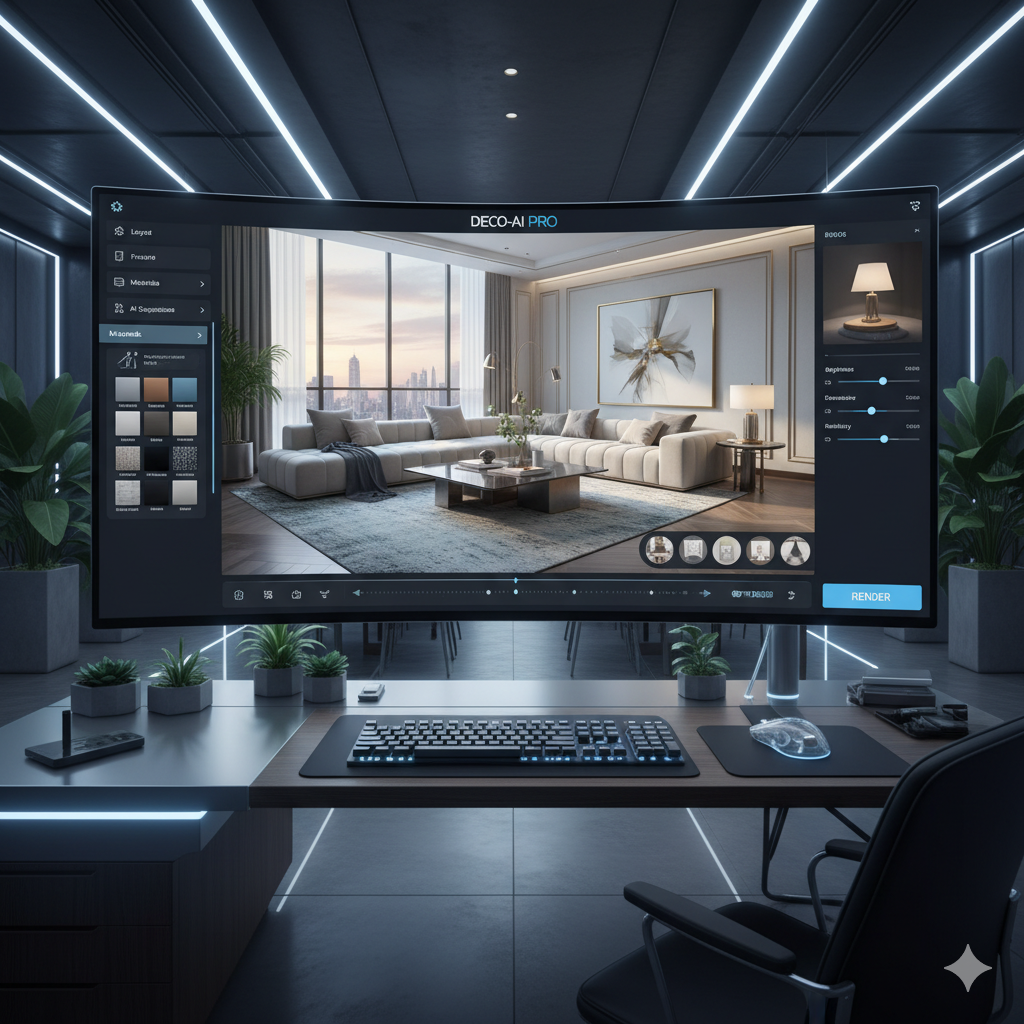
The world of interior design, once reliant on painstaking manual sketches, complex 3D modeling software, and time-consuming rendering processes, is undergoing a profound transformation. At the heart of this revolution lies artificial intelligence (AI), specifically AI image generation tools capable of producing breathtakingly photorealistic space renders. These innovative technologies are not just speeding up workflows; they are fundamentally changing how designers conceptualize, iterate, and present their visions, offering an instant visualization capability that was once the stuff of science fiction. This article delves deep into how AI is empowering architects and interior designers to visualize spaces instantly, providing a comprehensive guide to its mechanisms, benefits, challenges, and future potential.
For design professionals, the ability to communicate a vision effectively to a client is paramount. Traditional methods, while valuable, often come with a significant investment of time and resources. Clients, on the other hand, frequently struggle to interpret 2D plans or even basic 3D models into a fully immersive understanding of their future space. AI bridges this gap, creating vivid, lifelike representations that leave little to the imagination. From sketching initial layouts to finalizing material choices, AI tools are becoming indispensable partners in the creative process, accelerating project timelines and fostering unparalleled client engagement.
Understanding the Shift: From Manual to AI-Powered Rendering
For decades, the journey from concept to visualization in interior design followed a predictable, often laborious path. It began with conceptual sketches, translating abstract ideas into tangible forms. These sketches would then evolve into detailed technical drawings, floor plans, and elevations, typically created using Computer-Aided Design (CAD) software. While CAD brought precision and efficiency to the drafting phase, the next step – creating a realistic visual representation – remained a significant bottleneck.
Enter 3D modeling and traditional rendering engines. Tools like Autodesk 3ds Max, SketchUp, Revit, V-Ray, and Corona Renderer became staples in the industry. They allowed designers to construct virtual environments, apply textures, set up lighting, and ultimately render high-quality images. However, this process was inherently complex and resource-intensive. Achieving photorealism required significant technical skill, an understanding of lighting physics, material properties, and often, powerful computing hardware. A single high-resolution render could take hours, or even days, to complete, severely limiting the number of iterations a designer could produce within a project timeline. Any change, no matter how minor, often meant another lengthy rendering queue.
The limitations of traditional rendering weren’t just about time and cost; they also impacted creativity and client collaboration. Designers might hesitate to explore multiple radical ideas due to the rendering overhead, potentially stifling innovation. Clients, faced with static images produced after long waits, might struggle to articulate changes or envision alternatives, leading to miscommunications or delayed approvals. The iterative nature of design was constantly at odds with the linear, time-consuming process of traditional visualization.
The advent of AI-powered rendering marks a paradigm shift. Instead of meticulously building every geometric primitive, defining every light source, and tweaking every material parameter, designers can now leverage algorithms that understand and generate visual information from high-level textual prompts or existing images. This shift democratizes photorealistic rendering, making it accessible to a wider range of designers, accelerating concept validation, and fostering an environment of rapid experimentation. It moves the focus from the technical intricacies of rendering to the creative possibilities of design itself.
How AI Generates Photorealistic Renders: The Underlying Technology
The magic behind AI’s ability to create stunningly realistic interior renders lies in sophisticated machine learning models, primarily built upon deep neural networks. While several architectures contribute, two prominent ones stand out: Generative Adversarial Networks (GANs) and Diffusion Models.
Generative Adversarial Networks (GANs)
GANs, introduced in 2014, revolutionized generative AI. They consist of two competing neural networks: a generator and a discriminator. The generator’s task is to create new data (in this case, an image render) that resembles a training dataset of real-world images. The discriminator’s job is to distinguish between real images from the training set and fake images produced by the generator. They play an adversarial game: the generator tries to fool the discriminator, and the discriminator tries to get better at spotting fakes. This continuous competition forces the generator to produce increasingly convincing and realistic outputs until the discriminator can no longer tell the difference. In interior design, GANs can learn patterns of furniture placement, lighting, material textures, and spatial relationships from vast datasets of existing interior photographs, enabling them to generate entirely new, plausible interior scenes.
Diffusion Models
More recently, Diffusion Models have gained prominence, particularly with tools like Midjourney, DALL-E 3, and Stable Diffusion. These models work by taking an image and gradually adding random noise to it over many steps until it becomes pure noise. The training process then teaches the model to reverse this process: to denoise an image, step by step, back into a coherent, high-quality visual from an initial noisy state. When given a text prompt, the model uses this denoising capability to gradually synthesize an image that aligns with the prompt’s description. For interior design, this means a designer can input a prompt like “modern minimalist living room with large windows, cream sofa, and natural wood accents,” and the diffusion model will iteratively generate an image that matches that description, often with incredible detail and photorealism. The iterative nature allows for nuanced control and often produces more diverse and higher-quality results than traditional GANs.
Prompt Engineering and Image-to-Image Translation
Regardless of the underlying model, prompt engineering is crucial. This involves crafting specific, descriptive text prompts that guide the AI towards the desired output. Designers learn to articulate not just objects, but styles, moods, lighting conditions, and camera angles. For instance, “luxurious master bedroom, art deco style, soft evening light, opulent textures, close-up shot” will yield very different results than “simple guest bedroom, Scandinavian design, bright morning light, clean lines.”
Beyond text-to-image, many AI tools also support image-to-image translation. This allows designers to upload an existing sketch, a basic 3D model screenshot, or even a photograph of an empty room, and then use AI to “stylize” or “render” it. The AI interprets the structure and elements from the input image and generates a photorealistic version based on additional text prompts or learned styles. This is incredibly powerful for designers who want to retain specific layouts or structural elements while exploring different aesthetic finishes.
The combination of these powerful AI architectures and user-friendly interfaces means designers no longer need to be 3D rendering experts. Instead, they become curators and directors, guiding the AI to materialize their creative visions with unprecedented speed and realism.
Key AI Tools Revolutionizing Interior Design Rendering
The market for AI-powered interior design tools is rapidly expanding, with both general-purpose image generators and specialized applications offering unique advantages. Understanding their capabilities helps designers choose the best fit for their workflow.
General-Purpose AI Image Generators with Design Applications
- Midjourney: Renowned for its artistic flair and exceptional quality, Midjourney can produce highly aesthetic and imaginative interior renders from detailed text prompts. While not specifically designed for architectural precision, its ability to generate mood, style, and realistic lighting makes it invaluable for conceptual exploration and generating inspiring mood boards or initial client presentations. Designers often use it to quickly visualize various stylistic interpretations of a space.
- DALL-E 3 (via ChatGPT Plus/API): Integrated seamlessly with ChatGPT, DALL-E 3 offers a powerful text-to-image generation capability. Its strength lies in understanding complex prompts and generating diverse styles. For interior design, it can create renders of specific room types, furniture arrangements, or material palettes. Its integration with a conversational AI assistant can help refine prompts for better results.
- Stable Diffusion (and its derivatives/plugins): As an open-source model, Stable Diffusion offers immense flexibility and customization. Various interfaces (e.g., Automatic1111) and specialized models/plugins (like ControlNet) allow for more precise control over compositions, sketches, and existing images. This makes it highly valuable for designers who want to iterate on a specific floor plan or incorporate existing furniture models. ControlNet, for example, can take a simple line drawing or a photo of an empty room and generate a photorealistic render while adhering to the original geometry.
Specialized AI Tools for Interior Design
Beyond general image generators, a new wave of tools is emerging, specifically tailored for interior design workflows:
- RoomGPT: This tool is excellent for homeowners and designers alike who want to quickly visualize different styles in an existing room. Users upload a photo of their room, select a design style (e.g., “Modern,” “Minimalist,” “Industrial”), and RoomGPT generates a redesigned version in seconds. It’s incredibly intuitive for rapid style exploration.
- InteriorAI: Similar to RoomGPT, InteriorAI allows users to upload a photo of a room and apply various design styles, layouts, or even experiment with different furniture arrangements. It’s user-friendly and provides quick visual concepts.
- Reimagine Home AI: Focused on helping users remodel and redecorate, Reimagine Home AI allows for more detailed interaction. Users can upload room photos, erase elements, add new ones, and visualize changes like paint colors, flooring, and furniture in real-time. It aims for a more interactive design experience.
- Getfloorplan: While not purely a rendering tool, Getfloorplan leverages AI to convert 2D floor plans into 3D models and then generates photorealistic renders and even virtual tours. It significantly speeds up the process from schematic design to high-quality visualization.
- Foyr Neo: This comprehensive design platform integrates AI features to speed up floor planning and 3D rendering. It combines a vast library of 3D models with AI assistance for smart layout suggestions and quick render generation, aiming to be an all-in-one solution for interior designers.
- SketchUp with AI Plugins: The popular 3D modeling software SketchUp is increasingly seeing AI plugins (e.g., various renderers with AI denoising, or plugins that convert simple shapes into complex furniture) that enhance its capabilities, allowing designers to retain their familiar workflow while benefiting from AI acceleration.
The synergy between these general-purpose creative AIs and specialized design tools is creating a powerful ecosystem. Designers can use Midjourney for initial artistic inspiration, then bring those concepts into a tool like Stable Diffusion with ControlNet for more structured iterations based on actual floor plans, and finally refine and present using a dedicated platform or traditional rendering engine with AI enhancements.
Benefits Beyond Realism: Speed, Iteration, and Cost Efficiency
While the allure of photorealistic renders generated in seconds is undeniable, the true transformative power of AI in interior design extends far beyond mere visual quality. It profoundly impacts speed, iteration capabilities, cost efficiency, and overall project dynamics.
Unprecedented Speed of Visualization
The most immediate and apparent benefit is speed. What once took hours or even days to render using traditional software now takes mere seconds or minutes with AI. This dramatic acceleration means designers can:
- Rapidly Generate Concepts: Instantly visualize multiple design directions at the very initial stages of a project, exploring diverse aesthetic themes, furniture layouts, or material palettes without a significant time commitment.
- Meet Tight Deadlines: For projects with aggressive timelines, AI rendering can be a lifesaver, allowing designers to present high-quality visuals even under immense pressure.
- Streamline Pitches: Generate impressive visuals for client pitches and competitions swiftly, making a stronger, more immediate impact.
Infinite Iteration and Exploration
The speed of AI rendering unlocks an unparalleled ability to iterate. Designers are no longer constrained by rendering queues, enabling them to:
- Explore More Options: Instead of presenting two or three variations, a designer can now showcase ten or even twenty different looks for a single space, allowing for much broader creative exploration.
- Fine-Tune Details: Make minor adjustments to colors, textures, lighting, or furniture placement and instantly see the results, facilitating a meticulous refinement process.
- Overcome Creative Blocks: When encountering a design challenge, AI can act as a creative partner, generating unexpected interpretations or suggesting novel solutions that might spark new ideas.
Enhanced Client Communication and Engagement
Visualizing a design in a photorealistic manner early in the process significantly improves client understanding and engagement:
- Bridge the Imagination Gap: Clients, who often struggle to interpret 2D plans or abstract 3D models, can now see their future space as if it were already built, fostering clarity and confidence.
- Faster Feedback and Approval: With clear visuals, clients can provide more precise feedback, leading to quicker decision-making and fewer revisions down the line.
- Reduced Misunderstandings: Photorealistic renders minimize ambiguity, ensuring that the designer and client are always on the same page regarding the aesthetic and functional aspects of the design.
Significant Cost Efficiency
AI tools can lead to substantial cost savings in several areas:
- Reduced Software and Hardware Investment: While some professional AI tools have subscription costs, they often negate the need for expensive high-end graphics cards, dedicated rendering farms, or extensive licenses for multiple traditional rendering engines.
- Lower Labor Costs: The time saved on rendering frees up designers to focus on higher-value creative tasks, or to take on more projects without increasing staffing.
- Fewer Revisions and Rework: Better client understanding and faster iteration cycles reduce the likelihood of costly late-stage design changes or rework due to miscommunication.
Democratization of High-Quality Visualization
Previously, photorealistic rendering was a specialized skill. AI makes it accessible to a broader audience:
- Empowering Smaller Firms and Freelancers: Small design studios or independent contractors can now produce renders on par with larger firms, leveling the playing field.
- Interior Designers Without 3D Expertise: Designers who may excel in spatial planning and aesthetics but lack deep 3D modeling or rendering skills can still leverage AI to bring their visions to life visually.
In essence, AI-powered rendering transforms the design process from a sequential, often bottlenecked operation into a fluid, highly iterative, and deeply collaborative experience, where creativity is amplified, not limited, by technology.
Challenges and Considerations: What to Watch Out For
While AI tools offer incredible advantages, it is crucial for interior designers and architects to approach them with a clear understanding of their limitations and potential challenges. Like any powerful technology, AI comes with its own set of complexities that require careful consideration.
1. Lack of Precise Control and “AI Hallucinations”
AI models, particularly general generative ones, don’t always offer the pixel-perfect control that traditional 3D software provides. Achieving exact dimensions, specific custom furniture designs, or precise material matches can be challenging. AI might “hallucinate” details, adding elements that weren’t requested or misinterpreting aspects of a prompt, leading to unexpected or illogical results. For highly technical or bespoke projects, a human designer’s precise touch remains irreplaceable for now.
2. Data Bias and Ethical Concerns
AI models are trained on vast datasets of existing images. If these datasets contain biases (e.g., disproportionately representing certain styles, demographics, or economic strata), the AI’s output may reflect and perpetuate these biases. This could limit creative diversity or inadvertently promote stereotypical designs. Ethical questions also arise concerning intellectual property rights, especially when AI generates images that bear a strong resemblance to existing copyrighted works. Designers must be aware of the source and training data of the tools they use.
3. Learning Curve and Prompt Engineering Skill
While often marketed as intuitive, getting the best results from AI tools requires a new skill: prompt engineering. Crafting effective prompts that accurately convey a design vision takes practice, experimentation, and a deep understanding of how the AI interprets language. It’s not simply about typing a few words; it’s about learning the AI’s ‘language’ and iteratively refining prompts. The learning curve for specialized tools might also involve understanding their specific functionalities and integrations.
4. Subscription Costs and Scalability
Many advanced AI rendering tools operate on a subscription model, often with tiered pricing based on usage (number of renders, computational power). While potentially cheaper than traditional rendering farms or extensive software licenses, these costs can add up, particularly for heavy users or larger firms. Evaluating the cost-benefit ratio and scalability for a firm’s specific needs is essential.
5. Over-Reliance and Loss of Fundamental Skills
There’s a risk that an over-reliance on AI could lead to a decline in fundamental design skills such as manual sketching, deep spatial reasoning, or detailed material knowledge. While AI can augment creativity, it shouldn’t replace the core understanding that defines a skilled designer. The AI is a tool, not a replacement for human expertise and intuition.
6. Privacy and Data Security
When uploading existing room photos, floor plans, or client-specific information to cloud-based AI platforms, designers must consider data privacy and security. Ensuring that client data is protected and that the terms of service align with privacy regulations is paramount, especially for sensitive projects.
7. AI ‘Look’ and Lack of Originality
As AI models become more prevalent, there’s a potential risk of a certain ‘AI look’ emerging – a homogenization of design aesthetics if designers rely too heavily on the default outputs or common prompts. True originality and unique design signatures still require a human designer to push boundaries and challenge conventional AI outputs.
Navigating these challenges requires designers to view AI not as a magic bullet, but as a sophisticated assistant. It demands a critical perspective, a commitment to ethical practices, and a continued focus on human creativity and expertise to guide and refine AI-generated outputs.
Integrating AI into Your Design Workflow: A Step-by-Step Guide
Integrating AI rendering tools into an existing interior design workflow doesn’t mean discarding established practices; rather, it means augmenting them. The key is to strategically deploy AI at various stages to maximize efficiency, creativity, and client satisfaction.
1. Concept Generation and Ideation (Early Stage)
- Objective: Rapidly explore diverse design directions, styles, and moods.
- AI Application: Use general-purpose AI image generators (e.g., Midjourney, DALL-E 3, Stable Diffusion) to create mood boards, initial style explorations, and visual concepts.
- Process:
- Start with broad prompts describing the desired style, ambiance, and key elements (e.g., “minimalist living room, Japanese aesthetic, soft morning light”).
- Generate multiple variations to explore different interpretations.
- Use these images to kickstart discussions with clients or to overcome creative blocks.
- For quick room makeovers, upload a photo of the existing space to tools like RoomGPT or InteriorAI to instantly visualize different styles.
2. Schematic Design and Layout Visualization (Mid Stage)
- Objective: Translate conceptual ideas into tangible layouts and test functional arrangements.
- AI Application: Leverage AI tools that work with existing sketches, floor plans, or basic 3D models.
- Process:
- Create a basic 2D floor plan or a simple 3D block model in traditional CAD/3D software.
- Upload this layout to an AI tool with ControlNet capabilities (for Stable Diffusion) or a specialized tool like Getfloorplan.
- Use prompts to specify furniture types, placement, and overall aesthetic. The AI will generate photorealistic renders respecting the underlying layout.
- Rapidly iterate on different furniture arrangements, spatial configurations, or even structural changes (e.g., moving a wall) and visualize the impact instantly.
3. Material and Finish Exploration (Detailed Design)
- Objective: Experiment with various textures, colors, and finishes in a realistic context.
- AI Application: AI tools that allow for texture application or image-to-image manipulation.
- Process:
- Take an AI-generated render or a basic 3D model screenshot of a specific area (e.g., a kitchen wall, a flooring section).
- Use AI tools to “re-texture” or “re-color” specific surfaces based on prompts (e.g., “replace wall with Venetian plaster texture,” “change flooring to dark herringbone wood”).
- Compare different material combinations side-by-side without the need for physical samples or lengthy rendering processes.
4. Client Presentations and Feedback (Crucial Stage)
- Objective: Present designs clearly and compellingly to clients, soliciting precise feedback.
- AI Application: High-quality, photorealistic renders that tell a story.
- Process:
- Curate the best AI-generated renders for presentation.
- Use these visuals to guide client discussions, ensuring they fully grasp the proposed design.
- During the meeting, if a client requests a minor change (e.g., a different cushion color, a slight shift in a lamp’s position), a designer can often generate a revised visual on the spot or shortly thereafter, demonstrating responsiveness and accelerating decision-making.
5. Portfolio and Marketing (Post-Project)
- Objective: Create stunning visuals for marketing and portfolio building.
- AI Application: AI renders are production-ready for visual assets.
- Process:
- Use the approved, high-quality AI renders to showcase completed (or planned) projects in your portfolio, website, and social media.
- Even for projects not yet built, photorealistic AI renders can serve as powerful marketing tools, demonstrating your firm’s capabilities and vision.
By weaving AI into each of these stages, designers can create a more agile, responsive, and creatively enriched workflow, ultimately delivering superior results faster and with greater client satisfaction.
The Future of Interior Design: Augmented Creativity with AI
The current capabilities of AI in interior design rendering are just the tip of the iceberg. As machine learning models continue to evolve, we can anticipate an even more profound transformation, moving towards an era of augmented creativity where human intuition and AI intelligence merge seamlessly.
Hyper-Personalization at Scale
Future AI tools will likely move beyond generating aesthetically pleasing rooms to understanding individual client preferences at a deeper, more analytical level. By analyzing vast amounts of data – from past projects and client feedback to social media trends and even biometric responses – AI could generate designs that are not just visually appealing but also perfectly tailored to a client’s specific lifestyle, psychological needs, and cultural context. Imagine an AI that learns a client’s comfort preferences, color psychology, and even circadian rhythm patterns to design a bedroom that optimizes sleep and well-being.
Generative Design for Functionality and Sustainability
AI’s role will expand beyond aesthetics to intelligent, functional, and sustainable design. Generative design algorithms, already used in architecture for optimizing structural forms, will be applied more extensively to interior spaces. This means AI could suggest optimal layouts for workflow efficiency in commercial spaces, identify the most energy-efficient material combinations for residential projects, or even design bespoke furniture pieces that perfectly fit odd-shaped spaces while minimizing material waste. The integration with Building Information Modeling (BIM) will become even more sophisticated, allowing AI to analyze real-world performance metrics.
Seamless Integration with AR and VR
The marriage of AI-generated renders with Augmented Reality (AR) and Virtual Reality (VR) will create truly immersive design experiences. Clients won’t just see a photorealistic render; they’ll walk through it in VR, change materials in real-time with AR overlays in their actual home, or even interact with AI-designed smart home features. This will make client presentations indistinguishable from experiencing the finished product, allowing for unparalleled confidence and commitment.
Predictive Design and Trend Forecasting
AI’s ability to analyze massive datasets will allow it to predict emerging design trends, consumer preferences, and even the long-term viability of certain styles or materials. Designers could leverage this predictive power to create forward-thinking spaces that resonate with future markets or to advise clients on investments in timeless designs. This could also extend to predictive maintenance, identifying potential wear and tear on materials or suggesting smart home upgrades before issues arise.
Collaborative AI Assistants
The future designer’s studio might feature AI assistants that understand natural language commands, provide real-time feedback on design choices, manage project timelines, and even handle administrative tasks. These AI collaborators won’t replace human creativity but will free up designers to focus on higher-level strategic thinking and emotional aspects of design, truly augmenting their capabilities rather than automating them away.
In conclusion, the future of interior design is not about humans versus machines, but about humans *with* machines. AI will evolve from a rendering tool to a comprehensive design partner, enhancing every facet of the creative process, making design more intelligent, sustainable, personal, and profoundly impactful.
Comparison Tables
To better understand the paradigm shift AI brings, let’s compare traditional 3D rendering methods with modern AI-powered rendering and look at some popular tools.
| Feature/Aspect | Traditional 3D Rendering | AI-Powered Rendering |
|---|---|---|
| Time to Generate Render | Hours to Days (for high-quality, complex scenes) | Seconds to Minutes |
| Skill Required | High expertise in 3D modeling, lighting, materials, rendering engines | Prompt engineering skills, basic design understanding; more accessible |
| Iteration Speed | Slow; each change requires re-rendering, limiting exploration | Extremely fast; allows for rapid exploration of countless variations |
| Cost (Software/Hardware) | Expensive licenses for multiple software, high-end workstations, render farms | Subscription-based, often cloud-powered; potentially lower hardware cost |
| Realism Potential | Extremely high, highly customizable to exact specifications | Very high, constantly improving; can sometimes generate ‘unforeseen’ details |
| Control & Precision | Absolute control over every element, dimension, and material | Good control with refined prompts and image-to-image; less precise than 3D models |
| Learning Curve | Steep and lengthy | Moderate; new skill set in prompt crafting and tool specific features |
| Client Engagement | Delayed feedback due to rendering wait times | Instant visualization fosters real-time feedback and dynamic discussions |
| Ideal Use Case | Final, high-fidelity renders for bespoke projects, complex animations | Early conceptualization, rapid iteration, mood boards, quick client previews |
| AI Tool | Primary Focus/Strength | Ease of Use | Output Quality for Interiors | Key Differentiator | Typical User |
|---|---|---|---|---|---|
| Midjourney | Artistic concept generation, mood, aesthetic exploration | Moderate (text prompts) | Very high, often highly stylized and inspiring | Exceptional artistic interpretation and lighting; best for initial inspiration | Designers seeking creative inspiration, mood boards, stylistic exploration |
| DALL-E 3 | Understanding complex, nuanced text prompts; diverse styles | High (natural language via ChatGPT) | High, good for various interior styles | Integration with conversational AI for prompt refinement | Designers needing versatile output from descriptive prompts; quick concepts |
| Stable Diffusion (with ControlNet) | High control over composition, image-to-image translation, open-source flexibility | Moderate to High (requires some technical setup/understanding) | Very high, can match existing layouts closely | Ability to generate photorealistic renders from sketches, photos, or line art while maintaining structure | Designers needing precise control over existing layouts/sketches; advanced users |
| RoomGPT / InteriorAI | Quick room restyling and visualization from existing photos | Very high (upload photo, select style) | Good, effective for immediate transformations | Simplicity and speed for instant style changes in an uploaded room photo | Homeowners, designers for quick client previews and style exploration |
| Reimagine Home AI | Interactive remodeling, adding/removing elements, material changes | High (more interactive than just text prompts) | High, good for visualizing specific changes | Focus on interactive editing and visualizing changes to existing spaces | Designers and homeowners planning renovations or detailed redesigns |
| Getfloorplan | Converting 2D floor plans to 3D models, renders, and virtual tours | Moderate (upload 2D plans) | High, production-ready renders | Automated 3D model creation from 2D input with render generation | Architects, real estate agents, designers needing fast 3D from 2D plans |
Practical Examples: Real-World Use Cases and Scenarios
To illustrate the tangible impact of AI in interior design, let’s explore several practical scenarios where these tools are making a significant difference.
Scenario 1: Rapid Client Concept Exploration for a Boutique Hotel
Challenge: A design firm is pitching for a new boutique hotel project. The client is unsure about the exact aesthetic direction but wants to see several distinct styles for the lobby, restaurant, and guest rooms quickly. Traditionally, generating high-quality renders for even two styles across multiple spaces would take weeks.
AI Solution: The design team utilizes Midjourney and DALL-E 3. For the lobby, they prompt for “Art Deco luxury lobby, brass accents, velvet seating, high ceilings” and also “Bohemian chic lobby, natural light, woven textures, potted plants.” Within hours, they generate dozens of visually stunning concepts for each style, allowing the client to instantly grasp the mood and feel of each option. They present a curated selection of 15 diverse images, leading to a much faster decision on the overall design direction and securing the project due to their responsiveness and breadth of ideas.
Scenario 2: Iterative Furniture Layout for a Small Apartment
Challenge: An interior designer is working on a compact city apartment where maximizing space and functionality is critical. The client is particular about furniture placement and wants to see how different sofa sizes, dining table configurations, and storage solutions impact the flow of the tiny living room. Each minor change usually means hours of adjustment in 3D software and re-rendering.
AI Solution: The designer first creates a basic 2D floor plan of the apartment in SketchUp. They then use Stable Diffusion with ControlNet. By feeding the AI the floor plan and prompts like “small living room, modular sofa, minimalist coffee table, built-in storage along wall,” they generate a photorealistic render. When the client asks to see a larger dining table or a different sofa orientation, the designer makes quick adjustments to the 2D layout and re-prompts the AI. In a single hour-long meeting, they explore five distinct layouts, generate high-quality renders for each, and finalize the optimal arrangement, saving days of back-and-forth.
Scenario 3: Visualizing Renovation Potential for Real Estate
Challenge: A real estate agent has an older property on the market that needs significant renovation. Potential buyers struggle to see beyond its current dated state. Hiring a traditional rendering artist for multiple rooms is too expensive and time-consuming for a speculative sale.
AI Solution: The agent takes photos of the key rooms – kitchen, bathroom, living area. They upload these to RoomGPT and InteriorAI. With simple clicks, they generate visualizations of the same rooms in “Modern Farmhouse,” “Contemporary,” and “Scandinavian” styles. These AI-generated “after” photos are then used in the property listing and during open houses. Buyers can instantly envision the property’s potential, leading to increased interest and faster offers. The cost per render is minimal compared to traditional methods, making it a highly cost-effective marketing tool.
Scenario 4: Material and Finish Selection for a Commercial Office Space
Challenge: An architect is designing a new office interior and needs to present various material palettes for walls, flooring, and furniture to a corporate client. The client wants to see how different combinations of wood, concrete, fabric, and paint colors would look in the actual space before making final selections.
AI Solution: The architect generates a base render of a typical office module using their preferred AI tool. They then use image-to-image prompts to swap out materials. For example, they might prompt, “apply polished concrete flooring, exposed brick wall, and dark oak desks” or “use light grey carpet tiles, sound-absorbing fabric panels, and white laminate workstations.” This allows them to create distinct material boards, visually integrated into the space, and present them in a single meeting. The client can compare the ambiance and feel of different material specifications side-by-side, making informed decisions quickly without the need for physical samples or expensive mock-ups.
Scenario 5: Overcoming Creative Block for a Residential Project
Challenge: A seasoned interior designer is stuck on a particular living room design for a challenging client who wants something “unique but comfortable.” The designer has explored conventional options but feels a lack of fresh ideas.
AI Solution: The designer turns to Midjourney for inspiration. They input abstract prompts like “cozy living room, ethereal light, organic shapes, sense of calm” or “playful modern living space, unexpected color pops, asymmetrical balance.” The AI generates several highly imaginative and unconventional renders. One particular render, featuring a unique curved seating arrangement and a wall mural, sparks a breakthrough. The designer then refines this AI-generated concept into a practical design using traditional methods, confident in a fresh direction. The AI acted as a powerful creative catalyst, helping them think outside the box.
These examples underscore that AI tools are not just for generating pretty pictures; they are integral to problem-solving, accelerating decision-making, enhancing communication, and ultimately, empowering designers to deliver more innovative and client-centric solutions.
Frequently Asked Questions
Q: What exactly are AI tools for interior design rendering?
A: AI tools for interior design rendering are advanced software applications that use artificial intelligence, primarily machine learning models like GANs (Generative Adversarial Networks) and Diffusion Models, to generate photorealistic images of interior spaces. They can transform text descriptions (prompts), 2D sketches, existing room photos, or basic 3D models into detailed, lifelike visualizations, often within seconds or minutes. These tools interpret design elements, styles, lighting, and materials to create new or re-envisioned interiors.
Q: How photorealistic can AI renders actually get?
A: The level of photorealism achievable with AI tools is remarkably high and is constantly improving. Modern AI models can generate images that are often indistinguishable from photographs or renders produced by traditional high-end 3D software. They excel at simulating complex lighting conditions, realistic textures, reflections, and shadows, creating a sense of depth and atmosphere that makes the spaces feel truly tangible. The quality largely depends on the specific AI model, the detail of the input prompt or image, and the user’s skill in guiding the AI.
Q: Do I need to be a tech expert to use these tools?
A: No, not necessarily. While some advanced AI tools (like certain Stable Diffusion setups) might have a steeper learning curve or require a basic understanding of software installation, many dedicated interior design AI tools (e.g., RoomGPT, InteriorAI) are designed to be extremely user-friendly with intuitive interfaces. General-purpose tools like Midjourney and DALL-E 3 rely heavily on natural language prompts, meaning proficiency in ‘prompt engineering’ (crafting effective text descriptions) is more important than deep technical expertise. The aim is to democratize high-quality visualization.
Q: Can AI tools replace human interior designers?
A: No, AI tools are not designed to replace human interior designers but rather to augment their capabilities. AI excels at repetitive tasks, rapid visualization, and generating variations, freeing up designers to focus on higher-level creative thinking, problem-solving, client communication, and understanding human needs and emotions. A human designer’s intuition, empathy, cultural understanding, and ability to manage complex project logistics remain irreplaceable. AI is a powerful assistant, not a substitute for human creativity and expertise.
Q: What are the main benefits of using AI for renders?
A: The primary benefits include:
- Speed: Generate renders in seconds/minutes vs. hours/days.
- Iteration: Explore countless design variations quickly.
- Cost-Efficiency: Reduce software/hardware costs and labor time.
- Enhanced Client Communication: Clients understand designs better through instant photorealistic visuals.
- Creative Exploration: Overcome creative blocks and discover new design possibilities.
- Accessibility: High-quality visualization is accessible to more designers without deep 3D rendering skills.
Q: Are there any ethical concerns with using AI in design?
A: Yes, ethical considerations include:
- Data Bias: AI models trained on biased datasets might perpetuate stereotypes.
- Intellectual Property: Questions arise about ownership and originality when AI generates images resembling existing works.
- Privacy: Uploading client or personal space photos to cloud-based AI requires careful consideration of data security.
- Authenticity: The ease of generating hyper-realistic images raises questions about authenticity and potential for misrepresentation.
Designers must be mindful of these issues and use AI responsibly.
Q: How much do these AI rendering tools cost?
A: The cost varies significantly. Many AI tools operate on a subscription model, often with different tiers based on usage (e.g., number of renders, processing speed). Some general-purpose tools like Midjourney and DALL-E 3 are part of premium subscriptions (e.g., ChatGPT Plus) or have their own pricing plans. Specialized interior design AI tools might offer free trials followed by monthly or annual subscriptions. Open-source solutions like Stable Diffusion can be free to use (if self-hosted) but may require investments in hardware or specific plugins. It’s important to research each tool’s pricing structure.
Q: Can AI help with specific design styles or material choices?
A: Absolutely. AI tools are excellent for exploring specific design styles. You can prompt the AI with terms like “minimalist Scandinavian,” “industrial chic,” “opulent baroque,” or “mid-century modern.” For materials, you can specify “concrete walls,” “herringbone wood floor,” “velvet sofa,” or “marble countertop.” Advanced tools can even incorporate specific material textures or patterns, allowing designers to visualize different finishes instantly and see how they interact within the space.
Q: What’s the learning curve like for these tools?
A: The learning curve varies. For simple “upload and restyle” tools like RoomGPT, it’s very low; you can get results in minutes. For text-to-image generators like Midjourney or DALL-E 3, the initial learning is easy, but mastering “prompt engineering” to get consistently good and specific results requires practice and experimentation. For more customizable tools like Stable Diffusion with ControlNet, there’s a moderate learning curve involving understanding various parameters and plugins, which might take a few hours to a few days to become proficient.
Q: How do AI tools handle custom furniture or bespoke elements?
A: Handling highly custom or bespoke elements is one area where AI tools, especially general-purpose ones, currently have limitations compared to traditional 3D modeling. While you can describe a custom piece in a prompt (e.g., “a bespoke curved sofa with integrated shelving”), the AI might interpret it creatively rather than precisely. However, some tools and methods can help:
- Image-to-Image with References: You can provide a sketch or photo of the custom piece to the AI as a reference.
- ControlNet for Structure: For Stable Diffusion, you can use ControlNet with a basic 3D model screenshot or line drawing of the custom furniture to guide the AI.
- Hybrid Approach: Designers often use AI for the overall scene and then integrate specific, precisely modeled custom elements created in traditional 3D software later, or render custom pieces separately and composite them.
The AI is getting better at understanding and generating custom designs, but for exact specifications, traditional modeling often remains necessary.
Key Takeaways
- AI is Revolutionizing Visualization: AI tools are transforming interior design by enabling instant, photorealistic renders, moving beyond the limitations of traditional, time-consuming methods.
- Underlying Technology is Key: GANs and Diffusion Models are the core AI technologies driving this capability, allowing for generation from text prompts and existing images.
- Diverse Tool Ecosystem: Both general-purpose (Midjourney, DALL-E 3, Stable Diffusion) and specialized AI tools (RoomGPT, InteriorAI, Reimagine Home AI) cater to various design needs and levels of control.
- Benefits Go Beyond Realism: AI offers unprecedented speed, infinite iteration capabilities, significant cost efficiencies, and dramatically improved client communication.
- Challenges Require Awareness: Designers must be mindful of limitations such as precise control, potential biases, prompt engineering learning curves, and ethical considerations.
- Integration is Strategic: AI should be strategically integrated into every design workflow stage, from early concept generation to final client presentations and portfolio building.
- Future is Augmented Creativity: The trajectory of AI points towards hyper-personalization, intelligent functional design, seamless AR/VR integration, and collaborative AI assistants, all augmenting human creativity rather than replacing it.
- Human Expertise Remains Crucial: AI acts as a powerful assistant, but the human designer’s intuition, empathy, and strategic oversight are essential for creating truly meaningful and impactful spaces.
Conclusion
The advent of AI tools for photorealistic space renders represents a pivotal moment for the interior design and architectural industries. What once took laborious hours and specialized skills to visualize can now be conceptualized and rendered in moments, unleashing an unprecedented wave of creativity, efficiency, and client engagement. From exploring countless stylistic iterations to communicating complex spatial ideas with crystalline clarity, AI is empowering designers to work smarter, faster, and more imaginatively.
However, this transformation is not about machines replacing human genius, but about augmenting it. AI provides the brush, the palette, and the canvas, but the vision, the emotional intelligence, and the deep understanding of human needs still firmly reside with the designer. The most successful professionals in this new era will be those who embrace AI not as a threat, but as a collaborative partner – a powerful catalyst that frees them from mundane tasks and enables them to focus on the truly creative and human-centric aspects of their craft.
As AI continues to evolve, promising even more sophisticated capabilities like hyper-personalization, sustainable generative design, and immersive AR/VR experiences, the future of interior design is set to be more exciting and innovative than ever before. By mastering these new tools, architects and interior designers are not just keeping up with technology; they are actively shaping the spaces of tomorrow, one breathtaking, AI-rendered vision at a time.




























































































Leave a Reply