

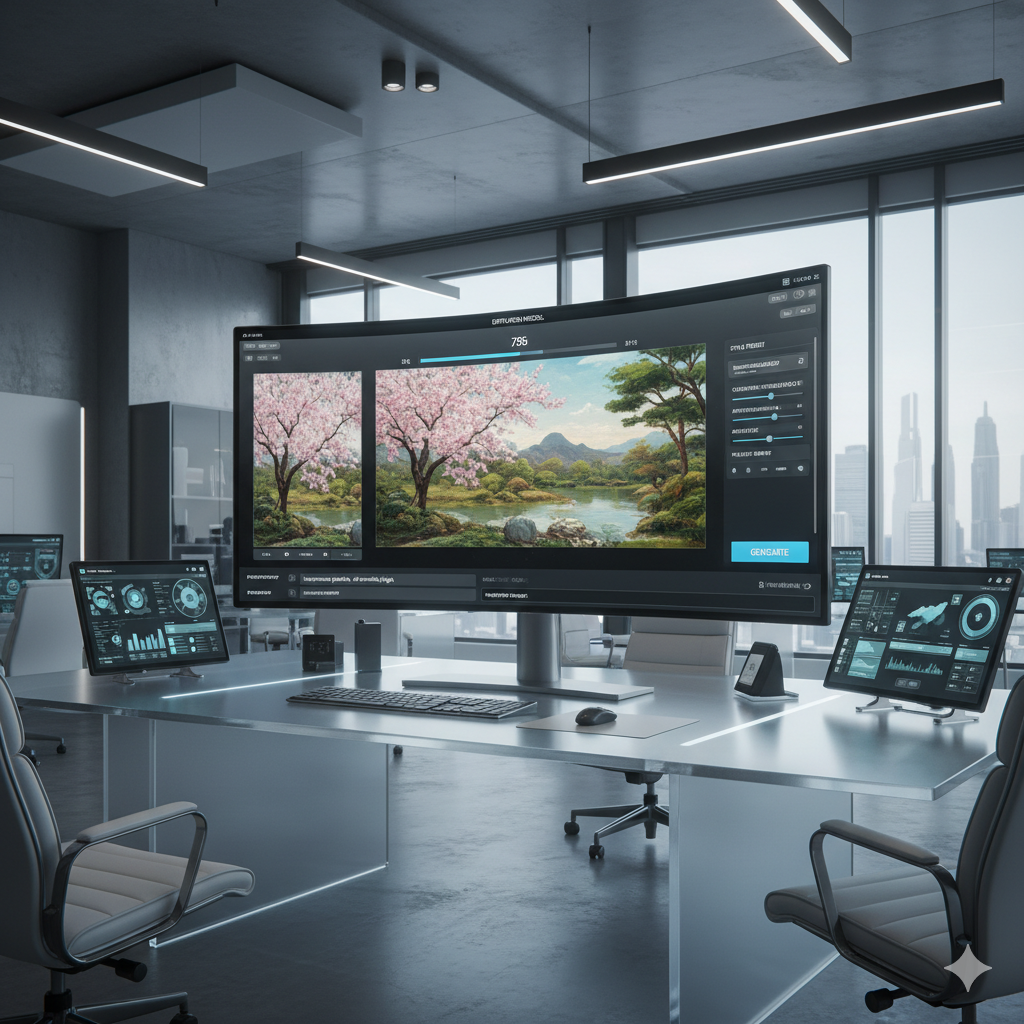
In an era where technology constantly redefines the boundaries of creativity, Artificial Intelligence stands at the forefront, offering unprecedented tools for artists, photographers, and enthusiasts alike. The advent of AI image-to-image generation has revolutionized how we perceive and interact with digital imagery, transforming mundane photographs into breathtaking artistic masterpieces. No longer confined by the limitations of traditional editing software or manual artistic skills, individuals can now harness the power of AI to translate their creative visions into stunning visual realities with remarkable ease and precision. This comprehensive guide delves deep into the fascinating world of AI image-to-image transformation, exploring its underlying mechanisms, practical applications, and the immense potential it holds for unleashing unparalleled artistic expression.
Imagine taking a simple portrait and instantly re-imagining it in the style of Van Gogh, or converting a rough sketch into a photorealistic landscape. This isn’t science fiction; it’s the present-day reality brought to us by advanced AI models. Our journey will explain the core concepts, illustrate real-world examples, and equip you with the knowledge to leverage this powerful technology for your own creative endeavors. Prepare to embark on an exciting exploration that promises to redefine your understanding of digital art and photography, opening up new vistas for personal and professional creative projects.
The ability of AI to interpret an existing image and then generate a modified version based on specific instructions, styles, or prompts is nothing short of magical. This process, often referred to as ‘img2img,’ bridges the gap between raw visual data and imaginative outputs, offering a powerful creative assistant that can iterate on ideas at lightning speed. Whether you are a seasoned digital artist looking for new inspirations, a photographer seeking innovative ways to enhance your portfolio, or a curious beginner eager to experiment with cutting-edge technology, AI image-to-image generation offers a fertile ground for boundless exploration.
Understanding AI Image-to-Image Generation
At its core, AI image-to-image (img2img) generation is a process where an artificial intelligence model takes an existing image as input and transforms it into a new image based on a given set of instructions, often in the form of a text prompt or another style reference. Unlike text-to-image (txt2img) models, which generate an image purely from a textual description, img2img models use the input image as a fundamental anchor, guiding the AI’s creative process while allowing for significant alteration or enhancement.
Think of it as giving a highly skilled artist a photograph and saying, “Make this look like a watercolor painting,” or “Change the season in this landscape from summer to winter,” or even, “Turn this line drawing into a detailed architectural render.” The AI, equipped with vast knowledge learned from millions of images during its training, understands the structural, semantic, and stylistic elements of the input and applies the requested transformation in a coherent and often stunning manner.
The magic behind img2img lies in its ability to understand both the content of the original image and the context provided by the user. It doesn’t simply overlay a filter; it intelligently regenerates pixels, often preserving key features like composition, object placement, and general structure while altering textures, colors, lighting, and overall artistic style. This nuanced approach makes it incredibly versatile for a wide range of creative applications, from subtle photo enhancements to radical artistic reinterpretations.
Early iterations of img2img leveraged Generative Adversarial Networks (GANs), particularly models like Pix2Pix, which excelled at tasks like converting segmentation maps to photos or turning sketches into realistic images. However, more recent advancements, particularly with the rise of diffusion models, have propelled img2img capabilities to unprecedented levels of quality, control, and versatility. Diffusion models, which work by iteratively denoising a noisy image back to a coherent output, have proven exceptionally adept at understanding complex visual relationships and generating highly detailed and contextually aware transformations.
The transformative power of img2img lies not just in its ability to change an image, but in its capacity to inspire and accelerate creative workflows. It acts as a collaborative partner, turning nascent ideas into tangible visuals and enabling rapid prototyping of concepts that would otherwise require extensive manual effort and specialized skills.
The Evolution and Mechanics of Img2Img AI
The journey of image-to-image transformation in AI has been marked by several significant milestones, each building upon previous research to offer more sophisticated and controllable results. Understanding this evolution helps to appreciate the current state-of-the-art technologies that empower today’s creative endeavors.
Early Approaches: Generative Adversarial Networks (GANs)
One of the earliest and most influential architectures for image-to-image translation was the Generative Adversarial Network (GAN), introduced by Ian Goodfellow et al. in 2014. GANs consist of two neural networks, a Generator and a Discriminator, locked in a perpetual game. The Generator tries to create realistic images, while the Discriminator tries to distinguish between real images and those created by the Generator. Through this adversarial process, the Generator learns to produce increasingly convincing outputs.
For img2img specifically, models like Pix2Pix (2017) by Isola et al. were groundbreaking. Pix2Pix used a conditional GAN architecture to learn a mapping from an input image to an output image. It could perform tasks such as converting semantic labels to photorealistic images, aerial photos to maps, or even day images to night images. While effective, GANs often faced challenges with training stability, mode collapse (where the generator produces a limited variety of outputs), and sometimes lacked the fine-grained control needed for complex artistic transformations.
The Rise of Diffusion Models
The landscape dramatically shifted with the emergence and popularization of Diffusion Models, especially around 2021-2022. Unlike GANs, which directly generate an image, diffusion models work by iteratively refining a noisy input until it resembles a clear image. They learn to reverse a gradual ‘noising’ process. In the context of img2img, this means taking an input image, adding a certain amount of noise to it (controlled by a parameter like ‘denoising strength’), and then using the diffusion model to ‘denoise’ it back into a new image, guided by a text prompt and the original image’s latent information.
Prominent diffusion models like Stable Diffusion, DALL-E 2, and Midjourney have demonstrated exceptional capabilities in both text-to-image and image-to-image generation. Their ability to produce high-fidelity, diverse, and contextually rich images stems from their training on enormous datasets of image-text pairs, allowing them to grasp complex stylistic and semantic relationships.
How Diffusion Models Power Img2Img
- Encoding the Input: The input image is first processed, often encoded into a lower-dimensional ‘latent space.’ This latent representation captures the essential features and structure of the image without needing to store every single pixel detail.
- Introducing Noise: A crucial step for img2img is the introduction of noise to this latent representation. The amount of noise added is controlled by a parameter, typically called ‘denoising strength’ or ‘image strength.’ A low denoising strength adds little noise, keeping the output very close to the original. A high denoising strength adds a lot of noise, giving the AI more freedom to transform the image radically.
- Denoising and Transformation: The noisy latent representation is then fed into the diffusion model. Guided by a text prompt (e.g., “a medieval castle,” “impressionist painting,” “cyberpunk city”), the model iteratively removes the noise, attempting to reconstruct an image that aligns with both the underlying structure of the original input (as retained in the latent space before significant noise addition) and the creative direction specified by the prompt.
- Iterative Refinement: This denoising process happens over many steps. At each step, the model predicts and subtracts a small amount of noise, moving closer to a coherent output that fulfills the prompt and maintains a connection to the original image’s essence.
This iterative process allows for a fine balance between adhering to the input image and incorporating new elements or styles from the prompt. The inherent stochasticity (randomness) in the denoising process also contributes to the creative diversity of outputs from the same input and prompt.
The Role of Conditioning and ControlNet
While prompt engineering provides textual guidance, recent advancements have introduced even more precise control mechanisms. ControlNet, for instance, is a neural network architecture that allows diffusion models to be conditioned on various types of input, such as edge maps, depth maps, human poses, or segmentation maps. For img2img, this means:
- You can provide an image and an edge detection map derived from it, telling the AI, “Keep these edges exactly the same, but change everything else.”
- You can supply a pose estimate from a human figure in your input image, ensuring the transformed output maintains the exact same pose regardless of stylistic changes.
ControlNet represents a massive leap in controllability for img2img, turning it from a somewhat unpredictable stylistic tool into a highly precise design and artistic instrument, allowing artists to dictate exact compositional elements while experimenting with endless variations.
Key Concepts and Techniques in AI Photo Transformation
Leveraging AI image-to-image effectively requires an understanding of the key concepts and techniques that govern its operation. These parameters and approaches give users the power to steer the AI towards their desired creative outcomes, balancing fidelity to the original with imaginative transformation.
1. Style Transfer
Style transfer is one of the most popular applications of img2img, where the artistic style of one image (the ‘style image’) is applied to the content of another image (the ‘content image’). While classic style transfer algorithms were explicit about separating content and style, modern img2img models achieve this implicitly through prompts. By describing a style (e.g., “oil painting by Van Gogh,” “futuristic cyberpunk aesthetic,” “pencil sketch”), the AI interprets the input image through that artistic lens, generating a new version that maintains the original content but adopts the specified style.
This technique allows photographers to turn their photos into digital paintings, concept artists to quickly visualize ideas in different artistic renditions, and designers to experiment with various aesthetic themes for products or environments.
2. Content Preservation vs. Transformation
A critical balance in img2img is determining how much of the original image’s content to preserve versus how much to transform. This is primarily controlled by the denoising strength parameter in diffusion models.
- Low Denoising Strength: When denoising strength is low (e.g., 0.1-0.4), the AI adds very little noise to the input image. This means it has less creative freedom and will produce an output that is very close to the original, often used for subtle enhancements, minor style changes, or slight variations.
- High Denoaning Strength: When denoising strength is high (e.g., 0.7-1.0), the AI adds a significant amount of noise. This gives the model much more room to deviate from the original, allowing for radical transformations where the output might only retain the broadest compositional elements of the input, while everything else is reimagined according to the prompt. This is ideal for generating completely new concepts based on a basic visual reference.
Finding the right balance is an art in itself, often requiring experimentation to achieve the desired level of transformation without losing the essence of the original image.
3. Prompt Engineering for Img2Img
Just like with text-to-image generation, the text prompt plays a crucial role in guiding img2img models. While the input image provides a visual anchor, the prompt specifies the desired transformation, style, and added elements. Effective prompt engineering involves:
- Describing the Desired Output: Clearly state what you want the AI to generate, e.g., “a serene winter forest, covered in fresh snow, glowing moonlight.”
- Specifying Styles: Include artistic styles, mediums, or artists, e.g., “oil painting, highly detailed, by Claude Monet,” or “cinematic photograph, dramatic lighting.”
- Adding Modifiers: Use terms that influence quality, mood, or complexity, e.g., “high resolution,” “photorealistic,” “dreamy,” “vibrant colors.”
- Negative Prompts: These are equally important. They tell the AI what not to include, e.g., “blurry, low quality, deformed, ugly, extra limbs.”
The input image reduces the ambiguity that text-only prompts often suffer from, allowing more precise control over the output through prompt engineering.
4. Denoising Strength (or Image Strength)
As mentioned, this is arguably the most critical parameter in img2img. It dictates how much the output image can differ from the input. A value of 0 means no change (the original image is returned), while a value of 1 means the AI has complete freedom to generate a new image almost unrelated to the input, except perhaps for the most basic compositional elements, essentially treating it almost like a text-to-image generation with a subtle initial seed from the input.
5. ControlNet Integration for Precision
ControlNet is a revolutionary addition to diffusion models, providing unparalleled control over the structural and compositional aspects of the generated image. Instead of just relying on text prompts and denoising strength, ControlNet allows you to feed additional ‘condition’ maps derived from your input image. These can include:
- Canny Edge Detection: Preserves the exact outlines of objects.
- Depth Map: Maintains the 3D structure and spatial relationships.
- OpenPose: Ensures specific human or animal poses are replicated.
- Segmentation Map: Retains specific object regions or categories.
- Normal Map: Captures surface orientation for lighting consistency.
- Line Art: Turns sketches or line drawings into detailed images.
By using ControlNet, artists can dictate precise elements of the output while letting the AI fill in the creative details, textures, and styles. This is indispensable for tasks like modifying architectural renders, changing outfits on a model without altering their pose, or transforming simple sketches into intricate artworks with specific styles.
Mastering these techniques and understanding the interplay between parameters empowers users to move beyond simple transformations to truly harness the artistic potential of AI image-to-image generation, turning their unique visions into reality.
The Power of Diffusion Models in Img2Img
Diffusion models have become the backbone of modern AI image generation, and their impact on img2img capabilities is nothing short of revolutionary. Models like Stable Diffusion have made this technology accessible to a broader audience, allowing individuals to run sophisticated AI image transformations on consumer-grade hardware or through cloud-based services.
Unpacking Denoising Strength and CFG Scale
While we’ve touched upon denoising strength, it’s worth re-emphasizing its role alongside the Classifier-Free Guidance (CFG) scale for img2img in diffusion models:
- Denoising Strength (Image Strength): This parameter, typically ranging from 0.0 to 1.0, determines how much noise is added to the input image’s latent representation before the denoising process begins.
- A lower value (e.g., 0.1-0.3) results in outputs very similar to the input, useful for minor touch-ups, color grading, or subtle style changes.
- A medium value (e.g., 0.4-0.7) allows for more significant stylistic transformations or changes in elements, while still retaining the core composition.
- A high value (e.g., 0.8-1.0) gives the AI maximum creative freedom, potentially leading to completely reimagined scenes where only the most abstract elements of the original are preserved. This is powerful for generating diverse variations of a concept.
- CFG Scale (Classifier-Free Guidance Scale): This parameter controls how strongly the AI adheres to the text prompt.
- A low CFG scale (e.g., 1-5) makes the AI more exploratory and less constrained by the prompt, allowing it to generate more creative and diverse outputs that might stray from explicit instructions.
- A higher CFG scale (e.g., 7-12) compels the AI to follow the prompt more strictly, resulting in outputs that closely match the textual description, often at the cost of some creative flair or diversity.
- For img2img, balancing CFG scale with denoising strength is crucial. A high denoising strength with a low CFG scale might lead to very unpredictable results, while a high denoising strength with a high CFG scale will attempt to drastically alter the image to fit the prompt.
Experimentation with these two parameters is key to understanding their interplay and achieving desired artistic control. Different combinations can yield wildly different results, transforming the same input image and prompt into countless unique artworks.
Iterative Refinement and Inpainting/Outpainting
Diffusion models also excel at iterative refinement, allowing users to progressively evolve an image. An initial img2img output can serve as the input for a subsequent img2img pass, potentially with a slightly different prompt or denoising strength, leading to a guided evolution of the artwork.
Furthermore, diffusion models have revolutionized inpainting and outpainting:
- Inpainting: This involves intelligently filling in missing or selected parts of an image. If you erase an object or region in your input photo, img2img with a suitable prompt can fill that void with contextually appropriate content, making objects disappear or transforming elements seamlessly. For example, removing a person from a crowd and intelligently filling the background, or changing a T-shirt design on a model.
- Outpainting: This is the opposite – extending an image beyond its original borders. By providing a partial image and a prompt, the AI can creatively expand the scene, adding new elements or extending existing ones in a style consistent with the original. This is incredibly useful for changing aspect ratios, creating panoramas, or adding context to a tightly cropped shot.
These capabilities turn diffusion-based img2img tools into powerful digital darkrooms, enabling artists to not only transform but also to repair, extend, and reimagine their photographic canvases with unparalleled flexibility.
Latent Space Manipulation
A deeper aspect of diffusion models is their operation within a ‘latent space.’ This is a compressed, abstract representation of the image where the AI performs most of its calculations. Manipulating this latent space directly, or through the parameters mentioned above, allows for sophisticated control. For example, blending latent representations of two images can create a hybrid, or moving along a specific vector in latent space can morph an object from one form to another over a series of frames.
The robustness and flexibility of diffusion models, especially when combined with precision tools like ControlNet, signify a new era for AI-assisted creative work, democratizing advanced photo manipulation and artistic generation.
Beyond Basic Style Transfer: Advanced Applications
While applying artistic styles to photos is a compelling use case, AI image-to-image generation extends far beyond simple style transfer. Its ability to intelligently reinterpret and regenerate visual content opens up a vast array of advanced applications across various industries and creative fields.
1. Photo Restoration and Enhancement
Img2img AI is a game-changer for digital photo restoration. Old, faded, scratched, or low-resolution photographs can be transformed into vibrant, high-quality images. The AI can:
- Colorize Black and White Photos: Accurately predict and apply realistic colors to monochrome images.
- Remove Blemishes and Damage: Automatically repair scratches, creases, and dust spots, filling in missing details contextually.
- Upscale and Enhance Detail: Increase the resolution of old or blurry photos, adding plausible details that were previously lost.
- De-noise and Sharpen: Reduce digital noise and improve the clarity of images taken in poor conditions.
This capability breathes new life into historical archives, family heirlooms, and professional photography, making restoration tasks that were once time-consuming and expensive now quick and accessible.
2. Concept Art and Design Prototyping
For concept artists, game developers, and product designers, img2img AI is an unparalleled rapid prototyping tool. It allows for:
- Sketch-to-Render: Turning rough sketches or line art into highly detailed, photorealistic, or stylized concept art for characters, environments, or objects. Artists can iterate on ideas quickly, experimenting with different materials, lighting conditions, or artistic directions in seconds.
- Visualizing Ideas: Taking a simple collage of reference images or a basic 3D block-out and transforming it into a polished visual concept.
- Generating Variations: Producing hundreds of variations of a design concept from a single input image, exploring different aesthetics, functionalities, or emotional tones.
This significantly accelerates the ideation phase, allowing designers to explore a much wider range of possibilities before committing to final designs.
3. Visualizing Architectural Designs
Architects and interior designers can leverage img2img for highly efficient visualization. Instead of relying solely on expensive and time-consuming 3D renders, they can:
- Sketch-to-Architectural Render: Convert simple floor plans, basic 3D models, or even hand-drawn perspectives into photorealistic or stylized architectural visualizations.
- Material and Texture Swapping: Experiment with different building materials, facade treatments, or interior finishes on existing designs with a few clicks.
- Lighting and Environmental Changes: Simulate various lighting conditions (day, night, sunset) or environmental settings (urban, rural, futuristic) for a given building design.
This makes client presentations more dynamic and allows for faster iteration on design proposals.
4. Character Design and Variation for Games and Animation
In the entertainment industry, img2img can streamline character development:
- Generating Character Sheet Variations: From a base character drawing, create countless variations in costume, armor, age, mood, or artistic style.
- Creating Non-Player Characters (NPCs): Rapidly generate a diverse array of unique NPCs based on a few initial designs, saving significant manual labor.
- Animating Textures and Effects: Potentially generate sequences of images for frame-by-frame animation, applying dynamic textures or effects consistently across frames.
5. Fashion and Product Photography
For e-commerce and marketing, img2img offers innovative solutions:
- Virtual Try-ons and Styling: Taking a photo of a person and virtually applying different outfits, hairstyles, or accessories.
- Product Background Swapping: Placing a product onto various photorealistic or artistic backgrounds to create diverse marketing materials from a single product shot.
- Generating Product Variations: Modifying product features (e.g., color, material, pattern) or creating alternate versions (e.g., shoe with different laces) without needing to reshoot or redesign from scratch.
These advanced applications demonstrate that AI image-to-image is not just a novelty; it’s a powerful and versatile tool capable of transforming creative and professional workflows across a multitude of sectors, empowering unprecedented levels of efficiency and imaginative output.
Overcoming Challenges and Ethical Considerations
While AI image-to-image generation offers immense creative power, it also comes with its own set of challenges and raises important ethical considerations that users, developers, and society must address. Acknowledging these aspects is crucial for responsible and effective utilization of the technology.
1. Controlling the Output and Achieving Desired Results
One of the primary challenges for users is achieving predictable and precise results. Despite advancements like ControlNet, AI models can still be unpredictable. There’s an inherent element of randomness or ‘creativity’ in their generation process. This means:
- Prompt Specificity: Crafting the perfect prompt and negative prompt often requires trial and error. Subtle changes in wording can lead to drastically different outputs.
- Parameter Tuning: Mastering the interplay of denoising strength, CFG scale, sampler choice, and ControlNet preprocessors is a learning curve. Achieving a specific aesthetic might require extensive experimentation.
- Artifacts and Anomalies: AI-generated images can sometimes contain strange artifacts, distorted features (especially hands and faces), or illogical elements that require post-processing or regeneration.
Overcoming this requires patience, a systematic approach to parameter tweaking, and a good understanding of how different prompts and settings influence the AI’s behavior.
2. Bias in Training Data
AI models learn from the vast datasets they are trained on, and if these datasets contain biases, the AI will inevitably reflect and even amplify them. Common biases include:
- Representational Bias: Overrepresentation of certain demographics (e.g., gender, race, age) and underrepresentation of others, leading to AI outputs that default to dominant stereotypes or exclude diverse perspectives.
- Stylistic Bias: Models might favor certain artistic styles or aesthetics present in their training data, making it harder to generate truly novel styles or accurately replicate less common ones.
- Ethical Stereotyping: If the training data links certain professions or roles predominantly to one gender or ethnicity, the AI might perpetuate these stereotypes when prompted.
Addressing bias requires ongoing efforts in curating more diverse and balanced datasets, as well as developing techniques to mitigate bias during model training and inference.
3. Copyright, Authenticity, and Ownership
The rise of AI-generated art has ignited complex debates around copyright and ownership:
- Originality: Can an AI-generated image be copyrighted if it’s derived from existing works, even if transformed? Who owns the copyright – the user, the AI developer, or no one?
- Attribution: How should the “inspiration” from artists whose styles are mimicked be acknowledged?
- Authenticity and Deepfakes: The ease with which realistic images can be generated or manipulated raises concerns about the authenticity of visual information. Deepfakes, which use AI to superimpose faces or alter videos, pose significant risks for misinformation, defamation, and erosion of trust.
These legal and philosophical questions are still being debated and will require new policies and frameworks as the technology evolves.
4. Compute Resources and Accessibility
Running advanced diffusion models, especially locally, can demand significant computational resources (powerful GPUs with ample VRAM). While cloud services make this more accessible, they often come with costs. This can create a digital divide, where those with fewer resources have limited access to the most powerful tools.
The ongoing development of more efficient models and optimized software is helping to lower the barrier to entry, but compute remains a consideration for heavy users or those seeking to run models offline.
5. Ethical Use and Misinformation
Beyond copyright, the ethical implications of img2img extend to its potential for misuse:
- Misinformation and Propaganda: Generating realistic but fabricated images can be used to spread false narratives, influence public opinion, or create propaganda.
- Non-consensual Imagery: The ability to alter or generate images of individuals without their consent raises severe privacy and ethical concerns, particularly when used for malicious purposes.
- Harmful Content: Like any powerful tool, AI can be used to generate violent, explicit, or hateful content, necessitating robust content moderation and ethical guidelines from platform providers.
Responsible development, ethical guidelines, user education, and watermarking/detection technologies are all crucial in navigating these complex ethical landscapes and ensuring AI is used for beneficial purposes.
Addressing these challenges and engaging in open discussions about ethical frameworks will be paramount as AI image-to-image technology becomes even more integrated into our creative and digital lives.
Comparison Tables
Table 1: AI Image Generation Techniques Comparison
| Feature | Traditional Photo Editing | Text-to-Image (T2I) AI | Image-to-Image (I2I) AI | I2I AI with ControlNet |
|---|---|---|---|---|
| Input | Existing photo/image | Text prompt | Input image + Text prompt | Input image + Text prompt + Control map (e.g., Canny, Depth, Pose) |
| Output Basis | Manual manipulation of pixels | AI interprets text to generate from scratch | AI transforms input image based on prompt | AI transforms input image while precisely adhering to structural guides |
| Control Level | High (manual, precise) | Moderate (prompt engineering) | Moderate-High (denoising strength, prompt) | Very High (precise structural control + semantic prompt control) |
| Creative Freedom | Limited by manual skill & original image’s bounds | Very high (generates novel concepts) | High (transforms existing visuals creatively) | Balanced (high creative freedom within user-defined structural constraints) |
| Complexity (User) | Medium-High (software skill) | Medium (prompt engineering) | Medium-High (parameter tuning + prompt) | High (understanding control maps, advanced parameter tuning) |
| Best Use Case | Retouching, color correction, precise edits | Brainstorming new concepts, generating unique art from text | Artistic style transfer, photo enhancement, visual variations | Architectural visualization, character design, precise photo manipulation, consistent scene modification |
| Recent Developments | AI-powered selection, content-aware fill | Larger models, improved realism, better prompt adherence | Diffusion models, advanced denoising, better coherence | Integration into major diffusion models, diverse control types |
Table 2: Key Parameters in Img2Img Diffusion Models
| Parameter | Description | Impact on Output | Recommended Range & Use Case |
|---|---|---|---|
| Denoising Strength (Image Strength) | Controls how much noise is added to the input image’s latent representation, dictating how much the AI can deviate from the original. | Low value: Output very similar to input, subtle changes. High value: Output can be radically different, allowing for significant transformation. | 0.1-0.3: Subtle touch-ups, color grading, minor style changes.0.4-0.7: Moderate style transfer, object changes while preserving composition.0.8-1.0: Radical reinterpretation, concept variations, generating new scenes from a reference. |
| CFG Scale (Classifier-Free Guidance) | Determines how strictly the AI adheres to the text prompt. Higher values prioritize prompt adherence, lower values allow more creative freedom. | Low value: AI is more exploratory, might ignore parts of the prompt, more diverse.High value: AI follows the prompt more precisely, less creative deviation, potentially more “accurate” to prompt. | 1-5: More creative, exploratory, diverse results, useful for brainstorming.7-12: Balances creativity with prompt adherence, good for general use.15-20+: Very strict adherence to prompt, can sometimes lead to less aesthetically pleasing results if too high. |
| Sampler | The algorithm used by the diffusion model to progressively remove noise from the image. Different samplers have different speed/quality trade-offs and stylistic biases. | Influences the speed of generation and the subtle texture/detail of the final image. Some samplers are faster, others produce higher quality at more steps. | Euler A, DPM++ 2M Karras: Often good starting points, fast.DDIM, PLMS: Can be slower but produce consistent results.Experimentation is key, as ideal sampler depends on desired aesthetic and model. |
| Seed | A numerical value that initializes the random noise used in the generation process. | Using the same seed with the same parameters and input image will produce identical results. Changing the seed will generate different variations. | Useful for reproducing exact results or for generating diverse variations from a single input by incrementing the seed value. |
| Input Prompt | Text description guiding the AI on what to generate or how to transform the image. | Directly influences the subject, style, mood, and content of the generated image. | Be descriptive, include styles, colors, lighting, mood, quality enhancers (e.g., “highly detailed,” “photorealistic,” “award-winning”). |
| Negative Prompt | Text description of elements or qualities the AI should avoid in the generated image. | Helps to refine the output by steering the AI away from undesirable traits, common artifacts, or low-quality elements. | Common negative terms: “blurry, low quality, deformed, ugly, extra limbs, bad anatomy, grayscale, watermark, text.” |
Practical Examples: Real-World Use Cases and Scenarios
The versatility of AI image-to-image generation is best illustrated through real-world applications across various creative and professional domains. These examples showcase how img2img empowers users to achieve previously complex or impossible transformations with remarkable ease and speed.
1. An Artist’s Sketchpad Reimagined
Scenario: A concept artist has a rough pencil sketch of a fantastical creature but needs to quickly visualize it in different rendering styles – a gritty sci-fi look, a vibrant fantasy illustration, and a stylized comic book aesthetic – for a client presentation.
Img2Img Application: The artist uploads the pencil sketch as the input image.
- For the sci-fi look, the prompt might be “highly detailed biomechanical creature, dark metallic texture, glowing neon accents, volumetric light, cinematic, photorealistic.” Denoising strength around 0.6-0.7.
- For the fantasy illustration, the prompt could be “majestic dragon, iridescent scales, magical forest background, epic fantasy art, by Frank Frazetta.” Denoising strength around 0.7-0.8.
- For the comic book style, the prompt might be “superhero character, cel-shaded, vibrant colors, comic book art, by Jim Lee.” Denoising strength around 0.6.
Outcome: Within minutes, the artist generates three distinct, high-quality renditions of the same creature, saving days of manual rendering and facilitating rapid client feedback.
2. A Photographer’s Creative Darkroom
Scenario: A portrait photographer wants to offer clients unique artistic interpretations of their photos without spending hours manually editing or hiring a painter.
Img2Img Application: The photographer uploads a high-resolution portrait.
- To turn it into an oil painting, the prompt is “portrait of a woman, oil painting, impasto brushstrokes, vibrant colors, by Van Gogh.” Denoising strength around 0.5-0.6.
- To give it a dreamy, soft focus aesthetic, the prompt could be “ethereal portrait, soft pastel colors, diffused lighting, romantic, dreamlike.” Denoising strength around 0.3-0.4.
- To transform a daytime shot into a moody night scene, the prompt might be “cinematic portrait, dramatic backlighting, dark shadows, urban night scene, neon glow.” Denoising strength around 0.7-0.8.
Outcome: The photographer can effortlessly transform a single portrait into multiple artistic masterpieces, expanding their service offerings and providing clients with personalized, unique art.
3. Architect’s Rapid Visualization Tool
Scenario: An architect has a basic 3D model render of a building facade and needs to quickly show clients what it would look like with different materials and in various seasons, without re-rendering the entire 3D model each time.
Img2Img Application: The architect inputs the base 3D render.
- To visualize a glass and steel facade in a modern urban setting, the prompt is “modern building, glass and steel facade, sleek, reflection, busy city street, daytime.” Denoising strength around 0.5-0.6.
- To imagine it with natural stone and wood cladding in an autumn landscape, the prompt could be “contemporary residence, natural stone and dark wood cladding, surrounded by autumn trees, soft light, cozy atmosphere.” Denoising strength around 0.6-0.7, potentially using ControlNet to preserve overall structure.
- To show the building in a snowy winter evening, the prompt is “building exterior, covered in snow, warm interior lights, winter evening, serene, photorealistic.” Denoising strength around 0.7-0.8.
Outcome: The architect can present a range of material and environmental options instantly, greatly accelerating the design review process and aiding client decision-making.
4. Fashion Designer’s Iterative Design Lab
Scenario: A fashion designer has a photograph of a model wearing a base dress design and wants to explore different fabric patterns, textures, and dress variations without needing new photoshoots or complex digital illustration.
Img2Img Application: The designer uploads the model’s photo.
- To change the dress pattern to floral, the prompt is “model wearing a dress, vibrant floral pattern, flowing fabric, elegant, fashion photography.” Denoising strength around 0.4-0.5, possibly using ControlNet to maintain the dress’s silhouette.
- To make the dress appear as a textured velvet gown, the prompt could be “model wearing a long velvet gown, rich texture, luxurious, dramatic lighting.” Denoising strength around 0.5-0.6.
- To transform it into a futuristic metallic outfit, the prompt might be “model wearing a metallic futuristic dress, shimmering fabric, sci-fi fashion, cyberpunk aesthetic.” Denoising strength around 0.7-0.8.
Outcome: The designer quickly generates numerous iterations of the same garment, allowing for rapid experimentation with styles, materials, and patterns, streamlining the design process from concept to final product.
5. Game Developer’s Environment Builder
Scenario: A game developer needs a variety of seamless textures for different environments – a mossy forest floor, cracked desert earth, and futuristic metallic plating – all derived from a single base texture photo to maintain a consistent color palette.
Img2Img Application: The developer uploads a generic textured ground photo.
- For a mossy forest floor, the prompt is “seamless forest ground texture, lush green moss, damp earth, high detail.” Denoising strength around 0.6-0.7.
- For desert earth, the prompt could be “seamless cracked desert ground texture, dry earth, sun-baked, rocky, arid.” Denoising strength around 0.6-0.7.
- For metallic plating, the prompt is “seamless futuristic metallic plating texture, worn metal, rivets, sci-fi, detailed.” Denoising strength around 0.7-0.8.
Outcome: The game developer efficiently generates diverse, high-quality environmental textures, greatly accelerating asset creation and maintaining stylistic coherence within the game world.
These examples highlight img2img AI’s role not just as a tool for singular transformations, but as an integral part of iterative creative processes, enabling speed, diversity, and innovation across a multitude of fields.
Frequently Asked Questions
Q: What is AI image-to-image (img2img) generation?
A: AI image-to-image (img2img) generation is a process where an artificial intelligence model takes an existing image as an input and transforms it into a new image based on a text prompt or other parameters. It uses the original image as a base or reference point, intelligently altering its style, content, or specific elements while often preserving its core composition. This differs from generating an image purely from text, as the AI has a visual starting point to work with.
Q: How is img2img different from text-to-image (txt2img) generation?
A: The fundamental difference lies in the input. Text-to-image (txt2img) models create an image from scratch solely based on a text description, essentially “dreaming” up visuals from words. Image-to-image (img2img) models, on the other hand, require an existing image as input and then transform that image according to a text prompt or other controls. While txt2img is about pure creation, img2img is about intelligent transformation and re-imagination of existing visuals.
Q: What kind of input images can I use for img2img?
A: You can use a wide variety of input images: photographs, digital paintings, sketches, line art, grayscale images, low-resolution images, 3D renders, or even abstract patterns. The quality of the input image can influence the quality of the output, but img2img is also excellent at enhancing or stylizing lower-quality inputs.
Q: What are ‘denoising strength’ and ‘CFG scale’ and why are they important?
A: These are two crucial parameters in diffusion models for img2img:
- Denoising Strength (or Image Strength): Controls how much the output image can deviate from the input. A low value keeps the output very close to the original (subtle changes), while a high value allows for radical transformations (significant changes).
- CFG Scale (Classifier-Free Guidance Scale): Determines how strictly the AI adheres to your text prompt. A low CFG allows the AI more creative freedom (may ignore parts of prompt), while a high CFG makes it follow the prompt more closely (less creative deviation).
Balancing these two parameters is key to achieving your desired level of transformation and prompt adherence.
Q: Can I use AI img2img for commercial purposes?
A: Generally, yes, but it depends on the specific AI model and its licensing terms. Many popular open-source models (like Stable Diffusion) and their derivatives allow commercial use. However, always check the terms of service for the specific platform or model you are using. Additionally, be mindful of copyright if your input image is not your own, or if the AI’s output too closely mimics copyrighted artistic styles without proper attribution or permission.
Q: What is ControlNet and why is it important for img2img?
A: ControlNet is a neural network architecture that significantly enhances the control over diffusion models. For img2img, it’s revolutionary because it allows you to provide additional “condition” maps (derived from your input image or externally) alongside the prompt. These maps can specify exact elements like edge outlines (Canny), human poses (OpenPose), depth information, or segmentation masks. This means you can guide the AI to precisely maintain the structure, composition, or pose of the original image while transforming its style, textures, or content, offering unprecedented control for artists and designers.
Q: Are there free tools available for AI img2img?
A: Yes, many free and open-source tools and platforms offer img2img capabilities. Stable Diffusion, for instance, can be run locally on a powerful computer or accessed through various free-tier web interfaces and online services. Hugging Face Spaces, Google Colab notebooks, and community-driven platforms often provide free access to run models. There are also free trials for many commercial platforms that offer img2img.
Q: What are the main challenges when using img2img AI?
A: Key challenges include:
- Controllability: Achieving precise and predictable results can be difficult due to the AI’s inherent creative randomness.
- Artifacts: AI-generated images can sometimes have strange distortions or illogical elements that require manual correction.
- Bias: AI models can reflect biases present in their training data, leading to stereotypical or unrepresentative outputs.
- Compute Resources: Running advanced models can be resource-intensive, requiring powerful hardware or cloud services.
- Ethical Concerns: Issues around copyright, misinformation (deepfakes), and non-consensual image generation are significant.
Q: How accurate is AI img2img in preserving details from the original image?
A: The level of detail preservation is primarily controlled by the ‘denoising strength’ parameter. With a very low denoising strength (e.g., 0.1-0.3), the AI preserves almost all details, only making subtle changes. As denoising strength increases, the AI gains more freedom, and while it might retain broad compositional elements, fine details from the original image are more likely to be reinterpreted or lost in favor of the prompt’s instructions. Using ControlNet can help preserve specific structural details more accurately even with higher denoising strengths.
Q: What’s the future of img2img technology?
A: The future of img2img technology is incredibly promising. We can expect:
- Greater Control and Precision: More advanced ControlNet-like mechanisms will offer even finer manipulation of structure, style, and content.
- Improved Coherence and Realism: Models will become better at generating highly realistic and contextually coherent images with fewer artifacts.
- Real-time and Interactive Tools: Faster generation speeds will enable real-time feedback and more interactive editing experiences.
- Multimodal Inputs: Integration with other modalities like audio or video for more dynamic transformations.
- Specialized Models: Development of highly specialized img2img models for niche applications like medical imaging, scientific visualization, or specific artistic styles.
- Ethical Frameworks: Development of more robust ethical guidelines, content moderation tools, and provenance tracking to combat misuse and ensure responsible development.
The technology will continue to empower creators with increasingly intuitive and powerful tools.
Key Takeaways
- AI Image-to-Image (Img2Img) is a transformative technology: It revolutionizes photo editing and artistic creation by taking an existing image and intelligently transforming it based on text prompts and other controls.
- Diffusion Models are the core: Modern img2img heavily relies on advanced diffusion models like Stable Diffusion, which denoise an image iteratively to achieve stunning transformations.
- Control is paramount: Key parameters like denoising strength (how much to change) and CFG scale (how strictly to follow the prompt) are vital for guiding the AI.
- ControlNet offers unprecedented precision: This recent advancement allows users to dictate exact structural elements (edges, poses, depth) from the input image, maintaining composition while altering style or content.
- Applications are diverse and impactful: Beyond simple style transfer, img2img is used for photo restoration, concept art, architectural visualization, fashion design, game asset creation, and much more.
- Challenges and ethics must be addressed: Issues like control unpredictability, data bias, copyright, authenticity (deepfakes), and compute resource demands are crucial considerations for responsible use.
- Empowers creativity and efficiency: Img2img acts as a powerful creative assistant, enabling rapid iteration, exploration of new artistic avenues, and significant acceleration of visual design workflows for professionals and enthusiasts alike.
- Continuous evolution: The field is rapidly advancing, promising even greater control, realism, and accessibility in the near future.
Conclusion
The journey through the capabilities of AI image-to-image generation reveals a technological marvel that is fundamentally reshaping the landscape of digital art and photography. What once required years of artistic training or tedious manual manipulation can now be achieved in moments, transforming simple inputs into breathtaking, imaginative outputs. From the nuanced brushstrokes of a classic painting to the stark realism of a futuristic architectural render, img2img empowers creators to unleash their visions with unprecedented speed and versatility.
At the heart of this revolution are diffusion models, bolstered by precise control mechanisms like ControlNet, offering a fine balance between creative freedom and user-defined structural adherence. This balance enables not just simple stylistic changes, but also profound transformations that extend into professional domains like architectural visualization, game development, and fashion design, significantly accelerating workflows and fostering boundless innovation.
However, as with any powerful technology, the path forward is not without its complexities. Addressing the challenges of bias, copyright, ethical misuse, and accessibility will be crucial for the responsible and equitable development of img2img AI. Engaging in thoughtful dialogue and developing robust frameworks will ensure that this technology remains a force for good, amplifying human creativity rather than diminishing it.
For artists, photographers, designers, and enthusiasts, the message is clear: the future of creative expression is here, and it is profoundly interactive. AI image-to-image generation is more than just a tool; it is a collaborative partner, a source of endless inspiration, and a gateway to exploring new dimensions of visual storytelling. Embrace this powerful technology, experiment with its capabilities, and allow it to help you unleash your creative vision, pushing the boundaries of what you thought was possible in the realm of artistic photo transformation.



























































































Leave a Reply