

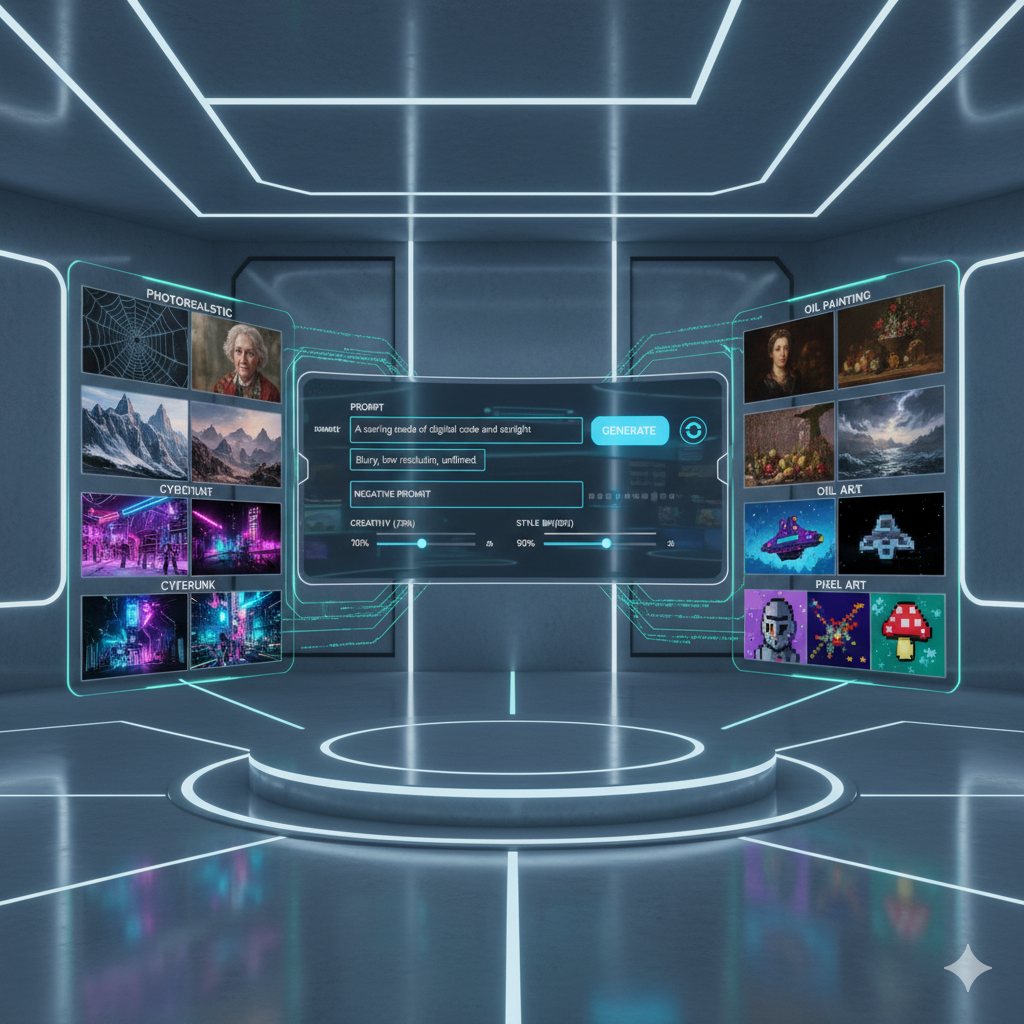
In the rapidly evolving landscape of artificial intelligence, image generation tools have become indispensable for artists, designers, marketers, and enthusiasts alike. What began as a technological marvel has matured into a sophisticated ecosystem offering an unprecedented array of creative possibilities. However, with a multitude of powerful AI generators now available, choosing the right one for your specific artistic vision can feel like navigating a complex maze. This comprehensive guide aims to demystify that process, helping you understand how different AI models excel at particular art styles and empowering you to make informed decisions for your creative workflow.
Gone are the days when a generic “AI art generator” was enough. Today, each platform, often powered by distinct underlying models and trained on vast, unique datasets, possesses its own artistic biases, strengths, and weaknesses. Whether you are aiming for photorealistic landscapes, whimsical cartoon characters, detailed sci-fi environments, abstract digital paintings, or even historical art recreations, there is likely an AI tool perfectly suited to your needs. The key lies in understanding these nuances and leveraging them to unlock your true creative potential.
Join us as we dive deep into the world of AI image generation, exploring the prominent players, dissecting their stylistic proficiencies, and providing practical advice to help you match the ideal AI generator to your unique artistic aspirations. By the end of this article, you will be equipped with the knowledge to not just generate images, but to consciously craft visual masterpieces that perfectly align with your creative vision.
Understanding the AI Image Generation Landscape
The field of AI image generation has witnessed explosive growth, primarily driven by advancements in deep learning, especially models like Generative Adversarial Networks (GANs) and more recently, Diffusion Models. While GANs were foundational, diffusion models have largely taken the lead due to their ability to produce higher quality, more diverse, and often more coherent images. These models learn from massive datasets of images and their corresponding text descriptions, enabling them to “understand” concepts and generate new visuals based on textual prompts.
The technology behind these generators is incredibly complex, involving neural networks that iteratively refine noise into coherent images. This process allows for a degree of creative control that was unimaginable just a few years ago. However, the true magic for users lies not in the algorithms themselves, but in the accessible interfaces and powerful capabilities offered by various platforms built upon these foundations.
The Evolution from Basic Generation to Stylistic Specialization
Early AI image generators, while impressive, often produced images with a somewhat generic or “AI look.” They struggled with intricate details, consistent anatomy, and maintaining specific artistic styles across different generations. Over time, through continuous research, larger and more curated training datasets, and sophisticated fine-tuning techniques, these models have become remarkably adept. Developers have focused on improving control mechanisms, allowing users to guide the AI with unprecedented precision, and critically, to steer its output towards desired artistic aesthetics.
Today, the major players in the AI image generation space have each carved out their own niches, often excelling in particular areas. Some are renowned for their artistic flair and imaginative outputs, others for their precise control over composition and style, and still others for their seamless integration into existing creative workflows. Recognizing these specializations is the first step toward effective tool selection.
Decoding Art Styles: A Primer for AI
Before we can effectively match an AI generator to an art style, it is crucial to have a foundational understanding of what constitutes different art styles and how an AI might interpret them. Art styles are defined by a combination of elements, including color palettes, brushwork or texture, subject matter treatment, composition, perspective, and overall aesthetic. When prompting an AI, conveying these elements effectively is paramount.
Common Art Styles and Their Characteristics:
- Photorealism / Hyperrealism: Aims to reproduce reality with maximum accuracy, detail, and sharpness, often indistinguishable from a photograph.
- Illustrative / Concept Art: Often vibrant, stylized, and imaginative. Used for books, games, comics, and film concept development. Can range from painterly to graphic novel styles.
- Fantasy Art: Characterized by mythical creatures, magical landscapes, epic scenes, often with a romanticized or heroic feel. Typically rich in detail and atmosphere.
- Sci-Fi Art: Focuses on futuristic technologies, alien worlds, spaceships, robots, and advanced civilizations. Often characterized by sleek designs, metallic textures, and neon lighting.
- Cartoon / Anime: Exaggerated features, bold outlines, simplified forms, often bright colors. Anime specifically has distinct character design tropes and visual storytelling conventions.
- Abstract Art: Non-representational, focusing on shapes, colors, forms, and gestural marks rather than depicting objective reality. Can be geometric, organic, or expressionistic.
- Impressionistic / Painterly: Characterized by visible brushstrokes, emphasis on light and shadow, blurred forms, and capturing the “impression” of a scene rather than precise detail.
- Surrealism: Juxtaposes unexpected elements, dreamlike or illogical scenes, aiming to unlock the subconscious. Often bizarre, thought-provoking, and highly symbolic.
- Pixel Art: Images created using individual pixels as the smallest building blocks, evoking retro video game aesthetics.
- Vector Art / Flat Design: Clean lines, solid colors, minimal gradients, often used for logos, icons, and infographics.
When crafting prompts, think about the defining features of your desired style. For example, for “Impressionism,” you might include “oil painting,” “loose brushstrokes,” “dappled light,” “Monet style.” For “Cyberpunk,” keywords like “neon,” “futuristic city,” “rainy streets,” “androids,” “dystopian” would be effective.
Key Factors to Consider When Choosing an AI Generator
Selecting the ideal AI image generator involves evaluating several critical factors beyond just the aesthetic output. A holistic approach will ensure the tool integrates seamlessly into your workflow and meets all your creative and practical requirements.
1. Style Specialization and Aesthetic Bias
Each AI model has an inherent “artistic personality” based on its training data. Some excel at photorealism, while others lean towards a more illustrative, painterly, or even abstract aesthetic. Understanding these biases is paramount. For instance, Midjourney often produces highly artistic, imaginative, and evocative imagery, perfect for fantasy or concept art, but might require more effort to achieve crisp photorealism. Stable Diffusion, on the other hand, offers unparalleled versatility and control, allowing users to fine-tune towards almost any style, including hyperrealism, through custom models and extensive prompting.
2. Control and Customization Options
How much control do you need over the generated image?
- Prompt Engineering: All tools rely on text prompts, but some offer more nuanced control through parameters, negative prompts, and weighted keywords.
- Image-to-Image (Img2Img): The ability to transform an existing image into a new one, guided by a prompt, while retaining its composition or style.
- Inpainting and Outpainting: Tools that allow you to modify specific sections of an image or extend its borders, respectively.
- ControlNet: A groundbreaking feature, primarily associated with Stable Diffusion, that allows users to exert precise control over composition, pose, depth, and style using reference images.
- Model Customization: For advanced users, platforms like Stable Diffusion allow for training or loading custom models (e.g., LoRAs, Textual Inversions) to achieve highly specific styles or character consistency.
3. User Interface and Ease of Use
Are you a beginner looking for a straightforward experience, or an experienced artist comfortable with complex interfaces?
- Beginner-Friendly: Platforms like DALL-E 3 (via ChatGPT or Copilot) and Adobe Firefly prioritize simplicity and intuitive interfaces, making them easy to pick up.
- Intermediate: Midjourney, accessed via Discord, offers a good balance of power and accessibility, though the Discord interface can be unconventional for some.
- Advanced / Developer-Focused: Stable Diffusion, especially its various GUIs like Automatic1111 or ComfyUI, offers maximum control but comes with a steeper learning curve and often requires more technical setup.
4. Cost, Licensing, and Usage Rights
Pricing models vary widely, from free trials and freemium tiers to subscription-based services. More importantly, understand the licensing terms for commercial use. Some platforms offer clear commercial rights with paid subscriptions, while others might have restrictions or require attribution. Adobe Firefly, for instance, explicitly focuses on commercially safe content with clear indemnification for business users.
5. Speed and Efficiency
How quickly do you need your images? Some generators produce results almost instantly, while others might take longer, especially for higher resolutions or complex prompts. This is often tied to your subscription tier and the computational resources allocated.
6. Community and Resources
A strong community can be invaluable for learning, troubleshooting, and discovering new techniques. Platforms with active Discord servers, forums, and comprehensive documentation often provide a richer user experience. Civitai, for example, is a massive hub for Stable Diffusion models and resources.
Deep Dive into Popular AI Image Generators and Their Strengths
Let us explore some of the leading AI image generators and identify their primary stylistic strengths, helping you pinpoint the best tool for your next project.
1. Midjourney
Strengths: Midjourney is renowned for its highly aesthetic, imaginative, and often dreamlike outputs. It excels at generating illustrative, painterly, and fantastical imagery. Its default aesthetic often leans towards polished, artistic, and evocative visuals.
Best For:
- Concept Art: Excellent for generating initial ideas for characters, environments, and creatures in fantasy, sci-fi, and surreal settings.
- Illustrations: Perfect for book covers, editorial illustrations, and general artistic compositions that require a strong aesthetic appeal.
- Abstract & Stylized Art: Generates beautiful abstract patterns, ethereal landscapes, and stylized interpretations with minimal effort.
- Mood Boards & Visual Development: Quickly creates visually rich imagery for mood-setting and creative exploration.
Considerations: While Midjourney has improved significantly in photorealism, it still often imparts its distinct artistic signature. Achieving precise control over minute details or specific anatomical consistency can sometimes be more challenging than with other tools, though recent updates (like ‘Style Tuner’ and advanced prompting) have greatly enhanced control.
2. Stable Diffusion (and its Ecosystem)
Strengths: Stable Diffusion is the undisputed champion of versatility and control. As an open-source model, it has fostered a massive ecosystem of custom models (e.g., from Civitai), user interfaces (like Automatic1111 WebUI, ComfyUI), and extensions (like ControlNet). This allows for an unparalleled degree of fine-tuning towards virtually any art style imaginable.
Best For:
- Hyperrealism & Photorealism: With the right models and prompt engineering, Stable Diffusion can produce images virtually indistinguishable from photographs, including intricate details and lighting.
- Niche Art Styles: From specific anime styles (e.g., Ghibli-esque, detailed character sheets) to retro pixel art, comic book aesthetics, and historical art movements, custom models allow for incredible precision.
- Professional Workflows: ControlNet provides granular control over composition, pose, depth, and edge detection, making it invaluable for artists needing to integrate AI into existing design processes.
- Custom Character & Asset Generation: Training LoRAs (Low-Rank Adaptation) on your own artwork or character designs enables consistent character generation and style transfer.
- Experimental & Advanced Use: The open-source nature attracts developers and artists who want to push boundaries, experiment with new techniques, and integrate AI into complex pipelines.
Considerations: The vast array of options can be overwhelming for beginners. While there are user-friendly interfaces, unlocking its full potential often requires a steeper learning curve and a willingness to explore technical details. It can also be resource-intensive, requiring powerful local hardware for optimal performance, though cloud-based solutions are available.
3. DALL-E 3 (via ChatGPT Plus / Microsoft Copilot)
Strengths: DALL-E 3’s biggest advantage lies in its superior understanding of natural language prompts. It excels at interpreting complex, multi-layered instructions and generating coherent, contextually accurate images. It handles text within images remarkably well.
Best For:
- Complex Scene Generation: When your prompt describes intricate relationships between objects, specific actions, or detailed narrative elements, DALL-E 3 shines.
- Illustrative & Cartoon Styles: It produces excellent results for stylized illustrations, modern graphic design, and clean cartoon aesthetics, often with a vibrant and appealing look.
- Conceptual Visuals with Text: Ideal for creating social media graphics, memes, or concept art where precise text inclusion is crucial.
- Quick Ideation & Iteration: Its ease of use and direct integration with conversational AI (ChatGPT, Copilot) makes it excellent for rapid brainstorming and generating diverse concepts based on evolving dialogue.
Considerations: While excellent, DALL-E 3 tends to have a more uniform “house style” compared to Stable Diffusion’s endless variety. It offers less direct control over image composition and parameters than Stable Diffusion or Midjourney, relying more heavily on the quality and specificity of the initial text prompt. Commercial rights typically come with paid subscriptions like ChatGPT Plus or specific Microsoft services.
4. Adobe Firefly
Strengths: Adobe Firefly is designed with professional designers and enterprise users in mind, emphasizing commercial safety and seamless integration into the Adobe Creative Cloud ecosystem. It is particularly strong in generating content suitable for design, marketing, and branding.
Best For:
- Graphic Design Assets: Generates high-quality textures, patterns, and background elements suitable for graphic design projects.
- Branding & Marketing Visuals: Creates diverse visual content for social media, advertisements, and website banners with a focus on clean, marketable aesthetics.
- Vector-like Illustrations: Excels at producing clean, scalable graphics, often in a flat design or vector-inspired style.
- Commercial Use with Confidence: Adobe provides indemnification for enterprise users, addressing copyright concerns for business applications.
- Text Effects & Generative Fill: Its innovative text effects and generative fill features (integrated into Photoshop) offer powerful image manipulation capabilities beyond pure generation.
Considerations: Firefly’s primary strength is its integration and commercial safety rather than raw artistic versatility for extreme niche styles. Its outputs tend to be polished and practical, but might lack the raw imaginative edge of Midjourney or the deep customization of Stable Diffusion for highly specific artistic expressions outside of commercial design norms.
5. Leonardo.Ai
Strengths: Leonardo.Ai stands out for its user-friendly interface combined with access to a wide range of fine-tuned models, including many based on Stable Diffusion. It’s particularly popular among game developers, concept artists, and hobbyists looking for specialized creative tools.
Best For:
- Game Asset Creation: Strong capabilities for generating character designs, creatures, items, and environment textures, often with specialized models for specific game aesthetics.
- Character Design: Excellent for iterating on character concepts, poses, and outfits, often providing consistent results across generations.
- Stylized Art & Illustration: Offers numerous community-trained models that excel at various stylized art forms, from anime to painterly fantasy.
- User-Friendly Model Exploration: Provides an intuitive platform to browse, test, and utilize a vast library of custom AI models without deep technical knowledge.
Considerations: While offering great flexibility, the quality and consistency of outputs can depend heavily on the specific custom model chosen. It acts as a fantastic wrapper for many Stable Diffusion capabilities, making it more accessible, but still requires good prompt engineering skills to get the best results.
Strategies for Prompt Engineering Specific Art Styles
Regardless of the generator you choose, effective prompt engineering is the key to unlocking its full potential. Here are some strategies to guide the AI towards your desired art style:
1. Use Descriptive Adjectives and Nouns
Be specific about what you want. Instead of “a city,” try “a futuristic cyberpunk city at night, bathed in neon lights.”
2. Specify Artists, Movements, or Mediums
Referencing famous artists (e.g., “in the style of Vincent van Gogh,” “inspired by Alphonse Mucha”), art movements (e.g., “Impressionist painting,” “Surrealist photography”), or mediums (e.g., “oil on canvas,” “watercolor,” “digital painting,” “pencil sketch,” “3D render”) can powerfully steer the AI’s aesthetic.
3. Define Lighting and Atmosphere
Words like “cinematic lighting,” “golden hour,” “moody,” “vibrant,” “ethereal glow,” “dramatic volumetric lighting” significantly impact the feel of the image.
4. Control Composition and Perspective
Terms such as “wide shot,” “close-up,” “overhead view,” “dutch angle,” “rule of thirds,” “symmetrical composition” can help frame your scene. For Stable Diffusion, ControlNet offers even more precise compositional control.
5. Utilize Negative Prompts
Negative prompts tell the AI what *not* to include. Common negative prompts include “ugly, deformed, disfigured, blurry, low quality, bad anatomy, missing limbs, extra fingers, poor lighting, watermark, text.” For specific styles, you might add “photorealistic” if you want a cartoon, or “cartoonish” if you want realism.
6. Experiment with Parameters and Weights
Many generators allow you to adjust the influence of certain prompt elements or use specific parameters (e.g., aspect ratios, style weights, chaos in Midjourney). Learn how to use these to fine-tune your output.
7. Iterate and Refine
Treat prompt engineering as an iterative process. Generate a few images, analyze what worked and what did not, then refine your prompt based on the results. Small changes can often lead to big differences.
Overcoming Challenges: Limitations and Ethical Considerations
While AI image generators are incredibly powerful, they are not without their limitations and ethical considerations that users must be aware of.
Limitations:
- Anatomy and Consistency: Despite advancements, AIs can still struggle with realistic human anatomy (especially hands and complex poses) and maintaining consistent character appearances across multiple images without specialized techniques like LoRAs.
- Text and Readability: While DALL-E 3 has improved, generating perfectly spelled and naturally integrated text within images remains a challenge for many models.
- Bias in Training Data: AI models learn from the data they are fed, and if that data contains biases (e.g., racial, gender, cultural stereotypes), the AI’s output will reflect those biases.
- Learning Curve: Mastering prompt engineering and the specific nuances of each platform can take time and practice.
- Ethical Implications: The potential for misuse (e.g., deepfakes, copyright infringement) is a serious concern, prompting ongoing discussions about regulation and responsible AI development.
Ethical Considerations:
- Copyright and Attribution: The legal landscape around AI-generated art and copyright is still evolving. Users should be mindful of the source of training data and potential claims from artists whose work was used. Adobe Firefly’s focus on commercially safe content is a direct response to these concerns.
- Artist Displacement: There are legitimate concerns from human artists about the impact of AI on their livelihoods and the value of human creativity.
- Deepfakes and Misinformation: The ability to generate highly realistic but fabricated images poses risks related to misinformation and fraud. Responsible use and disclosure of AI-generated content are crucial.
- Data Privacy: When using image-to-image features, be mindful of any sensitive information in your input images, as they are processed by external servers.
Engaging with AI art tools responsibly means staying informed about these issues and contributing to the development of ethical guidelines and best practices.
Comparison Tables: AI Image Generators by Style and Features
To further assist in your decision-making, here are two comprehensive tables comparing leading AI image generators based on their stylistic strengths and key features.
Table 1: AI Image Generator Stylistic Strengths at a Glance
| AI Generator | Primary Style Strengths | Key Aesthetic Traits | Ideal Use Cases |
|---|---|---|---|
| Midjourney | Illustrative, Fantastical, Artistic, Surreal, Concept Art | Dreamlike, imaginative, painterly, high aesthetic quality, evocative, often strong atmospheric qualities. | Book covers, concept art, artistic illustrations, mood boards, fine art prints, creative exploration. |
| Stable Diffusion (Ecosystem) | Versatile, Photorealism, Hyperrealism, Niche Styles (Anime, Pixel Art, Comics), Professional Control | Highly customizable, can achieve almost any style with specific models; strong control over composition, pose, detail; high fidelity to prompts. | Professional art, hyperrealistic renders, specific character/asset generation (with LoRAs), architectural visualization, experimental art, scientific illustration. |
| DALL-E 3 (via ChatGPT/Copilot) | Complex Composition, Illustrative, Cartoon, Text Integration, General Purpose | Excellent natural language understanding, coherent complex scenes, strong text handling, often clean and vibrant, good for direct visual storytelling. | Social media graphics, blog post images, quick conceptualization, illustrative visuals, creating images with embedded text. |
| Adobe Firefly | Graphic Design Assets, Commercial Illustration, Vector-like, Clean Aesthetics | Polished, commercially safe, clean lines, suitable for branding, high-quality textures, seamless integration with Adobe Creative Cloud. | Marketing collateral, website design elements, product mockups, texture generation, corporate visuals, generative fill workflows. |
| Leonardo.Ai | Game Assets, Character Design, Stylized Art, User-friendly Model Access | Diverse range of community models, good for consistent character generation, stylized illustrations, fantasy and sci-fi game aesthetics, intuitive interface. | Game development (characters, environments, items), concept art for games, fan art, accessible stylized illustration. |
Table 2: Feature Comparison of Leading AI Image Generators
| Feature / Aspect | Midjourney | Stable Diffusion (e.g., Automatic1111) | DALL-E 3 | Adobe Firefly | Leonardo.Ai |
|---|---|---|---|---|---|
| Accessibility / UI | Discord-based, relatively easy once familiar | Steep learning curve, powerful UIs (local install), cloud options available | Integrated into ChatGPT/Copilot, very user-friendly | Web-based, integrates into Adobe apps, very user-friendly | Web-based, intuitive, easy model browsing |
| Control Mechanisms | Advanced prompting, parameters, style tuner, pan/zoom | Extensive (ControlNet, Img2Img, Inpainting, custom models, parameters) | Prompt refining via chat, limited direct controls | Prompting, generative fill/expand, structure reference, style reference | Prompting, many fine-tuned models, Img2Img, Canvas editor |
| Custom Model Support | No (but has ‘Style Tuner’) | Extensive (LoRAs, Textual Inversions, Checkpoints, embeddings) | No | No (uses Adobe’s proprietary models) | Extensive (community models, custom training options) |
| Photorealism Potential | Good (improving), often with artistic bias | Excellent (with appropriate models) | Good, clean and coherent | Good, often with a ‘design’ aesthetic | Very good (with appropriate models) |
| Commercial Use Policy | Generally allowed with paid subscription | Depends on model license; often permissive for personal/commercial | Generally allowed with paid subscription | Clear commercial rights, enterprise indemnification | Generally allowed with paid subscription, check model licenses |
| Cost Model | Subscription (freemium trial) | Free (local install), cloud services vary | Subscription (ChatGPT Plus/Copilot Pro) | Free (limited credits), Subscription (Creative Cloud) | Freemium (daily credits), Subscription |
| Output Resolution | Up to 1.5x upscaling, variable base | Highly configurable, depends on hardware/cloud service | Fixed resolutions for aspect ratios | Variable, often optimized for design assets | Variable, often good for game assets |
| Active Development & Community | Very active, frequent updates | Massive, rapidly evolving open-source community | Active development by OpenAI | Active development by Adobe, growing community | Active, strong community for game/character art |
Practical Examples: Real-World Use Cases and Scenarios
Let’s illustrate how different AI generators can be applied to specific creative challenges.
Scenario 1: A Game Developer Creating Character Concepts
Challenge: An indie game developer needs to quickly generate diverse character designs for a fantasy RPG, ranging from heroic knights to mythical creatures, and maintain a consistent art style.
Solution: Leonardo.Ai or Stable Diffusion (with specialized models from Civitai) would be ideal. Leonardo.Ai’s focus on game assets and its array of fine-tuned models make it excellent for rapid iteration on character concepts. For even more precise control over anatomy, pose, and specific aesthetic nuances, Stable Diffusion’s ecosystem, particularly with character-specific LoRAs and ControlNet for pose transfers, offers unparalleled flexibility to refine and maintain consistency across multiple characters within the same game world.
Scenario 2: An Author Needing Book Cover Art for a Sci-Fi Novel
Challenge: An author requires an eye-catching and imaginative book cover that vividly depicts a futuristic cityscape with unique alien architecture and a sense of cosmic grandeur.
Solution: Midjourney would likely be the top choice. Its inherent ability to generate stunning, imaginative, and highly atmospheric visuals, often with a painterly or conceptual art feel, makes it perfect for sci-fi and fantasy book covers. The “dreamlike” quality it often imparts can perfectly capture the essence of speculative fiction, creating an evocative image that draws readers in.
Scenario 3: A Marketing Team Generating Social Media Visuals with Text
Challenge: A marketing team needs to create a series of engaging social media posts with specific promotional text embedded directly into the images, featuring a variety of illustrative styles.
Solution: DALL-E 3 (via ChatGPT Plus or Copilot) is the clear winner here. Its superior natural language understanding allows for precise integration of text within the image, and its ability to handle complex prompts means the team can describe the exact scene, style, and textual content needed without extensive post-processing. The conversational interface further streamlines rapid iteration for marketing campaigns.
Scenario 4: A Graphic Designer Needing Royalty-Free Design Assets
Challenge: A graphic designer needs to quickly generate royalty-free textures, patterns, and background elements for client projects, ensuring commercial safety and easy integration into Adobe Creative Suite.
Solution: Adobe Firefly is perfectly tailored for this. Its focus on commercially safe content, robust indemnification, and native integration with Photoshop and Illustrator make it a seamless addition to a designer’s workflow. It excels at creating clean, adaptable design elements, and features like Generative Fill within Photoshop are game-changers for asset creation and manipulation.
Scenario 5: An Independent Artist Exploring Abstract Digital Painting
Challenge: An independent artist wants to explore new forms of abstract digital painting, experimenting with unique color palettes, textures, and non-representational forms.
Solution: While Midjourney can produce stunning abstract work with its artistic bias, Stable Diffusion, particularly with specific abstract-focused models or by chaining various style modifiers and advanced prompt engineering, offers the ultimate freedom. The artist can fine-tune every aspect of the texture, brushwork, color blending, and form generation, pushing the boundaries of what digital abstract art can be.
Frequently Asked Questions
Q: How do I pick the right AI image generator as a beginner?
A: For beginners, ease of use is key. DALL-E 3 (through ChatGPT or Copilot) is exceptionally user-friendly due to its natural language interface and direct prompt interpretation. Adobe Firefly also offers a very intuitive web interface and is great for design-focused tasks. Midjourney, while Discord-based, has a strong community and good default aesthetics that are easy to get started with. Start with a platform that has a gentle learning curve and then explore more complex tools as you gain confidence.
Q: Can AI generators truly replicate traditional art styles like oil painting or watercolor?
A: Yes, to a remarkable degree! AI models are trained on vast datasets that include millions of traditional artworks. By using specific keywords in your prompts, such as “oil painting,” “watercolor,” “acrylic art,” “charcoal sketch,” “linocut print,” or even referencing specific artists and art movements (e.g., “Impressionist style,” “Baroque painting”), you can guide the AI to generate images that convincingly mimic the textures, brushwork, and overall aesthetic of these traditional mediums. Stable Diffusion, with its specialized models, is particularly adept at this.
Q: What is prompt engineering, and why is it important?
A: Prompt engineering is the art and science of crafting effective text inputs (prompts) to guide an AI model to generate desired outputs. It is crucial because the quality and relevance of the AI-generated image are directly dependent on how well you articulate your vision in the prompt. Good prompt engineering involves using descriptive language, specifying styles, moods, lighting, composition, and often employing negative prompts to tell the AI what to avoid, thus maximizing your control over the creative process.
Q: Are AI-generated images copyrightable? What are the legal implications?
A: The legal landscape around AI-generated images and copyright is still ambiguous and rapidly evolving, varying by jurisdiction. In the United States, the Copyright Office has generally stated that purely AI-generated works without significant human creative input are not copyrightable. However, if a human artist uses AI as a tool and significantly modifies or curates the output, or if the AI is an integral part of a larger human-directed creative process, then copyright might be granted. Platforms like Adobe Firefly are addressing this by offering indemnification for enterprise users, providing some legal assurances. It is always advisable to consult legal counsel for specific situations, especially for commercial use.
Q: What are the main ethical concerns surrounding AI image generation?
A: Several ethical concerns exist. These include: 1) Copyright infringement: The models are trained on existing art, raising questions about compensation and attribution for original artists. 2) Bias: AI models can perpetuate and amplify biases present in their training data (e.g., racial or gender stereotypes). 3) Misinformation and deepfakes: The ability to create highly realistic fake images can be used to spread misinformation or create harmful content. 4) Artist displacement: Concerns that AI tools might reduce demand for human artists. Responsible use, transparency, and ongoing ethical guidelines are crucial for navigating these challenges.
Q: Can I use my own images as input for AI generators (image-to-image)?
A: Yes, many advanced AI image generators offer an “image-to-image” (Img2Img) functionality. This feature allows you to upload an existing image, provide a text prompt, and have the AI transform or re-imagine your image based on the prompt while retaining some aspects of its original composition, style, or content. Stable Diffusion, Leonardo.Ai, and even Adobe Firefly (with Generative Fill/Expand) are excellent examples of tools that provide powerful Img2Img capabilities, allowing for more controlled and personalized generations.
Q: What is the difference between open-source and proprietary AI generators?
A: Open-source generators (like Stable Diffusion) have their underlying code freely available to the public. This allows developers and communities to modify, customize, and build upon the core model, leading to a vast ecosystem of custom models, interfaces, and extensions. They offer maximum control and flexibility but often require more technical expertise. Proprietary generators (like Midjourney, DALL-E 3, Adobe Firefly) are developed and maintained by a specific company, and their code is not publicly accessible. They often prioritize user-friendliness, curated outputs, and commercial features, but offer less flexibility for deep customization.
Q: How do I stay updated with new developments in AI image generation?
A: The field is moving incredibly fast! To stay updated, you can: 1) Follow official blogs and social media channels of leading AI companies (OpenAI, Stability AI, Midjourney). 2) Join active communities on platforms like Discord (for Midjourney, Stable Diffusion servers) or Reddit (r/StableDiffusion, r/midjourney). 3) Follow AI news outlets and tech journalists specializing in generative AI. 4) Explore model sharing platforms like Civitai for Stable Diffusion users. 5) Attend online webinars or conferences related to AI art and technology.
Q: Is it worth paying for a subscription to an AI image generator?
A: For serious hobbyists, professionals, or anyone planning to use AI-generated images for commercial purposes, a paid subscription is almost always worth it. Subscriptions typically offer: 1) More credits or unlimited generations. 2) Faster generation speeds (priority access to GPUs). 3) Access to advanced features (e.g., higher resolutions, specific models, inpainting/outpainting). 4) Clearer commercial usage rights. 5) Often, better support and access to new features sooner. The investment can significantly enhance your creative output and workflow efficiency.
Q: Can AI models generate images in very specific, niche art movements like Cubism or Surrealism?
A: Absolutely! AI models, especially those with high levels of control and vast training data, can be highly effective at generating images in niche art movements. For Cubism, you might use keywords like “Cubist painting,” “geometric shapes,” “multiple perspectives,” “fractured forms,” “Picasso style.” For Surrealism, prompts like “surreal dreamscape,” “juxtaposed elements,” “metaphysical,” “Dali inspired,” “unconscious imagery” would be effective. Stable Diffusion, with its adaptability, excels at mimicking such specific styles, often with greater fidelity than more generalized models.
Key Takeaways
- No One-Size-Fits-All: Different AI image generators excel at different art styles and use cases.
- Match Tool to Vision: Carefully consider your desired aesthetic, control needs, and workflow when choosing a generator.
- Midjourney for Artistry: Best for imaginative, illustrative, fantasy, and dreamlike visuals.
- Stable Diffusion for Control & Versatility: Unmatched for photorealism, niche styles, and professional integration due to its open-source ecosystem (ControlNet, custom models).
- DALL-E 3 for Language & Coherence: Excels at complex scenes, text integration, and general-purpose illustration with superior prompt understanding.
- Adobe Firefly for Commercial Design: Ideal for graphic design assets, marketing, and commercially safe content within the Adobe ecosystem.
- Leonardo.Ai for Game Dev & Character Art: Offers user-friendly access to specialized models for game assets and character design.
- Prompt Engineering is Crucial: Master the art of crafting specific prompts, including style references, lighting, and negative prompts.
- Be Aware of Limitations & Ethics: Understand the current challenges (anatomy, bias, copyright) and use AI tools responsibly.
- Iterate and Experiment: The best results often come from continuous refinement of prompts and exploring different tools.
Conclusion
The journey to unlock your creative vision with AI image generators is an exciting one, full of unprecedented possibilities. By understanding the distinct personalities and capabilities of tools like Midjourney, Stable Diffusion, DALL-E 3, Adobe Firefly, and Leonardo.Ai, you are no longer limited to generic AI art. Instead, you can consciously select the perfect digital brush for your canvas, guiding the artificial intelligence to manifest your precise artistic intent, whether that is a hyperrealistic portrait, a fantastical landscape, a vibrant cartoon, or a compelling graphic design element.
The key takeaway is that these AI tools are not replacements for human creativity but powerful extensions of it. They empower artists and non-artists alike to explore ideas, iterate rapidly, and bring visions to life with remarkable efficiency. As the technology continues to evolve at breakneck speed, staying informed, experimenting fearlessly, and continuously refining your prompt engineering skills will ensure you remain at the forefront of this digital art revolution. So, go forth, choose your generator wisely, and let your imagination soar to new, visually stunning heights!




























































































Leave a Reply