

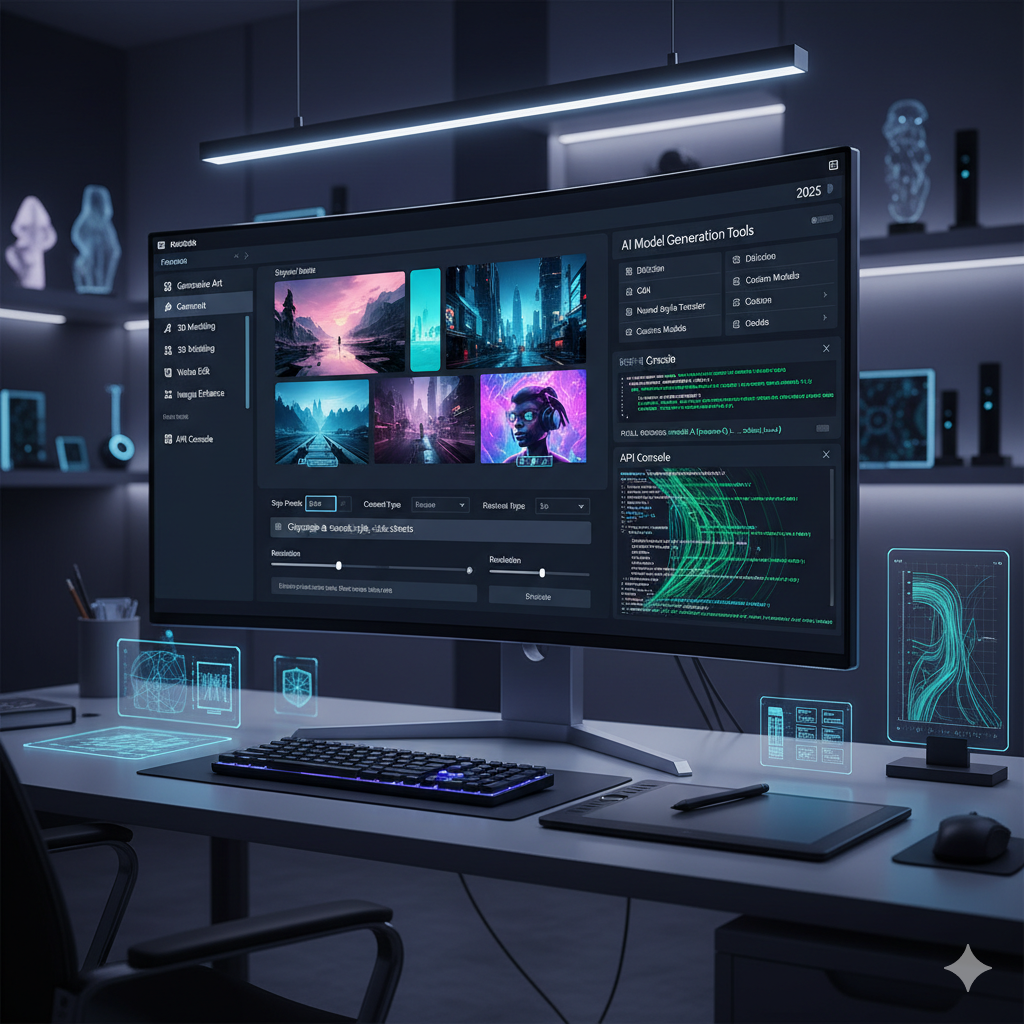
The landscape of professional design is undergoing a profound transformation, spearheaded by the remarkable advancements in Artificial Intelligence. What began as novelty tools generating quirky images has rapidly evolved into sophisticated systems capable of producing production-quality assets. For many designers, the initial foray into AI image generation was through standalone applications or simple plugins for existing software. These tools, while useful for experimentation and quick ideation, often represent a superficial engagement with the technology. To truly unlock the transformative potential of AI in a professional context, designers must look beyond these rudimentary integrations and embrace strategies for deep integration. This article delves into the methodologies, benefits, and challenges of embedding AI image generation directly into the heart of your design workflows, moving from mere augmentation to fundamental transformation. We will explore how to harness the power of APIs, fine-tune custom models, automate iterative processes, and establish an AI-centric design ecosystem that enhances creativity, accelerates production, and maintains brand consistency, positioning design firms at the forefront of innovation.
The Evolution from Plugins to Deep Integration
Initially, AI image generation tools like Midjourney, DALL-E, and Stable Diffusion often operated as external services or lightweight plugins. A designer would craft a prompt in one application, generate an image, and then manually import it into their primary design software for further refinement. While this approach offered a taste of AI’s capabilities, it introduced significant friction: context switching, inconsistent file management, and a lack of direct control over the generation process within the native design environment. This “plugin paradigm” was a necessary first step, akin to early desktop publishing using multiple disjointed applications.
As the technology matured, so did the demands of professional users. Designers quickly realized that true efficiency and creative synergy lay not in external silos, but in a seamless, invisible integration where AI becomes an intrinsic part of the design stack. This shift marks the transition from merely using AI as an external utility to integrating it deeply as a core component of the creative process. Deep integration means AI models are accessible directly within design applications, capable of understanding design context, responding to specific design parameters, and even learning from a studio’s unique aesthetic and brand guidelines. It’s about moving from a “copy-paste” workflow to a truly generative and iterative co-creation experience.
Consider the difference: a plugin might offer a text-to-image prompt box, generating a static image. A deeply integrated system, however, could take an existing design element – say, a mood board in Figma or a 3D model in Blender – and use it as an input to generate variations, textures, or entire scene compositions, all without leaving the primary application. This level of integration reduces cognitive load, minimizes manual steps, and allows designers to focus more on creative problem-solving rather than technical hurdles. It empowers designers to extend their capabilities, explore more iterations, and bring visions to life with unprecedented speed and precision, making AI an invaluable partner rather than just another tool in the box.
Understanding Deep Integration: What It Means for Design Workflows
Deep integration, in the context of AI image generation, signifies a profound embedding of AI capabilities directly within a design professional’s primary software ecosystem. It moves beyond simple API calls from separate scripts and instead aims for a fluid, context-aware interaction where AI models understand and respond to the nuances of the ongoing design project. This means AI isn’t just generating images; it’s generating images relevant to the current design context, leveraging existing assets, brand guidelines, and project specifications.
For a design workflow, deep integration translates into several key advantages:
- Reduced Friction and Context Switching: Designers can generate, modify, and refine images without leaving their preferred design software (e.g., Adobe Photoshop, Illustrator, Figma, Blender, SketchUp). This eliminates the tedious process of exporting, importing, and re-exporting, saving valuable time and maintaining creative flow.
- Context-Aware Generation: Instead of generic prompts, AI models can draw information directly from the design canvas. Imagine selecting a specific area in a layout and prompting the AI to “fill this space with a vintage-style floral pattern that matches the existing color palette.” The AI leverages the selected area’s dimensions, surrounding elements, and color scheme for a highly targeted output.
- Iterative Co-creation: Deep integration facilitates a truly iterative design process. Designers can make a change in their layout, and the AI can instantly generate new image variations reflecting that change. This enables rapid prototyping and exploration of countless creative options in minutes rather than hours or days.
- Brand Consistency: By training AI models on a company’s existing visual assets, brand guidelines, and approved imagery, deep integration ensures that all AI-generated content adheres strictly to brand standards. This is particularly crucial for large organizations and agencies managing multiple brands.
- Automation of Repetitive Tasks: AI can take over mundane tasks like generating endless variations of icons, textures, background elements, or even resizing images for different platforms, freeing up designers for more strategic and creative work.
- Enhanced Data Security and Control: When integrated within an enterprise-level system, AI image generation can operate within secure, controlled environments, addressing concerns about intellectual property and data privacy that arise with third-party web services.
Ultimately, deep integration transforms AI from a separate tool into an intelligent assistant that understands the designer’s intent and actively contributes to the creative process, making the design workflow more efficient, consistent, and creatively expansive.
API-Driven AI: The Backbone of True Integration
At the heart of any successful deep integration strategy lies the robust utilization of Application Programming Interfaces, or APIs. While basic plugins might wrap a simplified API call, true deep integration involves direct, granular interaction with the AI model’s API, allowing for a level of control and customization that goes far beyond what off-the-shelf solutions offer. Major AI providers like OpenAI (DALL-E), Stability AI (Stable Diffusion), and even custom deployments of open-source models offer comprehensive APIs designed for developers to build bespoke integrations.
Leveraging APIs means moving beyond a simple text prompt. It allows designers and developers to programmatically control various parameters of the image generation process, including:
- Image-to-Image Generation: Feeding an existing image as an input to guide the AI, rather than starting from scratch. This is crucial for variations, stylization, or extending existing compositions.
- ControlNet Implementation: Utilizing advanced controls like Canny edges, depth maps, or pose estimation to guide the AI with precise structural information, ensuring generated images align perfectly with desired compositions or layouts.
- Seed Management: Controlling the random seed used by the AI model to reproduce specific image generations or create slight variations from a known starting point, invaluable for iterative refinement.
- Negative Prompts and Embeddings: Fine-tuning what the AI should avoid generating, or incorporating custom embeddings (learned concepts or styles) to ensure adherence to specific aesthetic requirements.
- Model Selection: Programmatically choosing between different base models or fine-tuned variants for specific tasks or styles, all within the integrated environment.
- Batch Processing: Automating the generation of hundreds or thousands of images based on varying parameters, ideal for asset creation, testing different styles, or generating diverse mood boards.
For design studios, this API-driven approach opens up possibilities for creating custom tools and scripts that bridge the gap between AI capabilities and their unique design software stack. Imagine a script in Adobe Illustrator that, upon selection of an object, sends its vector path and color data via an API to a Stable Diffusion model, generating a photorealistic texture that perfectly wraps around the vector shape. This is the power of API-driven integration – it transforms AI from a black box into a programmable and highly adaptable creative engine, directly embedded into the professional workflow, ensuring maximum flexibility and creative control.
Custom Models and Fine-Tuning for Brand Consistency
One of the most powerful aspects of deep AI integration for professional design is the ability to leverage and even create custom AI models tailored to specific brand aesthetics, product lines, or artistic styles. While general-purpose models like DALL-E or Midjourney are excellent for broad ideation, they often lack the specificity required for maintaining strict brand consistency or generating highly specialized imagery. This is where fine-tuning comes into play.
What is Fine-Tuning?
Fine-tuning involves taking a pre-trained large AI model (like a Stable Diffusion checkpoint) and further training it on a smaller, highly specific dataset. This dataset typically consists of a company’s own visual assets: product photographs, brand guidelines, marketing materials, architectural renders, character designs, or any collection of imagery that embodies the desired aesthetic. By exposing the AI to this curated set of examples, the model learns to generate images that inherently reflect the brand’s unique visual language.
Benefits for Professional Design:
- Unwavering Brand Consistency: A fine-tuned model understands and replicates your brand’s specific color palettes, typography styles (when generating text elements in images), common design motifs, and overall visual tone. This eliminates the need for extensive post-processing to align AI-generated images with brand standards, drastically reducing iteration time.
- Niche Specialization: For industries with highly specific visual requirements – such as architectural visualization, industrial design, fashion, or medical illustration – a custom model can generate highly accurate and contextually relevant imagery that generic models struggle with. Imagine a model trained on a firm’s specific residential architecture portfolio, capable of generating new house designs in the firm’s signature style.
- Intellectual Property Protection: By using proprietary data for fine-tuning, design firms can create unique AI models that produce distinct visual outputs, safeguarding their creative identity and potentially generating unique assets that are less likely to be replicated by others using generic models.
- Accelerated Asset Creation: Once a model is fine-tuned, it can rapidly generate an extensive library of assets – from texture maps and material swatches to product variations and marketing visuals – all adhering to the specified style. This is invaluable for projects requiring a large volume of cohesive imagery.
- Competitive Advantage: Design studios capable of deploying and managing custom AI models possess a significant edge. They can offer clients a level of bespoke AI-powered creative service that generic tools cannot match, positioning themselves as innovators.
The process of fine-tuning requires technical expertise in data curation, model training, and deployment, often involving collaboration between designers and AI engineers. However, the investment pays dividends by transforming AI from a generic tool into a highly specialized, brand-aligned creative partner, capable of extending a design firm’s unique visual identity into new realms of generative possibilities.
Automating Repetitive Tasks and Iteration Cycles
One of the most significant promises of deep AI integration in professional design is its capacity to automate repetitive, time-consuming tasks and dramatically accelerate iteration cycles. Many design processes involve a substantial amount of grunt work that, while necessary, detracts from truly creative efforts. AI, when deeply embedded, can absorb much of this manual burden, freeing designers to focus on higher-level conceptualization and problem-solving.
Automation Scenarios:
- Mass Asset Generation:
- Variations on a Theme: For product designers, AI can generate hundreds of colorways, material combinations, or minor design variations for a single product concept, based on defined parameters.
- Icon and UI Elements: Generate diverse sets of icons, buttons, or other user interface elements that adhere to a specific style guide, automatically formatted for different resolutions and platforms.
- Texture and Background Generation: Create seamless textures, abstract backgrounds, or environmental details based on simple prompts or existing imagery, ideal for 3D rendering or web design.
- Image Manipulation and Enhancement:
- Image Upscaling and Denoising: Automatically enhance the resolution and quality of low-res images or illustrations without losing detail.
- Inpainting and Outpainting: Intelligently fill in missing parts of an image or extend existing scenes beyond their original borders, maintaining stylistic consistency.
- Style Transfer: Apply the artistic style of one image to another, useful for creating cohesive visual campaigns or exploring new aesthetics.
- Rapid Prototyping and Iteration:
- Mood Board Generation: Automatically generate expansive mood boards based on keywords, visual references, or even entire articles, providing diverse visual inspiration quickly.
- Layout Exploration: Given a rough wireframe or sketch, AI can generate multiple visual interpretations, populating spaces with relevant imagery and design elements to explore different aesthetic directions.
- Feedback Integration: In some advanced setups, AI could even interpret text feedback (e.g., “make it warmer,” “add more dynamic light”) and generate revised images, drastically speeding up revision rounds.
Impact on Iteration Cycles:
Traditional design iteration can be slow. Each significant change often requires manual adjustments, re-rendering, or searching for new assets. With deep AI integration, iteration becomes almost instantaneous. Designers can experiment with dozens of stylistic choices, compositional variations, or material applications within minutes. This rapid feedback loop allows for extensive exploration, reduces the risk of committing to suboptimal designs early on, and ultimately leads to higher quality, more refined final products. It transforms the design process from a linear path into a dynamic, multi-directional exploration, where creativity is amplified by the speed and breadth of AI’s generative power.
Overcoming Challenges: Data Security, Ethics, and Control
While the benefits of deep AI integration are compelling, it’s crucial for professional design firms to address the inherent challenges concerning data security, ethical considerations, and maintaining creative control. Ignoring these aspects can lead to significant risks, including intellectual property infringement, brand damage, and a loss of creative agency.
1. Data Security and Intellectual Property (IP):
- Proprietary Data Protection: When fine-tuning models on internal datasets or using proprietary designs as input, ensuring that this sensitive information remains secure is paramount. Relying on public cloud AI services without robust data privacy agreements can expose IP.
- On-Premise or Private Cloud Solutions: For maximum security, some firms opt for running open-source AI models (like Stable Diffusion) on their own hardware or within a dedicated private cloud environment. This ensures that proprietary data never leaves the controlled infrastructure.
- Secure API Endpoints: If using third-party APIs, robust authentication, authorization, and encrypted data transfer protocols are non-negotiable. Agreements must clearly define data usage, storage, and deletion policies.
- Licensing and Copyright: Understanding the licensing implications of AI-generated content is complex. Who owns the copyright of an image generated by an AI? Does using AI-generated images, especially if the AI was trained on copyrighted material, constitute infringement? Firms must establish clear policies and consult legal experts. Preferring AI models trained on public domain or commercially licensed datasets is often a safer approach.
2. Ethical Considerations and Bias:
- Algorithmic Bias: AI models learn from the data they are trained on. If this data contains biases (e.g., historical underrepresentation of certain demographics or overrepresentation of stereotypes), the AI will perpetuate and even amplify these biases in its generations. Designers must be vigilant in identifying and mitigating such biases in their outputs.
- Responsible AI Development: Firms fine-tuning their own models should actively curate diverse and representative training datasets. When using pre-trained models, understanding their training data sources and potential biases is essential.
- Transparency and Disclosure: In certain contexts, it may be ethically important to disclose that AI was used in the creation of an image, particularly in journalism, scientific illustration, or sensitive marketing campaigns where authenticity is critical.
- Deepfakes and Misinformation: The ability of AI to generate highly realistic, yet fabricated, imagery carries significant ethical weight. Design professionals must use this technology responsibly, avoiding its use for deceptive or harmful purposes.
3. Maintaining Creative Control and Human Agency:
- The “Co-Pilot” Model: Deep integration should augment human creativity, not replace it. Designers must retain ultimate creative control, using AI as a powerful assistant for ideation and execution, but always guiding its output.
- Avoiding “AI Default” Aesthetics: Generic AI models can produce a recognizable “AI look.” Fine-tuning and precise prompting are crucial to ensure outputs reflect the desired artistic vision rather than an emergent AI aesthetic.
- Skill Development: Designers need to develop new skills in “prompt engineering,” understanding AI model capabilities, and integrating AI outputs seamlessly into their workflow. The role evolves from pure execution to more of a creative director of the AI.
- Human Oversight: Every AI-generated image used in a professional context must undergo human review and approval. Automated processes should still have human checkpoints to ensure quality, relevance, and ethical compliance.
Addressing these challenges requires a proactive, multidisciplinary approach involving designers, developers, legal experts, and ethicists. By establishing clear guidelines, investing in secure infrastructure, and fostering a culture of responsible AI use, design firms can leverage the power of deep integration while mitigating its risks.
Future-Proofing Your Design Stack
The pace of innovation in AI is relentless. What is cutting-edge today may be commonplace tomorrow. For professional design firms looking to truly future-proof their design stack, deep integration of AI image generation is not a one-time project but an ongoing commitment to adaptability, learning, and strategic investment. This involves building a flexible infrastructure, fostering a culture of continuous learning, and making informed decisions about technology adoption.
Key Strategies for Future-Proofing:
- Embrace Open Standards and APIs: Prioritize AI solutions that offer robust, well-documented APIs and adhere to open standards where possible. This reduces vendor lock-in and allows for easier swapping or upgrading of AI models as new technologies emerge. Proprietary black-box solutions, while convenient in the short term, can limit future flexibility.
- Invest in Scalable Infrastructure: Running and fine-tuning AI models, especially locally or in private clouds, requires significant computational resources (GPUs, ample storage). Planning for scalable infrastructure, whether on-premise or with flexible cloud providers, ensures that your AI capabilities can grow with your needs.
- Develop Internal AI Expertise: Design firms should consider hiring or training staff with hybrid skills – designers who understand AI, and developers who understand design. This internal expertise is crucial for developing custom integrations, fine-tuning models effectively, and troubleshooting issues without constant reliance on external consultants.
- Continuous Learning and Experimentation: The AI landscape changes almost daily. Establish a culture where designers and developers are encouraged to experiment with new models, techniques, and integration methods. Dedicate time and resources for R&D within the design process.
- Modular AI Architecture: Design your AI integration in a modular fashion. Instead of building a monolithic system, create components that can be independently updated or replaced. For example, separate modules for prompt parsing, image generation (allowing different models to be plugged in), post-processing, and integration with specific design software.
- Focus on Data Strategy: High-quality, organized data is the lifeblood of effective AI. Develop a strategy for curating, tagging, and maintaining your internal visual asset library. This data will be invaluable for training custom models and personalizing AI outputs to your specific brand.
- Ethical Framework Integration: As discussed, ethical considerations are not an afterthought. Integrate ethical review checkpoints and responsible AI guidelines directly into your AI design workflow and development processes. This ensures that new AI capabilities are deployed responsibly and align with company values.
By proactively addressing these areas, design firms can build a resilient, adaptable design stack that not only leverages the current wave of AI innovation but is also prepared to seamlessly integrate future advancements. Deep AI integration transforms the design studio into a dynamic, technologically empowered creative hub, ready to meet the evolving demands of the professional design world.
Comparison Tables
To further illustrate the advantages and considerations, let us compare different approaches to AI image generation integration and the types of AI models available for professional use.
Table 1: Integration Strategy Comparison
| Feature | Standalone Application / Basic Plugin | Deep API Integration | Custom Fine-Tuned Model (via Deep API) |
|---|---|---|---|
| Ease of Setup | Very Easy (Install & Use) | Moderate (Requires dev resources, API keys) | Complex (Requires data curation, training, dev resources) |
| Context Switching | High (Frequent switching between apps) | Low (Integrated into native design apps) | Minimal (Seamless within integrated workflow) |
| Creative Control | Limited (Pre-defined parameters, generic outputs) | High (Granular parameter control, advanced techniques) | Maximum (Specific style adherence, brand consistency) |
| Brand Consistency | Low (Generic AI style, requires heavy post-processing) | Moderate (Can be guided with strong prompts, embeddings) | Excellent (Learns and reproduces specific brand aesthetics) |
| Automation Potential | Low (Manual export/import) | High (Batch processing, scripting for repetitive tasks) | Very High (Automated asset generation in brand style) |
| Data Security/IP Concern | Medium (Data sent to public services) | Medium to High (Depends on API security, self-hosting options) | Lower (If hosted privately with proprietary data) |
| Cost (Initial) | Low (Subscription or one-time purchase) | Moderate (Dev time, API usage fees) | High (Dev time, compute resources for training) |
| Scalability | Limited by app/service features | High (Leverages cloud infrastructure) | High (Can be deployed on scalable infrastructure) |
Table 2: Types of AI Image Generation Models for Professional Use
| Model Type | Description | Key Advantages | Best Use Cases |
|---|---|---|---|
| General-Purpose Foundational Models (e.g., DALL-E 3, Midjourney v6) | Large, pre-trained models capable of generating a vast array of images from text prompts. Often proprietary and cloud-based. | Broad creativity, excellent aesthetic quality, ease of use for initial concepts. | Initial ideation, mood boarding, exploring diverse concepts, quick mock-ups, generating abstract art. |
| Open-Source Foundational Models (e.g., Stable Diffusion, SDXL) | Models with publicly available weights and code, allowing for local deployment and extensive customization. | High customization, local control, ability to fine-tune, no reliance on third-party servers. | Custom integrations, advanced control with ControlNet, fine-tuning for specific styles, research & development. |
| Fine-Tuned Models (e.g., LoRAs, Dreambooth models) | General models further trained on a specific, smaller dataset (e.g., brand assets, specific character designs). | Exceptional brand consistency, specialized outputs, rapid generation of consistent assets. | Brand-specific marketing assets, product variations, architectural renders in a firm’s style, character design consistency. |
| Image-to-Image / Inpainting Models | Models designed to modify existing images or fill in missing parts, guided by text or image inputs. | Seamless photo manipulation, extending scenes, removing/adding elements realistically, stylization. | Photo editing, background generation, creative compositions, concept art refinement, visual effects. |
| ControlNet Models | Specific additions to diffusion models that allow precise spatial and structural control over generated images using inputs like depth maps, edge detection, or human poses. | Exact compositional control, matching existing layouts, generating images based on sketches or 3D models. | Architectural visualization, product design mock-ups, comic book generation, character posing. |
Practical Examples: Real-World Use Cases and Scenarios
To truly grasp the impact of deep AI integration, it’s helpful to visualize its application in various professional design contexts. These examples demonstrate how moving beyond plugins can revolutionize specific workflows.
1. Architectural Visualization and Interior Design
Traditional Workflow: A designer creates a 3D model in Revit or SketchUp, renders it (which can take hours), then uses Photoshop to add entourage (people, trees), materials, and atmospheric effects. If the client wants to see a different material, the entire rendering and post-processing cycle repeats.
Deep AI Integration: The 3D modeling software is integrated with a fine-tuned Stable Diffusion model.
- The designer creates a basic white-box 3D model.
- Using an integrated panel, they select surfaces and prompt the AI: “Apply a realistic polished concrete texture with subtle imperfections.” The AI generates and applies the texture directly to the 3D model’s UVs or as a rendered output overlay.
- For environmental context, the designer uses ControlNet (integrated via API) to take the basic 3D layout and generates multiple photorealistic outdoor scenes (e.g., “sunny morning,” “overcast autumn,” “dramatic sunset”) around the building, matching perspective and lighting.
- When a client asks to change a room from modern to rustic, the designer adjusts a few material assignments in the 3D software. The integrated AI instantly re-renders the scene with rustic elements (wood, stone, specific furniture styles) and generates new complementary interior decor based on the updated prompt, all within minutes.
Benefit: Drastically reduced rendering times, rapid exploration of design variations, consistent material application, and immersive environmental creation, accelerating client presentations and feedback loops.
2. Product Design and Marketing Asset Creation
Traditional Workflow: A product designer conceptualizes a new gadget, creates 3D renders, then hands it off to a graphic designer. The graphic designer then manually creates various marketing visuals, mock-ups with different backgrounds, and lifestyle shots, often requiring expensive photoshoots or stock image searches.
Deep AI Integration: The product design software (e.g., SolidWorks, Fusion 360) exports 3D models and is integrated with an AI asset generation pipeline.
- Once the product’s 3D model is finalized, an automated script (API-driven) sends the model to a fine-tuned AI.
- The AI, trained on the company’s brand guidelines and product photography, generates a multitude of marketing images: studio shots with different lighting, lifestyle shots (e.g., “person using product on beach,” “product on sleek desk”), and social media banners.
- It can automatically generate product variations (e.g., “this product in five different colors,” “with a textured grip,” “a mini version”) complete with photorealistic renders, without the need for manual 3D re-modeling.
- For an ad campaign, the AI can generate localized versions of marketing materials, placing the product in culturally relevant settings or with appropriate models, based on geographical prompt variations.
Benefit: Exponentially faster marketing asset creation, consistent brand representation across all visuals, reduced costs for photography, and the ability to test numerous visual campaigns rapidly.
3. Game Development and Visual Effects (VFX)
Traditional Workflow: Artists manually sculpt and texture 3D models, create concept art from scratch, and spend countless hours generating environmental assets like trees, rocks, and ground textures. VFX artists might painstakingly paint out unwanted elements frame by frame.
Deep AI Integration: Game engines (e.g., Unreal Engine, Unity) or VFX software (e.g., Nuke, After Effects) are integrated with AI models.
- Concept Art: A game artist sketches a rough character or creature. The integrated AI takes the sketch (via ControlNet) and a text prompt (“cyberpunk samurai, battle-worn armor”) and generates multiple photorealistic concept art variations in seconds, allowing rapid iteration.
- Asset Generation: For environmental props, the artist provides a simple 3D shape and a prompt (“craggy moss-covered rock”). The AI generates detailed PBR (Physically Based Rendering) textures (albedo, normal, roughness, metallic) that are automatically applied to the 3D model.
- Backgrounds and Skyboxes: From a simple textual description or a rough panoramic sketch, the AI generates high-resolution, seamless skyboxes or background environments for game levels.
- VFX Inpainting/Outpainting: In video post-production, a VFX artist can highlight an unwanted element in a frame and use AI inpainting to remove it seamlessly across an entire sequence, dramatically cutting down roto-scoping time. Conversely, AI outpainting can extend scene boundaries to reframe shots without re-shooting.
Benefit: Accelerates asset creation across the board, enables faster conceptualization, reduces manual labor in VFX, and allows for greater creative exploration within tight deadlines.
These examples highlight how deep integration transforms AI from a supplemental tool into an indispensable, always-on creative partner, fundamentally reshaping the design process for efficiency, consistency, and boundless creativity.
Frequently Asked Questions
Q: What is the primary difference between a ‘plugin’ and ‘deep integration’ for AI image generation?
A: The primary difference lies in the level of embedded functionality and contextual awareness. A plugin typically offers a self-contained AI feature, often with a separate interface, requiring manual data transfer (copy-paste, export/import) between the plugin and your main design software. Deep integration, conversely, embeds AI capabilities directly into the core functionality of your design suite. It uses APIs to allow AI models to interact with existing design elements, understand the current project context, and generate or modify images without leaving your native application, fostering a seamless, iterative workflow. It’s about AI becoming an intrinsic part of the tool, not just an add-on.
Q: Is deep integration only for large design firms or can smaller studios benefit?
A: While large firms might have the resources for extensive custom development, the benefits of deep integration are applicable to studios of all sizes. Smaller studios can leverage open-source AI models, off-the-shelf integration tools that are becoming more sophisticated, or even specific design software that is beginning to natively build in more advanced AI capabilities. The key is identifying specific pain points in their workflow that AI can address through deeper connections, focusing on automating repetitive tasks or enhancing iterative ideation, thereby maximizing their limited resources and boosting competitive advantage.
Q: What kind of technical expertise is required to implement deep integration?
A: Implementing deep integration typically requires a blend of design and technical expertise. You’ll need someone familiar with API integration (e.g., Python scripting, understanding REST APIs), potentially machine learning basics for fine-tuning models, and a strong understanding of your existing design software’s extensibility (e.g., scripting in Adobe products, plugins for Figma, custom nodes in Blender). For smaller teams, this might mean hiring a specialized technical designer or collaborating with an AI development consultant. However, as the ecosystem matures, user-friendly tools for deeper integration are also emerging.
Q: How can I ensure brand consistency when using AI for image generation?
A: Ensuring brand consistency is a critical aspect of professional AI integration. The most effective method is to fine-tune AI models using your brand’s specific visual assets, style guides, and approved imagery as training data. This teaches the AI to generate images that inherently adhere to your brand’s unique aesthetic, color palettes, and visual motifs. Additionally, rigorous prompt engineering, the use of custom embeddings, and establishing clear human review checkpoints for all AI-generated content are essential to maintain brand integrity and prevent “AI default” aesthetics.
Q: What are the main ethical considerations when integrating AI into design workflows?
A: Key ethical considerations include addressing algorithmic bias (AI perpetuating stereotypes from training data), ensuring transparency about AI usage (especially in sensitive contexts), and managing intellectual property and copyright for AI-generated works. Designers must actively curate diverse training data, apply critical judgment to AI outputs, and understand the legal implications of using AI-generated content. The goal is to use AI responsibly as a creative co-pilot, always maintaining human oversight and accountability for the final output.
Q: Can AI replace human designers through deep integration?
A: No, deep integration is designed to augment and empower human designers, not replace them. AI excels at generating variations, automating repetitive tasks, and exploring possibilities at speed, but it lacks true creativity, emotional intelligence, critical thinking, and the ability to understand nuanced client briefs or cultural contexts. Deep integration positions AI as an intelligent assistant, freeing designers from mundane tasks and allowing them to focus on higher-level strategic thinking, conceptualization, and creative direction. The human designer remains the visionary and ultimate decision-maker.
Q: What are the potential costs associated with deep AI integration?
A: Costs can vary widely. Initial investments include development time for custom integrations and scripts, potential hardware upgrades (e.g., powerful GPUs for local model inference or fine-tuning), and subscription fees for cloud-based AI APIs (often usage-based). Fine-tuning custom models incurs additional costs for data curation, training time (compute resources), and potentially specialized software or services. However, these upfront costs are often offset by significant long-term savings in time, reduced manual labor, increased output efficiency, and improved brand consistency.
Q: How do I choose between open-source AI models and proprietary services for deep integration?
A: The choice depends on your specific needs and resources. Open-source models (like Stable Diffusion) offer maximum customization, local deployment for enhanced security and IP control, and no ongoing API costs, but require significant technical expertise and hardware investment for setup and maintenance. Proprietary services (like DALL-E 3 API) offer ease of use, often higher out-of-the-box quality, and scalability, but come with API usage fees, potential vendor lock-in, and less control over the underlying model and data. Many firms adopt a hybrid approach, using proprietary services for broad ideation and open-source models for sensitive, brand-specific, or highly customized tasks.
Q: How can designers stay updated with the rapidly evolving AI landscape for integration strategies?
A: Staying updated requires continuous effort. Regularly follow leading AI research labs (e.g., OpenAI, Google DeepMind, Stability AI), subscribe to industry newsletters focused on AI in design, join professional communities and forums (e.g., Discord servers for generative AI tools), attend webinars and conferences, and dedicate time for hands-on experimentation with new models and integration techniques. Building a network of peers and experts is also invaluable for sharing insights and learning about emerging best practices.
Q: What is the role of ‘prompt engineering’ in deep AI integration?
A: Prompt engineering remains a crucial skill even with deep integration. While AI can leverage existing design context, the quality and specificity of your prompts still heavily influence the output. In deep integration, prompt engineering evolves beyond simple text to include programmatic inputs, negative prompts, embedding references, and even image-based prompts. A designer with strong prompt engineering skills can precisely guide the AI to generate highly relevant, aesthetically aligned, and context-aware images, maximizing the utility of the integrated system and ensuring the AI truly acts as an extension of their creative intent.
Key Takeaways
- Deep AI integration moves beyond simple plugins, embedding AI image generation directly into core design software for seamless workflows.
- API-driven architecture provides granular control over AI models, enabling advanced techniques like image-to-image, ControlNet, and precise parameter adjustments.
- Fine-tuning custom AI models with proprietary data is crucial for achieving unwavering brand consistency and specialized visual outputs.
- AI significantly automates repetitive design tasks and accelerates iteration cycles, freeing designers for higher-level creative work.
- Addressing challenges like data security, ethical biases, and maintaining human creative control is paramount for responsible and effective integration.
- Future-proofing requires embracing open standards, investing in scalable infrastructure, developing internal AI expertise, and fostering a culture of continuous learning.
- Deep integration transforms AI from a mere tool into an indispensable, intelligent creative partner that empowers designers to achieve unprecedented efficiency and creative exploration.
Conclusion
The journey ‘Beyond Plugins’ is not merely an upgrade in software; it represents a fundamental rethinking of the professional design workflow. Deep integration strategies for AI image generation empower designers to move from passive consumers of AI outputs to active architects of their AI-powered creative ecosystem. By leveraging robust APIs, cultivating custom AI models, and automating tedious processes, design firms can unlock a new era of efficiency, consistency, and unparalleled creative exploration. This transformation enables rapid iteration, ensures strict adherence to brand guidelines, and frees designers to focus on the strategic, human-centric aspects of their craft. While the path involves technical investments and a proactive approach to ethical considerations and data security, the long-term benefits – enhanced creative output, accelerated project delivery, and a robust, future-proofed design stack – are undeniable. The future of professional design is not just with AI, but with AI seamlessly integrated, working as an intelligent co-pilot, amplifying human ingenuity and pushing the boundaries of what’s creatively possible. Embracing this deeper integration is not just about staying competitive; it’s about leading the charge into the next evolution of design.


























































































Leave a Reply