

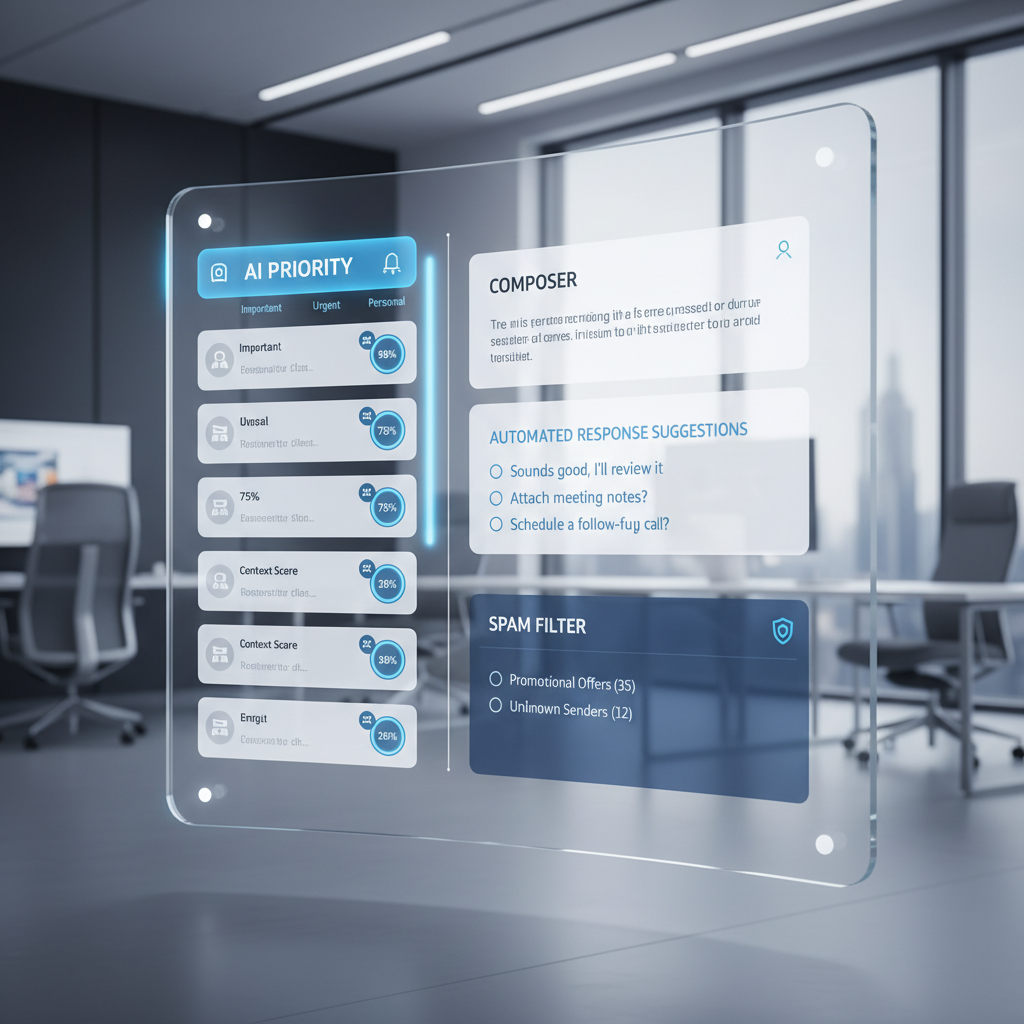
In today’s fast-paced digital world, email remains an indispensable communication tool. Yet, it’s also a notorious productivity sink. The sheer volume of messages, the constant struggle to prioritize, and the time spent on repetitive tasks can quickly turn your inbox into an overwhelming burden. Enter Artificial Intelligence (AI) – a game-changing technology poised to revolutionize how we interact with our emails. This comprehensive guide will delve into how AI is not just assisting but fundamentally transforming email management, helping you reclaim your time, reduce stress, and significantly boost your productivity. We’ll explore the core challenges of modern email, the specific ways AI addresses these issues, and provide practical insights into choosing and implementing the right AI tools for a truly streamlined workflow.
The Email Overload Predicament: A Universal Challenge
Before we explore AI’s solutions, it’s crucial to understand the magnitude of the problem it aims to solve. The average professional spends an astonishing amount of time each day dealing with email – often hours that could be dedicated to core tasks. This isn’t merely about the quantity of emails; it’s about the cognitive load, the constant interruptions, and the mental energy required to sort, process, and respond to a relentless stream of messages.
Symptoms of Email Overload:
- Time Sink: Constantly checking, sorting, and responding to emails eats into valuable work hours, diverting attention from critical projects and strategic thinking. Many individuals report spending upwards of 2-3 hours daily solely on email-related activities, a figure that only seems to climb. This constant engagement fragmented across various tasks significantly hampers deep work and creative problem-solving.
- Decision Fatigue: Each email, regardless of its importance, demands a mini-decision: open or delete, respond now or later, forward or archive, or identify an action item. Accumulating these small decisions throughout the day leads to mental exhaustion, diminishing your ability to make larger, more significant choices effectively. The sheer volume of choices can paralyze productivity.
- Context Switching: Every time you switch from a focused task (like writing a report or developing a strategy) to your inbox, your brain incurs a “context switching cost.” It takes time and mental effort to disengage from one activity and re-engage with another, leading to reduced efficiency and increased errors. Studies show that even a brief email interruption can derail focus for up to 20 minutes, impacting overall output and quality.
- Information Overload: Beyond just the number of emails, the sheer volume of information contained within them can be overwhelming. Trying to extract key details, follow long, complex threads, or remember crucial commitments from scattered messages becomes a daunting task, often requiring redundant effort to re-read and synthesize information.
- Missed Opportunities and Deadlines: Important emails can easily get buried under a deluge of less critical messages, leading to missed deadlines, overlooked opportunities, delayed responses that can impact business relationships, and even financial losses. The risk of critical information slipping through the cracks is a constant threat.
- Stress and Anxiety: The constant pressure of an overflowing inbox, the fear of missing something important, the feeling of never quite being caught up, and the relentless stream of notifications contribute significantly to workplace stress and anxiety. This can negatively affect overall well-being, job satisfaction, and can even spill over into personal life.
This email predicament is not just a personal struggle; it has significant organizational implications, impacting team collaboration, project delivery, client relationships, and overall business productivity. Recognizing these challenges is the first step toward appreciating the transformative power of AI in creating a more manageable and productive email environment.
How AI Revolutionizes Email Management: A Paradigm Shift
AI’s ability to process vast amounts of data, recognize patterns, learn from interactions, and perform complex tasks autonomously makes it an ideal solution for tackling the email overload crisis. It moves beyond simple filters to offer intelligent assistance that understands context, predicts needs, and automates actions that traditionally required human intervention. This isn’t about replacing human judgment entirely but augmenting it, allowing users to focus on high-value tasks while AI handles the mundane and repetitive.
Core Principles of AI in Email:
- Machine Learning (ML): At the heart of most AI email tools is machine learning, enabling them to learn from your past actions (what you open, reply to, ignore, archive) and adapt over time. The more you use them, the smarter they become at understanding your preferences and prioritizing your inbox. This continuous learning ensures that the AI’s assistance becomes increasingly personalized and effective.
- Natural Language Processing (NLP): NLP allows AI to understand, interpret, and generate human language. This is crucial for tasks like summarizing emails, drafting coherent and contextually appropriate responses, identifying sentiment, extracting key information from message content, and translating intent from natural language queries.
- Automation: AI automates repetitive and time-consuming tasks, such as sorting emails into designated folders, unsubscribing from unwanted newsletters, setting reminders for follow-ups, or flagging important action items. This frees up your mental bandwidth, allowing you to concentrate on tasks that require human creativity and strategic thinking.
- Contextual Understanding: Unlike rigid, rule-based systems, AI can infer context from a multitude of factors, including the content of an email, the sender’s history, your past interactions with similar messages, your calendar availability, and even external data points. This deeper understanding enables more intelligent, relevant, and proactive actions.
- Predictive Analytics: AI can analyze patterns to predict which emails are most important, which require an urgent response, or which meeting times are likely to be accepted. This predictive capability helps you anticipate needs and act proactively, moving from a reactive stance to a more strategic, forward-looking one in your email management.
By leveraging these principles, AI transforms your inbox from a reactive chore into a proactive productivity hub, turning chaos into order and effort into efficiency. It fundamentally shifts the burden of email management from constant manual effort to intelligent, automated assistance.
Key AI Features for Enhanced Email Productivity
Let’s dive into the specific functionalities AI brings to the table, each designed to tackle a particular aspect of email management and boost your overall productivity. These features collectively create a more intelligent, responsive, and less demanding email experience.
1. Smart Prioritization and Inbox Triage
One of the most immediate and impactful benefits of AI is its ability to intelligently sort and prioritize your inbox. Instead of a chronological dump, AI presents your emails in an order that reflects their actual importance and urgency to you, based on learned behavior and content analysis.
- Dynamic Categorization: AI automatically categorizes emails into essential buckets like “Primary,” “Promotions,” “Social,” “Updates,” and “Forums” (e.g., Gmail’s tabs) or even custom categories based on sender, topic, or perceived urgency. More advanced tools can identify emails related to specific projects, clients, or internal teams, organizing your inbox contextually.
- Urgency and Importance Scoring: Using sophisticated machine learning algorithms, AI learns which senders, keywords, and topics are critical to your work. It then assigns an urgency or importance score to incoming emails, highlighting those that require immediate attention and pushing less critical ones to a “later,” “read,” or “digest” folder. For example, an email from your CEO about a major client deal will be flagged as high priority, while a promotional newsletter will be automatically archived or moved to a low-priority folder for batch processing.
- Intelligent Bundling: AI can group related emails together, such as all messages from a specific sender, all replies to a particular conversation thread, or all newsletters from the same service. This significantly reduces visual clutter and allows you to process multiple related messages at once, rather than individually.
- Smart Notifications: Instead of being bombarded with a notification for every new email, AI can be configured to only alert you about truly high-priority messages, minimizing distractions and allowing for dedicated, focused work blocks. This helps maintain concentration and reduces the temptation to constantly check your inbox.
2. Automated Email Drafting and Response Generation
Perhaps one of the most exciting AI applications is its capacity to assist with writing emails, significantly reducing the time and mental effort involved in crafting responses, especially for routine communications.
- Context-Aware Smart Replies: Tools like Gmail’s Smart Reply offer quick, context-aware response suggestions for common inquiries. These are perfect for brief confirmations, acknowledgments, or simple “yes/no” answers, saving you keystrokes and mental effort. For instance, if someone asks “Are you free for a call tomorrow?”, AI might suggest “Yes, I am,” “Let me check,” or “No, I’m busy – how about next week?”.
- Full Draft Generation: More sophisticated AI assistants can generate full email drafts based on a few keywords, a brief prompt, or even the content of a previous email. You can tell it, “Draft an email to John confirming the meeting at 10 AM on Friday and asking him to bring the Q3 report,” and it will produce a well-structured, professional email ready for your review and sending. This is particularly useful for routine updates, meeting summaries, initial outreach emails, or internal announcements.
- Personalization and Tone Adjustment: AI can analyze your past writing style and adapt its suggestions to match your personal voice and brand guidelines. Furthermore, it can help you adjust the tone of your message, suggesting alternatives to make an email sound more polite, formal, urgent, empathetic, or concise. This ensures your communication aligns with your intent and audience, preventing misunderstandings and fostering better relationships.
3. Intelligent Search and Information Retrieval
Finding a specific email or piece of information within a cluttered inbox can be like finding a needle in a haystack, especially with years of correspondence. AI dramatically improves this process, turning a tedious hunt into a quick query.
- Natural Language Search: Instead of relying on exact keywords or complex search operators, AI-powered search engines allow you to ask questions in natural language, such as “Find emails from Sarah last month about the marketing budget” or “Show me all invoices from Acme Corp from Q2 of last year.” The AI understands the intent behind your query and retrieves relevant messages and attachments, even if the exact words aren’t present.
- Key Information Extraction: AI can automatically identify and extract key details from emails, such as dates, times, contact information, addresses, action items, flight details, or tracking numbers. It can then present them in an organized manner, make them searchable, or even integrate them directly into your calendar, contact list, or CRM system, saving you from manual data entry.
- Contextual Grouping: Advanced AI search often groups results contextually, showing not just the individual email but also related messages in the same thread, relevant attachments, or even documents from connected cloud storage (like Google Drive or Dropbox), providing a comprehensive picture of the information you’re seeking.
4. Sentiment Analysis and Tone Adjustment
Communication nuances are vital in professional interactions, where misinterpretations can lead to damaged relationships or inefficient processes. AI can help you manage the emotional impact of your emails, both incoming and outgoing.
- Incoming Sentiment Detection: AI can analyze the sentiment of incoming emails, flagging messages that appear angry, frustrated, urgent, or even overly positive. This allows you to prioritize and approach sensitive communications with caution, understanding the emotional state of the sender before you even fully read the message, thus enabling a more appropriate and empathetic response.
- Outgoing Tone Suggestions: Before you hit send, AI can analyze your draft email and suggest improvements to its tone. If your message sounds too aggressive, passive-aggressive, unclear, or unprofessional, the AI will offer alternative phrasing, word choices, or structural changes to ensure your message is received as intended. This promotes clearer, more effective, and more professional communication, especially crucial when dealing with difficult conversations or writing under pressure.
5. Meeting Scheduling and Calendar Integration
The laborious back-and-forth of scheduling meetings with multiple participants is a notorious time-waster. AI email assistants can take this burden off your shoulders, automating the entire process.
- Automated Scheduling Assistants: AI can analyze your calendar availability and suggest optimal meeting times to recipients, taking into account time zones and preferred meeting durations. Once a time is chosen, it can automatically send calendar invites to all participants with all necessary details (location, video conference link), drastically reducing email chains related to scheduling. For instance, tools like Calendly (often integrated with AI) or more advanced AI assistants can directly coordinate with multiple parties’ calendars.
- Smart Follow-up Reminders: AI can set automatic reminders for upcoming meetings based on email content and even suggest sending a pre-meeting agenda or post-meeting summary to ensure all participants are prepared and informed.
- Intelligent Agenda Creation: Based on the subject and content of meeting invitation emails, AI can often suggest initial agenda points, drawing from past correspondence or related documents, streamlining meeting preparation and ensuring productive discussions.
6. Spam Filtering and Security Enhancements
While basic spam filters have been around for a while, AI significantly enhances email security and clutter reduction, protecting your inbox from both nuisance and malicious content.
- Advanced Spam and Phishing Detection: AI uses sophisticated algorithms to identify and block not only traditional spam but also more cunning phishing attempts, spoofed emails, and malicious links that might bypass older, rule-based filters. It learns from new threats and evolving attack patterns in real-time, offering a dynamic defense.
- Malware and Ransomware Detection: AI can scan attachments and links for malware, ransomware, and other cyber threats, protecting your system and network from potential infections. It can identify suspicious patterns in email headers, sender behavior, and content that might indicate a compromised account or a sophisticated malicious attack.
- Unsubscribe Automation: AI tools can intelligently identify marketing and newsletter emails and offer one-click unsubscribe options. Some can even automatically unsubscribe you from services you rarely engage with or move them to a dedicated “digests” folder, further decluttering your primary inbox over time.
7. Workflow Automation and Task Integration
Beyond the inbox itself, AI can seamlessly integrate email actions into broader productivity workflows, connecting your communication with your tasks and projects.
- Automated Task Creation: Based on email content, AI can identify actionable items and automatically create tasks in your preferred project management tools (e.g., Asana, Trello, Jira) or personal to-do lists (e.g., Todoist, Microsoft To Do). For example, an email stating “Please review the attached report by Friday” could trigger a task entry with the deadline.
- CRM Updates and Logging: For sales and customer service teams, AI can extract client information from emails and automatically update CRM records (e.g., Salesforce, HubSpot), log interactions, create follow-up reminders, or even generate summaries of client communications, ensuring customer data is always current and comprehensive.
- Intelligent Data Archiving and Retrieval: AI can intelligently archive important emails and attachments to cloud storage services (e.g., Google Drive, Dropbox, SharePoint) and automatically tag them with relevant keywords for easy retrieval, reducing manual filing efforts and ensuring compliance with data retention policies.
- Proactive Automated Follow-ups: If you’ve sent an email and haven’t received a reply within a specified timeframe, AI can remind you to follow up or even draft a polite, context-aware follow-up message for you, ensuring important communications don’t fall through the cracks.
These features collectively transform email from a demanding chore into a powerful, efficient, and intelligent communication hub, allowing users to regain control and focus on more strategic work that truly drives value.
Choosing the Right AI Email Tool: Factors to Consider
With a growing number of AI email tools available, selecting the one that best fits your needs requires careful consideration. The market offers everything from integrated features within existing email clients to standalone AI assistants and specialized platforms. Here’s what to look for:
1. Integration with Existing Email Client:
- Does the tool integrate seamlessly with your current email provider (Gmail, Outlook, Apple Mail, etc.)? A smooth, native integration means less disruption to your existing workflow, minimal setup effort, and a more consistent user experience. Avoid tools that require complicated workarounds or don’t feel like a natural extension of your inbox.
- Look for robust browser extensions, desktop apps, or mobile integrations that work reliably across all your devices, maintaining continuity in your email management.
2. Feature Set and Specific Needs:
- Prioritize the AI features that are most critical to your biggest pain points. Do you struggle most with inbox prioritization, drafting responses, managing complex schedules, or ensuring communication security?
- Some tools excel in specific areas (e.g., advanced writing assistance, comprehensive inbox decluttering), while others offer a broader suite of general productivity enhancements. Match the tool’s core strengths to your primary challenges.
3. Ease of Use and User Interface:
- An intuitive and user-friendly interface is crucial for quick adoption and sustained use. The tool should simplify, not complicate, your email experience. A cluttered or confusing interface can negate the productivity benefits of AI.
- Look for clear dashboards, easy-to-understand settings, minimal learning curve, and a design that feels natural to navigate. Many tools offer onboarding tours or tutorials, which can be a good indicator of their commitment to user experience.
4. Security and Privacy:
- Email often contains sensitive personal, financial, and corporate information. Ensure the AI tool has robust security protocols, including end-to-end data encryption (for data in transit and at rest), multi-factor authentication, and strict access controls.
- Understand and carefully review the company’s privacy policy, specifically how your data is used, whether it’s shared with third parties, and if it adheres to relevant privacy regulations (e.g., GDPR, CCPA, HIPAA). Reputable tools often emphasize local processing or anonymized data for model training.
5. Customization and Learning Capabilities:
- Can the AI learn from your specific preferences, habits, and actions? The more customizable and adaptable the tool, the more effective and personalized it will become over time, tailoring its assistance to your unique workflow.
- Look for options to ‘train’ the AI by giving feedback, creating custom rules (e.g., for specific senders or keywords), or fine-tuning its behavior to align with your personal and professional priorities.
6. Cost and Value Proposition:
- Evaluate the pricing model (free, freemium, subscription, one-time purchase) against the features offered and the tangible productivity gains you expect. Sometimes, the initial investment in a premium tool can yield significant returns in saved time and reduced stress.
- Consider if the tool provides a significant return on investment in terms of saved time, improved efficiency, enhanced communication quality, and reduced cognitive load. Free tools might offer basic assistance, but paid versions often unlock advanced, time-saving capabilities.
7. Customer Support and Development:
- Good customer support is essential for troubleshooting issues, getting assistance with advanced features, and ensuring you get the most out of the tool. Look for responsive support channels (email, chat, knowledge base).
- Check for signs of active development, regular software updates, and new feature releases. This indicates the company’s commitment to improving the product, adapting to new AI advancements, and addressing emerging challenges in email management.
By carefully weighing these factors, you can choose an AI email tool that genuinely enhances your workflow, addresses your specific challenges, and helps you maximize your productivity, leading to a more focused and less stressful professional life.
Comparison Tables: Top AI Email Tools and Productivity Gains
To help you navigate the diverse landscape of AI email solutions, here are two comparison tables. The first highlights popular AI email tools and their key features, while the second illustrates the potential productivity gains across various email-related tasks based on observed user experiences.
Table 1: Popular AI Email Tools Comparison
| Tool Name | Primary Email Client Integration | Key AI Features Highlighted | Best For | Pricing Model (General) |
|---|---|---|---|---|
| Gmail Smart Features | Gmail | Smart Reply, Smart Compose (text predictions), Prioritized Inbox categories, Spam Filtering, Nudge reminders | General users seeking basic, built-in AI assistance for free within Gmail ecosystem | Free (integrated with Gmail) |
| Microsoft Outlook AI | Outlook (Microsoft 365) | Suggested Replies, Text Predictions, Focused Inbox, Scheduling Assistant, Meeting Insights, Summarization | Microsoft 365 users, enterprise environments, those heavily integrated with Microsoft ecosystem | Included with Microsoft 365 subscriptions |
| Superhuman | Gmail, Outlook | AI-powered triage, instant search, smart snippets for quick replies, read receipts, undo send, quick meeting scheduling | Power users and professionals who value speed, efficiency, and a minimalist, feature-rich experience | Subscription-based (Premium) |
| Shortwave | Gmail | AI-powered email bundling, thread summarization, instant replies, snooze, reminders, natural language search, AI Chat for Inbox | Users looking to declutter Gmail, achieve inbox zero, and manage conversations more efficiently | Freemium, Subscription for advanced features and higher usage limits |
| SaneBox | All major clients (Gmail, Outlook, Apple Mail, etc.) | Intelligent prioritization to folders (e.g., SaneLater, SaneNews), SaneBlackHole (one-click unsubscribe/block), SaneReminders, attachments filing | Users overwhelmed by email volume, seeking advanced filtering, decluttering, and precise inbox control | Subscription-based |
| Notion AI / ChatGPT (via integrations/copy-paste) | Varies (requires manual copy-paste or third-party integrations) | Advanced email drafting, content summarization, brainstorming email topics, tone adjustment, content refinement | Users needing powerful, flexible AI writing and ideation assistance for complex emails or content generation | Subscription-based (for AI features, often separate from core app) |
| Boomerang for Gmail/Outlook | Gmail, Outlook | Schedule Send, Reminders (Boomerang back), Response Tracking, Inbox Pause, AI Assistant (Respondable) for tone analysis and delivery insights | Users needing advanced scheduling, automated follow-up, and real-time insights into email effectiveness and tone | Freemium, Subscription for advanced features |
Table 2: Estimated Productivity Gains with AI Email Management
This table illustrates conservative estimates of time saved per week across various email-related tasks when leveraging AI tools effectively. Actual results may vary based on individual email volume, complexity of tasks, and specific AI tool usage. These figures highlight the significant potential for reclaiming valuable time.
| Email Task Category | Manual Time Spent (Estimated per week) | AI-Assisted Time Spent (Estimated per week) | Time Saved per week (Estimated) | Productivity Gain (%) |
|---|---|---|---|---|
| Inbox Triage & Prioritization (Sorting, categorizing) | 90 minutes | 30 minutes | 60 minutes | 66.7% |
| Drafting Short Replies (Quick acknowledgments, confirmations) | 60 minutes | 15 minutes | 45 minutes | 75.0% |
| Drafting Longer Emails (Reports, detailed updates, outreach) | 120 minutes | 60 minutes | 60 minutes | 50.0% |
| Scheduling Meetings (Finding times, sending invites) | 45 minutes | 10 minutes | 35 minutes | 77.8% |
| Searching for Specific Information (Past emails, attachments) | 30 minutes | 5 minutes | 25 minutes | 83.3% |
| Unsubscribing & Decluttering (Newsletters, promotions) | 15 minutes | 2 minutes | 13 minutes | 86.7% |
| Spam/Phishing Review (Manual identification and deletion) | 10 minutes | 0 minutes | 10 minutes | 100.0% |
| Total Estimated Weekly Time Saved | 370 minutes (6 hrs 10 min) | 122 minutes (2 hrs 2 min) | 248 minutes (4 hrs 8 min) | ~67.0% |
These figures demonstrate that even conservative estimates show a substantial reduction in time spent on email, freeing up significant hours for more strategic and impactful work. Over a month, this can easily translate to an entire extra workday gained for higher-value activities, contributing positively to both individual well-being and organizational goals.
Practical Examples: Real-World Use Cases and Scenarios
To further illustrate the tangible benefits of integrating AI into email management, let’s explore how different professionals across various industries can leverage these tools to transform their daily workflows and achieve unprecedented levels of efficiency.
Case Study 1: The Overwhelmed Marketing Manager
Sarah, a marketing manager at a rapidly growing e-commerce company, receives hundreds of emails daily: campaign performance reports, creative feedback from designers, client inquiries, internal team communications, and numerous industry newsletters. Her inbox is a constant source of anxiety, making it difficult to focus on strategic initiatives.
- Before AI: Sarah spends her first hour each day manually sifting through her inbox, often missing critical client feedback amidst a deluge of promotional emails and internal updates. Drafting personalized responses to common inquiries about campaign performance takes significant time, and coordinating meetings with various stakeholders (internal teams, agencies, clients) leads to endless, frustrating email chains that delay decision-making. Important industry news often gets buried and read too late to be actionable.
- With AI: Sarah implements an AI email assistant integrated with her Gmail.
- The AI automatically categorizes her inbox into “Primary,” “Client Feedback,” “Internal Projects,” and “Reads.” All newsletters are pushed to the “Reads” folder for later, dedicated review. Emails from key clients and her direct reports are prioritized and highlighted.
- When a client asks for a performance update, the AI suggests a template for the weekly report or even drafts a summary based on linked performance dashboards, saving her significant writing time.
- For scheduling meetings, she uses an AI-powered scheduler that finds common availability across multiple calendars with a single email query, automatically sending out invites and video conference links, eliminating the back-and-forth.
- The AI’s advanced spam and phishing filter catches sophisticated attempts to compromise her agency’s accounts, protecting sensitive campaign data and client information.
- Her AI assistant can even summarize long email threads about ongoing campaigns, giving her the key takeaways and action items without needing to read every single message.
- Result: Sarah saves at least 2-3 hours daily on email management alone. She can now dedicate more focused time to strategic campaign planning, creative development, and team leadership, feeling less stressed and more in control of her workday. Client response times improve dramatically, enhancing satisfaction and strengthening relationships. The reduction in context switching allows her to engage in deep work necessary for innovative marketing strategies.
Case Study 2: The Busy Sales Professional
Mark, a sales professional for a SaaS company, relies heavily on email for initial outreach, personalized follow-ups, negotiation, and managing client relationships. His success hinges directly on timely, relevant, and personalized communication, often across hundreds of prospects.
- Before AI: Mark struggles to keep track of all his leads and their unique requirements. Follow-up emails often slip through the cracks, leading to missed opportunities. Crafting personalized outreach messages for each prospect, tailored to their industry and pain points, is incredibly time-consuming, limiting the number of leads he can effectively pursue. He often misses crucial sales cues due to an overwhelming inbox.
- With AI: Mark integrates an AI email tool with his CRM (Customer Relationship Management) system.
- AI prioritizes emails from hot leads, existing clients with active deals, and prospects who have recently engaged with his content, ensuring they receive immediate attention. Less urgent inquiries are moved to a ‘later’ folder.
- For initial outreach, the AI generates highly personalized email drafts based on prospect information (company, role, recent news) pulled directly from his CRM and public data sources, saving him hours of research and writing.
- The AI tool automatically tracks whether his emails have been opened and reminds him to follow up if there’s no response after a specified number of days, even suggesting a tailored follow-up message that references previous communication points.
- When clients send inquiries about specific product features or pricing, AI quickly retrieves relevant documentation and suggests concise, accurate answers, often pre-populating a draft response with the necessary details and links.
- During negotiation phases, the AI can analyze the sentiment of incoming client emails, helping Mark understand potential concerns or readiness to close, allowing him to tailor his responses strategically.
- Result: Mark’s response rates improve dramatically, leading to more qualified leads entering the sales pipeline and significantly faster deal closures. He spends less time on administrative tasks like drafting and tracking, and more time building relationships and closing deals. This translates directly to a substantial increase in sales revenue and attainment of quotas with greater ease.
Case Study 3: The Remote Team Lead
Elena leads a distributed remote team of software engineers spread across different time zones. Coordinating schedules, ensuring clear communication, and keeping everyone aligned without constant meetings presents a significant logistical and communication challenge.
- Before AI: Elena’s inbox is perpetually filled with questions about project status, team updates, bug reports, and endless email threads attempting to find a common meeting time that works for everyone. Misunderstandings due to unclear email tones or cultural communication differences are common, leading to re-work and delays. Important project deadlines are sometimes missed because key messages are lost in the noise.
- With AI: Elena adopts several AI tools integrated within her team’s communication stack.
- An AI assistant summarizes long email threads about ongoing project updates and bug fixes, giving her the key takeaways, decisions made, and pending action items without needing to read every single message. This is crucial for quick context-switching between projects.
- When drafting sensitive feedback or important announcements to her diverse team, she uses AI to analyze her tone and suggest improvements, ensuring clarity, empathy, and avoiding potential misinterpretations across different cultural contexts.
- An AI scheduling assistant handles all team meeting coordination, automatically considering different time zones, finding optimal overlap, and sending personalized calendar invites with video conference links, reducing administrative overhead.
- Actionable items identified in team emails (e.g., “Elena, please approve the mockups by end of day”) are automatically pushed to their shared project management tool, ensuring accountability and clear task assignment.
- The AI helps filter and prioritize bug reports and critical system alerts, ensuring that urgent issues are flagged immediately and not buried under less critical communications.
- Result: Communication within Elena’s remote team becomes clearer, more efficient, and less prone to misunderstandings. Elena spends significantly less time clarifying, coordinating, and managing her inbox, and more time on strategic leadership, mentoring her team, and addressing complex technical challenges. Her team feels more connected, informed, and productive, despite the geographical distances and time zone differences. Project delivery becomes smoother and faster.
These examples underscore that AI’s impact isn’t theoretical; it’s a practical, day-to-day transformation that empowers professionals across various roles and industries to work smarter, not just harder, leading to tangible improvements in productivity, well-being, and business outcomes.
Frequently Asked Questions
Q: What exactly is AI in the context of email management?
A: In the context of email management, AI refers to artificial intelligence technologies, primarily machine learning (ML) and natural language processing (NLP), that enable email clients and third-party tools to perform intelligent tasks. This includes understanding the content and context of emails, learning from user behavior, automating repetitive actions, generating text (like replies or drafts), prioritizing messages based on importance, and enhancing security against threats. Unlike traditional rule-based filters, AI can adapt, improve over time, and handle complex, nuanced situations to make your email workflow significantly more efficient, intuitive, and personalized.
Q: Is AI email secure, and how does it handle my privacy?
A: Security and privacy are paramount concerns for AI email tools, and reputable providers prioritize these aspects. Most established AI providers implement robust security measures, including end-to-end encryption for data in transit and at rest, multi-factor authentication, and strict access controls. Regarding privacy, many AI tools process your data on secure, isolated servers and use anonymized or aggregated data for model training to improve their algorithms without directly compromising your personal or sensitive information. It’s absolutely crucial to read the privacy policy and terms of service of any AI tool you consider, understand exactly how your data is handled, stored, and used, and ensure compliance with relevant regulations like GDPR, CCPA, or HIPAA, especially if you’re dealing with sensitive corporate or personal data. Many AI tools are designed to provide assistance by processing text for patterns and intent, rather than “reading” your emails in a human-understandable way.
Q: Can AI completely replace human judgment in email communication?
A: No, AI cannot and is not intended to completely replace human judgment in email communication. Its primary role is to augment human capabilities, automate mundane and repetitive tasks, and provide intelligent assistance, thereby freeing up humans to focus on higher-level decision-making, strategic thinking, and empathetic communication. While AI can skillfully draft responses, analyze sentiment, and prioritize messages, the final review, strategic decisions, nuanced interpersonal interactions, and the cultivation of authentic relationships still require human insight, empathy, and sound judgment. AI excels at efficiency and pattern recognition, but human intelligence remains indispensable for complex problem-solving, creative expression, and building genuine rapport.
Q: What are the main benefits of using AI for email productivity?
A: The main benefits of using AI for email productivity are numerous and deeply impactful. They include substantial time savings by automating tasks like sorting, drafting, summarizing, and scheduling; a significant reduction in cognitive load and decision fatigue by streamlining the inbox; improved focus and reduced distractions by prioritizing important messages and minimizing notifications; enhanced communication clarity and professionalism through tone analysis and smart suggestions; better organization and lightning-fast information retrieval; and stronger, more dynamic security against sophisticated spam, phishing attempts, and malware. Ultimately, AI transforms your inbox from an overwhelming, reactive chore into a streamlined, proactive, and intelligent communication hub that empowers you to achieve more and significantly reduce work-related stress.
Q: Are AI email tools expensive, and are there free options available?
A: The cost of AI email tools varies widely across the market. Many popular email clients like Gmail and Microsoft Outlook offer a range of powerful AI-powered features for free as part of their standard service (e.g., Smart Reply, Smart Compose, Focused Inbox, basic prioritization). There are also numerous freemium models available where basic AI features are offered for free, with advanced functionalities, higher usage limits, or premium integrations available through paid monthly or annual subscriptions. Dedicated AI email assistants or comprehensive productivity suites often come with subscription fees, which can range from a few dollars to tens of dollars per month, depending on the breadth and depth of features, support, and integration capabilities. When evaluating the cost, it’s essential to consider the potential return on investment in terms of saved time, increased efficiency, and reduced stress, which often far outweighs the subscription fees.
Q: How long does it take for AI to learn my email preferences and become truly effective?
A: The learning curve for AI email tools can vary, but generally, they start adapting to your preferences fairly quickly. Many tools begin offering smart suggestions and prioritizing emails almost immediately based on general patterns and common user behaviors. However, they become significantly more effective, personalized, and accurate within a few days to a few weeks of consistent use. The AI learns from your explicit and implicit interactions – which emails you open first, which you reply to, which you mark as important or unimportant, how you categorize them, and even what changes you make to its suggestions. The more you interact with the AI and provide feedback (even implicitly by your actions), the faster and more accurately the AI will learn and tailor its assistance to your specific workflow, becoming an indispensable part of your daily routine.
Q: Can AI help with unsubscribing from unwanted newsletters and promotional emails?
A: Yes, absolutely! Many AI email tools offer features specifically designed to help you manage and unsubscribe from unwanted newsletters and promotional emails, which are often major contributors to inbox clutter. Some tools automatically identify subscription emails and provide a convenient one-click unsubscribe button directly within your inbox interface, eliminating the need to search for tiny links at the bottom of messages. Others can even learn which newsletters you consistently ignore or delete and proactively suggest unsubscribing automatically, or move them to a dedicated “newsletter” or “digests” folder for later, batch review, effectively decluttering your primary inbox without missing potentially valuable information. Tools like SaneBox are particularly adept at this “unsubsribe” feature, effectively creating a “SaneBlackHole” where unwanted emails disappear permanently.
Q: What are some potential downsides or challenges of using AI in email?
A: While the benefits of AI in email are extensive, there are a few potential downsides or challenges to be aware of. These can include an initial setup and learning curve for some of the more advanced tools, especially when customizing rules or training the AI. There’s also the risk of potential over-reliance on AI, which could lead to a perceived loss of critical thinking skills if users stop actively engaging with their emails. Concerns over data privacy and security, although mitigated by reputable providers, always warrant careful scrutiny of privacy policies. There’s a possibility of AI misinterpreting context or tone, leading to slightly off suggestions or actions that require human correction. Furthermore, AI might potentially make an inbox “too clean,” causing you to miss serendipitous, but important, emails that don’t fit established patterns. Lastly, the cost of premium AI tools might be a barrier for some individual users or small businesses. Users should always maintain a degree of skepticism and critically review AI-generated content before sending to ensure accuracy and appropriate tone.
Q: How can I effectively start implementing AI into my current email workflow?
A: Starting with AI in your email workflow can be straightforward and doesn’t require an immediate overhaul. Here’s an effective approach:
- Start with Built-in Features: Begin by exploring and utilizing the AI features already present in your current email client (e.g., Gmail’s Smart Reply and Smart Compose, Outlook’s Focused Inbox and Suggested Replies). These are usually easy to activate and provide immediate, basic assistance.
- Identify Your Biggest Pain Point: Determine what aspect of email management causes you the most stress or consumes the most time (e.g., constant interruptions, difficulty prioritizing, writing repetitive emails, scheduling).
- Research Specific Tools: Based on your identified pain point, research third-party AI tools that specifically address that challenge (refer to the “Popular AI Email Tools Comparison” table). Many reputable tools offer free trials, allowing you to test them without commitment.
- Integrate Gradually: Don’t try to overhaul everything at once. Introduce one or two AI features or a single new tool and allow yourself time to get comfortable with it before adding more. A gradual approach reduces friction and increases adoption success.
- Provide Feedback: Actively use the AI features and provide feedback when prompted (e.g., “Was this suggestion helpful?”). This valuable input helps the AI learn your preferences and become more effective and personalized over time.
- Review and Adjust: Regularly review how the AI is performing for you. Make adjustments to settings, create custom rules, or explore new features as your confidence grows and your needs evolve. Be open to refining your process.
A gradual, iterative approach will ensure a smooth transition, allow the AI to adapt to your unique style, and ultimately maximize the long-term benefits of AI in your email management, turning it into a truly productive asset.
Q: Will using AI make me less personal or authentic in my email communications?
A: Not necessarily. The goal of AI in email is not to replace your unique voice but to enhance your communication and free you from mundane tasks. For routine and repetitive communications (like acknowledging receipt, setting meeting times, or answering FAQs), AI can draft efficient responses, allowing you to maintain consistency and speed without sacrificing your personal touch on more critical messages. For important client interactions, negotiations, or sensitive discussions, you still maintain full control to craft your messages with genuine human thought and emotion. In fact, AI can even help by analyzing the tone of your draft, ensuring your intended sentiment comes across clearly and professionally, thereby enhancing, rather than detracting from, authenticity. The key is to use AI as an intelligent assistant and a powerful tool to support your communication, reserving your deep personal engagement for where it matters most.
Key Takeaways: Maximizing Your Email Productivity with AI
- Email Overload is Solvable: Artificial Intelligence offers powerful, intelligent, and accessible solutions to combat the widespread problem of email overload, context switching, and decision fatigue, transforming it from a burden to a manageable asset.
- Comprehensive Feature Set: AI fundamentally transforms email management through an extensive suite of features, including smart prioritization, automated drafting and summarization, intelligent search, sentiment analysis, seamless meeting scheduling, enhanced security against modern threats, and robust workflow automation.
- Significant Time Savings: Practical examples and conservative statistics demonstrate that effectively integrating AI into your email workflow can save individuals and teams hours each week, allowing professionals to dedicate substantially more time to high-value, strategic, and creative tasks.
- Strategic Tool, Not Replacement: AI acts as a sophisticated digital assistant, augmenting human capabilities by efficiently handling routine and repetitive tasks. This empowers human judgment, creativity, and empathy to focus on complex communication, nuanced problem-solving, and meaningful relationship building.
- Careful Selection is Key: Choosing the right AI email tool involves a thoughtful evaluation of its integration capabilities, specific features, ease of use, robust security and privacy policies, customization options, cost-effectiveness, and reliable customer support to ensure it aligns perfectly with your individual or organizational needs.
- Gradual Implementation: A successful adoption strategy involves starting with readily available built-in AI features and gradually integrating specialized third-party tools. This incremental approach ensures a smooth transition, minimizes disruption, and maximizes the long-term benefits of AI in your email management.
- Future-Proofing Your Workflow: Embracing AI in email management is not merely about current efficiency gains; it’s about adapting to the evolving landscape of digital communication, leveraging cutting-edge technology to stay competitive, and ensuring your productivity systems are resilient and forward-looking.
Conclusion: Embrace the Future of Email
The days of passively accepting an overflowing, chaotic inbox as an unavoidable part of professional life are rapidly coming to an end. Artificial Intelligence offers a profound and highly accessible solution to one of the modern professional’s greatest productivity challenges. By intelligently automating mundane tasks, dynamically prioritizing critical communications, assisting with drafting and summarization, and streamlining scheduling, AI transforms email from a burdensome chore into a highly efficient, strategic communication hub.
This isn’t just about managing email better; it’s about fundamentally reclaiming your valuable time, significantly reducing cognitive overload and stress, and unlocking entirely new levels of productivity and focus for you and your team. Whether you’re an ambitious marketing manager, a goal-driven sales professional, a dynamic remote team leader, or simply an individual struggling to keep up with the relentless pace of digital correspondence, there’s an AI email tool or feature designed to make your life easier and more productive.
By carefully selecting the right AI solutions and thoughtfully integrating them into your existing workflow, you can move beyond simply coping with email to truly mastering it. Embrace the transformative power of AI, and step confidently into a future where your inbox works proactively for you, not against you, allowing you to dedicate your energy to what truly matters and achieve your fullest professional potential. The future of email is intelligent, and it’s already here.




























































































Leave a Reply