

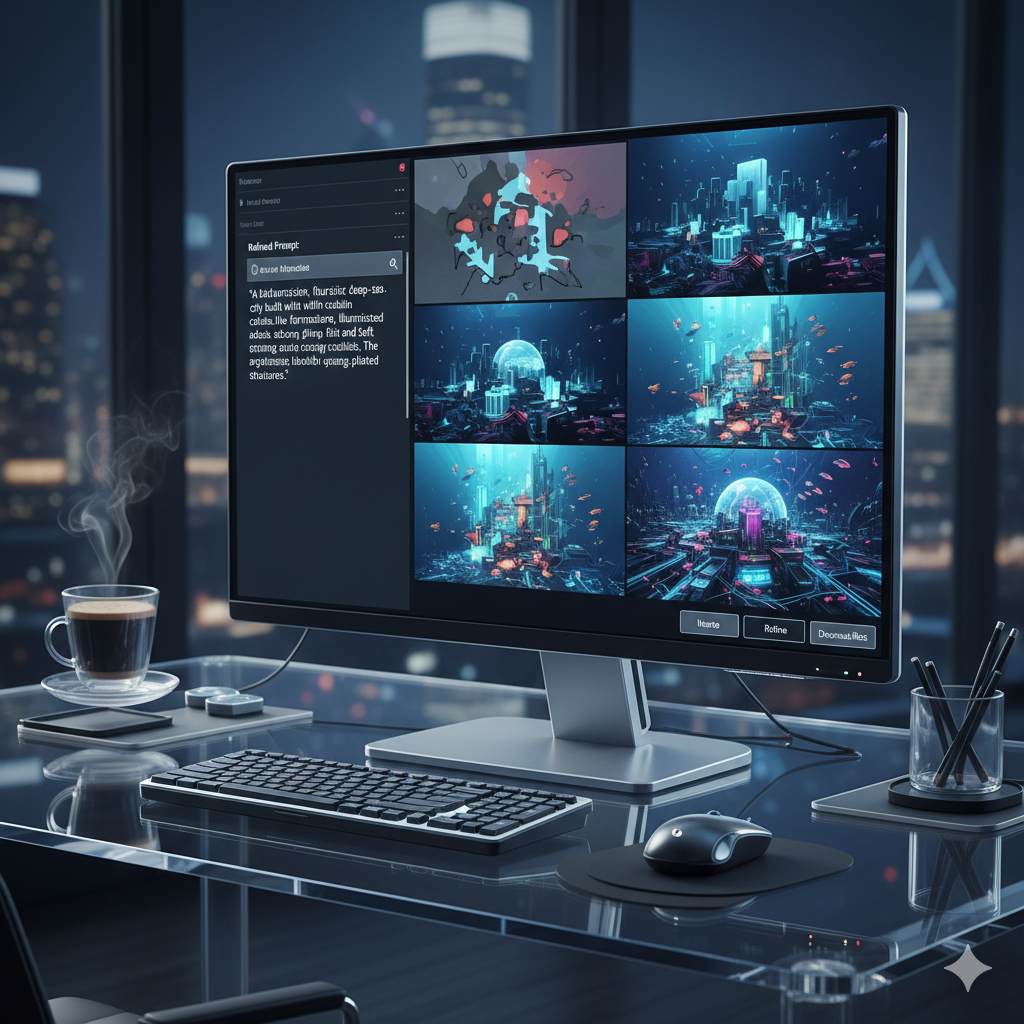
Welcome to the forefront of digital creativity, where imagination meets algorithms to forge breathtaking visual art. In the rapidly evolving landscape of artificial intelligence, generating captivating images is no longer a futuristic dream but a tangible reality. However, moving beyond simple one-shot prompts to consistently produce high-quality, nuanced, and truly artistic pieces requires more than just throwing keywords at an AI model. It demands a systematic, thoughtful approach: the iterative prompt workflow.
This comprehensive guide will delve deep into the art and science of refining AI art, transforming vague concepts into stunning masterpieces through a series of intelligent iterations. We will explore advanced prompt engineering techniques, understand how to analyze AI outputs, and strategically adjust our inputs to guide the AI towards our vision. Whether you are a budding AI artist, a seasoned prompt engineer, or simply curious about the capabilities of generative AI, this article will equip you with the knowledge and practical insights to elevate your AI art to unprecedented levels. Prepare to unlock the full potential of your creative ideas and master the iterative dance with your AI art partner.
Understanding the Iterative Prompt Workflow
The iterative prompt workflow is a methodical, cyclical process of generating AI art, analyzing the results, and then refining the prompt based on those observations. It stands in stark contrast to the “fire and forget” approach, where a single prompt is given, and the first output is accepted regardless of its quality or alignment with the original vision. Think of it as a sculptor working with clay: they don’t just throw clay at a wheel once and expect a finished vase. Instead, they repeatedly shape, refine, add, and subtract, continuously adjusting their technique until the final form emerges. The same principle applies to AI art generation.
At its core, this workflow acknowledges that AI models, while incredibly powerful, are not mind-readers. They interpret our textual prompts based on their training data, which can sometimes lead to unexpected or undesirable outcomes. The iterative process bridges this gap by providing a feedback loop. Each generated image serves as valuable data, informing the next refinement step. This constant dialogue between human intent and AI interpretation is what ultimately leads to highly refined and precisely articulated artistic expressions.
The benefits of adopting an iterative workflow are multifaceted. Firstly, it allows for unparalleled precision. Instead of broadly describing a scene, you can progressively hone in on specific elements, lighting, composition, style, and mood. Secondly, it fosters a deeper understanding of how different keywords, parameters, and modifiers influence the AI model’s output. This knowledge is invaluable for becoming a more effective prompt engineer. Thirdly, it maximizes creative control, enabling artists to guide the AI towards a unique aesthetic vision rather than simply accepting generic interpretations. Finally, it dramatically increases the likelihood of achieving truly exceptional results, transforming raw ideas into polished, gallery-worthy pieces.
This process is particularly crucial with the advancements in models like Midjourney V5.2/V6, Stable Diffusion XL, and DALL-E 3, which offer increasing levels of control and nuance. While these models are more adept at understanding complex instructions, the sheer breadth of possibilities they offer means that guided iteration is more important than ever to navigate the creative space effectively and precisely land on the desired outcome.
The Foundation: Initial Concept to First Prompt
Every masterpiece begins with an idea, a spark of inspiration. In the realm of AI art, this idea needs to be translated into an initial prompt, a textual representation that guides the AI’s first attempt. This foundational step is critical, as a well-crafted initial prompt sets a strong trajectory for subsequent iterations, saving time and effort in the long run.
Defining Your Core Concept
Before typing a single word, take a moment to clearly define what you want to create. Ask yourself:
- What is the subject? (e.g., a futuristic city, a serene forest, a mythical creature)
- What is the mood or atmosphere? (e.g., epic, tranquil, mysterious, vibrant)
- What is the style? (e.g., photorealistic, watercolor, cyberpunk, oil painting, anime)
- What is the dominant color palette? (e.g., warm autumn tones, cool blues and greens, monochrome)
- What are the key elements or details? (e.g., soaring skyscrapers, ancient trees, glowing eyes, swirling aurora)
The more specific you are in your mind, the better you can translate that vision into a prompt. Consider sketching a rough concept or finding reference images to solidify your ideas.
Crafting the First Prompt: The Broad Strokes
Your initial prompt should be descriptive but not overly complex. Focus on conveying the core subject, style, and essential atmosphere. Avoid excessive detail at this stage, as you’ll add layers in subsequent iterations. Think of it as painting with broad strokes before adding fine details.
Key elements of a strong initial prompt often include:
- Subject: Clearly state what you want to see. Example: “A majestic lion.”
- Action/Setting: Describe what the subject is doing or where it is. Example: “A majestic lion resting on a sun-drenched savannah.”
- Art Style: Specify the desired aesthetic. Example: “A majestic lion resting on a sun-drenched savannah, digital painting.”
- Mood/Atmosphere: Add adjectives that convey feeling. Example: “A majestic lion resting on a sun-drenched savannah, digital painting, peaceful and regal.”
- Basic Attributes: Important colors, lighting, or compositional elements. Example: “A majestic lion resting on a sun-drenched savannah at golden hour, digital painting, peaceful and regal, warm light.”
Initial Prompt Example: “A solitary wizard standing atop a jagged mountain peak, casting a luminous spell, dramatic lighting, epic fantasy art, dark stormy sky, ancient runes.”
The goal is to get a diverse set of initial generations that provide a foundation. Most AI art tools will generate multiple images from a single prompt (e.g., 4 images in Midjourney). Analyze these outputs carefully. Do they capture the essence of your idea? Are there any unexpected elements? Are certain aspects missing entirely? These initial observations are the starting point for your iterative journey.
Phase 1: Observation and Analysis of Initial Outputs
Once your initial prompt has been submitted and the AI has generated its first set of images, the critical phase of observation and analysis begins. This is where you become the discerning eye, evaluating what the AI has understood and where it has veered off course. Resist the urge to immediately dismiss an image; even “bad” results contain valuable information about the AI’s interpretation of your words.
Systematic Evaluation
Approach your analysis with a structured mindset. Consider the following aspects for each generated image:
- Subject Fidelity: Does the main subject look as intended? Is it recognizable? Are its features accurate? For instance, if you asked for a “dragon,” does it look like a dragon, or something else entirely?
- Composition and Layout: How is the scene framed? Is the subject centered, off-center, or does it feel cramped or empty? Does the composition enhance or detract from the overall message? Look at the rule of thirds, leading lines, and overall balance.
- Style and Aesthetic: Does the image align with the specified art style? If you requested “impressionistic,” is it blurry and painterly, or sharp and photographic? Does the mood you aimed for come through effectively?
- Color Palette and Lighting: Are the colors harmonious and appropriate for the mood? Is the lighting dramatic, soft, realistic, or stylized? Does it contribute positively to the scene?
- Detail and Resolution: How are the fine details rendered? Are textures believable? Are there any unwanted artifacts, blurring, or distortions? (Often more apparent in earlier iterations or lower resolution versions).
- Consistency: If there are multiple elements, are they consistent in style and scale?
- Unintended Elements: What unexpected elements has the AI introduced? Sometimes these can be pleasant surprises, but often they are distractions or errors that need to be removed.
Identifying Strengths and Weaknesses
For each output, articulate what works well and what needs improvement. It can be helpful to jot down notes. For example:
- “Image 1: Good overall composition, but the wizard’s face is distorted.”
- “Image 2: Love the stormy sky, but the mountain looks too small.”
- “Image 3: Spell effect is perfect, but the style isn’t epic enough, feels too cartoonish.”
- “Image 4: Excellent lighting, but the ancient runes are missing.”
This detailed analysis forms the bedrock for your subsequent prompt adjustments. You’re not just reacting emotionally; you’re analytically dissecting the AI’s interpretation, pinpointing specific areas for modification. Understanding the “why” behind an AI’s output is crucial for effective iteration. Sometimes, a subtle rephrasing or the addition of a negative prompt can unlock the exact result you’re looking for.
Phase 2: Targeted Refinement Techniques
With a clear understanding of your initial outputs’ strengths and weaknesses, you can now move into targeted refinement. This phase involves specific adjustments to your prompt, aimed at correcting flaws, enhancing desired features, and pushing the image closer to your vision. It’s about surgical precision rather than wholesale changes.
Adding and Subtracting Keywords
This is the most fundamental refinement technique.
- Adding Specificity: If a detail is missing or generic, add more specific keywords.
Example: If “ancient runes” were missing, try “detailed glowing ancient runes etched into the mountain,” or “intricate arcane symbols.”
- Removing Ambiguity: If the AI misinterpreted a term, replace it with a clearer synonym or a more descriptive phrase.
Example: If “dramatic lighting” was too dark, try “chiaroscuro lighting” or “strong directional backlighting.”
- Introducing New Elements: If you want to introduce a new object or detail, simply add it.
Example: “A soaring eagle circling the peak,” added to the wizard scene.
- Omitting Unwanted Elements: If the AI keeps generating something you don’t want, try removing the keyword if it was in your prompt, or use negative prompting.
Example: If unwanted clouds obscure the peak, add a negative prompt like “–no clouds” (Midjourney) or “clouds, haze” in a negative prompt field (Stable Diffusion).
Adjusting Weight and Emphasis
Many AI models allow you to assign weight to specific keywords, signaling to the AI which concepts are more important. This is a powerful tool for fine-tuning the focus of your image without rewriting the entire prompt.
- Midjourney: Uses double colons `::` followed by a number (e.g., `magical forest::2 enchanted glowing mushrooms::1`). Higher numbers mean greater emphasis. You can also use parentheses `()` for subtle emphasis or `(( ))` for stronger emphasis in some models.
- Stable Diffusion: Uses `(keyword:weight)` where weight is a number, typically between 0.1 and 2.0. Example: `(detailed armor:1.2) knight.`
- DALL-E 3 (via ChatGPT): While not explicit weighting syntax, you can emphasize concepts by placing them earlier in the prompt or repeating them naturally within a descriptive sentence.
Example iterative step: If the spell was not luminous enough, increase its weight: “A solitary wizard standing atop a jagged mountain peak, casting a luminous spell::1.5, dramatic lighting, epic fantasy art, dark stormy sky, ancient runes.”
Iterating on Art Styles and Artists
AI models have been trained on vast datasets of images, including many works by famous artists and specific art movements. Leveraging this knowledge can dramatically shift the aesthetic of your output.
- Experiment with Genres: Change “digital painting” to “oil on canvas,” “photorealistic,” “concept art,” “storybook illustration,” or “pixel art.”
- Reference Specific Artists: Incorporate names of artists whose style you admire.
Example: “A solitary wizard standing atop a jagged mountain peak, casting a luminous spell, dramatic lighting, epic fantasy art by Frank Frazetta, dark stormy sky, ancient runes.” Or “in the style of Greg Rutkowski,” “by Artgerm,” “inspired by impressionist painters.”
- Combine Styles: Mix and match styles for unique results.
Example: “cyberpunk anime style,” “baroque sci-fi.”
Remember that some artists are more strongly represented in the training data than others, and the effect of their names can vary. Experimentation is key.
This phase is about making precise, informed changes. Each modification should be a hypothesis test: “If I add this keyword, will the AI generate what I want?” By systematically testing these hypotheses, you gradually steer the AI towards your ideal outcome.
Phase 3: Parameter Tuning and Advanced Modifiers
Beyond simply changing keywords, modern AI art generators offer a range of parameters and advanced modifiers that provide an even deeper level of control. Mastering these tools is crucial for pushing your iterative workflow from good to exceptional, allowing for fine-grained adjustments to composition, aesthetics, and randomness.
Aspect Ratio (AR)
One of the most fundamental parameters is the aspect ratio, which defines the width-to-height proportion of your image. Different platforms use different syntaxes (e.g., `–ar 16:9` in Midjourney, `width:height` in Stable Diffusion UIs). Choosing the right aspect ratio significantly impacts composition and framing.
- `–ar 1:1`: Square, often good for portraits or focused subjects.
- `–ar 16:9`: Widescreen, cinematic feel, great for landscapes or panoramic views.
- `–ar 9:16`: Portrait mode, ideal for tall subjects or vertical compositions.
- `–ar 3:2` or `–ar 2:3`: Common photographic ratios.
Iterative step: If your wizard on a mountain feels too cramped, changing from `–ar 1:1` to `–ar 16:9` might give the mountain range more space and an epic feel.
Stylization and Chaos
These parameters control the AI’s artistic freedom versus adherence to the prompt.
- Stylize (Midjourney: `–s
`, Stable Diffusion: ‘cfg_scale’ or ‘guidance_scale’): This parameter influences how much artistic interpretation the AI applies. Higher stylization can lead to more abstract, artistic, or less literal results, while lower stylization adheres more closely to the prompt. Finding the sweet spot depends on your desired outcome. For realistic images, a lower stylization is often preferred; for abstract or highly artistic pieces, a higher value might work better. - Chaos (Midjourney: `–c
`): This parameter introduces more variation and unexpectedness into the initial grid of images. A higher chaos value will yield more diverse results, which can be great for exploring new directions but harder to control. A lower chaos value will produce more similar images, making it easier to refine a specific concept.
Iterative step: If the wizard images are too similar, increase chaos (e.g., `–c 50`). If they are too abstract and not realistic enough, lower stylization (e.g., `–s 150` for Midjourney V5.2/V6, or adjust CFG scale in SD).
Seed Parameter
The “seed” is a crucial parameter that determines the initial noise pattern from which the image generation begins. Using the same seed with the same prompt will reproduce nearly identical results across runs (with some minor variations depending on the model version). This is invaluable for making small, targeted changes to a prompt while maintaining the overall composition and structure of a successful image.
- Finding a Seed: Most platforms provide the seed number for generated images. In Midjourney, use the “envelope” reaction on a generated image to get its job ID and seed. In Stable Diffusion, it’s usually displayed in the output details.
- Using a Seed: Once you find an image you like for its general composition but want to refine details, use its seed in your next prompt: `your refined prompt –seed
`.
Iterative step: If you love the composition of Image 2 of your wizard, but want to make the spell brighter, grab Image 2’s seed. Then use: “A solitary wizard standing atop a jagged mountain peak, casting a brilliantly luminous spell::1.5, dramatic lighting, epic fantasy art, dark stormy sky, ancient runes –seed 12345.”
Negative Prompting
Often overlooked, negative prompting is an incredibly powerful tool. Instead of telling the AI what you want, you tell it what you don’t want. This helps prune unwanted elements or aesthetics.
- Midjourney: Uses `–no
- Stable Diffusion: Has a dedicated negative prompt field. Example: `blurry, bad anatomy, deformed, watermark, text, low quality`.
- DALL-E 3 (via ChatGPT): You can naturally integrate negative constraints: “Ensure there are no discernible faces in the crowd,” or “Avoid any elements that suggest modern technology.”
Iterative step: If your wizard’s face is consistently distorted, add `–no deformed face, ugly, morbid, extra limbs`. If the image is blurry, add `–no blurry, out of focus`.
Mastering these parameters allows for a nuanced dance with the AI, letting you guide its creative process with greater precision and predictability. They transform your prompt engineering from a game of chance into a strategic and artistic endeavor.
Phase 4: Aesthetic Iteration and Style Blending
Once you’ve nailed the core subject, composition, and basic parameters, the iterative workflow shifts towards refining the artistic expression itself. This phase involves exploring advanced aesthetic choices, blending styles, and adding that final polish that transforms a good image into a true masterpiece.
Exploring Different Lighting Scenarios
Lighting is paramount in setting the mood and revealing form. Experiment with various lighting descriptions to drastically alter the feeling of your image.
- Time of Day: “Golden hour,” “blue hour,” “midnight,” “dawn,” “dusk.”
- Light Source: “Backlit,” “rim light,” “spotlight,” “volumetric lighting,” “ambient light,” “dramatic chiaroscuro.”
- Qualities: “Soft light,” “harsh shadows,” “glowing,” “iridescent,” “cinematic lighting.”
Example: Changing “dramatic lighting” to “ethereal volumetric lighting filtering through ancient clouds” or “harsh, stark spotlight from the moon.”
Color Theory and Palette Control
Colors evoke emotions and define atmosphere. You can explicitly describe color palettes or reference styles known for specific color schemes.
- Specific Colors: “Emerald green,” “sapphire blue,” “crimson red,” “monochromatic black and white.”
- Color Schemes: “Analogous colors,” “complementary colors,” “triadic palette.”
- Mood-Based Colors: “Warm autumn tones,” “cool blues and greens,” “vibrant neon colors.”
- Referencing Artists/Movements: “In the color palette of Vincent van Gogh,” “pre-Raphaelite colors.”
Example: For the wizard, you might specify “a rich tapestry of deep purples and electric blues for the spell, contrasting with a fiery orange sky.”
Texture and Materiality
Adding details about textures and materials can bring a sense of realism and tactile quality to your AI art.
- “Rough stone,” “smooth obsidian,” “weathered wood,” “glowing arcane energy,” “flowing silk robes,” “metallic sheen.”
Example: “The wizard wears robes of ancient woven fabric, textured and coarse,” or “the mountain peak is composed of crystalline, jagged obsidian.”
Blending Multiple Styles and Concepts
One of the most exciting aspects of prompt engineering is the ability to fuse disparate concepts and aesthetics. This requires a nuanced approach, often using weighting or thoughtful phrasing.
- Art Style Fusion: “Cyberpunk city in the style of a classical oil painting,” “steampunk automaton, art deco illustration.”
- Concept Crossover: “A dragon made of living ice,” “a futuristic samurai protecting an ancient forest.”
- Artist Mashups: “A landscape by Monet with characters by Studio Ghibli.” (Be careful not to infringe on copyrighted styles; often it’s better to describe the elements of the style rather than explicitly naming artists for commercial projects).
Example: To evolve our wizard, we could try: “A solitary wizard standing atop a jagged mountain peak, casting a brilliantly luminous spell, dramatic cinematic lighting, epic fantasy art by John Howe mixed with the ethereal beauty of Pino Daeni, dark stormy sky, ancient runes.”
This phase is where your artistic vision truly comes to life. It’s about meticulously detailing every aspect, from the subtle play of light to the texture of a rock, ensuring that every element contributes to the overall aesthetic and emotional impact of the final image. It requires patience and a keen eye, but the results are profoundly rewarding.
Overcoming Common Challenges in Iterative Prompting
While the iterative prompt workflow is powerful, it’s not without its hurdles. Understanding these common challenges and knowing how to address them will make your creative journey smoother and more productive.
Challenge 1: AI Misinterpretation or ‘Prompt Blindness’
Sometimes, the AI seems to ignore specific keywords or consistently misinterprets your intent. This can be frustrating when you’re trying to achieve precise results.
- Solution: Rephrase and Diversify Vocabulary: If “luminous” isn’t working, try “glowing,” “radiant,” “incandescent,” “shimmering.” AI models have different strengths in understanding synonyms.
- Increase Weight: Use weighting mechanisms to emphasize critical keywords (e.g., `luminous::1.5`).
- Break Down Complex Concepts: If a concept is multi-faceted, try generating simpler parts first, then combining them or building upon them.
- Use Reference Images (Image-to-Image): Many models allow you to start with an image and modify it with text. This can anchor the AI to a visual concept more effectively than text alone.
Challenge 2: Losing Consistency Across Iterations
As you refine your prompt, you might find that while specific details improve, the overall coherence or the original “magic” of an earlier iteration is lost. The AI diverges too much from the desired base.
- Solution: Utilize the Seed Parameter: This is your best friend for consistency. Once you have an image with a good foundation, use its seed in subsequent prompts to maintain its core structure while making minor text adjustments.
- Incremental Changes: Make only one or two small changes per iteration when aiming for high consistency. Avoid overhauling the prompt all at once.
- Image-to-Image with Low Denoising Strength: In Stable Diffusion, starting with an image and a low denoising strength (e.g., 0.4-0.6) will make the output closely resemble the input image while incorporating prompt changes subtly.
Challenge 3: Repetitive or Generic Outputs
You might find the AI generating very similar images even with slight prompt changes, or the outputs lack originality and feel like stock photos.
- Solution: Introduce Diversity with Chaos/Stylize: Increase the chaos parameter (Midjourney) or experiment with higher stylization values to encourage more varied and artistic interpretations.
- Broaden Artistic References: Instead of one artist, try combining two or three, or describe an art movement. Use less common stylistic adjectives.
- Add Unexpected Elements: Introduce a surprising but thematically relevant element. “A wizard with glowing tattoos,” or “a mountain peak with a hidden ancient observatory.”
- Leverage Negative Prompting Creatively: Use `–no generic, typical, stock photo` to push the AI away from common interpretations.
Challenge 4: Unwanted Artifacts and Distortions
AI models can sometimes produce bizarre elements, warped anatomy, or illogical structures, especially in complex scenes or with less common subjects.
- Solution: Specific Negative Prompts: Use `–no deformed, mutated, extra limbs, ugly, disfigured, poor anatomy, bad composition, watermark, text`.
- Simplify Temporarily: If the distortions are persistent, try simplifying the prompt to its core elements, fixing the distortion, then gradually reintroducing complexity.
- Upscale and Inpaint (Post-processing): For stubborn artifacts, particularly faces or hands, generating at a higher resolution or using inpainting tools (available in Stable Diffusion UIs) can selectively fix areas.
- Adjust CFG/Guidance Scale: In Stable Diffusion, a very high CFG scale can sometimes lead to more aggressive interpretations and artifacts; try lowering it.
Patience and a problem-solving mindset are your greatest assets when navigating these challenges. Every “failed” iteration is a learning opportunity, providing clues on how to better communicate your vision to the AI.
Tools and Platforms for Iterative Prompting
The landscape of AI art generation is rich with powerful tools, each offering unique strengths and features that facilitate the iterative prompt workflow. Understanding what each platform offers can help you choose the best environment for your creative process.
Midjourney
- Interface: Primarily Discord-based, known for its user-friendly bot commands.
- Strengths: Exceptional at generating aesthetically pleasing, often painterly or cinematic images with minimal prompting. Strong understanding of artistic styles and mood. Excellent community for inspiration and learning. Fast iteration with variant generation (U/V buttons).
- Iterative Features:
- `U` and `V` buttons: Quickly upscale an image or generate variations of a specific image from a grid.
- `–seed`: Allows consistent iteration on a specific image’s composition.
- `–stylize`, `–chaos`: Fine-tune artistic interpretation and variation.
- `–no`: Negative prompting.
- Blend Mode: Combine two input images.
- Remix Mode: Rerun a prompt with an image prompt for varied concepts.
- Considerations: Less granular control over specific elements compared to Stable Diffusion (e.g., specific pose, detailed scene setup requires more advanced techniques or image prompting). Discord interface can be busy.
Stable Diffusion (Various UIs like Automatic1111, ComfyUI, Fooocus)
- Interface: Open-source, highly customizable, often run locally or through cloud services. Web-based UIs offer extensive controls.
- Strengths: Unparalleled control and flexibility. Access to a vast ecosystem of community-trained models (checkpoints, LoRAs, Textual Inversions). Powerful image-to-image capabilities, inpainting, outpainting, ControlNet for precise pose/composition control.
- Iterative Features:
- Text-to-Image (txt2img): Core generation.
- Image-to-Image (img2img): Use an existing image as a base, with a prompt to transform it. Denoising strength controls how much the image changes.
- Inpainting/Outpainting: Selectively regenerate or extend parts of an image. Essential for fixing artifacts or expanding compositions.
- ControlNet: Take a reference image’s pose, depth, edges, or segmentation map and apply it to a new generation, providing precise control over composition and form.
- Seed: Absolutely critical for consistent iteration.
- CFG Scale: Equivalent to stylize, controls adherence to prompt.
- Negative Prompt Field: Dedicated field for comprehensive negative keywords.
- Scripts: Tools like X/Y/Z plot for exploring prompt variations, prompt matrix.
- LoRAs/Embeddings: Fine-tune models with specific styles or characters without retraining the entire model.
- Considerations: Higher learning curve due to extensive options. Requires powerful hardware for local setup or cloud subscription.
DALL-E 3 (via ChatGPT Plus or Microsoft Copilot)
- Interface: Integrated directly into conversational AI interfaces.
- Strengths: Exceptional prompt understanding, especially for complex, narrative-driven prompts. Excellent at incorporating specific textual elements into images. Creates high-quality, often photorealistic or illustrative art.
- Iterative Features:
- Conversational Refinement: The primary iterative method is through dialogue. You can ask for “Make the sky darker,” “Add more detail to the background,” or “Change the style to watercolor.” The AI remembers context.
- Strong Keyword Interpretation: Its understanding of natural language makes it effective even without explicit weighting.
- Considerations: Less granular technical control (no explicit seeds, CFG, stylize parameters accessible to users). No direct inpainting/outpainting tools within the conversational interface. Best for conceptual iteration through dialogue.
Each platform caters to different levels of control and approaches to iteration. Midjourney offers quick, aesthetic exploration, Stable Diffusion provides deep, technical mastery, and DALL-E 3 excels at nuanced conceptual refinement through natural language. Many artists combine these tools in their workflow, using one for initial ideation and another for detailed polishing.
Comparison Tables
To further illustrate the nuances of iterative prompting, let’s compare different strategies and the features offered by popular AI art platforms.
Table 1: Iterative Prompting Strategies Comparison
| Strategy Name | Primary Goal | Typical Use Case | Pros | Cons |
|---|---|---|---|---|
| Micro-Iteration | Precise, incremental adjustments | Refining specific details (e.g., lighting, facial expression, texture) on an already good base image. | High control, maintains consistency, less risk of breaking good elements. | Can be slow if overall concept needs major changes, might get stuck in local optima. |
| Macro-Iteration | Broad conceptual shifts | Exploring different compositions, styles, or major subject changes early in the workflow. | Rapid exploration of diverse ideas, good for initial ideation. | Less consistent, might require starting over if a good direction is not found quickly. |
| Forking Path Iteration | Exploring multiple promising directions simultaneously | When several initial outputs have potential, develop each along a different refinement path. | Maximizes exploration, increases chances of finding a truly unique result. | Requires more time and resources, can be overwhelming with too many branches. |
| Negative Prompt Focused Iteration | Eliminating undesirable elements | When facing persistent artifacts, unwanted objects, or stylistic deviations. | Effective for clean-up and enforcing “what not to do.” | Only addresses “don’ts,” still needs positive prompting for “dos.” |
Table 2: AI Art Platform Iterative Features Comparison
| Feature Category | Midjourney | Stable Diffusion (e.g., Automatic1111) | DALL-E 3 (via ChatGPT) |
|---|---|---|---|
| Core Iteration Loop | `U` (Upscale/Vary Strong), `V` (Vary Subtle) buttons, Remix Mode, `reroll` | `txt2img` (prompt changes), `img2img` (image source + prompt), Batch processing, X/Y/Z plot | Conversational refinement (“make it more X,” “change Y to Z”) |
| Consistency Control | `–seed` parameter, image prompts with weights | `–seed` parameter, `img2img` with denoising strength, ControlNet | Contextual memory within conversation, specific descriptive requests |
| Artistic Control | `–stylize`, `–chaos`, blend mode, artist names, specific styles | CFG Scale, Checkpoints/LoRAs/Textual Inversions, textual weights `(keyword:weight)`, wide range of style prompts | Strong natural language interpretation of styles, moods, and abstract concepts |
| Detail Manipulation | Detailed keywords, image prompts, aspect ratio, `–no` for negatives | Inpainting/Outpainting, ControlNet, `img2img` masking, detailed negative prompts, upscaling methods | Specific natural language requests for details (“add a small detail of…”) or removal |
| Ease of Use (for Iteration) | Very high (simple Discord commands, intuitive buttons) | Moderate to High (requires understanding parameters and UI, but powerful) | Very high (natural language, conversational flow) |
| Learning Curve for Advanced Iteration | Moderate (nuances of parameters and prompting style) | High (extensive features, technical understanding needed) | Low-Moderate (focus on clear communication, less technical syntax) |
Practical Examples: From Concept to Masterpiece
Let’s walk through a few hypothetical scenarios to illustrate the iterative prompt workflow in action. We will assume a general AI model capable of understanding common parameters and negative prompts.
Case Study 1: The Enchanted Forest Guardian
Initial Concept: A mystical forest guardian, ancient and powerful, protecting a hidden grove. I envision moss-covered stone and glowing eyes.
Iteration 1: Initial Prompt
"A forest guardian, stone statue, glowing eyes, ancient grove, mystical atmosphere, fantasy art"
Observation: The AI produced several stone figures, some too human-like, others too blocky. The “glowing eyes” were barely visible. The grove felt generic, not “ancient” or “hidden.”
Iteration 2: Refine Subject and Mood
"A towering forest guardian made of moss-covered ancient stone, bioluminescent glowing eyes, deep within a hidden enchanted forest, mystical and protective atmosphere, highly detailed fantasy art, dramatic lighting --no human, statue, blocky"
Observation: Better guardians, more naturalistic stone texture. Eyes glowed more. The forest was slightly improved, but still lacked depth and uniqueness. The “protective” aspect wasn’t coming through strongly.
Iteration 3: Enhance Environment and Specificity, Use Seed (Assume we liked the composition of one image, seed 789)
"A towering forest guardian made of moss-covered ancient stone, bioluminescent glowing eyes::1.3, deep within a hidden enchanted forest, with swirling mist and ancient overgrown ruins, mystical and protective atmosphere, highly detailed fantasy art, volumetric lighting, rich greens and deep browns --seed 789 --no human, statue, blocky, generic forest"
Observation: Now we have clearer eyes, and the environment is more engaging with mist and ruins. The guardian looks more formidable. The lighting is good, but perhaps too dark. We want to emphasize the “hidden” aspect even more.
Iteration 4: Lighting and Narrative Focus (Using the same seed, adjusting lighting)
"A towering forest guardian made of moss-covered ancient stone, bioluminescent glowing eyes::1.3, guarding a hidden sacred pool amidst ancient overgrown ruins, within a dense enchanted forest, mystical and protective atmosphere, highly detailed fantasy art, soft ethereal light filtering through the canopy, rich greens and deep browns, concept art --seed 789 --no human, statue, blocky, generic forest, harsh shadows"
Result: A truly atmospheric and detailed image emerges. The guardian is clearly defined, the eyes glow intensely, and the environment feels truly ancient and sacred, with soft, inviting light. The concept of “guarding” is subtly conveyed through its posture and placement near the “sacred pool.” This is approaching a masterpiece.
Case Study 2: Cyberpunk City Sunset
Initial Concept: A sprawling cyberpunk city at sunset, neon lights, flying vehicles, busy atmosphere.
Iteration 1: Initial Prompt
"Cyberpunk city, sunset, neon lights, flying cars, crowded, digital art"
Observation: Decent cityscapes, but very generic. The sunset was often washed out, neon lights lacked punch, and “crowded” didn’t convey the bustling energy well. Cars looked clunky.
Iteration 2: Enhance Lighting, Detail, and Style
"Vibrant cyberpunk megalopolis at sunset, towering skyscrapers, glowing neon advertisements, sleek flying vehicles zipping between buildings, atmospheric perspective, rain-slicked streets reflecting light, detailed digital painting by Syd Mead --ar 16:9 --no hazy, blurry, dull colors"
Observation: Much better. The Syd Mead reference really elevated the style. Neon lights are more pronounced, and the rain-slicked streets add depth. However, the flying vehicles are still a bit too static, and the sunset lacks drama.
Iteration 3: Action, Dynamic Lighting, and Composition (Assume seed 4321)
"Dynamic, vibrant cyberpunk megalopolis at dramatic sunset, towering skyscrapers reaching into a gradient sky, intricate glowing neon advertisements::1.2, ultra-fast sleek flying vehicles with exhaust trails zipping through traffic, atmospheric perspective, rain-slicked streets reflecting vibrant light, cinematic digital painting by Syd Mead and Ridley Scott, wide shot --ar 16:9 --seed 4321 --no hazy, blurry, dull colors, static vehicles"
Observation: Now the scene feels alive. The sunset is more breathtaking, and the vehicles have a sense of speed. The city feels truly “mega.” We have a strong candidate for a final image. We might do one more iteration to refine specific ads or add a distinct character in the foreground, or just upscale.
These examples highlight how each iterative step builds upon the last, progressively narrowing the gap between the initial concept and the final, desired output. It’s a journey of continuous refinement, learning, and artistic direction.
Frequently Asked Questions
Q: What is the biggest mistake beginners make in iterative prompting?
A: The biggest mistake beginners often make is giving up too soon or making too many changes at once. They might generate a few images, not like them, and then completely rewrite the prompt from scratch, losing any valuable lessons from the previous attempts. Another common pitfall is not systematically analyzing outputs; instead, they react emotionally. It is crucial to make small, targeted changes, analyze the effect, and build upon successes, using tools like the seed parameter to maintain consistency.
Q: How many iterations does it typically take to achieve a masterpiece?
A: The number of iterations varies wildly depending on the complexity of the concept, the clarity of the initial prompt, and the AI model being used. For a simple concept, it might be 3-5 iterations. For a truly complex, highly detailed, and specific masterpiece, it could easily be 10-20 or even more iterations, especially if you’re experimenting with different styles, compositions, or fine-tuning minute details like lighting or facial expressions. The iterative process is a journey, not a race.
Q: Can I use the iterative workflow with image-to-image prompting?
A: Absolutely, and in many cases, it is even more powerful. Image-to-image (img2img) allows you to start with a base image (e.g., a sketch, photo, or an AI-generated image) and then use a text prompt to transform it. The iterative workflow applies by repeatedly adjusting your text prompt, varying the denoising strength (how much the AI changes the image), or using masking (inpainting) to refine specific areas while preserving the overall composition or style of your initial image.
Q: What is negative prompting, and when should I use it?
A: Negative prompting is instructing the AI on what you *don’t* want to see in the image. It’s used to steer the AI away from undesirable elements, styles, or artifacts. You should use it when you consistently observe unwanted features in your outputs, such as blurry details, deformed anatomy, watermarks, text, specific colors you want to avoid, or a style that is too generic. It’s a powerful tool for cleaning up images and refining aesthetic boundaries.
Q: How do I choose between different AI art platforms for iterative work?
A: Your choice depends on your priorities. Midjourney excels at rapid aesthetic exploration and producing beautiful, artistic results with less technical effort, making it great for initial ideation and style discovery. Stable Diffusion offers unparalleled control, customization through various models (LoRAs, checkpoints), and advanced features like ControlNet, img2img, and inpainting, ideal for precise refinement and technical mastery. DALL-E 3 (via conversational AI) is excellent for complex conceptual prompts and refining through natural language, especially when you need specific text incorporated into the image. Many artists use a combination of these tools for different stages of their workflow.
Q: Is it ethical to use artists’ names in prompts for iterative refinement?
A: This is a widely debated topic in the AI art community. While technically possible and effective for style guidance, there are ethical concerns about potentially mimicking an artist’s unique style without their consent, especially for commercial use. For personal learning and experimentation, it’s generally accepted. However, for commercial projects, it’s safer and often more creatively rewarding to describe the *elements* of an artist’s style (e.g., “vibrant colors and impasto brushwork” instead of “in the style of Van Gogh”) rather than explicitly naming them, to avoid ethical and legal complexities related to copyright and appropriation.
Q: What role does upscaling play in the iterative workflow?
A: Upscaling is a critical final step, but it can also be part of an intermediate iteration. It increases the resolution of your chosen AI-generated image, adding more detail and smoothing out imperfections. Some models (like Midjourney) offer different upscalers (e.g., “subtle,” “creative”) that can subtly re-interpret the image during the upscale process, which can be a mini-iteration in itself. For Stable Diffusion, you might generate at a lower resolution for speed, then upscale and use inpainting to fix details on the high-res version, treating upscaling as part of the refinement loop.
Q: How can I prevent the AI from generating repetitive elements in my images?
A: To combat repetition, try a few strategies. First, use varied phrasing and synonyms for your concepts. Second, introduce more specific descriptors to differentiate elements (e.g., “three distinct trees: an ancient oak, a young birch, and a weeping willow” instead of “three trees”). Third, leverage the chaos parameter (Midjourney) or reduce CFG scale (Stable Diffusion) to encourage more variation. Fourth, use negative prompts to explicitly exclude repetition like `–no duplicate elements, mirrored, repeating patterns` if it’s a persistent issue.
Q: Are there any best practices for organizing prompts during an iterative session?
A: Yes, good organization is key. Keep a log or document where you record your initial prompt, the changes made in each iteration, the seed used (if applicable), and your observations/results. Number your iterations (e.g., Prompt V1, V1.1, V1.2). For more complex projects, you might use a spreadsheet or dedicated project management tool. This tracking helps you learn what works, what doesn’t, and allows you to easily revert to a previous successful prompt if a new direction isn’t working out.
Q: How do I handle AI generating too much randomness versus too much adherence to the prompt?
A: This is controlled by parameters like “Chaos” (Midjourney) or “CFG/Guidance Scale” (Stable Diffusion). If the AI is too random and doesn’t stick to your prompt, *lower* the Chaos value or *increase* the CFG/Guidance Scale. This tells the AI to adhere more strictly to your text. Conversely, if the AI is too literal and you want more creativity or variation, *increase* the Chaos value or *decrease* the CFG/Guidance Scale. It’s a balancing act to find the sweet spot for your specific creative goal.
Key Takeaways
- The iterative prompt workflow is a systematic, cyclical process of refinement crucial for transforming concepts into high-quality AI art.
- Start with a clear core concept and a concise initial prompt, then progressively add detail and adjust parameters.
- Thorough observation and analysis of AI outputs are essential, identifying both strengths and weaknesses in generated images.
- Targeted refinement involves adding/subtracting keywords, adjusting weighting, and experimenting with diverse art styles.
- Advanced modifiers like aspect ratio, stylization, chaos, seed, and negative prompting offer precise control over AI outputs.
- Aesthetic iteration focuses on fine-tuning lighting, color palettes, textures, and blending styles for a polished masterpiece.
- Overcome challenges like misinterpretation, inconsistency, and generic outputs through strategic prompt adjustments, seed usage, and negative prompting.
- Different AI platforms (Midjourney, Stable Diffusion, DALL-E 3) offer distinct features for iterative prompting, catering to varied needs for control and ease of use.
- Patience, systematic experimentation, and a problem-solving mindset are key to mastering the iterative process and achieving your artistic vision.
Conclusion
The journey from a nascent concept to a breathtaking AI-generated masterpiece is rarely a direct path. It is, instead, a fascinating dance of intent and interpretation, guided by the iterative prompt workflow. By embracing this methodical approach, you move beyond the realm of mere AI generation and step into the role of a true digital artist, meticulously shaping pixels and algorithms to reflect your deepest creative visions.
We’ve traversed the essential phases: from laying the groundwork with a solid initial prompt, through the critical stages of observation, targeted refinement, and advanced parameter tuning, all the way to the subtle art of aesthetic iteration. We’ve tackled common challenges and highlighted the diverse capabilities of leading AI art platforms. The power lies not just in the AI models themselves, but in your ability to skillfully communicate with them, to learn from each output, and to relentlessly pursue perfection through successive adjustments.
As AI art continues to evolve at an astonishing pace, mastery of the iterative prompt workflow will remain an indispensable skill. It empowers you to not only keep pace with these advancements but to lead the charge in defining new artistic frontiers. So, arm yourself with patience, curiosity, and the techniques outlined here, and embark on your own iterative journey. The canvas of AI art is vast and limitless; go forth and paint your masterpiece, one refined prompt at a time.

























































































Leave a Reply