

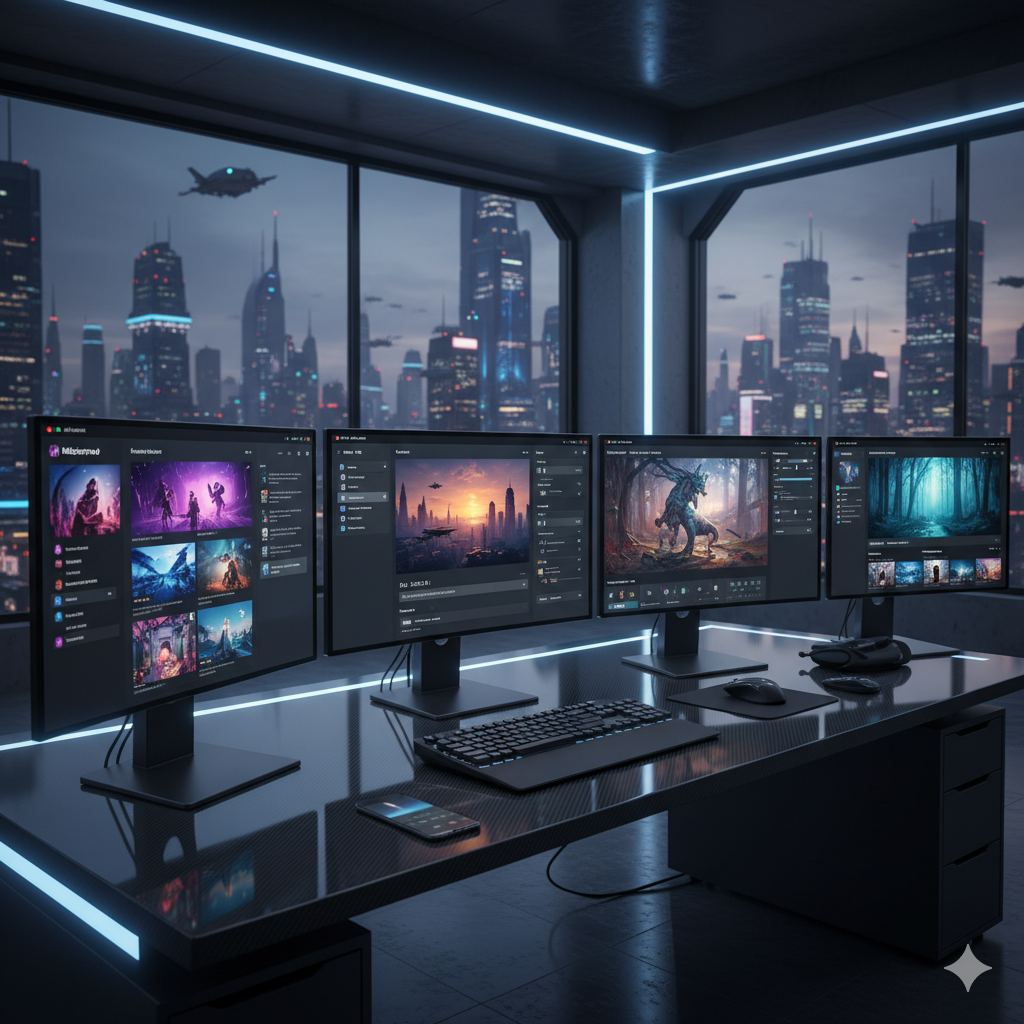
The dawn of Artificial Intelligence has brought about a paradigm shift in nearly every industry, and the creative sector is no exception. For professional creatives – graphic designers, marketing strategists, concept artists, illustrators, architects, and game developers – AI image generators have transitioned from intriguing novelties to indispensable tools. These powerful platforms promise to accelerate workflows, unlock new creative avenues, and help visualize ideas with unprecedented speed and scale. However, with a burgeoning market flooded with various AI solutions, each boasting unique strengths and capabilities, choosing the right one for your specific creative workflow can be a daunting challenge. This comprehensive guide aims to cut through the noise, pitting the leading AI image generators against each other in an ultimate showdown, providing you with the insights needed to make an informed decision.
The stakes are high. In a competitive creative landscape, efficiency, quality, and adaptability are paramount. A misstep in tool selection can lead to wasted time, suboptimal output, and a missed opportunity to leverage AI’s full potential. We will delve deep into the mechanics, artistic outputs, control features, and commercial viability of the top contenders: Midjourney, DALL-E 3, Stable Diffusion, and Adobe Firefly, alongside a look at other notable players. By the end of this article, you will not only understand the nuances of each platform but also identify which AI image generator aligns perfectly with your professional creative needs, allowing you to choose the right AI image generator for your creative workflow with confidence.
Understanding the AI Image Generation Landscape
Before diving into individual tools, it is crucial to grasp the foundational principles and key features that define the AI image generation landscape. At its core, most modern AI image generators operate on diffusion models. These models learn to generate images by “denoising” random noise, gradually transforming it into coherent and visually rich imagery based on textual prompts or existing images. This process, while seemingly magical, relies on vast datasets of images and accompanying text descriptions, allowing the AI to understand and interpret complex creative instructions.
For professional creatives, evaluating an AI image generator goes beyond just its ability to produce pretty pictures. Several critical factors come into play:
- Creative Control and Precision: How much granular control does the tool offer over composition, style, specific elements, and artistic parameters? Can you easily iterate and refine outputs?
- Aesthetic Quality and Style Versatility: Does the AI consistently produce high-quality, aesthetically pleasing images? Can it adapt to various artistic styles, from photorealism to abstract, illustration, or specific artistic movements?
- Speed and Efficiency: How quickly can you generate images and variations? Does the workflow integrate smoothly with your existing tools and processes?
- Integration and Ecosystem: Does the tool stand alone, or does it integrate with other software (e.g., Adobe Creative Cloud, 3D modeling tools, animation software)?
- Commercial Licensing and Usage Rights: Can you legally use the generated images for commercial projects? Are there any restrictions or attribution requirements?
- Cost Model: What are the subscription tiers, credit systems, and overall costs associated with professional use?
- Prompt Understanding and Language Processing: How well does the AI interpret complex, nuanced, or abstract prompts? Can it handle specific instructions for text inclusion or detailed scenes?
- Resolution and Upscaling Capabilities: What is the native resolution of generated images, and are there built-in or compatible upscaling solutions for print or high-fidelity digital use?
Understanding these facets will empower you to look beyond superficial demonstrations and assess the true professional utility of each AI image generator. The technology is rapidly evolving, with new features and models emerging constantly. Staying informed about these developments is key to maintaining a competitive edge in your creative pursuits.
Contender 1: Midjourney – The Artistic Visionary
Midjourney has rapidly ascended to become a darling of the AI art community, renowned for its unparalleled ability to generate evocative, often breathtaking, and highly artistic imagery. If your primary goal is to produce stunning concept art, unique illustrations, or striking mood boards that convey a strong aesthetic and emotional tone, Midjourney often feels like a creative partner, interpreting your prompts with a distinct artistic flair.
Strengths of Midjourney:
- Exceptional Aesthetic Quality: Midjourney consistently produces images with a high degree of artistic merit, often characterized by dramatic lighting, rich textures, and sophisticated compositions. Its default style is often perceived as more “artistic” and less “generic” than some competitors.
- Evocative and Unique Styles: It excels at creating images that feel handcrafted and original, often surprising users with creative interpretations of prompts. It’s particularly strong for fantasy, sci-fi, abstract, and illustrative styles.
- Ease of Use (for basic generation): Getting started is straightforward, primarily through a Discord bot interface. Simple prompts can yield impressive results quickly.
- Powerful Iteration Tools: Features like ‘Vary (Strong)’, ‘Vary (Subtle)’, ‘Remix’, and ‘Pan’ allow for sophisticated non-destructive iteration and exploration around a generated image, enabling artists to hone in on their vision.
- Advanced Parameters: Users can fine-tune outputs using various parameters for aspect ratios (–ar), stylization (–s), chaos (–c), and image weights (–iw), offering a good balance between artistic freedom and control.
- Image Prompting: The ability to use existing images as part of your prompt helps guide the AI towards a desired style, composition, or subject matter.
Weaknesses of Midjourney:
- Limited Granular Control: While great for overall aesthetic, achieving precise, pixel-perfect control over specific elements, text, or consistent character poses can be challenging. It often requires significant prompt engineering and iteration.
- Prompt Sensitivity: Midjourney can be highly sensitive to prompt wording. Slight changes can lead to vastly different results, requiring users to become adept at “prompt whispering.”
- Discord Interface: While accessible, the Discord-centric workflow might not suit all professionals who prefer dedicated web UIs or desktop applications. Managing and organizing a large volume of generations can become cumbersome.
- Less Ideal for Photorealism (historically): While recent versions (especially V6) have significantly improved photorealism, it still often has a distinct “AI look” compared to specialized photorealistic models in Stable Diffusion.
- Human Anatomy: Historically, Midjourney struggled with realistic hands and complex human poses, though V6 has made substantial improvements here.
Ideal Use Cases for Midjourney:
- Concept Art: Quickly generating diverse visual concepts for characters, environments, creatures, or props in games, films, or animations.
- Mood Boards: Creating visually rich collections of images to define the aesthetic direction for projects.
- Illustrative and Abstract Work: Perfect for generating unique artwork for book covers, album art, editorial illustrations, or digital paintings.
- Branding and Advertising Visuals: Producing captivating, abstract or stylized imagery for ad campaigns that require a strong visual identity.
Recent Developments (Midjourney V6 and beyond):
Midjourney V6 marked a significant leap, offering much greater prompt adherence, improved realism, better text rendering capabilities (though still not perfect), and enhanced coherence in complex scenes. The introduction of in-painting and out-painting features further solidifies its utility for professional workflows, allowing for targeted edits and expansive scene generation directly within the image. Midjourney continues to push the boundaries of artistic AI generation, consistently delivering visually stunning outputs.
Contender 2: DALL-E 3 (via ChatGPT Plus/API) – The Conceptual Communicator
Developed by OpenAI, DALL-E 3 represents a significant evolution in AI image generation, particularly in its understanding of complex, nuanced prompts. Its integration with ChatGPT Plus makes it exceptionally powerful for iterative ideation and execution, positioning it as a strong contender for creatives who prioritize precise conceptual communication and rapid prototyping.
Strengths of DALL-E 3:
- Superior Prompt Understanding: DALL-E 3 stands out for its ability to interpret highly detailed and multifaceted text prompts with remarkable accuracy. It excels at understanding relationships between objects, specific styles, and contextual nuances that other models might miss.
- ChatGPT Integration: When accessed via ChatGPT Plus, the conversational AI can act as a powerful prompt engineer. You can describe your vision in natural language, and ChatGPT will refine it into optimal DALL-E 3 prompts, or even generate multiple variations based on your feedback. This dramatically lowers the barrier to complex prompt engineering.
- Text Integration: While not flawless, DALL-E 3 has made significant strides in rendering legible and contextually appropriate text within images, a common stumbling block for many AI generators.
- Commercial Safety: OpenAI has implemented safeguards to prevent the generation of harmful, illegal, or copyrighted content, making it a safer choice for corporate and commercial use.
- Direct Editing (In-painting/Out-painting): The ability to edit specific parts of an image or extend its canvas generatively is a robust feature for refining compositions and expanding scenes.
- Consistent Character Generation (Improved): While not perfect, DALL-E 3 shows better consistency in character appearance across multiple generations from similar prompts compared to earlier models.
Weaknesses of DALL-E 3:
- Less “Artistic” Default Style: While capable of various styles, DALL-E 3’s default output often leans towards a more generic or photographic style, sometimes lacking the distinct artistic flair inherent in Midjourney. It might require more specific style prompts to achieve unique aesthetics.
- Resolution Limits (Direct Output): Generated images often come at a moderate resolution (e.g., 1024×1024 or 1792×1024), which may require external upscaling for high-resolution print or display.
- Limited Direct Control: Unlike Stable Diffusion, DALL-E 3 offers fewer direct parameters or fine-tuning options for users to manipulate the generation process beyond the text prompt. The control largely lies in how you phrase and iterate with ChatGPT.
- Dependency on ChatGPT: While an advantage for prompt engineering, creatives who prefer a standalone, visually driven interface might find the conversational approach less direct.
- Cost Model: Access primarily through ChatGPT Plus subscription or API calls, which can accumulate costs depending on usage.
Ideal Use Cases for DALL-E 3:
- Marketing Visuals and Ad Campaigns: Creating specific product mockups, lifestyle images, or conceptual visuals for advertising with detailed textual and contextual requirements.
- Illustrations with Specific Elements: Generating illustrations where precise object placement, actions, or unique combinations are critical.
- Rapid Prototyping: Quickly visualizing multiple design concepts, storyboard frames, or UI/UX elements based on detailed descriptions.
- Editorial Content: Producing custom images for blog posts, articles, or presentations that require specific conceptual interpretations.
- Storytelling and Narrative Art: Creating sequential images or scenes that follow a precise narrative described in text.
Recent Developments (DALL-E 3):
DALL-E 3’s integration into ChatGPT and its improved understanding of complex prompts are its most significant recent advancements. This synergistic relationship allows for highly sophisticated image generation workflows, where the AI not only generates the image but also helps you articulate your vision more effectively. Ongoing improvements focus on resolution, stylistic range, and adherence to nuanced details.
Contender 3: Stable Diffusion (Various Implementations) – The Open-Source Powerhouse
Stable Diffusion stands apart as the open-source champion of AI image generation. Its core model is freely available, leading to an explosion of innovation, customization, and community-driven development. For professional creatives who demand ultimate control, flexibility, and the ability to tailor their AI to highly specific needs, Stable Diffusion, through its various implementations, is an unparalleled tool.
Strengths of Stable Diffusion:
- Unparalleled Customization: This is Stable Diffusion’s defining feature. Users can download and utilize thousands of custom models (checkpoints, often hosted on platforms like Civitai) trained on specific styles, artists, or datasets. This allows for hyper-specialized outputs, from anime to photorealism, architectural renders, or specific character styles.
- Open-Source Flexibility: Being open-source, developers and creatives can modify, integrate, and extend its capabilities. This fosters a vibrant ecosystem of tools, plugins, and workflows.
- Local Control and Privacy: Many Stable Diffusion implementations can be run locally on powerful computers, offering complete control over your data, generations, and an uncensored experience (depending on the model).
- Advanced Control Mechanisms:
- ControlNet: A groundbreaking feature allowing precise control over composition, pose, depth, edges, and more, using existing images as input. This is indispensable for professional consistency.
- LoRAs (Low-Rank Adaptation): Small add-on models that fine-tune the base model to generate specific characters, objects, or art styles with remarkable accuracy and consistency.
- Textual Inversion: Custom embeddings that allow the AI to “learn” a new concept (like a unique style or object) from a few images.
- Image-to-Image (img2img): Transform existing images into new ones based on a prompt, maintaining the original’s structure or style to varying degrees.
- Inpainting/Outpainting: Seamlessly edit or expand specific sections of an image.
- Cost-Effective (for local use): Once you have the hardware, the software itself is free. Cloud-based services or commercial implementations of Stable Diffusion do have costs.
- High Resolution Generation: Capable of generating and upscaling images to very high resolutions, suitable for print and large-scale digital displays.
Weaknesses of Stable Diffusion:
- Steep Learning Curve: Harnessing Stable Diffusion’s full power requires significant technical understanding and experimentation. Tools like Automatic1111 or ComfyUI, while powerful, can be intimidating for newcomers.
- Hardware Requirements: Running locally demands a powerful GPU (ideally with 8GB+ VRAM), which can be a significant upfront investment.
- Quality Varies Widely: The quality of outputs heavily depends on the chosen model, prompt engineering skills, and understanding of various parameters. Inexperienced users might struggle to achieve desired results.
- No Native Censorship (can be a pro or con): While offering creative freedom, the lack of inherent content moderation means users must be mindful of the content they generate and adhere to ethical guidelines.
- Less Polished User Experience: Compared to commercial, curated platforms, some community-developed UIs can feel less polished or intuitive.
Ideal Use Cases for Stable Diffusion:
- Fine Art and Highly Stylized Illustrations: For artists who want complete control over their aesthetic and can train custom models.
- Character Design and Consistency: Using LoRAs and ControlNet to generate consistent characters across multiple poses and scenes for animation, comics, or games.
- Photorealism: Many custom models are specifically trained for hyper-realistic outputs, often surpassing other generators in this domain.
- Architectural Visualization: Creating detailed interior/exterior renders, often starting from sketches or basic 3D models using img2img and ControlNet.
- Game Development Assets: Generating textures, concept art, sprite sheets, or even 3D model base meshes.
- Scientific and Medical Visualization: Creating detailed and accurate visualizations based on specific data or requirements.
Implementations and Recent Developments:
Key implementations include Automatic1111’s WebUI (user-friendly, extensive features), ComfyUI (node-based, highly flexible for complex workflows), and official platforms like Stability AI’s DreamStudio (web-based, more accessible). The release of SDXL (Stable Diffusion XL) brought significant improvements in image quality, aesthetic fidelity, and prompt understanding, rivaling commercial models. Further innovations like SDXL Turbo and LCMs (Latent Consistency Models) have dramatically reduced generation times, allowing for near real-time image creation. The constant influx of community-developed models and tools ensures Stable Diffusion remains at the forefront of AI innovation.
Contender 4: Adobe Firefly – The Ecosystem Integrator
Adobe Firefly is Adobe’s venture into generative AI, designed to seamlessly integrate with its powerhouse suite of creative applications like Photoshop, Illustrator, and Adobe Express. For professionals already deeply embedded in the Adobe ecosystem, Firefly offers unparalleled convenience and a commercially safe generative AI experience.
Strengths of Adobe Firefly:
- Seamless Adobe Creative Cloud Integration: Firefly’s biggest advantage is its deep integration. Features like Generative Fill in Photoshop, Generative Recolor in Illustrator, and Text to Image in Adobe Express directly embed AI capabilities into familiar workflows, drastically reducing friction.
- Commercial Safety and Licensing: Adobe has trained Firefly on its own content, licensed content, and public domain content, aiming to alleviate copyright concerns for commercial use. This provides peace of mind for agencies and designers working on client projects.
- User-Friendly Interface: Firefly’s web interface and integrated tools are designed with Adobe’s characteristic user-friendliness, making it accessible even for those new to AI image generation.
- Generative Fill and Expand: These features in Photoshop are game-changers for image manipulation, allowing users to seamlessly add or remove elements and expand canvases naturally.
- Text Effects: Firefly excels at generating unique text styles and effects, invaluable for typography-focused design.
- Vector Generation: The ability to generate scalable vector graphics directly from text prompts or sketches in Illustrator is a significant advantage for graphic designers.
- In-app Contextual AI: Firefly understands the context of your existing project, making its generative suggestions more relevant and easier to blend.
Weaknesses of Adobe Firefly:
- More Limited Creative Freedom: While capable, Firefly often produces images with a somewhat generic or “stock photo” aesthetic. It might lack the raw artistic power or unique stylistic interpretations of Midjourney or the hyper-customization of Stable Diffusion.
- Less Advanced Control: Compared to the intricate parameter controls of Midjourney or the extensibility of Stable Diffusion (e.g., ControlNet, LoRAs), Firefly offers fewer granular options for highly specific artistic direction beyond basic settings.
- Ecosystem Lock-in: While a strength for Adobe users, those outside the Creative Cloud ecosystem might find its utility limited compared to standalone tools.
- Subscription Model: Access is tied to Adobe Creative Cloud subscriptions, which, while offering a vast suite of tools, represents a recurring cost.
- Generative Credits: Usage is tied to a credit system within Creative Cloud plans, which can limit extensive experimentation if not managed carefully.
Ideal Use Cases for Adobe Firefly:
- Graphic Design and Marketing: Quickly generating variations of marketing assets, social media graphics, banners, and product imagery within an existing Adobe project.
- Image Retouching and Manipulation: Enhancing photos, removing unwanted objects, or expanding backgrounds with Generative Fill/Expand in Photoshop.
- Web Design and UI/UX Prototyping: Creating placeholder images, icons, or design elements directly within Adobe XD or similar tools.
- Vector Illustration: Generating base vector shapes or entire vector scenes from text for logos, icons, or illustrations.
- Branding and Typography: Experimenting with unique text styles and effects for branding projects.
Recent Developments (Adobe Firefly):
Adobe has aggressively integrated Firefly capabilities across its Creative Cloud suite. Generative Fill and Generative Expand are now core features in Photoshop, significantly streamlining complex editing tasks. Generative Recolor in Illustrator and Text to Vector Graphics further expand its utility for vector artists. The focus remains on making generative AI an intuitive, integrated part of the professional creative workflow, emphasizing speed and commercial readiness.
Niche Players and Emerging Tools
While the four heavyweights dominate the professional landscape, several niche players and rapidly evolving tools deserve mention, each bringing unique value propositions to the table:
- Leonardo AI: Often described as a more user-friendly, web-based platform built on Stable Diffusion. Leonardo AI provides access to many custom Stable Diffusion models, an intuitive interface, and features like custom model training, image editing, and a strong community. It’s an excellent stepping stone for those interested in Stable Diffusion’s power without the local hardware or complexity.
- Ideogram: Specializes in generating images with highly accurate and stylistic text embedded directly within them. If your primary need is creative typography or incorporating specific words into visuals, Ideogram is exceptionally strong in this niche, often outperforming DALL-E 3 in text consistency and aesthetic.
- Magnific AI: Focuses on AI upscaling and enhancement. While not a primary image generator, Magnific AI takes existing images (AI-generated or otherwise) and intelligently upscales them to extremely high resolutions while adding intricate details and texture. It’s a powerful post-processing tool for achieving print-quality results from lower-resolution AI outputs.
- RunwayML: While also offering image generation, RunwayML is more geared towards video generation and editing with AI. It’s a comprehensive suite for filmmakers and animators looking to leverage AI in motion graphics, inpainting in video, and generating video from text or images.
- Krea AI: Known for its real-time generation capabilities, allowing users to draw and see AI-generated images update instantly. This is fantastic for brainstorming and rapid ideation.
- Midjourney Alternatives & Open-Source Advancements: The open-source community continues to push boundaries. Many smaller projects and research efforts contribute to the rapid pace of innovation, often leading to specialized models or techniques that eventually find their way into larger platforms. Keeping an eye on communities like Hugging Face and GitHub for new model releases can be beneficial for advanced users.
The landscape is dynamic. New tools and features emerge constantly, often blurring the lines between these categories. The best approach for professionals is to remain agile, experiment with new technologies, and integrate those that genuinely enhance their specific creative challenges.
Comparison Tables
Table 1: Key Feature Comparison Matrix for Professional Creatives
| Feature | Midjourney | DALL-E 3 (via ChatGPT Plus) | Stable Diffusion (SDXL via Local/DreamStudio) | Adobe Firefly (Integrated) |
|---|---|---|---|---|
| Primary Strength | Artistic Aesthetics, Evocative Imagery | Complex Prompt Understanding, Text Integration | Ultimate Customization, Control, Open-Source | Adobe CC Integration, Commercial Safety |
| Creative Control | Medium (parameters, image prompts) | Medium (ChatGPT-driven prompt refinement) | High (ControlNet, LoRAs, img2img, parameters) | Medium (in-app controls, generative fill) |
| Aesthetic Versatility | High (strong default artistic style, versatile) | Medium-High (good range, sometimes generic) | Very High (thousands of custom models/styles) | Medium (good range, often “stock photo” feel) |
| Prompt Understanding | High (interprets nuances, sensitive) | Very High (excels with complex, detailed prompts) | High (SDXL improved, depends on model) | Medium-High (good but less nuanced than DALL-E 3) |
| Text Generation (in image) | Improving (V6 better, still challenging) | Good (better than most, still requires iteration) | Improving (via specific models/LoRAs, extensions) | Very Good (especially for text effects) |
| Integration & Ecosystem | Discord-based primarily | ChatGPT, API, Bing Image Creator | Vast open-source ecosystem, various UIs | Deeply integrated with Adobe Creative Cloud |
| Commercial Use Policy | Subscription required for commercial use; terms apply | Generally allowed with subscription/API; check terms | Depends on model license (often permissive); creator responsibility | Designed for commercial safety; generative credits apply |
| Ease of Use (for Professionals) | Medium (Discord interface, prompt engineering) | High (leveraging ChatGPT’s prompt assistance) | Low-Medium (steep learning curve for full control) | High (intuitive, familiar Adobe interface) |
| Output Resolution (Native) | Improving (up to 1024×1024+, upscale options) | 1024×1024 or 1792×1024 | Varies greatly by model; can generate very high res. | Varies by feature/integration (e.g., up to 2K in Ps) |
| Cost Model | Subscription (Basic, Standard, Pro) | ChatGPT Plus subscription or API usage | Free (local, hardware cost), Subscription (DreamStudio, cloud) | Adobe Creative Cloud subscription (generative credits) |
Table 2: Best Fit by Creative Role
| Creative Role | Recommended AI Image Generator(s) | Why (Specific Strengths) |
|---|---|---|
| Concept Artist | Midjourney, Stable Diffusion | Midjourney for evocative, quick mood concepts; Stable Diffusion (with ControlNet/LoRAs) for precise character/environment consistency and custom styles. |
| Marketing Designer / Ad Agency | DALL-E 3, Adobe Firefly | DALL-E 3 for highly specific conceptual visuals and text integration; Adobe Firefly for seamless integration with existing Adobe workflows, fast variations, and commercial safety. |
| Illustrator | Midjourney, Stable Diffusion (with custom models/LoRAs), Leonardo AI | Midjourney for unique artistic interpretations; Stable Diffusion for fine-tuning specific illustration styles and character consistency; Leonardo AI as a user-friendly SD platform. |
| Game Developer | Stable Diffusion (with ControlNet, img2img, LoRAs), Midjourney | Stable Diffusion for generating textures, consistent character concepts, environment assets, and iterating on existing artwork; Midjourney for initial concept art and mood boards. |
| Product Designer | DALL-E 3, Adobe Firefly, Stable Diffusion | DALL-E 3 for generating product mockups with specific features and branding; Adobe Firefly for quick design variations and integration with prototyping tools; Stable Diffusion for hyper-realistic renders with custom product models. |
| Architect / Interior Designer | Stable Diffusion (with ControlNet), Midjourney | Stable Diffusion for generating realistic architectural renders from sketches, blueprints, or 3D models with precise control over composition and style; Midjourney for initial mood and aesthetic exploration. |
| Photographer / Retoucher | Adobe Firefly (Generative Fill/Expand), Stable Diffusion | Adobe Firefly for advanced in-painting, out-painting, and seamless image manipulation within Photoshop; Stable Diffusion for advanced image restoration, stylistic transformations, or generating complex backgrounds. |
Practical Examples: Real-World Use Cases for Professional Creatives
Theory is one thing, but seeing how these tools apply to real professional scenarios truly highlights their value. Here are some practical examples demonstrating how different AI image generators can be leveraged for various creative tasks.
Scenario 1: Concept Art for a Fantasy Game
A game studio needs to rapidly develop concept art for a new fantasy RPG. They need diverse ideas for mythical creatures, ancient ruins, and heroic characters, focusing on a unique, dark fantasy aesthetic.
- Midjourney: The concept artist starts with Midjourney to generate initial mood boards and character archetypes. Prompts like “gothic elf sorceress, intricate silver armor, glowing runes, dark forest background, dramatic lighting, highly detailed, octane render –ar 16:9 –v 6” quickly yield dozens of unique, high-quality visual interpretations. The artist uses ‘Vary (Strong)’ and ‘Remix’ to explore different visual directions and refine specific elements, establishing a consistent art style.
- Stable Diffusion (with custom models and ControlNet): Once a few promising concepts emerge from Midjourney, the artist moves to Stable Diffusion. They might use a custom SDXL model trained on dark fantasy art. With ControlNet, they can take a rough sketch of a character pose or an environment layout and apply the AI’s rendering power to it, ensuring precise composition while maintaining the desired aesthetic. LoRAs could be used to ensure a specific character’s facial features or armor details remain consistent across multiple poses and scenes, an absolute necessity for game development. The artist can iterate on details, textures, and lighting with unparalleled control.
Scenario 2: Marketing Campaign Visuals for a New Product Launch
A marketing agency is launching a campaign for a new line of eco-friendly smart home devices. They need captivating visuals showcasing the devices in various modern home settings, with specific product placement and clear branding.
- DALL-E 3 (via ChatGPT Plus): The marketing team uses ChatGPT to craft precise prompts. For example, “A sleek, minimalist smart thermostat in a modern, sunlit living room, subtly integrated into a wooden wall panel, with a small potted plant nearby. The scene conveys calm and efficiency. Photorealistic.” ChatGPT helps refine the prompt, ensuring the thermostat is prominently featured and the aesthetic aligns with the brand. They generate multiple options, experimenting with different angles, lighting, and background details, using in-painting to tweak minor elements like the color of the plant or the texture of the wall.
- Adobe Firefly (integrated with Photoshop): For creating variations and integrating the actual product photos, Adobe Firefly shines. A designer takes an existing product photo and places it onto a DALL-E 3 generated background. Using Photoshop’s Generative Fill, they can seamlessly add a new item to a table, extend the background to fit different aspect ratios for social media, or even remove distracting elements from the original product shot. Generative Recolor in Illustrator might be used to quickly adapt product icons or branding elements to different color palettes suggested by the AI-generated scenes.
Scenario 3: Custom Illustrations for a Children’s Book
An independent author needs whimsical, consistent illustrations for a children’s book about a magical forest creature named ‘Pip’ and its adventures.
- Midjourney: The author or illustrator might start with Midjourney to explore initial character designs for Pip and the magical forest. Prompts like “cute, fluffy forest creature, big curious eyes, glowing mushroom in hand, whimsical watercolor style, vibrant colors –ar 3:2” could generate charming concepts. They iterate to establish Pip’s final look and the general aesthetic of the forest.
- Stable Diffusion (with LoRAs and ControlNet): Once Pip’s design is finalized, the illustrator would move to Stable Diffusion. They could train a specific LoRA on a few images of the chosen Pip design to ensure consistency across all book pages. Then, using ControlNet with simple pose sketches, they can generate Pip in various actions (running, flying, talking to other creatures) while maintaining the exact character model and the chosen whimsical watercolor style. This level of consistency and control is crucial for sequential storytelling in children’s books.
- Leonardo AI: As an alternative, an artist might use Leonardo AI. They can upload images of Pip and train a custom model directly within the platform, then use Leonardo’s intuitive interface to generate consistent illustrations across different scenes, leveraging its built-in features for image editing and refining.
Scenario 4: Architectural Visualization Mood Boards and Renders
An architecture firm needs to present a new building concept to a client, requiring realistic exterior renders and interior mood boards with specific material palettes.
- Midjourney: To quickly generate aspirational mood boards and explore different architectural styles for initial client presentations, Midjourney is ideal. Prompts like “modern minimalist house, overlooking a pristine lake, large glass facades, warm wooden interior, golden hour lighting, architectural visualization –ar 16:9” can quickly create stunning conceptual images.
- Stable Diffusion (with ControlNet): For more precise renders, particularly from existing CAD drawings or 3D models, Stable Diffusion with ControlNet becomes invaluable. An architect can use a line drawing of their building’s facade (from a CAD program) as a ControlNet input, then prompt for photorealistic rendering with specific materials (e.g., “concrete facade, vertical louvers, large windows, lush green landscaping, clear blue sky, photorealistic render”). This allows them to visualize their exact designs with high fidelity, experiment with textures, lighting, and environmental context much faster than traditional rendering.
Scenario 5: Creating Branded Text Graphics for Social Media
A digital marketing manager needs to create eye-catching social media posts with specific text messages and a consistent brand aesthetic.
- Ideogram: For highly stylized text directly within images, Ideogram is the go-to. The manager can prompt for “A retro futuristic city skyline with ‘Innovation’ in neon script across the sky, vibrant synthwave colors, 80s aesthetic.” Ideogram often delivers accurate text rendering with creative typography that seamlessly blends with the image’s style.
- Adobe Firefly: If the text is part of a larger graphic design project in Adobe Express or Photoshop, Firefly’s “Text Effects” are incredibly useful. The manager can apply unique textures, gradients, and generative styles to existing text layers, ensuring consistency with brand fonts while adding a dynamic AI-generated flair.
These examples illustrate that no single tool is a silver bullet. Often, a combination of generators, leveraging each one’s strengths, forms the most potent workflow for professional creatives. The key is understanding each tool’s capabilities and knowing when to deploy it strategically.
Frequently Asked Questions
Q: What’s the best AI image generator for beginners?
A: For beginners, ease of use is paramount. DALL-E 3 (via ChatGPT Plus) is an excellent choice due to ChatGPT’s ability to help you craft effective prompts, making complex requests simple. Adobe Firefly is also very user-friendly, especially if you’re already familiar with the Adobe ecosystem, thanks to its intuitive interface and integrated features. Midjourney, while having a Discord interface, is relatively easy to start with for basic generations and quickly produces aesthetically pleasing results, making it engaging for new users.
Q: Can I use AI-generated images commercially?
A: Yes, generally. However, the commercial use policies vary significantly between platforms and even individual models. Adobe Firefly is specifically designed for commercial use, trained on licensed and public domain content, aiming to minimize copyright issues. Midjourney allows commercial use with a paid subscription, though specific terms apply. DALL-E 3 also permits commercial use for subscribers/API users. For Stable Diffusion, it depends entirely on the specific model you use; many are permissively licensed, but some may have restrictions. Always read the terms of service and licensing agreements for the specific tool and model you are using to ensure compliance.
Q: How do I improve my prompts for better results?
A: Prompt engineering is an art! Here are some tips:
- Be Specific: Instead of “dog,” try “golden retriever puppy, fluffy fur, playing in a meadow.”
- Use Descriptive Adjectives: Incorporate words for style (photorealistic, oil painting, anime), lighting (golden hour, dramatic backlight), mood (serene, chaotic), and colors (vibrant, muted).
- Specify Composition and Angle: “Close-up,” “wide shot,” “from above,” “eye-level.”
- Add Artistic References: “in the style of Van Gogh,” “concept art by Artgerm,” “cinematic still by Roger Deakins.”
- Negative Prompts: Use terms to tell the AI what NOT to include (e.g., “ugly, deformed, blurry” in Stable Diffusion).
- Iterate and Refine: Start broad, then add details. Analyze what works and what doesn’t.
- Leverage AI (for DALL-E 3): Let ChatGPT help you brainstorm and refine prompts.
Q: What is ControlNet in Stable Diffusion?
A: ControlNet is a groundbreaking neural network structure that allows Stable Diffusion to take an existing image as an input to guide the generation of a new image. It provides precise control over various aspects like composition, human pose, depth, edges, and segmentation. For example, you can feed ControlNet a simple line drawing, a depth map from a 3D scene, or a human pose skeleton, and Stable Diffusion will generate an image that adheres to that structure while applying your text prompt’s style and content. This is invaluable for maintaining consistency, recreating specific compositions, or bringing sketches to life with AI.
Q: Is it ethical to use AI for creative work?
A: The ethics of AI in creative work are complex and widely debated. On one hand, AI offers powerful tools for augmentation, speeding up workflows, and enabling new forms of expression. On the other hand, concerns exist regarding copyright, attribution for artists whose work trained the models, potential job displacement, and the ethical implications of deepfakes or harmful content. Many professionals believe AI should be seen as a tool, akin to a camera or a software program, that enhances human creativity rather than replaces it. Responsible use involves transparency, understanding licensing, and focusing on how AI can expand creative possibilities while respecting human artistry.
Q: What are LoRAs and how are they used?
A: LoRAs, or Low-Rank Adaptation, are small, specialized models used with Stable Diffusion (and some other diffusion models) that allow for fine-tuning the base model to achieve very specific outputs without requiring extensive retraining. They are trained on a small dataset of images (e.g., 10-20 images of a specific character, art style, or object). When activated with a prompt, a LoRA can significantly influence the output to consistently generate that character, object, or style. They are crucial for maintaining character consistency across multiple images, replicating a particular artist’s style, or generating specific branded items in a consistent manner, greatly enhancing Stable Diffusion’s control and specialization.
Q: How important is hardware for AI image generation?
A: Hardware importance largely depends on the tool. For cloud-based services like Midjourney, DALL-E 3, Adobe Firefly, or DreamStudio (Stable Diffusion’s official platform), your local hardware is less critical, as the processing happens on remote servers. You only need a stable internet connection. However, if you want to run Stable Diffusion locally (e.g., using Automatic1111 or ComfyUI), a powerful GPU with ample VRAM (at least 8GB, preferably 12GB or more) is essential. More VRAM allows for higher resolution generations and faster processing. Without adequate hardware, local Stable Diffusion can be very slow or impossible to run effectively.
Q: Which tool is best for photorealistic images?
A: For hyper-photorealistic images, Stable Diffusion, especially with specialized models (often found on Civitai) and techniques like ControlNet, generally offers the most control and highest fidelity. There are numerous community-trained models specifically designed for photorealism that can produce breathtakingly realistic outputs. DALL-E 3 has also made significant strides in photorealism and is excellent for realistic scenes based on complex prompts. Midjourney V6 has also greatly improved its photorealistic capabilities, often delivering compelling results.
Q: How do AI image generators handle image rights and ownership?
A: Image rights and ownership are complex and still evolving areas of law. Generally, if you create an image using an AI tool and you own the rights to the prompt and any input images, many platforms (like Midjourney with a paid subscription, DALL-E 3, and Adobe Firefly) grant you commercial rights to the output. However, some platforms might retain certain rights to the generated images for training purposes or public display. For open-source tools like Stable Diffusion, the ownership often defaults to the creator, but the licensing of the specific model used might influence this. It’s crucial to consult the terms of service and legal guidance for each platform. The question of whether AI outputs are truly “copyrightable” in the same way human-created art is currently a subject of legal debate in many jurisdictions.
Q: Will AI replace human artists?
A: While AI image generators are powerful, they are tools, not sentient artists. They augment human creativity by automating tedious tasks, speeding up ideation, and enabling artists to achieve new visual feats. They don’t possess intuition, emotional depth, or original conceptual thought in the way a human artist does. Instead of replacing artists, AI is more likely to transform the role of artists, requiring new skills in prompt engineering, AI tool operation, and integrating AI outputs into traditional workflows. Artists who adapt and embrace AI will likely find themselves more efficient and creatively empowered, rather than rendered obsolete. The “human touch” – unique vision, storytelling, and emotional connection – remains irreplaceable.
Key Takeaways
Navigating the dynamic world of AI image generation for professional creatives requires a nuanced understanding of each tool’s unique strengths and limitations. Here are the key takeaways from our showdown:
- No Single “Best” Tool Exists: The ideal AI image generator is highly dependent on your specific creative workflow, project requirements, desired aesthetic, and level of technical comfort.
- Midjourney is for Artistic Vision: Choose Midjourney for evocative concept art, unique illustrations, and stunning visual mood boards where artistic flair and aesthetic quality are paramount.
- DALL-E 3 Excels at Conceptual Precision: Opt for DALL-E 3 (via ChatGPT) when you need precise interpretation of complex prompts, integrated text, and rapid prototyping for marketing or specific design elements.
- Stable Diffusion Offers Ultimate Control and Customization: Embrace Stable Diffusion (via various implementations) if you require unparalleled control over style, composition (ControlNet, LoRAs), photorealism, and have the technical acumen or hardware to leverage its open-source power.
- Adobe Firefly Integrates Seamlessly: For creatives deeply embedded in the Adobe Creative Cloud ecosystem, Firefly provides commercial safety, user-friendliness, and powerful generative features directly within your familiar design applications.
- Niche Tools Fill Specific Gaps: Explore tools like Ideogram for text-in-image generation, Magnific AI for upscaling, and Leonardo AI for a user-friendly Stable Diffusion experience, to address very specific needs.
- Experimentation is Crucial: The AI landscape is rapidly evolving. Continuous experimentation with different platforms, prompt engineering techniques, and new features is vital to stay ahead and discover optimal workflows.
- AI Augments, Not Replaces: View AI image generators as powerful assistants that expand your creative toolkit, allowing you to iterate faster, explore more ideas, and focus on the higher-level conceptual and artistic direction, reinforcing the value of human creativity.
Conclusion
The ultimate AI image generator showdown reveals a rich and diverse ecosystem of tools, each offering distinct advantages for professional creatives. From Midjourney’s artistic brilliance to DALL-E 3’s conceptual precision, Stable Diffusion’s boundless customization, and Adobe Firefly’s seamless integration, the options are more powerful and versatile than ever before. These technologies are not merely fads; they represent a fundamental shift in how visual content can be created, iterated, and deployed across industries.
For the professional creative, the journey isn’t about finding a single “holy grail” tool, but rather understanding how to strategically deploy multiple AI generators or master the one that best aligns with their core needs. It’s about becoming a skilled “AI whisperer,” a digital alchemist who can coax breathtaking visuals from mere words, transforming abstract ideas into tangible imagery with unprecedented speed and efficiency. The ability to integrate these tools intelligently into existing workflows will be a defining characteristic of successful creative professionals in the coming years.
Embrace this new era. Experiment boldly, learn continuously, and allow these incredible AI image generators to amplify your creative potential, pushing the boundaries of what you thought was possible. The future of creative workflow is here, and it’s exhilarating. Start exploring today, and redefine your artistic output!


























































































Leave a Reply