

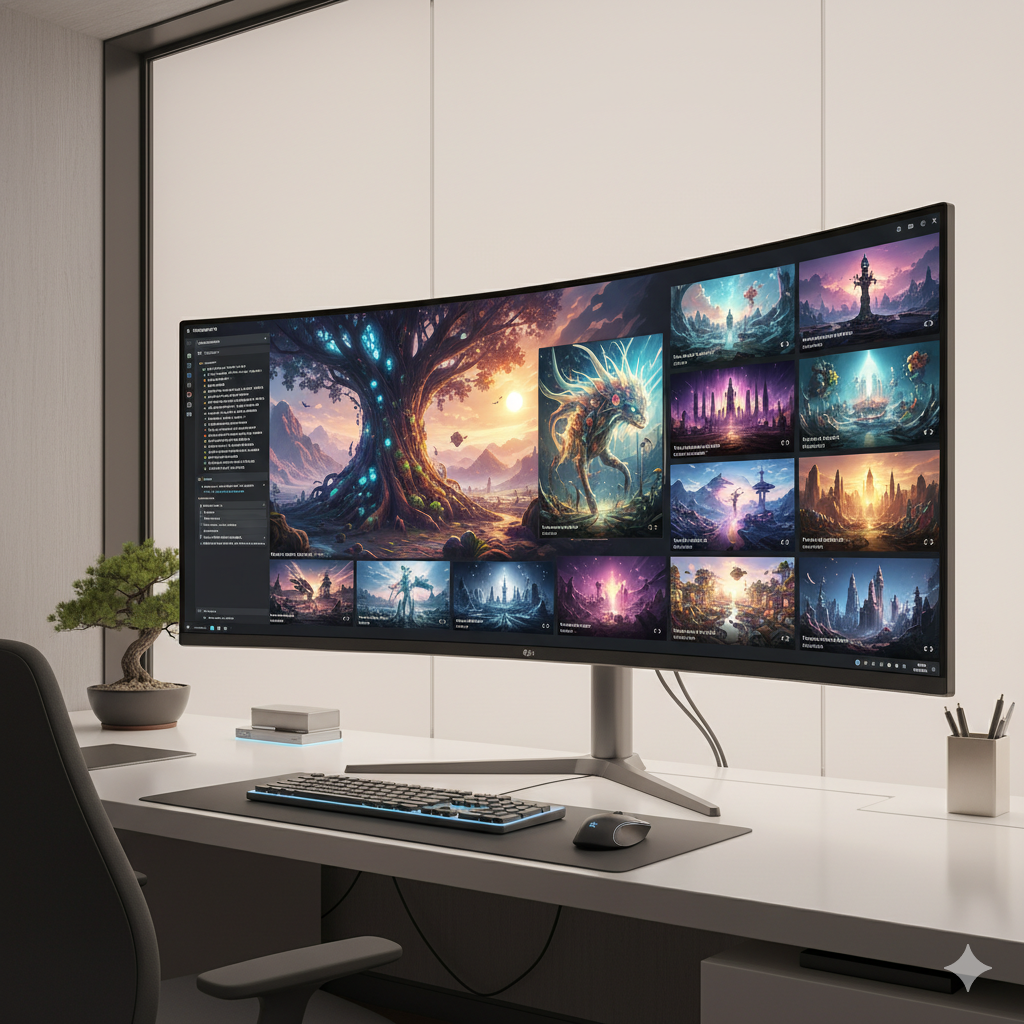
In the rapidly evolving landscape of artificial intelligence, Midjourney stands out as a pioneering tool for generating breathtaking visual art from simple text descriptions. While many users can create pleasant images with basic prompts, true mastery lies in understanding and applying advanced prompt engineering techniques. This comprehensive guide will take you beyond the fundamentals, delving into the intricacies that separate amateur creations from professional-grade AI art. Prepare to unlock the full potential of Midjourney, transforming your artistic vision into stunning realities with unprecedented control and creativity.
The journey from a novice Midjourney user to a prompt engineering virtuoso is paved with experimentation, a deep understanding of the AI’s nuances, and a strategic approach to constructing your commands. We’ll explore the sophisticated syntax, hidden parameters, and conceptual frameworks that empower you to sculpt pixels with precision, achieve stylistic consistency, and push the boundaries of what’s possible in AI-generated imagery. Whether you’re an artist seeking new mediums, a designer exploring innovative concepts, or simply an enthusiast eager to elevate your digital creations, these advanced secrets will equip you with the knowledge to command Midjourney like a true professional, allowing you to consistently produce high-quality, targeted visuals for any purpose.
The Evolution of Midjourney Prompting: From Simple Text to Complex Structures
Midjourney’s evolution has been nothing short of remarkable, with each new version introducing enhanced capabilities, finer control, and a more sophisticated understanding of natural language. Early versions (V1-V3) often required very literal and sometimes verbose descriptions. Users would craft prompts that explicitly stated every element, style, and mood they desired, often leading to a trial-and-error process that felt more like guesswork than precision engineering. The AI was good at interpretation but lacked the nuanced comprehension seen today.
With versions V4 and V5, Midjourney began to exhibit a deeper understanding of aesthetics and compositional principles. The introduction of improved default stylization meant that even simpler prompts could yield visually appealing results. Users started to experiment more with artistic styles, lighting, and camera angles, realizing that the AI could infer a great deal from concise, evocative language. The concept of “prompt weight” and “multi-prompts” became more prevalent, allowing for a finer balance between conflicting ideas or the emphasis of certain elements over others. Version 5.2, in particular, was a favorite for its cinematic qualities and the introduction of advanced zoom and pan capabilities.
The most recent significant leap came with Midjourney V6. This version marked a paradigm shift, moving towards a more direct and literal interpretation of prompts. V6 is far more sensitive to grammar, punctuation, and the specific wording chosen. It understands natural language better, allowing for more conversational and less “prompt-engineered” inputs while still offering unprecedented control for those who master its intricacies. This means that instead of relying on broad, suggestive terms, users can now specify details with much greater accuracy. However, this increased fidelity also demands a higher level of precision in prompt construction. The old tricks of V5.2, like using excessive descriptive adjectives or certain prompt patterns, might not work as effectively, or might even be counterproductive, in V6. V6 introduced groundbreaking features like in-image text generation, character consistency (cref), style referencing (sref), and refined editing tools (Vary Region).
Understanding this evolution is crucial. It informs how we approach prompt engineering today. What worked yesterday might be less effective tomorrow. Staying updated with the latest version’s nuances and adapting our prompt strategies is key to consistently achieving professional-level results. The current iteration of Midjourney rewards clarity, specificity, and a deep understanding of how its underlying models interpret human language and artistic concepts. This constant adaptation is a core skill for any advanced prompt engineer, ensuring that your techniques remain at the forefront of AI art generation.
Deconstructing the Advanced Prompt Structure: Parameters, Weights, and Nuances
Moving beyond basic descriptive prompts, advanced Midjourney prompt engineering involves a meticulous deconstruction of your artistic vision into components the AI can understand and execute. This means leveraging a sophisticated array of parameters, weights, and multi-prompting techniques. Mastering these elements allows for an unparalleled level of control over composition, style, and thematic elements, turning your abstract ideas into concrete visual instructions for the AI.
1. Core Prompt Syntax and Precision Word Choice
At its heart, a Midjourney prompt is a combination of descriptive text and modifying parameters. The textual component describes what you want to see, while parameters dictate how you want to see it. In V6, word choice is paramount. Use precise nouns, strong verbs, and carefully selected adjectives. Avoid vague or overly metaphorical language unless that is your explicit artistic goal for abstract output. For instance, instead of “a nice car,” consider “a sleek, obsidian black sports car, low angle shot, gleaming chrome accents, parked in front of a futuristic skyscraper, dramatic rain-slicked street.” This provides concrete imagery and specific stylistic cues for the AI to interpret.
Consider the hierarchy of your descriptive words. Placing the most important subject first often gives it more emphasis. Use commas and natural sentence structure, as V6 is highly attuned to proper grammar. Avoid ‘fluff’ words that don’t add specific visual information.
2. Leveraging Parameters for Granular Control
Parameters are modifiers added to the end of your prompt, always preceded by two hyphens (`–`). They offer a powerful way to fine-tune aspects of your image generation, providing control over everything from resolution to aesthetic weirdness. Some essential advanced parameters and their typical uses include:
- –ar (Aspect Ratio): Defines the width-to-height ratio of the image. For example,
--ar 16:9for widescreen cinematic shots,--ar 2:3for portrait photography, or--ar 1:1for square social media posts. Precise aspect ratios are crucial for intentional framing and composition. - –seed (Seed Number): A unique numerical identifier (0-4294967295) that helps Midjourney generate a consistent visual starting point. Using the same seed with the exact same prompt will often produce very similar results, which is vital for maintaining character consistency across multiple images, refining an existing image, or generating variations while preserving core elements. You can retrieve the seed of a generated image by reacting with an envelope emoji ✉️ to the image in Discord.
- –v (Version): Specifies the Midjourney model version to use, e.g.,
--v 6.0. Always explicitly use the latest stable version for access to the most current features, improvements, and control capabilities. - –chaos (Chaos) [0-100]: Influences the diversity of the initial grid of images. A low chaos value (e.g., 0-20) will yield more similar, predictable, and cohesive results within the grid. A high chaos value (e.g., 80-100) will generate widely varied and sometimes unexpected images, useful for brainstorming, exploring diverse interpretations, or breaking creative blocks.
- –weird (Weirdness) [0-3000]: Introduced in V6, this parameter adds unconventional, bizarre, and abstract aesthetics to your images. Higher values increase the degree of weirdness, pushing the boundaries of creativity and generating truly unique, often surreal, outputs. It’s excellent for experimental art or when you desire a departure from conventional aesthetics.
- –raw: In Midjourney V6, this mode gives the AI less stylistic guidance, resulting in a more ‘raw’ and less processed image that adheres more closely to the prompt’s literal description. This is essential for achieving photorealism, architectural accuracy, or specific artistic styles where Midjourney’s default inherent aesthetic might interfere or add unwanted ‘flavor’.
- –sref (Style Reference) [URL or URLs]: A powerful V6 feature. You can provide one or more image URLs, and Midjourney will extract and apply the artistic style, mood, and aesthetic qualities of those images to your new generation. This is a game-changer for maintaining consistent visual branding or an artistic look across a series of images. You can also adjust the strength of the style reference using
--sw(style weight). - –cref (Character Reference) [URL or URLs]: Another groundbreaking V6 innovation. Use an image URL to reference a character’s face, hair, clothing, and overall appearance. Midjourney will attempt to replicate this character in your new prompts, allowing for remarkable consistency of specific characters across different scenes, poses, and expressions. You can adjust the character’s fidelity using
--cw(character weight), with--cw 100focusing on both face and clothes, and--cw 0primarily on the face. - –tile: Generates an image that can be used as a seamless tiling pattern, useful for textures, backgrounds, or wallpapers.
- –repeat : Allows you to run the same prompt multiple times (up to 40 per prompt) to generate many variations or to generate images in different aspect ratios, useful for testing.
3. Weighting Elements with Double Colons `::`
Prompt weights allow you to emphasize or de-emphasize specific parts of your prompt. By adding :: followed by a number after a word or phrase, you tell Midjourney how important that element is relative to others. The default weight is 1. For instance, a vibrant ::2 blue ::1 car ::0.5 red background will prioritize “vibrant blue” more than “car,” which in turn is more important than “red background.” This helps balance conflicting ideas or guide the AI towards your primary focus. You can use negative weights (e.g., no humans::-0.5) to subtly reduce the presence of an element, though V6 generally prefers explicit negative prompts for stronger exclusion.
4. Multi-Prompts and Sub-Prompts `::` for Complex Compositions
The double colon `::` isn’t just for weights; it also serves as a separator for distinct concepts within a single prompt, creating a “multi-prompt.” Midjourney will consider each segment separately before combining them, allowing for incredibly powerful and complex scene constructions. This is particularly useful for:
- Complex Scenes:
a vast desert landscape :: a futuristic city glowing in the distance :: a lone wanderer observing the vistabreaks down the scene into three distinct yet related concepts, giving the AI clear instructions on what elements to include and how they relate spatially or thematically. - Creative Blending:
cyberpunk :: watercolor painting :: a bustling market scenewill attempt to combine the aesthetic of cyberpunk with a watercolor medium applied to a bustling market, resulting in a unique fusion that might be difficult to achieve with a single, unsegmented prompt. - Layering Concepts: This allows you to stack ideas, ensuring each concept is processed independently before being merged into the final image, offering a richer and more controlled output than a simple string of keywords.
5. Negative Prompting `–no`
While prompt weights can subtly de-emphasize elements, the --no parameter is the most direct and powerful way to explicitly tell Midjourney what you don’t want in your image. For example, a serene forest --no humans, buildings, litter, vibrant colors. In V6, this parameter is far more effective and precise than in previous versions, making it a critical tool for removing unwanted artifacts, specific colors, distracting subjects, or undesired styles. Always use --no for clear exclusions, as it provides a strong directive to the AI.
By intricately combining these elements—precise language, a multitude of parameters, intelligent weighting, multi-prompting, and effective negative prompting—you move beyond mere description to true engineering of your visual output. Each parameter, each weight, and each multi-prompt segment serves as a dial or lever, allowing you to sculpt your AI art with unparalleled precision and creative intent.
Mastering Stylistic Control and Aesthetics
Achieving a specific artistic style or aesthetic is one of the hallmarks of advanced Midjourney prompting. It moves beyond generating generic images to crafting pieces that resonate with a particular mood, genre, or artistic movement. With Midjourney V6, the methods for achieving this have become more sophisticated, leveraging natural language understanding alongside dedicated parameters to give you unprecedented artistic command.
1. Describing Artistic Movements, Genres, and Historical Periods
The most straightforward and often highly effective way to influence style is by explicitly naming artistic movements, genres, or historical periods in your prompt. Midjourney has been trained on a vast dataset of art, allowing it to recognize and emulate diverse styles with remarkable accuracy. Consider phrases like:
- “Impressionistic oil painting of a cityscape at dawn, soft focus, visible brushstrokes”
- “Surrealist sculpture of a clock melting on a barren landscape, in the style of Salvador Dalí”
- “Cyberpunk neon street scene in Tokyo, anime style, rainy night, highly detailed”
- “Renaissance portrait of a scientist in a laboratory, chiaroscuro lighting, subtle smile”
- “Art Deco poster design for a futuristic intercontinental train journey, bold geometric patterns”
- “Baroque painting, dramatic chiaroscuro lighting, intricate details, opulent setting”
- “Photorealistic shot, cinematic lighting, 8k resolution, documentary photography style”
Be specific with your adjectives. Instead of “beautiful,” try “ethereal,” “gritty,” “vibrant,” “monochromatic,” “muted,” “grandiose,” or “intimate.” These descriptive terms provide more actionable stylistic guidance to the AI, allowing it to interpret and apply specific visual qualities.
2. Incorporating Art Mediums, Techniques, and Materials
Beyond broad artistic movements, specifying the medium, technique, or even the materials can dramatically alter the visual output. Midjourney understands how different materials and artistic processes look and feel. Examples:
- “Watercolor painting of a misty forest, soft edges, visible brushstrokes, serene atmosphere”
- “Charcoal sketch portrait of an old man, expressive lines, cross-hatching, melancholic mood”
- “Pixel art, 16-bit aesthetic, isometric view of a fantasy village, nostalgic feel”
- “Vector illustration, flat design, bold colors, clean lines, corporate branding style”
- “Acrylic on canvas, heavy impasto texture, vibrant colors, abstract landscape”
- “Digital painting, concept art style, wide brushstrokes, detailed character design”
- “Macro photography of dewdrops on a spiderweb, shallow depth of field, natural light”
- “Glass sculpture, translucent, refracting light, organic form”
Combining a medium with a subject or a mood often yields fascinating results. For instance, a desolate spaceship :: watercolor painting :: cinematic :: futuristic :: detailed :: --ar 16:9.
3. The Power of Style References (–sref) in V6
One of the most powerful advancements in Midjourney V6 for stylistic control is the --sref parameter. This allows you to reference an image URL (or multiple URLs) whose artistic style, color palette, mood, and overall aesthetic you wish to adopt for your new generation. This is a game-changer for maintaining consistent aesthetics across a series of images, replicating a desired visual mood from an existing piece, or even blending styles. For example:
/imagine prompt a tranquil forest scene, dappled sunlight, ancient trees --sref [URL of a serene landscape painting] --ar 16:9 --v 6.0
You can even blend styles by providing multiple image URLs for --sref (e.g., --sref [URL1] [URL2]). Midjourney will attempt to extract and synthesize the stylistic elements from each, creating a unique fusion. The optional --sw (style weight, default 100) parameter allows you to control how strongly the referenced style is applied (0-1000).
4. Strategic Use of –raw for Unfiltered Aesthetics (V6 context)
In V6, the --style parameter’s function has largely been absorbed by the model’s improved understanding of natural language and the introduction of --sref. However, the --raw parameter has become incredibly important for stylistic control, especially for photorealism or when aiming for a very specific, non-Midjourney-default aesthetic.
- –raw: By default, Midjourney applies its own inherent stylistic flair, often making images look ‘artsy’ or ‘stylized’. Using
--rawtells the AI to interpret your prompt more literally, reducing its inherent “artistic” intervention. This is crucial for achieving photographic realism, architectural renderings, product photography, or when you want the style to be *entirely* dictated by your text prompt or--sref. It gives you a cleaner canvas to build upon.
5. Lighting, Composition, and Camera Angles for Mood and Professionalism
These elements are not strictly “style” but are fundamental to the overall aesthetic, mood, and professional quality of your image. Prompting for specific lighting conditions (e.g., “golden hour,” “moody chiaroscuro,” “soft studio lighting,” “dramatic rim lighting,” “neon glow,” “overcast daylight”), compositional techniques (e.g., “rule of thirds,” “leading lines,” “Dutch angle,” “symmetrical composition,” “wide-angle lens,” “bokeh effect”), and camera angles (e.g., “cinematic wide shot,” “extreme close-up,” “aerial view,” “eye-level perspective”) dramatically elevate the professional quality of your output. Midjourney V6 is exceptionally good at interpreting these visual directives, making them indispensable for advanced users.
Mastering stylistic control transforms Midjourney from a simple image generator into a highly customizable artistic tool, capable of producing art that aligns perfectly with your distinct creative vision and specific project requirements. It enables you to dictate the ‘how’ and ‘feel’ of your images with as much precision as the ‘what’.
Achieving Consistency and Character Cohesion Across Images
One of the most challenging yet rewarding aspects of advanced AI art generation is maintaining consistency, especially when creating a series of images featuring the same character, object, or scene. Midjourney V6 has introduced powerful features that significantly simplify this process, allowing creators to build compelling narratives and cohesive visual projects that were previously difficult, if not impossible, to achieve without extensive manual editing.
1. The Indispensable Seed Parameter (–seed)
The --seed parameter is your foundational tool for consistency. Every image generated by Midjourney has a unique numerical seed. If you re-use the exact same prompt with the exact same seed, you will get a very similar (though rarely 100% identical, due to minor model variations) image. This is invaluable for:
- Iterative Refinement: Generate an image you like, retrieve its seed, and then modify the prompt slightly while keeping the seed to explore variations (e.g., changing colors, expressions, or adding minor elements) without losing the core composition or subject identity.
- Character Pose and Expression Variations: Keep the character consistent while changing their pose, facial expression, or even a small detail of their attire.
- Scene Development: Build a complex scene step-by-step, ensuring background elements, lighting, or specific objects remain stable across multiple generations as you add or alter foreground elements.
- Troubleshooting: Re-running a specific seed with a slightly altered prompt helps you understand which parts of your prompt are having the most impact.
To find an image’s seed, react to the generated image in Discord with the envelope emoji (✉️). Midjourney Bot will send you a direct message containing the full prompt, job ID, and seed number.
2. Character Reference (–cref) in Midjourney V6
This is arguably the most revolutionary feature for character consistency introduced in V6. The --cref parameter allows you to feed Midjourney one or more image URLs of a character, and it will attempt to replicate that character’s appearance (face, hair, clothing, overall physiognomy) in your new prompts. This is incredibly powerful for:
- Storytelling and Comics: Maintain the same protagonist or cast of characters across different scenes, interactions, and emotional states.
- Branding and Mascot Design: Ensure a consistent visual identity for a brand mascot or recurring character in marketing materials.
- Concept Art Series: Explore different outfits, expressions, environments, or even aging for a single character concept without losing their core identity.
Example: /imagine prompt a young wizard casting a spell in a dark forest, dramatic lighting --cref [URL of your wizard character image] --cw 80 --ar 16:9 --v 6.0
You can also adjust the strength of the character reference using the character weight parameter --cw (0-100). A value of --cw 100 emphasizes both the character’s face and clothing, aiming for maximum fidelity. A value of --cw 0 focuses primarily on replicating the character’s face, allowing for greater variation in clothing or body type, which can be useful when you want to put a consistent character in various costumes.
3. Style Reference (–sref) for Aesthetic Cohesion
While primarily discussed in the stylistic control section, --sref plays an equally vital role in consistency. When working on a series of images for a project (e.g., an architectural portfolio, a book cover series, or a game world), applying a consistent style across all of them creates a cohesive portfolio or narrative. By defining a “master” style image (or a set of images) and referencing it with --sref in all subsequent prompts, you ensure that the artistic direction remains unified, even if the subjects, settings, or compositions differ significantly.
Example: /imagine prompt a bustling market :: a fantasy setting :: vibrant colors --sref [URL of your project's concept art style] --ar 16:9 --v 6.0
This allows for the creation of entire worlds or visual narratives that look like they belong together, much like concept art for a film or video game, fostering a strong sense of visual identity.
4. Region-Specific Rerolls and Vary (Region)
Midjourney V6 significantly enhanced targeted editing capabilities through the “Vary (Region)” feature, which is invaluable for making localized adjustments while preserving the rest of an image. After generating and upscaling an image, you can click the “Vary (Region)” button below it. This opens an editor where you can paint over specific areas. Any new prompt you then provide will only influence the painted region, leaving the unpainted parts largely untouched. This is an advanced form of inpainting and a powerful tool for:
- Correcting Small Imperfections: Fix a character’s hand, change an object, adjust a facial expression, or refine a small detail without regenerating the entire image.
- Adding New Elements Seamlessly: Insert a new object, character, or detail into an existing scene with precision.
- Modifying Background Elements: Change a tree, adjust a building, or alter the environment behind a consistent foreground subject without affecting the subject itself.
This feature dramatically reduces the need for external image editing software for minor adjustments and greatly aids in iterative design, creative iteration, and maintaining overall consistency across elements you wish to keep.
5. Detailed Textual Descriptions and Fixed Composition
Even with advanced parameters, clear, comprehensive, and detailed textual descriptions are paramount for consistency. For multi-image projects, repeatedly describe key elements, character features, and compositional preferences with the same language. Use descriptive adjectives that reinforce the desired look, mood, and style. For example, instead of “a person,” use:
“A tall, slender woman with fiery red hair, piercing emerald green eyes, wearing a flowing, obsidian black gown with intricate silver embroidery, standing on a misty mountaintop. Her gaze is intense and determined. Cinematic lighting, dramatic clouds.”
By using precise and consistent language across prompts, you guide Midjourney towards the visual fidelity and continuity you seek across multiple generations. Remember, the AI is a sophisticated interpreter; the more clearly and consistently you articulate your vision, the better it can deliver truly cohesive and professional results.
By combining --seed for foundational similarity, --cref for character identity, --sref for aesthetic unity, and Vary (Region) for localized precision, coupled with strong descriptive prompting, you gain an unprecedented level of control over consistency in your Midjourney creations, elevating your AI art projects to new levels of professionalism and narrative coherence.
Advanced Techniques for Specific Outputs and Creative Control
Beyond general stylistic and consistency controls, there are several advanced techniques and parameters specifically designed to fine-tune particular aspects of your output or to achieve unique creative effects. Mastering these allows you to transcend generic generations and craft truly bespoke AI art, meeting highly specific design requirements or exploring uncharted creative territories.
1. Aspect Ratios for Intentional Framing and Composition (–ar)
While seemingly basic, mastering --ar is crucial for intentional composition and storytelling. Don’t just stick to the default square or common aspect ratios. Use specific, custom ratios to enhance your image’s impact and framing:
- 16:9 or 21:9 for cinematic wide shots, expansive landscapes, horizontal banners, or desktop backgrounds. These ratios are excellent for conveying grandeur and scope.
- 9:16 or 2:3 for portraits, mobile wallpapers, vertical social media posts, or book covers. These ratios emphasize height and are ideal for focusing on vertical subjects.
- 3:2 or 5:4 for traditional photography feels, often used in professional print media. They offer a classic, balanced look.
- Custom Ratios: You can specify almost any ratio, e.g.,
--ar 100:30for an extreme panoramic view for a website header, or--ar 1:4for a very tall, narrow panel.
The aspect ratio often dictates how Midjourney composes the scene and places subjects, so choosing it deliberately is a fundamental step in advanced prompting and guiding the AI’s compositional choices.
2. Chaos and Weirdness for Exploration and Uniqueness (–chaos, –weird)
These two parameters are your go-to for breaking out of conventional generations and exploring unexpected creative avenues:
- –chaos [0-100]: Controls the diversity of the initial image grid generated from your prompt. A low chaos (0-20) will produce similar, predictable results within the grid, useful for minor variations. A high chaos (80-100) will give you wildly different images, often exploring diverse compositions, color palettes, and interpretations of your prompt. It’s an invaluable tool for brainstorming, discovering unexpected compositions, or finding truly original takes on a concept when you’re open to surprises.
- –weird [0-3000]: Exclusive to V6,
--weirdintroduces unusual, bizarre, and abstract aesthetics. It can turn a mundane prompt into something truly unique, thought-provoking, and often surreal. Use it when you want to explore non-traditional art, avant-garde styles, or simply inject a sense of the uncanny and unexpected into your creations. Higher values produce more extreme and less conventional “weirdness,” challenging traditional perceptions of beauty.
Combining these two parameters can lead to surprisingly original and distinct artistic expressions that defy conventional expectations, making them potent tools for artists seeking to innovate.
3. Exploring ‘Raw’ Mode for Unfiltered Realism and Precision (–raw)
As mentioned before, --raw in V6 is essential for controlling Midjourney’s inherent aesthetic. When you desire highly realistic images, precise architectural visualizations, accurate product photography, or if you’re using --sref to dictate a specific external style, --raw ensures Midjourney doesn’t add its own ‘Midjourney look’ on top. This leads to cleaner, more literal interpretations of your prompt, making it indispensable for professional applications where accuracy, photographic realism, and strict adherence to specific design briefs are critical. It acts as a toggle for Midjourney’s default stylistic inclination.
4. Inpainting and Outpainting with Vary (Region) and Pan
Midjourney V6 significantly enhanced inpainting and outpainting capabilities through the “Vary (Region)” and “Pan” features, transforming the generation process into a dynamic editing workflow:
- Vary (Region): Allows you to select a specific, rectangular area of an upscaled image and regenerate just that part with a new prompt. This is effectively “inpainting” or localized editing. Need to change a character’s shirt? Select the shirt, provide “a red leather jacket” as the new prompt, and regenerate. This is perfect for minor corrections, adding specific details, or subtly altering parts of an image without affecting the rest of the composition.
- Pan: Expands the canvas in one of four cardinal directions (up, down, left, right) while intelligently generating new content that seamlessly blends with the existing image. This is a powerful form of “outpainting,” letting you extend landscapes, add elements to the periphery of a scene, or shift the focus of your composition by expanding the view without starting from scratch. You can pan multiple times to create extremely wide or tall images, ideal for banners, murals, or complex environmental art.
These features transform Midjourney from a static image generator into a dynamic canvas where you can iteratively refine and expand your creations, much like a digital artist working in an image editor, offering unprecedented post-generation control.
5. Permutation Prompts for Rapid Iteration and A/B Testing
While not a direct parameter, “permutation prompting” is an advanced technique for generating multiple variations from a single prompt structure, incredibly useful for comparing ideas quickly and efficiently. It uses curly braces {} to define lists of alternatives for words or phrases:
/imagine prompt a {red, blue, green} car in a {forest, desert, city} --ar 16:9 --v 6.0
This single prompt would generate 3×3 = 9 different images: red car in forest, red car in desert, red car in city, blue car in forest, etc. This is incredibly efficient for exploring different combinations of subjects, styles, colors, environments, or moods without writing each prompt individually. It’s a powerful tool for rapid prototyping, A/B testing visual concepts for marketing, or quickly seeing how different descriptors impact the output.
6. Combining Image Prompts with Text Prompts for Content Blending
You can start a prompt with one or more image URLs, followed by your text prompt. Midjourney will use the visual composition, style, or content of the initial image(s) as a primary influence for the new generation. This is different from --sref or --cref, as it influences the entire composition, content, and sometimes even the specific arrangement of elements, not just style or character. It’s excellent for:
- Style Transfer with Content Reference: Use an image as a visual base, then describe what new elements or modifications you want on top of it, leveraging the original image’s layout.
- Compositional Inspiration: Borrow the layout, mood, or specific elements from a photograph or artwork, then add your own unique flair or subjects.
- Visual Remixing: Blend elements from existing images with new ideas to create something entirely novel yet anchored to a visual reference.
Example: /imagine [URL of a moody landscape] a futuristic city growing out of the ruins of an ancient civilization, cinematic lighting, 8k --ar 16:9 --v 6.0
By skillfully employing these advanced techniques, you gain unprecedented control over every aspect of your Midjourney output, transforming your conceptual ideas into visually stunning and highly specific art pieces that can meet the most demanding creative briefs.
Ethical Considerations and Responsible AI Art
As Midjourney and other generative AI tools become increasingly powerful and accessible, the discussion around ethical considerations and responsible usage intensifies. Advanced prompt engineering isn’t just about technical mastery; it also encompasses a conscious understanding of the broader implications of AI art. Engaging with these tools responsibly is paramount for the healthy and sustainable evolution of the field, ensuring that creativity is fostered without inadvertently causing harm.
1. Understanding Data Bias and Representation
Midjourney’s sophisticated models are trained on vast datasets of existing images and text scraped from the internet. These datasets inherently reflect biases present in the real world and in the data collection process, which can lead to perpetuation or amplification of stereotypes. This can manifest as:
- Stereotypical Representations: Prompting for “a CEO” might predominantly generate images of white men, or “a nurse” might yield only women, reflecting societal biases in the training data.
- Lack of Diversity: Certain demographics, cultures, body types, or abilities may be underrepresented or misrepresented in a limited or stereotypical fashion.
- Reinforcement of Harmful Tropes: Unintended generation of images that perpetuate harmful stereotypes, objectification, or cultural inaccuracies.
As advanced prompt engineers, we have a profound responsibility to acknowledge and actively counteract these biases. This involves:
- Intentional Diversity in Prompts: Explicitly include diverse descriptors (e.g., “a female CEO of color from Singapore,” “an elderly Asian scientist in a wheelchair,” “a non-binary athlete competing in gymnastics,” “a family celebrating Diwali”).
- Critical Evaluation of Output: Develop a discerning eye to recognize when the AI’s output reinforces bias, and adjust prompts accordingly to promote more equitable and inclusive representations.
- Advocacy for Fairer Datasets: Support and discuss initiatives aimed at creating more balanced, diverse, and representative training data for AI models, contributing to a more equitable AI future.
2. Intellectual Property and Copyright Challenges
The legal landscape surrounding AI-generated art and copyright is still nascent, complex, and varies significantly by jurisdiction. Key considerations and ethical dilemmas include:
- Ownership of AI Art: In many places, human authorship is a prerequisite for copyright protection. The extent to which a user “engineers” a prompt to achieve a specific result is a subject of ongoing debate, especially when the AI is seen as the primary creator. Midjourney’s terms of service generally grant users ownership of their generated images, but this doesn’t fully clarify the broader copyright implications, especially if the art is deemed to be substantially derivative of existing copyrighted works within the training data.
- Derivative Works and Stylistic Inspiration: Can AI art be considered a derivative work if it explicitly mimics the style of a famous artist (e.g., “in the style of Van Gogh”) or incorporates elements that are clearly inspired by copyrighted material (e.g., specific characters from popular culture)? Using such prompts, especially for commercial use, raises significant legal and ethical questions.
- Ethical Sourcing of Training Data: The training data itself may contain copyrighted material used without explicit permission, raising fundamental questions about whether the AI model’s output is infringing on original artists’ rights, even if the output itself is transformative.
Best practices for advanced users aiming for ethical integrity:
- Prioritize Originality: Strive to create unique concepts and styles rather than directly mimicking existing copyrighted art, specific characters, or distinctive artistic signatures, especially for commercial projects.
- Consult Legal Advice: If you intend to use AI art commercially or in high-stakes projects, seek professional legal counsel to understand the copyright implications in your specific region and context.
- Attribute Where Due: If your prompt is heavily inspired by an artist’s work or a cultural style (even if not directly copied), consider acknowledging that inspiration when sharing your work, fostering respect for original creators.
3. Deepfakes, Misinformation, and the Erosion of Trust
The ability of advanced AI models to generate highly realistic images of people, places, and events also presents significant risks related to truth and trust:
- Deepfakes: The creation of convincing but fabricated images or videos of individuals doing or saying things they never did. This technology can be abused for harassment, fraud, blackmail, political manipulation, or to spread disinformation, with potentially severe personal and societal consequences.
- Misinformation and Disinformation: Generating convincing but entirely fabricated images that can spread false narratives, erode public trust in visual media (like news photography), and destabilize public discourse, especially in sensitive contexts like politics or crisis events.
Responsible prompt engineers must:
- Uphold Ethical Boundaries: Never use Midjourney to create misleading or malicious content, especially involving real individuals without their explicit consent, or to generate images that could incite hatred or violence.
- Transparency is Key: Clearly label all AI-generated content as such when sharing publicly, especially in contexts where it could be mistaken for reality. Use disclosures like “AI-generated image” or “Image created with Midjourney.”
- Educate Others: Help raise awareness among your peers and community about the capabilities, limitations, and ethical boundaries of generative AI to foster a more informed digital citizenry.
4. Environmental Impact of AI
Training and running large AI models, such as those powering Midjourney, consume significant computational resources, leading to a measurable carbon footprint. While individual image generations are relatively small in their immediate energy draw, the aggregate impact of millions of users and continuous model development is considerable. While individual users have limited direct control over the infrastructure, awareness is important:
- Mindful Generation: Be thoughtful about the number of images generated. Avoid generating excessive, unnecessary variations or frivolous content simply out of habit.
- Support Sustainable AI: Advocate for AI companies and data centers to adopt greener computing practices, invest in renewable energy sources, and optimize their algorithms for energy efficiency.
Ethical considerations are not ancillary to advanced prompt engineering; they are integral. A truly pro-level AI artist understands not just how to create stunning visuals, but also how to do so responsibly, thoughtfully, and with a keen awareness of the broader societal and environmental impact of their creations. This holistic approach ensures that AI art contributes positively to the world.
Comparison Tables
Table 1: Basic vs. Advanced Midjourney Prompting Capabilities
| Feature/Capability | Basic Prompting (e.g., “a house”) | Advanced Prompting (e.g., “a neo-futurist dwelling, embedded into a cliffside, designed by Zaha Hadid, golden hour lighting, cinematic, 8k –ar 16:9 –raw”) |
|---|---|---|
| Description Length & Detail | Short, generalized, few adjectives. Relies on Midjourney’s defaults. | Detailed, specific, rich with descriptive adjectives, technical terms, and explicit stylistic cues. |
| Control Over Output | Low; images are often pleasant but lack specific direction or precise alignment with user intent. | High; granular control over composition, style, lighting, subject elements, and aesthetic mood. |
| Use of Parameters | Minimal or none (e.g., only `–ar` for aspect ratio). | Extensive and strategic use of a wide range of parameters: `–ar`, `–seed`, `–cref`, `–sref`, `–chaos`, `–weird`, `–raw`, `–no`, etc. |
| Stylistic Nuance | Generic, often reflecting Midjourney’s inherent aesthetic bias. | Highly specific artistic styles, mediums, eras, and moods, often referencing artists, movements, or specific visual characteristics. |
| Consistency Across Images | Difficult to achieve; often requires many rerolls and still yields inconsistent results for characters/styles. | Achievable and reliable through dedicated parameters like `–seed`, `–cref`, `–sref`, and in-editor tools like Vary (Region). |
| Complexity of Concepts | Simple subjects, straightforward scenes, single ideas. | Multi-layered compositions, complex themes, abstract ideas, fusions of disparate concepts, narrative sequences. |
| Effort/Learning Curve | Low entry barrier, quick results for basic ideas, feels like magic. | Higher learning curve, requires experimentation, deep understanding of AI mechanics, and a systematic approach. |
| Artistic Outcome | Often pleasing, but lacks a distinct voice, strong specific intent, or professional polish. | Unique, professional-grade, highly customized art aligned with a specific creative vision or project brief. |
Table 2: Midjourney V5.2 vs. V6 Prompting Nuances and Capabilities
| Feature/Aspect | Midjourney V5.2 (and earlier iterations) | Midjourney V6 (current production model) |
|---|---|---|
| Prompt Interpretation | More “artistic” and generative, less literal. Often benefited from verbose descriptions, keyword stuffing, and specific stylistic “tricks” or patterns. | Highly literal, direct, and intelligent. Sensitive to natural language, grammar, and punctuation. Prefers concise, clear prompts. Less susceptible to keyword stuffing or complex prompt patterns for effect. |
| Stylistic Control | The `–s` (stylize) parameter was more impactful. Style codes like `–style raw` (which often meant less default stylization) were used to reduce Midjourney’s inherent aesthetic. Relied more on explicit stylistic descriptions. | The `–s` parameter has less impact; natural language description and the new `–sref` parameter are dominant for style. The `–raw` mode is a crucial toggle for reducing Midjourney’s default aesthetic. Offers fine-grained control with precise descriptive language. |
| Character Consistency | Very challenging; often relied on `–seed` and highly detailed, repetitive textual descriptions. Not always reliable for maintaining face/features. | Revolutionized with the `–cref` (character reference) parameter, allowing for remarkable character consistency across multiple images, including face and clothing. `–seed` and detailed text remain important supplements. |
| Image Manipulation/Editing | Limited in-editor tools. Primarily offered ‘zoom out’ and ‘upscale’ variations to explore alternatives from a base image. | Advanced and integrated in-editor features: “Vary (Region)” for targeted inpainting/editing, and “Pan” for seamless outpainting. Much more powerful and flexible for iterative refinement. |
| Negative Prompts | The `–no` parameter was functional but sometimes less effective, with many users preferring negative weights with `::` for subtle exclusion. | The `–no` parameter is significantly more effective, precise, and powerful, making it the primary and critical tool for explicitly excluding unwanted elements. |
| Text Generation (on images) | Generally very poor; often produced gibberish, distorted letters, or incoherent words when prompted to include text. | Significantly improved ability to render legible, correctly spelled text directly on images when prompted correctly. Still requires careful prompting and iteration for perfect results. |
| Speed and Resource Use | Generally fast, but V6 often generates higher quality requiring more GPU time for each image. | Can sometimes feel slightly slower per generation due to increased complexity, higher default resolution, and enhanced quality, but also more efficient in interpreting prompts. | Overall Learning Curve for Advanced Users | Mastering involved understanding “MJ-isms,” specific prompt patterns, and often a degree of trial-and-error to find what the model preferred. | Mastering involves precision in natural language, deep understanding and strategic utilization of new dedicated parameters (`cref`, `sref`, `weird`, `raw`), and leveraging integrated in-editor tools. Feels more like deliberate directing than guessing. |
Practical Examples and Real-World Use Cases
Understanding advanced Midjourney prompt engineering isn’t just theoretical; its true value lies in its practical application. Here are several real-world use cases and detailed examples demonstrating how these techniques translate into stunning, purposeful AI art for various industries and creative endeavors.
1. Concept Art for Game Development or Film Production
Scenario: A game studio needs concept art for a new character, environment, and specific props for a dark fantasy RPG. The goal is visual consistency and adherence to a specific artistic direction.
Prompting Strategy:
- Establishing Character Design (using –cref):
- Initial character concept:
/imagine prompt a stoic elven ranger, braided dark hair, intricate leather armor with glowing runes, powerful longbow, forest setting, focused expression, full body shot, detailed, dark fantasy concept art, volumetric lighting --ar 2:3 --v 6.0 - Upscale the best variation and obtain its URL. This becomes your –cref source.
- Generate character in a new pose/scene:
/imagine prompt the stoic elven ranger climbing a perilous mountain peak, snow-covered rocks, blizzard conditions, determined expression, cinematic wide shot --cref [URL of ranger] --cw 80 --ar 16:9 --v 6.0 - Generate a close-up for expressions:
/imagine prompt close-up portrait of the stoic elven ranger's face, a scar visible over one eye, intense gaze, rain streaking down face, detailed texture --cref [URL of ranger] --cw 0 --ar 1:1 --v 6.0(--cw 0emphasizes face only).
- Initial character concept:
- Environment Style Consistency (using –sref):
- Define core environment style:
/imagine prompt a mystical, ancient forest, bioluminescent flora, cascading waterfalls, overgrown ruins, dark fantasy art style, volumetric fog, high detail, epic scale --ar 16:9 --v 6.0 - Upscale the best environment and obtain its URL. This becomes your –sref source.
- Generate other scenes with the same style:
/imagine prompt a hidden elven city, carved into massive ancient trees, glowing crystals, intricate fantasy architecture, cinematic wide shot --sref [URL of forest style] --ar 16:9 --v 6.0 - Generate a contrasting scene, maintaining style:
/imagine prompt a dragon's lair, volcanic cave, molten lava rivers, ancient gold hoard, dark fantasy art --sref [URL of forest style] --ar 16:9 --v 6.0 --no forest, trees, lush vegetation
- Define core environment style:
- Prop Design and Integration (using Vary Region):
- Generate a scene with a simple prop placeholder:
/imagine prompt a medieval blacksmith's workshop, tools on display, a simple hammer on an anvil, glowing embers, realistic --ar 16:9 --v 6.0 - Upscale, then use “Vary (Region)” to select the hammer. New prompt for region:
a finely crafted dwarven warhammer, runic engravings, glowing magic, dark steel, epic fantasy weapon concept
- Generate a scene with a simple prop placeholder:
Outcome: A cohesive series of concept art pieces, maintaining consistent character design, a unified artistic style across diverse environments, and allowing for detailed prop development, significantly accelerating the pre-production and visualization process for the game or film.
2. Product Photography and Marketing Visuals for an E-commerce Brand
Scenario: An e-commerce brand needs high-quality, stylized product images for a new line of minimalist smartwatches, suitable for website banners and social media posts.
Prompting Strategy:
- Product Focus with Realism (–raw and Permutations):
- Hero product shot:
/imagine prompt a sleek, minimalist silver smartwatch with a black leather strap, on a polished concrete surface, dramatic studio lighting, soft shadows, macro photography, high resolution, 8k, product shot --ar 3:2 --raw --v 6.0 - Explore variations with permutations:
/imagine prompt a sleek, minimalist {gold, rose gold, ceramic white} smartwatch with a {brown, blue, white silicone} strap, on a {marble, dark wooden, textured fabric} surface, natural window light, elegant still life, 8k, product shot --ar 3:2 --raw --v 6.0
- Hero product shot:
- Lifestyle Integration (Vary Region, Pan):
- Initial lifestyle shot:
/imagine prompt a person's wrist wearing the minimalist silver smartwatch, blurred background of a modern coffee shop, warm tones, natural light, shallow depth of field --ar 16:9 --raw --v 6.0 - Use “Vary (Region)” to change the watch color or strap without altering the hand/background. For example, select watch, new prompt:
gold smartwatch with a white silicone strap. - Use “Pan” to extend the scene to include more of the coffee shop or the person’s activity, creating wider marketing banners or social media headers. Pan right, for instance, to add a laptop or coffee cup.
- Initial lifestyle shot:
- Text Integration (V6’s enhanced text capability):
- Create an ad banner:
/imagine prompt a minimalist silver smartwatch on a wrist, in a modern office, sleek design, the words "TIME FOR ELEGANCE" embossed on a subtle digital display, clean typography, advertisement banner --ar 2:1 --raw --v 6.0
- Create an ad banner:
Outcome: A diverse set of professional-grade product images, featuring both isolated product shots and lifestyle contexts with dynamic variations, and even integrated text, all maintaining brand aesthetic and product accuracy, significantly reducing the cost and time of traditional photoshoots.
3. Creating an Illustrated Story or Graphic Novel Pages
Scenario: An independent author wants to illustrate a short graphic novel about a futuristic detective navigating a dystopian city, requiring consistent characters and a unified visual style across multiple panels.
Prompting Strategy:
- Defining Character and Setting Style:
- Create the detective:
/imagine prompt a grizzled futuristic detective, trench coat, cybernetic arm, sharp gaze, neon-lit rainy street background, graphic novel art style, dark mood, detailed character design --ar 2:3 --v 6.0 - Upscale the best detective image and obtain its URL for –cref.
- Define the city style:
/imagine prompt a dystopian city alleyway, flickering neon signs, steam rising from grates, grimy texture, graphic novel art style, dark and moody, high contrast --ar 16:9 --v 6.0 - Upscale the best city image and obtain its URL for –sref.
- Create the detective:
- Scene Building with Character and Style Consistency (Multi-prompts, –cref, –sref):
- Panel 1 (establishing shot):
/imagine prompt the grizzled futuristic detective standing silhouetted :: in a dark, grimy dystopian alleyway :: graphic novel art style :: cinematic wide shot, rain, high contrast --cref [detective URL] --sref [city style URL] --ar 16:9 --v 6.0 - Panel 2 (close-up, investigation):
/imagine prompt close-up of the detective's gloved hand examining a small glowing clue on the wet pavement, reflecting neon lights, graphic novel style --cref [detective URL] --sref [city style URL] --ar 1:1 --v 6.0 - Panel 3 (action scene):
/imagine prompt the grizzled futuristic detective dodging laser fire :: in a chaotic dystopian street market :: graphic novel art style :: dynamic action shot --cref [detective URL] --sref [city style URL] --ar 4:3 --v 6.0
- Panel 1 (establishing shot):
- Iterative Storytelling and Adjustments: Use
--seedto maintain composition while changing minor elements or expressions. Use “Vary (Region)” to subtly adjust character’s hand gestures, facial expressions, or a small background detail within a panel without affecting the rest.
Outcome: A visually consistent graphic novel with a recurring protagonist and a unified aesthetic across multiple panels and scenes, allowing the author to focus on narrative and dialogue while Midjourney handles the illustrative heavy lifting, greatly accelerating the production of visual storytelling.
4. Architectural Visualization and Interior Design Concepts
Scenario: An architect needs to quickly generate various interior design concepts for a modern apartment living room, exploring different material palettes and furniture styles for client presentations.
Prompting Strategy:
- Base Concept with Precise Details and Realism (–raw):
- Initial concept:
/imagine prompt a modern minimalist living room, large floor-to-ceiling windows overlooking a city skyline, abundant natural light, exposed concrete walls, light oak wood flooring, elegant Scandinavian furniture, a cozy fireplace, architectural rendering, photorealistic, 8k --ar 16:9 --raw --v 6.0
- Initial concept:
- Exploring Material and Color Schemes (Permutation, Vary Region):
- Material permutations:
/imagine prompt a modern minimalist living room, large windows, natural light, {exposed concrete, polished plaster, dark wooden panel, white brick} walls, {Scandinavian, mid-century modern, industrial, Japandi} furniture, {warm, cool, neutral} lighting, cozy atmosphere, architectural rendering, high detail --ar 16:9 --raw --v 6.0 - Use “Vary (Region)” to change individual pieces of furniture, add specific decorative elements (e.g., “a large monstera plant in a terracotta pot”), or adjust cushion colors after an initial generation, without altering the room’s core structure.
- Material permutations:
- Lighting and Mood Variations:
- Daylight:
/imagine prompt a modern minimalist living room... natural sunlight pouring in, bright, airy --ar 16:9 --raw --v 6.0 - Evening:
/imagine prompt a modern minimalist living room... soft ambient lighting, cozy glow from a fireplace, evening mood --ar 16:9 --raw --v 6.0(using the same seed from a daylight image might help maintain layout).
- Daylight:
Outcome: Multiple distinct interior design concepts quickly generated, offering diverse material palettes, furniture styles, and lighting moods, serving as excellent, high-fidelity starting points for client presentations, design iteration, and mood boarding without the time and expense of 3D rendering or physical mock-ups.
These examples highlight how advanced prompt engineering transforms Midjourney from a curious tool into an indispensable asset for professionals across various creative industries. By understanding and applying these techniques, you can tailor Midjourney’s output to meet highly specific and demanding creative briefs with unprecedented efficiency and precision.
Frequently Asked Questions
Q: What is advanced Midjourney prompt engineering?
A: Advanced Midjourney prompt engineering is the art and science of crafting highly specific and effective text commands (prompts) to guide Midjourney’s AI image generation towards precise, desired outcomes. It involves going beyond simple descriptive words to strategically utilize a deep understanding of Midjourney’s model, its parameters, syntax, weights, negative prompts, image references (cref, sref), and in-editor tools (Vary Region, Pan) to achieve granular control over composition, style, subject matter, and consistency. This level of mastery enables the creation of customized, professional-grade AI art that perfectly aligns with a user’s specific creative vision or project requirements.
Q: Why is Midjourney V6 significant for advanced prompt engineering?
A: Midjourney V6 represents a major leap forward because it offers a significantly more literal and direct interpretation of prompts. It excels at understanding natural language, grammar, and sentence structure, which means prompts can be more conversational yet incredibly precise. V6 also introduced powerful new features like --cref (character consistency), --sref (style referencing), --weird (for unique aesthetics), and enhanced in-editor capabilities such as “Vary (Region)” for targeted editing and “Pan” for seamless canvas expansion. These features provide unprecedented control, consistency, and flexibility, making advanced prompt engineering in V6 a more intuitive and powerful experience than in previous versions.
Q: How do I achieve consistent characters across multiple images in Midjourney V6?
A: The primary and most effective method in Midjourney V6 for character consistency is using the --cref parameter. First, you generate an initial image of your desired character. Once you have a good base image, you obtain its URL and use it with --cref [URL of character image] at the end of subsequent prompts. Midjourney will then attempt to replicate that character’s appearance. You can further fine-tune this with the --cw (character weight) parameter: --cw 100 prioritizes both the character’s face and clothing, while --cw 0 focuses mainly on facial features, allowing for clothing variations. Additionally, using the same --seed for closely related prompts and maintaining highly detailed, consistent textual descriptions of the character across all prompts are crucial supplementary techniques.
Q: What are the most important parameters for advanced creative control in Midjourney?
A: For advanced creative control, several parameters are indispensable: --ar (aspect ratio) for precise framing and composition; --seed for maintaining consistency and iterative refinement; --no for explicitly excluding unwanted elements; --raw for reducing Midjourney’s default stylistic influence and achieving realism; --cref for consistent characters; --sref for consistent artistic styles; --weird for generating unique, unconventional aesthetics; and --chaos for exploring diverse visual interpretations. Furthermore, prompt weights using double colons (::) are vital for emphasizing or de-emphasizing specific elements within your prompt.
Q: Can I combine multiple artistic styles or concepts in one image using Midjourney?
A: Yes, absolutely. Midjourney excels at blending concepts. You can use multi-prompts by separating distinct ideas with double colons (::). For example, cyberpunk :: watercolor painting :: a bustling market scene will attempt to synthesize these three concepts into a cohesive image. Additionally, in V6, you can use multiple URLs with the --sref parameter (e.g., --sref [URL1] [URL2]) to blend styles from different reference images, allowing for highly complex and unique artistic fusions. Experimentation with how these elements interact is key to discovering novel stylistic combinations.
Q: How can I remove unwanted elements from an image or make targeted edits?
A: In Midjourney V6, the most effective way to prevent unwanted elements from appearing is using the --no parameter in your initial prompt (e.g., a beautiful garden --no humans, litter, dark clouds). For precise removal or alteration of elements within an already generated image, use the “Vary (Region)” editor feature. After upscaling an image, click “Vary (Region),” then select (paint over) the specific area you wish to change. Provide a new, updated prompt for that region, and Midjourney will regenerate only the selected portion, leaving the rest of the image largely untouched. This is incredibly powerful for fine-tuning details or correcting minor imperfections.
Q: What is the purpose of the –raw parameter in Midjourney V6?
A: The --raw parameter in Midjourney V6 is used to instruct the AI to interpret your prompt more literally and to apply less of its inherent, default stylistic aesthetic. By default, Midjourney often infuses images with a certain “artistic look.” When you desire highly realistic images (like photorealism or architectural renderings), or if you want the style to be *entirely* dictated by your textual prompt or a --sref image, --raw becomes essential. It gives you a cleaner, less stylized canvas, allowing for greater control over the final aesthetic without Midjourney’s built-in “artistic” intervention.
Q: How does advanced prompting help address ethical considerations in AI art?
A: Advanced prompt engineering plays a crucial role in addressing ethical considerations by empowering users with greater control. It allows for intentional countering of AI biases by explicitly prompting for diverse representations (e.g., “a female CEO of color”). It encourages conscious content creation by enabling users to avoid direct imitation of copyrighted works (by describing original concepts) and to focus on unique outputs. Furthermore, skilled prompt engineers can use their knowledge to avoid generating harmful content like deepfakes and promote transparency by labeling AI-generated images, thereby contributing to a more responsible and ethical AI art ecosystem.
Q: Is there a “perfect” prompt for every situation in Midjourney?
A: No, there isn’t a single “perfect” prompt that works for every situation or artistic goal in Midjourney. Prompt engineering is an iterative and context-dependent process. The “best” or “perfect” prompt is always the one that most effectively communicates your specific artistic vision to the AI, yielding the precise desired result for a particular project. What works perfectly for a photorealistic landscape might be entirely unsuitable for a surreal abstract piece. Mastery comes from understanding how to construct prompts that are adaptable, align with your unique creative intent, and leverage Midjourney’s current capabilities to their fullest.
Q: Where can I find more resources for learning advanced Midjourney prompting techniques?
A: The most official and up-to-date resource is the official Midjourney Discord server, particularly the announcement channels for new features and model updates, and the community channels for seeing how others are prompting. The Midjourney documentation website (docs.midjourney.com) provides comprehensive and detailed information on all parameters, features, and best practices. Additionally, online communities on platforms like Reddit, YouTube tutorials from experienced creators, and dedicated AI art blogs and forums frequently share advanced tips, tricks, and experimental findings that can further enhance your prompting skills.
Key Takeaways
- Midjourney V6 Demands Precision and Natural Language: The latest version rewards clear, concise, and grammatically correct prompts, moving away from verbose keyword stuffing.
- Parameters are Your Control Panel: Master parameters like
--ar,--seed,--no,--raw,--chaos, and--weirdfor foundational and experimental control over your outputs. - Consistency is Now Achievable: Leverage the groundbreaking
--creffor character cohesion and--sreffor stylistic unity across entire projects and series of images. - Iterate with In-Editor Tools: Utilize “Vary (Region)” for precise localized edits and “Pan” for seamless canvas expansion, significantly enhancing post-generation refinement and reducing external editing needs.
- Stylistic Mastery Relies on Description and Reference: Explicitly name artistic movements, mediums, lighting conditions, and compositional elements. Combine with
--sreffor sophisticated and reproducible aesthetics. - Multi-Prompts and Weights for Complexity: Use double colons (
::) to separate distinct ideas and assign numerical weights to emphasize or de-emphasize specific elements within your scene. - Permutation Prompts Accelerate Exploration: Use curly braces
{}to quickly generate multiple variations from a single prompt structure, ideal for rapid prototyping and A/B testing visual concepts. - Ethical Awareness is Crucial: Understand and actively address issues of bias, intellectual property, and responsible content creation to be a truly professional and ethical AI artist.
- Experimentation is Key to Mastery: The path to pro-level AI art is paved with continuous learning, testing new techniques, and adapting your prompt engineering strategies to the evolving capabilities of Midjourney.
Conclusion
The journey to unlocking pro-level AI art with Midjourney is an exciting and continuously evolving one. As we’ve extensively explored, moving beyond basic prompts into the sophisticated realm of advanced prompt engineering transforms your capabilities from merely generating pleasant images to meticulously sculpting precise visual narratives and exact artistic visions. Midjourney V6, with its heightened natural language understanding and powerful new parameters like --cref and --sref, has opened doors to unprecedented levels of control, consistency, and creative potential that were previously unimaginable for AI-generated art.
Mastering these advanced secrets means embracing the nuances of parameters, understanding the profound impact of precise word choice, and strategically leveraging iterative tools for consistency and localized editing. It means being able to articulate a complex artistic vision with such clarity and detail that the AI effectively becomes an extension of your creative will, producing results that are not just aesthetically pleasing but also perfectly aligned with your specific intent. From crafting compelling concept art for game studios to generating high-fidelity product photography for e-commerce, and from illustrating graphic novels to visualizing architectural designs, the ability to command Midjourney with precision empowers you to elevate your digital creations to new heights of professionalism and artistry.
However, with great power comes great responsibility. A truly advanced prompt engineer is not only technically proficient but also ethically aware, navigating the complex landscape of data bias, intellectual property rights, and responsible AI usage. By consciously applying these advanced techniques while maintaining a strong ethical compass, you contribute not only to the advancement of your own art but also to a more positive, inclusive, and progressive future for the entire field of AI art. The tools are powerful; how we choose to wield them defines their ultimate impact.
So, take these secrets, experiment boldly, push creative boundaries, and never stop learning. The canvas of AI art is limitless, and with advanced Midjourney prompt engineering, you hold the most sophisticated brushes to paint your most ambitious dreams into stunning, tangible existence. The future of creative expression is here, and you are now equipped to lead the way.




























































































Leave a Reply