

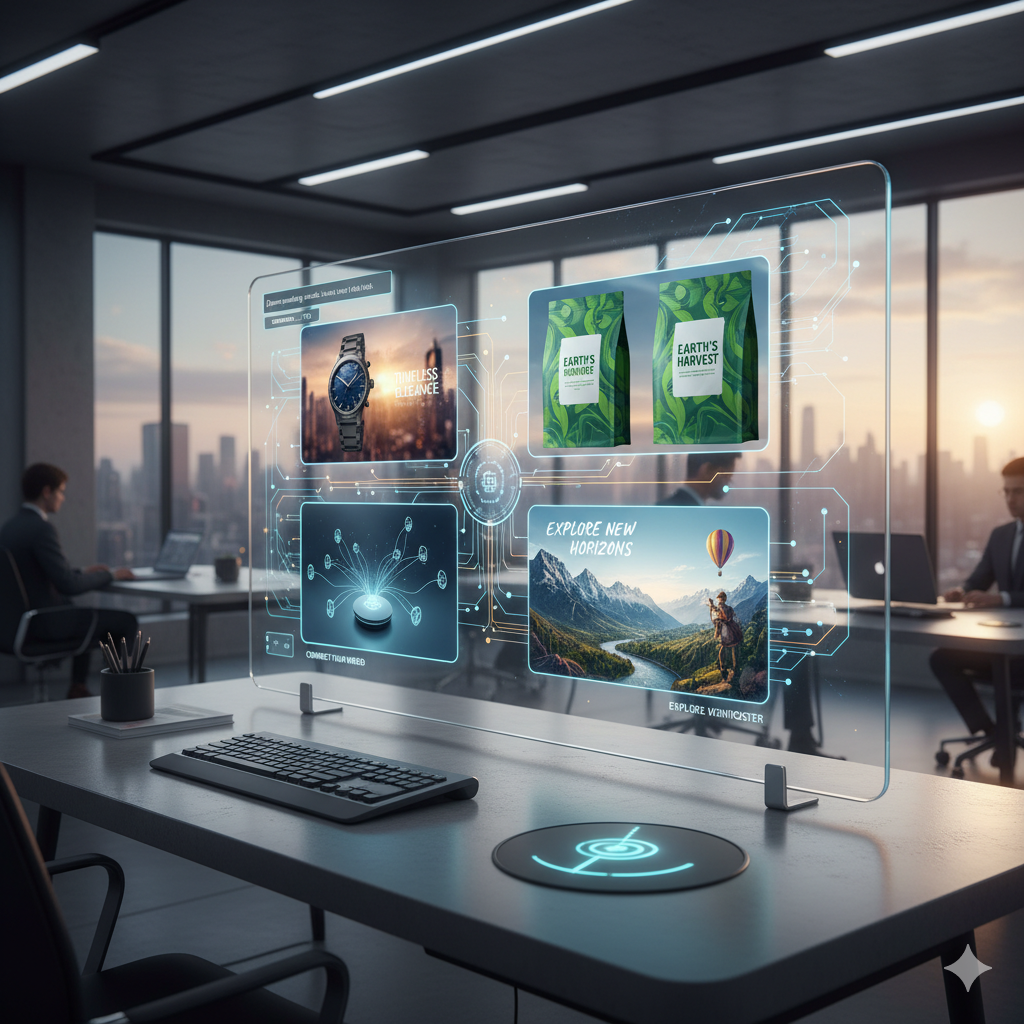
In today’s visually-driven digital landscape, compelling imagery is no longer a luxury but an absolute necessity for any brand aiming to capture attention, convey messages effectively, and build a strong identity. From social media feeds to website banners, email campaigns to advertising creatives, visuals are the silent storytellers that often make the first and most lasting impression. However, the constant demand for fresh, high-quality, and relevant imagery can be a significant challenge, especially for small businesses, startups, and marketing teams operating with limited budgets and resources.
Traditionally, sourcing impressive visuals involved a combination of professional photography, graphic design software expertise, or hefty stock photo subscriptions. Each of these avenues presented its own set of hurdles: cost, time, skill requirements, or licensing complexities. But what if there was a way to generate unique, captivating visuals tailored precisely to your brand’s needs, often at no financial cost, and with remarkable speed? Enter the revolutionary world of free AI image generators.
This comprehensive guide dives deep into how these cutting-edge artificial intelligence tools are democratizing visual content creation, empowering marketers to produce stunning visuals that resonate with their target audience without breaking the bank. We will explore what these tools are, how they work, the leading free platforms available today, best practices for crafting effective prompts, practical applications in various marketing scenarios, and important ethical considerations. By the end of this article, you will be equipped with the knowledge and insights to harness the immense power of free AI image generators to supercharge your brand’s visual marketing strategy.
The Visual Revolution: Why AI Image Generators Are Game-Changers for Marketing
The human brain processes visuals 60,000 times faster than text, and 90 percent of information transmitted to the brain is visual. This startling statistic underscores the undeniable power of images in communication. In marketing, this translates directly into engagement, recall, and conversion rates. A visually appealing social media post is more likely to be shared, an attractive product image more likely to convert, and a relevant blog header more likely to entice a click.
Historically, creating a consistent stream of high-quality visuals has been a bottleneck for many marketers. Hiring a professional graphic designer for every single marketing asset can be prohibitively expensive, especially for businesses needing daily or weekly new content. Relying solely on stock photo libraries, while cost-effective for some, often leads to generic, unoriginal visuals that fail to stand out and truly represent a brand’s unique voice and aesthetic. Furthermore, the sheer volume of content required for diverse platforms, each with its own visual specifications, adds another layer of complexity.
Democratizing Visual Creation with Artificial Intelligence
AI image generators have emerged as a disruptive force, effectively democratizing the creation of visual content. These tools, powered by advanced machine learning models, can interpret textual descriptions (known as “prompts”) and translate them into original images, graphics, and even photorealistic renders. What once required hours of design work or expensive photo shoots can now be achieved in minutes, often with just a few carefully chosen words.
The advent of free AI image generators is particularly significant. They allow individuals and businesses of all sizes to experiment, iterate, and produce a vast array of unique visuals without any upfront financial investment. This is a monumental shift, leveling the playing field and enabling even the smallest startup to compete visually with larger, more established brands. The speed and cost-effectiveness mean that marketers can rapidly prototype ideas, test different visual concepts, and adapt their content strategy with unprecedented agility.
Imagine needing an image for a blog post about “sustainable urban gardening” or a visual for a social media ad promoting a “futuristic smart home device.” Instead of sifting through thousands of stock photos or commissioning a designer, you can simply type your request into an AI image generator, and within seconds, be presented with multiple unique options perfectly aligned with your vision. This capability not only saves money and time but also fosters a new level of creative freedom and experimentation that was previously unattainable for many.
Decoding Free AI Image Generation: How It Works and What to Expect
To effectively leverage free AI image generators for your brand, it’s beneficial to understand the fundamental principles behind their operation and what realistic expectations you should set. At their core, most modern AI image generators operate on what are known as “text-to-image” models. These models are typically a type of deep learning neural network, often based on architectures like Generative Adversarial Networks (GANs) or, more recently and popularly, Diffusion Models.
The Magic Behind the Prompts
Here’s a simplified breakdown of the process:
- Training Data: The AI model is trained on an enormous dataset consisting of billions of images paired with corresponding textual descriptions or captions. During this training phase, the AI learns the intricate relationships between words and visual concepts, patterns, styles, objects, and attributes. It develops an understanding of what a “cat” looks like, how “futuristic” architecture might appear, or what elements constitute a “watercolor painting.”
- Prompt Input: When you provide a text prompt – for example, “a majestic lion wearing a crown, cinematic lighting, fantasy art style” – the AI system processes this text. It breaks down the prompt into its constituent elements and concepts.
- Generation Process (Diffusion Models): In the case of diffusion models, the process often starts with random noise. The AI then iteratively “denoises” this image, gradually transforming the noise into a coherent image that matches the given text prompt. This is guided by the learned relationships from its training data. Each step refines the image, adding detail and coherence.
- Output: The result is a unique image generated entirely by the AI, attempting to fulfill the specifics of your prompt. Most tools offer several variations based on the same prompt, allowing you to choose the best fit.
Realistic Expectations for Free Tools
While incredibly powerful, it’s important to approach free AI image generators with realistic expectations:
- Quality Variation: The quality of generated images can vary significantly depending on the tool, the complexity of the prompt, and even the specific model version being used. Some tools excel at photorealism, while others might lean towards artistic styles.
- Limitations and Quirks: AI models, especially older or less refined ones, can sometimes struggle with specific details. Common issues include distorted human hands, garbled text within images, inconsistent character generation across multiple images, or misinterpreting nuanced concepts.
- Credit Systems: Many “free” tools operate on a credit system. You get a certain number of free generations per day, week, or month. Once these are used, you might need to wait for a refresh or upgrade to a paid plan for more generations.
- Commercial Use: Always double-check the terms of service for commercial use. While many free tools allow commercial use for images generated during their free tier, some might have restrictions or require attribution.
- Learning Curve: While intuitive, mastering prompt engineering – the art of writing effective prompts – takes practice. Your first few attempts might not yield perfect results, but with iteration, you’ll improve.
Understanding these aspects will help you navigate the world of AI image generation more effectively, minimizing frustration and maximizing your creative output. The journey is one of experimentation and learning, but the rewards for your brand’s visual marketing can be truly transformative.
Essential Features and Capabilities of Top Free AI Image Generators
When selecting a free AI image generator for your marketing needs, it is crucial to consider the various features and capabilities that can enhance your workflow and the quality of your output. While “free” versions naturally have limitations compared to their premium counterparts, many still offer a robust set of functionalities that can be incredibly valuable.
Key Functionalities to Prioritize:
- Intuitive User Interface (UI): For marketers who might not be technically inclined, an easy-to-navigate interface is paramount. Tools that allow for straightforward prompt input, clear generation options, and simple image downloading will save time and reduce frustration.
- Prompt Input and Refinement:
- Basic Text Prompts: The core functionality, allowing users to type a description of the desired image.
- Advanced Prompting Options: Some tools offer parameters for aspect ratio, negative prompts (telling the AI what *not* to include), guidance scales (how closely the AI should follow the prompt), and seed numbers for reproducibility.
- Prompt Suggestions/Inspiration: Features that suggest keywords or provide examples of successful prompts can be invaluable for beginners.
- Style and Model Selection:
- Artistic Styles: Ability to specify styles such as “photorealistic,” “watercolor,” “oil painting,” “cartoon,” “pixel art,” “cyberpunk,” “fantasy,” etc.
- Specific Models: Some advanced free tiers allow choosing from different underlying AI models (e.g., Stable Diffusion variants) which are better suited for different types of imagery.
- Output Options and Quality:
- Multiple Variations: Generating several images per prompt allows for selection and iteration.
- Resolution: The output resolution is important for various marketing channels. While free tiers often have limitations, a decent base resolution (e.g., 512×512 or 1024×1024 pixels) is usually provided.
- Upscaling: Some tools offer a free upscale option to increase the resolution of a generated image without losing quality.
- Editing Features: Basic in-tool editing like cropping, resizing, or adding text can be a huge time-saver. More advanced features like inpainting (modifying specific parts of an image) or outpainting (extending an image beyond its original borders) are rare in purely free tiers but excellent if available.
- Credit System and Usage Limits: Understand how many “free” generations you get per day or month. Some tools might offer more credits for watching ads or participating in community activities.
- Image Storage and History: The ability to review past generations and save favorite images is crucial for maintaining consistency and revisiting successful concepts.
- Community Features: Access to a community gallery can provide inspiration, allow users to learn from others’ prompts, and even “remix” existing images.
- Commercial Use Rights: This is arguably the most critical feature for marketers. Always ensure that images generated under the free tier can be used for commercial purposes without additional licensing or royalties.
By carefully evaluating these features against your specific marketing needs, you can identify the free AI image generator that offers the most value and creative flexibility for your brand. While no single free tool will have every premium feature, many provide a surprising amount of power and versatility.
Navigating the Landscape: A Deep Dive into Leading Free AI Image Tools
The market for AI image generators is constantly evolving, with new tools emerging and existing ones updating their capabilities. For marketers seeking free solutions, several platforms stand out for their accessibility, features, and output quality. It is important to remember that “free” often means a credit-based system, limited features, or lower resolution compared to paid versions, but these limitations rarely hinder initial experimentation and core marketing needs.
Top Free AI Image Generators for Marketers:
1. Canva Magic Media
- Overview: Integrated directly into Canva’s popular design platform, Magic Media allows users to generate images and videos from text prompts. Its seamless integration with Canva’s extensive suite of design tools makes it incredibly appealing for marketers already using the platform for social media graphics, presentations, and other visual content.
- Strengths:
- Unbeatable Integration: Images generated can be immediately dropped into any Canva design, making workflow incredibly efficient.
- User-Friendly: True to Canva’s philosophy, the interface is highly intuitive, even for beginners.
- Diverse Styles: Offers a good range of artistic styles and filters to guide the AI’s output.
- Marketing Focus: Designed with content creation in mind, offering templates and easy sharing options.
- Limitations (Free Tier):
- Limited Credits: Free users typically receive a limited number of generations per day/month.
- Less Granular Control: May not offer the same level of detailed prompt parameters as dedicated AI art tools.
- Output Resolution: Free tier images are usually suitable for web and social media but might not be high enough for print without upscaling.
- Best for: Social media marketers, small businesses, content creators who want to quickly generate visuals and incorporate them directly into existing design projects.
2. Microsoft Designer
- Overview: Microsoft’s entry into the AI-powered design space, Designer leverages DALL-E 3 technology for image generation. It aims to simplify the creation of professional-looking designs, flyers, social media posts, and invitations using AI suggestions and templates.
- Strengths:
- DALL-E 3 Power: Benefits from one of the most advanced text-to-image models, leading to high-quality, relevant results.
- Integrated Templates: Offers a wide array of templates and design ideas based on your prompt, making it easy to create complete marketing assets.
- Microsoft Ecosystem: Seamless integration with other Microsoft products, potentially useful for businesses already entrenched in their ecosystem.
- Creative Freedom: Excels at understanding complex prompts and generating diverse, creative outcomes.
- Limitations (Free Tier):
- Access: May still be in preview or have limited availability for some users.
- Credit System: Similar to Canva, free usage is credit-based.
- Specific Features: Certain advanced design or collaboration features might be reserved for paid plans.
- Best for: Marketers looking for high-quality, DALL-E 3 generated images directly within a design environment, especially those needing templates and quick design mockups.
3. Leonardo.AI (Free Tier)
- Overview: Leonardo.AI is a powerful platform catering to both beginners and advanced users, known for its focus on specific AI models and fine-tuning capabilities. Its free tier offers a generous daily allowance of credits.
- Strengths:
- Model Variety: Allows users to select from various fine-tuned AI models (e.g., Leonardo Diffusion, Absolute Reality, Deliberate) optimized for different aesthetics and styles, providing greater control over output.
- Advanced Controls: Offers extensive options like prompt strength, image dimensions, negative prompts, tiling, and even image-to-image prompting (using an existing image as a base).
- Community Features: A vibrant community gallery provides endless inspiration, allowing users to see prompts and settings used by others.
- Upscaling and HD Resolution: Often provides good resolution options and free upscaling.
- Limitations (Free Tier):
- Learning Curve: The sheer number of options can be overwhelming for absolute beginners.
- Credit Depletion: While generous, complex generations or upscaling can consume credits quickly.
- Commercial Use: While generally permitted, always verify the latest terms for your specific use case.
- Best for: Marketers and designers who want more granular control over AI image generation, are willing to explore different models, and need higher-quality outputs for various marketing assets. Excellent for concept art, specific product visuals, and varied artistic styles.
4. Craiyon (formerly DALL-E mini)
- Overview: Craiyon gained viral popularity for its ability to generate often surreal and humorous images from any prompt. It’s a straightforward text-to-image tool.
- Strengths:
- Pure Simplicity: No complex settings, just a prompt box and a generate button.
- Instant Gratification: Quick to produce results (though sometimes takes a minute or two).
- Experimental & Fun: Great for quick, quirky visuals or brainstorming off-the-wall ideas.
- Limitations:
- Lower Quality: Images are often less refined, lower resolution, and can be quite abstract or distorted.
- Limited Control: No style options or advanced parameters.
- Not Ideal for Professional Use: While fun for concepts, the output generally isn’t suitable for polished marketing materials without significant post-processing.
- Best for: Brainstorming, generating quirky or meme-like content, and quick, low-stakes visual experiments.
5. Lexica.art / SeaArt.AI (Freemium Models)
- Overview: These platforms primarily serve as search engines for AI-generated art, often built on Stable Diffusion models. They also offer their own generation capabilities with freemium models. Lexica.art, for instance, focuses on Stable Diffusion and provides a vast prompt library. SeaArt.AI is similar, offering many models and a comprehensive community.
- Strengths:
- Prompt Discovery: Excellent for finding inspiration and seeing what prompts produce specific visual styles. You can often copy prompts directly.
- Model Diversity (SeaArt.AI): SeaArt.AI offers a staggering number of community-trained models, allowing for incredibly specific aesthetics.
- Free Generations: Both offer daily free credits for generation, often quite generous.
- High-Quality Output: Since they leverage advanced models, the output quality can be very high.
- Limitations:
- Credit Based: Rely heavily on credit systems, and advanced features are locked behind paywalls.
- Interface Complexity: SeaArt.AI, in particular, can be overwhelming due to the sheer number of options and models.
- Not Integrated: Unlike Canva or Microsoft Designer, these are standalone tools requiring manual export and import into other design software.
- Best for: Marketers who need high-quality, varied AI art, want to experiment with different models, and seek prompt inspiration from a large community.
Each of these tools offers a unique value proposition. The “best” one depends on your specific needs, existing workflow, and desired level of control. Experimenting with a few will quickly reveal which one aligns best with your brand’s visual marketing goals.
Mastering the Art of Prompt Engineering for Marketing Success
The quality of an AI-generated image is directly proportional to the quality of the prompt you provide. Prompt engineering is the art and science of crafting precise, descriptive text inputs that guide the AI to produce the desired visual outcome. For marketers, mastering this skill is paramount, as it ensures your generated visuals are not just aesthetically pleasing but also perfectly aligned with your brand message and marketing objectives. Think of your prompt as the script for the AI’s creative performance.
Components of an Effective Marketing Prompt:
- Subject: Clearly define the main focus of your image. Be specific.
- Bad: “Man”
- Good: “A young professional man, diverse ethnicity, smiling”
- Action/Context: What is the subject doing or what is the scenario?
- Bad: “Working”
- Good: “A young professional man, diverse ethnicity, smiling, presenting a report in a modern office”
- Environment/Setting: Where is the scene taking place? Specify details.
- Bad: “Office”
- Good: “A young professional man, diverse ethnicity, smiling, presenting a report in a modern, brightly lit office with panoramic city views”
- Style/Art Medium: How do you want the image to look? This is crucial for branding.
- Bad: “Pretty image”
- Good: “A young professional man, diverse ethnicity, smiling, presenting a report in a modern, brightly lit office with panoramic city views, photorealistic, corporate stock photo style”
- Lighting/Composition: Add cinematic or photographic terms for enhanced visual appeal.
- Good: “A young professional man, diverse ethnicity, smiling, presenting a report in a modern, brightly lit office with panoramic city views, photorealistic, corporate stock photo style, golden hour lighting, shallow depth of field, wide shot”
- Emotional Tone/Mood: If applicable, convey the feeling you want the image to evoke.
- Good: “A young professional man, diverse ethnicity, smiling confidently, presenting a report in a modern, brightly lit office with panoramic city views, photorealistic, corporate stock photo style, golden hour lighting, shallow depth of field, wide shot, conveying success and professionalism”
- Specific Details: Add any other crucial elements, colors, or objects.
- Good: “A young professional man, diverse ethnicity, smiling confidently, wearing a blue suit, presenting a report on a tablet in a modern, brightly lit office with panoramic city views, photorealistic, corporate stock photo style, golden hour lighting, shallow depth of field, wide shot, conveying success and professionalism, vibrant colors”
Tips for Iterative Prompting:
- Start Simple, Then Elaborate: Begin with a concise prompt to get a general idea, then progressively add more details and modifiers based on the initial results.
- Use Keywords and Descriptive Adjectives: Instead of vague terms, use powerful, specific words (e.g., “vibrant,” “ethereal,” “gritty,” “minimalist,” “luxurious”).
- Experiment with Synonyms: If an AI isn’t grasping a concept, try different words that mean the same thing.
- Specify Negative Prompts: Many tools allow you to tell the AI what *not* to include (e.g., “ugly, deformed, blurry, text, watermark”). This is incredibly effective for filtering out unwanted elements.
- Reference Artists/Styles: Mentioning famous artists or art movements (e.g., “in the style of Van Gogh,” “Bauhaus architecture”) can significantly influence the output.
- Consider Aspect Ratios: Specify the desired image dimensions (e.g., “aspect ratio 16:9 for banner,” “square for social media post”).
- Learn from Others: Explore community galleries on platforms like Leonardo.AI or Lexica.art to see successful prompts and adapt them for your needs.
- Consistency is Key: If you need multiple images with a similar look and feel, keep your core prompt elements consistent and only change specific details.
For example, if you are creating an ad for a new coffee shop, instead of “coffee shop,” try: “A cozy, minimalist coffee shop interior, warm lighting, barista crafting latte art, soft bokeh background, natural light, cinematic, inviting atmosphere, realistic photography.” This level of detail vastly increases your chances of getting a usable marketing visual on the first few tries.
Prompt engineering is an ongoing learning process. The more you experiment and refine your technique, the more control you will gain over the AI’s creative output, transforming it from a random generator into a powerful, precise marketing asset creation tool.
Integrating AI-Generated Visuals into Your Marketing Strategy: Practical Applications
The beauty of free AI image generators lies not just in their ability to create stunning visuals, but in their versatility across numerous marketing channels. Integrating these tools into your overall marketing strategy can significantly boost efficiency, creativity, and brand engagement. Here are several practical applications and real-world scenarios where AI-generated visuals can make a tangible difference:
1. Social Media Content
- Scenario: A fashion brand needs daily unique content for Instagram, Facebook, and TikTok to showcase different styles and promotions without the budget for constant photoshoots.
- AI Solution: Generate diverse lifestyle images featuring models wearing generic versions of specific clothing types (e.g., “young woman wearing a bohemian summer dress in a sunlit field, fashion photography, vibrant colors”). Create seasonal graphics, motivational quotes with unique backgrounds, or abstract patterns for stories and reels.
- Benefit: A constant stream of fresh, relevant, and eye-catching content keeps audiences engaged and maintains brand presence, all without relying heavily on expensive stock photos or professional photographers.
2. Blog Post Headers and Illustrations
- Scenario: A tech blog publishes several articles weekly on topics ranging from cybersecurity to AI advancements, requiring unique, relevant headers for each post to improve click-through rates.
- AI Solution: For an article on “The Future of Quantum Computing,” generate an image of “futuristic supercomputer glowing with quantum energy, abstract, intricate circuit patterns, deep blue and purple hues, digital art.” For “Home Security Tips,” create “a sleek smart home exterior with integrated security cameras, focus on privacy and safety, modern architectural photography.”
- Benefit: Each blog post gets a distinct, captivating header that accurately reflects its content, enhancing readability, SEO, and user experience, making your content more shareable.
3. Email Marketing Visuals
- Scenario: An e-commerce brand sends weekly newsletters announcing new products, sales, and special offers, needing appealing images to break up text and highlight promotions.
- AI Solution: Generate hero images for product launches (e.g., “a new line of organic skincare products elegantly arranged on a marble counter with subtle botanicals, soft studio lighting, clean aesthetic”). Create banner images for holiday sales (e.g., “festive holiday shopping scene, diverse people celebrating, warm inviting atmosphere, watercolor illustration”).
- Benefit: Visually appealing emails have higher open and click-through rates. AI helps create varied, campaign-specific imagery that makes each email feel unique and engaging.
4. Ad Campaign Creatives (Concept Art & Variations)
- Scenario: A marketing agency is launching a new ad campaign for a client and needs to quickly test different visual concepts and variations to see what resonates best with the target audience before investing in professional assets.
- AI Solution: Generate multiple visual concepts for a single ad message. For example, if advertising a travel destination, create variations like “idyllic beach sunset, couple enjoying cocktails,” “historic European cityscape, bustling market,” and “adventurous mountain hike, breathtaking views, wide shot.” Then, add subtle variations in character, lighting, or composition.
- Benefit: Rapid prototyping and A/B testing of visual ideas without significant upfront costs. This allows marketers to iterate quickly, identify winning creatives, and optimize ad performance before committing to expensive production.
5. Website Banners and Landing Page Graphics
- Scenario: A SaaS company needs custom banners for new feature announcements and landing page graphics that perfectly match their brand’s modern, minimalist aesthetic.
- AI Solution: Generate abstract background patterns with specific color palettes, icons representing features, or conceptual images (e.g., “seamless futuristic technology pattern, interconnected nodes, vibrant blue and green gradient, minimalist design for a SaaS website banner”).
- Benefit: Ensures brand consistency and provides unique, high-quality visuals for critical web real estate, improving the professional look and feel of the website and user journey.
6. Product Mockups (Initial Concepts)
- Scenario: A product development team needs quick visual representations of potential product packaging or prototypes for internal review or early market research.
- AI Solution: Generate mockups of product packaging (e.g., “minimalist packaging design for eco-friendly coffee beans, kraft paper texture, simple line art, studio lighting”). Create conceptual product renderings (e.g., “sleek smartphone design with holographic display, clean white background, tech product photography”).
- Benefit: Speeds up the design process by providing instant visual feedback on concepts, saving time and resources that would otherwise be spent on 3D rendering or physical prototypes.
7. Branding Elements & Inspiration
- Scenario: A new brand is developing its visual identity and needs inspiration for logos, color palettes, and overall aesthetic.
- AI Solution: Generate abstract art, unique patterns, or even logo concepts based on keywords related to the brand’s values (e.g., “abstract representation of growth and innovation, intertwined lines, modern corporate logo style, vibrant green and silver colors”).
- Benefit: AI can serve as a powerful brainstorming partner, providing a broad range of visual ideas to jumpstart the branding process and refine aesthetic choices.
By thoughtfully integrating AI-generated visuals, marketers can unlock new levels of creativity, efficiency, and adaptability, ensuring their brand always has fresh, compelling imagery to captivate its audience across all digital touchpoints.
Comparison Tables
To further assist in your decision-making, here are two tables comparing aspects of free AI image generators and the benefits of using AI for visual creation versus traditional methods.
Table 1: Comparison of Popular Free AI Image Generators
| Feature/Tool | Canva Magic Media | Microsoft Designer | Leonardo.AI (Free Tier) | Craiyon (DALL-E mini) |
|---|---|---|---|---|
| Integration with Design Suite | Excellent (seamlessly integrated with Canva’s editor) | Good (integrated with Microsoft templates & design features) | None (standalone tool, requires export) | None (standalone tool, requires export) |
| Underlying AI Model | Stable Diffusion, DALL-E 2/3 variants | DALL-E 3 | Stable Diffusion variants (custom models available) | Custom DALL-E mini model |
| Ease of Use (Beginner) | Very High | High | Medium (due to advanced options) | Very High (minimal options) |
| Control & Customization | Medium (some style options) | Medium (DALL-E 3’s intelligent interpretation) | Very High (model selection, negative prompts, dimensions) | Very Low (prompt text only) |
| Output Quality & Realism | Good to Very Good | Very Good to Excellent | Good to Excellent (depending on model/prompt) | Low to Medium (often abstract/distorted) |
| Credit System (Approx. Daily) | Limited (e.g., 5-10 generations) | Limited (e.g., 15-25 generations) | Generous (e.g., 150-200 credits, complex generations consume more) | Unlimited (but slower generation) |
| Best for | Quick design integration, social media assets | High-quality designs with DALL-E 3, template-based creation | Advanced art generation, specific styles, granular control | Brainstorming, quirky concepts, experimental use |
Table 2: AI-Generated Images vs. Traditional Visual Creation Methods
| Aspect | AI-Generated Images (Free Tools) | Stock Photography (Free/Paid) | Professional Graphic Designer/Photographer |
|---|---|---|---|
| Cost | Free (with credit limits) | Free (limited selection, generic) or Paid (subscription/per-image) | High (hourly rates, project fees) |
| Speed of Creation | Minutes (generation time) | Minutes (search & download) | Days to Weeks (briefing, revisions, production) |
| Uniqueness/Originality | High (unique creations based on your prompt) | Low to Medium (widely used, generic themes) | Very High (custom, brand-specific) |
| Customization Level | High (tailored by prompt, iterative) | Low (limited to existing library) | Very High (direct communication, revisions) |
| Skill Required | Low to Medium (prompt engineering) | Low (searching) | High (design software, photography) |
| Brand Alignment | High (can be trained to match aesthetic) | Medium (can be generic, hard to find exact match) | Very High (created specifically for brand) |
| Ideal Use Cases | Rapid prototyping, social media, blog headers, ad variations, conceptual art | Quick generic content, budget constraints, specific themes available | Core branding assets, high-stakes campaigns, unique product photography, complex designs |
Ethical Considerations, Copyright, and the Limitations of Free AI Tools
While the benefits of free AI image generators are undeniable, it is crucial for marketers to navigate the ethical landscape, understand copyright implications, and acknowledge the inherent limitations of these tools. Responsible use ensures not only legal compliance but also maintains brand integrity and trust.
1. Copyright and Commercial Use Rights
This is perhaps the most critical consideration for marketers. The legal landscape around AI-generated art is still evolving, but here are general guidelines:
- Check Terms of Service (ToS): Always, always read the terms of service of any AI image generator, especially the section on commercial use. Many free tools allow commercial use of images generated during their free tier, but some might have restrictions or require attribution.
- Ownership: In many jurisdictions, the question of who owns the copyright to AI-generated art (the user, the AI developer, or nobody) is unsettled. For marketing purposes, focus on the platform’s explicit permission for commercial use. If a platform states you can use the images commercially, proceed, but be aware of the broader legal ambiguity.
- Input Data Concerns: Some AI models are trained on vast datasets that may include copyrighted material without explicit permission from the original artists. While the AI output is “transformative” and typically does not directly copy an image, ethical concerns persist about the training process. Avoid prompts that specifically request copyrighted characters, logos, or styles of living artists without proper licensing.
2. Bias in AI Models
AI models learn from the data they are trained on. If this data disproportionately represents certain demographics or stereotypes, the AI will reflect those biases in its output. For marketers, this means:
- Reinforcing Stereotypes: An AI might default to generating a male CEO, a traditionally feminine nurse, or individuals of a specific ethnicity unless explicitly prompted otherwise.
- Lack of Diversity: Without careful prompting, generated images may lack the diversity that resonates with a broad audience and aligns with inclusive brand values.
- Mitigation: Actively include diverse descriptors in your prompts (e.g., “diverse group of professionals,” “elderly woman smiling,” “person of color leading a meeting”). Review outputs critically for unintended biases.
3. Deepfakes and Misinformation
The ability of AI to create highly realistic images also raises concerns about its potential misuse for generating deepfakes or spreading misinformation. While marketers typically use these tools for legitimate purposes, awareness is key:
- Authenticity: Always be transparent about the use of AI if it’s relevant to your audience’s perception of authenticity, especially for sensitive topics.
- Ethical Content: Never use AI to create misleading, deceptive, or harmful content.
4. Limitations of Free AI Tools
Even the most advanced free tools come with limitations that require human oversight and sometimes manual refinement:
- Inconsistent Output: Achieving consistent character appearance across multiple images or maintaining a precise brand style can be challenging without advanced fine-tuning options (often premium).
- Anatomical Anomalies: AI still struggles with complex anatomical details, especially hands and feet, which can often appear distorted or have extra digits.
- Text Generation: AI models are generally poor at generating legible or meaningful text within images. Any text needed typically has to be added manually in a separate design program.
- Niche Understanding: For highly specialized or abstract concepts, the AI might misinterpret or fail to generate truly relevant visuals.
- Lack of Nuance: AI might miss subtle emotional cues or cultural nuances that a human designer would instinctively understand.
- Credit Limits: Relying solely on free tiers means working within daily or monthly credit limits, which can hinder large-scale production.
- Human Touch Still Essential: AI tools are powerful assistants, but they don’t replace the strategic thinking, creative direction, and critical eye of a human marketer. Post-processing, editing, and strategic placement of AI-generated visuals are still crucial.
By being mindful of these ethical considerations and limitations, marketers can leverage free AI image generators responsibly and effectively, ensuring that the visual content generated enhances their brand without compromising trust or integrity.
The Future is Visual: Emerging Trends in AI Image Generation
The field of AI image generation is advancing at an astonishing pace, with new breakthroughs and capabilities emerging almost monthly. What seems cutting-edge today could be standard practice tomorrow. For marketers, staying abreast of these trends is essential to anticipate future tools and optimize visual content strategies. The future promises even more accessible, powerful, and integrated AI visual creation tools.
1. Improved Consistency and Realism
Current AI models, especially free ones, can sometimes struggle with maintaining consistent character features across multiple images or generating perfectly photorealistic hands. Future iterations will likely address these “quirks.” We can expect:
- Higher Fidelity: More detailed and less “AI-artefacted” images directly from prompts.
- Character Consistency: Easier generation of a consistent brand mascot or spokesperson across various marketing materials.
- Better Anatomy: More accurate representation of human and animal anatomy.
2. Video Generation from Text and Image
While still largely in advanced research labs, text-to-video and image-to-video generation are rapidly progressing. Imagine:
- Dynamic Social Media: Generating short, engaging video clips for social media ads or stories from a simple text description.
- Animated Logos: Creating animated versions of brand logos or visual elements without complex animation software.
- Explainer Videos: Rapidly prototyping animated scenes for product explainers or tutorials.
Tools like RunwayML (though primarily paid) and experimental models from Google and Meta are already showing glimpses of this future, indicating that free, limited versions might become available for basic video generation.
3. 3D Model Generation and Integration
Generating 2D images is just the beginning. The next frontier involves creating 3D models and assets from text prompts or 2D images. This would be a game-changer for:
- Product Visualization: Generating 3D models of new products for e-commerce, virtual showrooms, or augmented reality experiences.
- Game Assets: Creating environmental props or characters for virtual brand experiences.
- Architectural Pre-visualization: Designing conceptual 3D layouts for retail spaces or event booths.
4. Personalized and Adaptive AI Art
AI models are becoming more adept at understanding user preferences and adapting their output. This could lead to:
- Branded Style Guides: AI tools learning a brand’s specific visual style and automatically applying it to all generated content, ensuring perfect consistency.
- Audience-Specific Customization: Generating visuals that are automatically tailored to specific audience segments based on their preferences and demographics.
5. Deeper Integration with Marketing Platforms
As seen with Canva and Microsoft Designer, AI image generation will become even more deeply embedded within broader marketing and design platforms. This means:
- Unified Workflows: Generating, editing, and publishing visuals all within a single environment.
- AI-Powered Suggestions: AI suggesting visuals based on your campaign brief, target audience, or even real-time performance data.
- Accessibility Features: Automatic generation of image descriptions for accessibility (alt-text) and other metadata.
6. Ethical AI and Watermarking
As AI art becomes more sophisticated, there will be increasing focus on ethical usage, provenance, and detection:
- Content Authenticity: Tools and standards for digitally watermarking or signing AI-generated content to verify its origin and distinguish it from human-created content.
- Bias Mitigation: More robust techniques for detecting and reducing bias in AI models.
The ongoing evolution of AI image generation promises a future where visual content creation is even more democratic, efficient, and creatively boundless. Marketers who embrace these emerging trends will be well-positioned to innovate and captivate their audiences in ever more engaging ways.
Key Takeaways
To summarize the comprehensive insights shared in this guide, here are the essential key takeaways for boosting your brand with free AI image generators:
- Visuals are Paramount: In today’s digital age, compelling visuals are critical for brand engagement, communication, and standing out in a crowded market.
- AI Democratizes Creation: Free AI image generators break down barriers to high-quality visual content creation, offering cost-effective and rapid solutions for marketers of all scales.
- Understand the Tech: AI image generators translate text prompts into unique visuals using advanced models like diffusion networks, learning from vast image-text datasets.
- Manage Expectations: While powerful, free AI tools have limitations in resolution, consistency, and advanced controls, and often operate on credit systems.
- Choose Wisely: Platforms like Canva Magic Media and Microsoft Designer offer seamless integration, while Leonardo.AI provides more granular control and model variety. Craiyon is for quick, experimental fun.
- Master Prompt Engineering: The quality of your output depends on the precision and detail of your prompts. Focus on subject, action, environment, style, lighting, and mood.
- Iterate and Refine: Start simple, add details, use negative prompts, and learn from community examples to continuously improve your results.
- Diverse Applications: AI visuals are invaluable for social media, blog headers, email campaigns, ad concept testing, website banners, product mockups, and branding inspiration.
- Ethical Responsibility: Always check commercial use rights, actively mitigate AI bias through inclusive prompting, and be mindful of the broader ethical implications of AI-generated content.
- Human Oversight is Key: AI is a tool, not a replacement for human creativity, strategic thinking, and critical evaluation. Post-processing and design context remain crucial.
- Future is Bright: Expect continued advancements in realism, consistency, video generation, 3D models, and deeper integration into marketing platforms.
Conclusion
The landscape of marketing is continuously reshaped by technological innovation, and free AI image generators stand out as one of the most exciting and impactful developments of our time. They are not merely novelty tools but powerful allies that empower brands, big and small, to overcome traditional hurdles in visual content creation. By understanding their capabilities, mastering the art of prompt engineering, and integrating them strategically into your marketing efforts, you can unlock a new realm of creative possibilities, significantly enhance your brand’s visual appeal, and streamline your content production workflows.
The days of struggling to find the perfect image or spending exorbitant amounts on generic stock photos are rapidly becoming a relic of the past. With the right approach, free AI image generators can transform your marketing visuals from a challenge into a competitive advantage. Embrace these tools, experiment boldly, and watch as your brand captivates audiences with unique, compelling, and endlessly creative visual stories. The future of marketing is undeniably visual, and with AI, that future is now more accessible and exciting than ever before.
Frequently Asked Questions
Q: What exactly is a free AI image generator?
A: A free AI image generator is an online tool powered by artificial intelligence that can create unique images from text descriptions, known as prompts. These tools use complex machine learning models trained on vast datasets of images and text to understand relationships and generate new visuals. “Free” typically refers to a freemium model where basic features and a limited number of generations are offered without cost, while advanced features or higher usage require a paid subscription.
Q: Are the images generated by free AI tools truly unique, or do they copy existing art?
A: Generally, AI image generators produce unique images that are not direct copies of existing art. They “learn” styles, objects, and concepts from their training data and then combine these elements in novel ways based on your prompt. While an AI might be influenced by patterns it has seen, it creates new compositions. However, if you explicitly prompt for copyrighted characters or specific artwork by a known artist, you might get something very similar, which can raise copyright concerns. For general marketing, the output is considered original.
Q: Can I use AI-generated images for commercial purposes, like advertising or my website?
A: This is a critical question, and the answer depends entirely on the specific AI tool’s terms of service (ToS). Many popular free AI image generators, such as Canva Magic Media and Microsoft Designer, do allow commercial use of images generated on their free tiers. However, it is absolutely essential to read the ToS of each platform you use to ensure compliance and avoid potential legal issues. Some might require attribution, while others have no such clause for commercial use.
Q: What is “prompt engineering” and why is it important for marketers?
A: Prompt engineering is the skill of crafting precise and detailed text descriptions (prompts) to guide an AI image generator to produce the desired visual output. It is crucial for marketers because a well-engineered prompt ensures that the generated image accurately reflects brand messaging, aesthetic guidelines, and marketing objectives. Mastering prompt engineering means you can move beyond generic results to create highly specific, compelling visuals tailored to your campaigns, saving time and achieving better results.
Q: What are the common limitations of free AI image generators?
A: While powerful, free AI image generators have several common limitations:
- Credit Limits: You usually get a limited number of free generations per day or month.
- Resolution: Free tier images might be lower resolution, requiring upscaling for high-quality print.
- Consistency: Achieving a consistent look for characters or styles across multiple images can be challenging.
- Anatomical Errors: AI often struggles with complex details like human hands, which can appear distorted.
- Text in Images: Generating legible or meaningful text within images is very difficult for AI.
- Less Granular Control: Free versions typically offer fewer advanced settings compared to paid tiers.
Q: How can I ensure my AI-generated images align with my brand’s style?
A: To align with your brand’s style, be highly specific in your prompts. Include keywords that describe your brand’s aesthetic, such as “minimalist,” “vibrant,” “vintage,” “modern,” “eco-friendly,” along with specific color palettes or photographic styles (e.g., “warm studio lighting,” “flat lay photography”). Consistently use these style descriptors across all your prompts. Over time, as AI models advance, some may even allow for “style training” where they learn your brand’s visual identity.
Q: Can AI image generators replace human graphic designers or photographers?
A: No, AI image generators are powerful tools that augment, rather than replace, human creativity and skill. They are excellent for generating initial concepts, variations, or rapid content for certain channels. However, human graphic designers and photographers bring strategic thinking, deep understanding of brand identity, cultural nuances, emotional intelligence, and the ability to execute complex, multi-layered campaigns that AI currently cannot replicate. AI serves as an incredibly efficient assistant, freeing up designers for more complex and strategic tasks.
Q: What is the difference between DALL-E 3, Stable Diffusion, and other AI models?
A: DALL-E 3 and Stable Diffusion are both prominent underlying AI models that power many image generators.
- DALL-E 3: Developed by OpenAI, DALL-E 3 (and its predecessors) is known for its exceptional ability to understand complex prompts, generate coherent and visually pleasing images, and integrate well with natural language processing tools. It often excels at creative and illustrative styles. Microsoft Designer uses DALL-E 3.
- Stable Diffusion: An open-source model, Stable Diffusion has been incredibly influential due to its accessibility and flexibility. It has numerous “fine-tuned” versions (like Leonardo Diffusion, Absolute Reality) that specialize in different styles (e.g., photorealism, anime, fantasy). Many free and commercial tools, including Leonardo.AI, leverage Stable Diffusion.
The choice of model often impacts the aesthetic, quality, and prompt interpretation. Some platforms allow you to choose which model to use.
Q: How can I get the best results from a free AI image generator?
A: To get the best results:
- Be Specific: Provide as much detail as possible in your prompt.
- Use Descriptive Adjectives: Words like “vibrant,” “serene,” “futuristic,” “cinematic” make a difference.
- Specify Styles: Clearly state the desired art style (e.g., “photorealistic,” “watercolor,” “cyberpunk”).
- Include Negative Prompts: Tell the AI what you *don’t* want (e.g., “blurry, deformed, text”).
- Experiment and Iterate: Start simple, refine, and try different variations.
- Use Community Prompts: Learn from successful prompts shared by others on platforms with community galleries.
- Leverage Available Settings: Explore aspect ratios, guidance scales, and model selections if the tool offers them.
Q: What emerging trends in AI image generation should marketers watch out for?
A: Key emerging trends include:
- Improved Realism & Consistency: AI will get better at generating perfectly realistic and consistent characters/styles across multiple outputs.
- Text-to-Video Generation: Creating short video clips from text prompts is rapidly advancing.
- 3D Model Generation: Generating 3D assets from text or 2D images will open new possibilities for product visualization and virtual experiences.
- Deeper Platform Integration: AI image generation will become seamlessly integrated into more marketing and design platforms (like Canva).
- Personalized AI Art: Tools learning a brand’s style or tailoring visuals to specific audience segments.
These advancements will make visual content creation even more dynamic and accessible.


























































































Leave a Reply