

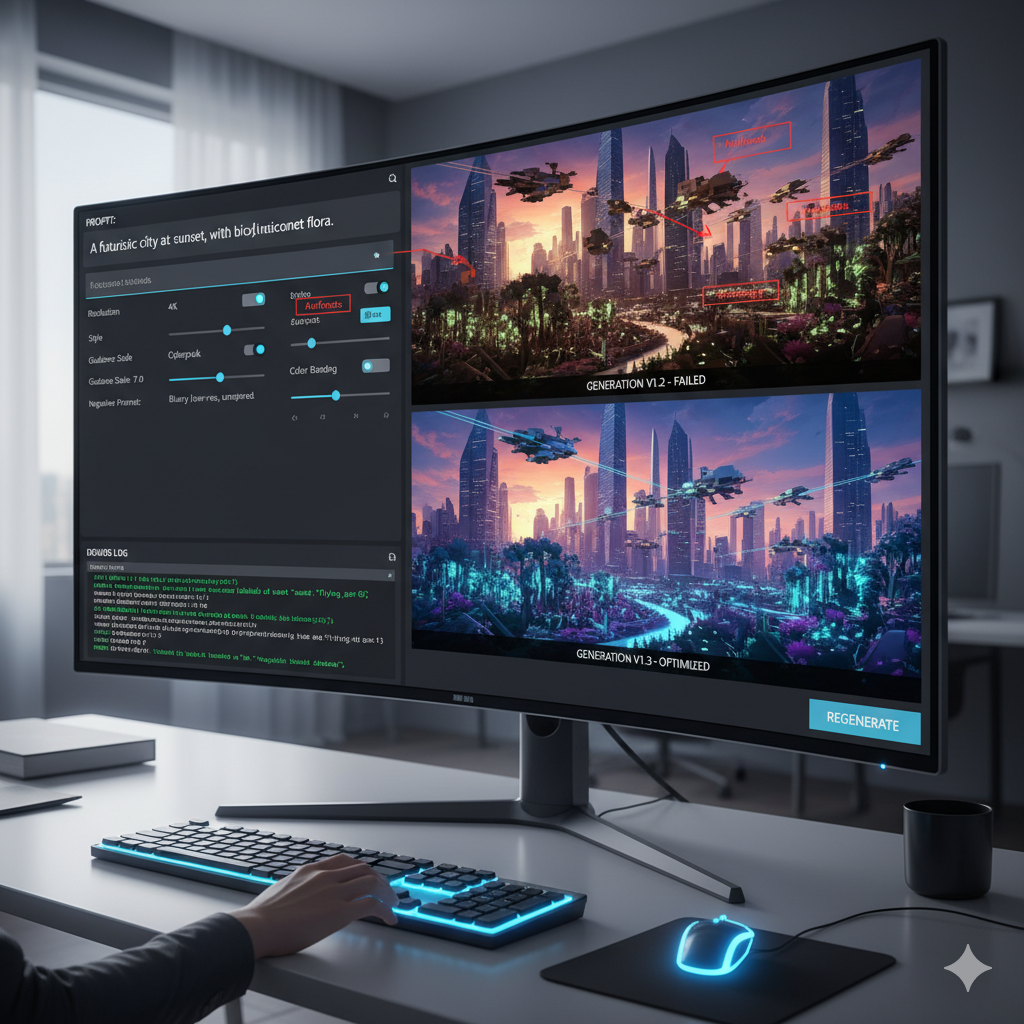
Troubleshooting Common Issues with AI Image Generation Tools
The dawn of AI image generation has ushered in an era of unprecedented creative possibility. Tools like Midjourney, Stable Diffusion, and DALL-E have democratized visual artistry, allowing anyone to conjure intricate scenes, surreal landscapes, and hyper-realistic portraits with mere text commands. Yet, as powerful as these tools are, they are not infallible. The journey from a brilliant idea to a perfect image is often fraught with discrepancies, unexpected interpretations, and outright failures. This is where the art and science of prompt engineering truly shine. Understanding the common pitfalls and knowing how to rectify them is not just a skill; it is the cornerstone of mastering AI image generation.
From a character with too many fingers to an object mysteriously absent from the scene, or a desired artistic style that transforms into something entirely different, these frustrating inconsistencies are common. This comprehensive guide aims to demystify these challenges, offering practical insights and actionable strategies to help you diagnose and fix AI image generation discrepancies. We will delve into the nuances of prompt construction, explore the underlying mechanisms of AI interpretation, and equip you with the knowledge to consistently achieve the visual outcomes you envision.
The Anatomy of a Prompt and Common Discrepancies
At its core, a prompt is a set of instructions given to an AI model. It is the bridge between human intent and machine execution. A well-crafted prompt acts as a precise blueprint, guiding the AI to generate an image that faithfully reflects the user’s vision. Conversely, a poorly constructed prompt, riddled with ambiguities or contradictions, often leads to undesirable and inconsistent results. Understanding the components of a prompt and the types of discrepancies that can arise is the first step toward mastery.
Elements of an Effective Prompt
- Subject: The main focus of the image (e.g., “a majestic lion”).
- Action/Setting: What the subject is doing or where it is (e.g., “roaring on a savannah at sunset”).
- Style/Art Direction: The aesthetic quality (e.g., “hyperrealistic, cinematic lighting, oil painting”).
- Details/Attributes: Specific characteristics of the subject or scene (e.g., “golden mane, piercing eyes, long shadow”).
- Composition/Perspective: How the image is framed (e.g., “wide shot, low angle, close-up”).
- Negative Prompts: What you explicitly do not want to see (e.g., “–no blurry, distorted, watermark”).
Categories of AI Image Generation Discrepancies
Discrepancies can manifest in various forms, often stemming from the AI’s complex interpretative process and the vastness of its training data. Recognizing these categories helps in pinpointing the root cause of the issue:
- Semantic Misinterpretation: The AI misunderstands your words, leading to an entirely different subject or scene. For instance, asking for a “bat” might yield a baseball bat instead of an animal.
- Stylistic Inconsistency: The desired artistic style is either absent, diluted, or replaced by an unintended aesthetic. A request for “impressionistic” might turn out photorealistic.
- Object Omission or Addition: Key elements mentioned in the prompt are missing, or unwanted objects appear in the generated image. This is common with complex scenes or multiple subjects.
- Spatial and Positional Errors: Objects are placed incorrectly, defying logic or the user’s explicit instructions. Limbs might be disproportionate, or elements might float unnaturally.
- Coherence Breakdown: In prompts aiming for a narrative or a consistent theme across multiple elements, the AI fails to create a unified, logical image. Story elements don’t align.
- Detail Dilution: While the overall concept might be present, specific, intricate details requested are either simplified or ignored by the model.
Semantic Misinterpretation and Ambiguity: The Language Barrier
One of the most frequent sources of discrepancies is the inherent ambiguity of natural language. AI models interpret prompts based on patterns learned from billions of image-text pairs. If a word or phrase has multiple meanings, or if the context is unclear, the AI might default to the most common interpretation in its training data, or even a random one.
Why Semantic Ambiguity Occurs
- Polysemy: Words with multiple meanings (e.g., “bank” can be a financial institution or a river’s edge).
- Homonyms: Words that sound the same but have different meanings and spellings (e.g., “flour” and “flower”).
- Abstract Concepts: Ideas like “freedom,” “joy,” or “melancholy” are difficult for an AI to visualize without specific contextual cues.
- Vague Modifiers: Words like “beautiful,” “good,” or “many” lack precise quantifiable meaning, leading to subjective interpretations.
- Contradictory Instructions: Prompting “a hot snowman” creates a paradox that the AI struggles to resolve coherently.
Strategies for Overcoming Semantic Misinterpretation
The key to fixing semantic issues lies in increasing clarity and specificity in your language. Think like a programmer, providing unambiguous instructions.
- Be Explicit and Specific: Instead of “bat,” specify “a flying mammal bat” or “a wooden baseball bat.” Replace “large” with “towering,” “colossal,” or specific dimensions like “20 feet tall.”
- Use Synonyms and Descriptors: If one word isn’t working, try a synonym. Instead of “car,” try “automobile,” “vehicle,” or describe its type: “vintage sedan,” “sports coupe.”
- Break Down Complex Concepts: If you want an image representing “freedom,” describe its visual components: “a bird soaring high above mountains,” “a person running through an open field with arms outstretched.”
- Provide Contextual Cues: Always frame your subjects within a clear setting or action. “A crane (bird) standing by the water” versus “A crane (machine) lifting steel.”
- Iterative Refinement: Start simple, observe the AI’s interpretation, and then add modifiers to steer it towards your desired meaning. If “apple” gives you the fruit, and you wanted the tech company, add “logo, glowing, modern.”
- Leverage Weighting (if supported): Some models allow you to assign weights to prompt terms (e.g., “baseball bat::1.5” or “flying mammal bat::1.5”), emphasizing certain interpretations over others.
Stylistic Inconsistency and Lack of Artistic Control
Achieving a consistent and specific artistic style is a frequent challenge. You might ask for a “watercolor painting” and receive something that looks more like a digital illustration, or request a “cyberpunk cityscape” only to get a generic urban scene. This often happens because AI models interpret stylistic terms based on their vast training data, which might prioritize common interpretations or blend styles in unexpected ways.
Causes of Stylistic Discrepancies
- Vague Style Descriptors: Broad terms like “artistic” or “beautiful” don’t provide enough direction.
- Conflicting Style Terms: Combining styles that are inherently difficult to merge (e.g., “cubist photorealism” might yield mixed results).
- Dominant Default Styles: Many models have a “default” aesthetic they lean towards if not strongly prompted otherwise, often a realistic or slightly painterly render.
- Misinterpretation of Art Movements: The AI’s understanding of “Baroque” or “Surrealism” might differ from your precise artistic definition.
- Lack of Nuance: Capturing subtle stylistic elements, like a specific brushstroke texture or a particular lighting mood, requires very precise language.
Techniques for Achieving Consistent Artistic Styles
To gain better control over the artistic outcome, you need to be precise, use references, and understand how to guide the AI’s aesthetic choices.
- Be Extremely Specific with Style: Instead of “painting,” specify “oil painting,” “acrylic painting,” “watercolor painting,” “gouache illustration.” Add details like “impasto brushstrokes,” “sfumato lighting,” “cross-hatching.”
- Reference Artists and Art Movements: Naming specific artists (e.g., “by Vincent van Gogh,” “in the style of Frida Kahlo”) or movements (e.g., “Art Deco,” “Renaissance painting,” “Pop Art aesthetic”) can be highly effective.
- Describe Lighting and Mood: Lighting plays a huge role in style. Use terms like “cinematic lighting,” “dramatic chiaroscuro,” “soft ambient light,” “golden hour,” “neon glow.” Describe the mood: “melancholy,” “vibrant,” “ethereal.”
- Use Negative Prompts for Unwanted Styles: If you keep getting digital art, add “–no digital art, CGI, rendered.” If it’s too bright, “–no overexposed, bright.”
- Employ Style Prompts with Weighting: If available, give higher weights to your style terms. For example, “a medieval knight, (fantasy art style)::1.5, dark mood::1.2.”
- Experiment with Mediums and Materials: Specify “stained glass,” “clay sculpture,” “pencil sketch,” “charcoal drawing,” “pixel art.”
- Leverage “Aspect Ratios” and “Camera Settings”: Sometimes the style is also conveyed by how the image is framed or captured. “Ultra wide angle,” “bokeh background,” “f/1.8 aperture” can influence the artistic feel.
Object Omission, Addition, and Spatial Errors
These discrepancies are often the most frustrating because they directly contradict explicit instructions. You ask for “a cat on a mat,” and the mat is missing, or a dog appears. Or, the cat is floating above the mat. These issues stem from the AI’s difficulty in understanding complex spatial relationships, managing multiple entities, and maintaining object permanence within a scene.
Common Spatial and Object-Related Problems
- Missing Elements: The AI ignores one or more subjects or objects you requested.
- Unwanted Additions: Unexpected objects or extra limbs/features appear (e.g., a person with three arms).
- Incorrect Placement: Objects are placed illogically or contrary to spatial prepositions (e.g., “a bird under a cage” instead of “a bird in a cage”).
- Disproportionate Elements: Objects or body parts are out of scale with the rest of the image.
- Clipping or Merging: Objects are cut off at the edges or merged unnaturally into other elements.
- Ambiguous Quantities: Asking for “several trees” might produce two or twenty, or even a forest, depending on interpretation.
Fixing Object Omission, Addition, and Spatial Errors
Precision and iterative building are crucial here. Treat the prompt as a set of precise coordinates and relationships.
- Deconstruct and Reconstruct: For complex scenes, break them down. Generate the main subject first, then add the background, then other objects, refining with each step.
- Use Strong Spatial Prepositions: Be explicit: “on top of,” “beneath,” “inside,” “next to,” “between,” “behind,” “in front of.”
- Specify Quantities Clearly: Instead of “several trees,” say “three tall pine trees” or “a cluster of five oak trees.”
- Describe Objects in Context: Connect objects to their environment. “A red apple resting on a wooden table” is clearer than “red apple, wooden table.”
- Employ Parenthetical Grouping (if supported): Some models allow grouping elements to ensure they are rendered together or in a specific relationship. E.g., “(a person holding a blue umbrella).”
- Negative Prompts for Unwanted Elements: If a recurring unwanted object appears, add it to your negative prompt: “–no duplicate objects, extra limbs, deformed.”
- Iterative Prompt Chaining: For highly complex scenes, generate an initial image. If an element is missing, use the generated image (or its seed) and modify the prompt to specifically add the missing element, or even use inpainting/outpainting if the tool supports it.
- Weighting for Prominence: Give higher weights to objects that are essential to the scene to ensure they are not overlooked.
- Focus on Anatomy for Figures: For human or animal figures, be specific about their anatomy: “two hands, five fingers per hand, proportionate body.”
The Challenge of Coherence and Narrative Flow
When generating images that tell a story, convey a specific mood, or depict a sequence of events (even within a single frame), maintaining coherence is paramount. The AI might produce beautiful individual elements but fail to weave them into a unified, logical narrative or theme. This often occurs when the prompt lacks overarching context or struggles to connect disparate elements meaningfully.
Why Coherence Breaks Down
- Lack of Overarching Theme: The prompt lists objects but doesn’t define their relationship or the story they tell.
- Conflicting Emotions/Moods: Asking for both “joyful” and “somber” in the same scene without clear delineation can lead to confusing results.
- Disjointed Actions: Subjects performing unrelated actions within a single image.
- Inconsistent Character Traits: If generating a series of images, character appearance or expression might change wildly between frames.
- Abstract Narrative: Attempting to convey a complex plot point without enough concrete visual cues.
Strategies for Enhancing Coherence and Narrative
To guide the AI towards a cohesive story, think about the emotional core, the relationships between elements, and the overall message you want to convey.
- Establish a Clear Central Theme: Begin your prompt with the core idea or emotion. “A scene depicting resilience,” “A heartwarming moment of reunion.”
- Define Character Roles and Interactions: Explicitly state what characters are doing and how they relate to each other. “A child comforting a puppy,” “Two friends sharing a laugh.”
- Use Emotion and Mood Descriptors: Weave in terms that evoke the desired feeling: “serene atmosphere,” “tense standoff,” “whimsical adventure.”
- Specify Time and Setting: A clear time of day, season, or historical period helps ground the narrative. “Victorian London at dusk,” “a futuristic city bathed in neon rain.”
- Employ Consistent Keywords: If generating a series, use a consistent set of keywords for characters, settings, and core stylistic elements to maintain visual continuity.
- Leverage “Scene Setting” First: Start by describing the overall environment and mood before introducing specific subjects and actions. “A misty forest clearing, ancient trees, dappled sunlight, then a lone figure.”
- Think in Terms of “Shot Composition”: Use cinematic terms to suggest narrative flow, even in a single image. “An establishing shot of a bustling market,” “a close-up on a pensive face.”
- Utilize “Multi-Prompting” or “Prompt Chaining”: For models that support it, you can sometimes blend multiple prompts or build on previous generations to maintain story consistency.
Over-Reliance on Negative Prompts and Their Limitations
Negative prompts are powerful tools, instructing the AI on what not to include. They are invaluable for removing unwanted artifacts, correcting common deformities, or steering away from undesired aesthetics. However, an over-reliance or misuse of negative prompts can itself become a pitfall, leading to bland images, unintended deletions, or a battle between positive and negative instructions.
When Negative Prompts Go Wrong
- Diluting Desired Elements: Too many negative prompts can inadvertently remove or weaken positive elements that share similar characteristics. For example, “–no dark colors” might strip away desired depth or contrast.
- Overly General Negatives: Using broad terms like “–no ugly” or “–no bad art” can sometimes lead to generic, safe, or even uncanny-valley results as the AI struggles to interpret what “ugly” means.
- Fighting Positive Prompts: If your positive prompt asks for a “gloomy forest” and your negative prompt says “–no dark,” the AI will struggle to reconcile these conflicting instructions, potentially yielding an ambiguous outcome.
- Generating “The Absence Of”: Sometimes, by explicitly telling the AI what not to generate, you actually make it more likely to consider it, especially if the negative prompt is very specific.
- Excessive Complexity: A long list of negative prompts can sometimes confuse the model more than help it, leading to unpredictable results.
Effective Use of Negative Prompts
The goal is to use negative prompts strategically and sparingly, focusing on specific, known issues rather than broad generalizations.
- Target Specific Artifacts: Use negatives for common problems like “–no blurry, distorted, watermark, extra limbs, bad anatomy, deformed hands, low resolution.”
- Steer Away from Unwanted Styles: If you consistently get digital art when you want traditional, use “–no digital art, CGI, 3D render.”
- Complement, Not Contradict: Ensure your negative prompts do not directly oppose the core intent of your positive prompt. If you want a “vibrant jungle,” do not use “–no colorful.”
- Iterate and Refine Negatives: Add negative prompts only when a specific unwanted element consistently appears. Do not start with a massive list.
- Prioritize Positive Prompt Clarity: Focus first on making your positive prompt as clear and complete as possible. A strong positive prompt reduces the need for extensive negatives.
- Consider Model-Specific Negatives: Some models or fine-tuned checkpoints have specific negative prompt embeddings that are very effective (e.g., “EasyNegative” or “bad-picture-v2” in Stable Diffusion).
- Weight Negative Prompts (if supported): Some advanced negative prompting techniques allow for weighting specific negative terms to fine-tune their impact.
Understanding Model Biases and Limitations
AI models are trained on vast datasets, and these datasets inevitably reflect existing biases present in the real world and on the internet. Additionally, all models have inherent technical limitations in what they can reliably produce. Ignoring these biases and limitations can lead to repetitive, stereotypical, or technically flawed outputs, regardless of how well-crafted your prompt is.
Sources of Bias and Limitations
- Data Bias: Overrepresentation of certain demographics, stereotypes, or cultural norms in the training data can lead to skewed outputs (e.g., “CEO” often generating images of white men).
- Stylistic Bias: Models might favor certain artistic styles, compositions, or color palettes due to their prevalence in the training set.
- Technical Constraints:
- Resolution: Generating very high-resolution images with fine detail can be challenging without upscaling.
- Complex Scenes: Models struggle with intricate multi-object scenes, especially those requiring precise spatial relationships or complex physics.
- Text Rendering: Generating legible text within images is notoriously difficult for most models.
- Anatomy: Hands, feet, and complex poses are common pain points.
- Conceptual Gaps: Some abstract concepts are simply too far removed from visual reality for an AI to grasp effectively.
- Model Specifics: Different models (Midjourney, Stable Diffusion, DALL-E) have different strengths, weaknesses, and preferred prompting styles.
Addressing Biases and Working Within Limitations
Awareness and proactive prompting are key to mitigating biases and leveraging a model’s strengths.
- Explicitly Counter Bias: If you want a diverse output, explicitly prompt for it. Instead of “doctor,” specify “a female doctor of African descent.”
- Specify Diversity: Use terms like “diverse group,” “multicultural,” “various ethnicities” to encourage varied representations.
- Prompt for Gender and Appearance: If gender is not specified, models might default to stereotypes. Be explicit: “a strong female engineer,” “a kind male nurse.”
- Leverage Model Strengths:
- Midjourney excels at artistic, dreamlike, and cinematic visuals.
- Stable Diffusion offers immense customizability, control, and fine-tuning potential.
- DALL-E 3 (via ChatGPT Plus/Copilot) excels at understanding complex, conversational prompts and maintaining coherence.
- Use Inpainting and Outpainting: For correcting anatomical errors or adding/removing objects, these post-generation tools are invaluable.
- Prompt Chaining and Iterative Generation: Build complex images in stages. Generate a background, then a subject, then combine or use subsequent generations to add details.
- Focus on Concepts the AI Understands: Instead of “the essence of freedom,” describe “a bird in flight against a sunset.”
- Understand Aspect Ratio Impact: Different aspect ratios can sometimes subtly influence composition and the rendering of subjects.
- Stay Updated: AI models are constantly evolving. New versions often come with improvements in handling complex prompts and reducing biases.
Iterative Refinement and Prompt Engineering Workflow
Prompt engineering is rarely a one-shot process. It is an iterative cycle of trial, error, observation, and adjustment. Developing a systematic workflow can significantly improve your success rate and efficiency in achieving desired image outputs.
The Iterative Prompt Engineering Cycle
- Define Your Vision Clearly: Before writing any prompt, have a clear mental image or even a rough sketch of what you want. What’s the subject, setting, style, mood, and message?
- Start Simple: Begin with a basic prompt focusing on the core subject and main action. This helps establish the foundation and gauge the AI’s initial interpretation.
Example: “A cat sitting on a chair.”
- Analyze the Output: Critically examine the generated images.
- Is the subject correct?
- Is the main action depicted?
- Are there any glaring discrepancies (missing objects, wrong style, anatomical errors)?
- Identify Discrepancies: Pinpoint exactly what went wrong. Was it semantic ambiguity? A stylistic mismatch? A spatial error?
- Refine the Prompt Strategically: Based on your analysis, make targeted adjustments.
- Add specific descriptors for clarity.
- Include stylistic keywords or artist references.
- Use spatial prepositions.
- Add negative prompts for recurring issues.
- Adjust weights if supported.
Example Refinement: If the cat was generic, add “a fluffy ginger cat.” If the chair was wrong, add “an antique wooden armchair.” If the style was bland, add “oil painting, soft lighting.”
- Test and Repeat: Generate new images with the refined prompt. Compare them to your vision and the previous iterations. Continue this cycle until you achieve the desired result.
- Experiment with Parameters: Don’t be afraid to try different seeds, aspect ratios, stylize values (if applicable), or even switch models if one isn’t performing well for a specific type of image.
- Document Your Prompts: Keep a log of successful prompts and the elements that contributed to their success. This builds a personal library of effective prompt components.
Best Practices for an Efficient Workflow
- Use “Prompt Scaffolding”: Build your prompt layer by layer. Start with subject, then action, then setting, then style, then details.
- A/B Test Prompt Variations: Create two slightly different prompts and compare their outputs to see which elements have the most impact.
- Leverage “Variations” or “Upscale” Features: Once you get close to a desired image, use the model’s variation tools to explore minor changes or upscale the best result for higher fidelity.
- Learn from Others: Study prompts shared by experienced users and analyze why they work. Many communities offer prompt databases and tutorials.
- Stay Patient and Persistent: Mastering prompt engineering takes time and practice. Embrace experimentation and view discrepancies as learning opportunities.
Comparison Tables
Table 1: Common Prompt Pitfalls vs. Effective Prompt Strategies
| Prompt Pitfall | Description | Effective Prompt Strategy | Example |
|---|---|---|---|
| Vague Language | Using general terms that lack specific visual cues (e.g., “a nice house”). | Be explicit and use descriptive adjectives/nouns. | “A Victorian-era townhouse with ornate gables and a sprawling rose garden.” |
| Conflicting Instructions | Prompting for contradictory elements or styles (e.g., “a dark, joyful scene”). | Ensure logical consistency or specify distinct zones/elements. | “A dark forest, but with a single beam of joyful sunlight breaking through the canopy.” |
| Missing Context | Failing to provide environment, mood, or background for the subject. | Establish scene setting and emotional tone upfront. | “A lone astronaut floating in the vast, star-speckled emptiness of deep space, gazing at Earth.” |
| Over-specification | Including too many complex, unrelated details in a single prompt. | Prioritize key elements; simplify or use iterative generation. | Instead of one huge prompt, generate “a futuristic cityscape” then add “a flying car over the city.” |
| Ignoring Model Biases | Expecting specific demographics or styles without explicit prompting. | Actively counter biases by specifying diversity or desired traits. | “A diverse group of scientists from various ethnicities and genders collaborating in a lab.” |
| Generic Negative Prompts | Using broad negative terms that can unintentionally remove desired features (e.g., “–no bad”). | Target specific, known undesirable elements with precise negative terms. | “–no blurry, deformed, watermark, extra limbs, low resolution.” |
Table 2: AI Image Model Strengths in Handling Complex Prompts
| AI Model | Primary Strengths for Complex Prompts | Common Discrepancy Challenges | Best Suited For |
|---|---|---|---|
| Midjourney |
|
|
Conceptual art, mood pieces, abstract ideas, high-quality illustrations, photography emulation. |
| Stable Diffusion (Various models/checkpoints) |
|
|
Photorealism, specific character generation, architectural visualization, custom art styles, technical illustrations, detailed scene creation. |
| DALL-E 3 (via ChatGPT Plus/Copilot) |
|
|
Complex scenes with narrative, educational content, storyboarding, character design with specific traits, logical compositions. |
Practical Examples: Fixing AI Image Generation Discrepancies
Example 1: Correcting an Object Omission and Spatial Error
Initial Vision: A cozy living room with a fireplace, a cat sleeping on a rug in front of it.
Problematic Prompt: “A living room, fireplace, cat, rug.”
Typical Discrepancies: The cat might be floating, on the couch, or the rug might be missing entirely. The fireplace might be disconnected from the room’s aesthetic.
Analysis: The prompt lacks spatial relationships and contextual details.
Revised Prompt: “A warm and inviting living room. In the foreground, a fluffy ginger cat is curled up asleep on a plush Persian rug. A crackling stone fireplace dominates the background, casting a soft, golden glow across the room. Vintage wooden furniture, cozy atmosphere, cinematic lighting, ultra-detailed.”
Outcome Description: The revised prompt guides the AI to place the cat explicitly “on” the rug and positions the fireplace “in the background” while creating a cohesive “warm and inviting” atmosphere with specific stylistic cues (“cinematic lighting,” “ultra-detailed”). The “plush Persian rug” ensures the rug is a prominent and specific element, reducing the chance of its omission.
Example 2: Achieving a Specific Artistic Style and Mood
Initial Vision: A portrait of an old wizard, but rendered in a dark fantasy, classic oil painting style reminiscent of a specific artist.
Problematic Prompt: “Old wizard portrait, dark fantasy.”
Typical Discrepancies: The wizard might look generic, or the style might be a bland digital painting rather than a classic oil painting. The “dark fantasy” might come across as merely dark, not imbued with the desired atmosphere.
Analysis: The style and mood descriptors are too broad.
Revised Prompt: “A wise old wizard with a long, flowing white beard and mystical glowing eyes, depicted in a dark fantasy, classical oil painting style by Frank Frazetta. Dramatic chiaroscuro lighting, intricate details, ancient ruins in the background, foreboding atmosphere, richly textured canvas.”
Outcome Description: By specifying “classical oil painting style by Frank Frazetta,” the AI is given a strong artistic reference. “Dramatic chiaroscuro lighting” and “foreboding atmosphere” enhance the “dark fantasy” mood, making it visually distinct. “Richly textured canvas” helps ensure the medium is faithfully reproduced, avoiding a digital look.
Example 3: Ensuring Character Consistency and Action
Initial Vision: A young adventurer discovering an ancient artifact in a hidden cave, with a trusty dog companion.
Problematic Prompt: “Young adventurer, dog, cave, artifact.”
Typical Discrepancies: The adventurer and dog might look inconsistent, the artifact could be bland, and the “discovery” aspect might be missing, or the cave could be generic.
Analysis: Lack of detail for character appearance, specific action, and coherent scene setting.
Revised Prompt: “A brave, red-haired young female adventurer, dressed in leather armor, kneeling in awe before a glowing, runic ancient artifact. Her loyal golden retriever dog sits attentively beside her, its head tilted. They are deep inside a mysterious, dimly lit cave with sparkling crystals and dripping stalactites. Adventure fantasy art, dynamic lighting, high detail.”
Outcome Description: The revised prompt explicitly defines the adventurer’s appearance (“red-haired young female, leather armor”) and action (“kneeling in awe”), and the dog’s breed and posture (“loyal golden retriever sits attentively”). The artifact is described as “glowing, runic,” making it more distinct. The cave is detailed with “sparkling crystals and dripping stalactites,” grounding the scene. This comprehensive description ensures a coherent narrative and consistent character elements.
Frequently Asked Questions
Q: What is prompt engineering in the context of AI image generation?
A: Prompt engineering is the art and science of crafting precise and effective text instructions (prompts) to guide an AI image generation model to produce desired visual outcomes. It involves understanding how AI models interpret language, anticipating potential discrepancies, and iteratively refining prompts to achieve specific artistic styles, subjects, and compositions. It’s about communicating your vision clearly to the AI.
Q: Why do AI-generated images often have discrepancies or errors?
A: Discrepancies arise for several reasons. AI models interpret prompts based on patterns learned from vast and diverse datasets, which can lead to semantic misinterpretations (words with multiple meanings), stylistic inconsistencies (AI defaulting to common styles), and challenges with complex spatial relationships or anatomy (e.g., extra fingers). Data biases, model limitations, and vague or contradictory instructions from the user also contribute to errors.
Q: How important are negative prompts, and when should I use them?
A: Negative prompts are very important but should be used strategically. They instruct the AI on what not to include or generate. You should use them to explicitly filter out unwanted elements like blurry images, watermarks, deformed anatomy, extra limbs, generic art styles, or specific recurring artifacts you observe in your generations. Over-reliance or overly general negative prompts, however, can sometimes dilute your desired output or create conflicts with positive prompts.
Q: Can I fix an image without changing the original prompt significantly?
A: Yes, to some extent. Many AI tools offer features like “variations” (generating subtly different versions of an existing image), “seed values” (to recreate a similar starting point), or “upscaling” (to enhance resolution and detail). For more significant changes like fixing specific objects or sections, “inpainting” (editing within a defined area) and “outpainting” (extending the image beyond its borders) tools are invaluable for making post-generation adjustments without completely rewriting the prompt.
Q: What are “tokens” in prompting, and do they affect quality?
A: In the context of AI language models, tokens are pieces of words or characters that the model uses for processing. Your prompt is broken down into tokens. While not directly visible to the user, the number and nature of tokens can indirectly affect quality. Extremely long prompts might exceed a model’s token limit, leading to truncation or ignored instructions. Well-chosen, descriptive tokens within the limit are more impactful than a sprawling, vague prompt.
Q: How do different AI image generation models (Midjourney, Stable Diffusion, DALL-E) affect the results and troubleshooting approaches?
A: Each model has unique strengths and weaknesses. Midjourney often excels at artistic, cinematic, and imaginative outputs with strong aesthetic coherence, but might struggle with anatomical precision. Stable Diffusion offers immense control and customization via various models and extensions (like ControlNet, LORAs), making it powerful for photorealism and specific details, though it might require more explicit style prompts. DALL-E 3 (integrated with ChatGPT) is excellent at understanding highly complex, conversational prompts and maintaining logical consistency, especially for narrative scenes. Troubleshooting often involves adapting your prompt structure and detail level to the specific model’s interpretative style.
Q: What is “prompt chaining,” and when is it useful?
A: Prompt chaining is a technique where you build an image or a series of images in stages. You generate an initial image with a simpler prompt, then use that image (or its seed) as a starting point for a subsequent generation, adding more detail or making specific modifications in the next prompt. It’s useful for creating highly complex scenes, ensuring character consistency across multiple frames, or iteratively refining an image without overwhelming the AI with a single, massive prompt.
Q: How can I debug a prompt that consistently produces undesirable results?
A: Debugging involves a systematic approach. First, simplify the prompt to its core elements. Then, gradually add back descriptors and instructions, one or two at a time, generating images at each step. This helps identify which specific terms are causing the issues. Test different synonyms, adjust weighting, and introduce negative prompts for recurring problems. Compare your prompt to successful examples from others in the AI art community to see common effective structures.
Q: Is it possible to avoid all discrepancies in AI image generation?
A: Realistically, no. AI image generation is an inherently probabilistic process. Even with the most meticulously crafted prompts, there’s always an element of randomness and creative interpretation by the model. The goal of prompt engineering is not to eliminate all discrepancies but to significantly reduce them, increase the likelihood of desired outcomes, and develop the skills to efficiently correct issues when they arise. It’s about working with the AI, not against it.
Q: What does the future hold for prompt engineering?
A: The field of prompt engineering is rapidly evolving. We can expect AI models to become even better at understanding nuanced language, complex compositions, and user intent, potentially reducing the need for highly technical prompting. Future developments may include more intuitive visual prompting interfaces, advanced iterative refinement tools, and AI assistants that help users craft optimal prompts automatically. As AI becomes more sophisticated, prompt engineering will likely shift from just “telling” to “collaborating” with the AI.
Key Takeaways
- Clarity is King: Vague or ambiguous language is the leading cause of AI image discrepancies. Be explicit and specific in your prompts.
- Understand Your AI Model: Different models have different strengths and weaknesses. Tailor your prompting style to the tool you are using.
- Iterate and Refine: Prompt engineering is rarely a one-shot process. Systematically test, analyze outputs, and adjust your prompts.
- Leverage All Tools: Utilize positive prompts for what you want, negative prompts for what you don’t want, and post-generation tools like inpainting for corrections.
- Break Down Complexity: For intricate scenes, simplify your prompt and build the image layer by layer, or use prompt chaining techniques.
- Address Biases: Be aware of and proactively counteract AI model biases by explicitly prompting for diversity or specific characteristics.
- Study and Experiment: Learn from successful prompts shared by others, and don’t be afraid to experiment with new terms and structures.
- Manage Expectations: While powerful, AI is not perfect. Embrace the occasional unexpected output as part of the creative journey, and focus on consistent improvement.
Conclusion
The journey to mastering AI image generation is one of continuous learning and adaptation. While the initial allure of simply typing a few words and seeing art appear is magical, the true power lies in understanding the nuances of prompt engineering. Discrepancies are not failures; they are invaluable feedback mechanisms that teach us more about the AI’s interpretive process and the intricacies of our own language.
By dissecting the common pitfalls—from semantic misinterpretation and stylistic inconsistencies to object errors and coherence breakdowns—and arming ourselves with practical strategies, we transform frustration into focused problem-solving. Embracing an iterative workflow, leveraging negative prompts effectively, and acknowledging model biases are not just technical skills; they are fundamental to unlocking the full creative potential of these remarkable tools. As AI continues to evolve, so too will the art of prompting. Stay curious, keep experimenting, and happy generating!



























































































Leave a Reply