

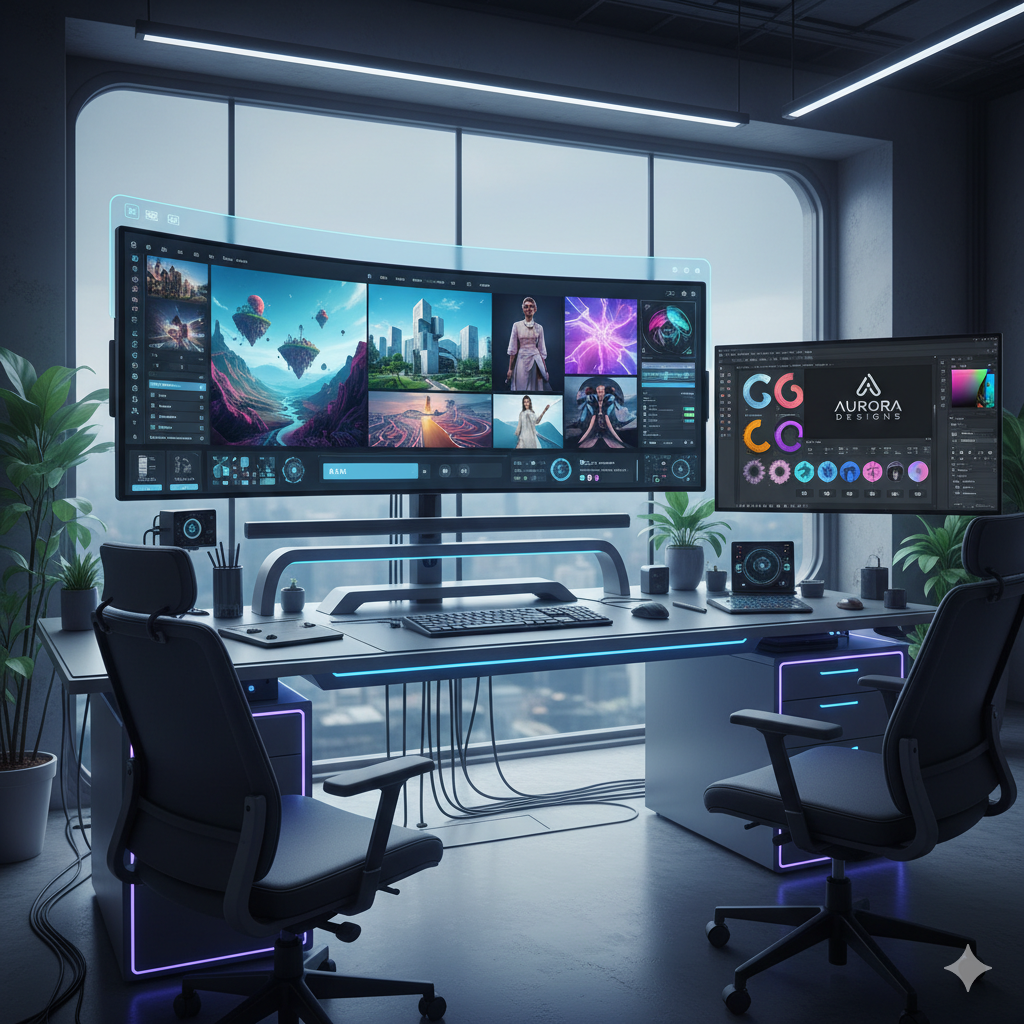
In the fast-paced world of graphic design, time is often the most critical commodity. Designers are constantly challenged to deliver high-quality visuals under tight deadlines, iterate quickly based on client feedback, and explore a multitude of creative directions without sacrificing efficiency. Traditionally, the initial stages of a design project—ideation and visual prototyping—have been time-consuming, requiring manual sketching, mood board curation, and basic mock-up creation. This labor-intensive process can often slow down project timelines and limit the sheer volume of concepts that can be explored.
However, a revolutionary technological advancement is rapidly changing this landscape: AI image generation. What was once the realm of science fiction is now a powerful, accessible tool transforming how graphic designers approach their work, particularly in the critical phase of visual prototyping. This isn’t just about generating pretty pictures; it’s about fundamentally altering the speed, scope, and strategic approach to design execution. By leveraging artificial intelligence to rapidly create diverse visual concepts, designers can significantly accelerate their projects, explore more creative avenues than ever before, and present compelling prototypes that captivate clients from the outset.
This comprehensive blog post will delve deep into how AI image generation is elevating visual content creation for graphic designers. We will explore the mechanisms behind these powerful tools, examine their practical applications in rapid visual prototyping, compare leading platforms, discuss workflow integration, and address the crucial ethical considerations that accompany this burgeoning technology. Prepare to discover how AI can become your most powerful design assistant, pushing the boundaries of what’s possible in graphic design.
Understanding AI Image Generation in Graphic Design
At its core, AI image generation refers to the use of artificial intelligence models to create new images from textual descriptions (prompts), existing images, or a combination thereof. This technology has rapidly evolved from generating abstract patterns to producing incredibly detailed, photorealistic, and stylistically diverse artwork that can be indistinguishable from human-created designs. For graphic designers, this capability is nothing short of a paradigm shift.
How AI Image Generation Works: A Simplified View
The most prominent AI image generation models today, such as DALL-E, Midjourney, and Stable Diffusion, are built upon complex neural networks, primarily diffusion models. Here’s a simplified breakdown of their operation:
- Training Data: These AI models are trained on massive datasets comprising billions of images paired with their corresponding text descriptions. This allows the AI to learn the intricate relationships between visual elements and linguistic concepts. For example, it learns what a “cat” looks like, how “futuristic” aesthetics are expressed, or the visual characteristics of a “vintage poster.”
- Text-to-Image Generation (Prompt Engineering): When a user inputs a text prompt (e.g., “A sleek, minimalist logo for a tech startup, blue and silver colors, abstract geometric shape”), the AI model processes this language. It then attempts to synthesize an image that aligns with the descriptive elements and stylistic cues provided in the prompt.
- Diffusion Process: Diffusion models work by starting with a canvas of random noise. The AI then iteratively “denoises” this image, gradually removing the noise and adding structure, color, and detail, guided by the understanding it gained from its training data and the specific instructions of the prompt. This process is like slowly bringing a blurry image into focus, adding layers of information until a coherent and detailed image emerges.
- Iterative Refinement: Users can typically generate multiple variations of an image, adjust prompt parameters, or even use initial AI-generated images as a starting point for further refinement, leading to a highly iterative and experimental creative process.
The Shift from Manual to Augmented Design
Historically, graphic designers would spend hours sketching concepts, searching for stock photography, or meticulously crafting elements from scratch. While these skills remain invaluable, AI image generation introduces an entirely new dimension of creative agility. Instead of being limited by the time constraints of manual creation, designers can now:
- Instantly Visualize Concepts: Generate dozens of distinct visual interpretations for a single idea within minutes.
- Explore Diverse Styles: Experiment with aesthetics they might not be proficient in manually, from hyperrealism to abstract expressionism.
- Overcome Creative Blocks: Use AI as a brainstorming partner to spark new ideas and break through creative impasses.
- Rapidly Prototype: Create high-fidelity mock-ups for client presentations much faster than traditional methods allowed.
This capability fundamentally transforms the design workflow, freeing designers from repetitive tasks and allowing them to focus more on strategic thinking, creative direction, and client communication.
The Power of Rapid Visual Prototyping with AI
Rapid visual prototyping is a cornerstone of efficient graphic design, enabling designers to quickly test ideas, gather feedback, and iterate on concepts before committing significant resources to final production. AI image generation supercharges this process, turning what was once a time-consuming bottleneck into a streamlined, dynamic advantage.
What is Rapid Visual Prototyping?
Rapid visual prototyping involves creating rudimentary visual mock-ups or representations of a design concept in its early stages. The goal is not perfection, but rather clarity and speed. These prototypes allow stakeholders (clients, team members) to see and interact with a visual idea, providing early feedback that can guide the design process. This iterative approach minimizes risks, reduces rework, and ensures the final product aligns closely with expectations.
Traditional Challenges in Visual Prototyping
Before AI, designers faced several hurdles:
- Time Constraints: Manually sketching, sourcing imagery, or creating basic digital mock-ups for multiple concepts consumed considerable time.
- Limited Exploration: Due to time and effort, designers often presented fewer concepts, potentially missing optimal solutions.
- Cost of Assets: Acquiring diverse stock images or commissioning illustrations for early-stage prototypes could be expensive.
- Skill Gaps: A designer might be excellent at typography but less proficient in illustration, limiting their ability to visualize certain concepts quickly.
- Client Misinterpretation: Abstract ideas or simple wireframes could be difficult for non-designers to fully grasp, leading to misaligned feedback.
How AI Solves These Challenges and Accelerates Prototyping
AI image generation addresses these pain points directly, offering unprecedented speed, versatility, and cost-efficiency:
- Instant Concept Generation: Instead of hours, a designer can generate dozens, even hundreds, of distinct visual concepts in minutes simply by refining prompts. This allows for unparalleled exploration of different styles, color palettes, compositions, and thematic interpretations for a single design brief. Imagine exploring 50 logo variations or 20 distinct website header images in under an hour.
- Diverse Visual Exploration: AI tools can generate images in virtually any style imaginable—from photorealistic to abstract, cyberpunk to vintage, minimalist to maximalist. This capability allows designers to push creative boundaries and present clients with a broader spectrum of visual directions, enabling them to discover preferences they might not have even articulated.
- High-Fidelity Mock-ups, Fast: AI can produce images that are remarkably polished, even at the prototyping stage. This means designers can present visually rich mock-ups for websites, apps, product packaging, or advertising campaigns that feel much closer to a final product, enhancing client understanding and engagement.
- Cost and Resource Savings: Eliminate or drastically reduce the need for extensive stock image purchases, expensive photoshoot setups for early concepts, or outsourcing basic illustration work for mock-ups. AI generates unique visuals on demand, cutting down on external costs.
- Bridging Communication Gaps: With AI, designers can quickly convert abstract ideas into concrete visuals. This makes it significantly easier for clients to understand complex concepts, provide precise feedback, and ensure everyone is aligned on the visual direction from the very beginning.
- Enhanced Iteration Speed: Client feedback can be incorporated almost instantly. If a client wants a “warmer tone” or “more abstract elements,” the designer can adjust the prompt and regenerate options within moments, significantly shortening iteration cycles and speeding up project completion.
By transforming the prototyping phase, AI doesn’t just save time; it elevates the entire creative process, fostering greater experimentation and enabling designers to deliver more impactful and precisely tailored visual solutions.
Key AI Tools and Platforms for Graphic Designers
The AI image generation landscape is vibrant and rapidly evolving, with several powerful tools catering to different needs and preferences. Understanding the strengths and nuances of each can help designers choose the best fit for their specific workflows and project requirements.
1. Midjourney
- Strengths: Renowned for its artistic flair and ability to produce highly aesthetic, often cinematic, and visually stunning images. It excels at generating illustrative, conceptual, and stylized artwork. Midjourney has a strong community and a relatively intuitive Discord-based interface, making it popular for creative exploration.
- Use Cases: Ideal for mood boards, concept art, character design, illustrative elements, striking background images, and exploring unique visual styles for branding or editorial content. Its strength lies in generating high-quality, inspiring visuals that push creative boundaries.
- Learning Curve: Moderate. Mastering prompt engineering for Midjourney’s specific aesthetic requires some practice, but its intuitive parameters (e.g., aspect ratios, style weights) make it accessible.
2. DALL-E 3 (via ChatGPT Plus or Microsoft Copilot)
- Strengths: Integrated seamlessly into natural language processing models like ChatGPT Plus, DALL-E 3 shines in understanding complex, conversational prompts. It interprets nuances in language exceptionally well, making it easy to generate precise images based on detailed descriptions without extensive prompt engineering expertise. It’s also excellent at generating text within images more accurately than many competitors.
- Use Cases: Perfect for generating specific scenes, product mock-ups with descriptive details, social media graphics with integrated text, storyboarding, and rapid ideation where detailed textual descriptions are key. Great for designers who prefer a more conversational interaction.
- Learning Curve: Low. Its natural language understanding makes it highly user-friendly, requiring less technical prompting knowledge.
3. Stable Diffusion (Local & Cloud-based Implementations)
- Strengths: As an open-source model, Stable Diffusion offers unparalleled flexibility and customization. It can be run locally on powerful hardware, allowing for greater privacy and control. There are numerous fine-tuned models (e.g., Anything V3 for anime, DreamShaper for photorealism) and advanced controls like ControlNet, which allow users to guide image generation with existing sketches, poses, or depth maps.
- Use Cases: Advanced concept art, highly specific asset generation (e.g., textures, specific objects for compositing), fashion design, architectural visualization, fine-tuning models for brand-specific aesthetics, and situations requiring maximum creative control.
- Learning Curve: High. While basic use is straightforward, harnessing its full power with local installations, custom models, and extensions like ControlNet requires significant technical understanding and experimentation.
4. Adobe Firefly
- Strengths: Directly integrated into the Adobe Creative Cloud ecosystem (e.g., Photoshop, Illustrator), Firefly offers familiar workflows and a strong emphasis on commercially safe content. Its generative fill and generative expand features within Photoshop are game-changers for photo manipulation and background extension. Adobe ensures its training data is ethically sourced (Adobe Stock, openly licensed content, and public domain content), providing a higher degree of safety for commercial use.
- Use Cases: Enhancing existing photos, extending backgrounds, creating new assets directly within design projects, generating text effects, creating unique vectors, and quickly prototyping design elements with the assurance of commercial viability.
- Learning Curve: Low to Moderate. Its integration into Adobe products makes it familiar for existing Creative Cloud users, but mastering its specific generative features takes practice.
Other Emerging Tools
The landscape includes many other powerful tools like Canva’s Magic Media (for accessible integrated design), Leonardo AI (focused on game assets and art generation), and various specialized plugins and services. Each offers unique features and caters to different segments of the design community. As the technology matures, we can expect even more specialized and integrated solutions.
Choosing the right tool often involves experimentation and understanding the specific demands of a project. Many designers find success by integrating several tools into their workflow, leveraging the unique strengths of each.
Workflow Integration: How AI Fits into Your Design Process
Integrating AI image generation tools seamlessly into an existing graphic design workflow is key to maximizing their benefits. AI shouldn’t be seen as a replacement for human creativity but rather as a powerful augmentation, streamlining tedious tasks and opening new avenues for exploration. Here’s how AI can be woven into various stages of a design project:
1. Brainstorming and Ideation Phase
This is arguably where AI provides the most immediate impact. Before sketching a single line, designers can use AI to:
- Generate Mood Boards: Input descriptive words (e.g., “futuristic cityscape,” “minimalist nature photography,” “vintage retro illustration”) to quickly generate a collection of images that capture a desired aesthetic or theme. This bypasses hours of searching for stock photos or creating inspiration boards manually.
- Explore Diverse Concepts: For a new logo, product packaging, or website layout, AI can rapidly produce dozens of distinct visual concepts. This allows designers to test radically different approaches and visual styles without significant time investment, fostering truly original ideas.
- Visual Storyboarding: For projects involving narrative (e.g., ad campaigns, video concepts), AI can quickly generate a series of images depicting different scenes or emotional states, helping to visualize the flow and impact of a story.
Real-life example: A branding agency needs to present five vastly different brand identity concepts to a client for a new luxury skincare line. Instead of laboriously sketching or mock-up each concept, they use Midjourney and DALL-E to generate high-fidelity visual representations of each concept’s aesthetic, color palette, and key imagery, showcasing the potential look and feel in minutes.
2. Prototyping and Mockup Creation
Once initial concepts are established, AI becomes invaluable for rapid prototyping:
- Website and App Mockups: Generate various header images, hero sections, background textures, or placeholder images that fit a specific UI/UX design. This provides a more realistic feel for wireframes and low-fidelity prototypes.
- Product Visualization: For physical products, AI can generate images of products in different environments, with varying materials, or in use by different demographics. This is incredibly useful for packaging design, marketing visuals, and presenting product concepts.
- Advertising Campaign Visuals: Quickly create variations of ad creatives for A/B testing, exploring different visual messaging, model types, or scene compositions without the need for expensive photoshoots at the early stage.
Real-life example: An e-commerce startup needs to visualize its new product line (customizable sneakers) on its website. They use Stable Diffusion with specific prompts to generate images of the sneakers in various styles and colors, worn by diverse models, and placed in different urban environments, giving a rich visual context for their website mockups before any physical products exist.
3. Asset Generation and Augmentation
AI can also fill specific visual gaps or enhance existing assets:
- Backgrounds and Textures: Need a unique background for a poster or a specific texture for a digital illustration? AI can generate these on demand.
- Specific Objects or Elements: If a designer needs a “steampunk-style clock” or a “floating iridescent feather,” AI can often create it faster than searching stock libraries or drawing it from scratch.
- Image Expansion and Repair: Tools like Adobe Firefly’s Generative Expand can seamlessly extend images beyond their original borders or remove unwanted objects with Generative Fill, saving significant time in photo editing.
- Vector Graphics: Some AI tools are beginning to offer capabilities for generating vector-like graphics, which can be useful for logos, icons, or illustrations that require scalability.
Real-life example: A designer is working on a book cover but finds the perfect stock photo is cropped too tightly. Using Adobe Firefly’s Generative Expand in Photoshop, they seamlessly extend the background, adding context and space for text without noticeable seams, saving hours of manual retouching.
4. Client Presentations and Feedback Loops
AI-generated visuals can significantly enhance client presentations:
- Presenting Multiple Options: Instead of 2-3 concepts, designers can present 5-10 distinct visual directions, allowing clients to have a wider choice and feel more involved in the creative process.
- Rapid Revisions: When clients request changes, designers can often make prompt adjustments and regenerate visuals almost instantly, demonstrating responsiveness and accelerating approval cycles.
- Improved Communication: High-fidelity prototypes derived from AI make abstract ideas tangible, leading to clearer feedback and fewer misunderstandings.
By thoughtfully integrating AI tools, designers can create a more dynamic, efficient, and creatively expansive workflow. It shifts the designer’s role from solely executing visuals to directing AI, curating outputs, and finessing the final touches, ultimately leading to higher quality results delivered faster.
AI’s Impact on Creativity and Skill Development
The advent of AI image generation in graphic design raises important questions about its impact on human creativity and the evolving skill sets required for designers. Far from stifling creativity, AI is proving to be a powerful catalyst, augmenting human ingenuity and reshaping the professional landscape.
Augmenting Creativity, Not Replacing It
A common concern is that AI will automate creativity, making human designers obsolete. However, a more accurate perspective views AI as a sophisticated assistant or a powerful new brush in a designer’s toolkit. Here’s why AI enhances creativity:
- Expansive Exploration: AI allows designers to explore an unprecedented number of variations and styles quickly. This rapid iteration capacity encourages experimentation, leading to discoveries that might have been too time-consuming or complex to pursue manually. Designers can try out audacious ideas without penalty.
- Overcoming Creative Blocks: When faced with a blank canvas or a mental block, a designer can use AI to generate a diverse range of starting points, visual cues, or stylistic interpretations. This can spark new ideas and break through impasses, acting as a dynamic brainstorming partner.
- Focus on Higher-Order Thinking: By automating the generation of basic assets and initial concepts, AI frees designers from repetitive, manual tasks. This allows them to allocate more time to strategic thinking, conceptual development, client communication, and refining the subtle nuances that only human insight can provide. The focus shifts from “how to create this” to “what should I create and why?”
- Bridging Skill Gaps: A designer strong in typography but weaker in illustration can leverage AI to generate illustrative elements, allowing them to realize holistic visions without needing to master every single artistic discipline themselves or outsource parts of the work.
The true creative act with AI lies not just in generating images, but in the intelligent curation, selection, and refinement of those images, combined with the designer’s unique vision, understanding of branding, and aesthetic judgment. It’s about designing *with* AI, not letting AI design *for* you.
New Skills for the Modern Designer
As AI becomes more integral, new essential skills are emerging for graphic designers:
- Prompt Engineering: This is arguably the most critical new skill. Designers need to learn how to communicate effectively with AI models using precise, descriptive, and strategic language. Understanding how different keywords, modifiers, and negative prompts influence output is crucial for achieving desired results. It’s a blend of linguistic precision and creative direction.
- Critical Curation and Selection: AI can generate many images, but not all will be suitable. Designers must develop a keen eye for selecting the best outputs, identifying biases, correcting imperfections, and understanding which images best serve the project’s goals and client’s brand.
- Post-Production and Refinement: AI-generated images often serve as a strong foundation. Designers will still need traditional skills in Photoshop, Illustrator, and other design software to refine, composite, color grade, add typography, and ensure brand consistency.
- Ethical Awareness and Responsible Use: Understanding the ethical implications of AI (e.g., copyright, bias, deepfakes) and using the tools responsibly is paramount. This includes proper attribution (where applicable) and ensuring the AI-generated content aligns with ethical standards.
- Strategic Integration: Knowing when and how to integrate AI into various stages of the design workflow for maximum efficiency and creative impact. This involves understanding the strengths and weaknesses of different AI tools and processes.
- Intellectual Property Navigation: Staying informed about the evolving legal landscape surrounding AI-generated art and intellectual property rights will be increasingly important.
In essence, AI elevates the designer to a role more akin to an art director or creative director, managing and guiding powerful generative tools to achieve their creative vision, rather than solely being the hands that execute every pixel.
Overcoming Challenges and Ethical Considerations
While AI image generation offers immense advantages, its adoption is not without challenges and significant ethical considerations that graphic designers must navigate responsibly.
Technical and Creative Challenges
- The Learning Curve of Prompt Engineering: While some tools are more intuitive, achieving highly specific or nuanced results often requires mastery of prompt engineering. This means understanding how to construct effective prompts, use negative prompts, specify styles, influence composition, and iterate effectively. It’s a new language for creative control.
- Maintaining Brand Consistency: Generating a series of images that maintain a consistent style, character, or brand identity across multiple outputs can be challenging with current AI models. Designers often need to generate many variations and carefully curate or manually edit them to ensure uniformity.
- Generating “Perfect” Images: AI is excellent at generating *ideas* and *variations*, but getting a truly flawless image that requires no post-processing can still be rare. AI often produces uncanny details, odd anatomies, or subtle imperfections that require human intervention to fix.
- Bias in Training Data: AI models learn from vast datasets. If the data contains biases (e.g., underrepresentation of certain demographics, stereotypes), the AI’s output may inadvertently reflect and perpetuate those biases, leading to problematic or non-inclusive designs.
- Resource Intensity: Running powerful AI models locally requires significant computing power (a high-end GPU), which can be an investment. Cloud-based solutions mitigate this but come with subscription costs.
Critical Ethical Considerations
The ethical implications of AI image generation are complex and evolving, demanding careful attention from designers and the industry:
- Copyright and Intellectual Property: This is perhaps the most contentious issue.
- Training Data: Many AI models are trained on vast datasets that include copyrighted images without explicit permission from creators. This raises questions about whether the AI’s output is derivative work and if the original artists are compensated.
- Ownership of AI-Generated Art: Who owns the copyright to an image generated by an AI? The user who wrote the prompt? The company that developed the AI? Current legal frameworks are struggling to keep pace, and rulings vary by jurisdiction (e.g., the U.S. Copyright Office generally denies copyright to purely AI-generated works).
- Commercial Use: Designers must be cautious about using AI-generated images for commercial projects without understanding the terms of service of the AI platform and the legal precedents regarding ownership and originality. Platforms like Adobe Firefly are addressing this by training on ethically sourced data.
- Deepfakes and Misinformation: The ability of AI to generate highly realistic images and manipulate existing ones creates a risk of misuse for creating deceptive content, spreading misinformation, or impersonating individuals. Designers have a responsibility to use these tools ethically and prevent their work from contributing to such harms.
- Job Displacement: There are legitimate concerns that AI automation could lead to job displacement for some design roles, particularly those focused on repetitive or basic image creation tasks. However, many believe that AI will primarily change job descriptions, requiring designers to adapt and acquire new skills, rather than outright replace them.
- Attribution and Transparency: Should AI-generated content always be disclosed as such? Transparency is crucial for maintaining trust, especially in journalism, advertising, or educational contexts. Designers should consider clear labeling when appropriate.
- Bias and Stereotyping: As mentioned, inherent biases in training data can lead AI to generate images that reinforce stereotypes or exclude certain groups. Designers must critically evaluate AI outputs for fairness and inclusivity and actively work to mitigate these biases through prompt engineering and careful curation.
Navigating these challenges requires ongoing learning, critical thinking, and a commitment to ethical practices. Designers are not just users of technology; they are active participants in shaping its responsible application.
Future Trends: What’s Next for AI in Design
The field of AI image generation is advancing at an astonishing pace, and what seems cutting-edge today could be standard practice tomorrow. For graphic designers, staying abreast of these future trends is crucial for maintaining a competitive edge and continually enhancing their creative capabilities.
1. Enhanced Control and Precision
- Advanced ControlNet Implementations: Tools like ControlNet for Stable Diffusion allow designers to guide image generation with unprecedented precision using existing sketches, depth maps, poses, and more. This will become even more sophisticated, enabling pixel-perfect control over AI outputs, making it easier to match specific layouts or design requirements.
- Inpainting and Outpainting Mastery: The ability to seamlessly add or remove elements within an image (inpainting) or expand its borders (outpainting) will become even more refined, allowing for complex scene manipulation and context-aware image generation.
- Style Transfer and Fine-tuning: Designers will gain more intuitive ways to train or fine-tune AI models with their unique artistic styles or brand guidelines, ensuring outputs consistently align with specific aesthetic requirements.
2. Multimodal AI and 3D Integration
- Text-to-3D Model Generation: The next frontier is generating full 3D models directly from text descriptions or 2D images. This will revolutionize product design, architectural visualization, and game development, allowing designers to create 3D assets much faster.
- Generative Video and Animation: While nascent, text-to-video and image-to-video capabilities are rapidly improving. Designers will soon be able to generate short animations, motion graphics, or even full video sequences from simple prompts, transforming advertising, social media, and film production.
- Interactive AI Design Assistants: Imagine AI tools that not only generate images but also understand design principles, suggest improvements, or automatically adjust layouts based on user input, creating a truly collaborative design environment.
3. Deeper Integration into Design Software
- Native AI Features: Following Adobe Firefly’s lead, more design software (beyond the Adobe suite) will likely integrate AI image generation directly into their core functionalities, making AI capabilities ubiquitous within professional workflows.
- AI-Powered Layout and Composition: AI could assist in intelligent layout suggestions, automatically arranging elements for optimal visual hierarchy and aesthetic appeal based on user preferences or design goals.
- Personalized AI Models: Imagine an AI trained specifically on a brand’s entire visual history, capable of generating new content that perfectly matches its established identity and guidelines.
4. Ethical AI and Transparency Standards
- Provenance and Attribution: As the debate around copyright and ownership intensifies, expect to see more robust solutions for tracking image provenance, crediting original artists (where applicable), and watermarking AI-generated content to indicate its origin.
- Bias Mitigation: AI developers will increasingly focus on creating fairer, more inclusive models by addressing biases in training data and developing tools for designers to audit and adjust outputs for inclusivity.
The future of graphic design with AI is not about designers becoming obsolete, but about evolving into creative directors and orchestrators of powerful artificial intelligences. Designers who embrace these trends, continuously learn, and adapt their skill sets will be at the forefront of this exciting transformation, shaping the visual world in ways we are only just beginning to imagine.
Comparison Tables
To further illustrate the impact of AI in graphic design, let’s look at some comparative data and features.
Table 1: Traditional Visual Prototyping vs. AI-Powered Visual Prototyping
| Feature | Traditional Prototyping | AI-Powered Prototyping |
|---|---|---|
| Time to First Concept | Hours to Days (sketching, sourcing, manual mock-up) | Minutes to Hours (prompt generation, AI iteration) |
| Number of Concepts Explored | Limited (2-5 variations due to time/effort) | Vast (Dozens to hundreds of variations rapidly) |
| Cost of Assets for Prototypes | High (stock photos, commissioned illustrations, props) | Low to Moderate (subscription fees for AI tools, no per-asset cost) |
| Iteration Speed | Slow (manual adjustments, re-sourcing) | Extremely Fast (prompt refinement, instant regeneration) |
| Fidelity of Early Mock-ups | Low to Medium (sketches, wireframes, basic compositions) | Medium to High (realistic renders, stylized art, detailed concepts) |
| Required Skill Set | Drawing, compositing, photo manipulation, layout, illustration | Prompt engineering, critical curation, post-processing, creative direction |
| Barrier to Entry (for new styles) | High (requires mastering new techniques/software) | Low (describe desired style in prompt) |
| Creative Potential | Bound by individual skill and time | Significantly expanded, allows for bolder experimentation |
Table 2: Comparison of Leading AI Image Generation Tools for Designers
| Tool/Platform | Primary Strength | Best For | Learning Curve | Commercial Use Confidence | Integration Potential |
|---|---|---|---|---|---|
| Midjourney | Aesthetic quality, artistic flair, illustrative concepts | Concept art, mood boards, unique illustrations, abstract visuals | Moderate (prompt engineering for style) | Moderate (terms require subscription, complex IP) | Community-driven (Discord), API for advanced users |
| DALL-E 3 | Natural language understanding, complex prompt interpretation, text in images | Specific scene generation, detailed mock-ups, social media graphics with text | Low (conversational prompts) | Moderate (through ChatGPT Plus, research terms) | Seamless with ChatGPT Plus/Copilot, API access |
| Stable Diffusion | Flexibility, customization, local control, advanced fine-tuning | Advanced concept art, specific asset generation, custom models, highly controlled outputs | High (technical setup, ControlNet mastery) | Variable (open-source, depends on models used) | Local installations, vast ecosystem of plugins/extensions |
| Adobe Firefly | Creative Cloud integration, commercial safety, ethical data sourcing | Photo manipulation (generative fill/expand), vector graphics, unique text effects, integrated workflow | Low to Moderate (familiar Adobe interface) | High (trained on Adobe Stock/public domain) | Deeply integrated with Photoshop, Illustrator, Express |
| Leonardo AI | Game asset creation, customizable models, diverse art styles | Character design, environment art, specific digital art styles, 3D textures | Moderate (platform-specific settings) | Moderate (check specific model licenses) | Web platform, API, focus on game development pipelines |
Practical Examples and Case Studies
The best way to understand the transformative power of AI image generation is through real-world applications. Here are practical examples demonstrating how graphic designers are leveraging these tools:
Case Study 1: Reimagining a Restaurant Brand Identity
Challenge: A new fusion restaurant needed a brand identity that felt modern, organic, and inviting, but the owner was unsure about the specific visual style. Traditional mood boarding and sketching were too slow for the rapid ideation required.
AI Solution: The design team used Midjourney and DALL-E. They started with broad prompts like “organic fusion cuisine branding, modern typography, warm colors” and iterated, adding specific elements like “illustrations of minimalist botanicals” or “textures inspired by natural wood and stone.”
- Rapid Mood Board Generation: Within an hour, they generated hundreds of visual concepts, ranging from elegant and minimalist to vibrant and bohemian.
- Logo Concept Exploration: They explored dozens of abstract logo ideas incorporating natural elements, quickly narrowing down potential directions.
- Interior Design Visualization: AI helped create mock-ups of potential interior decor elements, showcasing how the brand’s aesthetic could translate to the physical space.
Outcome: The client was presented with five distinct, highly polished visual directions in a fraction of the usual time. This allowed for immediate, concrete feedback, leading to a much faster approval process and a more confident start to the detailed design phase.
Case Study 2: Developing Concepts for a Sci-Fi Video Game
Challenge: A small indie game studio needed to quickly visualize character designs, futuristic environments, and unique creature concepts for their new sci-fi RPG. They had limited budget for concept artists and tight pre-production deadlines.
AI Solution: They leveraged Stable Diffusion with various fine-tuned models and ControlNet.
- Character Concepts: By inputting detailed prompts like “cyberpunk assassin, glowing neon elements, tactical gear, female” and using ControlNet to guide poses from simple stick figures, they generated hundreds of character variations.
- Environment Art: Prompts like “dystopian city street at night, neon signs, rainy atmosphere, Japanese architecture influence” quickly produced diverse environment concepts for different game zones.
- Creature Design: They experimented with prompts describing alien fauna, exploring different forms, textures, and bioluminescent properties.
Outcome: The studio generated a vast library of concept art in weeks, not months, enabling them to finalize their game’s visual direction, secure funding, and provide clear references for 3D modelers and animators much earlier in the development cycle.
Case Study 3: Streamlining E-commerce Product Mock-ups
Challenge: An online clothing brand frequently launched new collections and needed high-quality product photos for its website and social media. Professional photoshoots were expensive and time-consuming, especially for early concept validation.
AI Solution: The brand’s designer utilized DALL-E 3 and Adobe Firefly.
- Lifestyle Mock-ups: For new apparel designs, they used DALL-E 3 to generate images of models wearing the clothes in various trendy settings (e.g., “young woman wearing a bohemian dress in a sunlit meadow,” “stylish man in a minimalist jacket on a city rooftop”).
- Product Variations: They created mock-ups of clothing in different colorways and patterns, testing visual appeal before production.
- Background Extension and Modification: Using Adobe Firefly’s Generative Expand in Photoshop, they adapted existing product photos, seamlessly extending backgrounds or placing products into new, more engaging environments without reshooting.
Outcome: The brand significantly reduced its reliance on expensive photoshoots for initial marketing materials and website content. They could launch collections faster, test visual appeal with customers using AI-generated mock-ups, and iterate on marketing campaigns with agility.
These examples highlight that AI is not just a novelty; it’s a powerful, versatile tool that, when wielded by skilled designers, can unlock unprecedented levels of efficiency and creative output across diverse design disciplines.
Frequently Asked Questions
Q: What exactly is AI image generation in simple terms?
A: AI image generation is like having an incredibly talented and fast artist who can draw anything you describe. You give the AI a text description, called a “prompt,” telling it what you want to see—for example, “a fluffy cat wearing a crown sitting on a cloud.” The AI then uses its vast knowledge of images and concepts (learned from billions of pictures it was trained on) to create a brand-new image that matches your description. It’s a way to turn words directly into visuals, instantly.
Q: How can AI image generation specifically help graphic designers?
A: AI image generation empowers graphic designers by dramatically accelerating the initial stages of a project, especially ideation and visual prototyping. It allows designers to:
- Quickly generate diverse concepts and variations for logos, branding, or layouts.
- Create high-fidelity mock-ups for websites, apps, or products in minutes, not hours.
- Develop mood boards and visual inspiration instantly.
- Generate specific assets like backgrounds, textures, or unique objects.
- Iterate rapidly on client feedback, making changes to visuals almost immediately.
This frees up designers to focus more on strategic thinking, client communication, and final refinement rather than manual execution of early ideas.
Q: Do I need to be a programmer or tech expert to use AI image generation tools?
A: Absolutely not! While some advanced tools like Stable Diffusion can be complex to set up locally, most popular AI image generation platforms (Midjourney, DALL-E, Adobe Firefly) are designed with user-friendly interfaces. They require no coding knowledge. The main “technical” skill you’ll develop is “prompt engineering,” which is simply learning how to write effective, descriptive prompts to get the best results from the AI. It’s more about creative writing and clear communication than coding.
Q: Will AI replace graphic designers?
A: The consensus among industry experts is that AI will augment, rather than replace, graphic designers. AI is a powerful tool that automates repetitive tasks and generates ideas, but it lacks human creativity, critical thinking, emotional intelligence, and strategic understanding of a brand or client’s vision. Designers who embrace AI will evolve into “AI directors” or “creative orchestrators,” using these tools to amplify their output and focus on higher-level creative and strategic challenges. Those who resist adaptation may find themselves at a disadvantage.
Q: What is “prompt engineering” and why is it important?
A: Prompt engineering is the art and science of crafting effective text inputs (prompts) to guide AI image generation models to produce desired outputs. It’s important because the quality and relevance of the AI-generated image directly depend on the clarity, specificity, and creativity of your prompt. A good prompt includes descriptive keywords, artistic styles, lighting conditions, specific objects, and even negative instructions (what you don’t want). Mastering it allows designers to precisely control the AI’s output and achieve their creative vision.
Q: Are AI-generated images copyrighted, and can I use them commercially?
A: This is a complex and evolving legal area. In the United States, the Copyright Office has generally stated that purely AI-generated works without significant human creative input are not eligible for copyright protection. However, if a designer significantly modifies, edits, or incorporates AI-generated elements into a larger human-created work, that larger work might be copyrightable. For commercial use, it’s crucial to check the terms of service of the specific AI platform you are using. Some platforms, like Adobe Firefly, are built with ethically sourced training data to offer more confidence for commercial use, while others might have stricter limitations. Always proceed with caution and legal consultation if needed.
Q: How do I ensure brand consistency when using AI tools?
A: Maintaining brand consistency with AI requires a strategic approach.
- Detailed Prompting: Use consistent prompts that include specific brand colors (e.g., “royal blue,” “emerald green”), font styles (e.g., “minimalist sans-serif”), and aesthetic keywords.
- Reference Images: Some AI tools allow you to upload reference images to guide the style or content.
- Fine-tuning: For advanced users, training custom AI models on existing brand assets can yield highly consistent results.
- Post-Processing: Always plan for human intervention. AI outputs often need manual adjustments in traditional design software (Photoshop, Illustrator) to align perfectly with brand guidelines, color codes, and typography.
- Curation: Be highly selective. Generate many images, but carefully choose and refine only those that truly embody the brand’s identity.
Q: What are the main ethical concerns with AI image generation?
A: Key ethical concerns include:
- Copyright Infringement: The use of potentially copyrighted material in training data.
- Bias and Stereotyping: AI models can perpetuate biases present in their training data, leading to non-inclusive or stereotypical outputs.
- Deepfakes and Misinformation: The potential to create highly realistic fake images for malicious purposes.
- Job Displacement: Concerns about automation impacting design roles.
- Transparency: The debate around whether AI-generated content should always be disclosed.
Designers have a responsibility to use these tools ethically, critically evaluate outputs, and advocate for responsible AI development.
Q: Can AI create vector graphics for logos and illustrations?
A: While most AI image generators excel at raster images, some tools are starting to offer capabilities for generating vector-like graphics or converting raster to vector. Adobe Firefly, for instance, has features that can generate scalable vector designs directly within Illustrator. This area is rapidly developing, and we can expect more sophisticated vector generation capabilities from AI in the near future, making it increasingly useful for logo design and scalable illustrations.
Q: What’s the best AI tool for a beginner graphic designer?
A: For beginners, DALL-E 3 (accessible via ChatGPT Plus or Microsoft Copilot) is an excellent starting point due to its natural language understanding, which makes prompt engineering very intuitive. Adobe Firefly is also great if you’re already familiar with the Adobe ecosystem, as its integration and commercially safe outputs are a significant advantage. Midjourney is another strong contender for its impressive artistic quality, though it might take a little more practice to master its unique prompting style.
Key Takeaways
- Accelerated Prototyping: AI image generation dramatically speeds up the visual prototyping phase of graphic design, allowing for rapid concept exploration and iteration.
- Enhanced Creativity: AI acts as a powerful creative assistant, enabling designers to explore more diverse styles and ideas, overcome creative blocks, and focus on higher-level strategic thinking.
- Diverse Toolset: Tools like Midjourney, DALL-E 3, Stable Diffusion, and Adobe Firefly each offer unique strengths, catering to different design needs from artistic concept generation to integrated workflow enhancements.
- New Skill Sets Required: Designers must develop new skills such as prompt engineering, critical curation, post-production refinement, and ethical awareness to effectively leverage AI.
- Workflow Integration: AI seamlessly integrates into various design stages, from brainstorming mood boards and generating mock-ups to creating specific assets and streamlining client feedback loops.
- Ethical Responsibility: Navigating complex issues around copyright, bias, and responsible use is paramount for designers utilizing AI tools.
- Future-Proofing Your Career: Embracing AI is crucial for staying competitive, as the technology continues to evolve towards greater control, 3D integration, and native software capabilities.
- Efficiency and Cost Savings: AI significantly reduces the time and cost associated with generating initial concepts and visual assets, leading to more efficient project delivery.
Conclusion
The landscape of graphic design is undergoing a profound transformation, with AI image generation leading the charge. What once took hours, days, or even weeks of manual effort can now be achieved in a fraction of the time, allowing designers to explore a universe of visual possibilities that were previously unimaginable. The ability to rapidly prototype, iterate, and refine concepts empowers designers to meet the increasing demands of modern projects with unparalleled efficiency and creative depth.
Far from diminishing the role of the human designer, AI elevates it. It shifts the focus from the meticulous manual execution of every pixel to the grander vision of creative direction, strategic thinking, and the discerning curation of artificial intelligence’s boundless outputs. Designers are no longer merely creators; they are orchestrators, guiding powerful algorithms to bring their most ambitious ideas to life.
However, this exciting frontier also comes with its share of responsibilities. Understanding the ethical implications surrounding copyright, bias, and the responsible use of AI is not just a technicality, but a moral imperative for every designer. As the technology continues to evolve at breakneck speed, continuous learning, adaptation, and a commitment to ethical practice will be the hallmarks of successful graphic designers in this new era.
Embrace AI image generation not as a threat, but as an indispensable partner in your creative journey. By harnessing its power for rapid visual prototyping, you can accelerate your projects, delight your clients with an abundance of compelling concepts, and ultimately elevate your craft to new heights. The future of graphic design is collaborative, intelligent, and incredibly exciting, and AI is undoubtedly at its very heart.


























































































Leave a Reply