

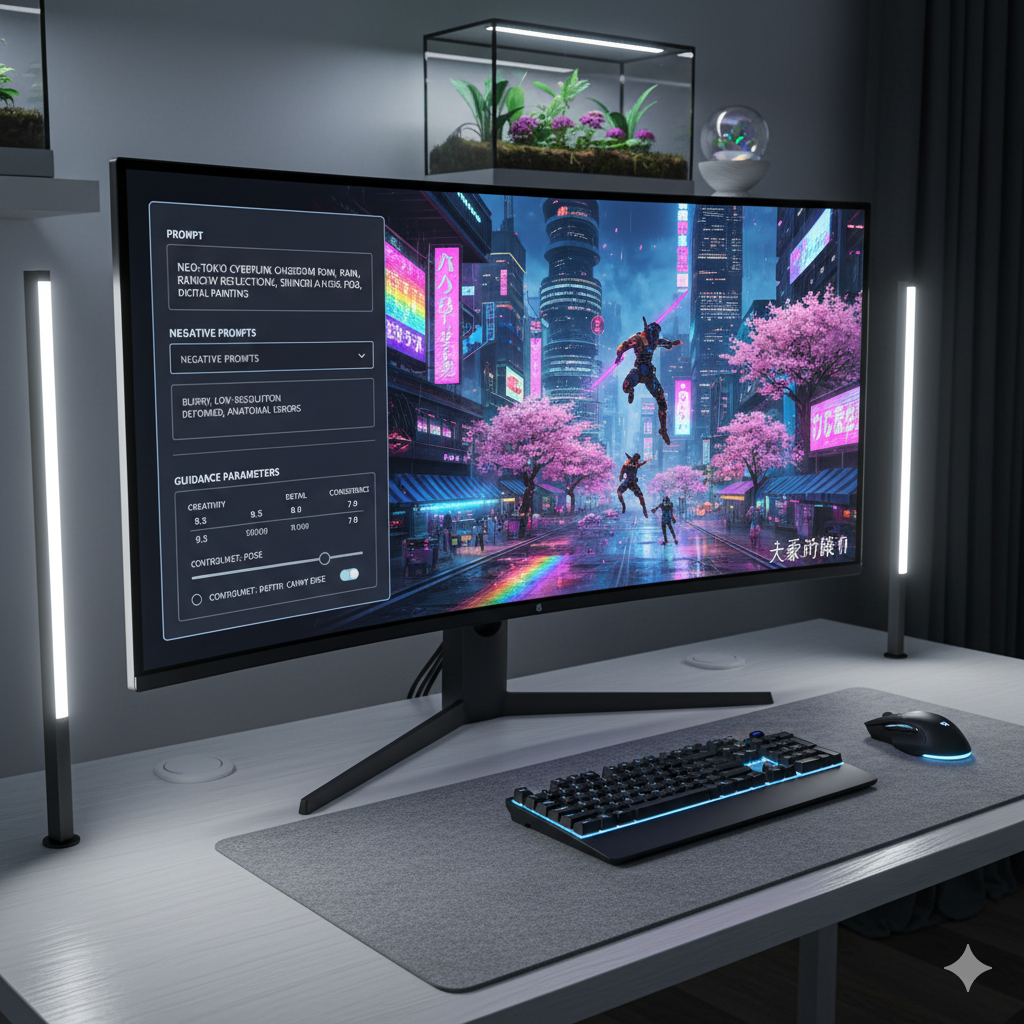
The world of Artificial Intelligence (AI) art generation has exploded in popularity, transforming abstract ideas into stunning visuals with just a few typed words. Initially, the sheer novelty of generating images from simple text prompts was breathtaking. “A cat in space,” “a futuristic city,” “a serene landscape” – these phrases conjured compelling, if sometimes unpredictable, imagery. However, as artists and enthusiasts delved deeper, a common realization emerged: relying solely on basic keywords often leads to generic, repetitive, or visually unrefined results. The true magic, the ability to sculpt specific visions with unparalleled precision, lies not just in what you ask for, but how you ask for it, and crucially, what you explicitly tell the AI to avoid.
This comprehensive guide delves into the art and science of moving beyond rudimentary prompting. We will explore the transformative power of specific modifiers – descriptive words and phrases that add nuance and detail – and the often-underestimated strategic use of negative prompts, which guide the AI away from undesirable elements. We’ll also touch upon how these techniques complement other advanced tools like ControlNets, offering a holistic approach to achieving superior AI artistry. Prepare to elevate your prompt engineering skills and unlock a new realm of creative control, turning your imagination into breathtaking digital masterpieces with unprecedented accuracy.
The Limitations of Basic Keyword Prompting
When first encountering AI image generators, the immediate instinct is to describe the subject matter as simply as possible. You might type “a dog,” “a flower,” or “a car.” While these prompts do yield images, the results are frequently generic, lacking distinct character, style, or specific artistic intent. The AI, left to its own devices with minimal direction, tends to fall back on its most common training data, resulting in images that, while technically correct, often feel bland or uninspired.
Why Simple Prompts Fall Short:
- Ambiguity: A prompt like “a house” leaves too much to the AI’s interpretation. Is it a modern minimalist house, a Victorian mansion, a rustic cabin, or a suburban home? The AI will pick one, often a composite of its most common “house” examples, which might not align with your specific vision.
- Lack of Detail: Basic keywords provide no information about lighting, composition, artistic style, or emotional tone. Consequently, the generated image might lack depth, atmosphere, or visual interest. For instance, “a portrait” gives no clue about expression, background, or photographic quality.
- Repetitive Outcomes: Without specific guidance, the AI tends to produce variations on a limited set of themes. You might find yourself generating many visually similar images, even with slightly different basic keywords, leading to creative stagnation.
- Unwanted Elements: Basic prompts are also unable to instruct the AI on what not to include. This can lead to the inclusion of common artifacts, undesirable stylistic choices, or even anatomical inaccuracies that the model occasionally struggles with.
Consider the difference between asking for “a cat” and asking for “a fluffy ginger cat with emerald green eyes, sitting regally on a velvet cushion, bathed in warm golden hour light, in the style of an Old Masters painting, highly detailed.” The latter, though longer, paints a far clearer picture for the AI, significantly increasing the chances of generating an image that closely matches your mental conception. This highlights the fundamental shift required: from merely describing subjects to actively sculpting your vision through precise language.
Understanding Specific Modifiers: Sculpting Your Vision
Specific modifiers are the descriptive adjectives, adverbs, stylistic indicators, technical terms, and contextual phrases that transform a simple prompt into a rich, detailed instruction set for the AI. They are the brushstrokes and chisels that allow you to refine your output, guiding the AI beyond its default interpretations towards your unique creative intent. Think of them as giving the AI not just a noun, but a comprehensive artistic brief.
Categories of Powerful Modifiers:
-
Stylistic Modifiers: These dictate the overall aesthetic and artistic direction of the image.
- Examples: photorealistic, cinematic, oil painting, watercolor, cyberpunk, steampunk, retro-futuristic, fantasy art, abstract, surreal, manga, anime, art deco, baroque, pop art, pixel art, minimalist, stained glass, comic book style, highly stylized, atmospheric.
- Impact: Determines the artistic medium, genre, or visual language. “A portrait, photorealistic” vs. “A portrait, watercolor.”
-
Quality and Detail Modifiers: These enhance the visual fidelity and intricacy of the generated image.
- Examples: highly detailed, ultra detailed, intricate, elaborate, masterpiece, award winning, 8k, 4k, UHD, sharp focus, crisp edges, smooth, textured, professional photography, high resolution, fine art photography, stunning, breathtaking, trending on ArtStation, ZBrush, octane render.
- Impact: Elevates the technical quality and perceived artistic merit. “A flower, highly detailed” vs. “A flower, blurry.”
-
Lighting Modifiers: Crucial for setting mood, atmosphere, and visual drama.
- Examples: cinematic lighting, volumetric lighting, golden hour, blue hour, dramatic lighting, moody lighting, soft light, harsh light, rim light, backlighting, studio lighting, natural light, diffused light, overhead lighting, neon glow, candlelight, moonlight, ethereal glow, mystical light.
- Impact: Transforms the emotional resonance and visual depth. “A forest, daylight” vs. “A forest, ethereal moonlight.”
-
Composition and Camera Modifiers: These mimic photographic and cinematic techniques, controlling framing and perspective.
- Examples: wide shot, close-up, macro shot, full shot, long shot, POV (point of view), bird’s eye view, worm’s eye view, Dutch angle, rule of thirds, symmetrical, asymmetrical, leading lines, depth of field, shallow depth of field, bokeh, f/1.8, telephoto lens, wide-angle lens, lens flare, film grain.
- Impact: Guides the viewer’s eye and establishes a sense of scale or intimacy. “A city, wide shot” vs. “A city, close-up of a window.”
-
Color and Mood Modifiers: Influence the color palette and overall emotional tone.
- Examples: vibrant colors, pastel colors, monochromatic, sepia tone, cool tones, warm tones, high contrast, low contrast, saturated, desaturated, melancholic, serene, joyous, mysterious, dramatic, tranquil, chaotic, ominous, energetic.
- Impact: Directly affects the feeling evoked by the image. “A person, happy” vs. “A person, melancholic, cool tones.”
-
Artist/Specific Influence Modifiers: Directly references the style of known artists or artistic movements.
- Examples: by Vincent van Gogh, by Rembrandt, by HR Giger, by Studio Ghibli, by Akira Toriyama, trending on ArtStation, DeviantArt, Pinterest.
- Impact: Imbues the image with the distinct characteristics of a particular artist or popular artistic community.
The key to using modifiers effectively is understanding their individual and synergistic effects. Start with a core concept, then progressively add layers of detail using these modifiers, observing how each addition transforms the output.
The Power of Precision: Crafting Effective Positive Prompts
Crafting a powerful positive prompt is less about throwing a dictionary at the AI and more about thoughtful construction and precise arrangement of modifiers. While some models are more forgiving of word order than others, a structured approach generally yields more consistent and desirable results. Think of your prompt as a sentence or a series of clauses, each contributing a specific piece of information.
A Structured Approach to Prompt Construction:
-
The Core Subject and Action: Start with the absolute essentials. What is the main subject, and what is it doing? Be specific with nouns and verbs.
- Example: “A majestic lion, roaring fiercely,”
- Example: “A lone astronaut, gazing at a nebula,”
- Example: “An ancient samurai warrior, standing amidst cherry blossoms,”
-
Environment and Setting: Where is this happening? Describe the background, foreground, and overall context.
- Example: “…on a rocky outcrop in the African savanna at sunset,”
- Example: “…from the observation deck of a derelict space station,”
- Example: “…on a fog-shrouded mountain peak, under a full moon,”
-
Atmosphere and Lighting: Infuse the scene with mood and visual depth using lighting and atmospheric effects.
- Example: “…bathed in dramatic golden hour light, with volumetric dust particles dancing,”
- Example: “…illuminated by the cold glow of distant stars and emergency lights,”
- Example: “…lit by soft, ethereal moonlight filtering through ancient trees,”
-
Artistic Style and Aesthetic: Dictate the visual language or artistic medium. This is where you specify if it’s a painting, a photograph, a render, or a specific artistic genre.
- Example: “…a hyperrealistic digital painting, trending on ArtStation,”
- Example: “…a retro sci-fi illustration, in the style of Chris Foss,”
- Example: “…a traditional Japanese woodblock print, vibrant colors,”
-
Quality and Technical Modifiers: Add the finishing touches to ensure high fidelity and professional output.
- Example: “…masterpiece, 8k, incredibly detailed, sharp focus, award-winning.”
- Example: “…high resolution, intricate details, cinematic quality, smooth render.”
- Example: “…fine art, intricate textures, atmospheric, concept art.”
Example of a Highly Structured Prompt:
“A majestic lion, roaring fiercely, on a rocky outcrop in the African savanna at sunset, bathed in dramatic golden hour light, with volumetric dust particles dancing, hyperrealistic digital painting, trending on ArtStation, masterpiece, 8k, incredibly detailed, sharp focus, award-winning photography.”
Notice how each clause builds upon the last, providing increasingly specific instructions. While the exact order can be tweaked, generally placing the most important elements (subject, action) at the beginning tends to give them more “weight” or influence over the generation. Experimentation is key to finding the sweet spot for your chosen AI model.
Negative Prompts: What You Don’t Want
If positive prompts are about telling the AI what to create, negative prompts are about telling it what to avoid. This seemingly simple concept is incredibly powerful, acting as a filter that prevents common errors, undesirable elements, and stylistic deviations that can often creep into AI-generated images. Think of it as a quality control mechanism, a vital tool for refining your output and ensuring it aligns perfectly with your vision.
AI models, despite their sophistication, are trained on vast and sometimes imperfect datasets. This can lead to certain biases or occasional “hallucinations” where they generate unwanted artifacts, anatomical errors, or elements that clash with your desired aesthetic. Negative prompts are your first line of defense against these issues.
Common Issues Negative Prompts Address:
- Anatomical Deformities: Extra fingers, distorted limbs, misplaced features, strange eyes, disfigured faces are common pitfalls, especially with complex subjects like hands or human figures.
- Low Quality Artifacts: Blurriness, pixelation, low resolution, noise, jpeg artifacts, and generally poor image quality.
- Unwanted Text/Watermarks: AI models sometimes pick up watermarks or random text from their training data and embed them in your image.
- Generic or Bad Composition: Images that feel flat, uninteresting, or poorly framed.
- Stylistic Contamination: Preventing the AI from introducing elements of styles you don’t want (e.g., cartoon elements in a photorealistic image).
- Specific Undesirable Objects: If you’re generating a landscape and consistently get a road in the foreground, you can explicitly remove “road.”
- Censorship/Safety Filters: While not directly related to artistic quality, negative prompts can also be used to steer away from generating content that might trigger safety filters or be deemed inappropriate.
Strategies for Constructing Effective Negative Prompts:
-
Start with a General Set: Many prompt engineers begin with a standard, comprehensive list of common negative terms. This acts as a good baseline.
- Example: “low quality, bad anatomy, deformed, ugly, blurry, text, watermark, extra fingers, bad hands, mutated, cropped, out of frame, signature, logo, duplicate, disfigured, poorly drawn, malformed, unnatural, cartoon, sketch, monochrome, grayscale”
- Iterate Based on Results: After generating an image, identify specific issues. Is there a strange artifact? Add it to your negative prompt. Are the colors too desaturated? Add “desaturated” to your negative prompt.
- Be Specific but Not Overly Restrictive: While being specific is good, avoid negatively prompting out elements that might accidentally remove crucial parts of your desired image. For example, if you want a detailed character, avoiding “details” in a negative prompt would be counterproductive.
- Understand Weighting (Conceptually): Similar to positive prompts, some negative terms might have more influence than others, or their placement might matter. Experimentation will reveal how your specific model handles these.
- Balance: A negative prompt that is too long or contains too many conflicting terms can sometimes “starve” the AI of options, leading to less creative or even worse results. Find the right balance between control and allowing the AI creative freedom.
A powerful negative prompt can significantly clean up your images, remove distracting elements, and allow the positive prompt to shine through with greater fidelity to your original intent. It’s a critical component of advanced prompt engineering that separates good results from truly superior AI artistry.
Advanced Techniques: Beyond Simple Words
Mastering specific modifiers and negative prompts is a giant leap, but the journey towards superior AI artistry doesn’t end there. Several advanced techniques and conceptual frameworks can further enhance your control and creative output. These methods involve a deeper understanding of the generative process and an iterative approach to prompt engineering.
1. Iterative Refinement and Prompt Chaining:
Instead of trying to achieve perfection in a single prompt, embrace a multi-step, iterative process.
- Initial Broad Prompt: Start with a moderately detailed prompt to establish the core subject and general scene.
- Refinement with Modifiers: Analyze the initial generations. What’s missing? What needs improvement? Add specific modifiers to address these points (e.g., lighting, style, composition).
- Negative Prompt Optimization: Identify undesirable elements (e.g., extra limbs, blurry areas, wrong colors) and add them to your negative prompt.
- Seed and Variation: Many AI tools allow you to use a “seed” number to reproduce a specific image. Once you have a good base image, try generating variations from that seed while slightly tweaking your prompt or parameters.
- Prompt Chaining (Conceptual): While not always supported by direct syntax, you can conceptually “chain” prompts by taking an image generated from one prompt, and then using that image as an input (e.g., via image-to-image or img2img tools) with a *new* prompt to further refine or transform it. This allows for multi-stage creation.
2. Layering Modifiers for Synergistic Effects:
Don’t be afraid to combine multiple modifiers from different categories. The true power emerges when these layers interact.
- Example 1: Instead of just “cinematic,” try “cinematic lighting, volumetric lighting, film noir aesthetic, hard shadows, dramatic chiaroscuro.”
- Example 2: For a character, combine mood, action, and compositional cues: “a contemplative sorceress, eyes glowing softly, overlooking a mystical valley, wide shot, rule of thirds, ethereal mist, deep blues and purples.”
These layered prompts create a richer, more complex instruction set, allowing the AI to weave together a tapestry of interconnected visual elements.
3. Understanding Model Biases and Strengths:
Different AI art models (e.g., Midjourney, Stable Diffusion, DALL-E 3) have distinct training data, architectures, and therefore, unique “personalities” or biases.
- Some models excel at photorealism, while others lean towards illustrative or fantastical styles.
- Certain keywords or phrases might have a stronger effect on one model compared to another.
- Familiarize yourself with the nuances of the model you are using. Read community guides, observe results from others, and experiment extensively. What works beautifully on Stable Diffusion might produce strange results on DALL-E 3, and vice versa.
4. Bridging to ControlNets and Other Advanced Tools:
While this guide focuses on textual prompting, it’s essential to understand that specific modifiers and negative prompts are foundational and complementary to other advanced tools. ControlNets, for instance, offer unparalleled control over image composition, pose, depth, and edge detection by leveraging reference images.
- ControlNets + Modifiers: You can use a ControlNet to define the exact pose of a character from a stick figure sketch or transfer the depth map from a photo to a generated scene. Then, your specific modifiers (e.g., “gothic architecture,” “noir lighting,” “digital painting”) instruct the AI on the *style* and *details* to render within that controlled structure.
-
Layered Control: This creates a layered approach to control:
- ControlNet: The structural skeleton (pose, composition, depth).
- Positive Prompts (Modifiers): The aesthetic flesh and intricate details (style, lighting, quality, specific elements).
- Negative Prompts: The refinement pass (removing imperfections, unwanted artifacts).
By combining the textual precision of advanced prompting with the structural control of tools like ControlNets, you unlock the highest echelons of AI artistry, transforming vague ideas into meticulously crafted visual realities.
The Iterative Workflow: Prompt Engineering as an Art
Prompt engineering is less like writing a simple command and more like a conversation with an incredibly vast, albeit sometimes literal, creative partner. It’s a dynamic, iterative workflow that blends technical understanding with artistic intuition, observation, and relentless experimentation. Viewing it as an art form itself unlocks a deeper level of engagement and superior results.
1. Embrace Experimentation and Play:
The AI landscape is constantly evolving, and what works today might be refined tomorrow. The best prompt engineers are those who are not afraid to try new things, combine seemingly disparate concepts, and push the boundaries of what’s possible.
- Hypothesis and Test: Approach prompting like a scientist. Formulate a hypothesis (e.g., “What if I combine ‘steampunk’ with ‘baroque architecture’?”), test it with a prompt, and observe the results.
- Small Changes: When iterating, try to change only one or two variables at a time. This allows you to isolate the effect of each modifier or negative prompt. If you change too much at once, you won’t know which alteration led to a positive or negative outcome.
2. Observe, Analyze, and Refine:
Generating an image is only half the process; the other half is critically evaluating it and using that feedback to refine your next prompt.
- Critical Eye: Look at your generated image. What aspects are perfect? What needs adjustment? Are there any unwanted elements? Is the mood right?
- Identify Weaknesses: If the lighting is dull, consider adding a lighting modifier. If the character’s hands are mangled, reinforce your negative prompt with specific hand-related terms. If the style is too generic, add artist names or genre descriptions.
- Learn from Failure: Not every prompt will produce a masterpiece. Failed generations are valuable learning opportunities. They tell you what the AI model struggles with, what your prompt might be lacking, or what negative terms are truly essential.
3. The Power of a Prompt Journal:
As you experiment, keeping a record of your prompts and their corresponding results (or at least your observations) becomes invaluable.
- Document Prompts: Save the exact positive and negative prompts used.
- Record Parameters: Note down any other parameters like seed numbers, aspect ratios, CFG scale, sampler, etc.
- Attach Images: Keep screenshots or generated images alongside your prompts.
- Annotate Results: Make notes on what worked well, what didn’t, and why. “This modifier dramatically improved the depth,” or “Adding ‘text’ to negative prompt removed the watermark.”
- Create a ‘Recipe Book’: Over time, your journal will become a personalized “recipe book” of successful prompt structures, modifier combinations, and effective negative prompts tailored to your creative style and preferred AI model.
4. Collaborate and Share:
The AI art community is vibrant and often eager to share knowledge.
- Study Others’ Prompts: Many platforms allow users to share prompts alongside their generated images. Analyze these to understand how others achieve their results.
- Ask for Feedback: Share your work and prompts, and ask for constructive criticism. Someone else might spot an obvious modifier you overlooked.
- Contribute: Share your own successful prompt recipes. The more the community learns, the better the tools become for everyone.
By embracing this iterative, analytical, and collaborative workflow, prompt engineering transcends mere technical input and becomes a sophisticated art form, allowing you to consistently achieve breathtaking and precisely tailored AI-generated imagery.
Comparison Tables
To illustrate the impact of specific modifiers and the strategic use of negative prompts, let’s examine some comparative data. These tables highlight how seemingly small changes in your prompt structure can lead to vastly different outcomes, enhancing control and quality.
Table 1: Impact of Specific Modifiers vs. Basic Keywords
This table demonstrates how adding descriptive modifiers transforms a generic concept into a specific artistic vision.
| Prompt Category | Example Prompt | Expected AI Output (Conceptual) | Level of Artistic Control |
|---|---|---|---|
| Basic Keyword | A city. | Generic city skyline, default lighting, average detail, likely modern. | Low: AI makes most decisions based on common data. |
| Subject & Action | A towering city, bustling. | Still generic, but with more activity implied; possibly street scenes. | Moderate: Focus on activity, but still lacks specific aesthetic. |
| + Stylistic Modifiers | A towering city, bustling, cyberpunk, neon glow, futuristic. | City with distinct cyberpunk aesthetics, bright neon lights, advanced tech. | High: Strong stylistic direction, immediately recognizable genre. |
| + Lighting & Mood | A towering city, bustling, cyberpunk, neon glow, futuristic, rainy night, dramatic reflections, moody atmosphere. | Cyberpunk city on a rainy night, reflections on wet streets, high contrast. | Very High: Precise control over atmosphere, weather, and lighting effects. |
| + Quality & Composition | A towering city, bustling, cyberpunk, neon glow, futuristic, rainy night, dramatic reflections, moody atmosphere, 8k, highly detailed, cinematic shot, rule of thirds, volumetric lighting. | A cinematic, high-resolution image of a cyberpunk city on a rainy night, expertly composed with volumetric lighting. | Maximum: Comprehensive control over every visual aspect, aiming for professional quality. |
Table 2: Effectiveness of Negative Prompt Categories in Addressing Common Issues
This table illustrates how different categories of negative prompts specifically target and resolve common undesirable outputs from AI image generators.
| Problem Area | Common Negative Prompts Applied | Observed Improvement | Specific Use Case |
|---|---|---|---|
| Anatomical Deformities | bad anatomy, deformed, ugly, extra fingers, missing limbs, malformed, bad hands, mutated | Significantly fewer instances of distorted body parts, especially hands and faces. More natural proportions. | Generating realistic human or creature portraits/figures. |
| Low Image Quality | low quality, blurry, pixelated, out of focus, distorted, jpeg artifacts, noise, amateur | Images appear sharper, clearer, with higher fidelity and resolution. Reduced visual noise. | Ensuring professional-grade output for any image type. |
| Unwanted Text/Watermarks | text, watermark, signature, logo, writing, symbol, font | Eliminates embedded text, branding, or watermarks that might appear from training data. | Creating clean, publishable images free from distracting overlays. |
| Generic/Poor Composition | bad composition, cropped, out of frame, boring, simple background | More dynamic, balanced, and aesthetically pleasing compositions. Subjects are well-framed. | Achieving visually engaging and well-structured scenes. |
| Stylistic Contamination | cartoon, sketch, poorly drawn, abstract (if realism is desired), childish | Prevents the AI from injecting unwanted stylistic elements that clash with the desired aesthetic. | Maintaining a consistent style (e.g., photorealism without comic elements). |
| Repetitive/Duplicate Elements | duplicate, multiple, copies, cloned, mirror | Reduces instances of subjects or elements being unintentionally repeated or mirrored within the same image. | Generating unique and varied elements within a scene, avoiding visual repetition. |
Practical Examples: Real-World Use Cases and Scenarios
Seeing the concepts of specific modifiers and negative prompts in action is the best way to understand their transformative power. Let’s walk through a few practical scenarios, illustrating how a thoughtful approach to prompt engineering can elevate your AI art.
Case Study 1: Transforming a Generic Landscape into a Mystical Realm
Imagine you want to generate a breathtaking fantasy landscape, but your initial attempts fall flat.
Scenario:
You start with a basic prompt: “A forest.”
- Initial Output (Conceptual): A relatively plain, generic forest scene. Might be day or night, trees are typical, no distinct mood.
The Transformation with Modifiers:
Now, let’s infuse it with specific modifiers to evoke a mystical, ancient atmosphere.
- Positive Prompt: “A mystical ancient forest, bathed in ethereal moonlight, bioluminescent flora, cascading fog, ultra detailed, fantasy art, by Greg Rutkowski, cinematic lighting, wide shot, deep blues and purples, epic scale, 8k, masterpiece.”
- Negative Prompt: “ugly, blurry, low resolution, bad composition, watermark, text, modern, street lights, cars, cartoon, sketch, simple, daytime, generic.”
- Result (Conceptual): A sweeping vista of an ancient, gnarled forest under a luminous moon. Glowing mushrooms and plants emit soft light, and thick fog weaves through the trees. The scene is rendered with incredible detail, reminiscent of high-fantasy concept art, with a grand, cinematic feel and a dominant palette of blues and purples. All undesirable elements like generic modern features or blurriness are absent.
Key takeaway: By layering stylistic, lighting, mood, quality, and compositional modifiers, and then reinforcing with relevant negative prompts, a mundane scene becomes an immersive, fantastical world.
Case Study 2: Achieving a Specific Character Pose and Expression
Generating characters can be notoriously tricky, especially when aiming for precise emotions or postures.
Scenario:
You want a portrait of a woman with a specific, joyful expression.
- Basic Prompt: “A woman smiling.”
- Initial Output (Conceptual): A woman with a generic, often forced or unnatural smile. The pose might be stiff, background simple, and details lacking.
The Transformation with Modifiers and Negatives:
Let’s add precision to her expression, pose, and the overall photographic quality.
- Positive Prompt: “A young woman, mischievous grin, eyes sparkling with genuine joy, head slightly tilted, one hand playfully touching her chin, soft diffused studio lighting, shallow depth of field, professional portrait photography, golden hour glow, vibrant, high fashion magazine cover, highly detailed, 8k.”
- Negative Prompt: “unnatural smile, distorted face, bad hands, extra fingers, ugly, blurry, low quality, bad anatomy, text, watermark, plain background, harsh shadows, dark, dull colors, stiff pose, cartoon.”
- Result (Conceptual): A striking, vibrant portrait of a young woman. Her smile is authentic and engaging, her eyes convey genuine happiness, and her pose is natural and elegant. The image has the polished look of a professional photoshoot, with flattering soft lighting, a blurred background to emphasize her, and an overall high-quality finish, free from anatomical errors or stylistic inconsistencies.
Key takeaway: Detailed descriptions of expression, pose, lighting, and photographic techniques, coupled with targeted negative prompts, are essential for realistic and emotionally resonant character generation.
Case Study 3: Cleaning Up Unwanted Artifacts and Stylistic Drift
Sometimes the AI generates exactly what you asked for, but with frustrating imperfections or undesired stylistic elements.
Scenario:
You’re creating a futuristic spaceship, and it’s mostly good, but keeps appearing with strange text on its hull or blurry sections.
The Challenge:
- Positive Prompt: “A sleek futuristic spaceship, hyper-detailed, octane render, metallic, glowing engines, space opera aesthetic.”
- Problematic Output (Conceptual): A cool spaceship, but with faint, unreadable text on its side, a strange blurred section on a wing, and perhaps a subtle cartoonish quality you didn’t intend.
The Solution with Negative Prompts:
This is where negative prompts truly shine, acting as a corrective filter.
- Revised Negative Prompt: “text, watermark, blurry, low quality, out of focus, distorted, bad render, cartoon, sketch, poorly drawn, ugly, simple, dull.”
- Result (Conceptual): The exact same sleek, hyper-detailed spaceship, but now impeccably clean. The strange text is gone, the blurry wing is sharp and clear, and any hint of a cartoonish style has been removed, leaving a purely polished, metallic, and technologically advanced vessel.
Key takeaway: Negative prompts are indispensable for quality control, eliminating common AI artifacts and ensuring the final image adheres strictly to your desired level of detail and stylistic purity. They allow you to refine and perfect outputs that are almost, but not quite, there.
These examples demonstrate that the true power of AI art generation lies in a deliberate, informed approach to prompting. By treating your prompts as detailed instructions to a sophisticated artist, you move beyond mere suggestion and into the realm of precise creative control.
Frequently Asked Questions
Q: What is the fundamental difference between a basic keyword and a specific modifier?
A: A basic keyword is a broad, often generic noun or verb that tells the AI what the primary subject or action is (e.g., “tree,” “running”). It provides minimal detail, leaving most of the interpretation to the AI model. A specific modifier, on the other hand, is a descriptive word or phrase (adjective, adverb, stylistic term, technical setting) that tells the AI how the subject should appear, what style it should be rendered in, how it’s lit, or what quality it should possess (e.g., “ancient,” “gnarled,” “ethereal moonlight,” “oil painting,” “8k,” “cinematic lighting”). Modifiers add nuance, specificity, and artistic direction, transforming generic outputs into unique, controlled visions.
Q: How many modifiers should I ideally use in a single positive prompt?
A: There’s no fixed “ideal” number, as it largely depends on the complexity of your vision and the AI model you’re using. For a truly detailed and specific image, you might use anywhere from 10 to 30 (or even more) modifiers, carefully chosen and ordered. The goal isn’t to cram in as many as possible, but to include all the necessary descriptors to convey your precise intent. Start with core elements, then layer in stylistic, lighting, quality, and compositional details. Experimentation will show you what sweet spot works for your particular creative goals and the AI’s capabilities. Too few might be generic; too many might sometimes become redundant or even conflict, though modern models are quite good at handling long prompts.
Q: Is there a ‘best’ order for modifiers in a positive prompt?
A: While some AI models are becoming more robust to word order, a general best practice is to place the most important elements and concepts at the beginning of your prompt. Typically, this means: [Subject] & [Action] first, followed by [Environment/Setting], then [Lighting/Mood], [Artistic Style/Influences], and finally [Quality/Technical Modifiers]. This hierarchy often gives more “weight” to the initial terms, ensuring the AI prioritizes them. However, individual models may vary, so always test and refine for your specific generator.
Q: Can negative prompts remove specific objects I don’t want in my image?
A: Yes, absolutely! While negative prompts are widely known for removing quality issues like “low quality” or “bad anatomy,” they are also highly effective at excluding unwanted objects or elements. If your generated landscape consistently includes “cars” or “power lines” when you want a pristine wilderness, simply add “cars, power lines” to your negative prompt. Be specific: “tree” might remove all trees, but “dead tree” will only target dead trees, if that’s what you specifically dislike.
Q: What if my negative prompt makes the image worse or too restrictive?
A: This can happen if your negative prompt is too aggressive, contains conflicting terms, or inadvertently removes essential elements. If an image becomes “empty” or loses creativity, it’s often a sign that your negative prompt is too strong.
- Solution 1: Reduce specificity: If “tree” is in your negative prompt and you want *some* trees, remove it.
- Solution 2: Refine terms: Instead of a blanket “blurry,” try “slight blur” or “background blur” if you want depth of field, but not overall blurriness.
- Solution 3: Iterative removal: If you have a very long negative prompt, try removing terms one by one or in small batches to identify which one is causing the issue. Find the balance between cleanliness and creative freedom.
Q: How do I know which modifiers will work best for my desired style?
A: This comes with experience, research, and experimentation.
- Research: Look at online galleries (ArtStation, DeviantArt, Pinterest), AI art communities, and even traditional art history. Note down descriptive terms used for styles you admire.
- Community Resources: Many AI art platforms have prompt databases or community shares where you can see what modifiers others used for specific styles.
- Experimentation: The best way is to try. Create a base prompt, then generate multiple variations, each with a different stylistic modifier (e.g., “photorealistic,” “oil painting,” “cyberpunk”) to see how the AI interprets them. Keep a prompt journal to track what works for you.
Q: Do different AI art models respond differently to prompts?
A: Absolutely, yes! This is a crucial point. Different AI models (like Midjourney, Stable Diffusion, DALL-E 3, etc.) are trained on different datasets and have unique underlying architectures. This means they interpret prompts, modifiers, and negative prompts in their own distinct ways. A prompt that yields stunning results on one platform might produce mediocre or vastly different images on another. Understanding the nuances and “personality” of your chosen model through practice and community engagement is vital for consistent results.
Q: How do specific modifiers and negative prompts relate to ControlNets?
A: They are highly complementary tools, working together to provide comprehensive control.
- Specific Modifiers & Negative Prompts: These primarily control the *content*, *style*, *quality*, and *details* of the image – essentially, the artistic direction and refinement.
- ControlNets: These tools provide granular control over the *structure* and *composition* of the image, allowing you to dictate things like pose, depth, edges, and segmentation masks using reference images or sketches.
You can use a ControlNet to enforce a specific character pose, and then use highly detailed positive and negative prompts to dictate the character’s clothing style, the background’s atmosphere, the lighting, and prevent anatomical errors, all while maintaining the exact pose from your ControlNet input. They offer a layered approach to ultimate creative command.
Q: Are there any tools or resources to help me find good modifiers?
A: Yes, many!
- Prompt Generators/Helpers: Websites and browser extensions specifically designed to help build prompts by suggesting modifiers based on categories (style, lighting, artists).
- Community Databases: Platforms like Civitai, Lexica, PromptHero (for Stable Diffusion), or Midjourney’s own community feed often allow you to browse images and view the prompts used to create them.
- Thesaurus and Descriptive Language Guides: Sometimes, simply using a thesaurus to find more evocative synonyms for your basic words can unlock powerful modifiers.
- Art History Resources: Studying art movements, photographers, and cinematic techniques can provide a rich vocabulary of stylistic and technical modifiers.
Q: What is the biggest mistake beginners make with advanced prompting?
A: One of the biggest mistakes is trying to achieve perfection in a single, massive prompt without iteration or refinement. Beginners often expect a “magic bullet” prompt. They’ll write a very long prompt, get a less-than-perfect result, and then either give up or make drastic, random changes without understanding the individual impact of each modifier or negative prompt. The key is to understand that prompt engineering is an iterative, experimental, and analytical process. Start, observe, refine, repeat.
Key Takeaways
- Beyond Basic Keywords: Simple prompts yield generic results; true AI artistry requires detailed instruction.
- Master Specific Modifiers: Use descriptive adjectives, adverbs, stylistic terms, and technical jargon to sculpt your vision precisely.
- Categorize Your Modifiers: Break down modifiers into stylistic, quality, lighting, composition, and artistic influence categories for structured prompting.
- Craft Structured Prompts: Organize your positive prompt from subject to action, environment, lighting, style, and quality for maximum impact.
- Leverage Negative Prompts: Actively tell the AI what to avoid (e.g., bad anatomy, low quality, watermarks) to significantly refine and clean your outputs.
- Embrace Iteration: Prompt engineering is an art that thrives on experimentation, observation, analysis, and continuous refinement.
- Document Your Process: Keep a prompt journal to track successful combinations and learn from what didn’t work.
- Understand Model Nuances: Different AI models respond uniquely to prompts; tailor your approach to the specific generator you are using.
- Complement Advanced Tools: Modifiers and negative prompts are foundational and enhance the effectiveness of structural control tools like ControlNets.
- Practice Makes Perfect: Consistent experimentation and critical evaluation are essential for moving from basic generation to superior AI artistry.
Conclusion
The journey from rudimentary keyword prompting to mastering specific modifiers and negative prompts marks a significant evolution in AI artistry. It transforms you from a passive observer of AI output into an active sculptor of digital dreams. No longer content with merely generating “a house,” you now possess the linguistic toolkit to meticulously craft “a derelict Victorian mansion, overgrown with ivy, under a full moon, with dramatic chiaroscuro lighting, in the style of a gothic horror painting, highly detailed, without any modern elements or visible decay beyond the natural weathering.”
This level of control not only elevates the aesthetic quality of your creations but also deepens your connection to the generative process. It’s about translating the intricate details of your imagination into a language the AI can truly understand and execute. As AI art continues to evolve, the demand for skilled prompt engineers who can wield this linguistic precision will only grow. Embrace the iterative workflow, document your discoveries, and never shy away from experimentation. Your canvas is infinite, and with these advanced techniques, your artistic potential knows no bounds. Dive in, experiment relentlessly, and unlock the superior AI artistry that lies beyond basic keywords.

























































































Leave a Reply