

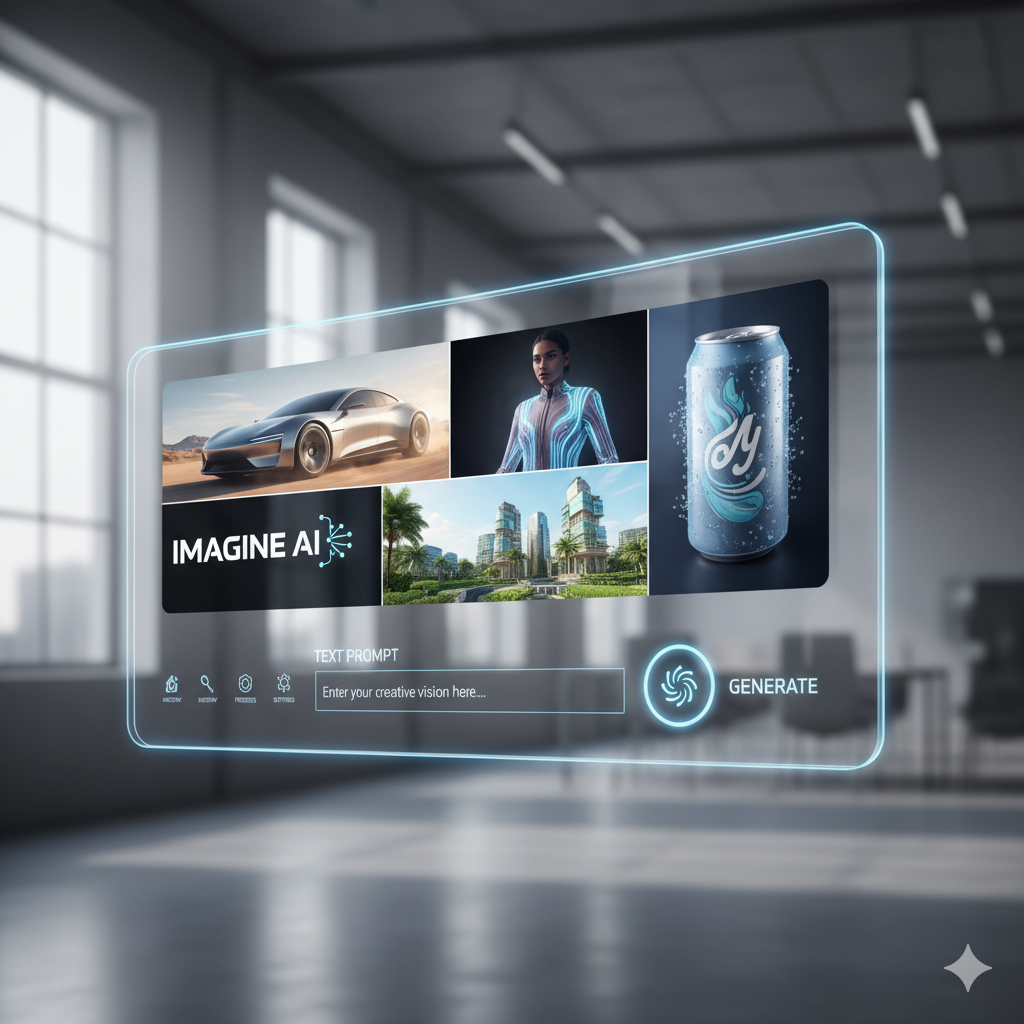
In the rapidly evolving landscape of digital marketing, visuals are no longer just an accompaniment; they are the narrative, the hook, and often, the decisive factor in capturing audience attention. From captivating social media posts to immersive website experiences, the demand for high-quality, unique, and relevant imagery has never been greater. Yet, the traditional pathways to acquiring such visuals—photography, graphic design, and stock photo subscriptions—can be costly, time-consuming, and at times, creatively restrictive.
Enter AI image generation. This revolutionary technology is democratizing visual content creation, putting the power of a digital artist into the hands of marketers, entrepreneurs, and content creators alike. Imagine conjuring up bespoke images that perfectly align with your brand’s message, target audience, and campaign goals, all within minutes and at a fraction of the traditional cost. This isn’t science fiction; it’s the present reality, and it’s poised to fundamentally transform how businesses approach their visual marketing strategies.
This comprehensive guide is designed to be your indispensable companion on the journey to mastering AI image generation for marketing. Whether you’re a seasoned marketer looking to innovate or a small business owner eager to elevate your online presence, we will demystify the technology, explore the leading tools, equip you with the art of prompt engineering, discuss practical applications, and navigate the ethical landscape. Prepare to unlock a world of stunning, high-impact visuals that will set your marketing apart.
1. Understanding the Basics of AI Image Generation
At its core, AI image generation, often referred to as generative AI, involves algorithms creating new images from scratch based on textual descriptions (prompts) or other input. This isn’t simply editing existing photos; it’s the creation of entirely novel visual content that has never existed before. The technology has seen exponential growth in recent years, moving from rudimentary, often abstract outputs to incredibly photorealistic and artistically diverse creations.
1.1 How Generative AI Works
The most prominent AI image generation models today are based on a class of neural networks known as diffusion models. While the underlying mathematics can be complex, the conceptual process is fascinating:
- Training Phase: These AI models are trained on colossal datasets of images and their corresponding text descriptions. During this phase, the AI learns to recognize patterns, objects, styles, colors, compositions, and how they relate to specific words and phrases. It essentially learns the “language” of images.
- Generation Phase (Inference): When you provide a text prompt, the AI starts with a canvas of pure random noise (like static on an old TV). It then iteratively “denoises” this static, slowly transforming it into a coherent image that matches your prompt. It uses its learned knowledge to predict what features should appear based on the text you’ve given it, gradually refining the image over many steps.
1.2 Key Terminology for Beginners
To effectively navigate the world of AI image generation, it’s helpful to understand a few key terms:
- Prompt: This is the text input you give the AI to describe the image you want to create. It’s the most critical element in guiding the AI’s output.
- Prompt Engineering: The skill of crafting effective, detailed, and clear prompts to achieve desired AI outputs. It’s an art and a science, requiring experimentation and understanding of how the AI interprets language.
- Model: The specific AI algorithm or program used to generate images (e.g., Midjourney v5.2, DALL-E 3, Stable Diffusion XL). Different models have different strengths, aesthetics, and capabilities.
- Latent Space: An abstract, multi-dimensional space where the AI represents images and their features numerically. When you prompt the AI, it navigates this space to find and construct an image that matches your description.
- Iterations / Steps: The number of refinement steps the AI takes to generate an image. More steps generally lead to more detailed and higher-quality images, but also take longer.
- Negative Prompt: A prompt used to tell the AI what you don’t want in the image. For example, “ugly, blurry, deformed hands.”
- Inpainting: The process of filling in a missing or selected portion of an image with AI-generated content, often used for editing or adding elements.
- Outpainting: Expanding an existing image beyond its original borders, allowing the AI to generate new content that seamlessly extends the scene.
- ControlNet: An advanced technique (primarily for Stable Diffusion) that allows users to exert precise control over the composition, pose, depth, and other structural aspects of the generated image using input images (e.g., a stick figure drawing to guide a character’s pose).
- Upscaling: Enhancing the resolution and detail of a generated image, making it suitable for larger displays or print.
Grasping these fundamentals will empower you to interact more effectively with AI tools and understand the nuances of the creative process.
2. Why AI Images are a Game-Changer for Marketing
The integration of AI-generated imagery into marketing strategies is not merely a trend; it represents a significant paradigm shift with profound implications for efficiency, creativity, and personalization. The benefits extend across various aspects of marketing operations, offering tangible advantages over traditional methods.
2.1 Unprecedented Speed and Efficiency
One of the most immediate and impactful benefits is the sheer speed of content creation. Traditional graphic design or photography can take days or weeks, involving multiple stakeholders, revisions, and logistical hurdles. With AI, a concept can be transformed into a visual in minutes, or even seconds. This rapid prototyping allows marketers to:
- Respond to Trends Instantly: Capitalize on viral moments or trending topics with fresh, relevant visuals without delay.
- Accelerate Campaign Launches: Drastically reduce the time from ideation to execution for new marketing campaigns.
- Iterate and A/B Test Rapidly: Generate multiple visual variations for ads, landing pages, or social posts and test their performance in real-time, optimizing for better results much faster.
2.2 Significant Cost Reduction
Cost is a major consideration for any marketing budget. AI image generation offers substantial savings:
- Eliminate Stock Photo Subscriptions: No more recurring fees for generic stock photos that often fail to capture your brand’s unique essence.
- Reduce Photography and Design Expenses: While human creatives remain invaluable for high-stakes projects, AI can handle a significant portion of routine visual needs, freeing up budget for strategic investments.
- Lower Licensing Fees: Most AI tools grant commercial rights to generated images, removing the complex licensing agreements and associated costs of traditional image acquisition.
2.3 Limitless Customization and Personalization
The ability to create any image you can imagine is incredibly powerful. This translates into unparalleled customization:
- Brand-Specific Imagery: Generate visuals that perfectly match your brand’s colors, aesthetic, and overall identity, creating a cohesive and distinct visual language.
- Hyper-Personalized Content: Tailor visuals for specific audience segments, demographics, or even individual preferences, leading to more engaging and effective campaigns. Imagine generating unique product mockups for different user personas.
- Unique Concepts: Produce one-of-a-kind visuals that stand out in a crowded digital space, ensuring your content is never generic.
2.4 Overcoming Creative Blocks and Expanding Possibilities
Even the most creative teams can face roadblocks. AI serves as a powerful brainstorming partner:
- Idea Generation: Quickly visualize abstract concepts or test out radical creative directions without significant investment.
- Expanding Artistic Styles: Experiment with different artistic styles, historical eras, or fictional aesthetics that might be challenging or costly to achieve through traditional means.
- Democratizing Creativity: Empowers marketers without formal design training to create professional-grade visuals, fostering greater creative freedom across teams.
2.5 Scalability of Visual Content
As marketing efforts grow, so does the demand for visual content. AI allows for unprecedented scalability:
- Mass Content Production: Generate thousands of unique images for large-scale campaigns, product catalogs, or e-commerce sites.
- Localized Content: Easily create visuals that resonate with specific regional markets or cultural nuances by simply adjusting prompts.
By leveraging AI for image generation, marketers can streamline their workflows, unlock new creative potential, and deliver highly effective visual campaigns that capture attention and drive results.
3. Choosing Your AI Image Generation Tool: A Look at the Landscape
The AI image generation ecosystem is diverse and rapidly evolving, with several powerful tools vying for attention. Each platform boasts unique strengths, user interfaces, pricing structures, and artistic leanings. Understanding these differences is crucial for selecting the tool that best fits your marketing needs and creative workflow.
3.1 Popular AI Image Generators
Here’s a breakdown of some of the leading contenders:
3.1.1 Midjourney
- Strengths: Renowned for its unparalleled artistic quality and aesthetic appeal, particularly for highly stylized, imaginative, and visually stunning outputs. It excels at creating ethereal, painterly, and illustrative images. The community aspect, run primarily through Discord, is also a significant draw, offering a collaborative environment.
- Weaknesses: Historically, less precise control over specific details compared to other models, though recent updates have improved this. Can sometimes struggle with photorealism of human faces or specific text in images. Requires a Discord account to operate.
- Best For: Art directors, concept artists, brands seeking highly creative and unique aesthetics, social media content, mood boards, illustrative marketing materials.
3.1.2 DALL-E (OpenAI)
- Strengths: Excellent for understanding complex, abstract, and nuanced prompts. It’s generally good at producing clear, well-composed images with a strong grasp of objects and their relationships. DALL-E 3, especially, has significantly improved its ability to generate text within images and follows prompt instructions with remarkable accuracy. Integrated into ChatGPT Plus and Microsoft Copilot.
- Weaknesses: While improving, its artistic flair might sometimes be perceived as less “stunning” or dramatically stylized than Midjourney’s outputs, tending towards a more literal interpretation.
- Best For: Content marketers, e-commerce businesses needing clear product concepts, educational content, generating specific objects or scenes, creating images with embedded text, rapid ideation.
3.1.3 Stable Diffusion (Stability AI)
- Strengths: Open-source and highly customizable. It can be run locally on powerful computers or accessed via numerous web-based interfaces (like DreamStudio, Automatic1111, ComfyUI). Offers an unparalleled level of control through advanced features like ControlNet, inpainting, outpainting, and the ability to train custom models (LoRAs). Capable of generating highly photorealistic images.
- Weaknesses: Can have a steeper learning curve, especially for local installations and advanced controls. Achieving consistent high-quality results often requires more prompt engineering skill and technical understanding.
- Best For: Experienced designers, developers, businesses needing extreme customization, photorealistic mockups, product variations, generating specific poses or compositions, creating proprietary brand assets.
3.1.4 Adobe Firefly
- Strengths: Seamlessly integrated into Adobe’s Creative Cloud ecosystem (Photoshop, Illustrator), making it incredibly convenient for designers already using these tools. Ethical training data (Adobe Stock, openly licensed content, public domain content) provides greater peace of mind regarding copyright. Offers powerful generative fill and text-to-image features directly within familiar interfaces.
- Weaknesses: Still relatively new compared to others, and while powerful, might not always match the raw artistic output of Midjourney or the deep customization of Stable Diffusion for every specific niche.
- Best For: Graphic designers, marketing teams already embedded in the Adobe ecosystem, businesses prioritizing ethical data sourcing, quick image variations and fills within existing projects.
3.2 Considerations for Choosing a Tool
When making your selection, ponder these factors:
- Ease of Use: Are you a beginner needing a simple interface, or do you crave advanced controls?
- Output Quality & Style: Does the tool consistently produce images that match your brand’s aesthetic and quality standards?
- Control & Customization: How much precision do you need over composition, style, and details?
- Pricing Model: Most operate on a credit system or subscription. Factor in your anticipated usage.
- Integration: Does it work well with your existing marketing tech stack?
- Ethical & Legal Aspects: Consider the source of the training data and the tool’s commercial usage terms.
- Community & Support: A strong community can provide valuable tips and troubleshooting.
Many platforms offer free trials or limited free tiers, allowing you to experiment before committing. It’s often beneficial to try a few to see which resonates most with your creative process and marketing objectives.
4. Mastering Prompt Engineering: The Art of Communication
The quality of your AI-generated images directly correlates with the quality of your prompts. Prompt engineering is the craft of writing effective instructions that guide the AI to produce the desired visual output. It’s less about coding and more about clear, descriptive communication. Think of yourself as directing a highly intelligent, yet literal, artist who only understands text.
4.1 Components of an Effective Prompt
A well-structured prompt typically includes several key elements, layered to provide comprehensive guidance to the AI:
- Subject: What is the main focus of the image? (e.g., “A golden retriever,” “A futuristic city,” “A cup of coffee.”)
- Action/Context: What is the subject doing, or where is it located? (e.g., “…running through a field,” “…at sunset, neon glow,” “…steaming on a wooden table.”)
- Style/Artistic Direction: What aesthetic should the image have? This is crucial for branding.
- Art Medium: “oil painting,” “digital art,” “pencil sketch,” “photorealistic,” “isometric illustration.”
- Artist Reference: “in the style of Van Gogh,” “by Greg Rutkowski.”
- Genre/Era: “cyberpunk,” “Art Deco,” “vintage travel poster.”
- Lighting: How is the scene illuminated? (e.g., “golden hour light,” “cinematic lighting,” “dramatic chiaroscuro,” “soft studio lighting.”)
- Composition/Angle: How is the shot framed? (e.g., “close-up,” “wide shot,” “dutch angle,” “from above,” “full body shot.”)
- Color Palette: Are there specific colors or moods? (e.g., “vibrant colors,” “monochromatic,” “warm tones,” “cool blues and greens.”)
- Details/Attributes: Specific characteristics of objects or the environment. (e.g., “fluffy fur,” “intricate patterns,” “glossy finish,” “dense foliage.”)
- Mood/Atmosphere: What feeling should the image evoke? (e.g., “serene,” “exciting,” “mysterious,” “joyful.”)
- Negative Prompt (What to Exclude): Use this to tell the AI what not to include. (e.g., “blurry, ugly, deformed, text, watermark.”)
4.2 Techniques for Prompt Refinement
Crafting the perfect prompt is an iterative process. Here are strategies to improve your results:
- Be Specific, But Not Overly Restrictive: Provide enough detail for the AI to understand your vision, but leave room for its creativity. Too many contradictory details can confuse it.
- Use Descriptive Adjectives and Verbs: Instead of “a dog,” try “a playful golden retriever puppy frolicking in a sun-drenched meadow.”
- Experiment with Keywords: Different words can have subtle impacts. Try synonyms or related terms.
- Vary the Order of Elements: The AI often gives more weight to words appearing earlier in the prompt. Prioritize your most important elements.
- Utilize Parameters (Tool-Specific): Most tools have parameters (e.g., aspect ratios like
--ar 16:9in Midjourney, or specific stylization weights). Learn and leverage these. - Iterate and Evolve: Generate a few images, identify what you like and dislike, and then adjust your prompt based on the outputs. It’s a dialogue with the AI.
- Leverage Image-to-Image / S2I (Seed-to-Image): If you have an existing image you like, many tools allow you to use it as an input to guide the style or composition of new generations.
- Study Examples: Look at successful prompts shared by others in communities or on platforms. Deconstruct them to understand what works.
4.3 Examples of Good vs. Bad Prompts
Bad Prompt: “Dog in park”
(Result: Generic, uninspired image of a dog that may not fit your brand.)
Good Prompt: “A majestic golden retriever playfully leaping through a vibrant autumn park, dappled sunlight streaming through colorful leaves, highly detailed, photorealistic, shallow depth of field, warm cinematic tones, professional advertisement photography, –ar 16:9”
(Result: A stunning, brand-ready image with specific mood and composition.)
Bad Prompt: “Cityscape”
(Result: Any generic city, lacking character.)
Good Prompt: “Neon-lit cyberpunk metropolis at dusk, futuristic skyscrapers, flying vehicles, rain-slicked streets reflecting bright lights, detailed, high resolution, atmospheric, dark synthwave aesthetic, 8k, –style raw”
(Result: A distinctive, evocative image suitable for a specific campaign theme.)
Mastering prompt engineering is the single most valuable skill in AI image generation. It transforms you from a passive observer into an active collaborator with the AI, enabling you to consistently produce stunning, on-brand visuals that captivate your audience.
5. Integrating AI-Generated Visuals into Your Marketing Strategy
The versatility of AI-generated images means they can be seamlessly integrated across virtually every facet of your marketing strategy. The key is to identify areas where speed, customization, and cost-effectiveness can provide the most significant uplift.
5.1 Social Media Content
Social media thrives on fresh, engaging visuals. AI can revolutionize your social media game:
- Unique Posts & Stories: Create custom graphics for daily posts, holiday campaigns, or interactive stories that perfectly match your brand’s current message and aesthetic.
- Ad Creatives: Generate numerous variations of ad visuals to A/B test different concepts, styles, and messaging for optimal performance on platforms like Facebook, Instagram, and LinkedIn.
- Profile Banners & Headers: Design distinctive and dynamic banners for your profile pages that stand out.
- Animated Content (Emerging): While primarily image-focused now, many tools are rapidly developing capabilities for generating short video clips or animated elements, further expanding social media possibilities.
5.2 Website and Blog Imagery
High-quality visuals enhance readability, engagement, and SEO on your website and blog:
- Blog Post Headers: Design unique, attention-grabbing headers for every blog post, ensuring no two articles look the same.
- Illustrations for Explanations: Generate custom illustrations to explain complex concepts, data, or processes, making your content more digestible.
- Website Banners & Backgrounds: Create bespoke hero images, section backgrounds, or call-to-action visuals that integrate seamlessly with your site’s design.
- Iconography: Produce unique icons or small graphic elements that align with your brand’s visual language.
5.3 Email Marketing Visuals
Visually rich emails lead to higher open rates and click-through rates:
- Newsletter Graphics: Craft custom banners, section dividers, or product highlights for your email newsletters.
- Promotional Banners: Generate unique visuals for specific promotions, discounts, or new product announcements.
- Personalized Images: For advanced campaigns, consider generating slightly varied images for different subscriber segments based on their preferences or past behavior.
5.4 Ad Campaigns (Display, Native)
AI is a powerhouse for creating diverse and impactful ad creatives:
- Display Ads: Quickly produce a wide array of static display ads in various sizes and styles, catering to different ad networks and audience segments.
- Native Advertising: Generate contextual images that blend seamlessly with the content on publisher sites, enhancing the native experience.
- Concept Prototyping: Rapidly visualize multiple campaign concepts for client pitches or internal reviews, shortening the ideation phase.
5.5 Product Mockups and Concept Art
For e-commerce and product-based businesses, AI offers transformative capabilities:
- Product Variations: Create mockups of new product colors, materials, or designs without needing physical prototypes.
- Lifestyle Shots: Generate diverse lifestyle images of your products in various settings and scenarios, appealing to a broader audience.
- Conceptualization: Visualize entirely new product ideas or features, aiding in early-stage design and marketing strategy.
- E-commerce Listings: Produce unique, high-quality images for product pages that stand out from competitors.
5.6 Branding and Identity Elements
While primary logo design often benefits from human touch, AI can assist with brand extensions:
- Brand Guidelines Visuals: Create examples of how your brand aesthetics translate into different visual styles or moods.
- Visual Mood Boards: Rapidly generate images to define and explore various brand aesthetics during the identity development phase.
- Secondary Brand Assets: Develop patterns, textures, or illustrative elements that complement your core brand identity.
By thoughtfully integrating AI-generated visuals, marketers can unlock new levels of creativity, efficiency, and personalization, leading to more impactful and memorable campaigns.
6. Best Practices and Ethical Considerations
While the potential of AI image generation is immense, its responsible and effective integration into marketing requires careful consideration of best practices and an understanding of the evolving ethical and legal landscape.
6.1 Ensuring Brand Consistency and Quality Control
The ease of generating images can sometimes lead to inconsistency if not managed properly. To maintain brand integrity:
- Develop a Visual Style Guide for AI: Document preferred styles, color palettes, subjects, and even specific prompt fragments that align with your brand.
- Curate and Refine: Not every AI output will be perfect. Human oversight is crucial for selecting the best images and discarding those that don’t meet quality or brand standards.
- Use Consistent Prompts: For ongoing campaigns or series, try to use similar core prompts and parameters to maintain a cohesive look.
- Refine Imperfections: Use traditional image editing software (like Photoshop) to make minor adjustments, fix artifacts, or composite AI elements with real imagery.
6.2 Legal Aspects: Copyright and Ownership
This is one of the most complex and rapidly evolving areas in AI image generation. The current legal status varies by jurisdiction and is still being actively debated and litigated:
- Who Owns the AI-Generated Image? In many jurisdictions, the general consensus is that for an image to be copyrighted, it must involve sufficient human authorship. Purely AI-generated images, with no creative input from a human, may not be copyrightable. However, if a human significantly guides the AI through prompt engineering, editing, or selection, they may claim copyright.
- Training Data Concerns: Many AI models are trained on vast datasets of existing images, some of which may be copyrighted. This raises questions about whether AI outputs are “derivative works” and whether the use of such training data constitutes infringement.
- Terms of Service: Always review the terms of service for each AI tool you use. They will outline their stance on commercial use, ownership, and any potential liabilities. Many commercial tools (like DALL-E and Midjourney paid tiers) grant users commercial rights to the images they generate, but this does not necessarily resolve all underlying copyright issues related to training data.
Recommendation: For high-stakes commercial uses (e.g., core branding, product packaging), consult with legal counsel specializing in intellectual property. For most marketing content, using tools that grant commercial rights and focusing on unique, well-engineered prompts can mitigate risks, but transparency (e.g., disclosing AI assistance) is also a growing consideration.
6.3 Ethical Use and Avoiding Misinformation/Bias
AI models learn from the data they are fed, and this data often contains societal biases. This can lead to undesirable or even harmful outputs:
- Bias in Representation: AI models can perpetuate stereotypes regarding race, gender, body type, or profession. Actively prompt for diverse representations and review outputs critically.
- Deepfakes and Misinformation: The ability to generate realistic images raises concerns about creating deceptive content. Always use AI responsibly and ethically, avoiding the creation or dissemination of misleading visuals.
- Transparency: Consider disclosing when images are AI-generated, especially in contexts where authenticity is paramount (e.g., news, testimonials). This fosters trust with your audience.
- Avoid Harmful Content: Do not use AI to generate hateful, violent, discriminatory, or sexually explicit content. Most platforms have strict content policies to prevent this.
6.4 Human Oversight and Refinement
AI is a tool, not a replacement for human creativity and judgment. Always ensure a human is in the loop:
- Curatorial Role: A human must curate the best outputs, ensuring they align with strategic goals and ethical standards.
- Artistic Direction: The AI still needs a director. Your prompts and subsequent refinements are critical creative inputs.
- Post-Production: AI images often benefit from human-led post-production, whether it’s minor color correction, cropping, or compositing with other elements.
By adhering to these best practices and ethical guidelines, marketers can harness the transformative power of AI image generation while upholding professional standards and building audience trust.
7. Advanced Techniques and Future Trends
The field of AI image generation is evolving at breakneck speed. While mastering the basics is essential, understanding advanced techniques and anticipating future trends will keep your marketing at the forefront of innovation.
7.1 Beyond Basic Text-to-Image
The power of AI extends far beyond simply typing a prompt:
- Inpainting and Outpainting: These techniques allow for powerful image manipulation.
- Inpainting: Select a part of an existing image and prompt the AI to fill it with something new. This is invaluable for removing unwanted objects, adding new elements (e.g., a logo to a blank T-shirt), or altering features within an existing visual.
- Outpainting: Extend the canvas of an existing image, and the AI will intelligently fill in the new areas, expanding the scene beyond its original frame. This is excellent for creating wider banners or adapting images to different aspect ratios while maintaining context.
- ControlNet (for Stable Diffusion): A game-changer for precise control. ControlNet takes an input image (e.g., a line drawing, a depth map, a pose skeleton) and guides the AI’s generation process to match that structure. This means you can:
- Maintain specific poses for characters across different scenes.
- Transfer the composition of one image to an entirely new generated image.
- Use rough sketches to generate detailed artwork with exact layouts.
- Image-to-Image (Img2Img): Starting with an existing image, you can use a prompt to transform it into something new while retaining certain elements of the original’s style or composition. This is fantastic for style transfer, creating variations, or applying artistic filters intelligently.
- Custom Models (LoRAs/Textual Inversion): For Stable Diffusion users, it’s possible to “fine-tune” the model on a small dataset of your own images (e.g., product photos, brand assets). This creates a LoRA (Low-Rank Adaptation) or Textual Inversion embedding that allows the AI to consistently generate images in your specific brand style or featuring your unique product/character.
7.2 The Horizon: What’s Next for AI Visuals?
The future of AI image generation is even more exciting:
- Generative Video: AI models are rapidly advancing towards generating coherent, high-quality video clips from text prompts. Tools like RunwayML and Pika Labs are already demonstrating impressive capabilities, promising to revolutionize video content creation for ads, social media, and short-form storytelling.
- 3D Asset Generation: AI is beginning to generate 3D models and textures from 2D images or text prompts, opening doors for virtual product mockups, gaming assets, and metaverse experiences.
- Real-time Generation and Interaction: Expect more real-time generation capabilities, allowing for instant feedback and creative iteration in live design environments.
- Multimodal AI: Models that can understand and generate across various modalities simultaneously (text, image, audio, video) will lead to more sophisticated and integrated creative tools.
- Ethical Frameworks and Regulation: As the technology matures, expect more robust legal and ethical frameworks to address copyright, authenticity, and responsible use, providing clearer guidelines for marketers.
Staying informed about these advancements and experimenting with new features will ensure your marketing strategy remains cutting-edge and leverages the full potential of AI-driven visual content.
8. Measuring the Impact of AI-Generated Visuals
Generating stunning visuals with AI is only half the battle; the other half is understanding their impact on your marketing goals. Like any marketing asset, AI-generated images should be subject to rigorous measurement and analysis to optimize their effectiveness.
8.1 Key Metrics to Track
The specific metrics will vary based on your marketing objectives, but here are some common indicators:
- Engagement Rates:
- Social Media: Likes, shares, comments, saves, and reach for posts featuring AI visuals.
- Website/Blog: Time on page, bounce rate, scroll depth for content with AI imagery.
- Click-Through Rates (CTR):
- Ads: CTR for AI-generated ad creatives on various platforms (Google Ads, social media ads).
- Email: CTR for emails featuring AI visuals in banners or product highlights.
- Conversion Rates:
- Landing Pages: Conversion rate (e.g., sign-ups, downloads, purchases) on pages where AI visuals are prominently used.
- E-commerce: Add-to-cart rate, purchase conversion rate for products showcased with AI-generated lifestyle images.
- Brand Recall & Recognition:
- While harder to measure directly, consistent use of unique, high-quality AI visuals aligned with your brand can contribute to improved brand recall in surveys or focus groups.
- Cost Savings:
- Quantify the reduction in expenses for stock photos, photography, or design services by comparing AI usage costs against traditional methods.
- Time Savings:
- Estimate the time saved in content creation workflows, allowing your team to focus on strategic tasks.
8.2 A/B Testing AI Visuals
A/B testing is paramount for understanding what resonates with your audience. AI image generation makes A/B testing visuals easier than ever before:
- Hypothesize: Formulate a clear hypothesis (e.g., “A photorealistic AI image of a product will perform better than a stylized illustration for this ad campaign.”).
- Create Variants: Use AI to generate multiple visual versions based on your hypothesis (e.g., one photorealistic, one illustrative, one with a different color palette).
- Run the Test: Distribute these variants to different, equally sized segments of your audience through your chosen marketing channel (e.g., two versions of a social media ad, two versions of an email banner).
- Analyze Results: Track the key metrics (CTR, engagement, conversions) for each variant.
- Learn and Optimize: Identify the best-performing visual and apply those learnings to future AI prompt engineering and content creation. Continuously refine your visual strategy based on data.
By systematically measuring and testing the performance of your AI-generated visuals, you can move beyond guesswork and create truly data-driven marketing campaigns that deliver superior results.
Comparison Tables
To help you navigate the landscape of AI image generation tools and understand the broader impact, here are two comparison tables.
Comparison Table 1: Popular AI Image Generators Overview
| Feature | Midjourney | DALL-E 3 (via ChatGPT Plus/Copilot) | Stable Diffusion (e.g., DreamStudio) | Adobe Firefly |
|---|---|---|---|---|
| Primary Strength | Artistic quality, unique aesthetic, imaginative outputs | Prompt adherence, realism, object understanding, text generation | Customization, open-source flexibility, photorealism, fine-tuning | Creative Cloud integration, ethical training data, in-app editing |
| Ease of Use | Moderate (Discord-based, command prompts) | High (natural language prompts, direct integration) | Low to High (Varies greatly by UI/local installation) | High (intuitive UI, familiar Adobe interface) |
| Control Level | Moderate (parameters, image prompts) | Moderate to High (detailed prompts, inpainting) | Very High (ControlNet, LoRAs, comprehensive parameters) | High (generative fill, text effects, style matching) |
| Pricing Model | Subscription (various tiers) | Subscription (ChatGPT Plus/Enterprise) | Free (open-source) / Credit-based (API/web UIs) | Credit-based (part of Creative Cloud plans) |
| Typical Aesthetic | Painterly, fantastical, cinematic, illustrative | Versatile, realistic, clear, direct interpretation | Highly versatile (from photorealism to anime) | Clean, professional, high-quality, adaptable |
| Best For | Creative campaigns, art concepts, unique brand visuals | Content marketing, quick concepts, specific objects/scenes, text in images | Advanced users, bespoke branding, photorealistic mockups, research | Adobe users, ethical sourcing, quick design iterations |
Comparison Table 2: Impact of AI-Generated Content vs. Traditional Visuals in Marketing
| Aspect | AI-Generated Visuals | Traditional Visuals (Photography/Design) | Benefit to Marketing |
|---|---|---|---|
| Cost | Low (subscription/credit cost) | High (fees for photographers, designers, stock licenses) | Significant budget reallocation potential |
| Speed of Creation | Minutes to hours | Days to weeks | Rapid campaign launches, instant trend capitalization |
| Customization | Limitless (prompt-driven, tailored to exact needs) | Moderate to High (requires specific brief, revisions) | Hyper-personalization, unique brand identity |
| Uniqueness | High (novel creations, less generic) | Moderate (risk of similar stock, common styles) | Stand out in crowded markets, original brand voice |
| Scalability | Very High (generate thousands of variants easily) | Low to Moderate (resource-intensive to scale) | Mass content production for diverse channels |
| Quality Consistency | Varies (depends on prompt engineering, model) | High (professional control, established processes) | AI requires human curation, traditional offers predictable results |
| Ethical/Legal Clarity | Evolving, some ambiguity (copyright, training data) | Generally Clear (established copyright laws) | AI requires careful consideration, traditional provides security |
Practical Examples and Case Studies
To illustrate the tangible impact of AI image generation, let’s look at a few real-world marketing scenarios where this technology can make a significant difference.
8.1 Case Study 1: E-commerce Store Launching a New Product Line
Scenario: A small online boutique is launching a new collection of artisan-crafted jewelry. They need a large volume of high-quality lifestyle images for their website, social media, and email marketing, but have a limited budget for professional photography.
AI Solution:
- Product Mockups: Using tools like Adobe Firefly or Stable Diffusion with ControlNet, the marketing team generates mockups of their jewelry on diverse models with varying skin tones, poses, and in different natural settings (e.g., “delicate silver necklace on a woman with warm skin tone, walking through a sunlit lavender field, soft focus, bohemian style photography”).
- Lifestyle Scenarios: They create images depicting people wearing the jewelry in various aspirational scenarios—a coffee shop, a beach vacation, a formal event—to showcase versatility and target different customer segments.
- Backgrounds and Environments: For product shots, they generate unique, elegant backgrounds that complement the jewelry, ensuring each piece stands out without needing expensive props or location scouting.
- Social Media Ads: Multiple image variations are created for Instagram and Facebook ads, allowing them to A/B test different aesthetics and messages (e.g., one image focusing on elegance, another on natural beauty, another on a minimalist design).
Outcome: The boutique launches with a rich, visually diverse array of marketing materials at a fraction of the cost and time compared to traditional photography. Their conversion rates improve due to more engaging and targeted visuals.
8.2 Case Study 2: Content Marketer for a SaaS Company
Scenario: A content marketer for a B2B SaaS company needs compelling visuals for numerous blog posts, whitepapers, and presentation slides. The current process involves searching generic stock photo sites, which often results in bland or irrelevant imagery.
AI Solution:
- Abstract Concepts: For blog posts discussing complex software features or abstract concepts (e.g., “data security,” “cloud computing,” “user experience”), the marketer uses Midjourney or DALL-E to generate unique, metaphorical illustrations. For instance, “Abstract representation of secure data transfer, glowing network lines, digital art, deep blue and green color palette” or “futuristic user interface elements, glowing holographic display, clean lines, minimalist design.”
- Human Element with Diversity: When needing images of people interacting with technology, they use prompts to ensure diverse representation (e.g., “diverse team collaborating in a modern office, laptops and whiteboards, professional, optimistic atmosphere, soft natural light”).
- Infographic Elements: They generate custom icons, patterns, or graphic elements to enhance infographics and data visualizations, ensuring a consistent and professional look.
- Presentation Slides: For internal and external presentations, they create bespoke background images and visual metaphors that perfectly align with the specific topic of each slide.
Outcome: The blog and marketing materials become significantly more visually appealing and engaging. Readers spend more time on pages, and the brand’s content stands out from competitors using generic stock photos, leading to improved content performance and perceived brand authority.
8.3 Case Study 3: Small Restaurant Running a Seasonal Promotion
Scenario: A local restaurant wants to promote its new seasonal menu items—a summer cocktail, a special dessert, and a unique main course. They need appetizing visuals for social media and local print ads quickly and cheaply.
AI Solution:
- Food Photography Mockups: Using DALL-E or Stable Diffusion, the restaurant owner generates highly appetizing, photorealistic images of the new dishes and drinks. For example, “A refreshing citrus cocktail with mint garnish on a rustic wooden table, blurred background of a sunny patio, professional food photography, shallow depth of field, vibrant colors” or “Decadent chocolate lava cake with a scoop of vanilla ice cream, artfully plated, dark moody lighting, fine dining photography.”
- Atmosphere and Ambiance: They create images that capture the desired dining experience (e.g., “Cozy restaurant interior with warm lighting, blurred silhouettes of diners, inviting atmosphere, romantic”).
- Promotional Banners: Quick banners combining text with these generated images for social media stories and small local print ads are created, allowing for rapid deployment of the campaign.
Outcome: The restaurant can quickly launch its seasonal promotions with high-quality, mouth-watering visuals that entice customers, leading to increased reservations and foot traffic. The ability to generate these images in-house saves them hundreds of dollars on a professional food photographer for what is a temporary menu.
Frequently Asked Questions
Q: What is AI image generation in simple terms?
A: AI image generation is a technology where a computer program uses artificial intelligence to create new images from scratch based on text descriptions you provide. Instead of editing an existing photo, the AI “imagines” and produces an entirely novel visual based on your instructions, much like a highly skilled artist who takes your creative brief and draws something completely new.
Q: Is it free to use AI image generators?
A: Many AI image generators offer a free trial or a limited free tier to get started. For example, some allow a certain number of free generations per month. However, for more extensive use, higher quality, faster generation, or commercial rights, most popular platforms like Midjourney, DALL-E (via ChatGPT Plus), or Adobe Firefly operate on a subscription or credit-based system. Stable Diffusion is open-source and can be run free locally if you have the hardware, but web-based interfaces might charge.
Q: Do I own the images I create with AI?
A: This is a complex and evolving legal area. In most cases, if you pay for a subscription to an AI image generator (e.g., Midjourney, DALL-E, Adobe Firefly), their terms of service typically grant you commercial rights to the images you generate. This means you can use them for marketing, products, etc. However, the legal concept of “copyright” for AI-generated images, especially purely AI-generated ones without significant human creative input, is still debated and varies by jurisdiction. For high-stakes commercial applications, it’s always wise to review the specific platform’s terms and potentially consult legal counsel.
Q: How long does it take to learn prompt engineering?
A: The basics of prompt engineering can be understood in an hour or two. However, truly mastering it—learning how to consistently achieve specific, high-quality results—is an ongoing journey that requires practice, experimentation, and a keen eye for detail. Most people can start generating decent images within a day, but becoming proficient in crafting advanced prompts that push the AI’s capabilities can take weeks or months of dedicated practice.
Q: Can AI create images in my brand’s specific style?
A: Yes, absolutely! This is one of AI image generation’s most powerful marketing applications. Through careful prompt engineering, you can describe your brand’s style (e.g., “minimalist, pastel colors, isometric illustration”) and the AI will generate images that align. For even greater consistency, advanced users of tools like Stable Diffusion can fine-tune custom models (LoRAs) using their existing brand assets to teach the AI to generate images directly in their unique brand aesthetic.
Q: What are the main ethical concerns with AI image generation?
A: Key ethical concerns include: 1) Copyright and ownership of both the training data and the generated output. 2) The potential for misinformation and deepfakes, as AI can create highly realistic but fake images. 3) Bias and stereotypes, as AI models can perpetuate biases present in their training data. 4) The impact on human artists and designers. Responsible use involves transparency, avoiding harmful content, and critical human oversight.
Q: Is AI image generation going to replace human designers?
A: While AI image generation tools are incredibly powerful and will undoubtedly change the design industry, they are more likely to augment human designers than completely replace them. AI excels at generating variations, concepts, and routine visuals quickly. However, human designers bring strategic thinking, emotional intelligence, complex problem-solving, brand understanding, and the ability to refine and curate with a critical eye. The future is likely a collaborative one, where designers leverage AI as a powerful tool to enhance their creativity and efficiency.
Q: Can I use AI images for commercial purposes?
A: Generally, yes, if you are using a paid version or a commercial-use-licensed AI tool. Most major AI image generators explicitly grant users commercial rights to the images generated under their paid subscriptions. However, always double-check the specific terms and conditions of the platform you are using, as policies can vary and evolve. Be mindful of the evolving legal landscape regarding copyright and AI-generated content.
Q: What’s the difference between DALL-E, Midjourney, and Stable Diffusion?
A: While all generate images from text, they differ in aesthetics, control, and accessibility:
- Midjourney: Known for its highly artistic, often fantastical and cinematic outputs. Excellent for unique aesthetics and concept art. Primarily Discord-based.
- DALL-E 3: Excels at understanding complex, nuanced prompts and generating images that closely match instructions, including text within images. Often produces more literal and realistic outputs. Accessible via ChatGPT Plus/Microsoft Copilot.
- Stable Diffusion: Open-source and highly customizable. Offers the most control (e.g., ControlNet for pose/composition, custom models). Can achieve extreme photorealism. Steeper learning curve, available via many interfaces or local installation.
Q: How can I ensure my AI images don’t look generic?
A: To avoid generic AI images:
- Be specific with your prompts: Add details about style, lighting, composition, mood, and specific characteristics.
- Use artistic references: Incorporate terms like “in the style of [artist],” “cinematic,” “hyperrealistic,” “concept art.”
- Experiment with negative prompts: Tell the AI what you DON’T want to see (e.g., “blurry, ugly, generic, bad quality”).
- Iterate and refine: Generate multiple versions and tweak your prompts based on what you see.
- Incorporate unique brand elements: Use your brand’s color palette, specific motifs, or even train a custom model if applicable.
- Human touch: Always apply post-processing edits in traditional software to add a final layer of polish and uniqueness.
Key Takeaways
The journey into AI image generation for marketing reveals a powerful new frontier. Here are the core takeaways to guide your strategy:
- AI is a Marketing Game-Changer: It offers unparalleled speed, cost-efficiency, and customization for visual content, fundamentally transforming how marketers operate.
- Choose Your Tool Wisely: Different AI generators (Midjourney, DALL-E, Stable Diffusion, Adobe Firefly) have unique strengths. Select the one that aligns best with your brand’s aesthetic, technical proficiency, and marketing objectives.
- Prompt Engineering is Your Superpower: The art of crafting detailed, specific, and creative prompts is the single most crucial skill for generating high-quality, on-brand visuals.
- Integrate Strategically Across Channels: AI-generated images can elevate content across social media, websites, email, and ad campaigns, providing fresh and engaging visuals for every touchpoint.
- Embrace Ethical and Responsible Use: Navigate the evolving legal landscape of copyright, actively combat bias, and always maintain human oversight to ensure quality, consistency, and ethical integrity.
- Beyond Basic Generation: Explore advanced techniques like inpainting, outpainting, and ControlNet to gain even greater creative control and precision.
- Measure and Optimize: Treat AI-generated visuals like any other marketing asset. A/B test, track engagement, and analyze conversion rates to continually refine your approach and maximize impact.
- The Future is Collaborative: AI is a powerful assistant, not a replacement. The most effective strategies will involve human creativity and strategic thinking collaborating seamlessly with AI capabilities.
Conclusion
The advent of AI image generation marks a pivotal moment for marketers. It’s a technology that not only promises to streamline workflows and drastically cut costs but also to unleash a tidal wave of creative possibilities previously unimaginable or economically unfeasible. No longer are stunning, unique visuals the exclusive domain of large budgets and extensive timelines; they are now accessible to virtually anyone with an idea and the willingness to learn a new language—the language of prompts.
As you embark on or continue your exploration of AI image generation, remember that this is an exciting, dynamic field. The tools are constantly evolving, and the best practices are being written every day. Embrace the spirit of experimentation, refine your prompt engineering skills, and always keep your brand’s unique voice and ethical responsibilities at the forefront.
By mastering AI image generation, you’re not just creating pretty pictures; you’re building a future-proof marketing strategy, engaging your audience with unparalleled visual richness, and positioning your brand at the cutting edge of digital innovation. The canvas is yours, limitless and vibrant, waiting for your vision to come to life with the power of AI.






















































































Leave a Reply