

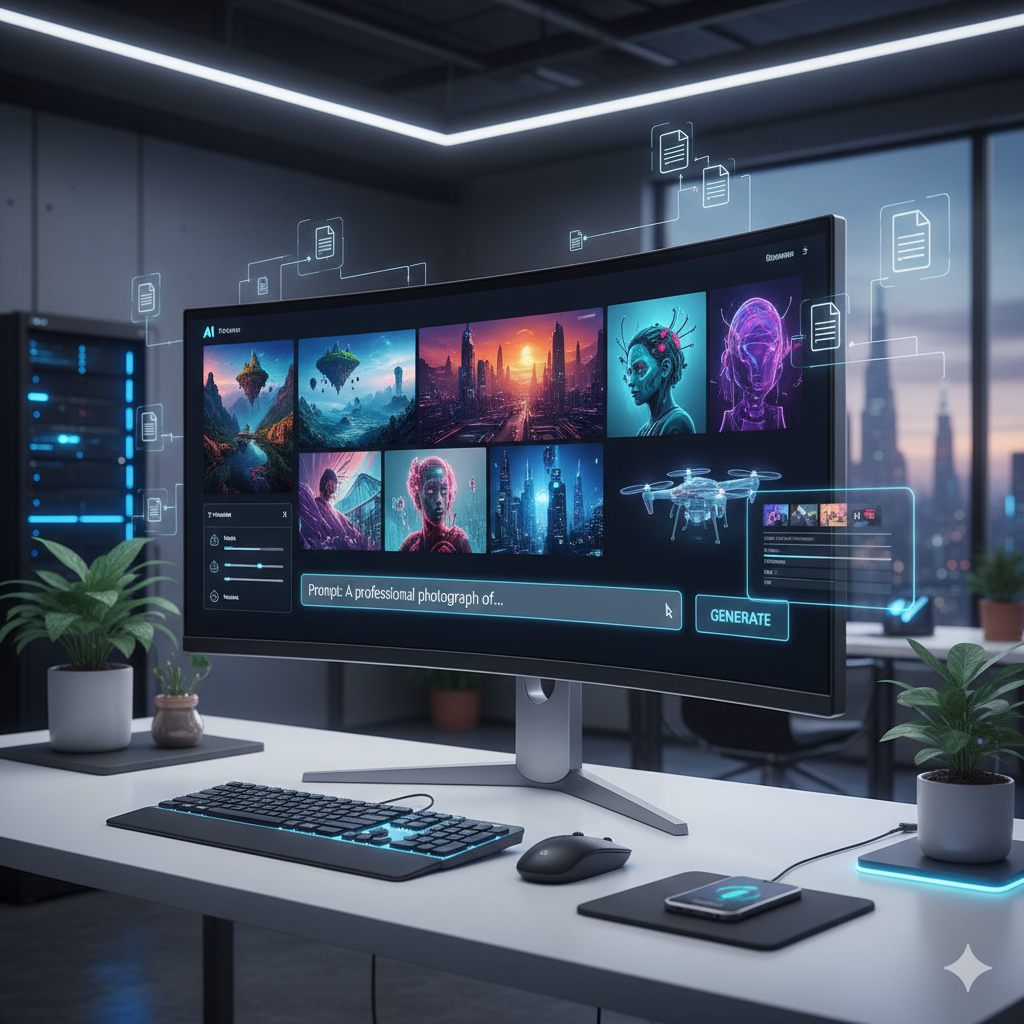
In the fast-paced world of digital content creation, the demand for high-quality, engaging visuals is ever-increasing. From blog posts and social media updates to marketing campaigns and educational materials, compelling imagery is no longer a luxury but a necessity. However, sourcing or creating unique, relevant images often presents a significant bottleneck for creators, often proving to be time-consuming, expensive, or requiring specialized design skills. This is where the revolutionary power of free AI image generation tools steps in, offering an unprecedented opportunity to supercharge your creative workflow and accelerate content development.
Gone are the days when sophisticated image creation was solely the domain of professional graphic designers with expensive software. Artificial Intelligence has democratized this process, placing powerful image generation capabilities directly into the hands of marketers, bloggers, educators, small business owners, and solo entrepreneurs. These innovative tools, often accessible through a web browser with a generous free tier, allow you to conjure virtually any image from a simple text description. Imagine needing a vibrant illustration of a ‘futuristic cityscape at sunset with flying cars’ for your sci-fi blog, or a whimsical ‘abstract painting of a happy robot exploring a forest’ for a children’s story, and having it generated in mere seconds. This article will delve deep into how these free AI image creation tools can transform your content strategy, providing practical insights, detailed comparisons, and real-world examples to help you harness their full potential.
Unlocking Creative Potential with Free AI Image Generation Tools
The advent of generative AI, particularly in the realm of image creation, marks a pivotal moment in the digital landscape. Tools that can transform textual prompts into stunning visual assets are no longer futuristic concepts; they are readily available and continuously evolving. This section explores the fundamental shift these tools represent for content creators seeking efficiency and creativity without incurring significant costs.
The Paradigm Shift: From Stock Photos to Bespoke AI Art
For years, content creators relied heavily on stock photo libraries to find visual accompaniments for their text. While stock photos offer convenience, they come with inherent limitations: a lack of uniqueness, generic aesthetics, and often a struggle to perfectly match the specific nuance or abstract concept of your content. AI image generation shatters these limitations. Instead of searching through millions of pre-existing images, you can now describe precisely what you envision, and the AI will attempt to create it. This bespoke approach ensures your visuals are perfectly aligned with your narrative, making your content stand out in a crowded digital space.
Furthermore, the cost factor cannot be overstated. High-quality stock photo subscriptions can be expensive, especially for individuals or small businesses with tight budgets. Free AI image generators provide an alternative that eliminates these recurring costs, allowing resources to be allocated elsewhere. This democratization of high-quality visual content is empowering, leveling the playing field for creators regardless of their financial capacity or design expertise.
How AI Image Generators Work: A Glimpse Under the Hood
At their core, most modern AI image generators operate on what’s known as a “text-to-image” model. These models are trained on enormous datasets of images paired with their descriptive text. Through this extensive training, the AI learns the intricate relationships between words and visual concepts. When you provide a prompt, the AI essentially decodes your text, drawing upon its vast knowledge base to synthesize a new image that visually represents your input. The process typically involves several stages:
- Prompt Interpretation: The AI analyzes your text prompt, identifying key objects, styles, colors, lighting, and emotions.
- Latent Space Navigation: It then navigates a high-dimensional “latent space” where different visual concepts are represented numerically.
- Iterative Refinement (Diffusion Process): Many popular models use a diffusion process. This starts with a random noise image and gradually refines it, removing noise and adding details based on the prompt, until a coherent image emerges. This is often described as “denoising” an image guided by text.
- Output Generation: Finally, the AI renders the resulting image, often providing several variations for you to choose from.
This complex interplay of algorithms allows for an astounding range of creative outputs, from photorealistic scenes to highly stylized digital art, all based on the power of your words.
Choosing Your Arsenal: Popular Free AI Image Generation Tools
The landscape of free AI image generation tools is dynamic and expanding rapidly. While many offer similar core functionalities, they often differ in their user interfaces, the quality of their free tiers, the types of images they excel at, and their specific features. Here’s a look at some of the most prominent and accessible options available today:
- Stable Diffusion (Online Implementations): While Stable Diffusion is an open-source model, various websites and applications offer free online interfaces to use it without needing powerful hardware or technical setup. Examples include Clipdrop by Stability AI, DreamStudio’s free tier, or numerous community-driven web UIs. Stable Diffusion is highly versatile, capable of producing a wide range of styles from photorealistic to artistic, and is known for its strong community support and extensibility.
- Leonardo.ai (Free Tier): Leonardo.ai stands out for its user-friendly interface and focus on creative assets for games, art, and design. Its free tier provides a generous number of daily “tokens” or “credits” that allow users to generate numerous images. It offers fine-tuned models, specific art styles, and features like image prompting and image-to-image generation, making it a favorite for those looking for more control and stylized outputs.
- Microsoft Copilot/Designer: Integrated directly into Microsoft services, Copilot (powered by DALL-E 3) offers incredibly intuitive text-to-image generation. It excels at understanding complex, multi-clause prompts and producing highly coherent and visually appealing images, often with text inclusion capabilities. Its integration into everyday tools like Bing and Edge makes it incredibly accessible for a vast user base.
- Canva’s Magic Media: Canva, a popular graphic design platform, has integrated its own AI image generator, “Magic Media.” This tool allows users to generate images directly within their design projects, streamlining the workflow for creating social media graphics, presentations, and other visual content. It’s especially useful for users already familiar with the Canva ecosystem.
- NightCafe Creator (Free Tier): NightCafe offers a variety of AI art generation algorithms, including Stable Diffusion, DALL-E 2, and more. Its free tier provides daily credits, and users can earn more by participating in challenges or sharing their creations. It’s a great platform for experimentation with different artistic styles and models.
When choosing a tool, consider your primary needs: Is it for quick, straightforward image generation, or do you require more nuanced control over style and composition? Do you need integration with other design tools? Experimenting with a few options will help you discover which platform best suits your workflow and creative vision.
Mastering Prompts: The Art and Science of AI Image Creation
The quality of your AI-generated image is directly proportional to the quality of your prompt. Crafting effective prompts is less about coding and more about descriptive storytelling. It’s an art that combines precision with imagination. Think of the AI as an incredibly skilled but literal artist; it needs clear instructions. Here’s how to master prompt engineering:
Dissecting the Anatomy of a Great Prompt
A strong prompt usually includes several key elements that guide the AI:
- Subject: Clearly define what the main focus of your image is. (e.g., “A lone astronaut,” “A bustling market,” “A fluffy cat”).
- Action/Setting: Describe what the subject is doing or where it is. (e.g., “floating in space,” “under a medieval archway,” “napping on a windowsill”).
- Style/Art Medium: Specify the desired aesthetic. This is crucial for guiding the AI towards a particular look. (e.g., “oil painting,” “digital art,” “pencil sketch,” “photorealistic,” “cyberpunk,” “watercolor illustration,” “anime style”).
- Attributes/Details: Add descriptive adjectives and specific features. (e.g., “vibrant colors,” “intricate details,” “soft lighting,” “glowing eyes,” “epic,” “majestic”).
- Composition/Camera Angle: How should the scene be framed? (e.g., “wide shot,” “close-up,” “from above,” “dramatic lighting,” “cinematic”).
- Mood/Emotion: Convey the feeling you want the image to evoke. (e.g., “peaceful,” “ominous,” “joyful,” “futuristic,” “melancholic”).
For example, instead of “cat picture,” try something like: “A mischievous fluffy ginger cat with emerald eyes, playfully batting at a dangling yarn ball, captured in a whimsical watercolor illustration style, cozy living room background, soft natural light, vibrant colors, close-up, joyful mood.”
Tips and Tricks for Advanced Prompting
- Be Specific, Yet Concise: Avoid ambiguity. The more precise your description, the better the AI can interpret your vision. However, don’t overload it with unnecessary words.
- Use Keywords Effectively: Employ strong keywords that evoke the desired concepts. Think of terms artists use: “chiaroscuro,” “hyperrealistic,” “bokeh,” “anamorphic lens flare.”
- Experiment with Order: The order of words in your prompt can sometimes influence the AI’s weighting. Important elements often benefit from being placed earlier.
- Leverage Negative Prompts: Many tools offer a “negative prompt” feature, where you specify what you don’t want in the image. This is invaluable for filtering out undesirable elements (e.g., “ugly, deformed, blurry, low quality, extra limbs, bad anatomy, text”).
- Iterate and Refine: Rarely will your first prompt yield a perfect result. Generate multiple images, analyze what works and what doesn’t, and adjust your prompt accordingly. It’s an iterative process of trial and error.
- Reference Artists and Styles: Don’t be afraid to name specific artists or art movements to guide the style (e.g., “in the style of Van Gogh,” “Bauhaus architecture,” “Art Nouveau poster”).
- Specify Resolution and Aspect Ratio: Many tools allow you to choose the output resolution and aspect ratio (e.g., 16:9 for banners, 1:1 for social media posts).
Mastering prompts is a continuous learning process. The more you experiment and understand how different words influence the AI, the more powerful your creative output will become.
Integrating AI Images into Your Content Workflow
The true power of free AI image generation lies in its seamless integration into your existing content creation pipeline. By automating the visual aspect, you free up valuable time and resources, allowing you to focus on writing, strategizing, and engagement. Here’s how various content creators can leverage these tools:
For Bloggers and Website Owners
Visual appeal significantly impacts blog post readability and SEO. AI images can:
- Create Unique Header Images: No more relying on generic stock photos that thousands of other blogs use. Generate a captivating, custom header that perfectly encapsulates your article’s topic.
- Illustrate Complex Concepts: If you’re discussing abstract ideas, scientific concepts, or historical events, AI can create bespoke illustrations or visualizations that make your content more understandable and engaging.
- Break Up Text: Use smaller, contextually relevant images throughout your post to improve flow and prevent reader fatigue.
- Enhance SEO: Unique, high-quality images can improve user engagement metrics (like time on page) and provide opportunities for keyword-rich alt text, contributing positively to your search engine rankings.
For Social Media Managers and Marketers
Visuals are paramount on social media. AI tools offer:
- Rapid Content Prototyping: Quickly generate several visual concepts for a campaign to test audience reaction before committing to a final design.
- Unique Post Graphics: Stand out from the competition with custom graphics for daily posts, stories, and ads that resonate with your brand’s voice and current campaigns.
- Thematic Series: Generate a consistent series of images around a specific theme or product launch, maintaining a cohesive visual identity across multiple posts.
- Engagement Boosters: Create eye-catching visuals for polls, quizzes, or interactive content that encourage higher user interaction.
For Educators and Trainers
Visual aids are crucial for effective learning. AI can help:
- Visualize Abstract Ideas: Transform complex theories, historical events, or scientific processes into clear, engaging illustrations that aid comprehension.
- Create Custom Teaching Materials: Develop unique diagrams, character illustrations for stories, or conceptual art for presentations that are tailored specifically to your curriculum.
- Enhance Accessibility: Provide visual alternatives for students who learn better through imagery or need visual cues to grasp new concepts.
For Small Business Owners and Entrepreneurs
Budget-conscious businesses can greatly benefit from free AI tools:
- Marketing Materials: Design unique flyers, brochures, website banners, and social media ads without hiring a graphic designer.
- Product Mockups: Visualize how a product might look in different settings or with various designs before committing to expensive prototypes.
- Brand Storytelling: Create compelling visuals that narrate your brand’s story, values, or mission in a unique and memorable way.
By streamlining the visual creation process, AI tools empower creators across all sectors to produce richer, more engaging content at an unprecedented pace.
Ethical Considerations and Best Practices for AI Image Use
While the capabilities of AI image generation are exciting, it’s crucial to approach their use with an understanding of the ethical implications and best practices. Responsible use ensures fairness, transparency, and avoids potential pitfalls.
Copyright and Ownership
The question of copyright for AI-generated art is still evolving and varies by jurisdiction. Generally:
- Input vs. Output: If your prompt contains copyrighted elements (e.g., “Mickey Mouse fighting Godzilla”), the output could infringe on existing copyrights, even if the AI generates a ‘new’ image.
- Originality: Current legal frameworks often require human authorship for copyright protection. Images created solely by AI, without significant human creative input, may not be eligible for copyright.
- Platform Terms of Service: Always review the Terms of Service for each AI tool. Some platforms claim ownership or grant a broad license to the images you create, while others transfer rights to the user. Many free tiers often have more restrictive commercial use clauses than paid subscriptions.
- Commercial Use: If you intend to use AI-generated images for commercial purposes (selling products, advertising), be extra diligent in understanding the licensing terms and potential legal ambiguities. For critical projects, consulting a legal professional is advisable.
For now, it’s safest to assume that truly unique AI-generated images (without copyrighted elements in the prompt) may not be fully copyrightable by you, but you typically have a license to use them as per the platform’s terms. Avoid using AI to create images that too closely mimic existing copyrighted works.
Bias and Representation
AI models are trained on vast datasets, and if those datasets reflect societal biases, the AI’s output can perpetuate them. For instance, prompting for “CEO” might predominantly generate images of men, or “nurse” might generate women. This can lead to:
- Stereotypical Representations: Reinforcing harmful stereotypes regarding gender, race, age, and profession.
- Lack of Diversity: Producing images that lack diverse representation, which can alienate audiences and perpetuate narrow worldviews.
Best practices to mitigate bias:
- Specify Diversity: Proactively include diverse descriptors in your prompts (e.g., “a diverse group of scientists,” “a female CEO,” “people of various ethnic backgrounds”).
- Review Critically: Always scrutinize the generated images for unintended biases before publishing.
- Educate Yourself: Understand the limitations of the AI models you use and the potential for bias.
Transparency and Attribution
As AI-generated content becomes more prevalent, transparency is increasingly important:
- Disclosure: Consider disclosing when images are AI-generated, especially in contexts where authenticity is critical (e.g., journalism, educational materials).
- Ethical Watermarking: Some platforms may subtly watermark AI-generated images. Respect these, or add your own if the platform doesn’t.
- Attribution: While not always legally required for free tools, attributing the AI tool or platform can be a good practice, promoting transparency and giving credit where due.
By being mindful of these ethical considerations, creators can harness AI image generation responsibly, ensuring their content is not only visually compelling but also fair, transparent, and respectful.
The Future of Content Creation with AI
The rapid advancements in AI image generation suggest an exciting and transformative future for content creation. What we see today is just the beginning; upcoming developments promise even greater capabilities and integrations.
Evolving Capabilities and New Features
Expect AI models to become even more sophisticated in understanding nuanced prompts, generating highly detailed images with greater consistency, and handling complex scenes with multiple interacting elements. We are already seeing:
- Improved Coherence: AI models are getting better at maintaining consistent characters, styles, and themes across multiple generated images, which is critical for storytelling and branding.
- Video Generation: Text-to-video capabilities, though still in early stages for free public access, are rapidly improving, promising a revolution in motion content.
- 3D Asset Creation: AI is beginning to generate 3D models and textures from text prompts, opening doors for game development, virtual reality, and architectural visualization.
- Personalized Content: The ability to generate hyper-personalized visual content for individual users based on their preferences and data points could redefine targeted marketing.
- Deeper Integration with Design Software: AI features will likely become standard within professional design tools, offering AI-powered assistance for everything from concept generation to final rendering and editing.
The Human-AI Collaboration: A New Creative Frontier
The future isn’t about AI replacing human creativity, but rather augmenting it. AI will serve as an invaluable assistant, a powerful co-creator that handles the technical aspects of image generation, allowing humans to focus on the conceptual, strategic, and emotional dimensions of their content. This collaboration will lead to:
- Faster Ideation: Quickly prototype visual ideas, explore different styles, and iterate on concepts without significant time investment.
- Democratization of Art: Individuals without traditional artistic skills can realize their creative visions, fostering a more diverse range of content and perspectives.
- Enhanced Efficiency: Spend less time on repetitive visual tasks and more time on core competencies like writing, editing, and audience engagement.
- New Artistic Mediums: AI image generation itself is becoming a new artistic medium, with prompt engineering recognized as a skill.
Content creators who embrace AI as a collaborative partner will be best positioned to thrive in this evolving digital landscape, delivering unparalleled visual richness and efficiency to their audiences.
Comparison Tables
Table 1: Comparison of Popular Free AI Image Generation Tools (Key Aspects)
| Tool Name | Primary Strengths | Ease of Use | Free Tier Limitations | Best For |
|---|---|---|---|---|
| Stable Diffusion (Online UIs) | Versatility, broad style range, strong community, fine-tuneable. | Moderate (depending on UI) | Daily credits/generations, slower speeds, limited advanced features. | Experimenters, artists, those seeking specific styles. |
| Leonardo.ai | User-friendly, fine-tuned models, game/art focus, image prompting. | High | Daily tokens (approx. 150-250 images/day), some model restrictions. | Designers, game developers, creative content creators. |
| Microsoft Copilot/Designer (DALL-E 3) | Excellent prompt comprehension, coherent images, text in images. | Very High | Boosts/credits reset daily/weekly, occasional rate limits. | Beginners, marketers, quick, coherent image needs. |
| Canva Magic Media | Integrated into design platform, simple interface. | Very High | Limited daily generations (e.g., 5-10 images/day). | Canva users, social media managers, quick design needs. |
| NightCafe Creator | Multiple algorithms, style transfer, active community, daily challenges. | Medium | Daily credits, often slower generation. | Art enthusiasts, those wanting to try different AI models. |
Table 2: Traditional Image Sourcing vs. AI Image Generation for Content Development
| Feature/Aspect | Traditional Sourcing (Stock Photos) | AI Image Generation | Key Implication for Content Creators |
|---|---|---|---|
| Time to Acquire | Medium to High (searching, filtering, downloading, editing) | Low (seconds to minutes for generation and refinement) | Significantly faster visual creation. |
| Cost (Free Tier Comparison) | Often free (with attribution/limited use) or subscription-based (expensive). | Free (with daily limits) or low-cost subscriptions for higher volume. | Massive cost savings for unique, bespoke visuals. |
| Uniqueness/Originality | Low (images used by many others, generic look). | High (each generation is unique, tailored to prompt). | Content stands out, avoids generic aesthetic. |
| Customization Level | Low (limited to available photos, requires extensive editing). | Very High (can specify style, composition, subjects, mood precisely). | Perfect visual alignment with content message and brand. |
| Skill Required | Basic search/editing skills. | Prompt engineering skills (learnable). | New skill set but high payoff in creative control. |
| Licensing/Copyright Clarity | Generally clear (defined by stock site terms). | Still evolving, potential ambiguities (review platform TOS). | Requires careful attention to terms, especially for commercial use. |
| Scalability | Limited by library size and search efficiency. | High (can generate variations quickly, consistent theme possible). | Ideal for producing large volumes of themed visuals. |
Practical Examples: Real-World Use Cases
Let’s illustrate how free AI image generation can be applied in various content creation scenarios, demonstrating its versatility and impact.
Example 1: The Tech Blogger’s Header Image Dilemma
Sarah runs a tech blog focused on emerging trends. She’s writing an article about “The Rise of Quantum Computing.” Traditionally, she’d spend an hour sifting through stock photos for something that looks futuristic yet abstract, often settling for generic circuit boards or glowing blue spheres. With AI, her workflow changes dramatically.
- Old Workflow: Search “quantum computing,” “futuristic tech,” “abstract circuits.” Download, crop, possibly add text. Time: 60-90 minutes. Result: Good, but likely seen before.
- AI Workflow:
- Prompt in Leonardo.ai: “A stunning abstract representation of quantum computing, glowing entangled qubits interconnected in a luminous network, deep space background, futuristic, highly detailed, cinematic lighting, purple and blue color scheme, digital art.”
- Generate: Within 30 seconds, she has four distinct, high-quality images. She picks one that perfectly captures the ethereal and complex nature of quantum computing.
- Refine (Optional): She might try a slight variation, adding “macro shot” for more detail or “in the style of a glowing nebula.”
Time: 5-10 minutes. Result: A unique, captivating header image that perfectly aligns with her content’s specific theme, making her article instantly more engaging and professional.
Example 2: The Social Media Manager’s Daily Content Push
Mark manages social media for a local coffee shop. He needs daily engaging content to promote new seasonal drinks, special offers, and general brand awareness. His budget for photography is limited.
- Old Workflow: Take photos of coffee cups, pastries, or use generic coffee-themed stock images. Edit photos. Time: 2-3 hours per week for visual content. Results: Often repetitive, less dynamic.
- AI Workflow:
- Monday (New Pumpkin Spice Latte): Prompt in Microsoft Copilot: “A cozy pumpkin spice latte with whipped cream, autumn leaves scattered around, soft warm lighting, rustic wooden table, photorealistic, shallow depth of field, vibrant colors.” Generates multiple options, including one with excellent composition for an Instagram carousel.
- Wednesday (Mid-week pick-me-up): Prompt: “An animated coffee bean character, looking energetic and happy, holding a small coffee cup, cartoon style, bright colors, white background.” Perfect for a playful mid-week post.
- Friday (Weekend Chill): Prompt: “A tranquil scene of someone reading a book in a comfortable armchair, a steaming cup of coffee next to them, soft morning light coming through a window, hygge aesthetic, atmospheric, soft focus.” Sets a relaxing weekend mood.
Time: 30-45 minutes per week for diverse, high-quality visuals. Result: Fresh, highly relevant, and engaging visuals daily, leading to increased interaction and brand recognition.
Example 3: The Online Course Creator’s Visual Explanations
Dr. Anya is developing an online course on “The History of Ancient Civilizations.” She needs visuals for her lectures and quizzes, specifically for abstract concepts like “the rise of organized religion” or “the impact of early metallurgy.”
- Old Workflow: Search public domain archives, museums, or pay for historical illustrations. Often difficult to find precise visuals for abstract ideas. Time: Many hours of research and rights clearance. Results: Patchy, inconsistent style.
- AI Workflow:
- Rise of Organized Religion: Prompt in Stable Diffusion UI: “An ancient Mesopotamian city skyline at dawn, with a grand ziggurat towering over the landscape, stylized depiction of early human figures gathering, a sense of awe and community, intricate stone carvings, historical illustration style, warm golden light.”
- Impact of Early Metallurgy: Prompt: “A visual metaphor for early metallurgy, glowing molten metal being poured into intricate molds, tools and weapons subtly visible in the background, dark smoky workshop atmosphere, dramatic lighting, detailed historical art style.”
Time: Each visual generated in minutes. Result: Custom, historically inspired, and concept-specific illustrations that make complex topics more digestible and memorable for her students, enhancing their learning experience.
Example 4: The Small Business Owner’s Promotional Flyer
David owns a small artisanal bakery. He wants to create a flyer for a “Spring Flavors” special, featuring lemon lavender scones and berry tarts. He needs an appealing visual without hiring a photographer or designer.
- Old Workflow: Take amateur photos with his phone or find generic baking images. Limited visual appeal. Time: 1 hour for photos and basic editing. Results: Mediocre, lacks professional polish.
- AI Workflow:
- Prompt in Canva Magic Media: “A beautifully arranged spread of artisanal lemon lavender scones and fresh berry tarts on a rustic wooden board, spring aesthetic, delicate white tablecloth, natural daylight, soft pastel colors, photorealistic, bakery product photography style.”
- Generate & Integrate: Canva generates several high-quality images. David selects the best one, directly integrates it into his flyer design within Canva, adds text about the special, and prints.
Time: 15-20 minutes for image generation and integration. Result: A professional-looking, mouth-watering flyer that accurately represents his products and attracts customers, all without external design costs.
These examples underscore the transformative potential of free AI image generation. It’s not just about saving money; it’s about empowering creators to produce unique, high-quality, and highly relevant visual content at an unprecedented speed and scale.
Frequently Asked Questions
Q: What exactly is AI image generation and how does it work?
A: AI image generation is a technology that uses artificial intelligence algorithms, primarily deep learning models, to create visual content from text descriptions (prompts), existing images, or other data. At its core, it works by analyzing vast datasets of images and their corresponding text descriptions during a training phase. This allows the AI to learn the relationships between words and visual elements. When you provide a prompt, the AI interprets your words and synthesizes a new image by essentially “denoising” an initial field of random pixels, iteratively refining it until it matches the descriptive cues from your prompt. This process, often based on ‘diffusion models,’ allows for highly diverse and unique outputs, transforming abstract concepts into tangible visuals in a matter of seconds.
Q: Are the images generated by these free AI tools truly free to use?
A: The “freeness” of AI-generated images, especially for commercial use, depends heavily on the specific platform’s terms of service and the current legal landscape surrounding AI art copyright. While most free tiers allow you to generate images at no monetary cost and often grant personal use, commercial use might have restrictions. Some platforms claim ownership, grant broad licenses, or require attribution. The legal status of copyright for AI-generated art is still evolving, with many jurisdictions currently requiring human authorship for copyright protection. Always review the End User License Agreement (EULA) or Terms of Service of the specific AI tool you are using before using any generated image for commercial purposes to avoid potential legal issues.
Q: What are some of the best free AI image generators available today?
A: Several excellent free AI image generators are available, each with unique strengths. Popular choices include:
- Leonardo.ai: Known for its user-friendly interface, fine-tuned models, and generous daily token allowance, making it great for creative assets.
- Microsoft Copilot / Designer (powered by DALL-E 3): Excellent for understanding complex prompts and generating coherent images, integrated into Microsoft’s ecosystem.
- Stable Diffusion (via online UIs like Clipdrop): Offers high versatility and a wide range of styles, with many community-driven interfaces available.
- Canva’s Magic Media: Ideal for users already within the Canva ecosystem, allowing direct integration into designs.
- NightCafe Creator: Provides access to multiple AI algorithms and a community-focused platform for experimentation.
The “best” tool often depends on your specific needs, desired style, and ease of use preferences.
Q: How do I write effective prompts to get the best results from AI image generators?
A: Crafting effective prompts is crucial. Think of it as giving clear instructions to a very literal artist. Key elements include:
- Subject: What is the main focus? (e.g., “A majestic lion”).
- Action/Setting: What is it doing or where is it? (e.g., “roaming a savanna at sunset”).
- Style/Medium: What aesthetic? (e.g., “photorealistic,” “oil painting,” “cyberpunk illustration”).
- Details/Attributes: Specific descriptions (e.g., “golden mane,” “vibrant colors,” “epic scale”).
- Mood/Composition: The feeling or framing (e.g., “dramatic lighting,” “peaceful atmosphere,” “wide shot”).
Also, utilize negative prompts to exclude unwanted elements (e.g., “blurry, deformed, ugly”). Experimentation, iteration, and learning from other users’ prompts are key to mastering this skill.
Q: Can I use AI-generated images for commercial purposes, like in marketing or products?
A: Using AI-generated images for commercial purposes is an area with evolving legal and ethical considerations. While many platforms’ free tiers allow personal use, commercial rights often come with paid subscriptions or might be limited. Crucially, copyright ownership for purely AI-generated works is legally ambiguous in many regions, as current laws typically require human authorship. It’s essential to:
- Check the platform’s specific Terms of Service: These will outline what you can and cannot do commercially.
- Avoid copyrighted source material: Do not use copyrighted characters, brands, or styles in your prompts without proper licensing.
- Consider legal advice: For critical commercial projects, consult intellectual property legal counsel to ensure compliance and avoid potential infringement issues.
Transparency about AI usage is also increasingly valued.
Q: What are the main limitations of using free AI image generation tools?
A: While incredibly powerful, free AI image generation tools come with certain limitations:
- Daily/Monthly Credits: Free tiers often have caps on the number of images you can generate per day or month.
- Slower Generation Speed: Free users might experience longer queue times or slower generation speeds compared to paid subscribers.
- Limited Features: Advanced features like higher resolution output, specific model access, fine-tuning, or faster processing might be reserved for premium plans.
- Inconsistent Output: Achieving perfect consistency for characters or specific artistic styles across multiple images can be challenging.
- Occasional Oddities: AI can sometimes produce strange or anatomically incorrect elements, especially with complex prompts or human figures.
- Watermarks: Some free tools may subtly watermark generated images.
Despite these, they offer immense value for general content creation and experimentation.
Q: Is there a risk of creating images that accidentally infringe on existing copyrights or trademarks?
A: Yes, there is a risk. AI models are trained on vast amounts of data, including copyrighted material. If your prompt is too specific or references existing copyrighted works (e.g., “a superhero resembling Spider-Man” or “Coca-Cola logo in a fantasy setting”), the AI might generate an image that could be deemed an infringing derivative work. Similarly, if your prompt leads to the accidental recreation of a recognizable trademark or logo, it could also lead to issues. To minimize risk:
- Be original in your prompts: Focus on concepts rather than specific existing brands or characters.
- Avoid direct references: Do not directly name copyrighted entities in your prompts unless you have explicit permission or it falls under fair use.
- Review generated images carefully: Always check outputs for any resemblance to existing copyrighted works before use, especially commercially.
When in doubt, err on the side of caution or seek legal advice.
Q: How quickly can I generate images using these tools?
A: The speed of image generation varies depending on several factors:
- Tool/Platform: Some platforms are inherently faster than others.
- Model Complexity: More sophisticated or higher-resolution generations might take longer.
- Server Load: During peak usage times, free tiers might experience slower processing due to higher demand.
- Prompt Complexity: Very long or complex prompts can sometimes take slightly longer to process.
- Hardware (for local installations): If using an open-source model locally, your computer’s GPU power significantly impacts speed.
However, for most online free tools, you can expect to generate an image in a range from a few seconds to a minute, making it incredibly rapid compared to traditional design processes.
Q: Do I need any technical skills or coding knowledge to use AI image generators?
A: Absolutely not! The vast majority of popular free AI image generators are designed with user-friendliness in mind and require zero coding knowledge or technical skills beyond basic computer literacy. They typically feature intuitive web interfaces where you simply type your text prompt, click a “Generate” button, and the AI does the rest. The primary “skill” you’ll develop is prompt engineering – learning how to effectively describe your desired image in text to achieve the best results. This is more of a creative and linguistic skill than a technical one, and it’s easily learned through practice and experimentation.
Q: What about ethical concerns like bias or misinformation in AI-generated images?
A: Ethical concerns are critical. AI models are trained on real-world data, which often contains biases present in society. This can lead to AI-generated images perpetuating stereotypes (e.g., gender, race, profession) or displaying a lack of diversity unless explicitly prompted otherwise. Furthermore, the ease of generating realistic images raises concerns about misinformation and deepfakes. To address these:
- Consciously prompt for diversity: Actively include diverse descriptors in your prompts.
- Critically review outputs: Always check generated images for unintended biases or potentially misleading content.
- Transparency: Consider disclosing when images are AI-generated, especially in sensitive contexts.
- Be aware of context: Understand that while powerful, AI image generation can be misused, and responsible use is paramount.
It’s an ongoing area of development and discussion, requiring continuous vigilance from users.
Key Takeaways
- Free AI image generation tools are transforming content creation by providing accessible, cost-effective, and rapid visual solutions.
- These tools allow creators to generate unique, bespoke images tailored precisely to their content, overcoming the limitations of generic stock photos.
- Popular free platforms like Leonardo.ai, Microsoft Copilot (DALL-E 3), and Stable Diffusion (online UIs) offer diverse functionalities and creative possibilities.
- Mastering prompt engineering, the art of crafting precise textual descriptions, is crucial for achieving high-quality and desired AI-generated visuals.
- AI images seamlessly integrate into workflows for bloggers, marketers, educators, and small businesses, significantly boosting efficiency and visual appeal.
- Ethical considerations regarding copyright, potential biases, and the need for transparency are vital for responsible and effective AI image utilization.
- The future points towards increasingly sophisticated AI capabilities and a powerful human-AI collaboration that will redefine creative possibilities.
- By embracing these technologies, content creators can unlock unprecedented potential, delivering richer, more engaging experiences to their audiences at scale.
Conclusion
The journey into the world of free AI image creation is not just about adopting a new technology; it’s about embracing a fundamental shift in how we approach content development. For too long, the visual aspect of content has been a bottleneck, often constrained by budget, time, or specialized skill sets. With the advent of powerful, accessible, and often free AI image generators, these barriers are rapidly dissolving, empowering individuals and organizations alike to elevate their creative output.
By understanding the mechanics, leveraging the best available tools, mastering the art of prompt engineering, and integrating AI into existing workflows, you can unlock a torrent of visual content that is both high-quality and perfectly aligned with your narrative. From bespoke blog headers and dynamic social media graphics to illustrative educational materials and compelling marketing visuals, the possibilities are virtually limitless. However, this power comes with responsibility. A mindful approach to ethical considerations, including copyright nuances, potential biases, and the importance of transparency, ensures that these tools are used to foster creativity and enrich content responsibly.
As AI continues its exponential growth, its role in content creation will only deepen, offering even more sophisticated capabilities and fostering an unprecedented era of human-AI collaboration. The time to experiment, learn, and integrate these transformative tools into your creative arsenal is now. By doing so, you’re not just keeping pace with technological advancement; you’re actively supercharging your creative workflow, ready to develop compelling content with unparalleled speed, efficiency, and originality, ultimately engaging your audience like never before.

























































































Leave a Reply